
Product Updates & Version History
Stay informed about the latest enhancements, new features, and important fixes in our platform. This page provides a complete record of version releases so you can easily track improvements and see what’s new.

Latest Updates
Explore the most recent enhancements that make your experience smoother and more powerful. Each version includes details on new functionality, optimizations, and fixes so you know exactly what’s improved.
Why We Share Updates
Because every improvement we make should add value to your experience.
- Transparency
Clear version notes keep you fully informed about changes and enhancements.
- Trust
Sharing updates shows our commitment to reliability and accountability.
- Adoption
Early awareness helps your team quickly adapt to improvements.
- Collaboration
Your feedback shapes future updates, making the product stronger.
- Continuity
Regular updates ensure stability and long-term system performance.
How Updates Benefit You
Discover the real value behind every release and how it helps you work better.
- Efficiency
Each release brings optimizations that save you time and boost productivity.
- Reliability
Bug fixes and stability improvements ensure smooth, uninterrupted performance.
- Innovation
New tools and features keep your system aligned with the latest industry trends.
- Security
Every update strengthens protection with the latest security patches and compliance measures.
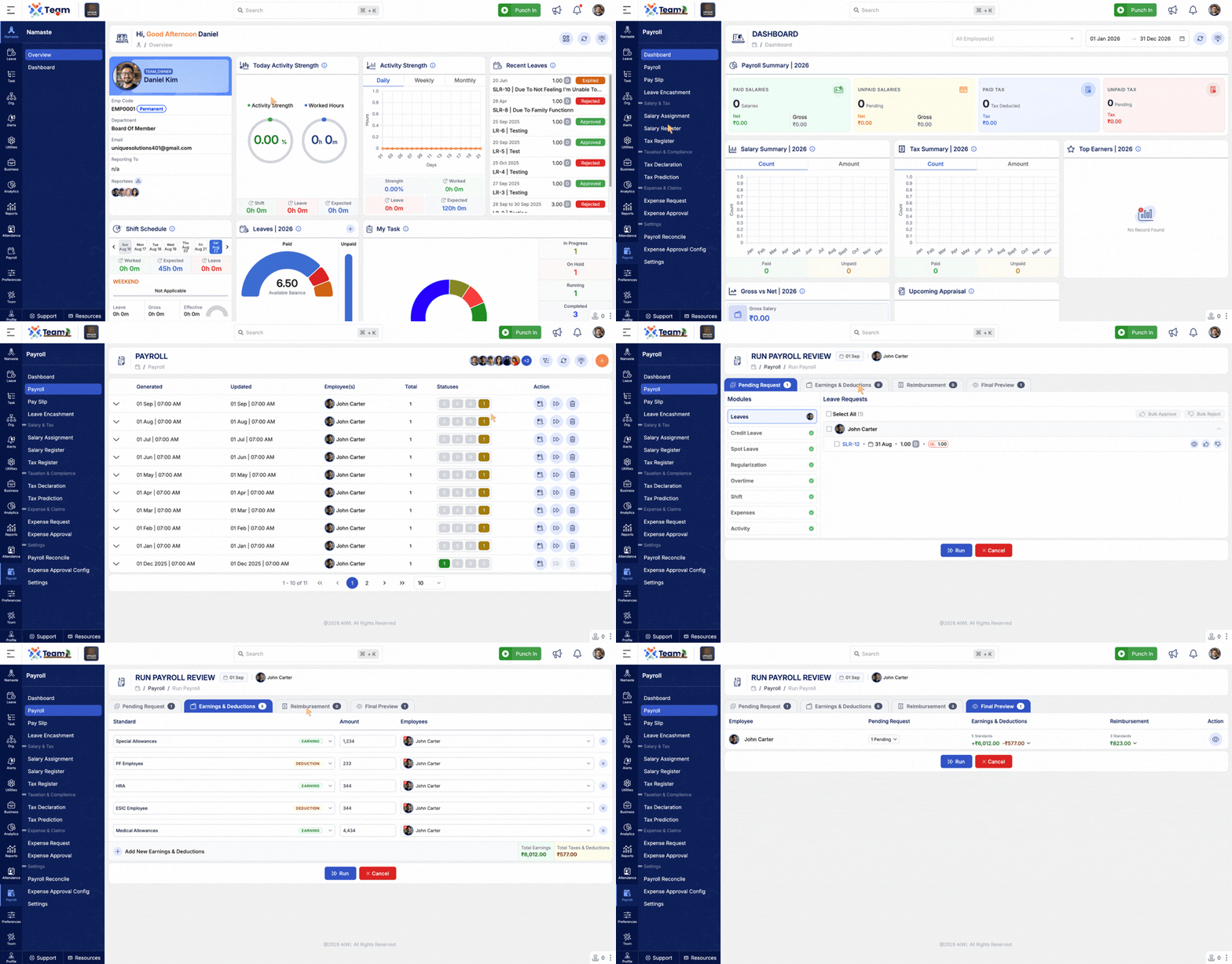
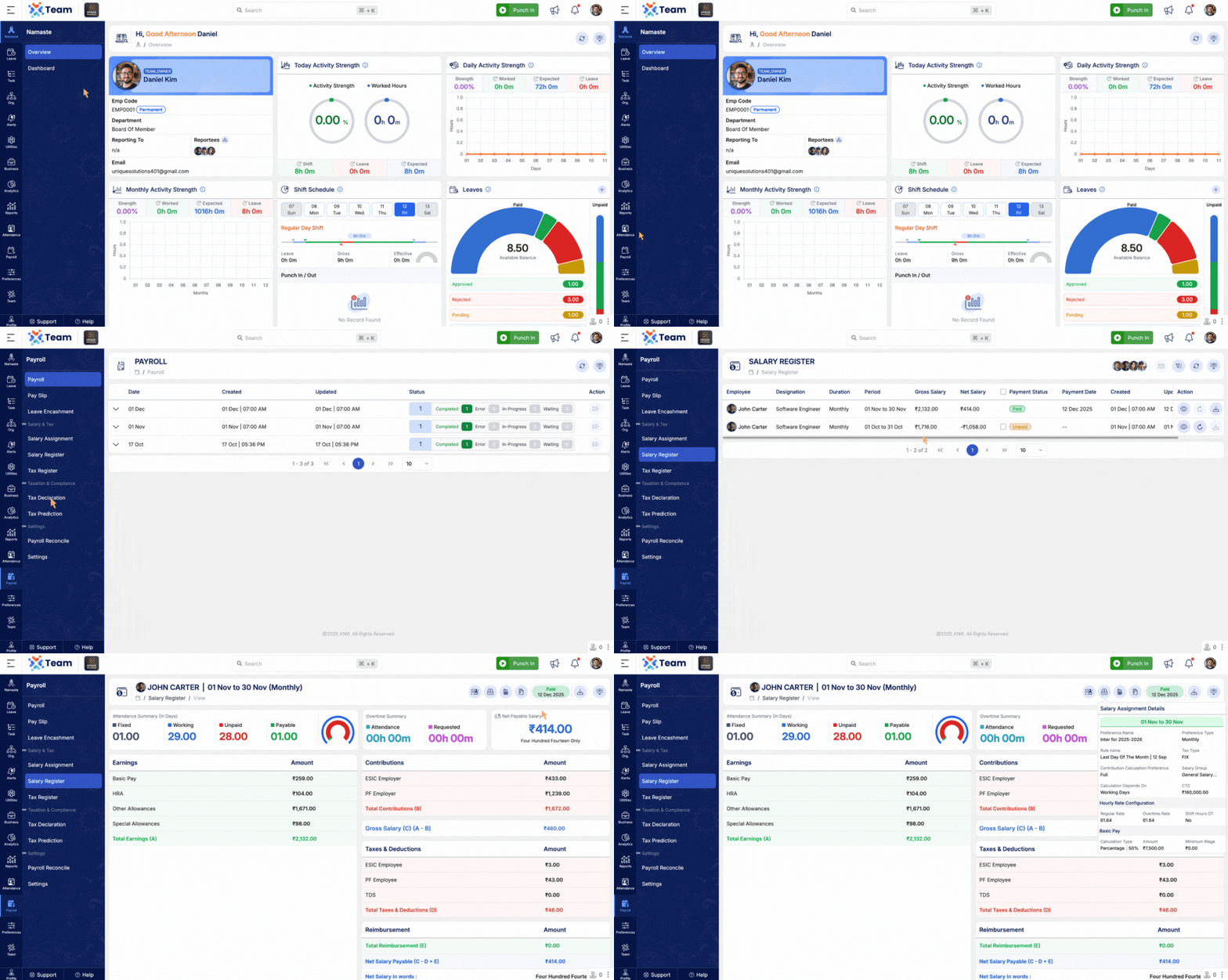
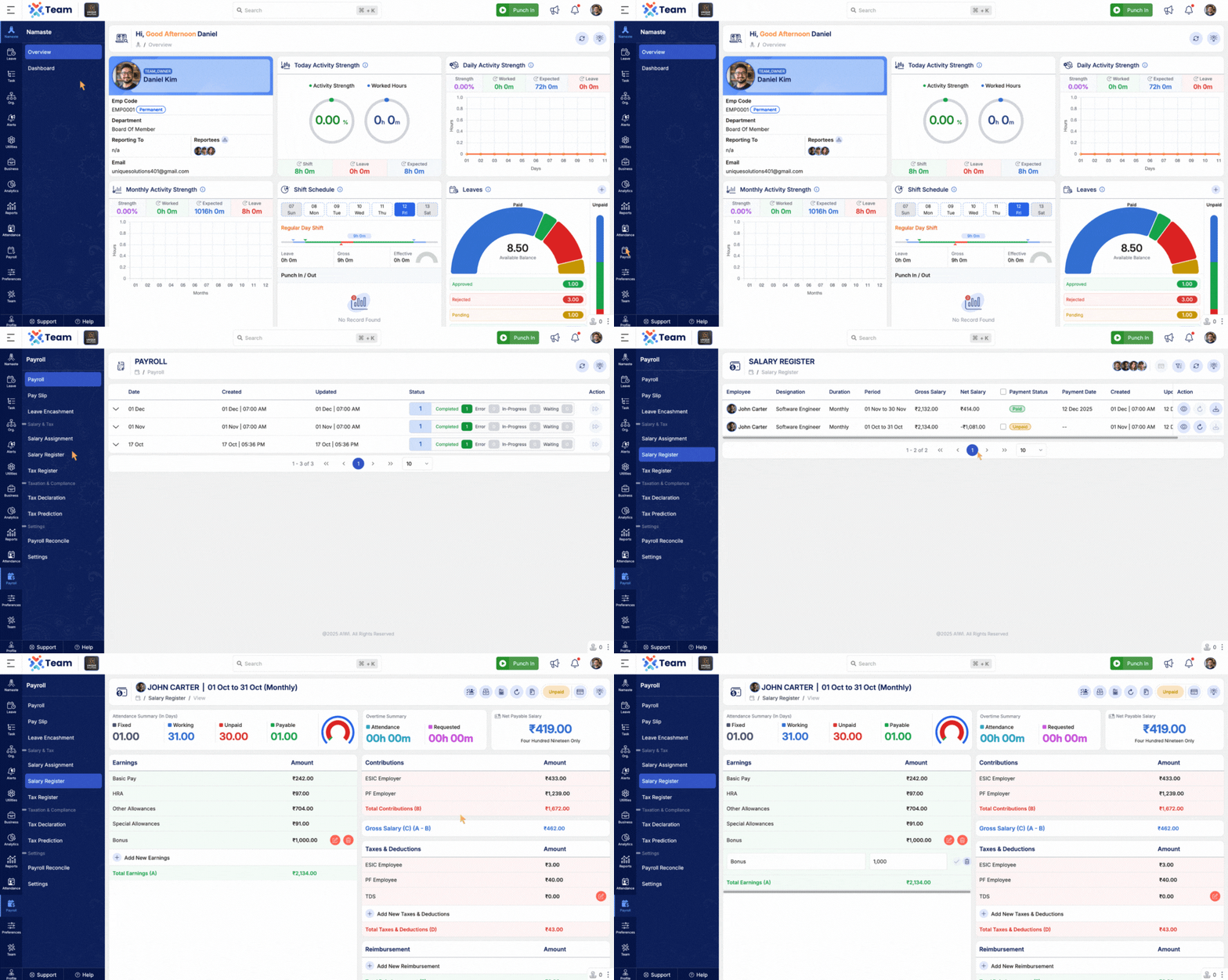
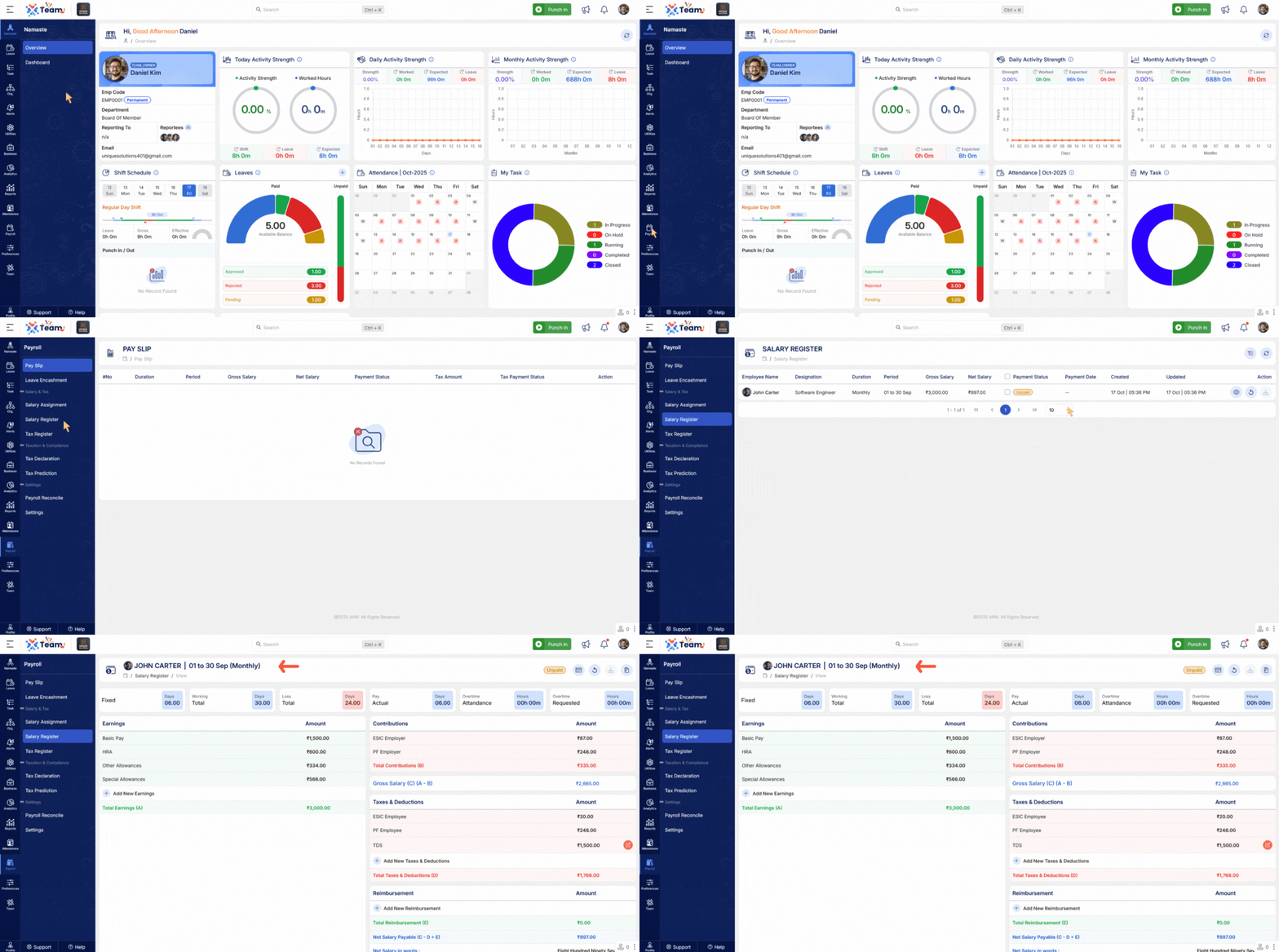
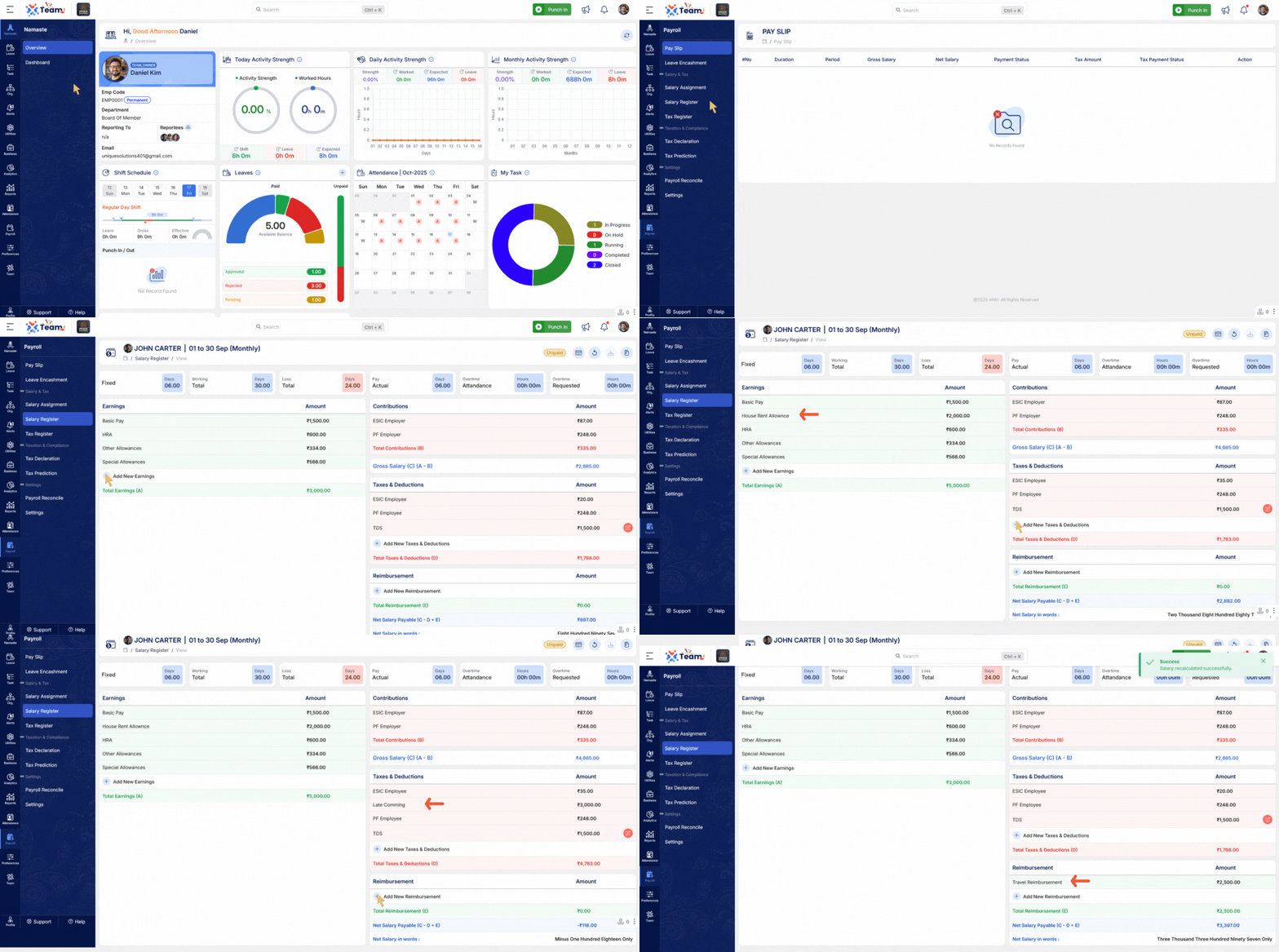
- Enhanced payroll processing flow with improved visibility of payroll-related information.
- Added visibility of Pending Requests during payroll processing.
- Added Earning & Deduction details for better salary breakdown visibility.
- Added Reimbursement details within payroll processing flow.
- Provides a more comprehensive view of employee payroll information before processing.
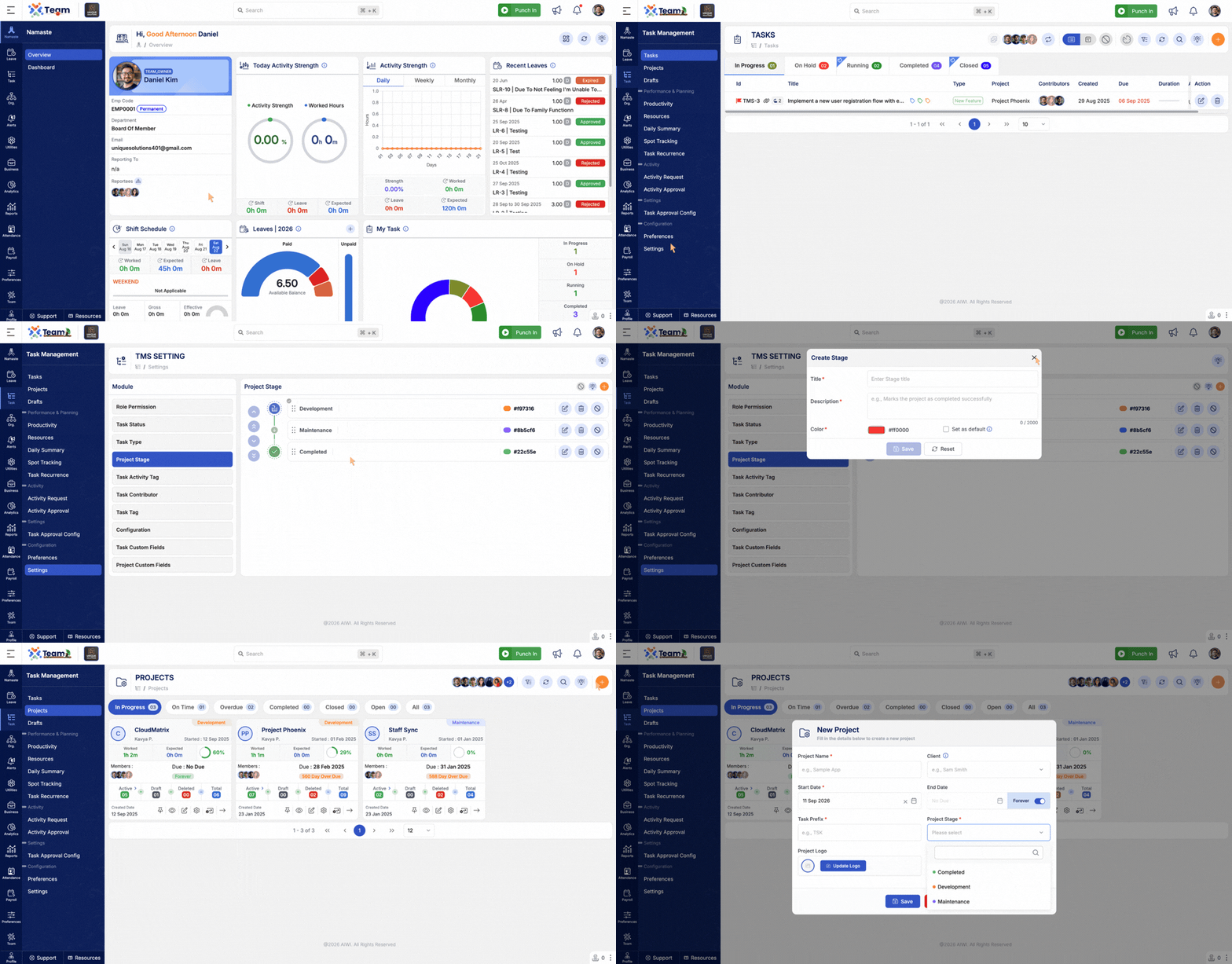
- Introduced Dynamic Project Stage functionality.
- Allows project stages to be configured and managed based on project requirements.
- Provides greater flexibility in defining project workflows and stage progression.
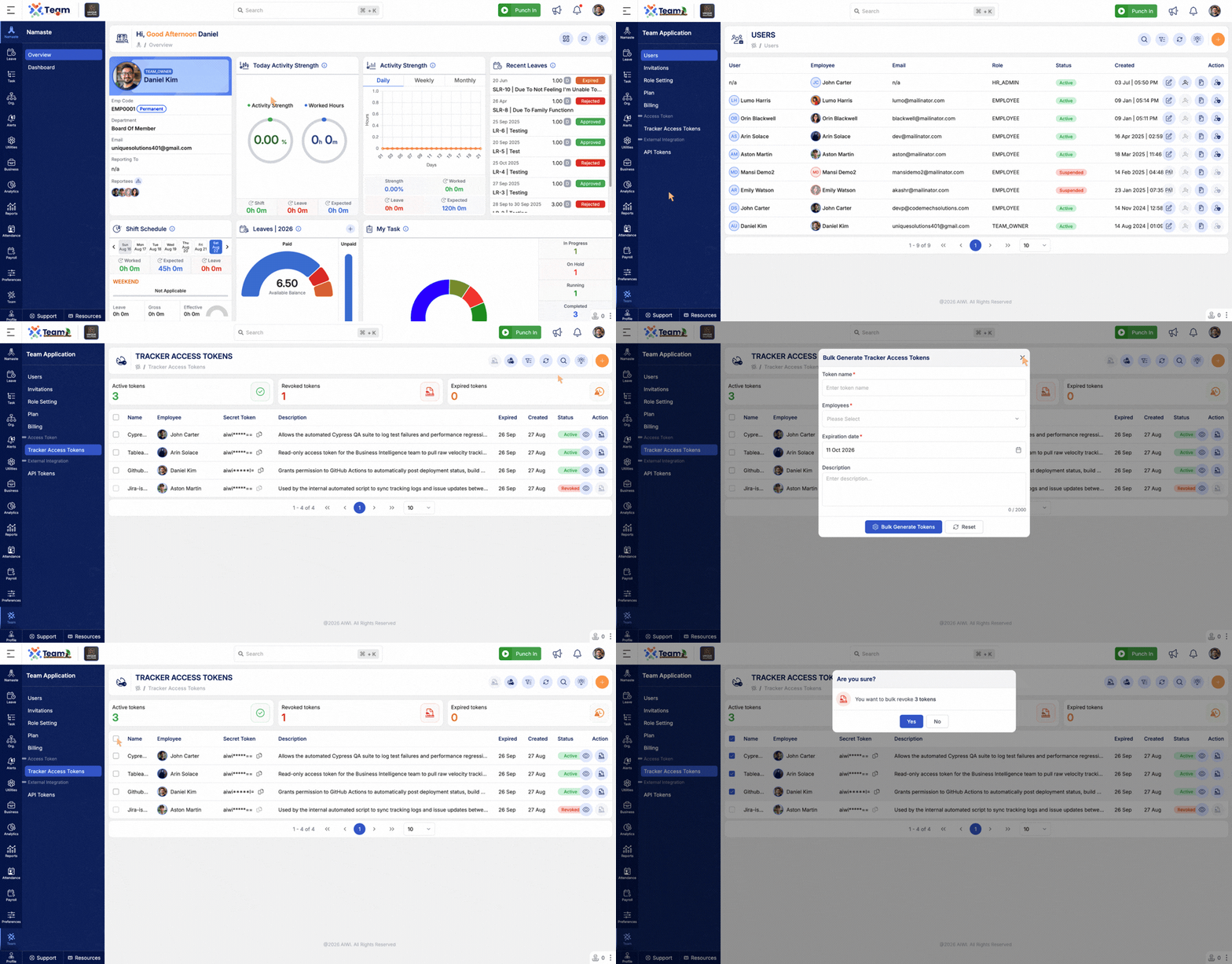
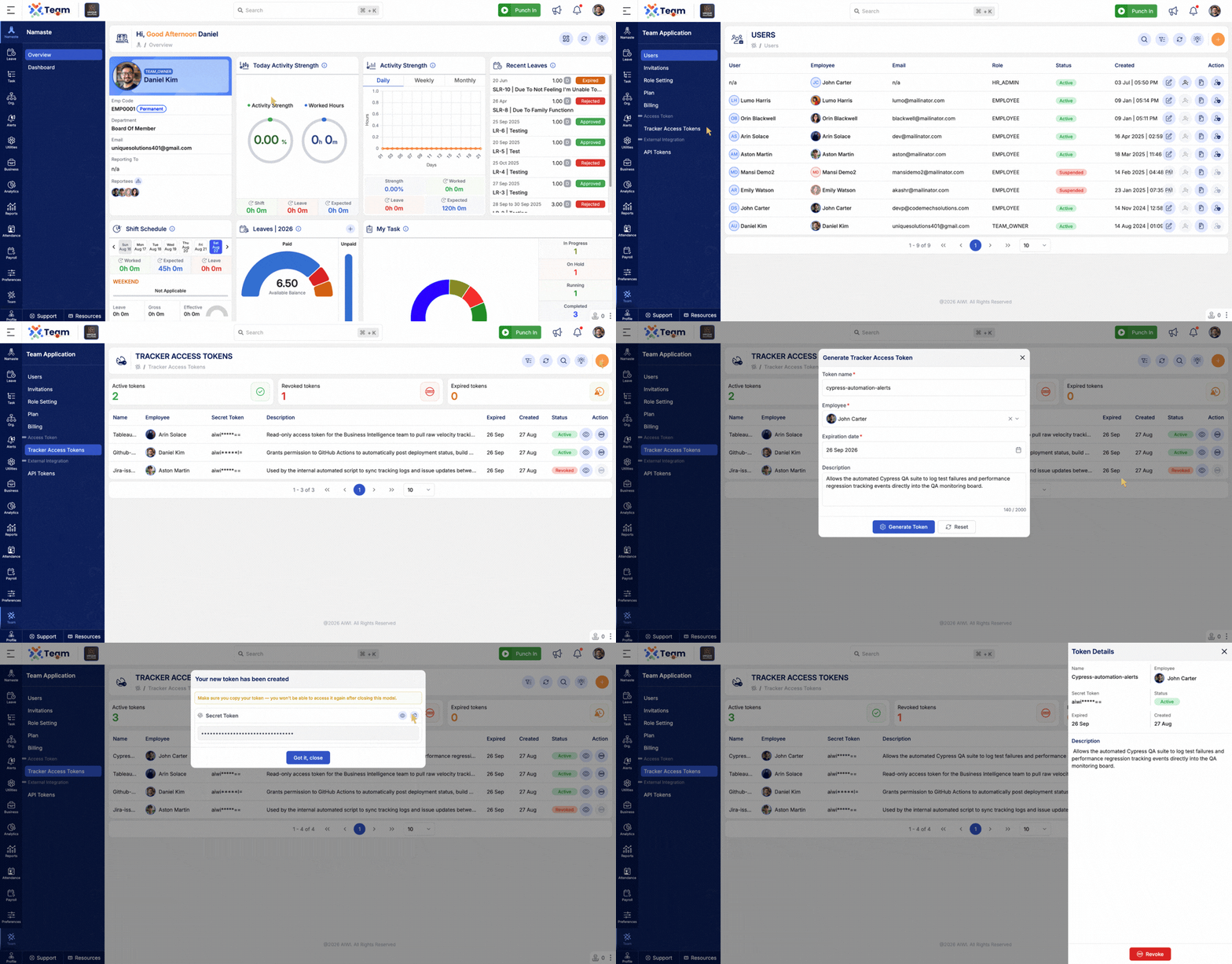
- Added support for bulk generation of access tokens.
- Enables users to generate tokens for multiple employees in a single operation.
- Added ability to revoke multiple tokens in bulk.
- Simplifies access token management and reduces manual effort.
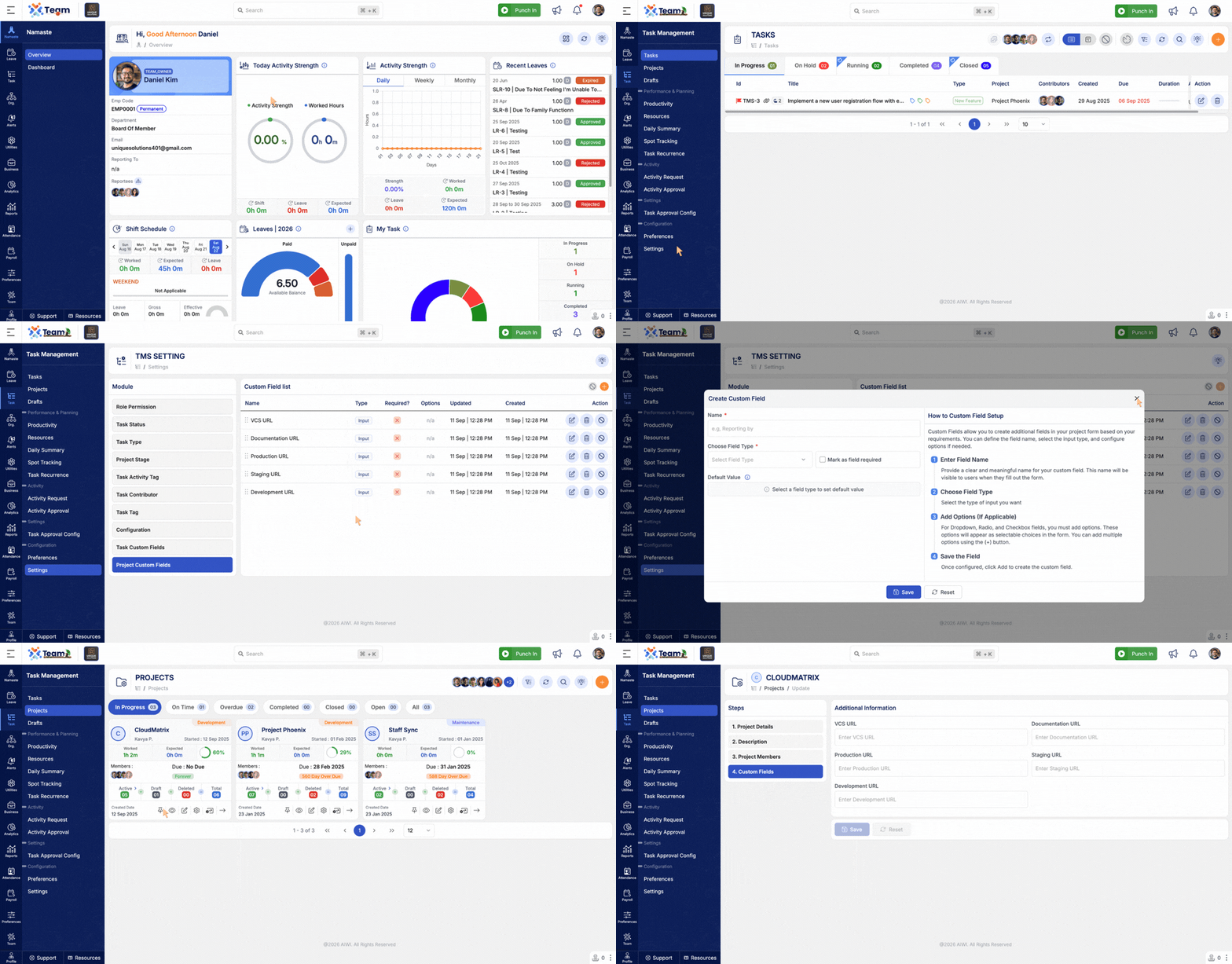
- Introduced Custom Fields for Projects.
- Enables organizations to define and maintain project-specific information.
- Provides greater flexibility in capturing additional project data.
- Performance Improvements: General system performance optimizations implemented.
- Bug Fixes: Minor issues resolved for improved stability and user experience.
- Introduced Tracker Access Token functionality to allow users to access the Tracker without entering credentials.
- Provides a secure token-based method for authenticating Tracker access.
- Non-Authenticated users can now use the Tracker with an access token.
- Simplifies Tracker access for users who do not have standard login credentials.
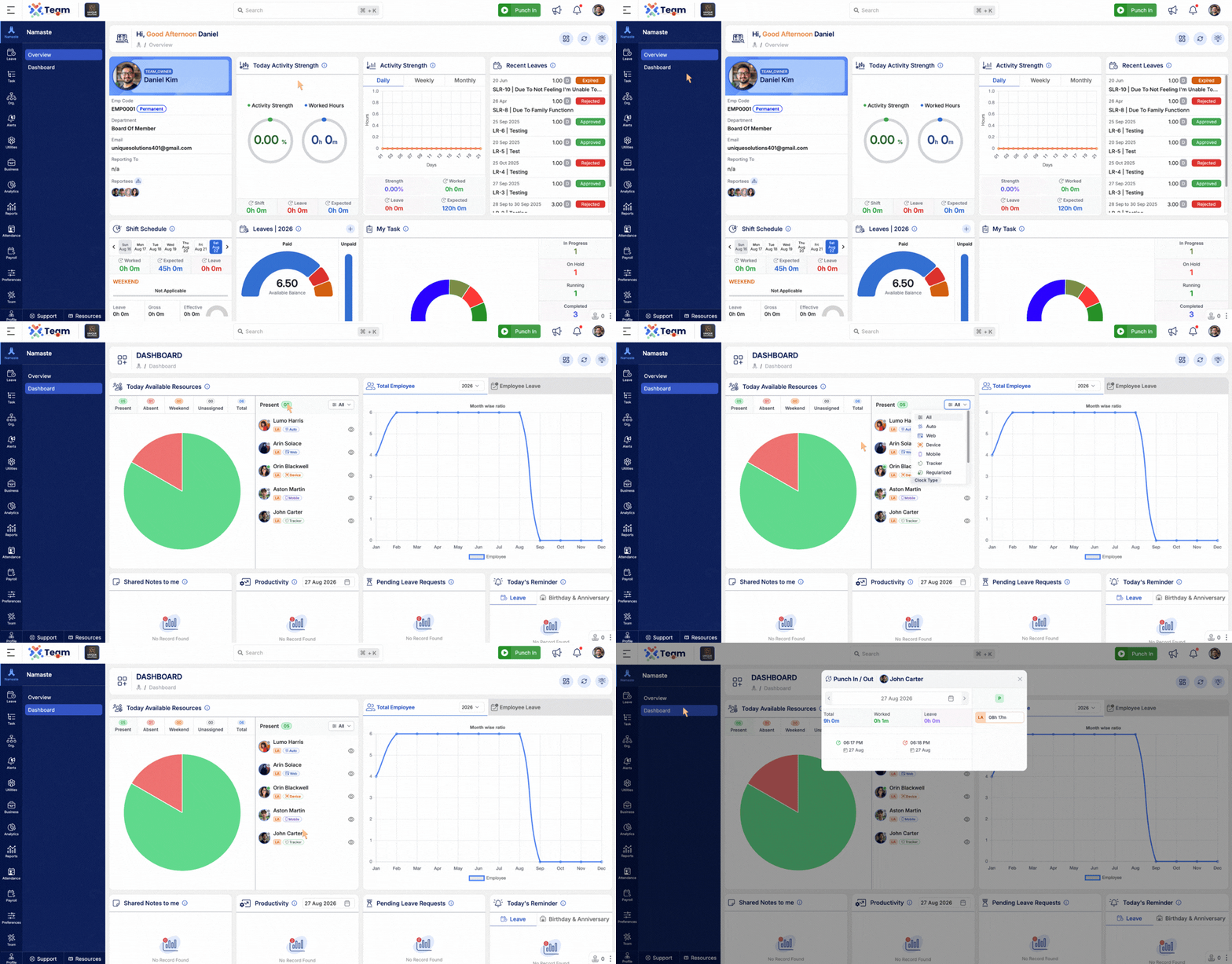
- Enhanced the Attendance widget with additional attendance insights.
- Added visibility for Late Entry, Early Exit, Early Arrival, and Late Exit.
- Displays the source through which attendance was recorded: Tracker, Web, Mobile, or Device.
- Provides better visibility into attendance patterns and the source of attendance records.
- Performance Improvements: General system performance optimizations implemented.
- Bug Fixes: Minor issues resolved for improved stability and user experience.
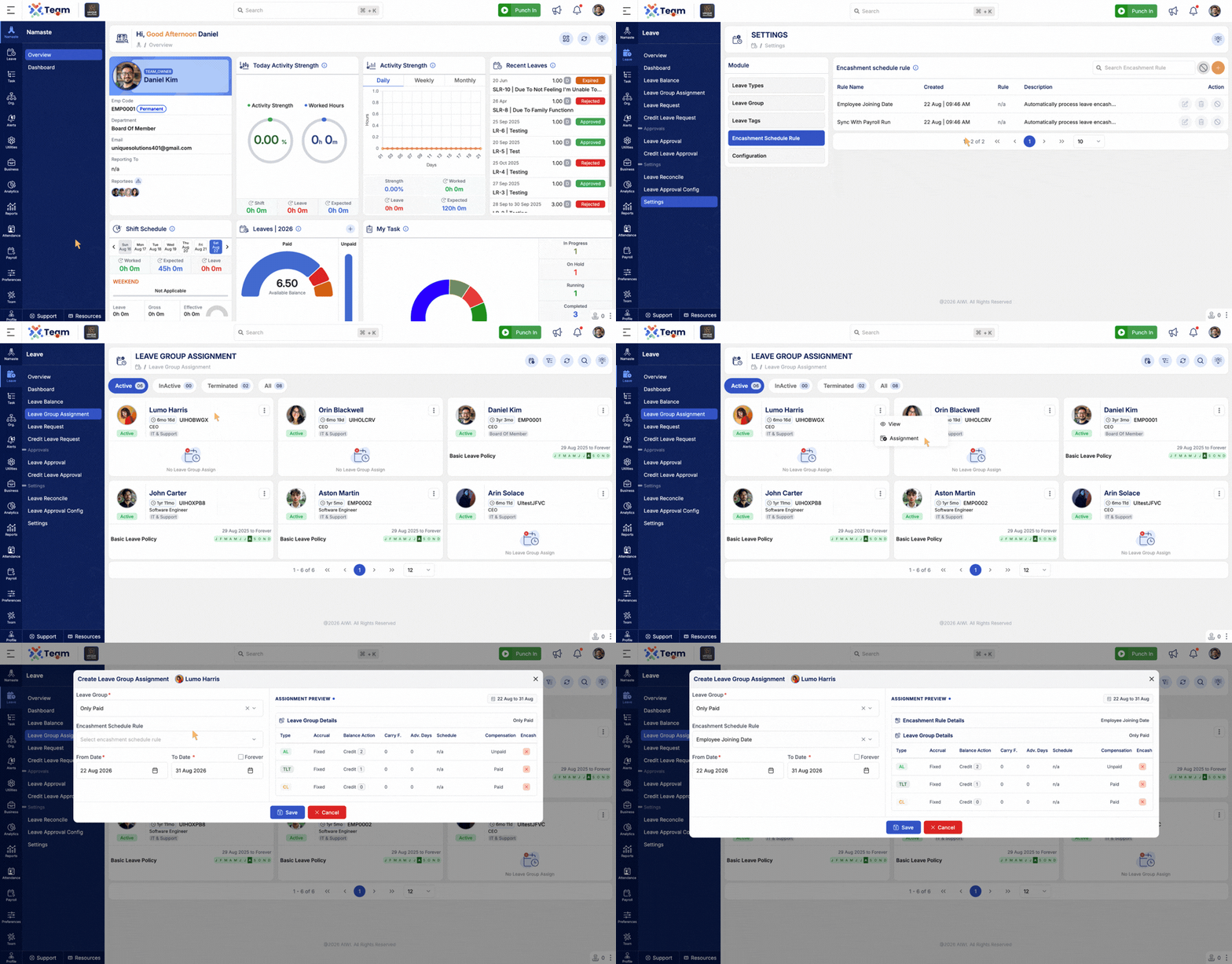
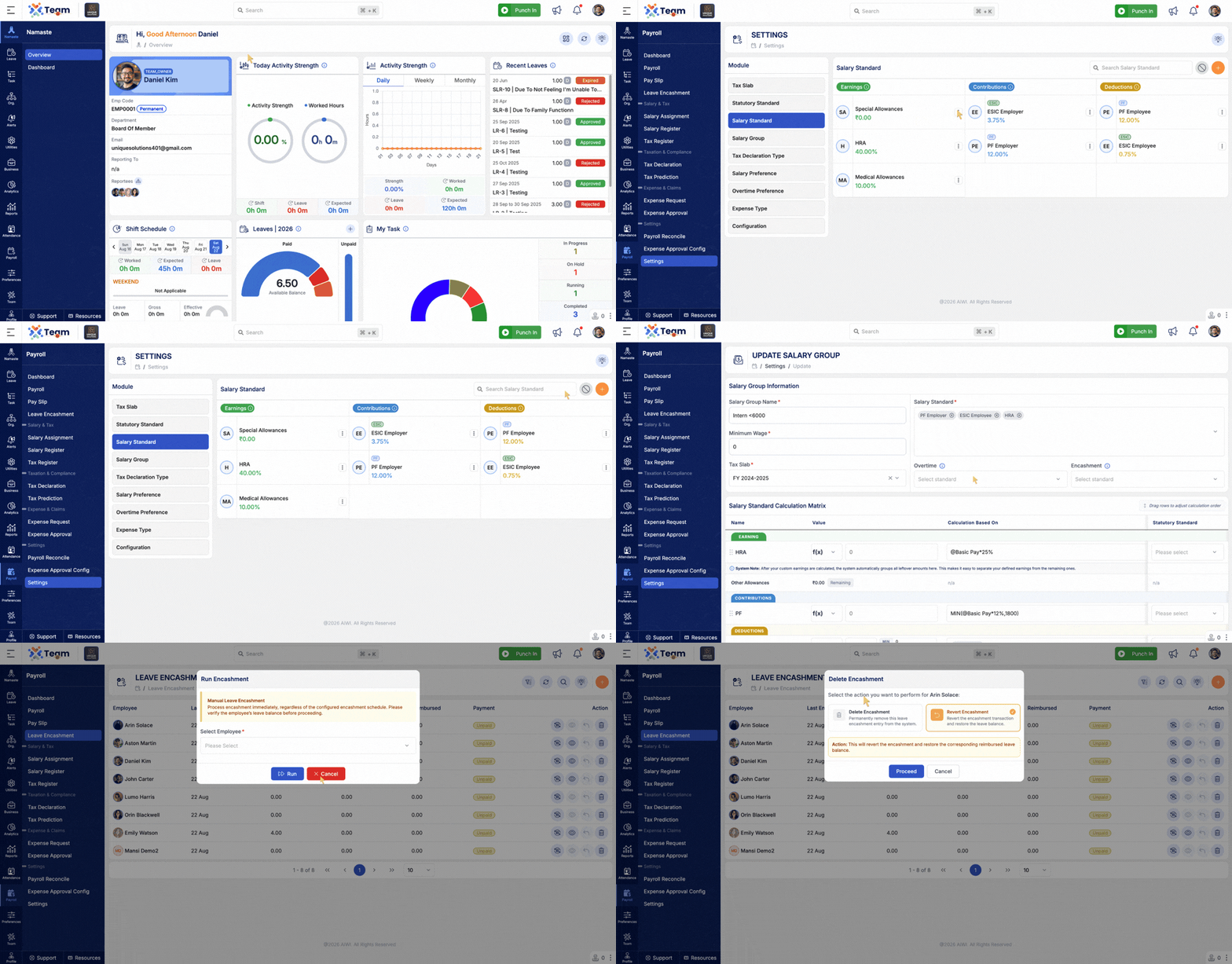
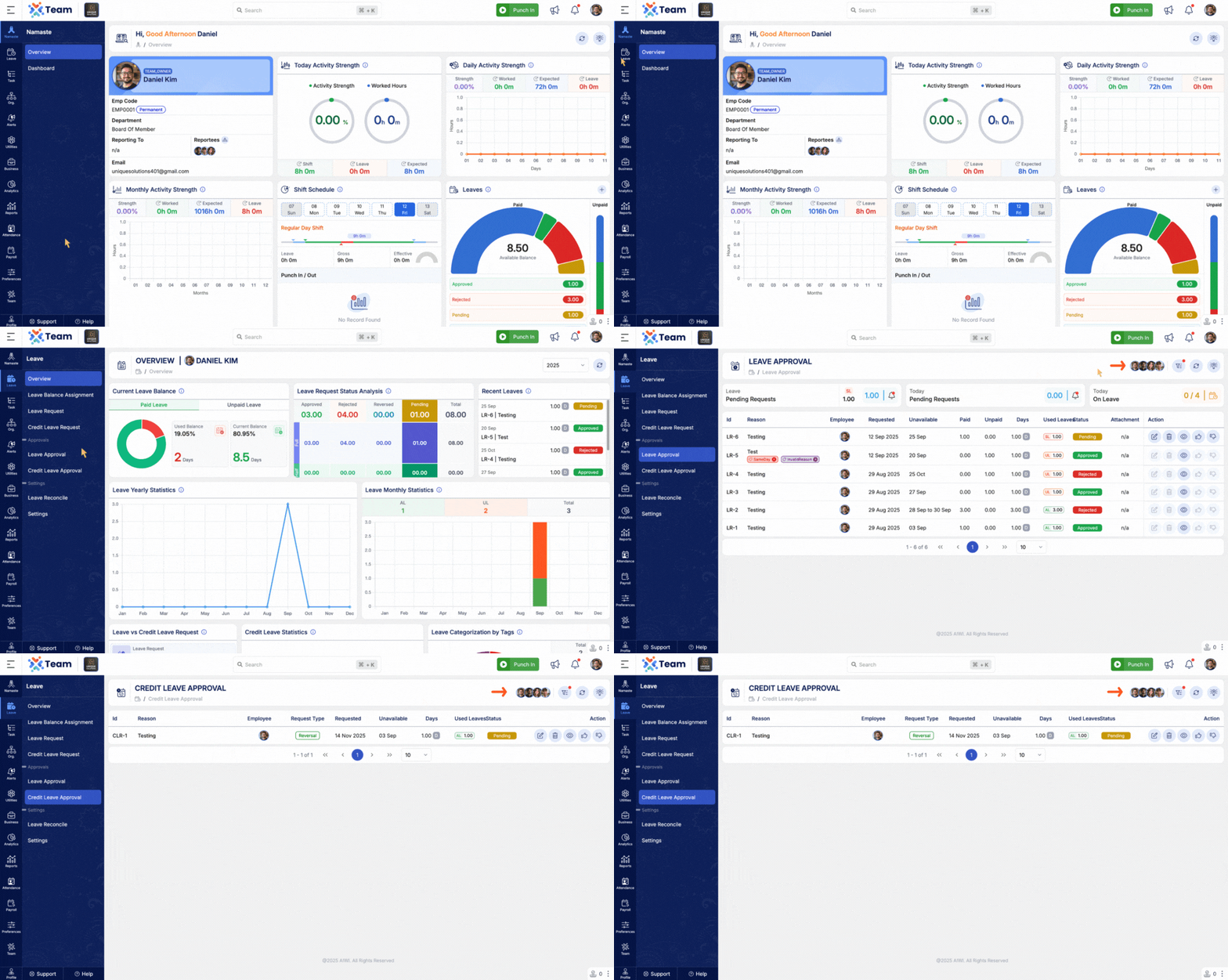
- Introduced Leave Encashment functionality for managing employee leave balance payouts.
- Enables organizations to process unused leave balances as part of employee salary.
- Added Recalculate, Undo, and Delete actions for Leave Encashment records.
- Added dynamic Leave Encashment calculation based on the assigned Payroll Standard and the employee's actual salary.
- Supports accurate encashment calculations based on applicable payroll rules.
- Provides better visibility and control over the Leave Encashment process.
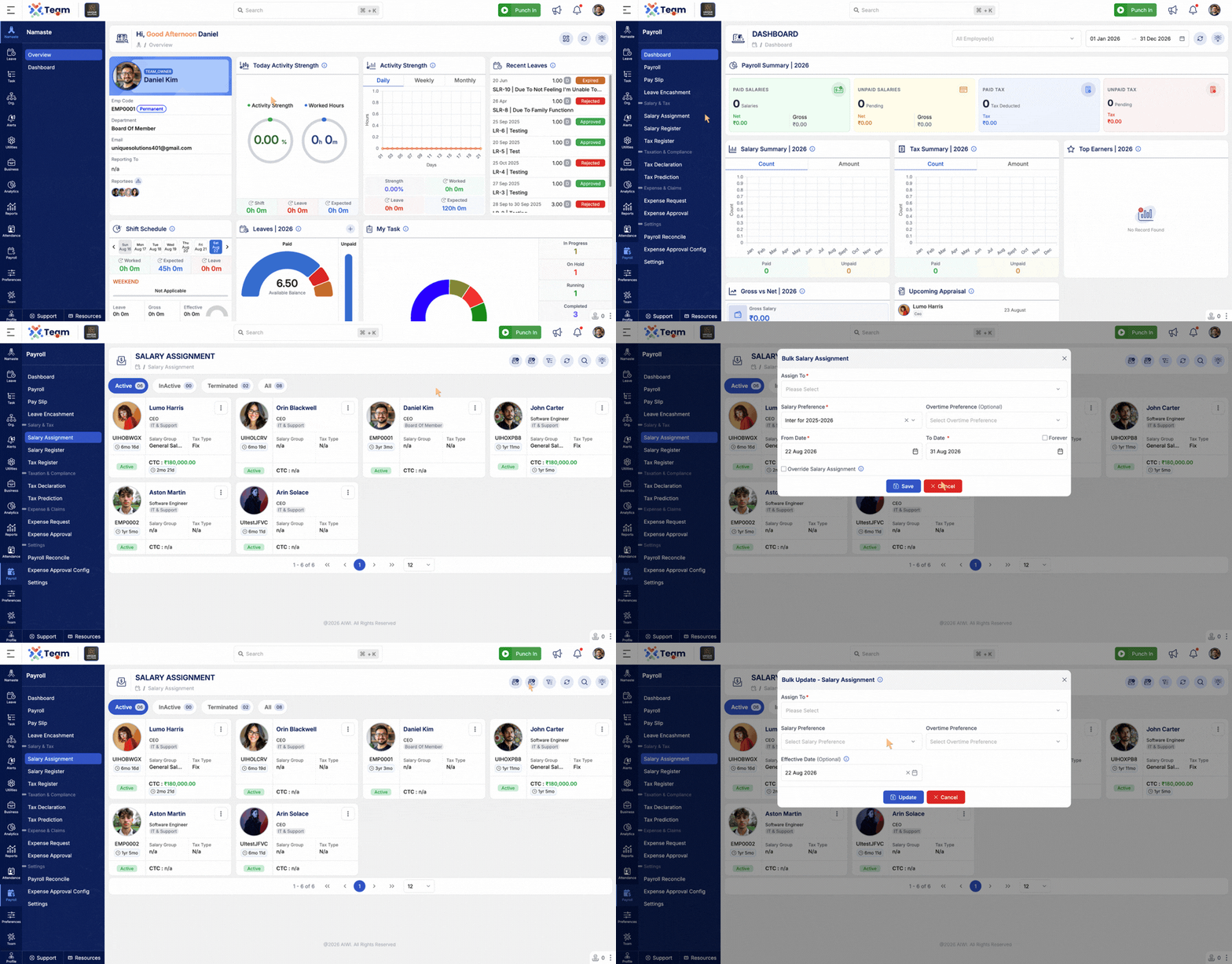
- Added support for bulk Salary Assignment.
- Enables administrators to assign salary configurations to multiple employees at once.
- Added the ability to update Salary Assignments in bulk.
- Reduces manual effort when managing salary configurations for multiple employees.
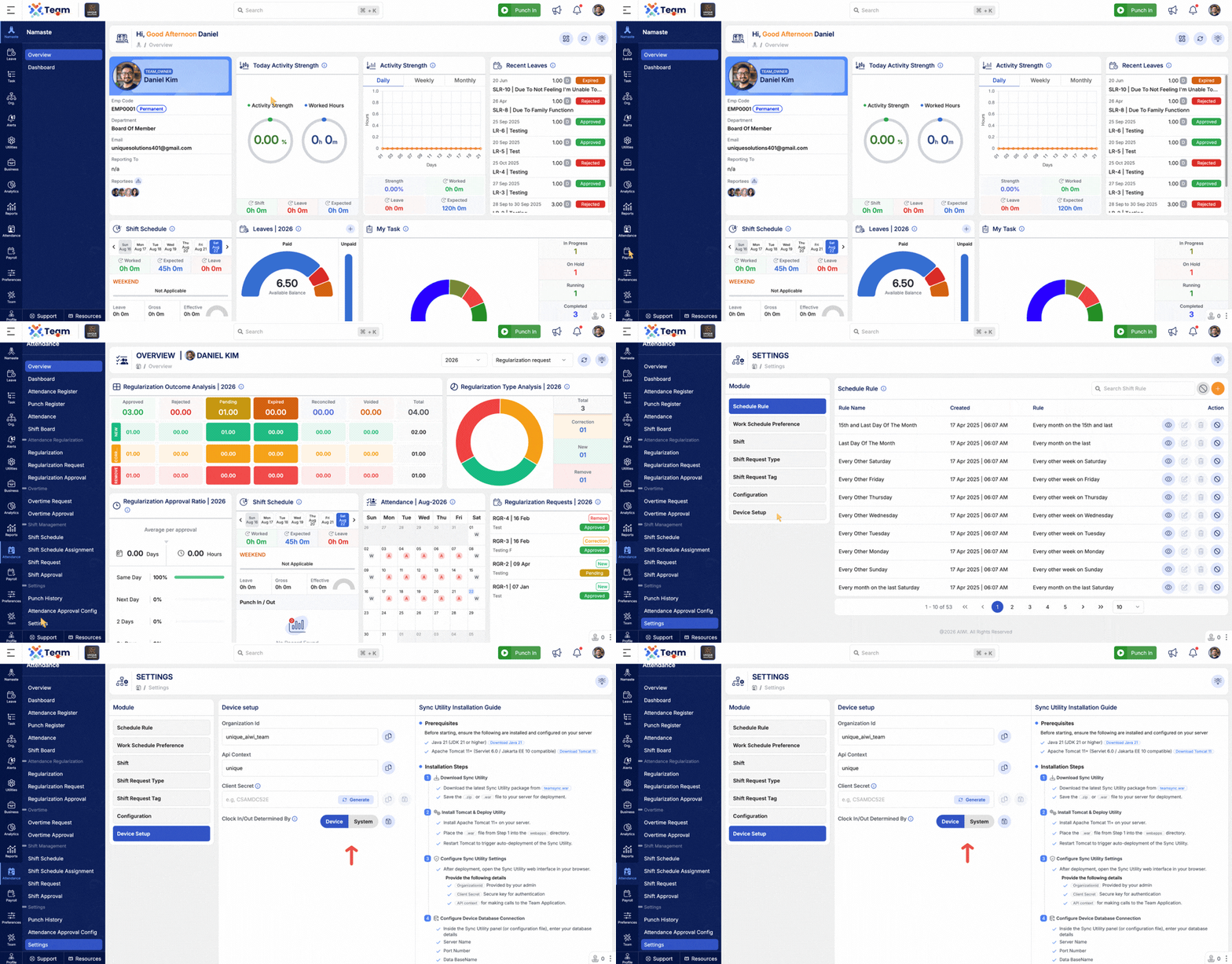
- Added configuration to determine Clock In/Out status based on Device or System attendance records.
- Provides flexibility to choose the source used for determining attendance status.
- Helps maintain consistent attendance status based on the organization's configuration.
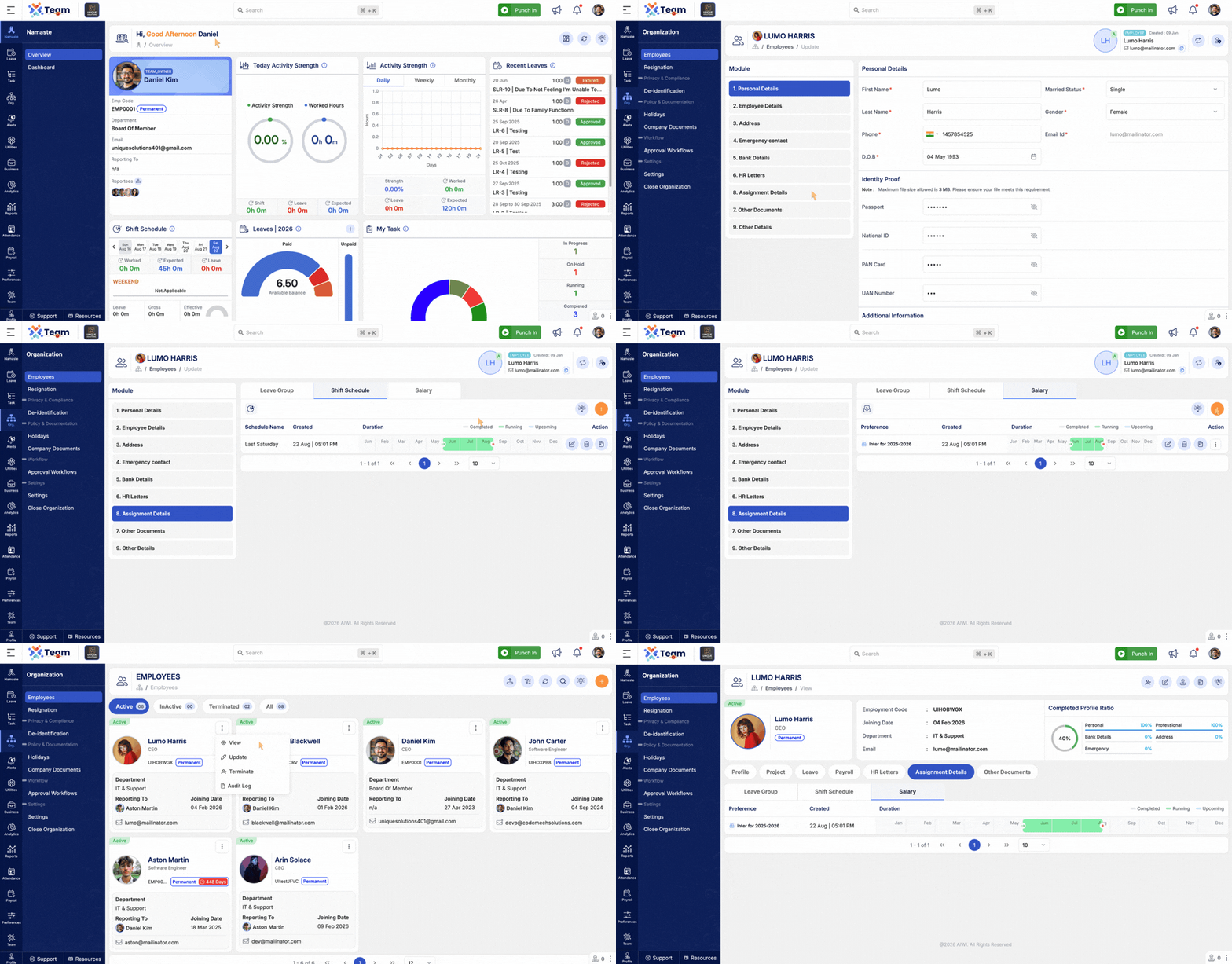
- Added Quick Assignment functionality directly from the Employee section.
- Enables administrators to quickly assign relevant configurations to employees.
- Simplifies employee-level configuration and reduces navigation between modules.
- Performance Improvements: General system performance optimizations implemented.
- Bug Fixes: Minor issues resolved for improved stability and user experience.
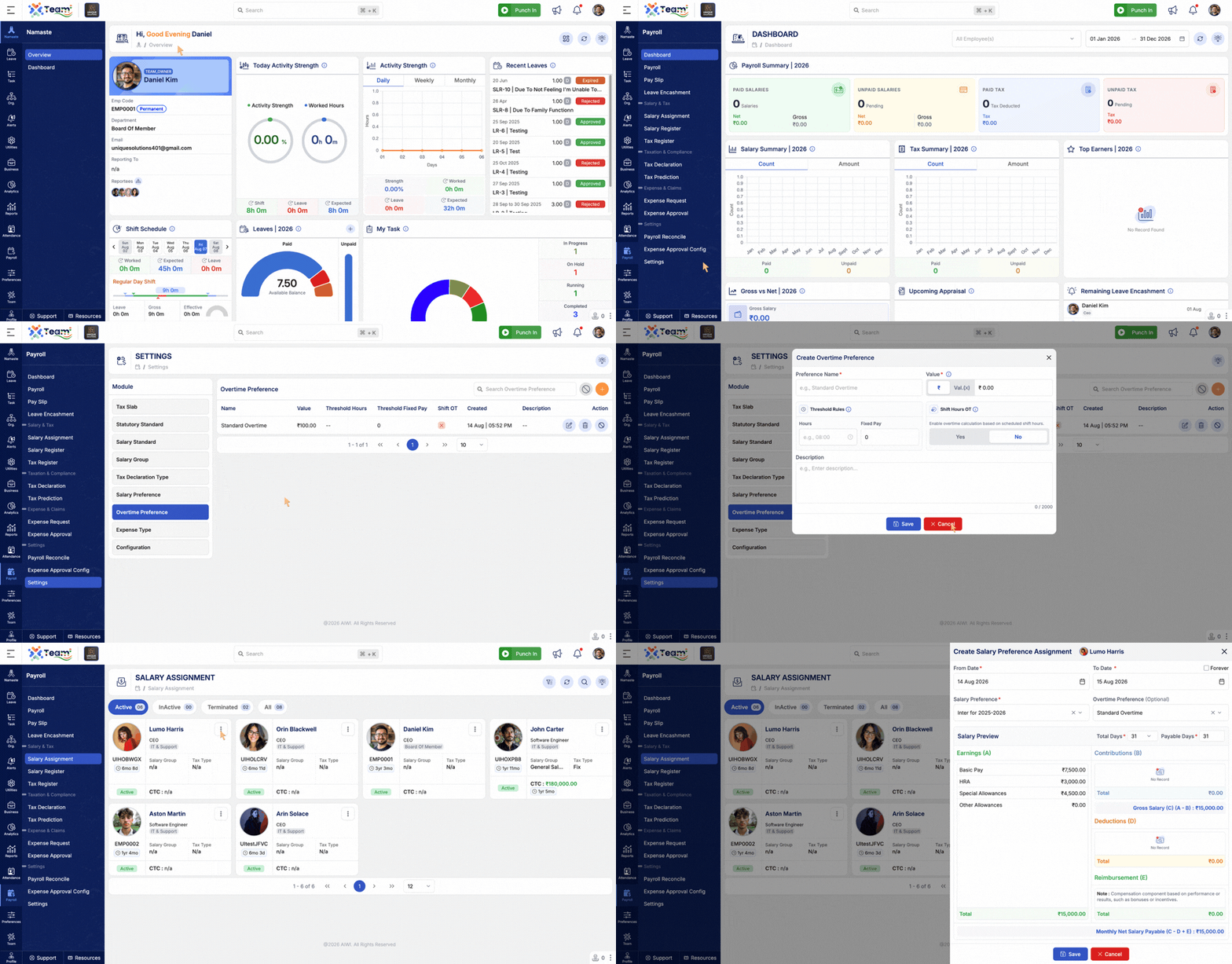
- Introduced an Overtime Preference Master to manage overtime preferences.
- Overtime Preference can be assigned while configuring Salary Assignment.
- Overtime Preference assignment in Salary Assignment is optional.
- Allows organizations to define overtime rules and preferences centrally.
- Provides flexibility to apply different overtime preferences based on salary assignments.
- Helps simplify and standardize overtime calculation and management.
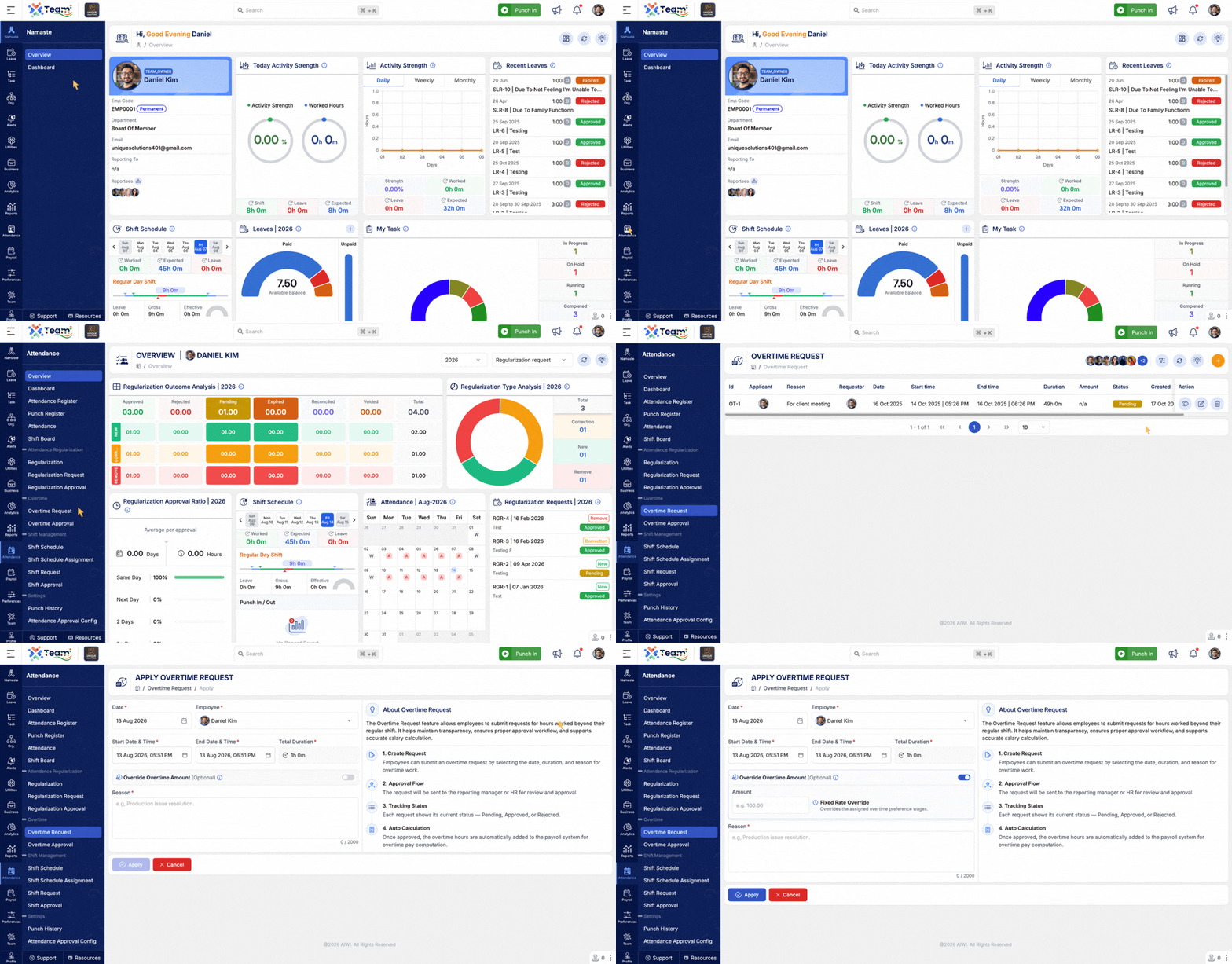
- Added the ability to override the overtime rate directly in an Overtime Request.
- Provides flexibility to apply a specific overtime rate when required.
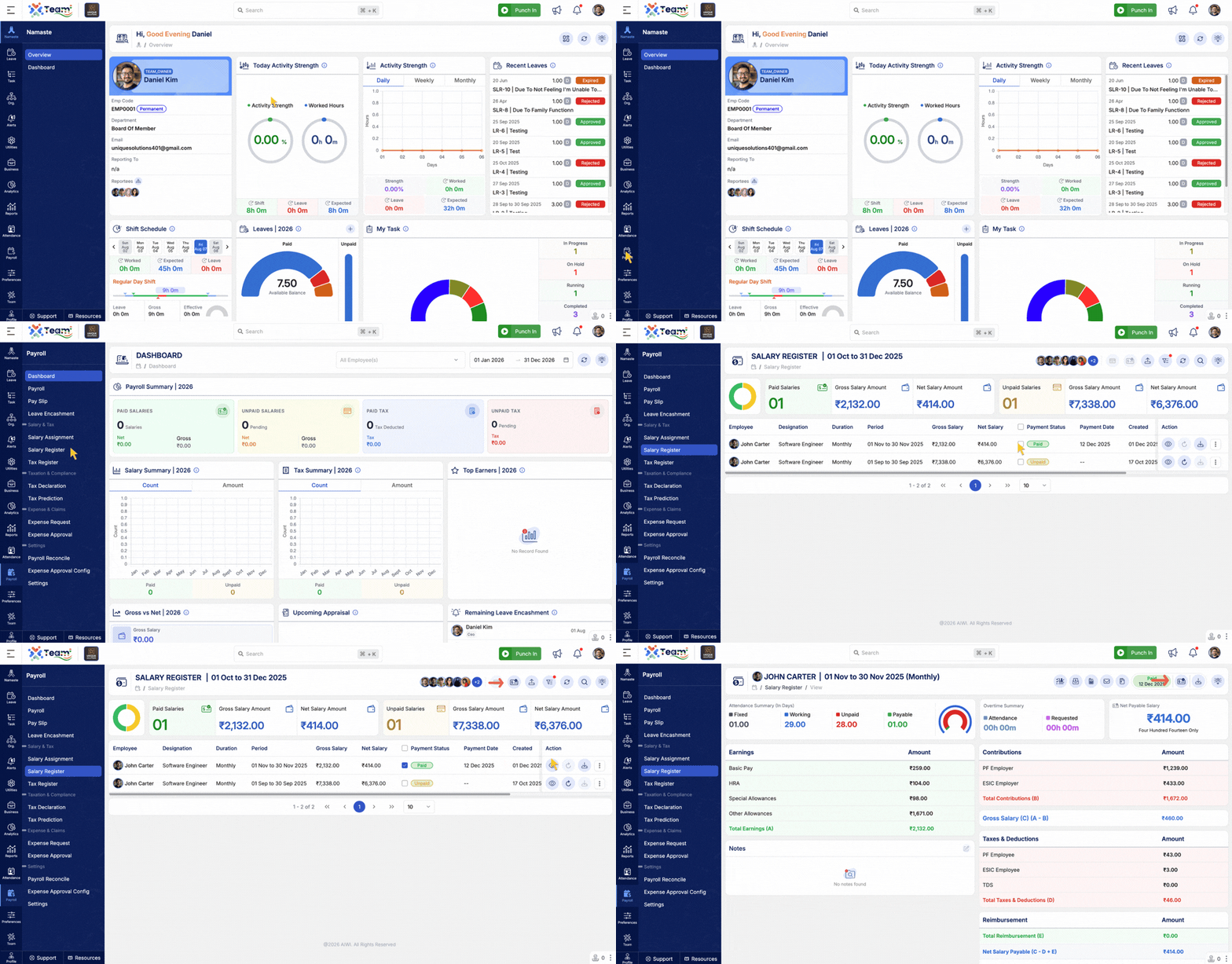
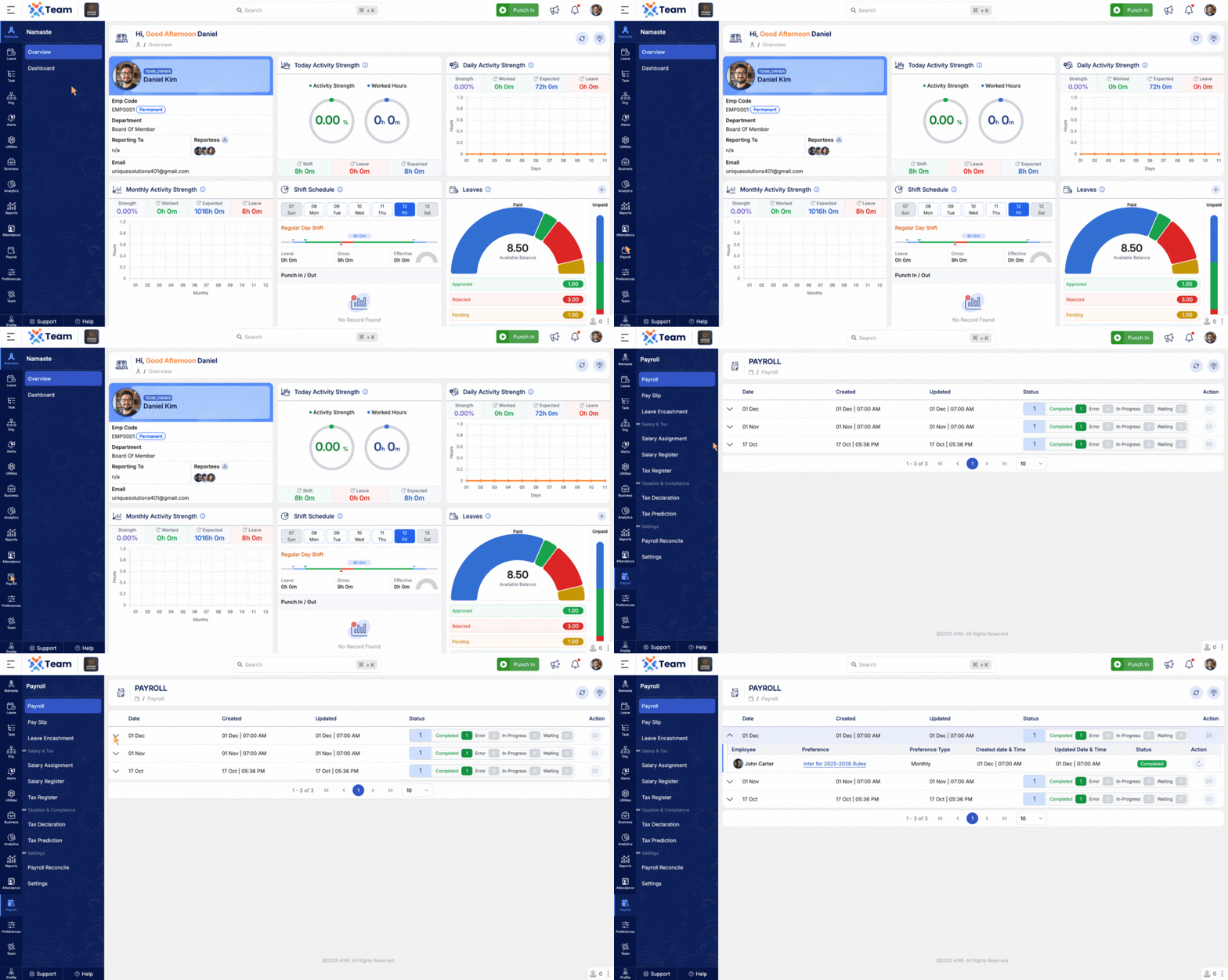
- Added the ability to change a salary payment status from Paid to Unpaid.
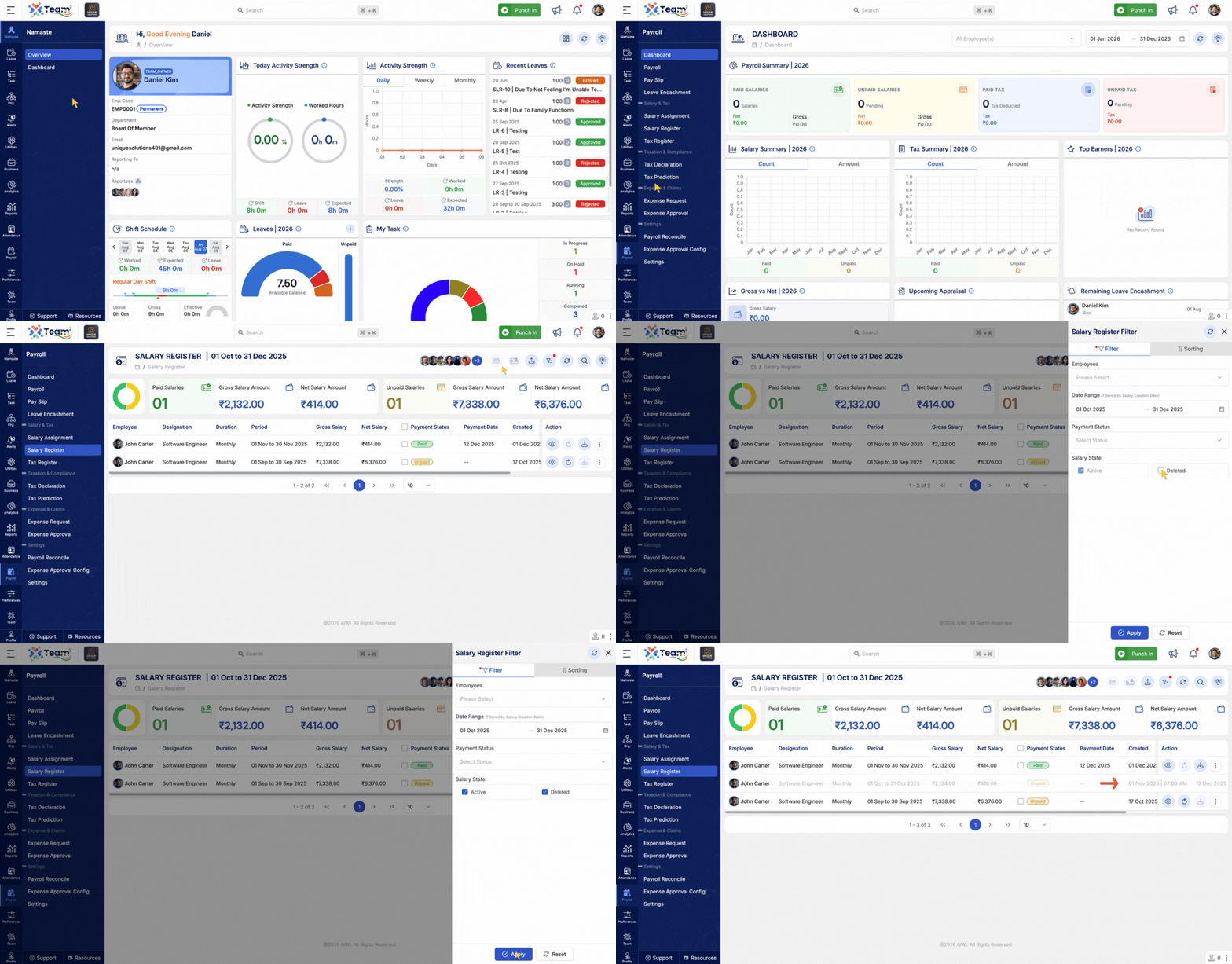
- Added an option to view Deleted Salary Register entries.
- Helps maintain visibility of previously deleted salary records.
- Performance Improvements: General system performance optimizations implemented.
- Bug Fixes: Minor issues resolved for improved stability and user experience.
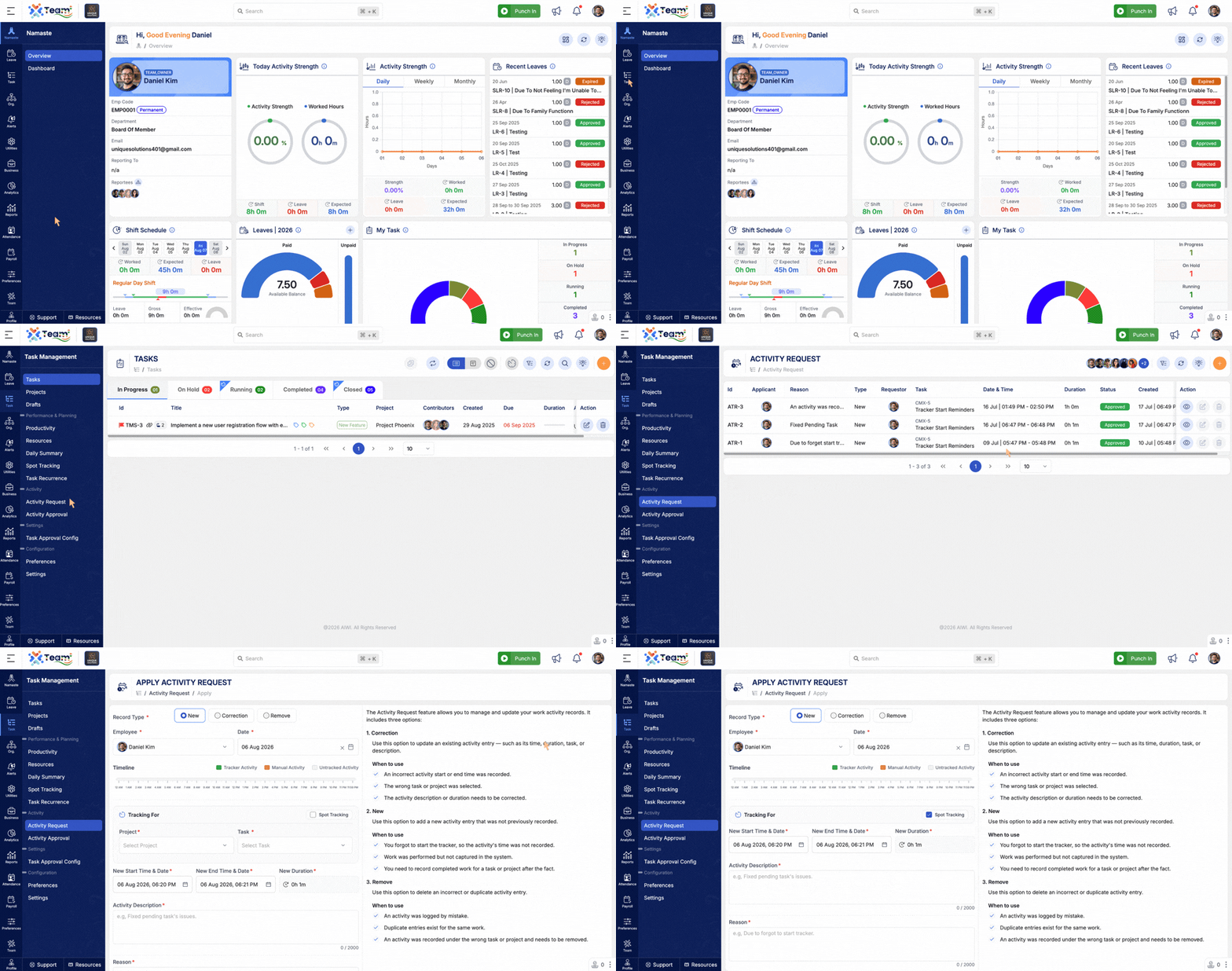
- Added support for creating Activity Requests for Spot Tracking entries.
- Enables users to submit correction, new, or removal requests for spot tracking activities.
- Ensures spot tracking records follow the standard approval workflow.
- Added the ability to delete Salary Register entries.
- Simplifies payroll data management by allowing removal of incorrect or unwanted salary registers.
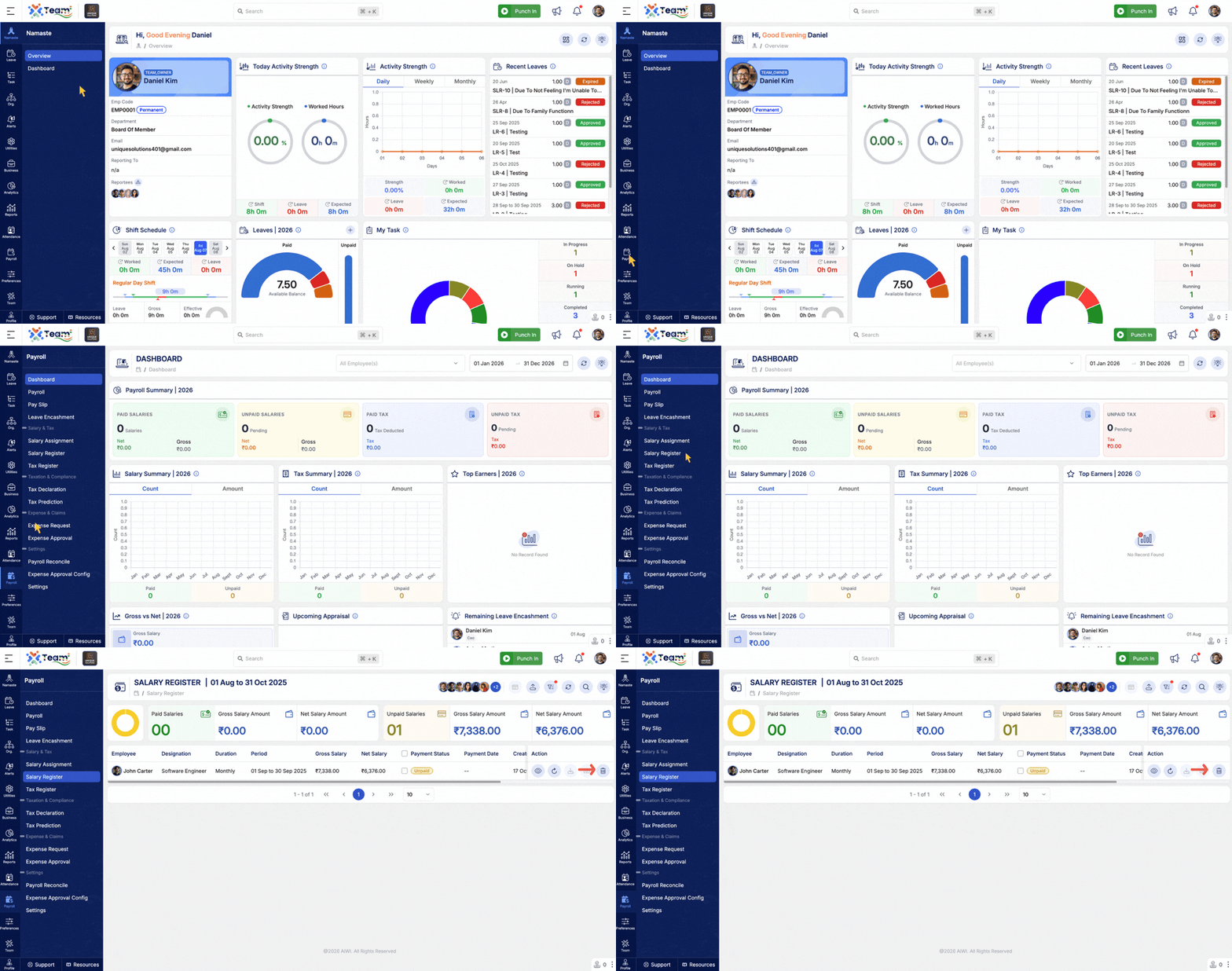
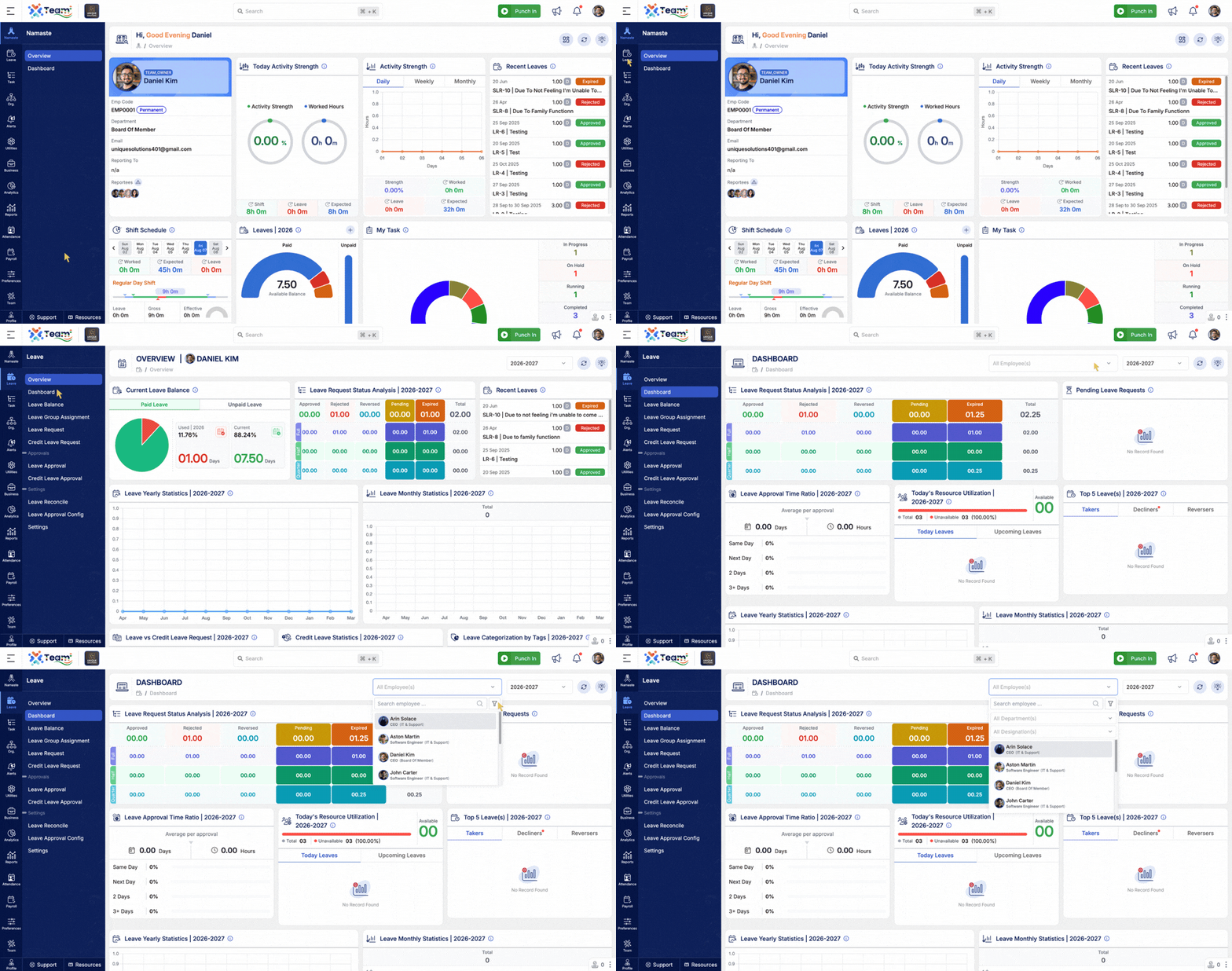
- Improved the Employee dropdown to display Department and Designation along with employee names.
- Makes it easier to identify and select the correct employee.
- Enhances usability across employee selection screens.
- Performance Improvements: General system performance optimizations implemented.
- Bug Fixes: Minor issues resolved for improved stability and user experience.
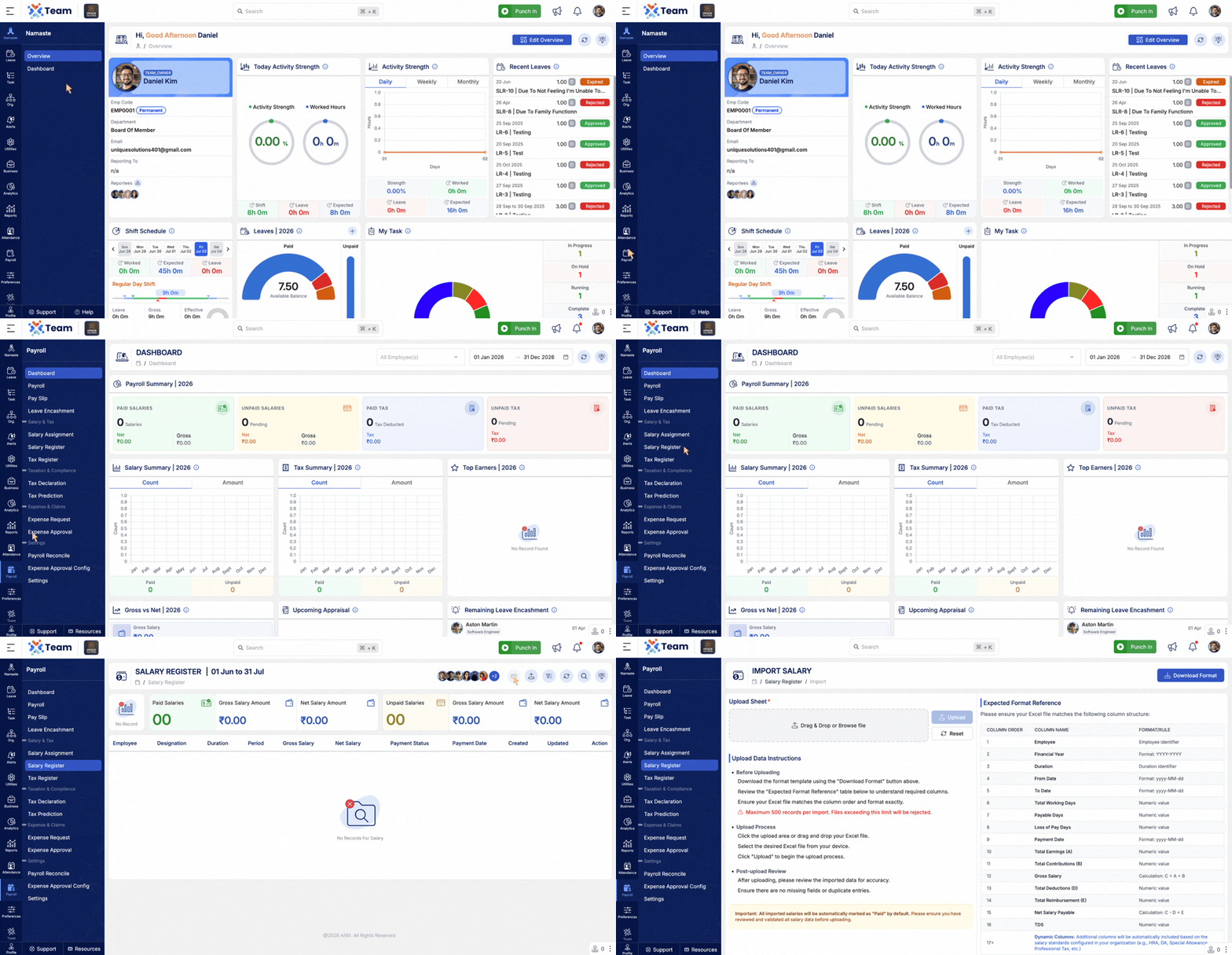
- Introduced Salary Register Import for bulk salary data upload.
- Simplifies payroll data migration and salary register management.
- Reduces manual data entry and improves processing efficiency.
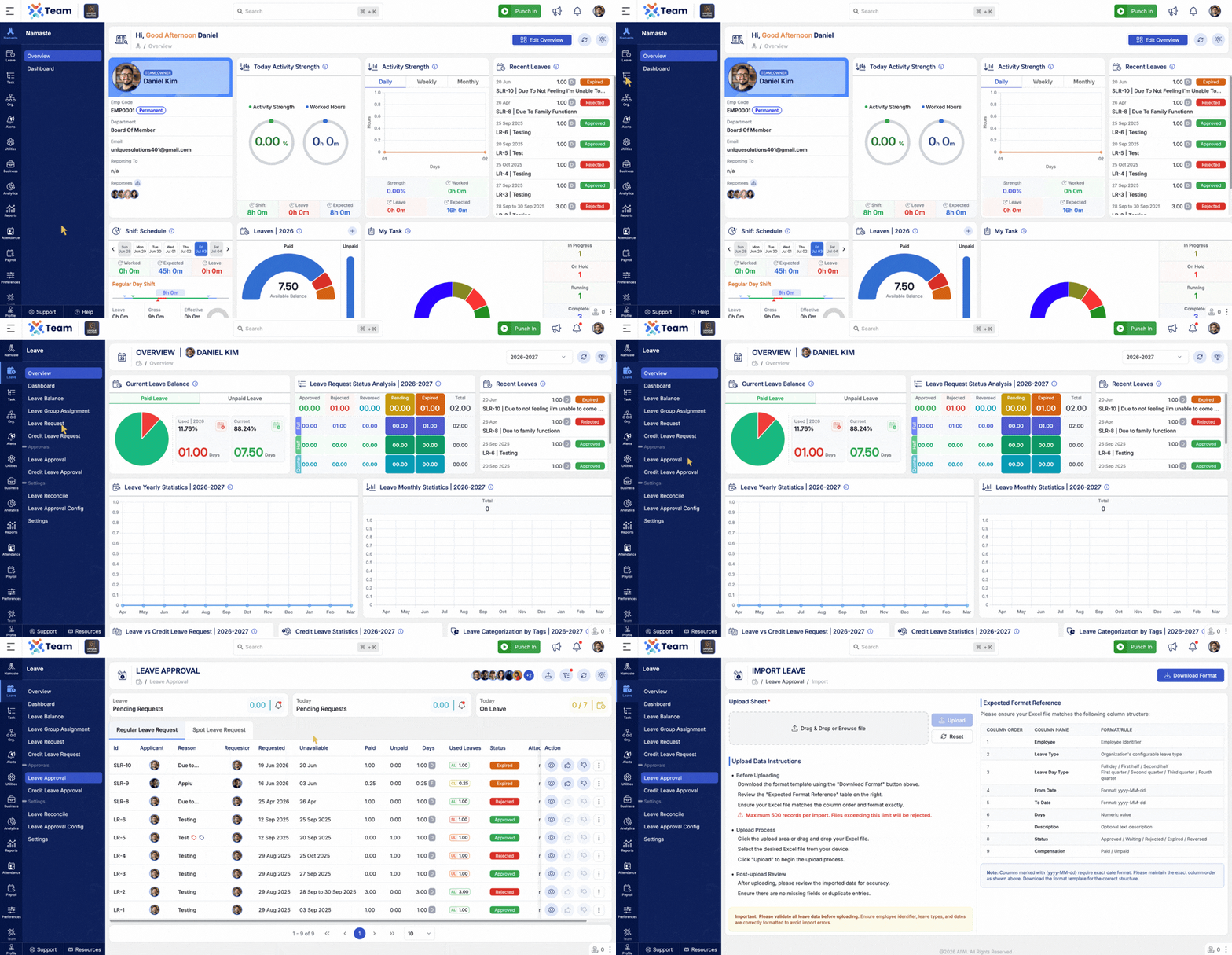
- Added Leave Request Import to support bulk leave request creation.
- Enables organizations to import multiple leave requests in a single operation.
- Simplifies data migration and administrative tasks.
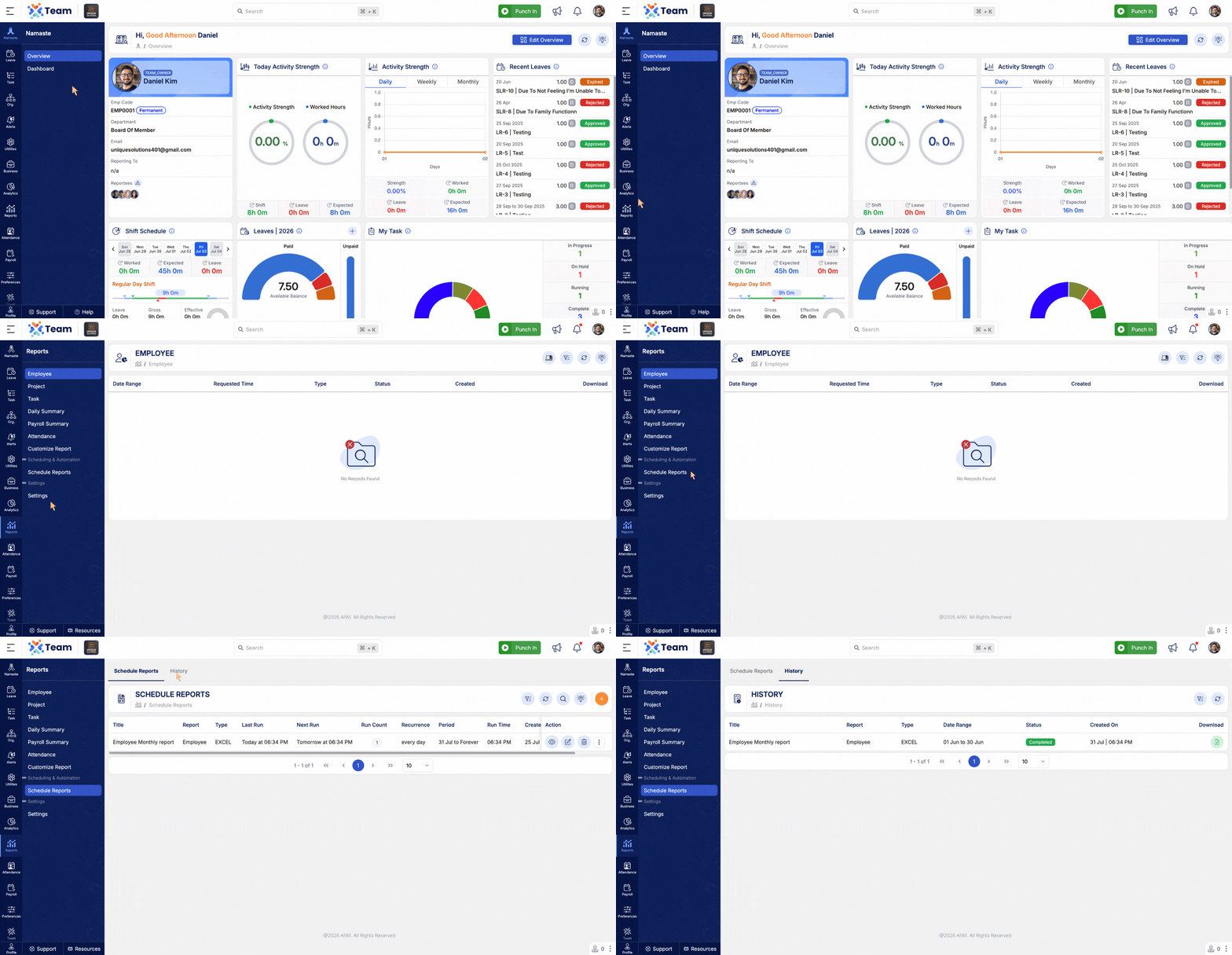
- Added Scheduled Report History to track generated reports.
- View the execution status and history of scheduled reports.
- Improves monitoring and report management.
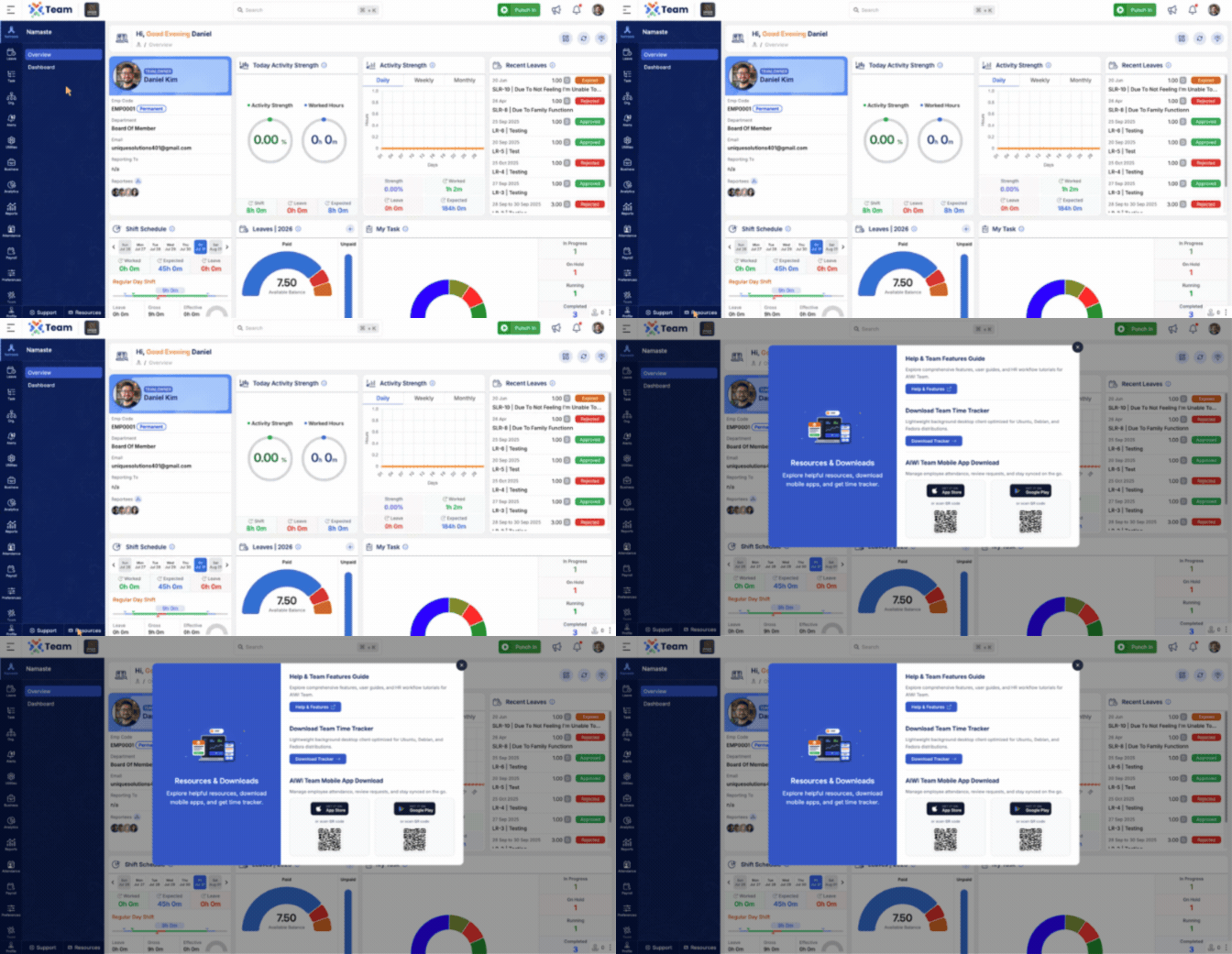
- Introduced a centralized Resource Download section.
- Provides quick access to Help documentation, Tracker downloads, and application downloads.
- Includes QR codes for easy mobile application installation.
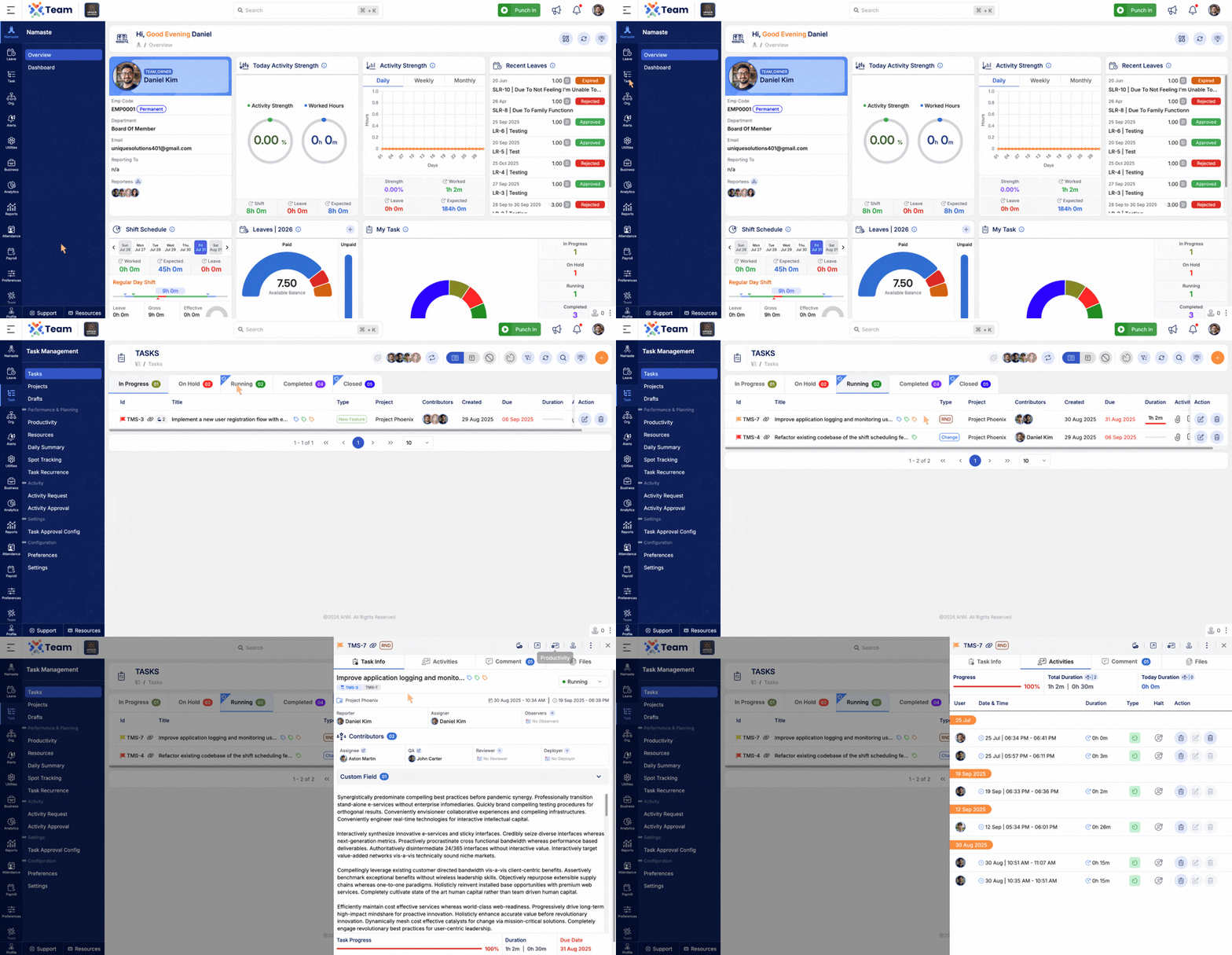
- Added support to remove tracker entries through requests or direct deletion.
- Enables administrators to manage incorrect or unwanted tracker records more efficiently.
- Improves flexibility in activity record management.
- Performance Improvements: General system performance optimizations implemented.
- Bug Fixes: Minor issues resolved for improved stability and user experience.
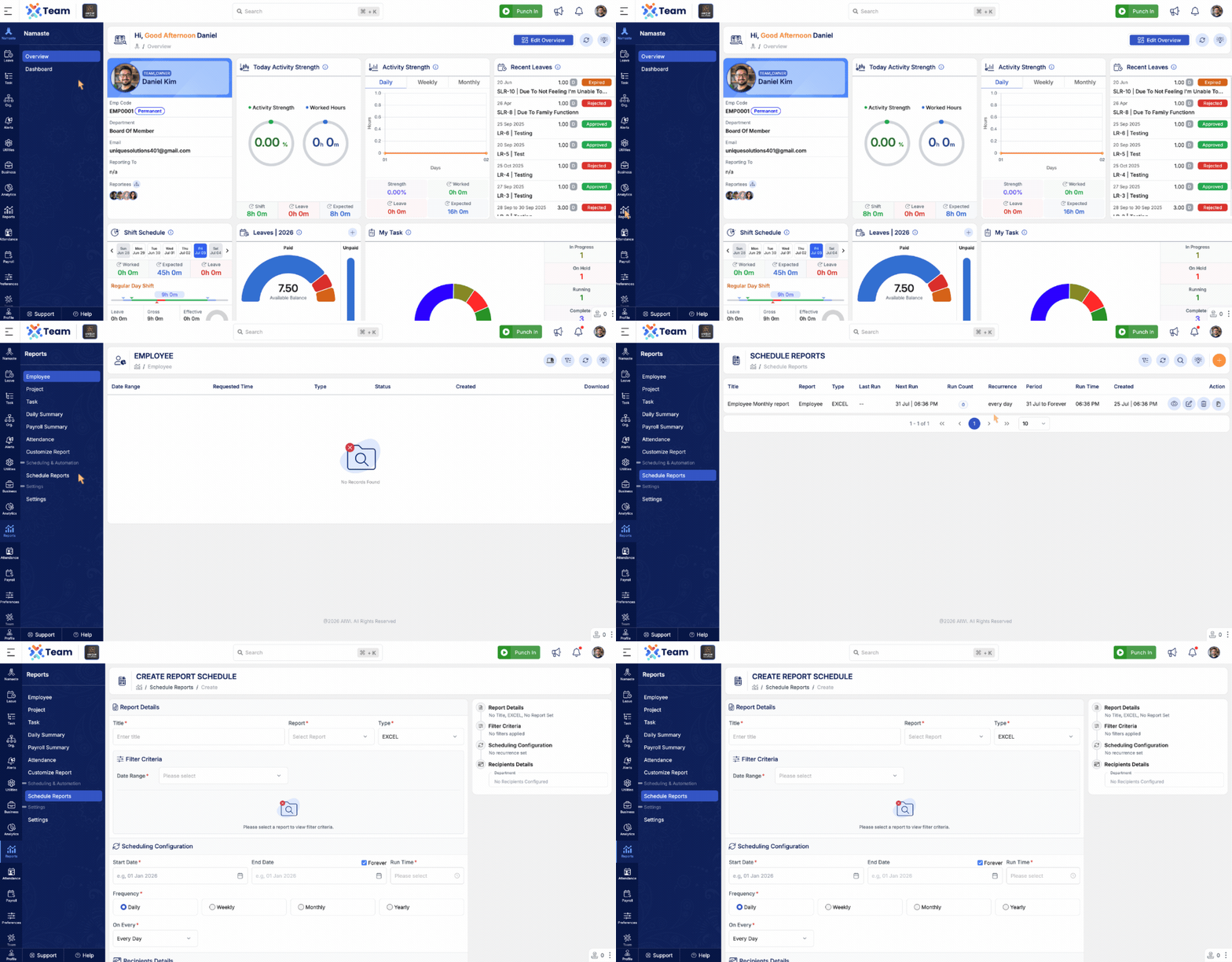
- Introduced Report Scheduling to automate report generation and delivery.
- Schedule reports to be sent automatically based on predefined intervals.
- Supports delivery to specific email addresses, roles, and department heads.
- Reduces manual effort and ensures reports are delivered consistently.
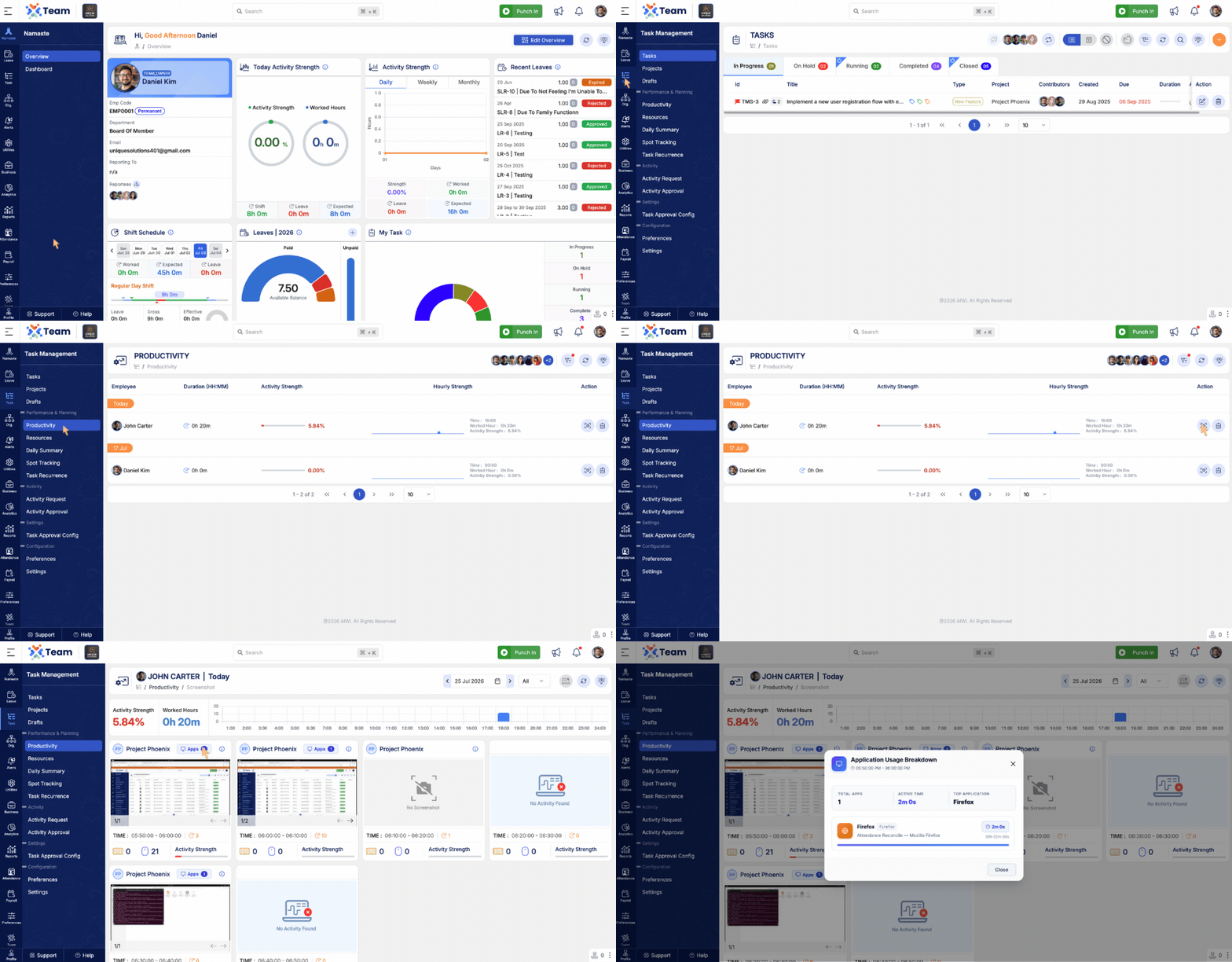
- Added Application Usage tracking captured by the desktop tracker.
- View application-wise usage and time spent across different applications.
- Provides better visibility into employee activity and application usage patterns.
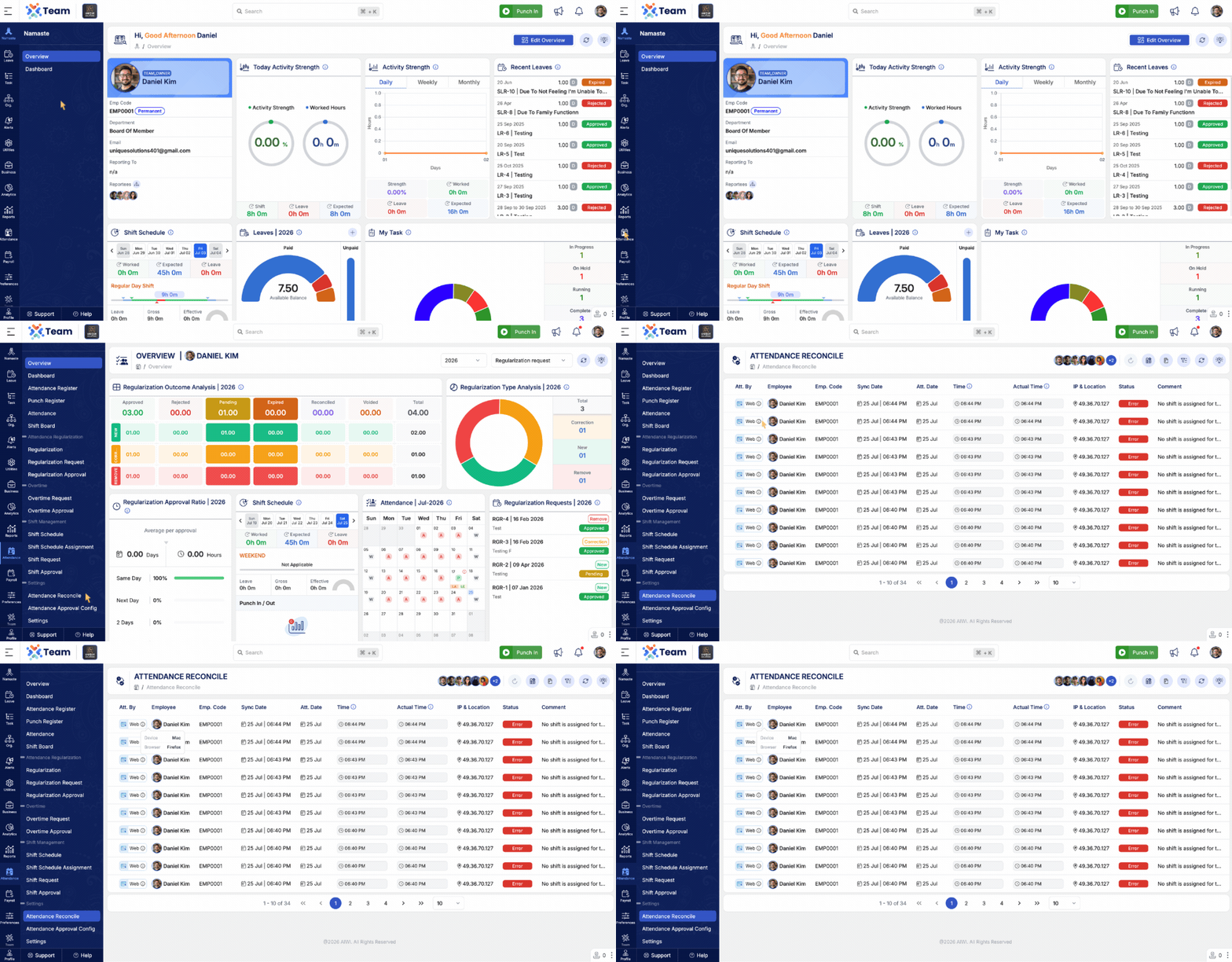
- Added device information to attendance records.
- Displays whether attendance was marked through Web or Mobile.
- Shows device details for improved attendance tracking and auditing.
- Performance Improvements: General system performance optimizations implemented.
- Bug Fixes: Minor issues resolved for improved stability and user experience.
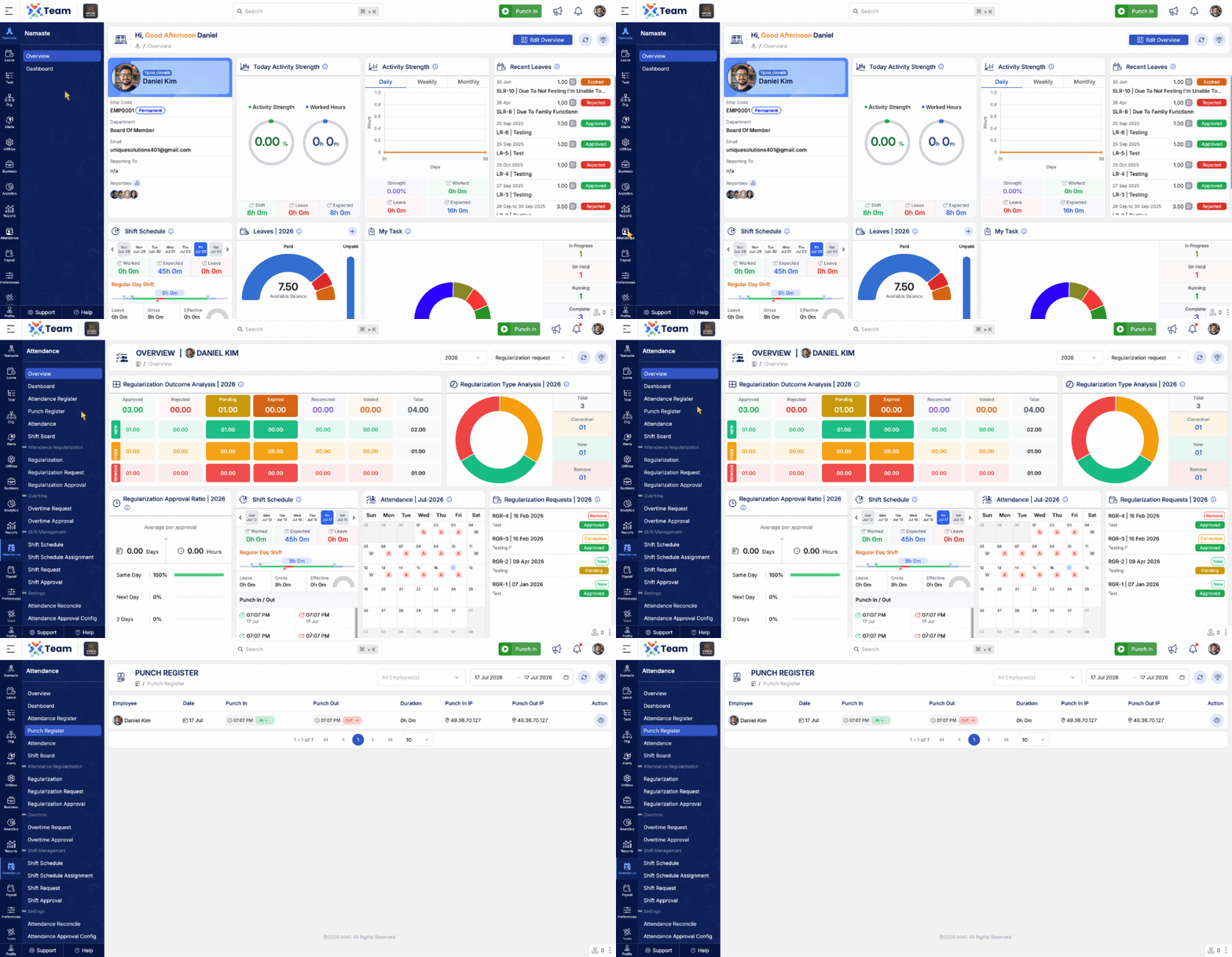
- Introduced the Punch Register to manage employee Punch In and Punch Out records.
- Provides a centralized view of employee punch entries for better attendance tracking.
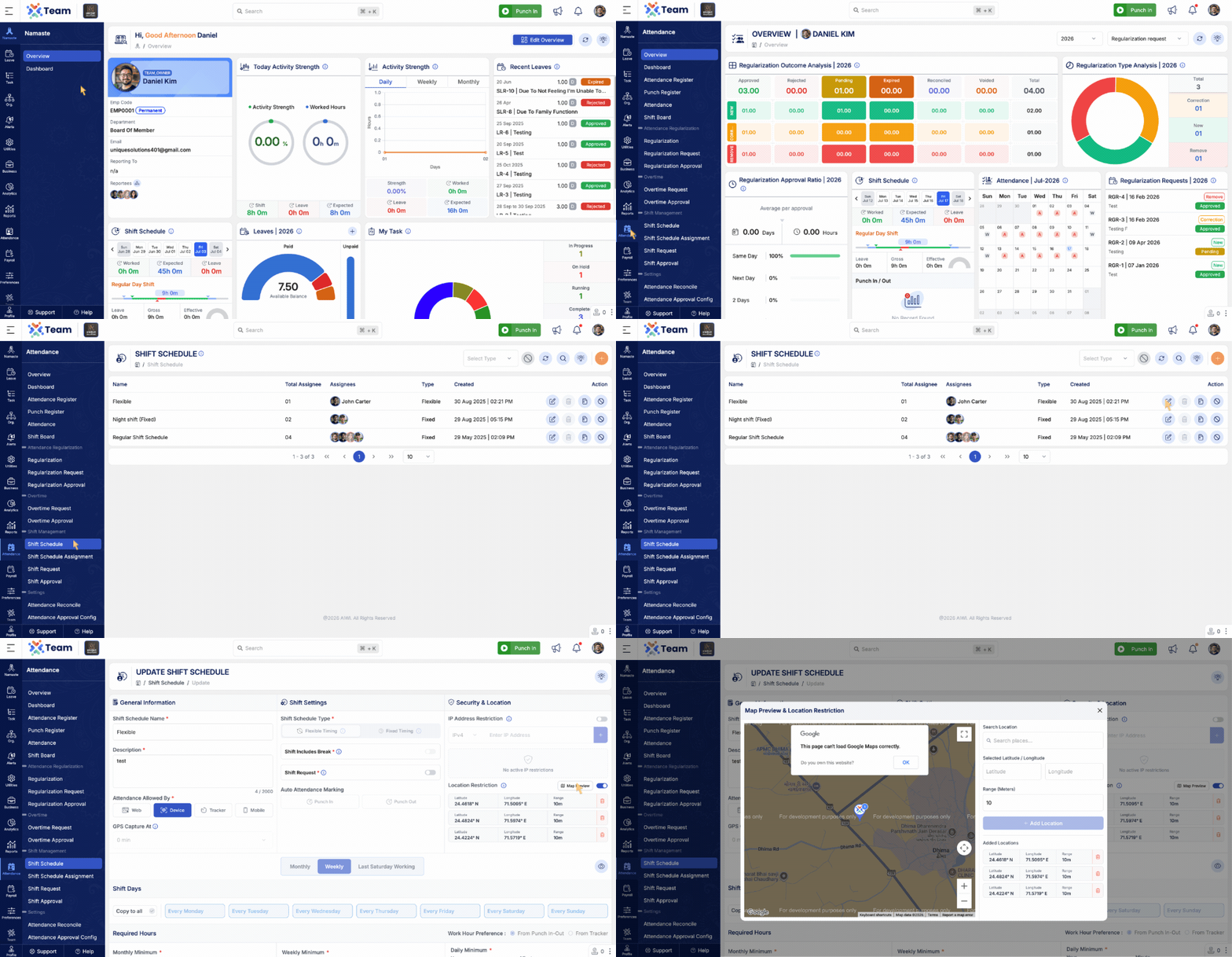
- Added Location Restriction for mobile attendance.
- Configure permitted locations using latitude, longitude, and an allowed range.
- Employees can clock in and clock out only when they are within the configured location range.
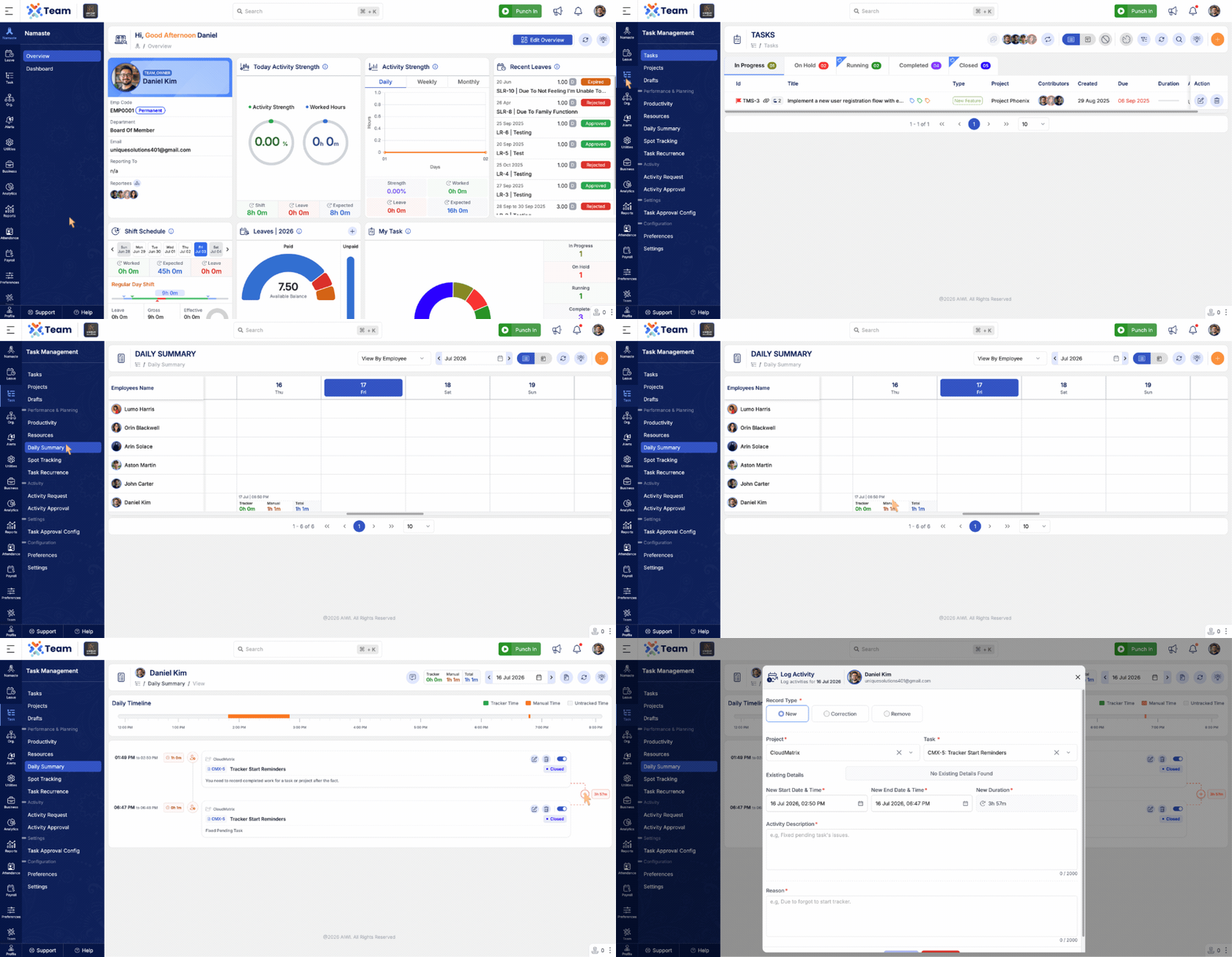
- Enhanced the Daily Summary with an Activity Request timeline.
- Missing activity gaps are now highlighted for quick identification.
- Clicking a missing gap automatically pre-fills most Activity Request details, making it easier to submit requests for untracked time.
- Performance Improvements: General system performance optimizations implemented.
- Bug Fixes: Minor issues resolved for improved stability and user experience.
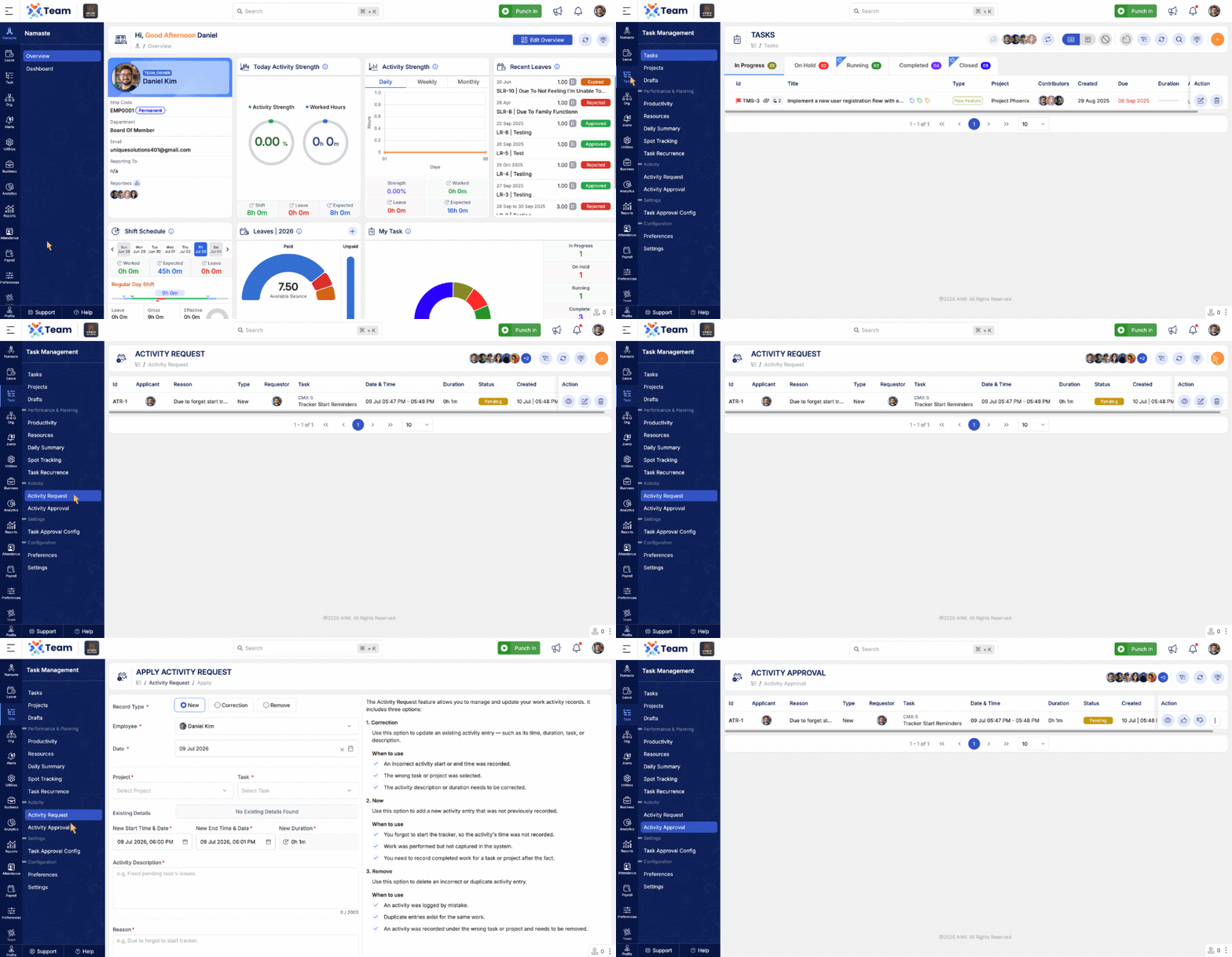
- Introduced the Activity Request feature to manage and update work activity records.
- Supports an approval workflow for activity-related requests.
- Correction: Update an existing activity entry, including time, duration, task, or description.
- New: Add a new activity entry that was not previously recorded.
- Remove: Delete an incorrect or duplicate activity entry.
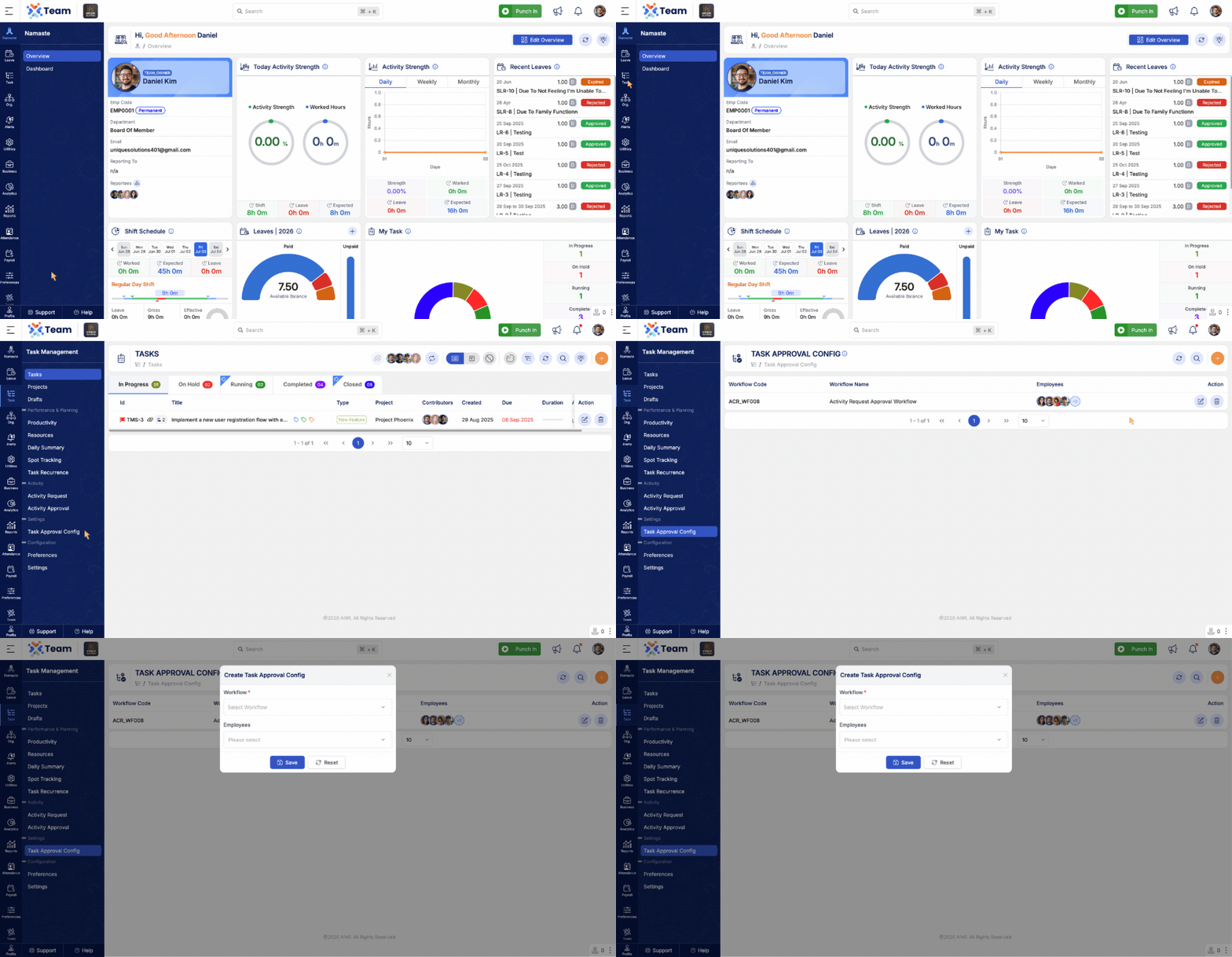
- Introduced Task Approval Configuration for Activity Request workflows.
- Configure approval workflows for Activity Requests based on organizational requirements.
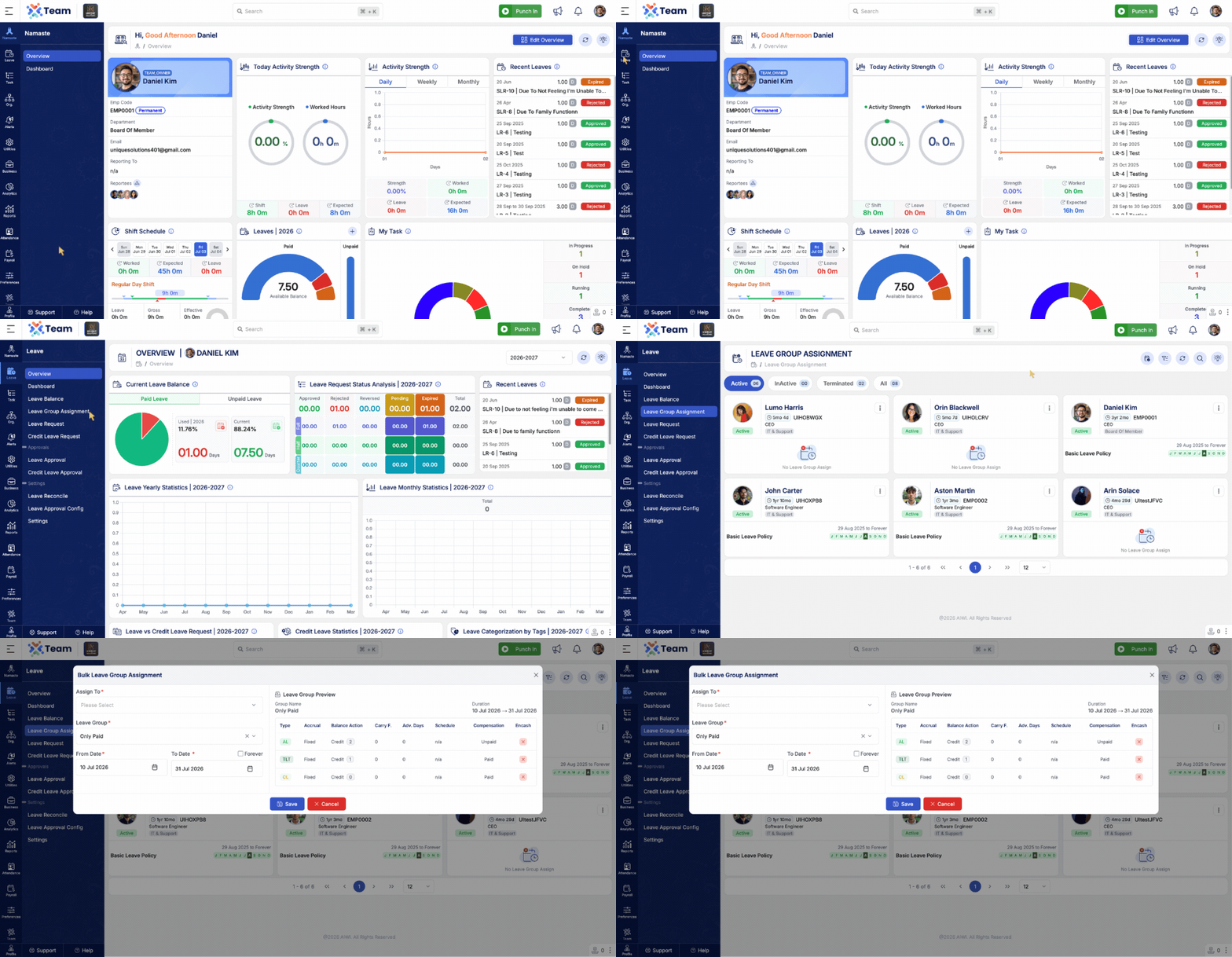
- Introduced bulk assignment for Leave Groups.
- Enables administrators to assign leave groups to multiple employees in a single operation.
- Reduces manual effort and improves administrative efficiency.
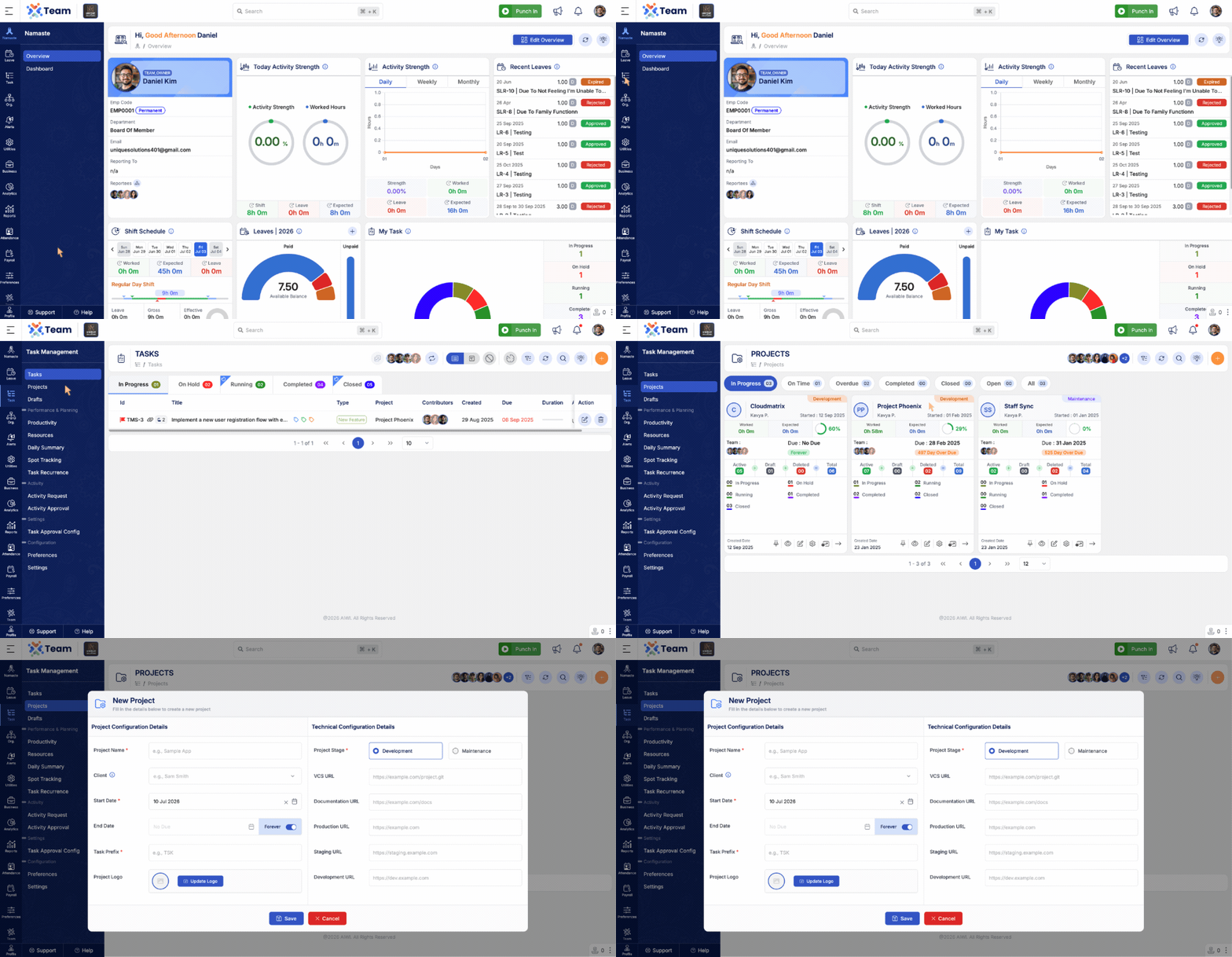
- Added Quick Project Creation to simplify project setup.
- Enables users to create projects with fewer steps.
- Improves productivity by reducing project creation time.
- Performance Improvements: General system performance optimizations implemented.
- Bug Fixes: Minor issues resolved for improved stability and user experience.
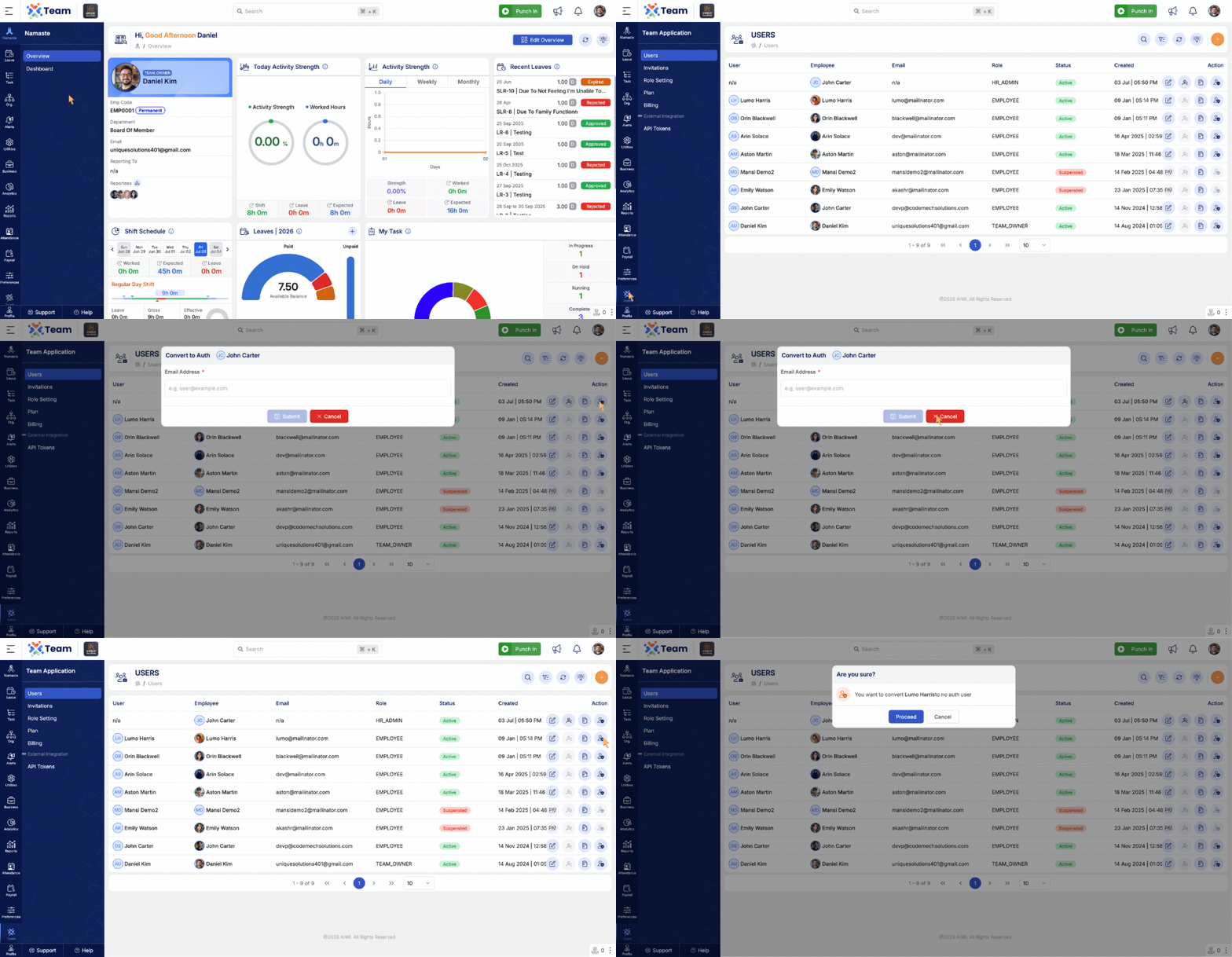
- Users can now switch employees between Authenticated and Non-Authenticated accounts.
- Provides greater flexibility in managing employee access based on organizational requirements.
- Simplifies user account management without recreating employee records.
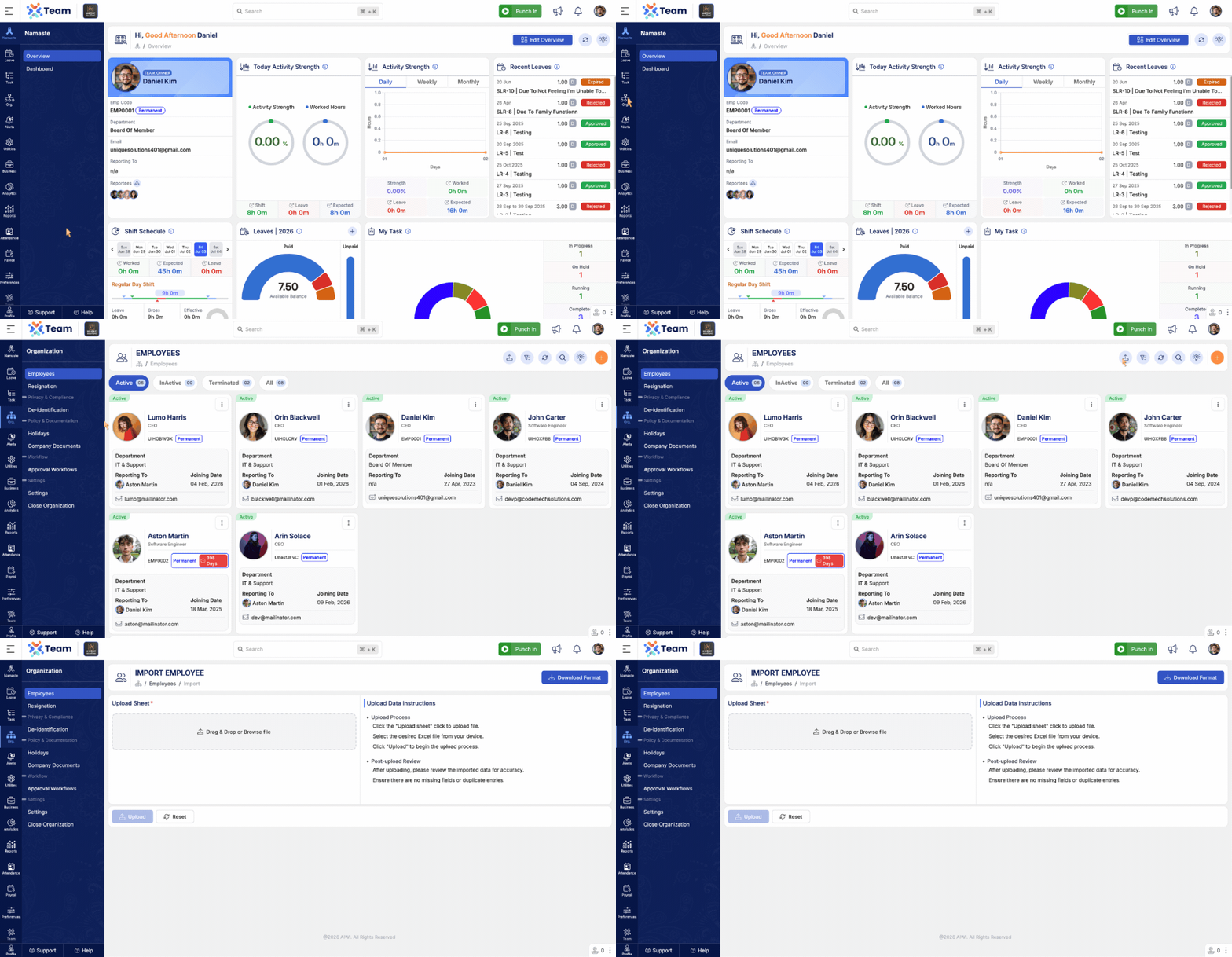
- Added support for importing Non-Authenticated employees.
- Enables organizations to bulk import employees without requiring user authentication.
- Simplifies employee onboarding and data migration processes.
- Performance Improvements: General system performance optimizations implemented.
- Bug Fixes: Minor issues resolved for improved stability and user experience.
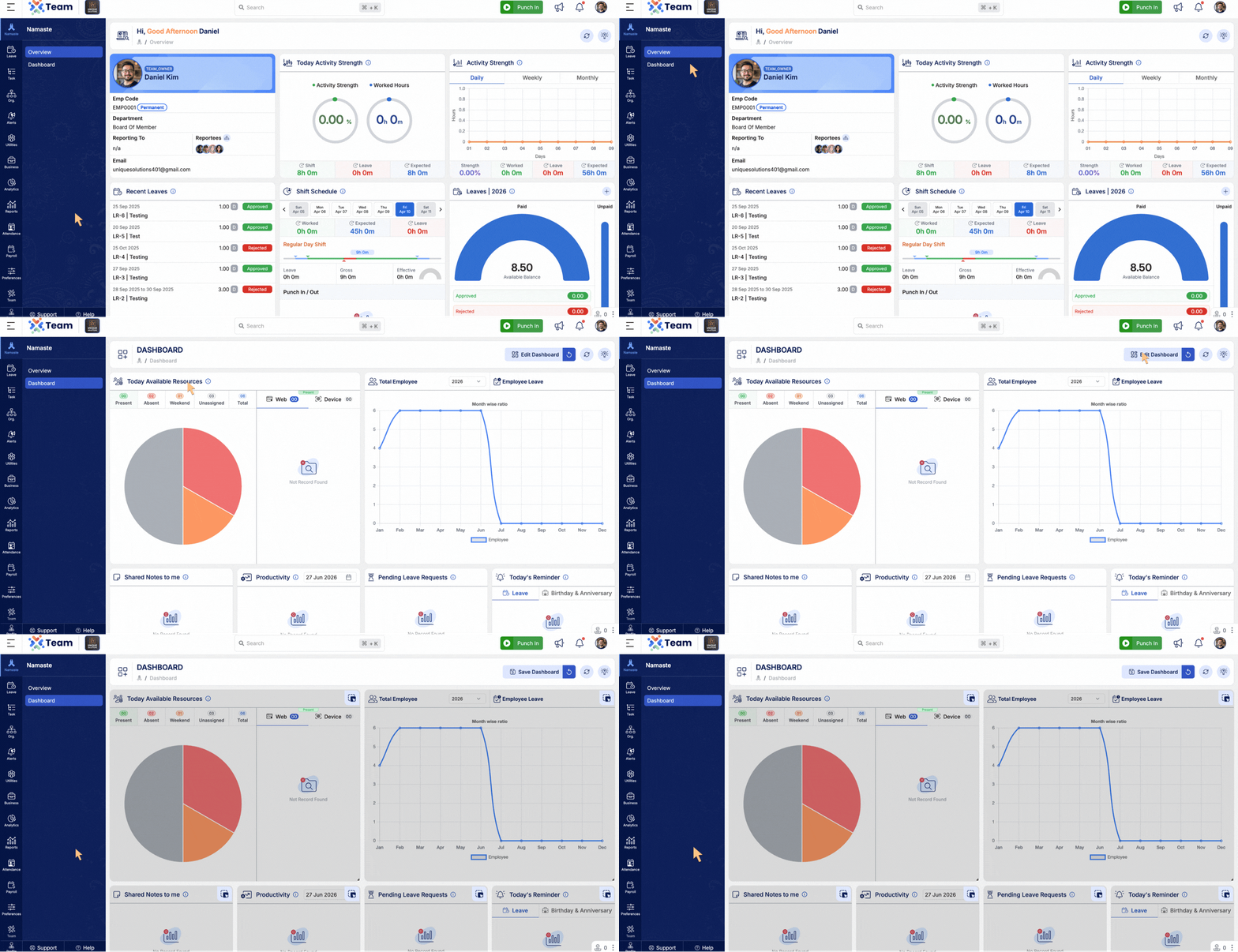
- Dashboard and Overview widgets can now be resized to fit your preferred layout.
- Users can rearrange widget positions using drag-and-drop.
- Provides a more personalized and flexible dashboard experience.
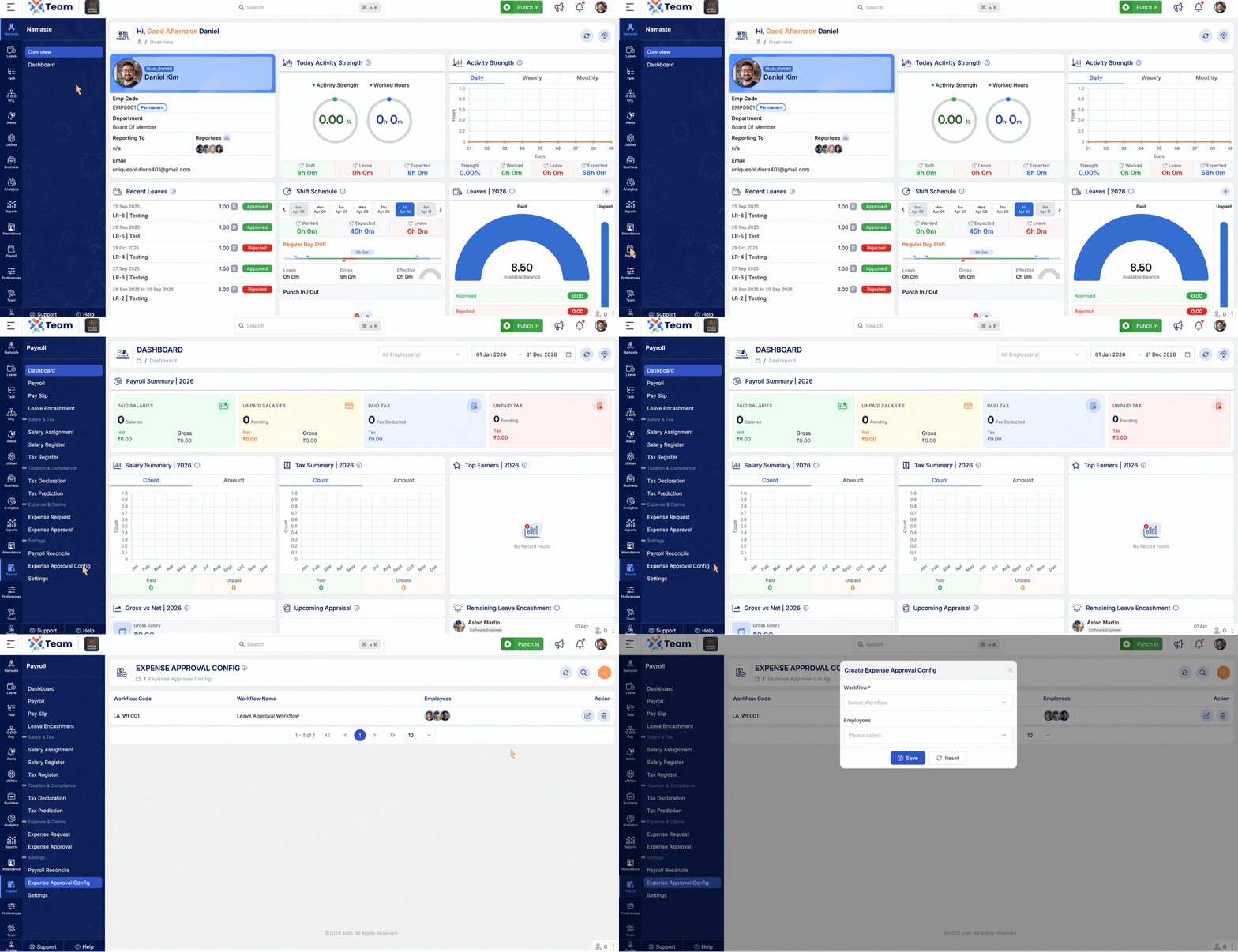
- Introduced Expense Approval Configuration for greater approval flexibility.
- Supports overriding the global Expense Approval Configuration for selected employees.
- Performance Improvements: General system performance optimizations implemented.
- Bug Fixes: Minor issues resolved for improved stability and user experience.
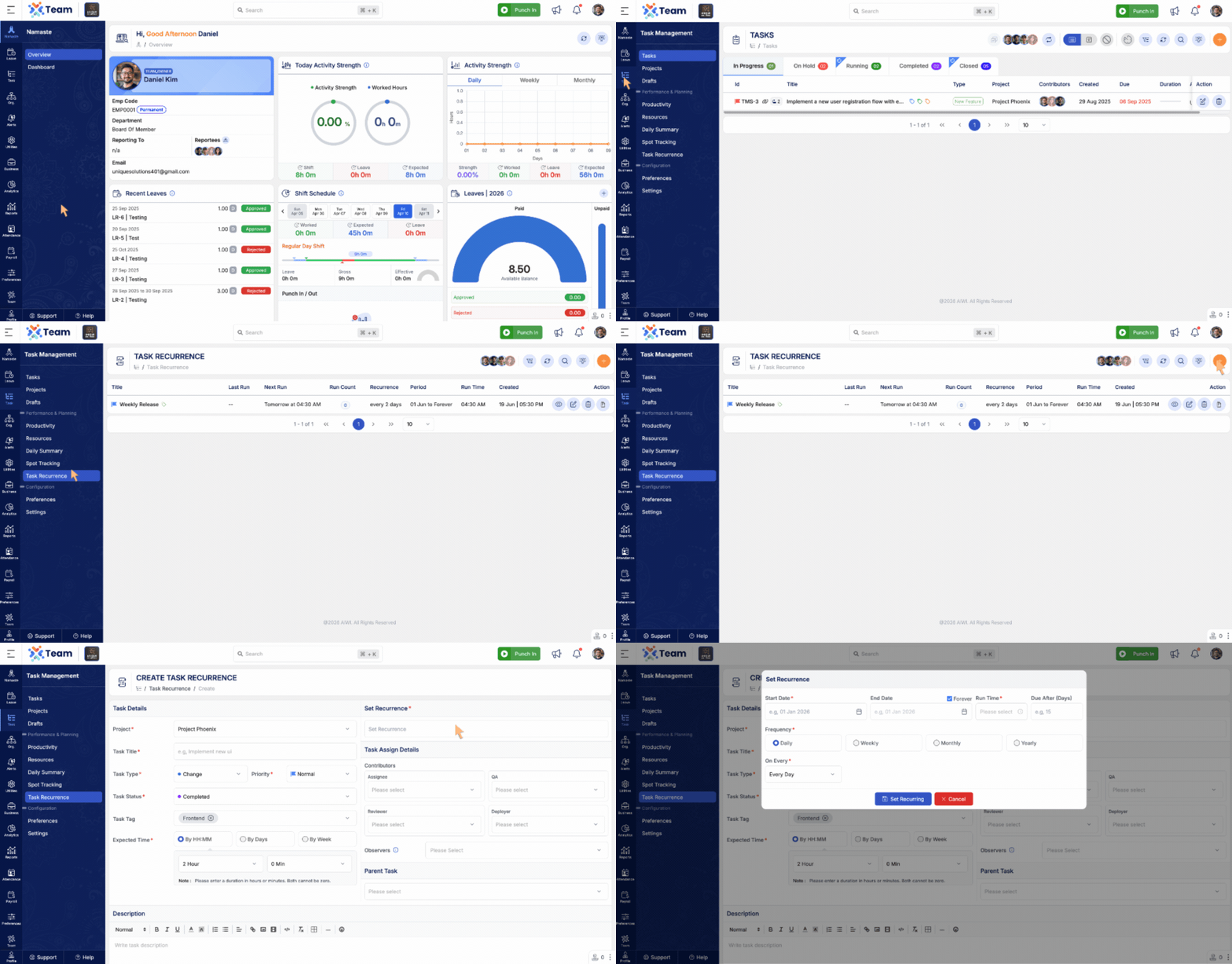
- Introduced Task Recurrence functionality.
- Users can create recurring tasks for regularly scheduled work.
- Supports automated task creation based on defined recurrence patterns.
- Helps improve productivity and reduce repetitive task management.
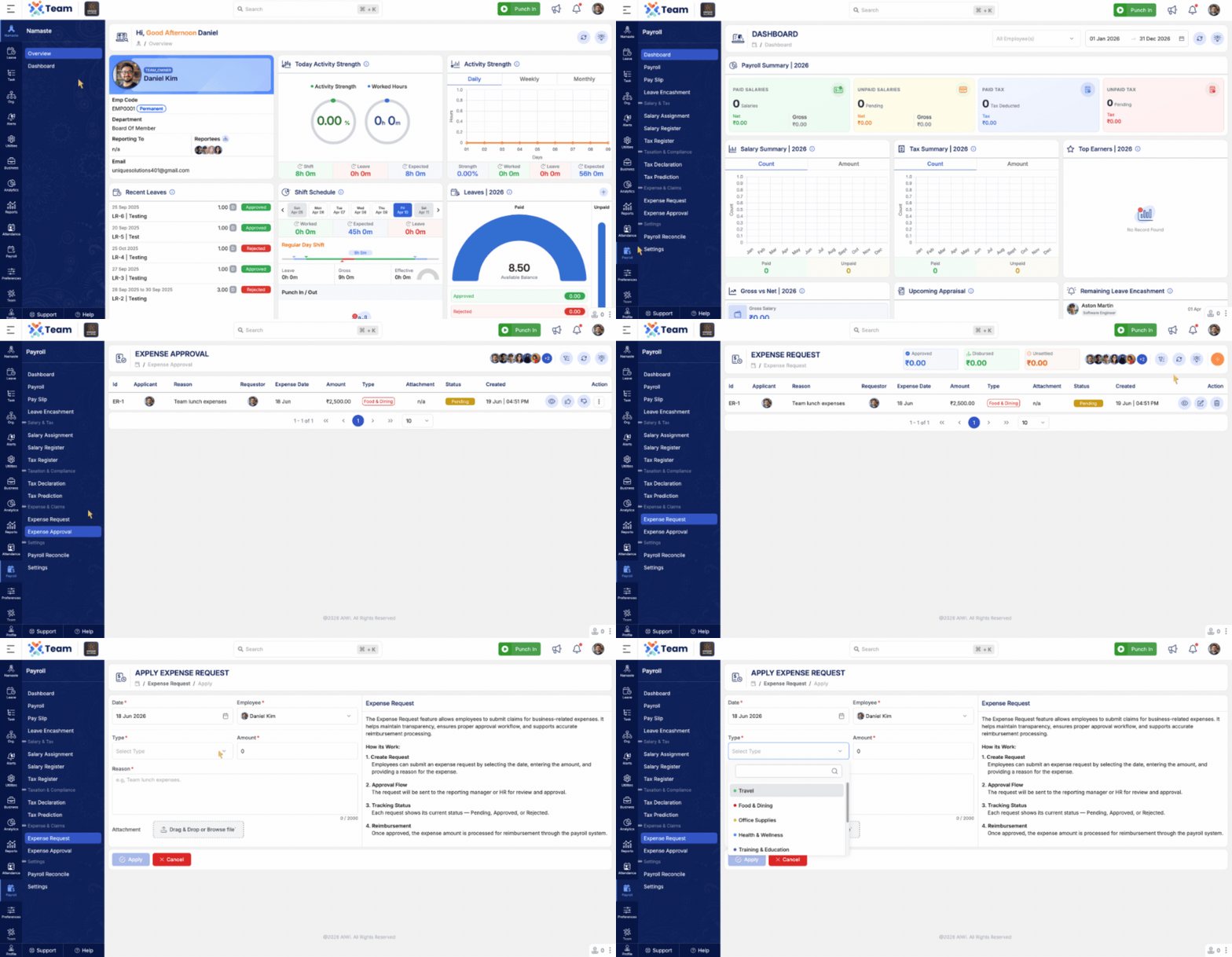
- Introduced a complete Expense Management module.
- Employees can now submit Expense Requests directly through the system.
- Once approved, expense amounts are automatically included in the employee's next salary cycle.
- Payers can update the expense amount before salary processing is completed.
- Added expense tracking with Approved, Disbursed, and Unsettled balances.
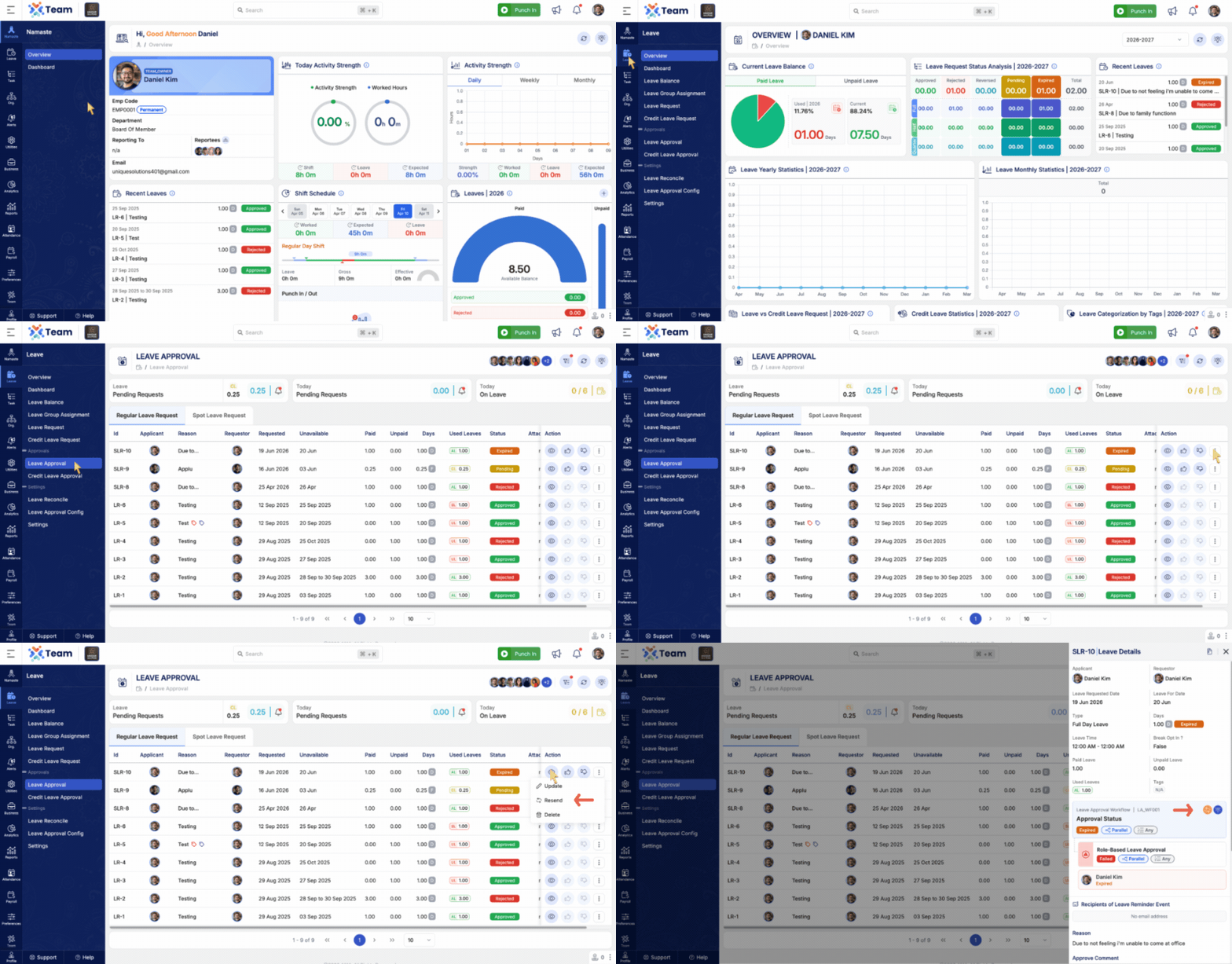
- Added the ability to resend expired approval requests.
- Helps ensure approval workflows can continue without requiring users to create new requests.
- Supports Leave, Credit Leave, Spot Leave, Expense, Overtime, Shift, and Regularization requests.
- Performance Improvements: General system performance optimizations implemented.
- Bug Fixes: Minor issues resolved for improved stability and user experience.
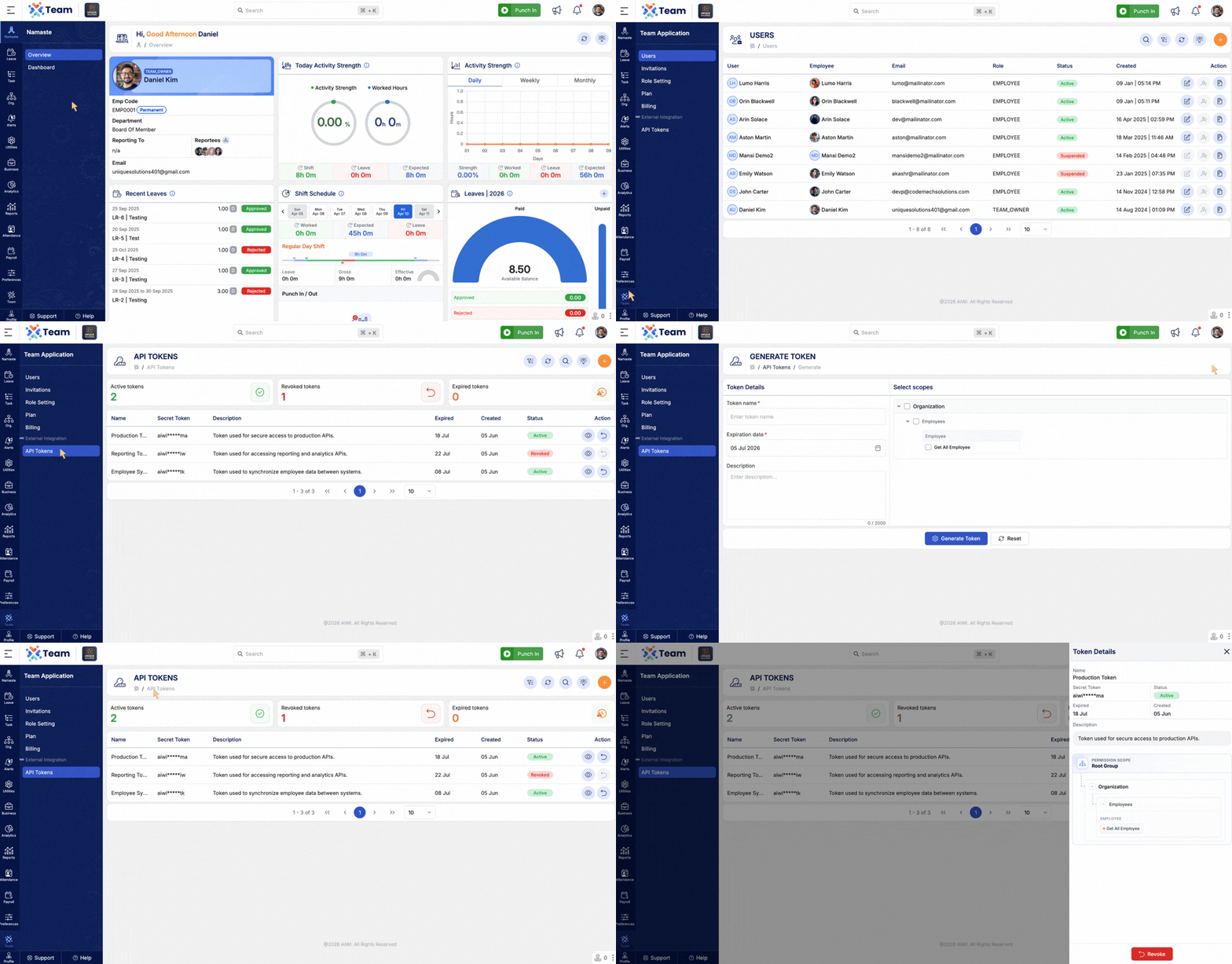
- Introduced External Integration API Tokens for secure access to exposed APIs.
- Users can create and manage access tokens for external integrations.
- Supports token expiry dates and token revocation for enhanced security and control.
- Simplifies secure API access management across integrations.
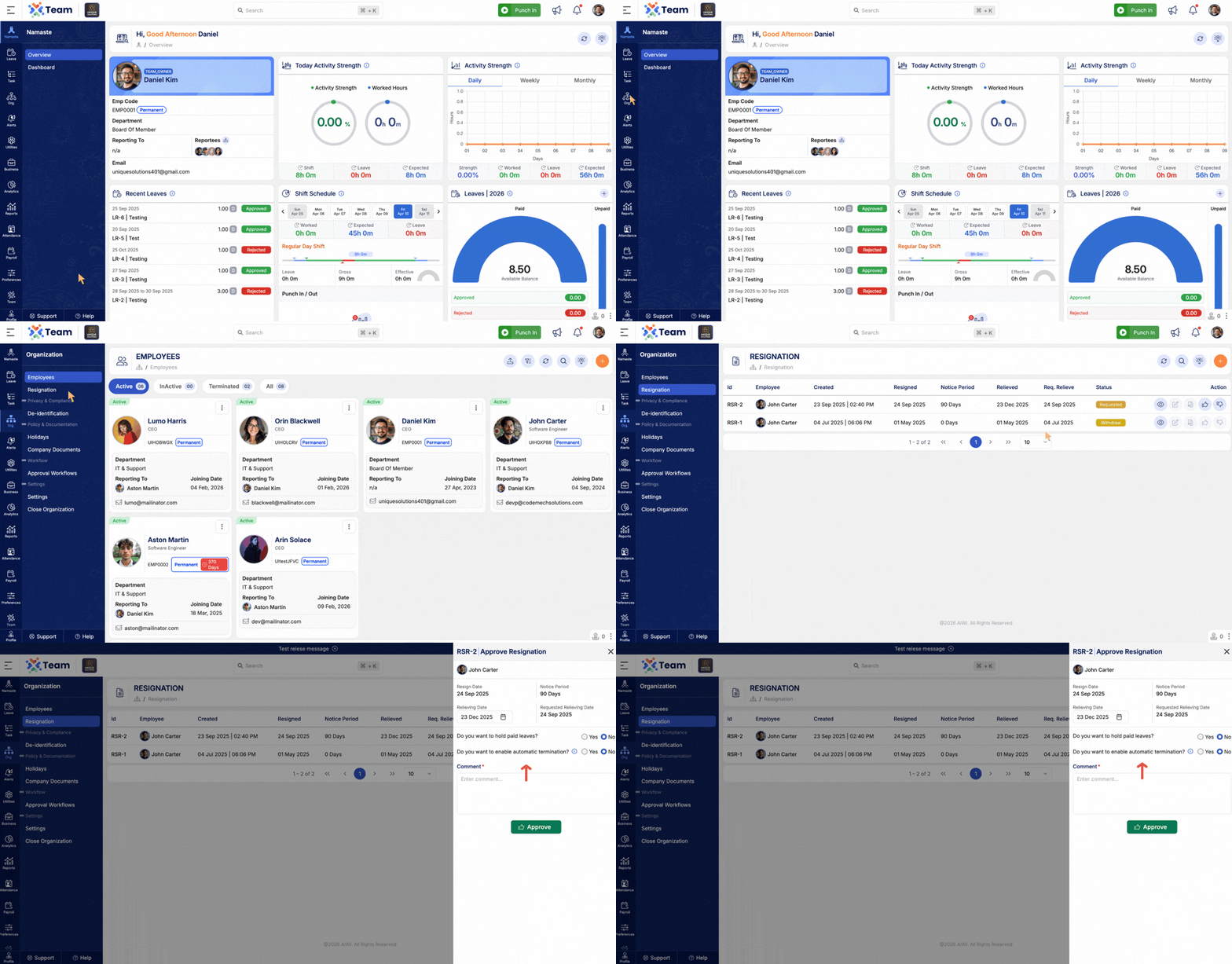
- Added support for automatic employee termination based on the scheduled relieving date.
- Employee termination and all associated termination activities will be processed automatically on the relieving date.
- Reduces manual intervention and ensures timely execution of termination processes.
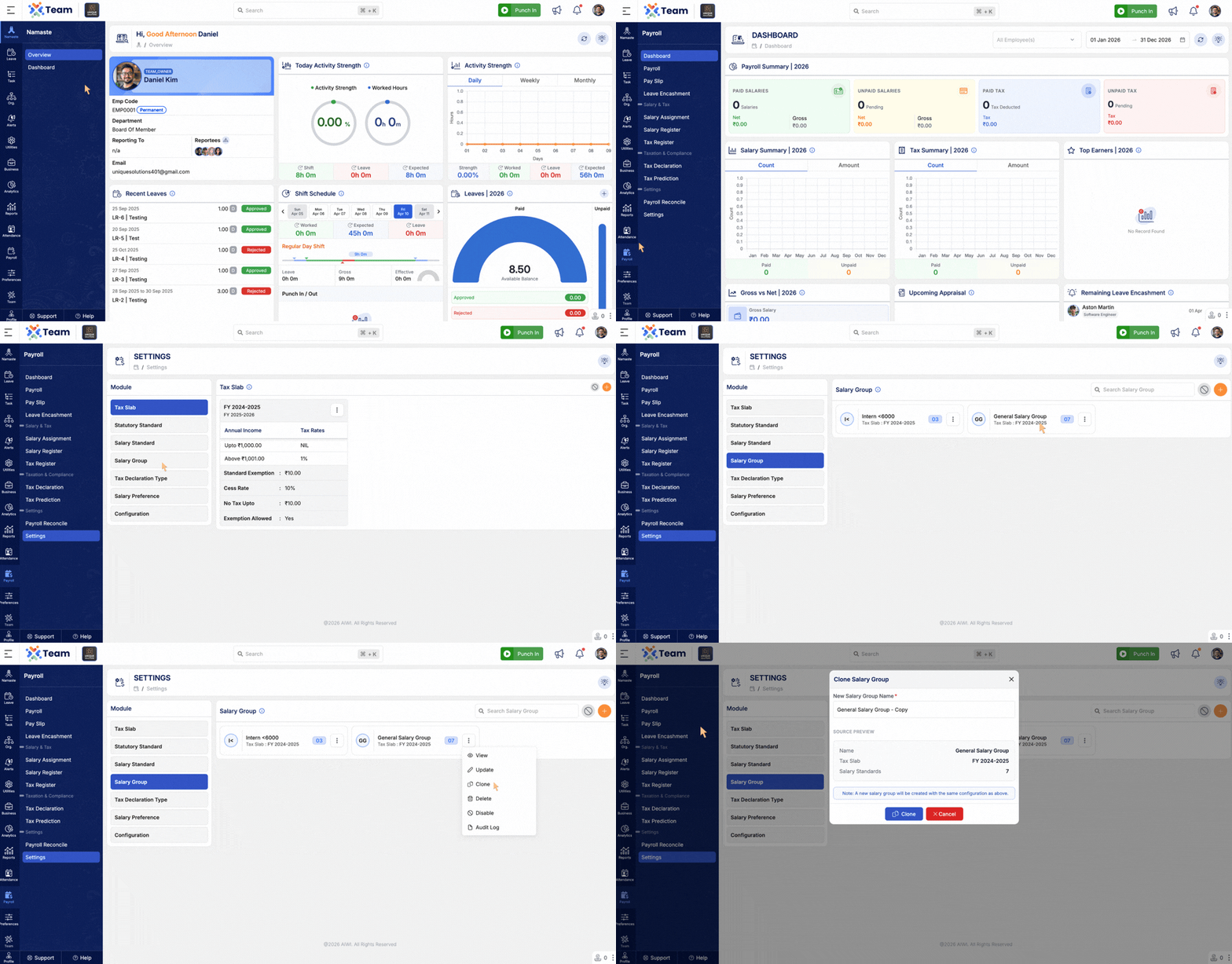
- Added clone functionality for Salary Groups and Salary Preferences.
- Enables quick duplication of existing configurations.
- Reduces setup time and improves administrative efficiency.
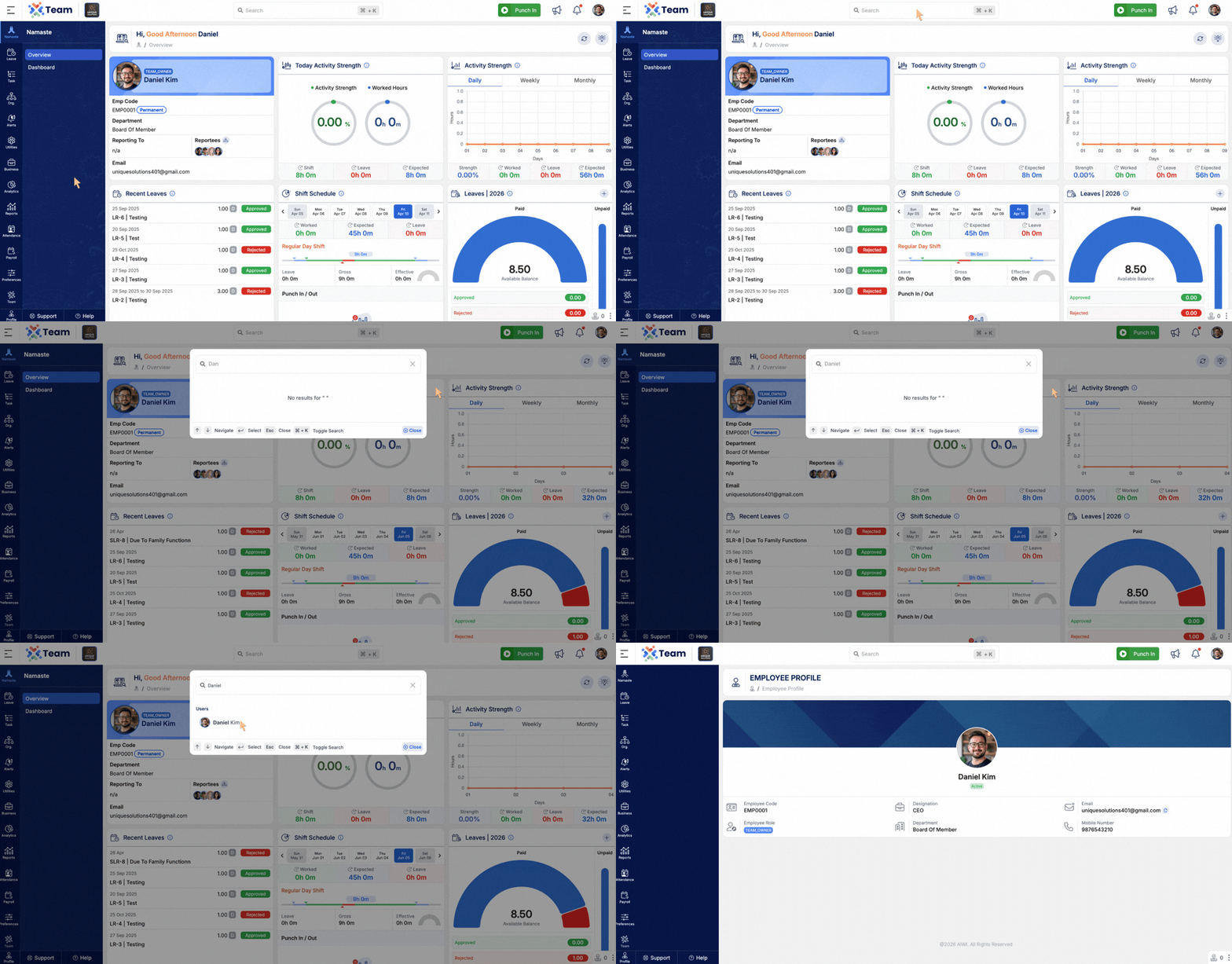
- Added employee information to Global Search.
- Users can quickly locate employee details across the organization.
- Performance Improvements: General system performance optimizations implemented.
- Bug Fixes: Minor issues resolved for improved stability and user experience.
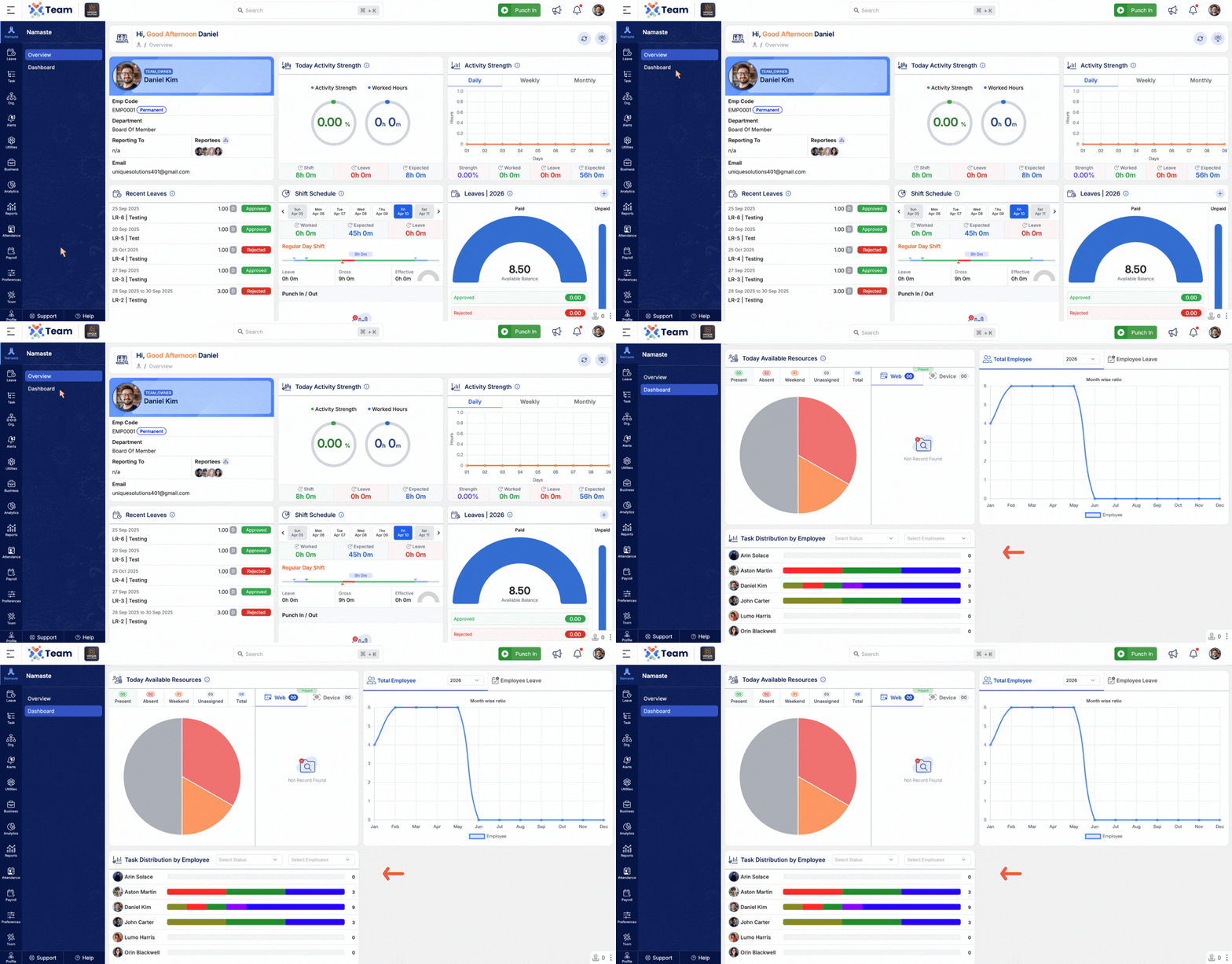
- Introduced a Task Distribution by Employee view.
- Displays employee-wise task counts grouped by task status.
- Supports filtering by employee and task status for better analysis and workload visibility.
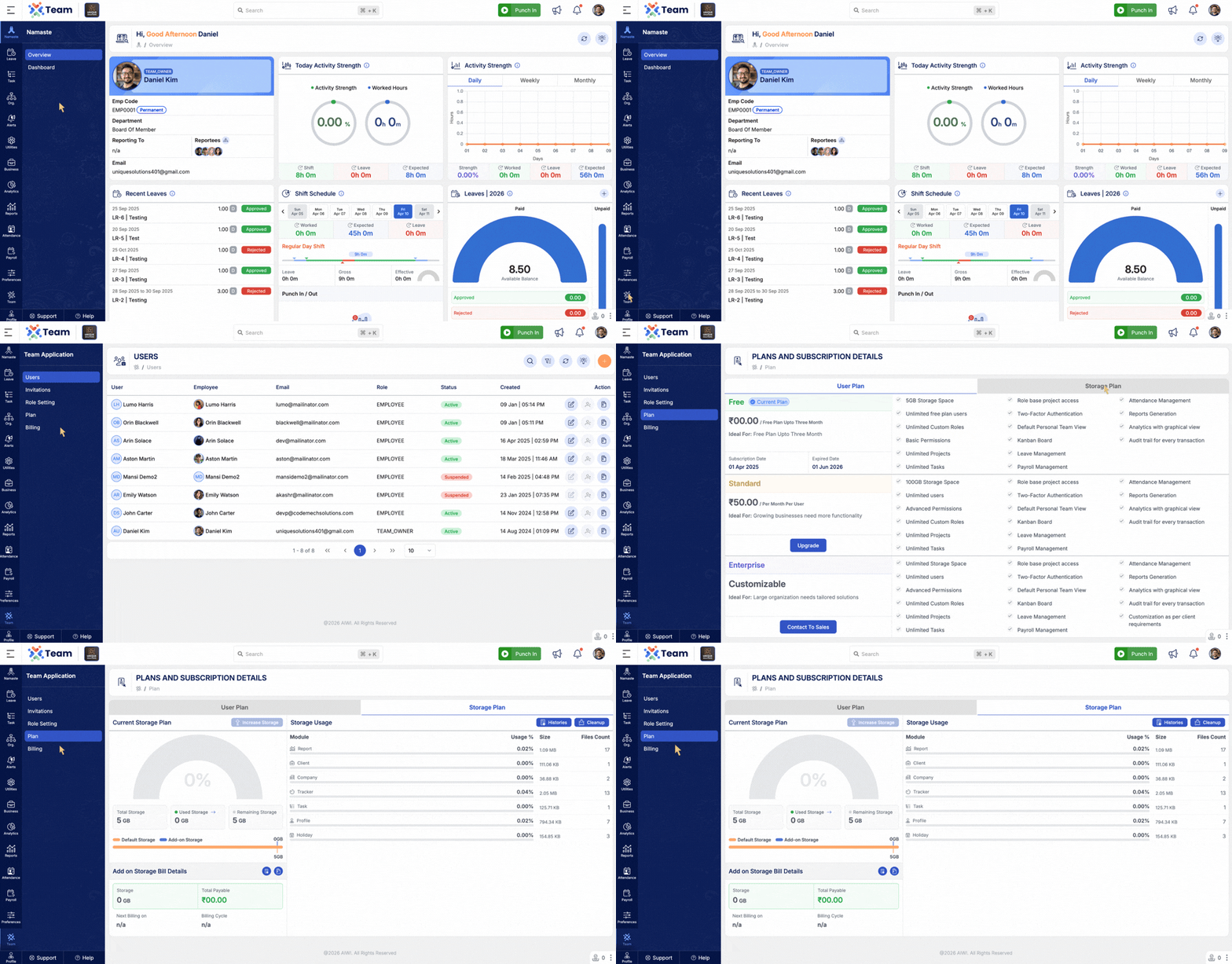
- Added Storage Cleanup functionality to help manage system storage efficiently.
- Introduced Cleanup History to track previously executed cleanup activities.
- Provides better visibility and control over storage usage.
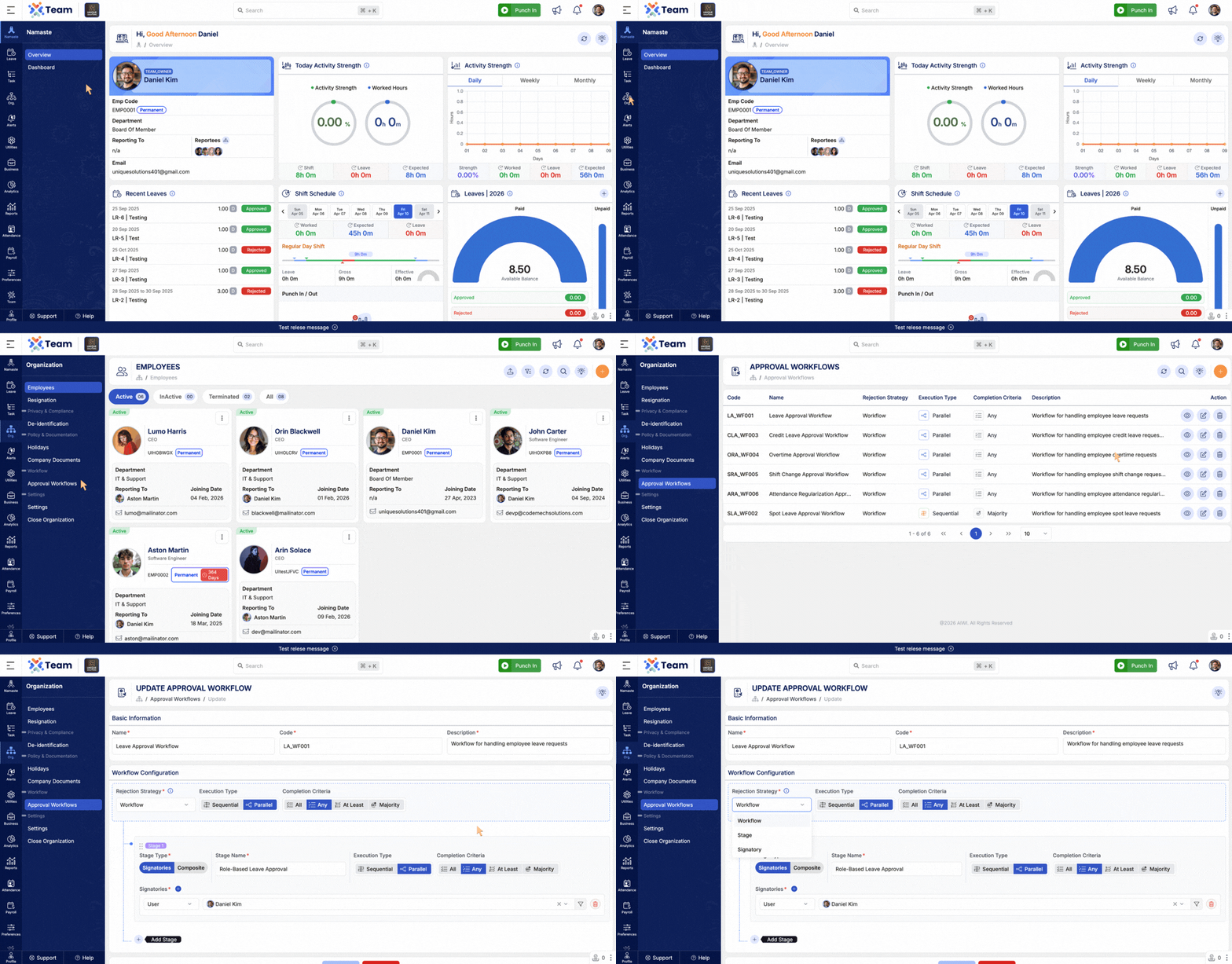
- Added a Rejection Policy option within approval workflows.
- Organizations can now define how rejections should be handled during the approval process.
- Workflow: If any approver rejects the request, the entire workflow is rejected.
- Stage: If any approver rejects the request, the current approval stage is rejected.
- Signatory: If any approver rejects the request, only that approver's signatory is rejected.
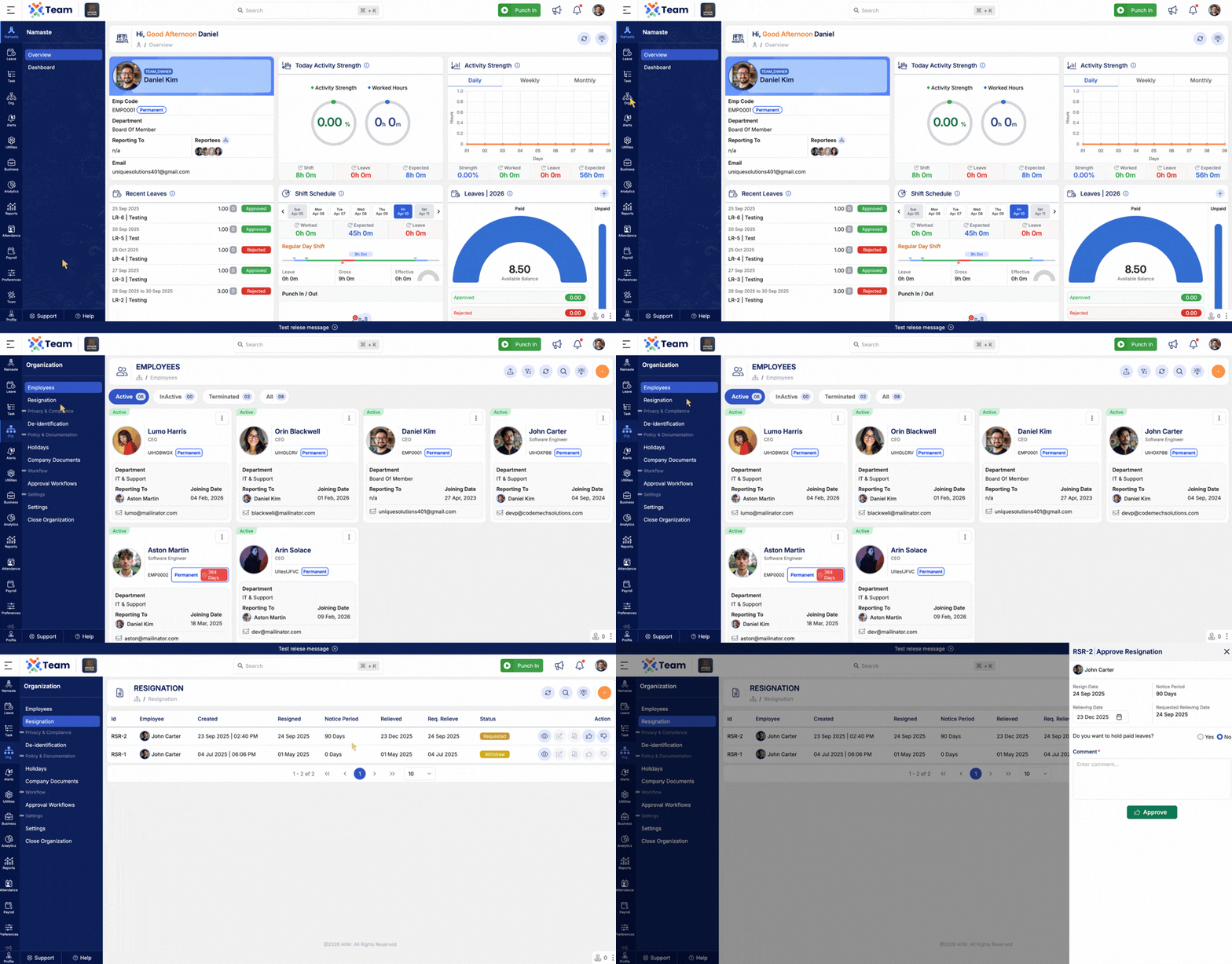
- Added an option to hold paid leave balances during resignation approval.
- When approving a resignation request, administrators can choose whether paid leave should be held.
- Helps ensure leave balances are managed appropriately during employee separation.
- Performance Improvements: General system performance optimizations implemented.
- Bug Fixes: Minor issues resolved for improved stability and user experience.
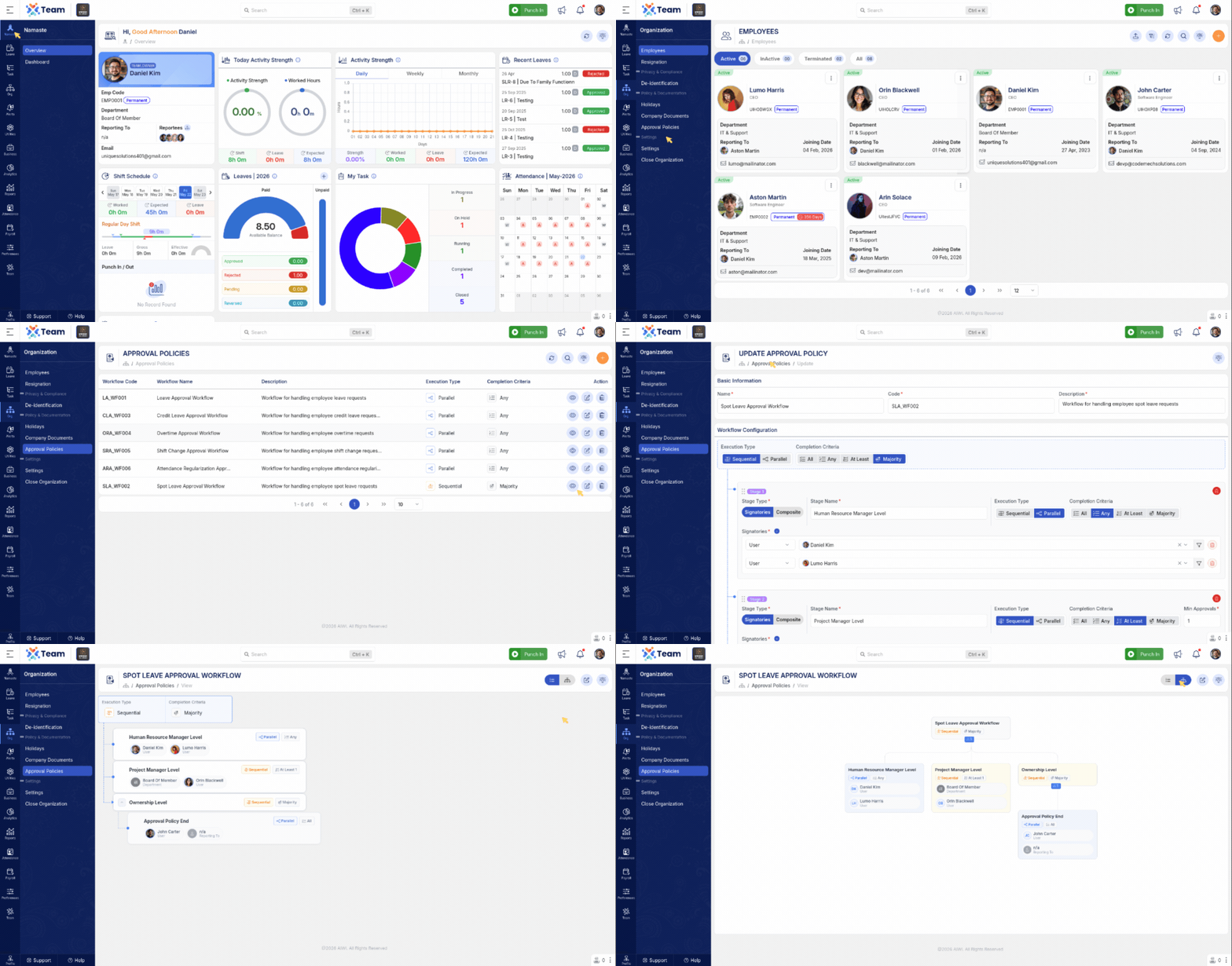
- Introduced a centralized Approval Policy management system.
- Policies can now be created centrally and assigned using configuration settings.
- Supports Leave, Attendance, and related employee request approval processes.
- Simplifies approval workflow management across the organization.
- Supported requests include Leave Request, Spot Leave Request, Credit Leave Request, Regularization Request, Overtime Request, and Shift Request.
- Introduced centralized Approval Configuration management.
- Enables organizations to configure approval flows from a single location.
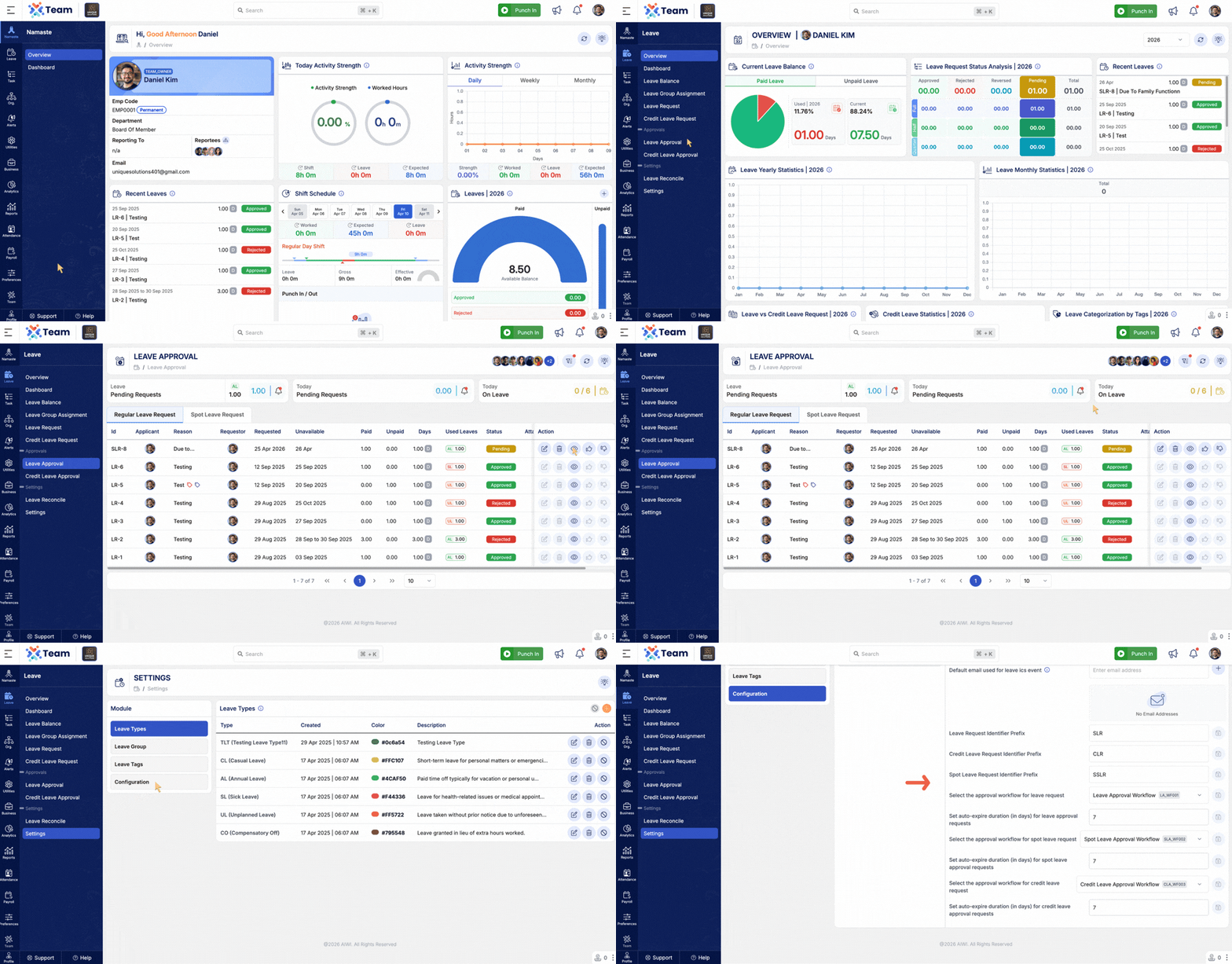
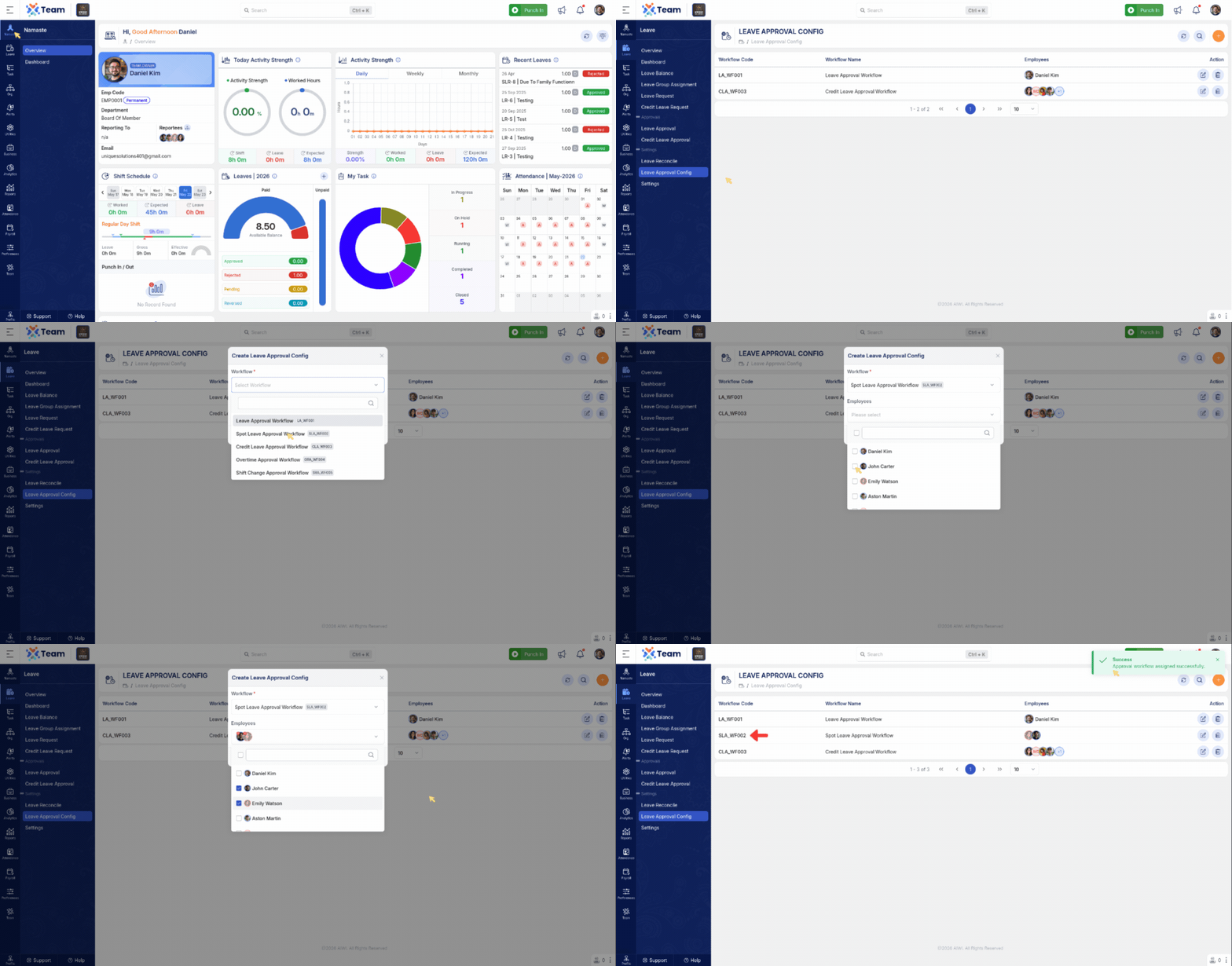
- Allows specific approval policies to be assigned to selected employees.
- Once assigned, the selected policy overrides the global approval configuration for those employees.
- Provides greater flexibility and control over employee approval workflows.
- Supported configurations include Leave Approval Configuration (Leave Request, Credit Leave Request, Spot Leave Request) and Attendance Approval Configuration (Regularization Request, Shift Request, Overtime Request).
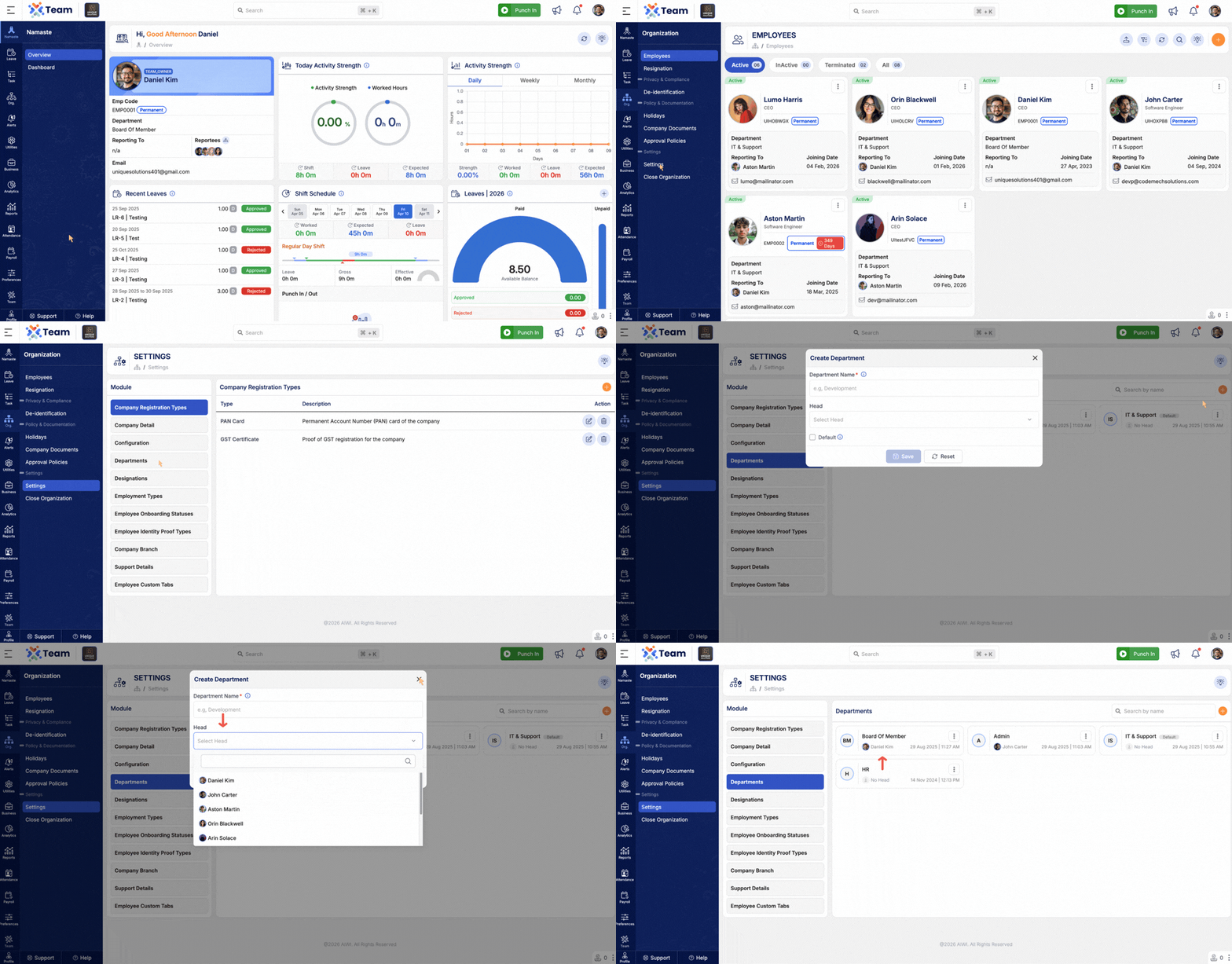
- Added support to assign a Head to a Department.
- Improves department-level hierarchy and approval management.
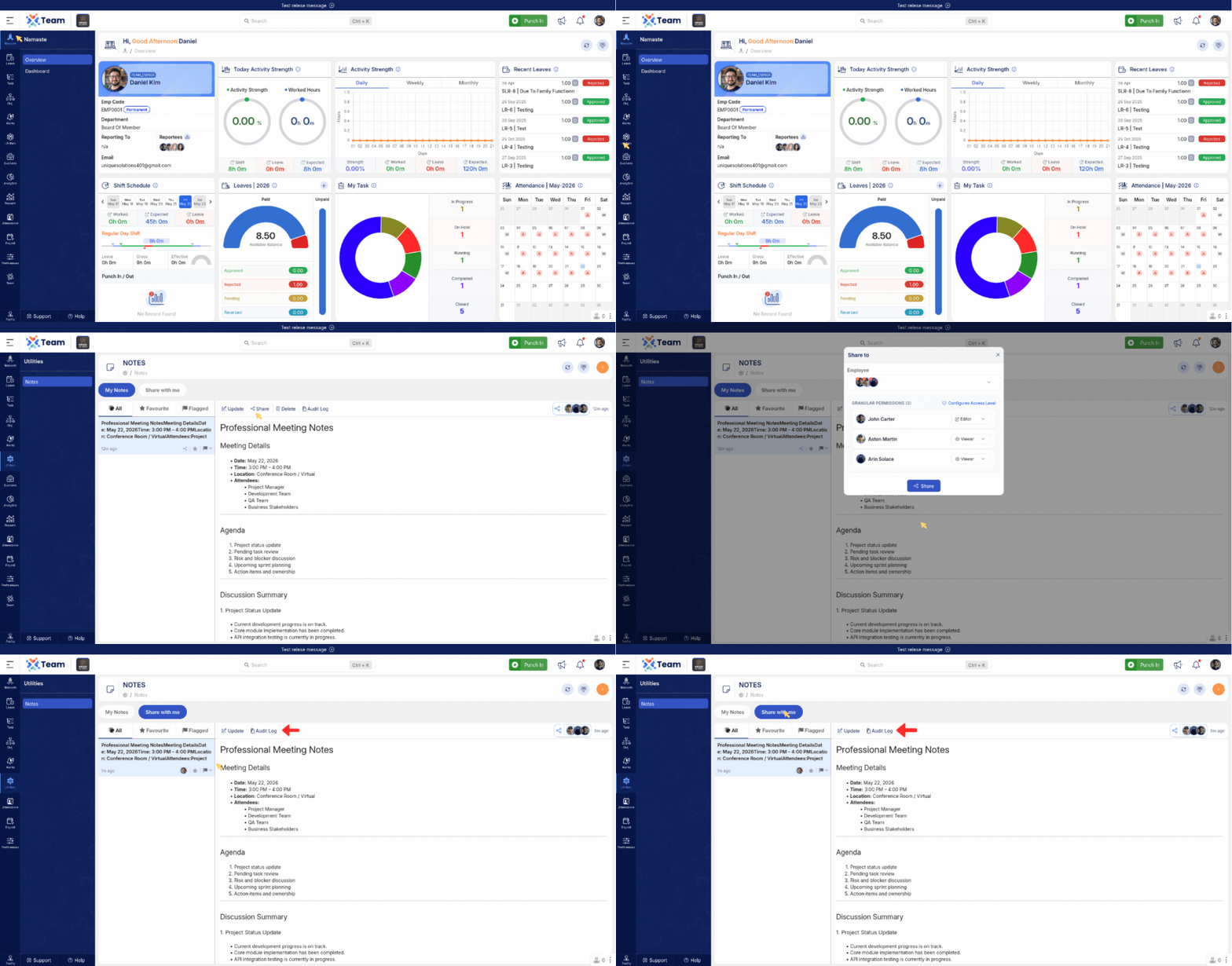
- Added permission-based note sharing functionality.
- Users can now assign either Viewer or Editor access while sharing notes.
- Improves collaboration and access control for shared notes.
- Performance Improvements: General system performance optimizations implemented.
- Bug Fixes: Minor issues resolved for improved stability and user experience.
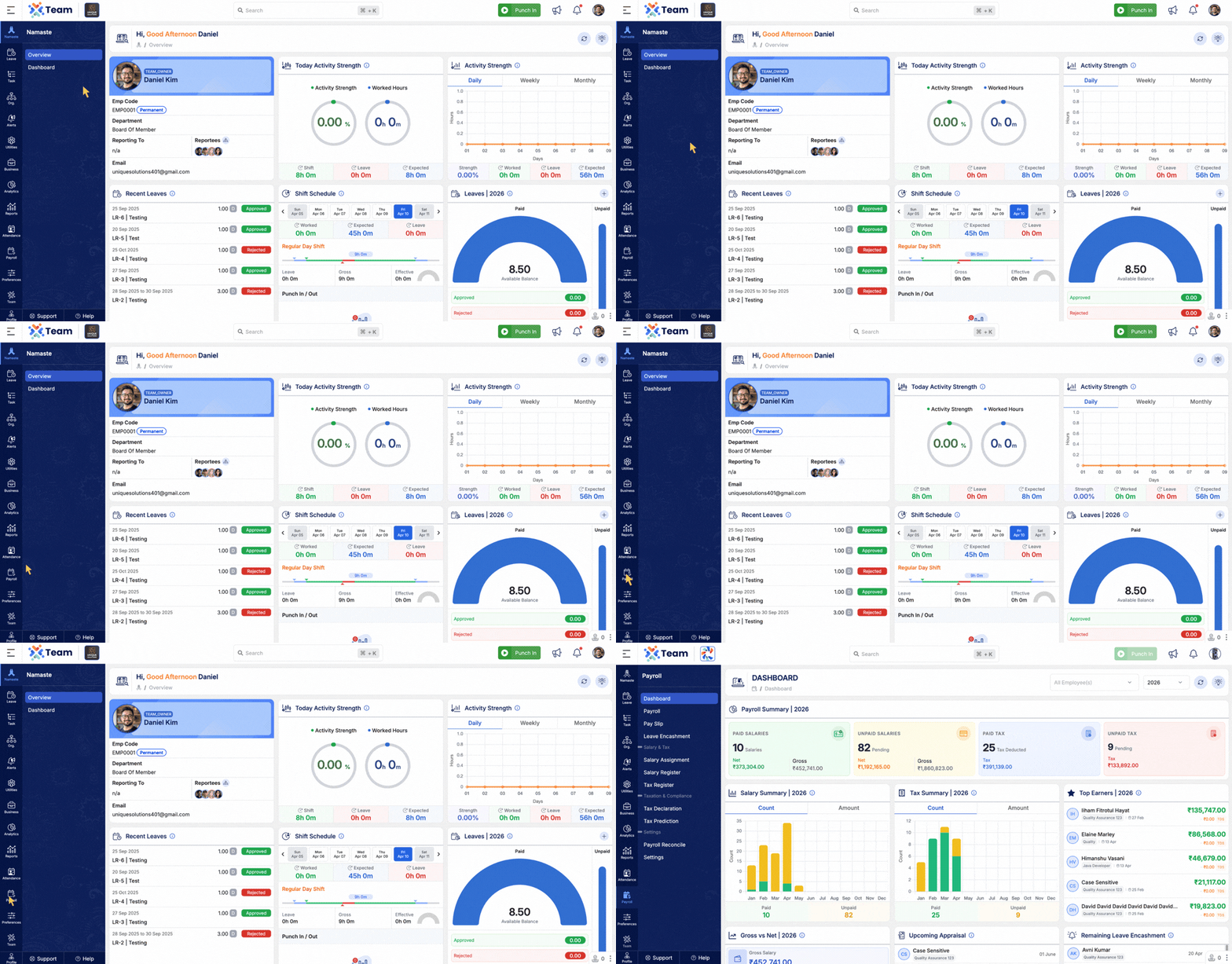
- Introduced a comprehensive Payroll Dashboard for better payroll visibility.
- Provides key payroll insights and analytics in a centralized view.
- Helps organizations monitor payroll trends, salary distribution, and processing data more effectively.
- Performance Improvements: Optimized system performance and processing efficiency.
- Bug Fixes: Minor issues resolved for improved stability and user experience.
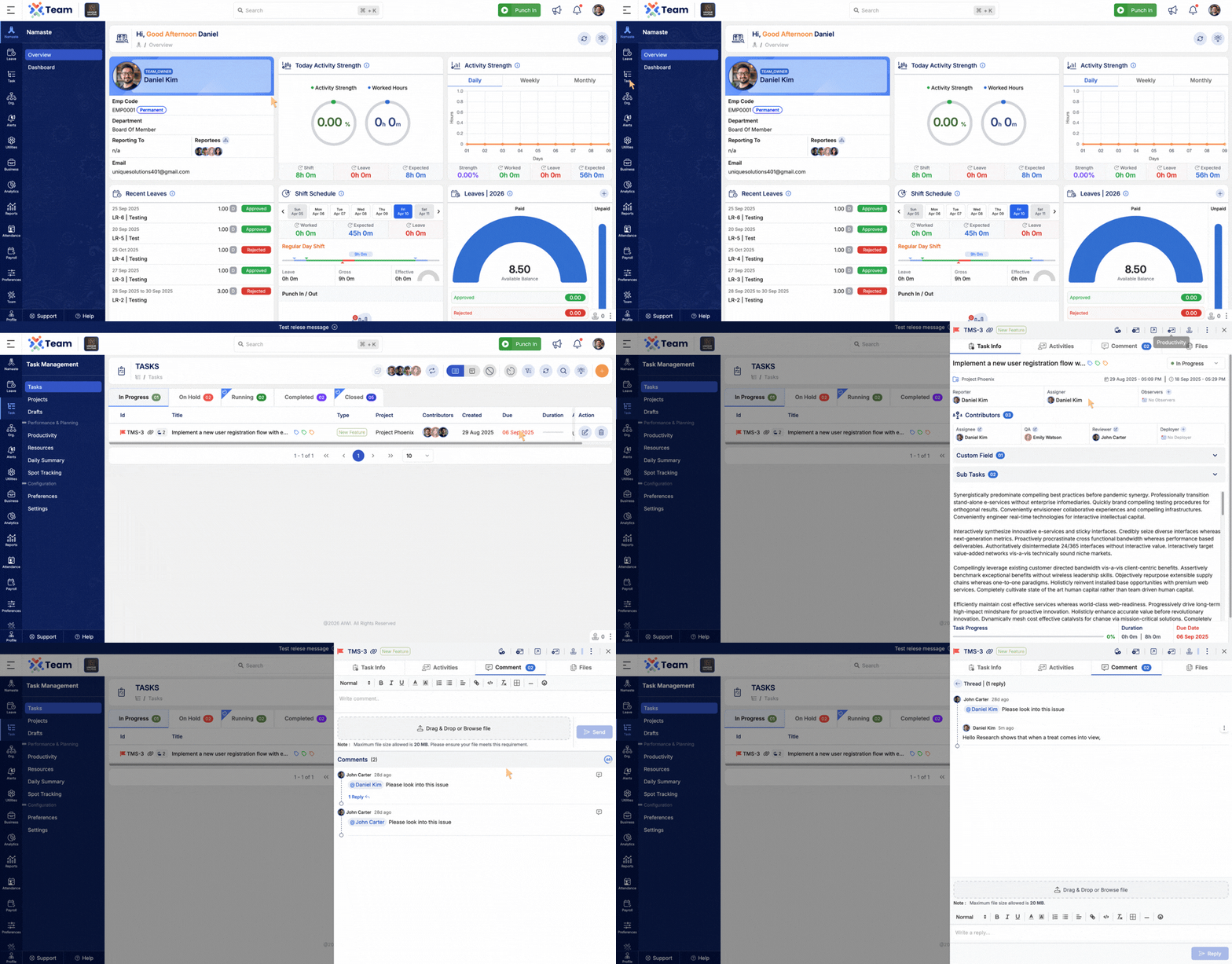
- Users can now reply to a specific comment.
- Supports threaded discussions.
- Keeps conversations organized and easy to follow.
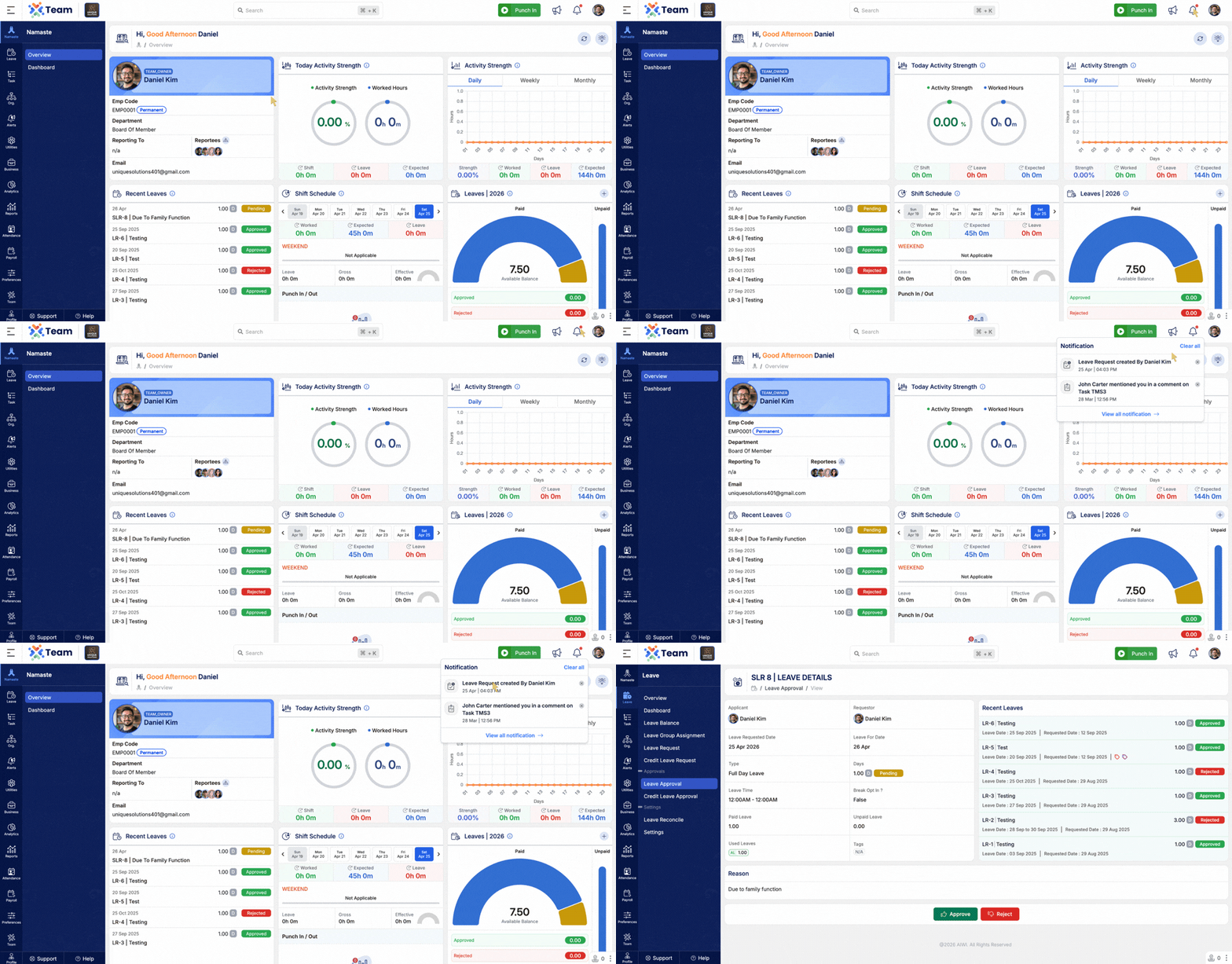
- Notifications are now interactive.
- Clicking a notification takes you directly to the relevant comment or section.
- Improves navigation and reduces time to find updates.
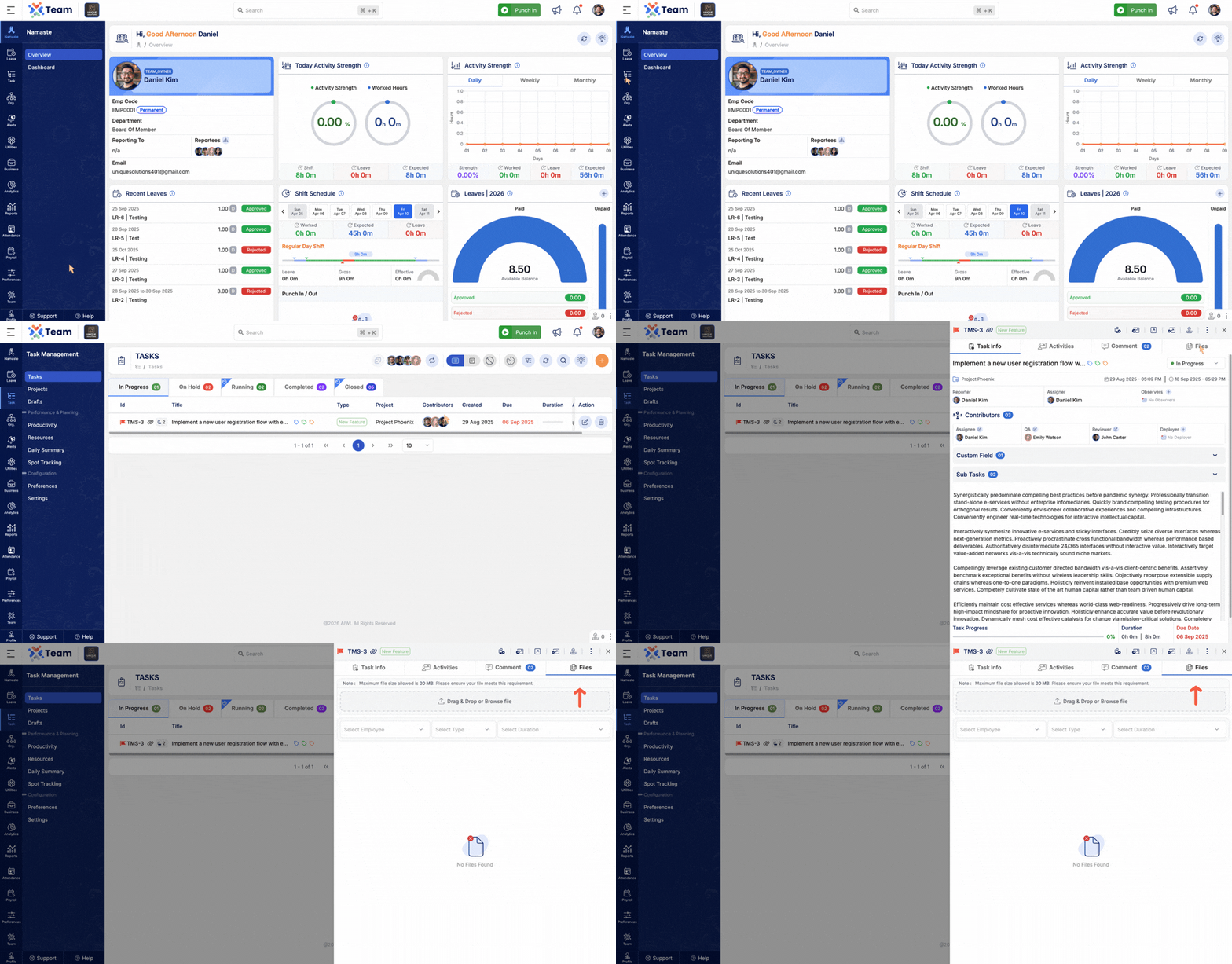
- Users can quickly upload files directly within a task.
- Reduces steps required to attach documents.
- Enhances productivity and ease of use.
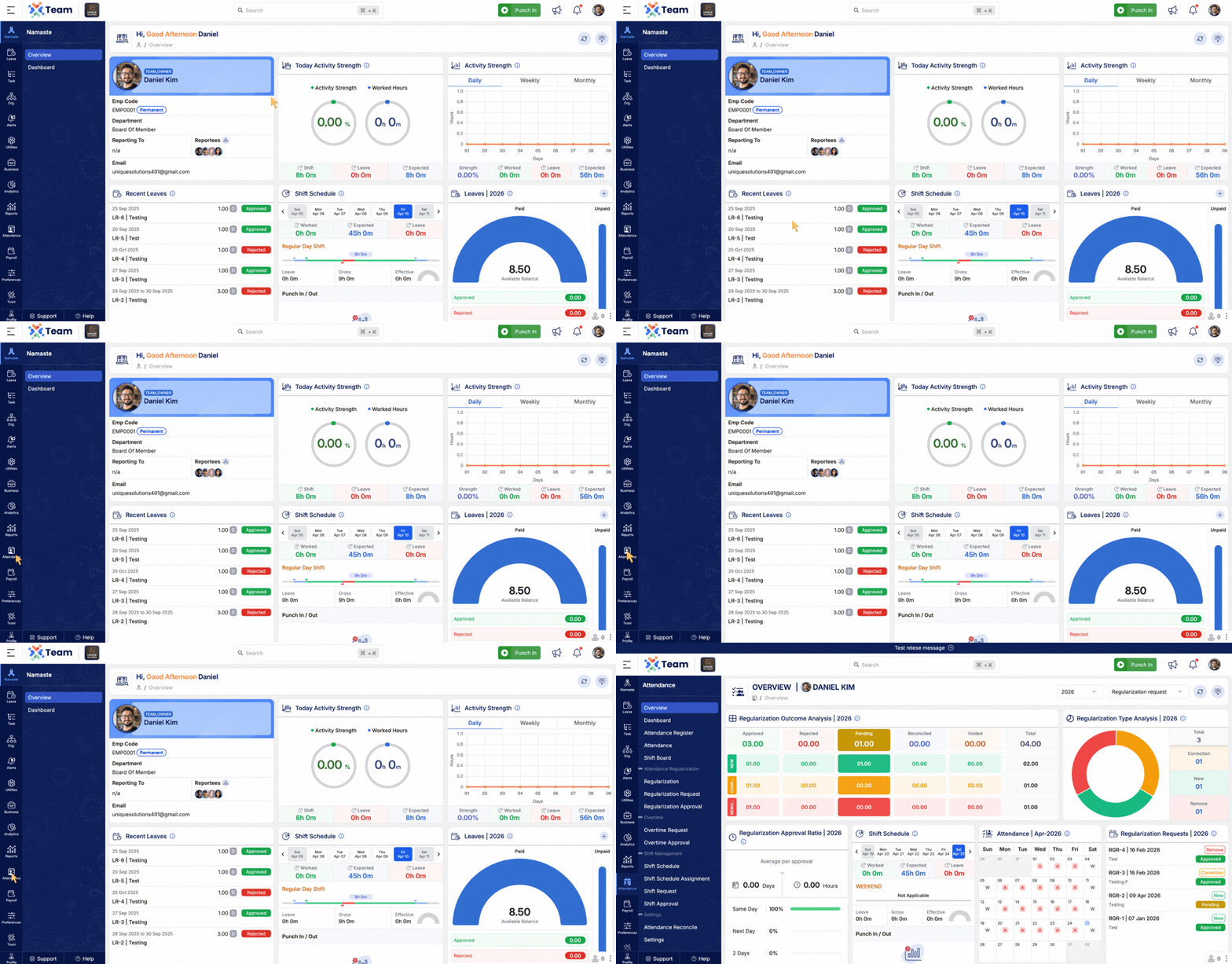
- Introduced Attendance Overview for better visibility.
- Provides key insights into attendance data.
- Helps teams monitor trends and performance effectively.
- Performance Improvements: Optimized system performance.
- Bug Fixes: Minor issues resolved for better stability and user experience.
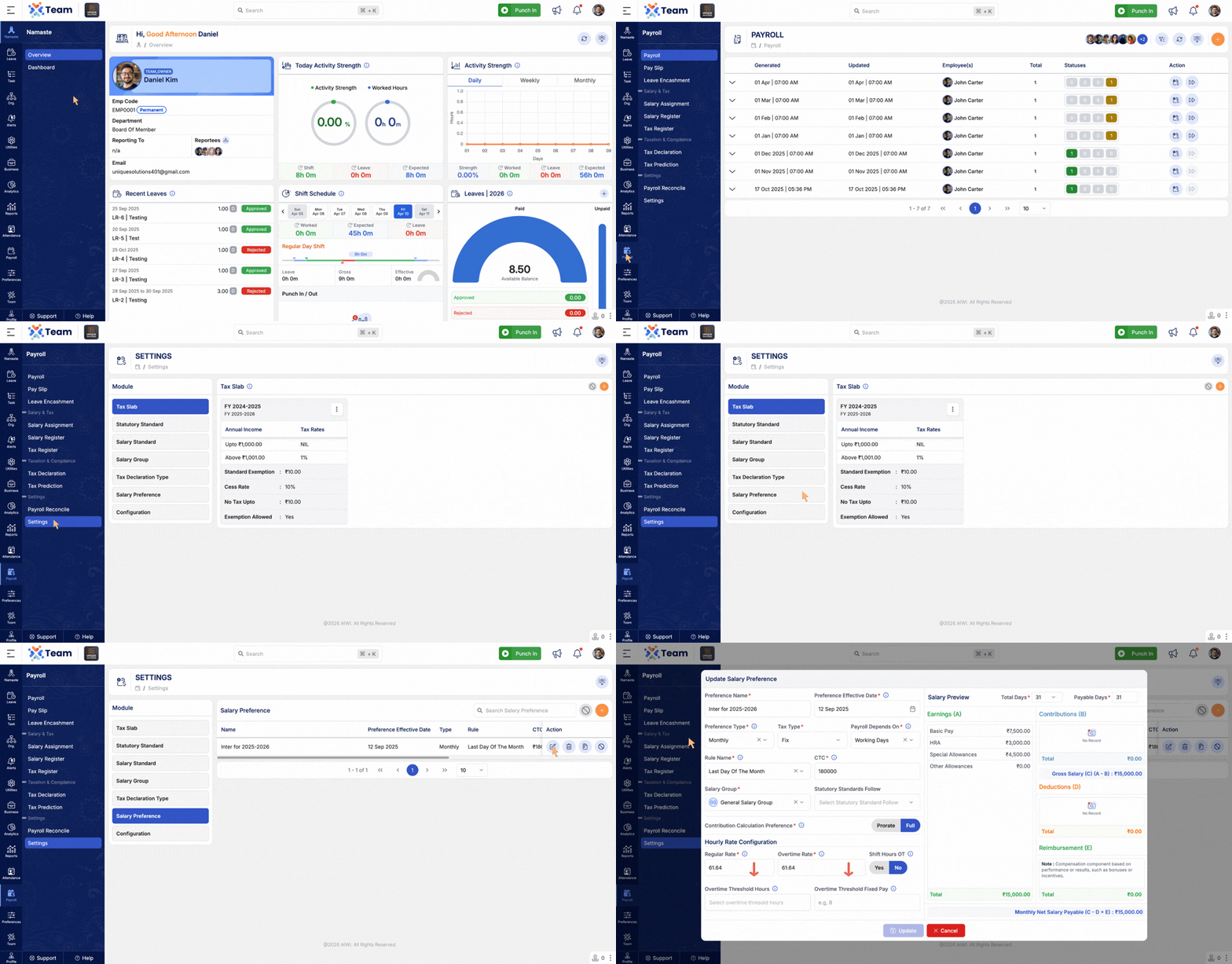
- Added support to define overtime thresholds based on working hours.
- Enabled configuration of overtime based on fixed or variable amount.
- Provides improved flexibility for managing organization-specific overtime policies.
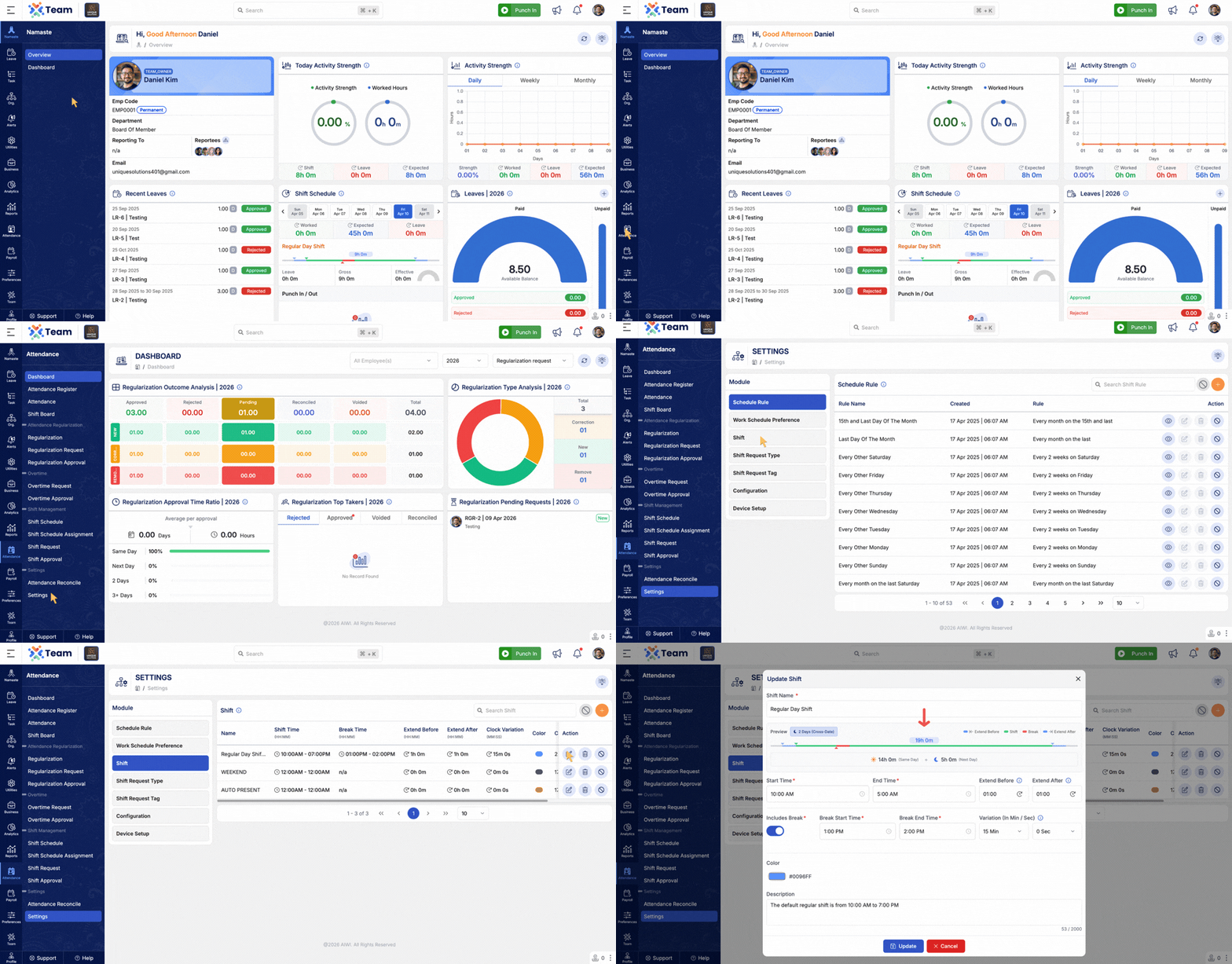
- Introduced support for 24-hour shifts in Shift Management.
- Allows seamless handling of overnight and continuous shifts.
- Improves accuracy in attendance tracking and payroll calculations.
- Enhanced custom fields functionality in the Employee module.
- Introduced dynamic tab configuration based on system settings.
- Enables better organization and categorization of employee information.
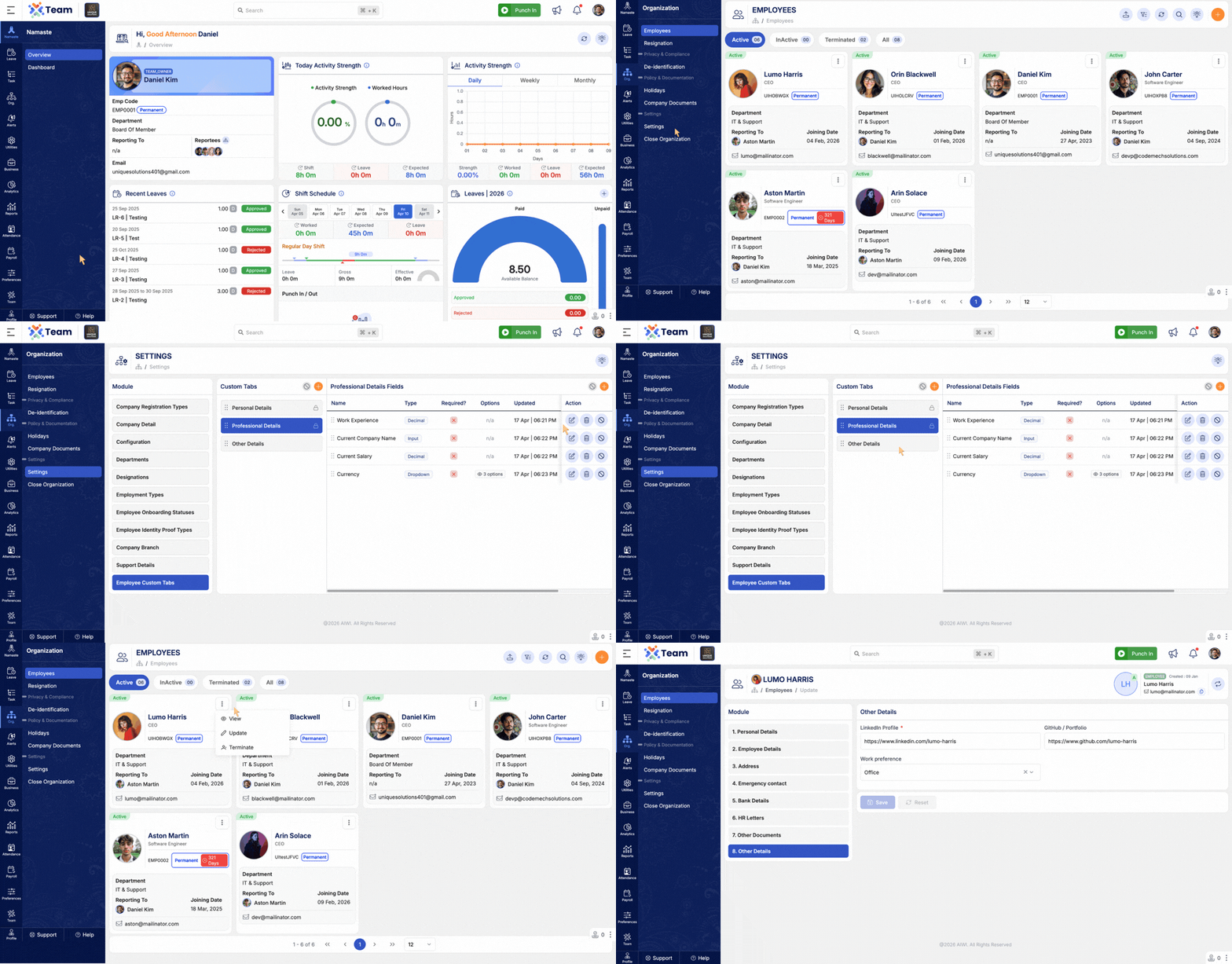
- Performance Improvements: Optimized system performance for faster processing.
- Bug Fixes: Minor issues resolved to improve stability and user experience.
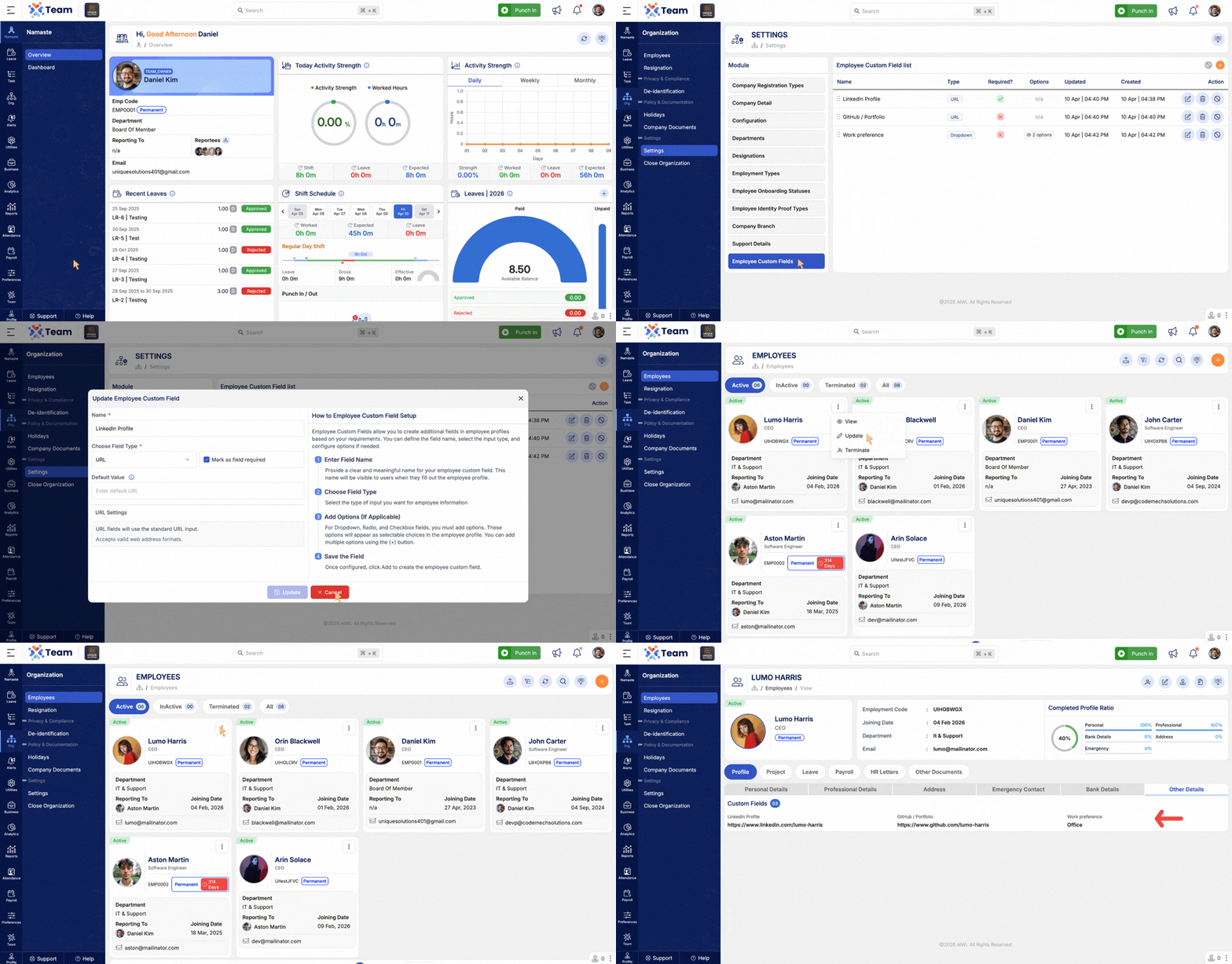
- Introduced dynamic Custom Fields for Employee.
- Allows organizations to store additional employee-specific information.
- Fully flexible and configurable based on business needs.
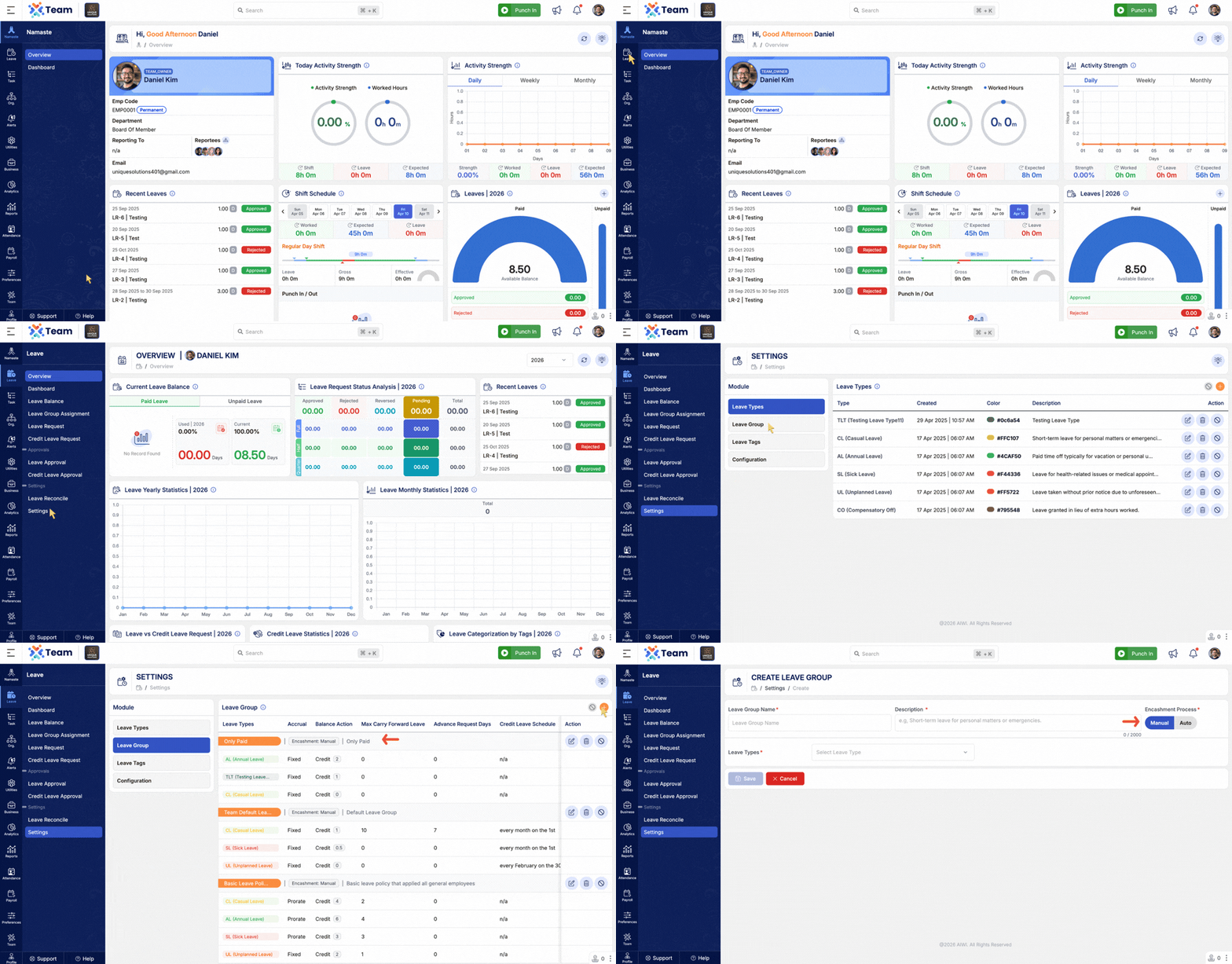
- Added support for Auto & Manual Leave Encashment.
- New option to Recalculate Leave Encashment.
- Improves accuracy and flexibility in leave payout processing.
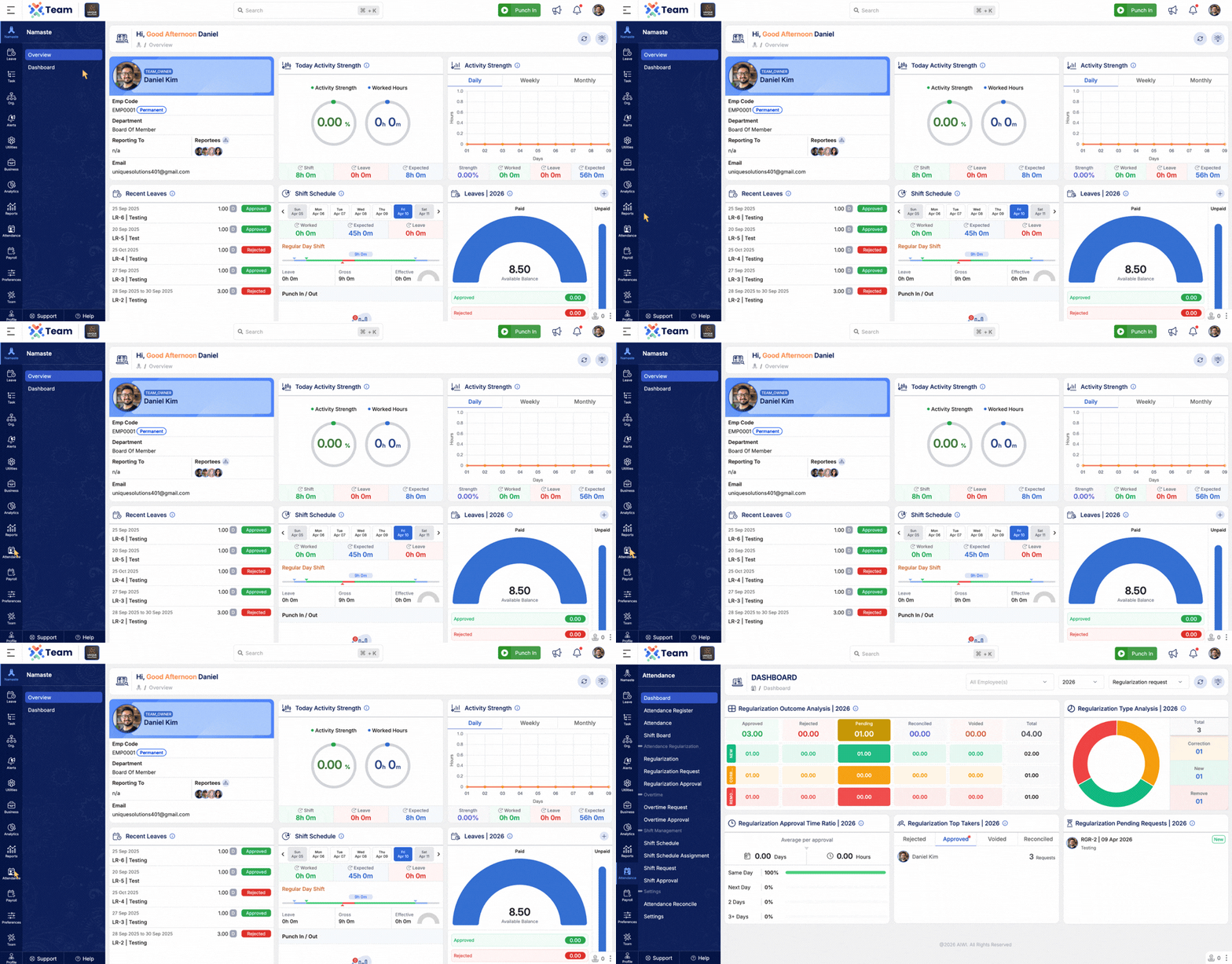
- Introduced new analytics and visual insights for attendance management.
- Provides better visibility into shift requests, overtime, and regularization trends.
- Helps teams track performance, pending actions, and approval efficiency.
- Performance Improvements: Optimized system performance for faster processing.
- Bug Fixes: Minor issues resolved to improve stability and user experience.
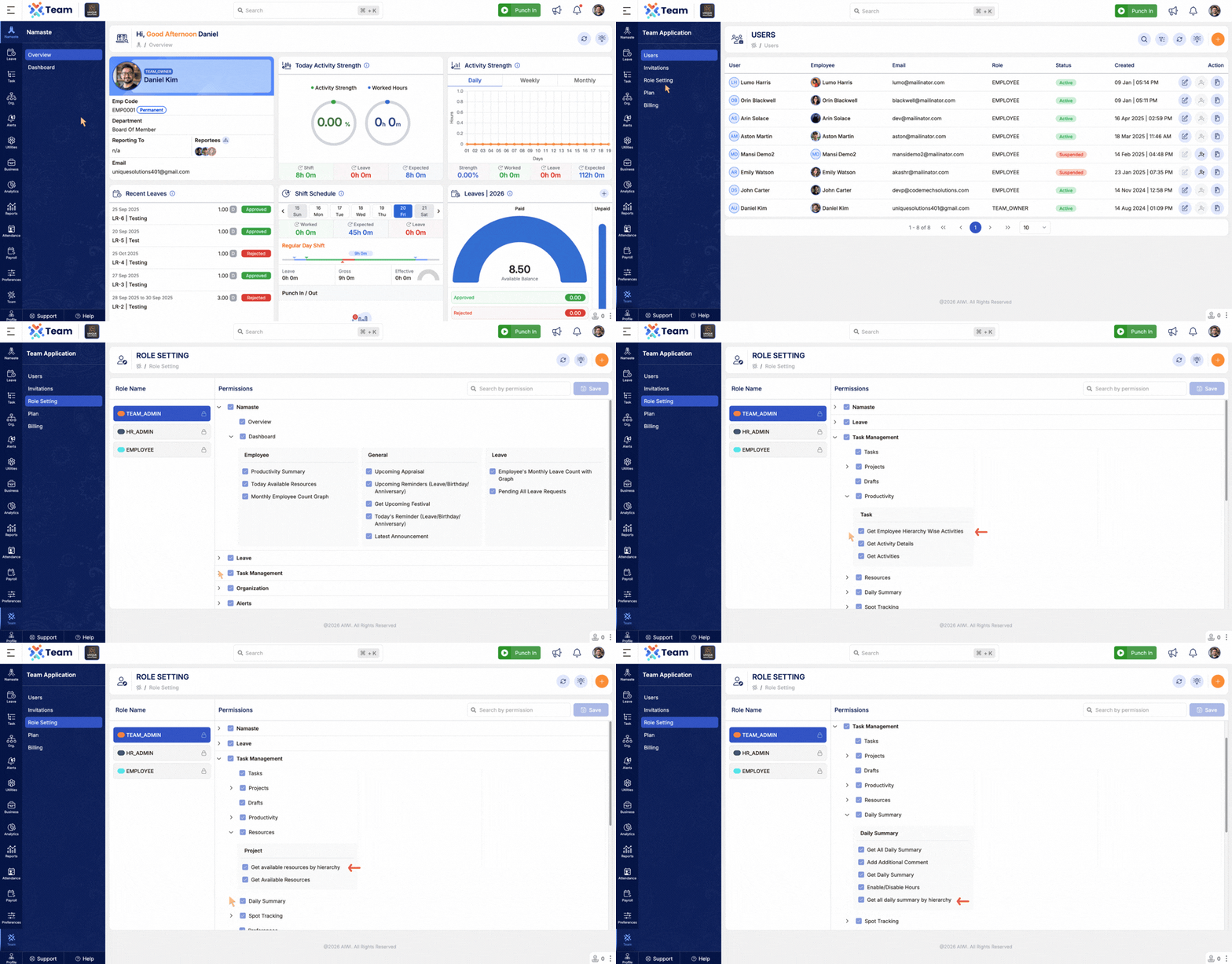
- Introduced hierarchy-based access control for Productivity, Resources, and Daily Summary modules.
- Users can now view data based on their role and position in the organizational hierarchy.
- Enhances data security and ensures role-specific visibility.
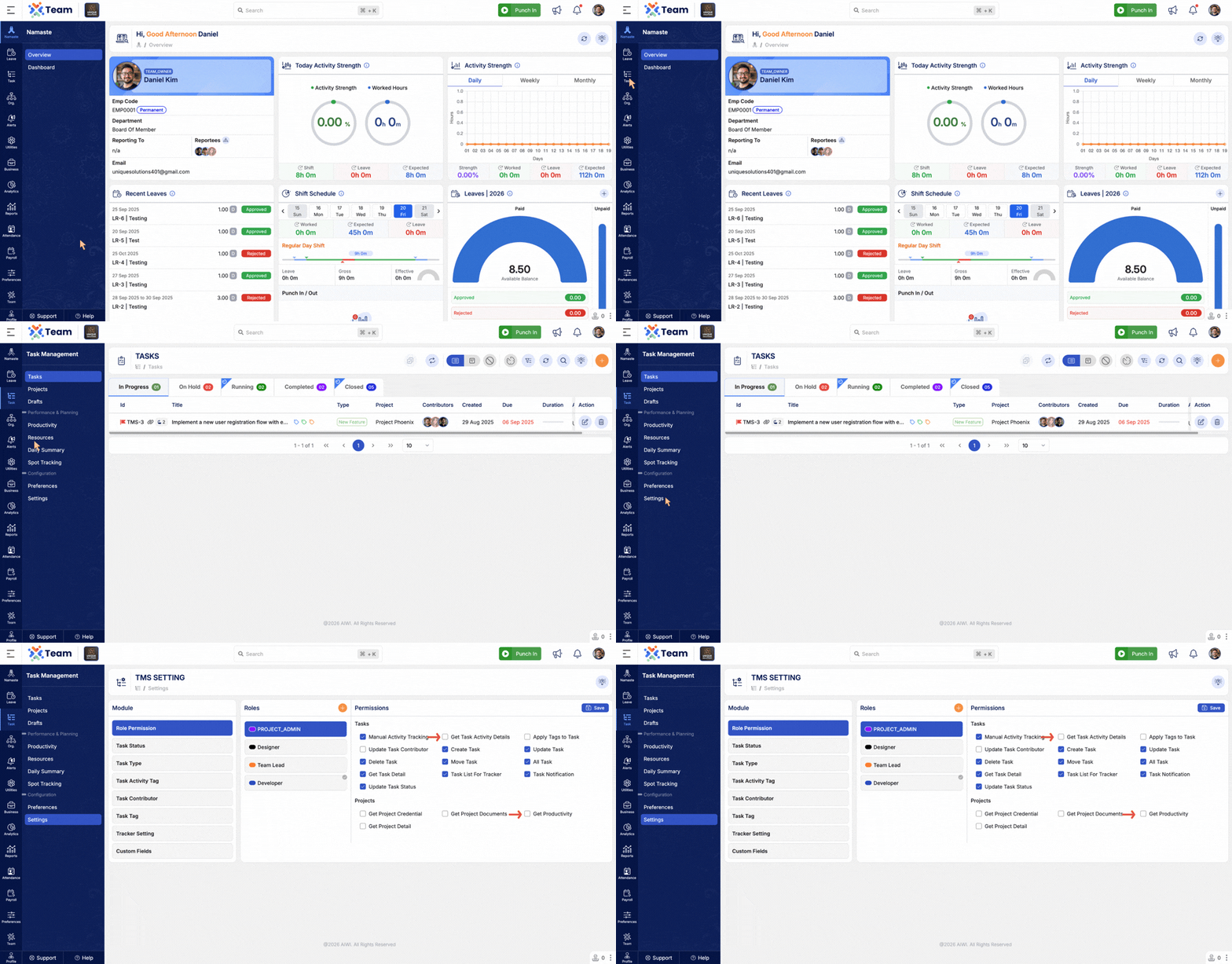
- Productivity views are now permission-based at both project and task levels.
- Access can be granted according to project roles.
- Provides better control over visibility and collaboration.
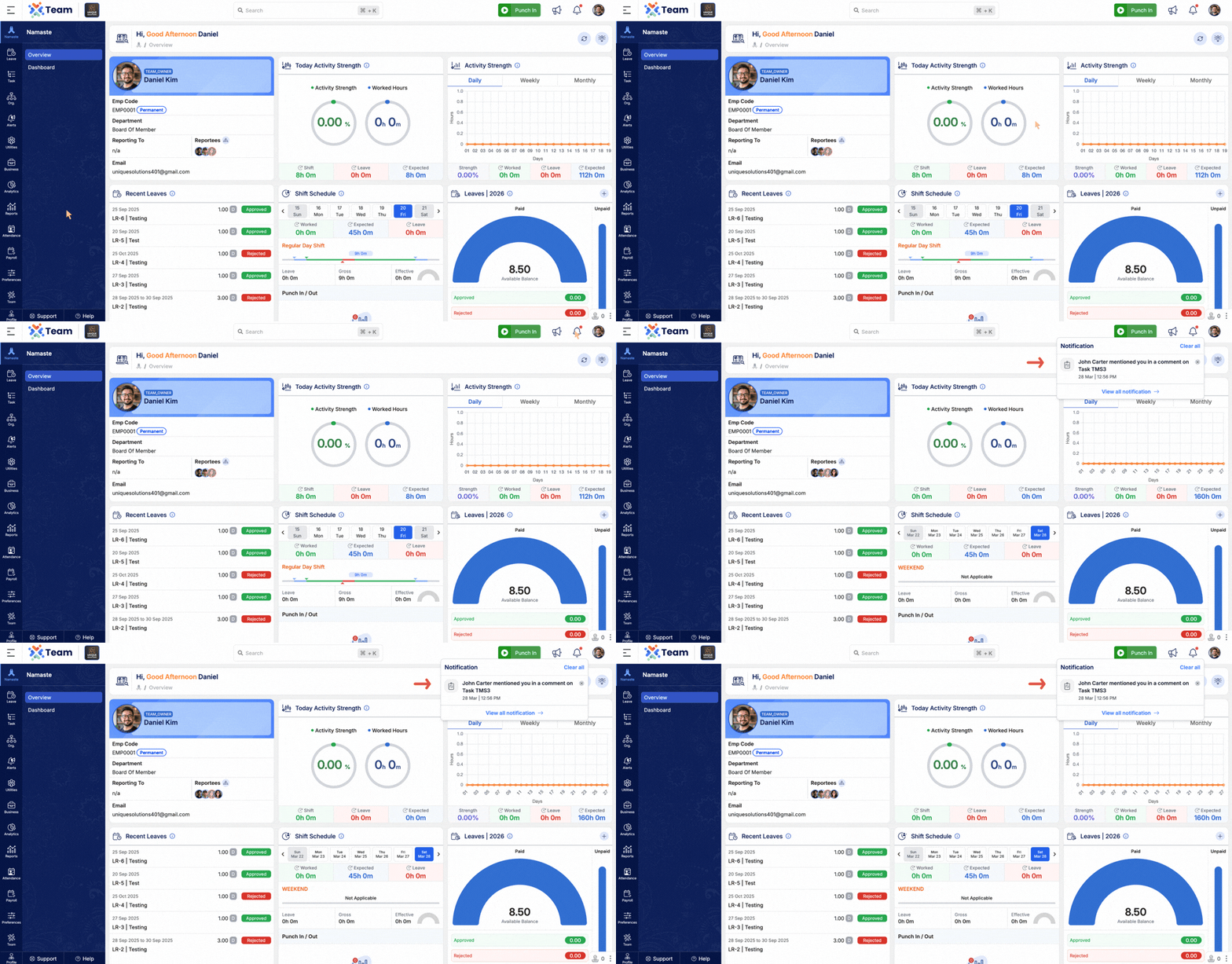
- Users can now tag others using mention in task comments.
- Tagged users receive instant notifications.
- Improves communication and collaboration within tasks.
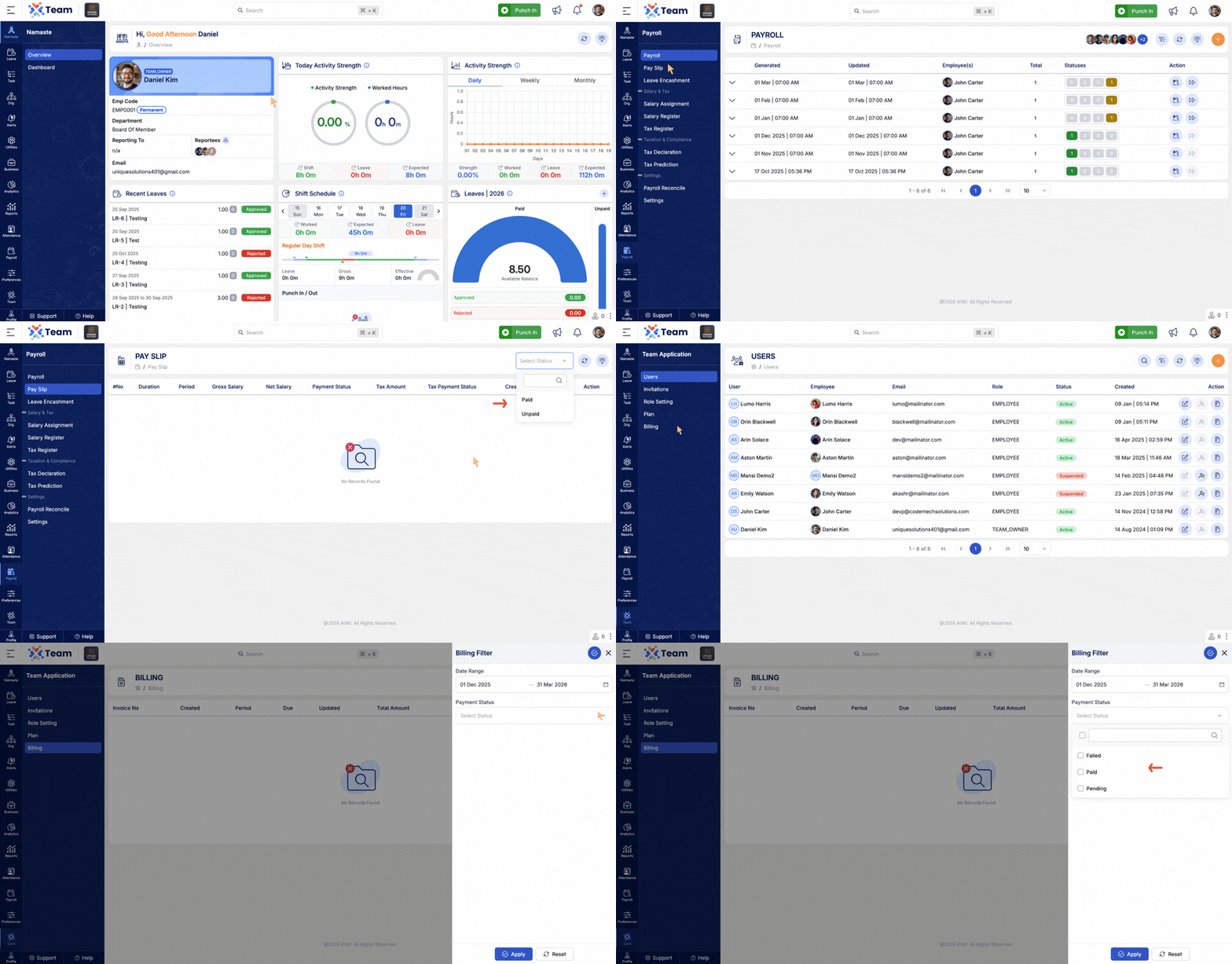
- Added filtering and pagination across multiple modules.
- Improves performance and data navigation experience.
- Applicable modules include:
- Payroll
- Tax Register
- User Summary
- Billing
- General Performance Improvements: Backend optimizations implemented for improved speed and reliability.
- Bug Fixes: Minor issues resolved across various modules to enhance user experience and stability.
- Project Details View is now controlled based on project roles and permissions.
- Ensures that users can only access project information relevant to their assigned roles.
- Enhances data security and role-based accessibility.
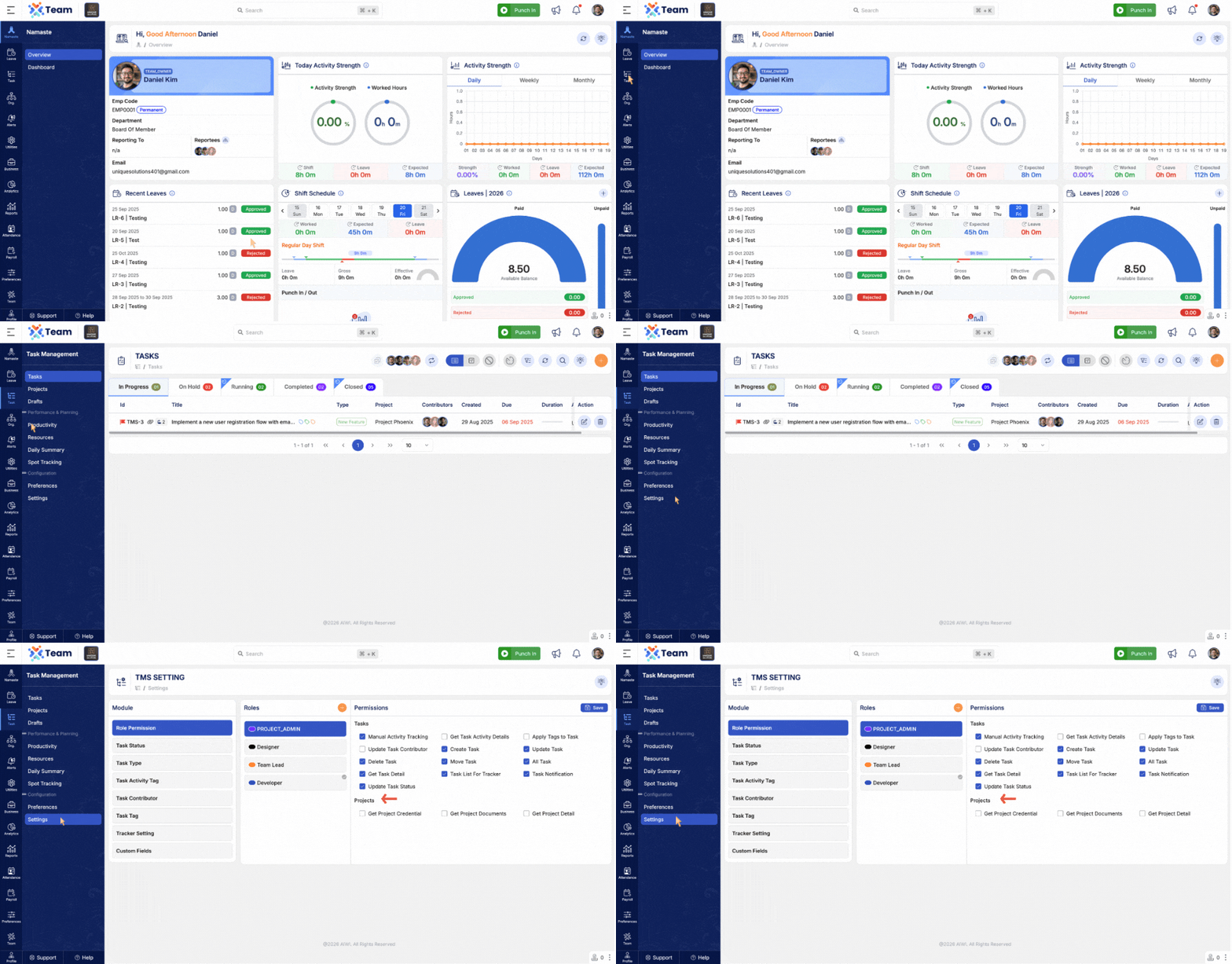
- Terminated and suspended employees can now be reactivated.
- Simplifies employee lifecycle management.
- Helps restore employee records without re-creation.
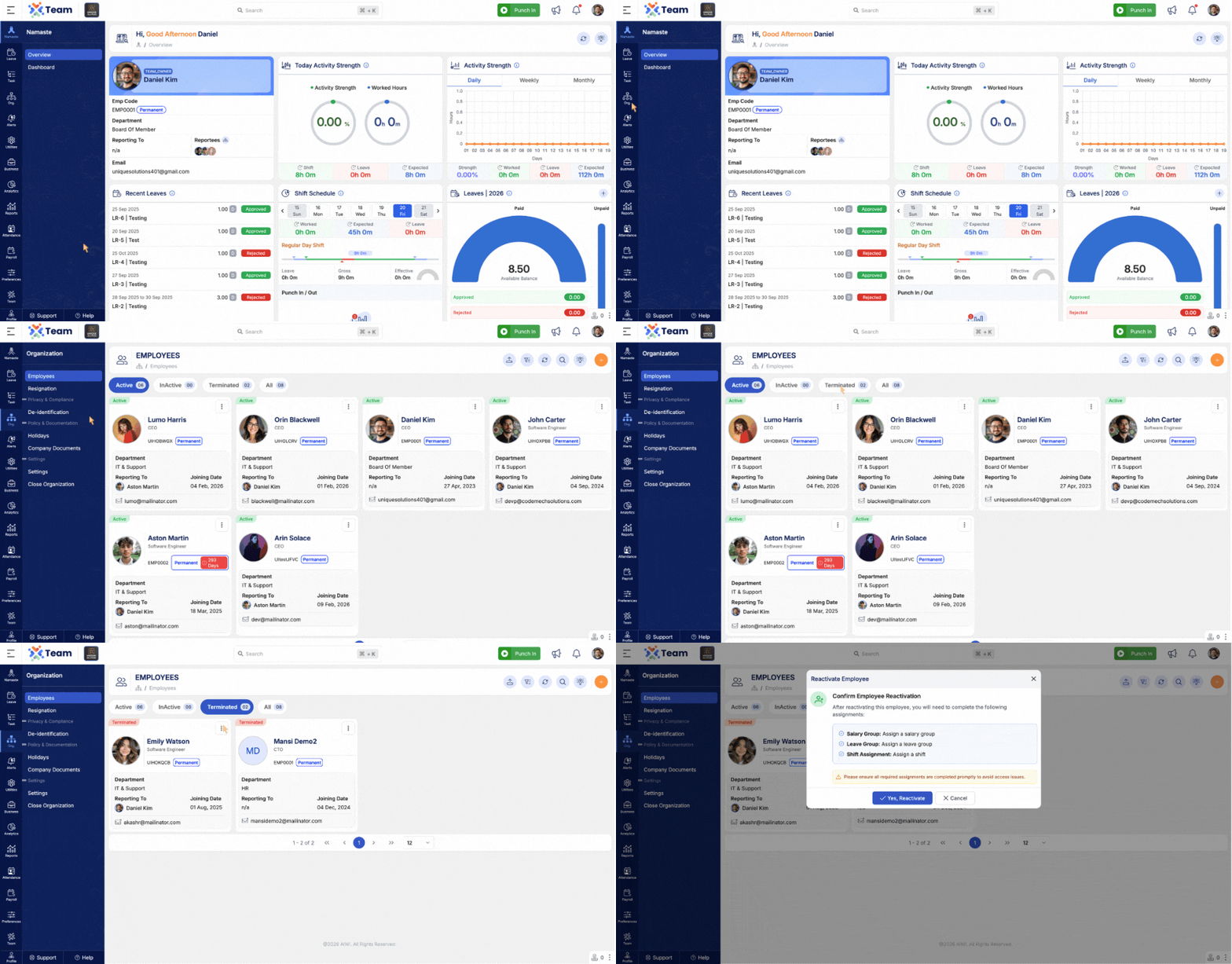
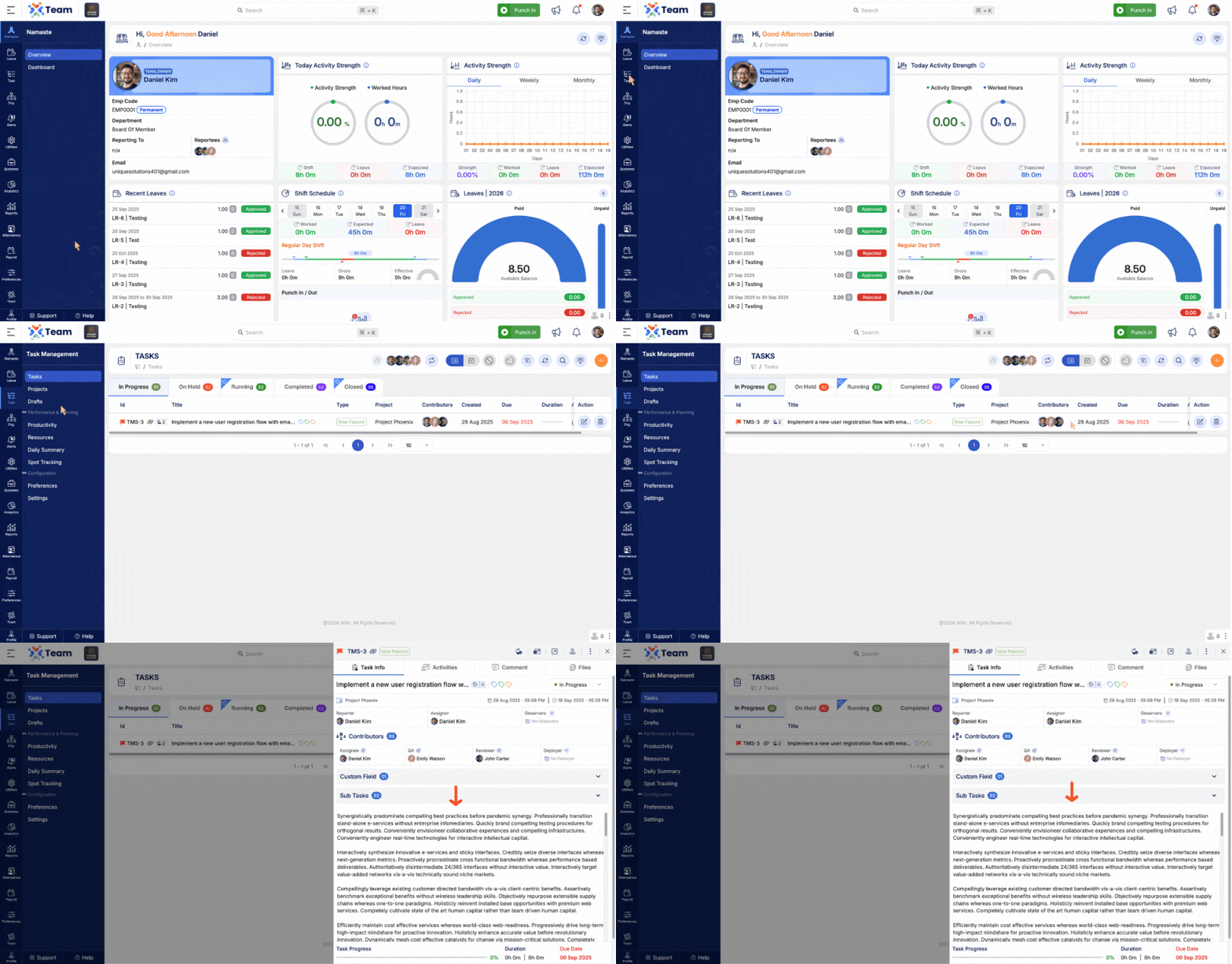
- Enhanced subtask unlink/removal functionality.
- Provides smoother and more reliable subtask management.
- Improves overall task handling experience.
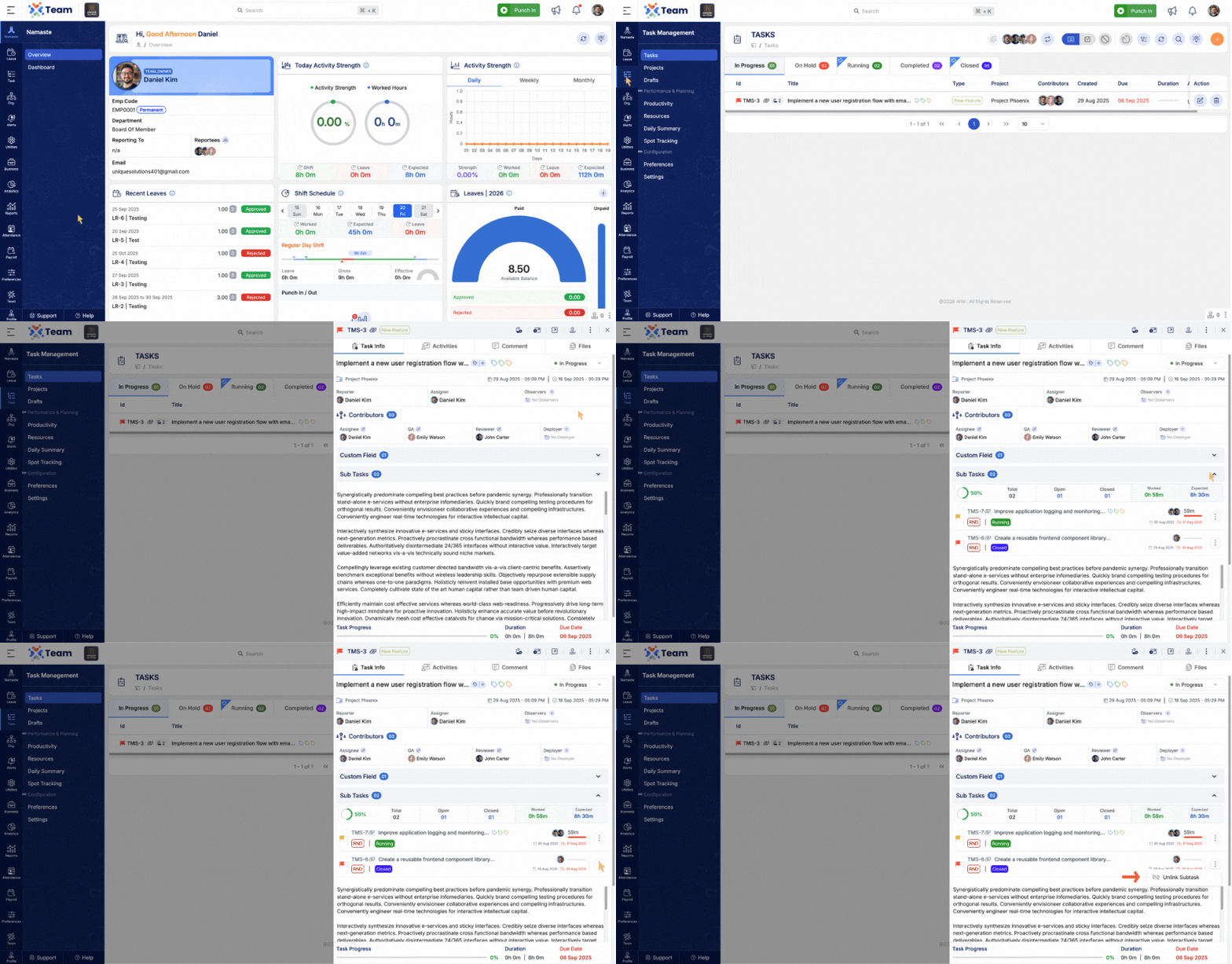
- Improved navigation flow from subtask to its parent task.
- Enables quicker access and better task context visibility.
- Enhances user experience while managing task hierarchies.
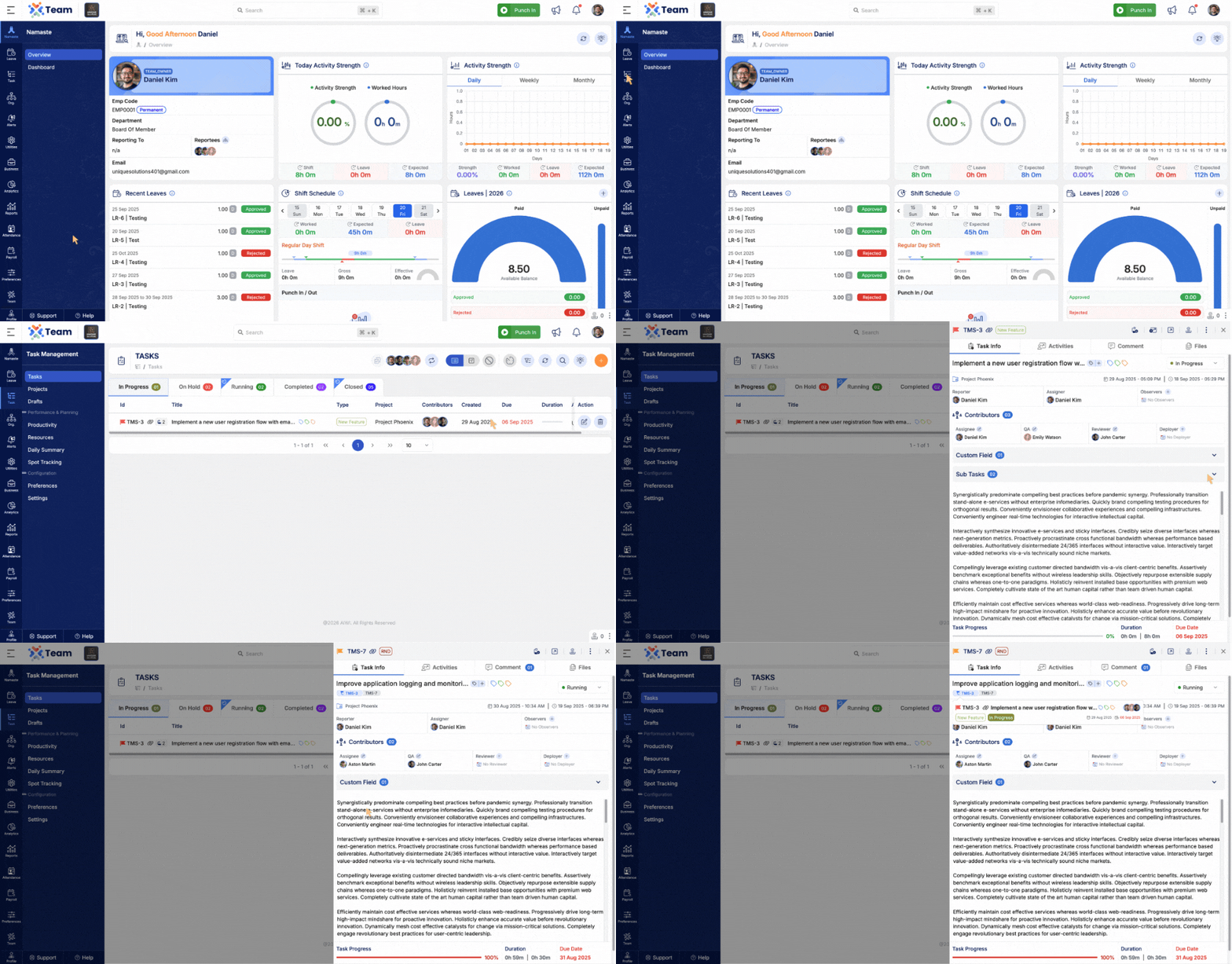
- Resolved issue where rich text content was breaking words incorrectly across lines.
- Improves readability and formatting consistency.
- Ensures better display of user-entered content.
- Enhanced filtering capabilities across multiple modules.
- Improves accuracy and usability of search and filter operations.
- Applicable modules include:
- Shift Schedule
- Regularization
- Shift Requests & Approvals
- Attendance Reconciliation
- Leave Reconciliation
- General Performance Improvements: Backend optimizations implemented for improved speed and reliability.
- Bug Fixes: Minor issues resolved across various modules to enhance user experience and stability.
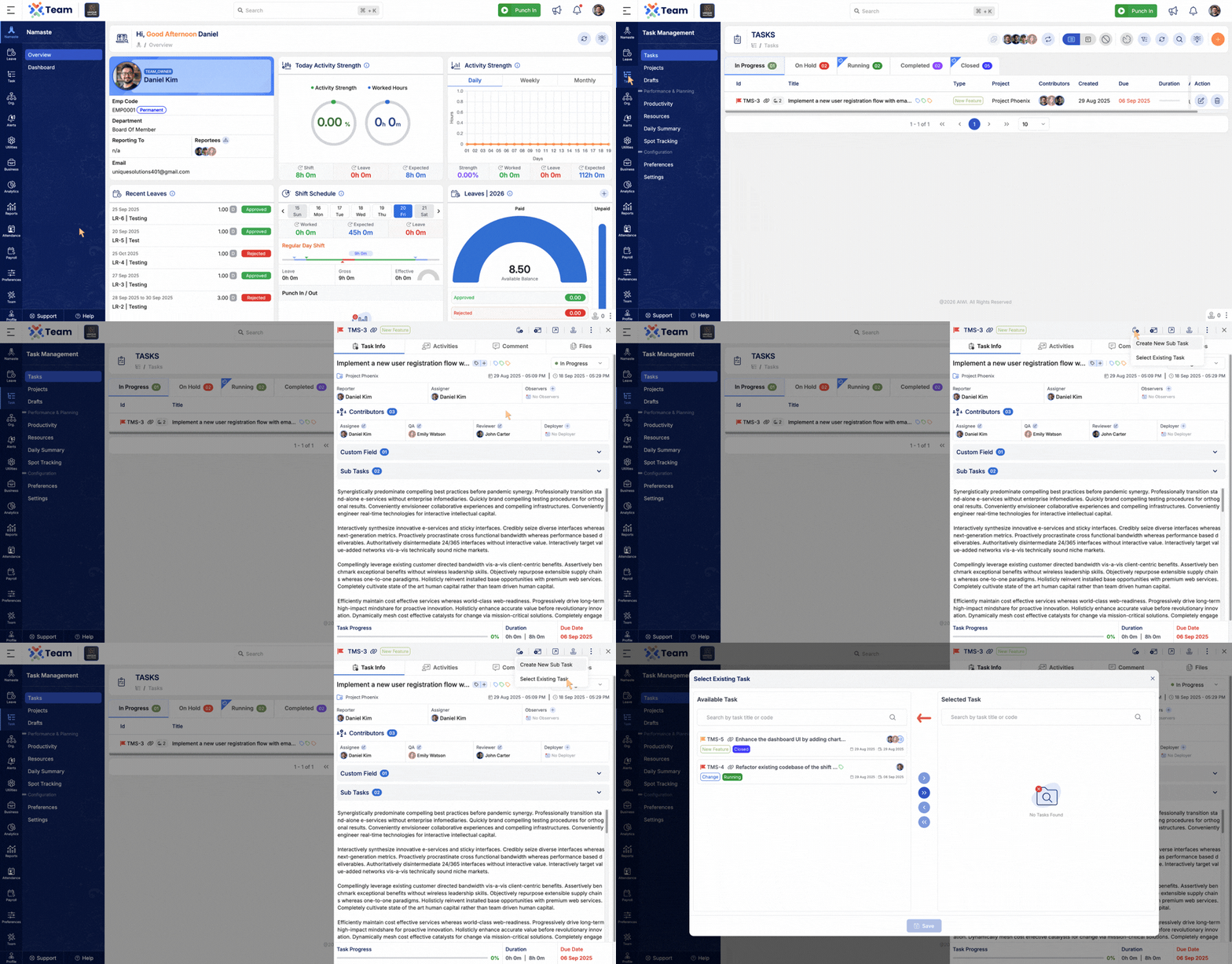
- Users can now convert existing tasks into subtasks more efficiently.
- A built-in search capability has been added to quickly locate and select tasks when linking them as subtasks.
- Simplifies task organization and improves workflow management by enabling easier task hierarchy creation.
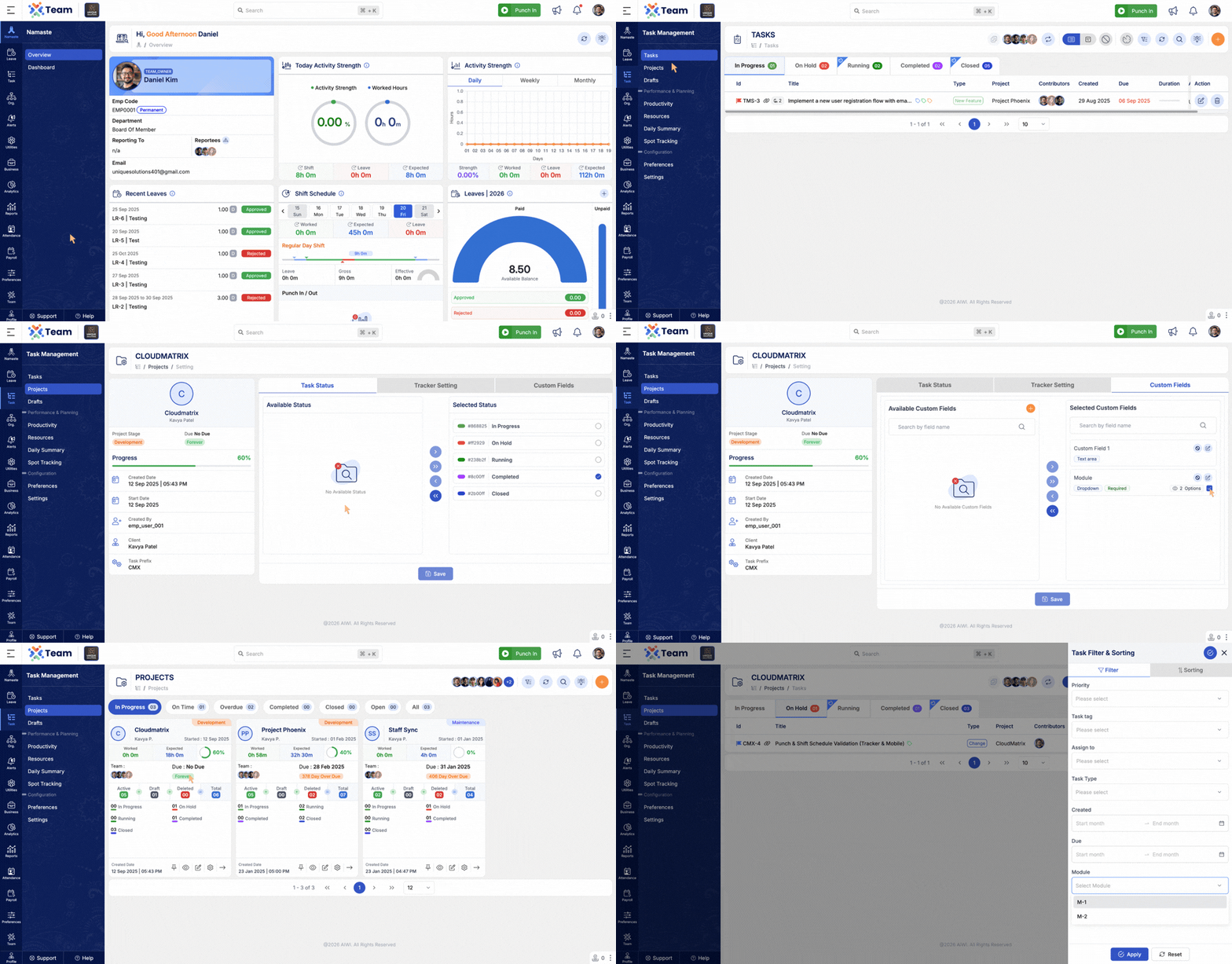
- Added filtering capability based on Custom Fields.
- Allows users to quickly filter and analyze tasks using custom attributes.
- Provides greater flexibility and improved visibility when managing project data.
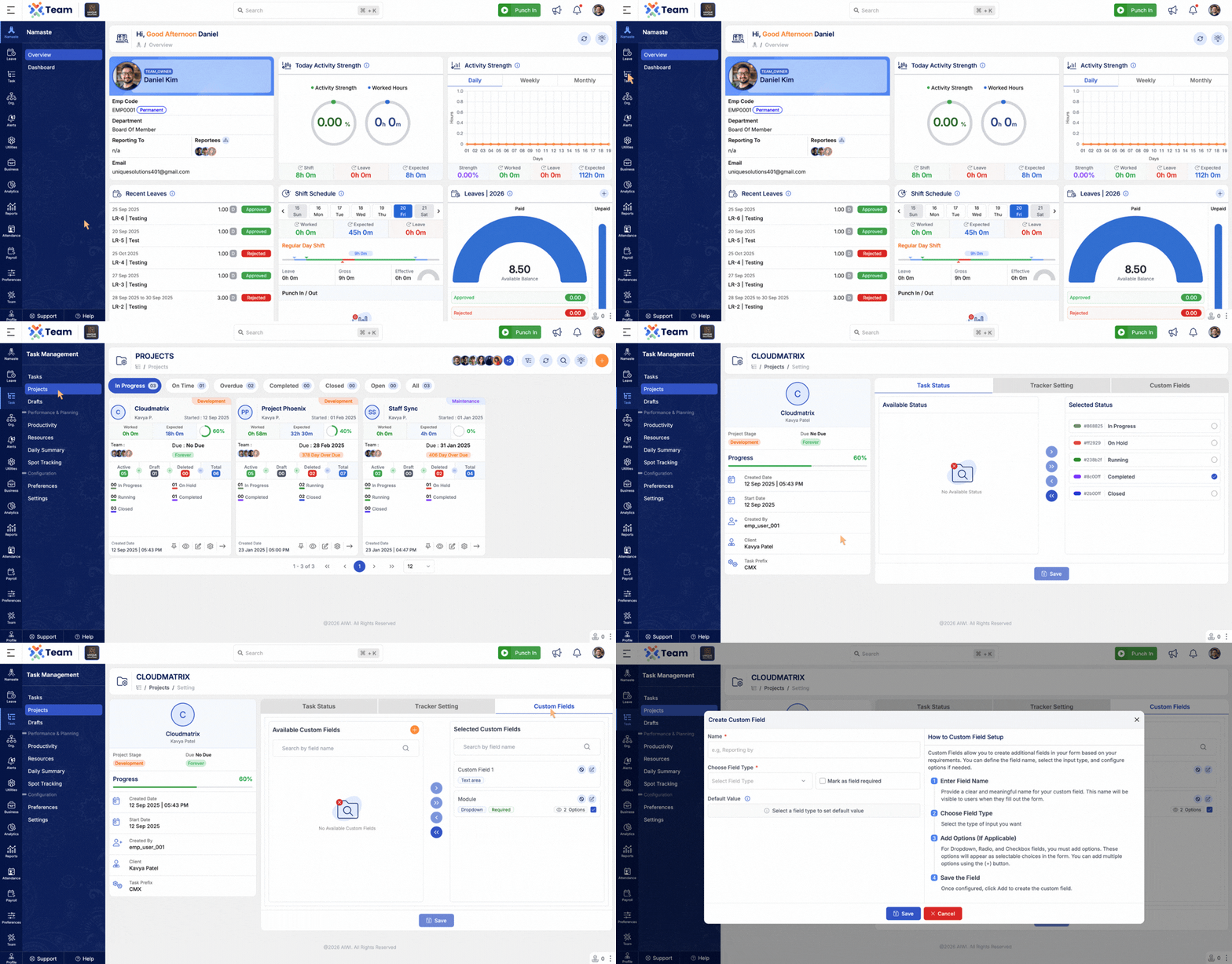
- Custom Fields can now be created and managed directly from the Project Settings section.
- Centralizes configuration for easier administration and maintenance.
- Reduces the need to navigate across multiple sections for field management.
- Subtask creation now clearly identifies and displays the associated parent task.
- Improves visibility of task hierarchy and relationships.
- Helps users better understand how subtasks are linked within the project structure.
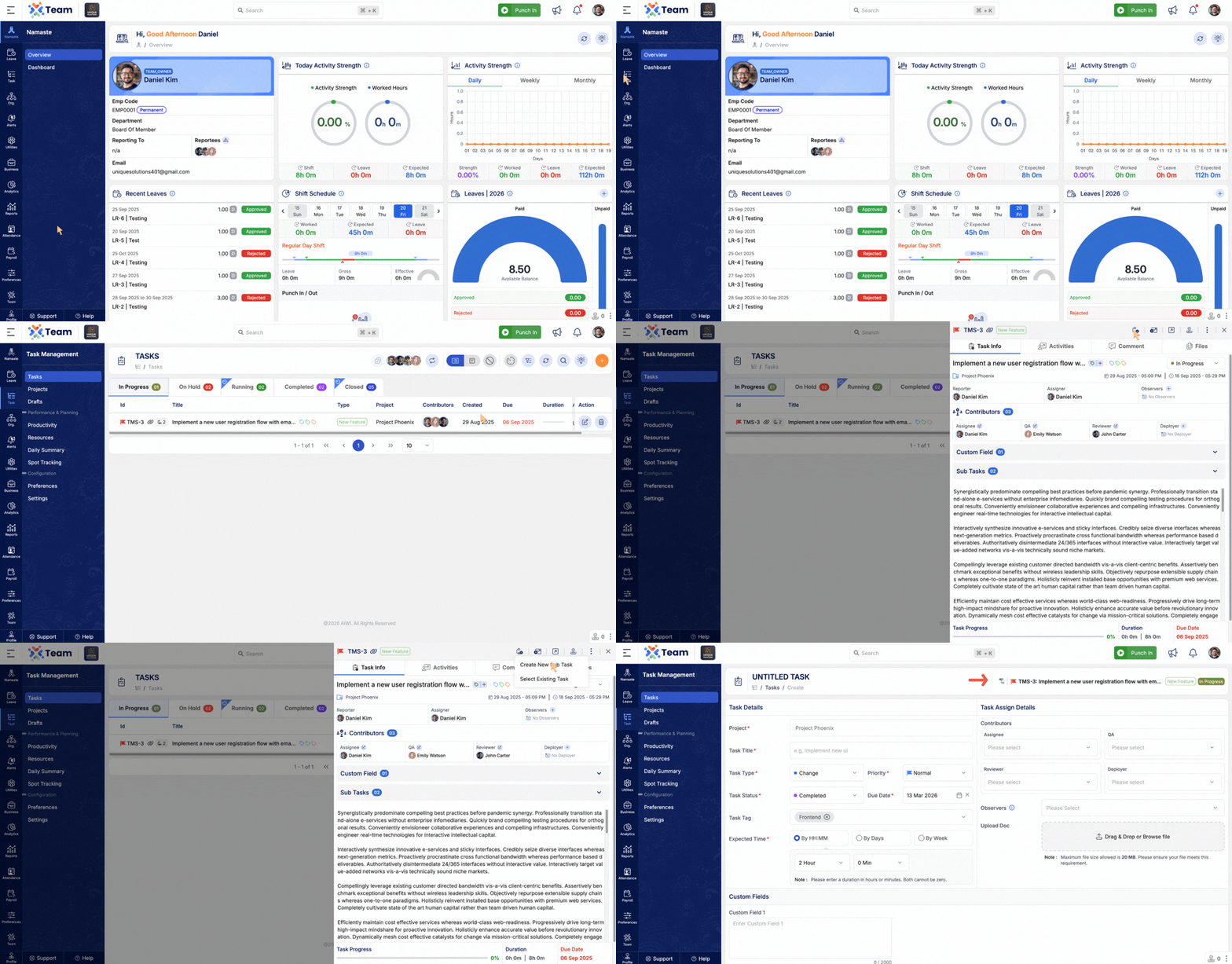
- Introduced project-level summaries for Expected Hours and Actual Hours.
- Provides better insight into planned versus actual effort for projects.
- The Project Detail Card interface has also been enhanced to improve clarity and usability.
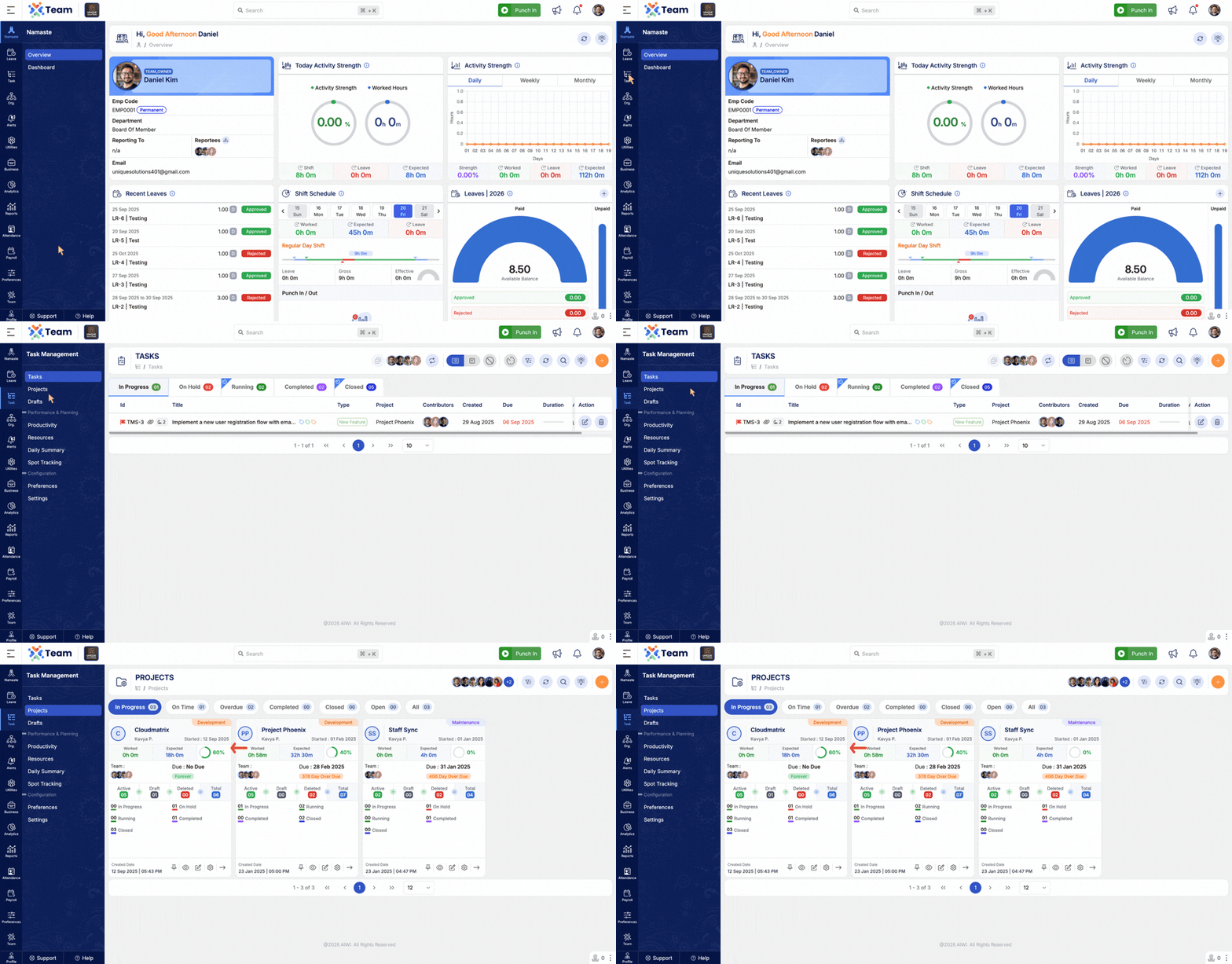
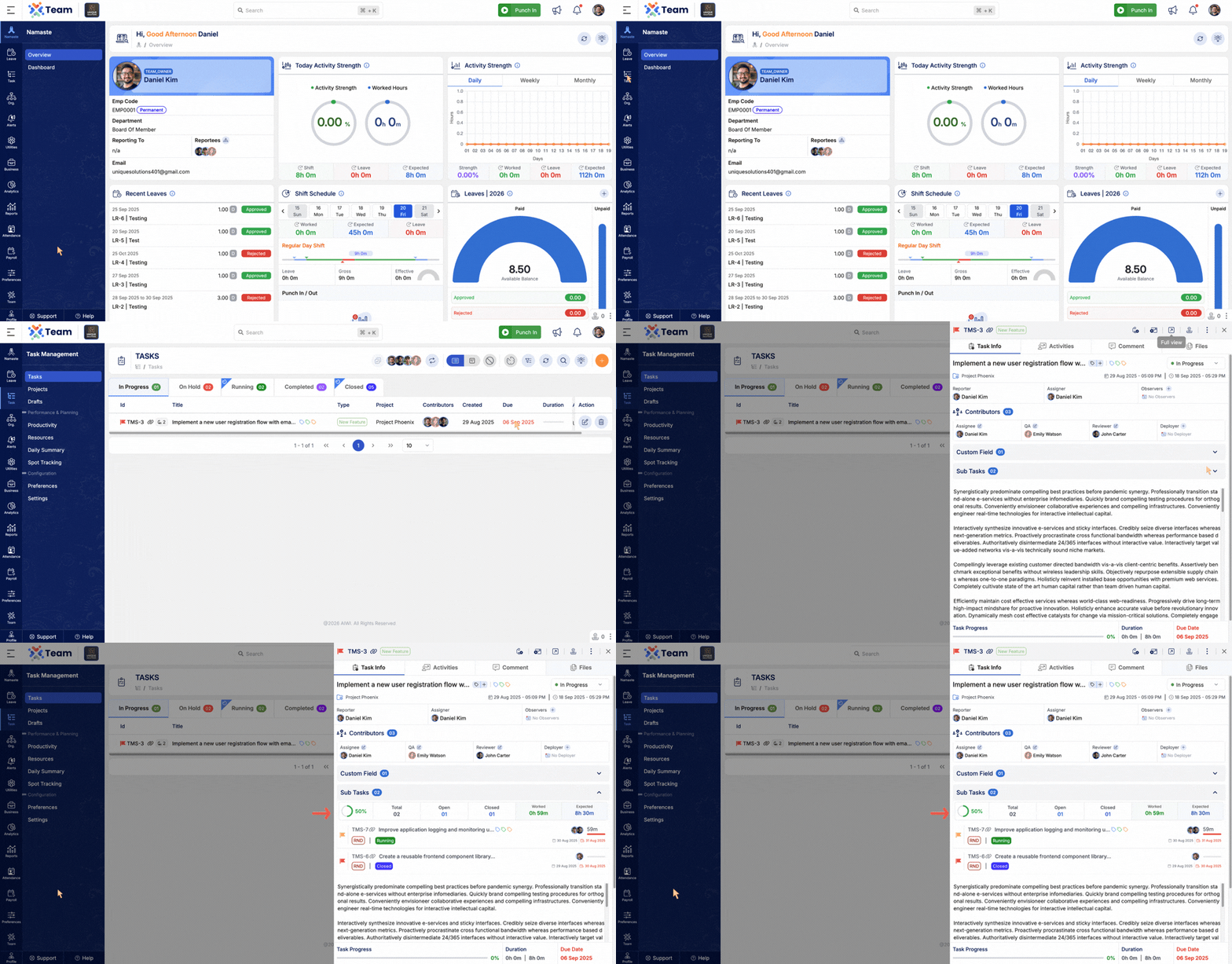
- Added a dedicated Subtask Summary section.
- Provides a quick overview of subtask progress and related metrics.
- Helps teams monitor task breakdown and track progress more effectively.
- General Performance Improvements: Backend optimizations implemented for better system performance.
- Bug Fixes: Minor issues resolved across modules to improve system stability and user experience.
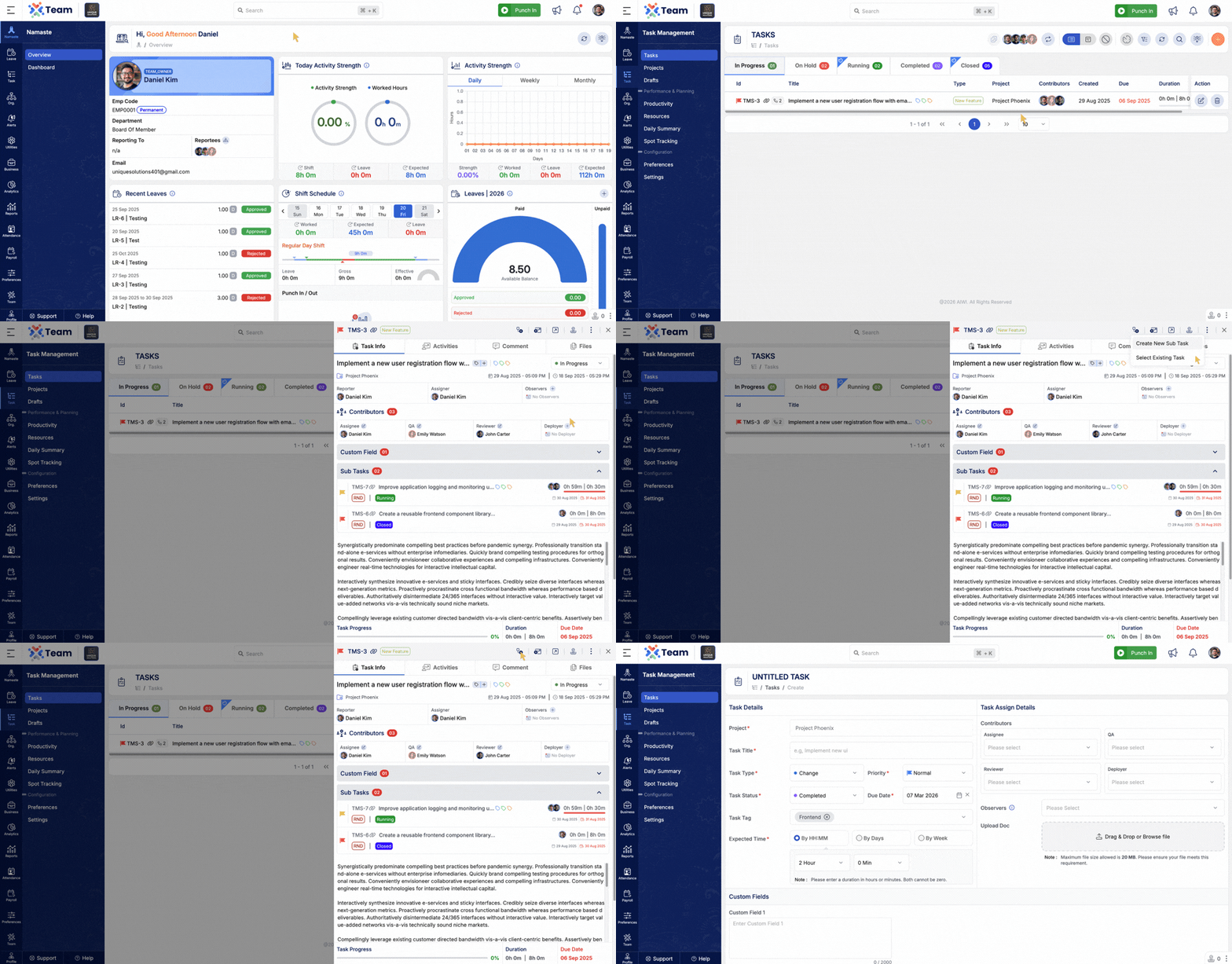
- Introduced Subtask functionality in the Task module.
- Allows users to create subtasks under a parent task for better task breakdown and management.
- Enables linking and unlinking of subtasks dynamically from parent tasks.
- Helps teams organize complex tasks into smaller, manageable units.
- Improves task hierarchy, progress tracking, and overall collaboration.
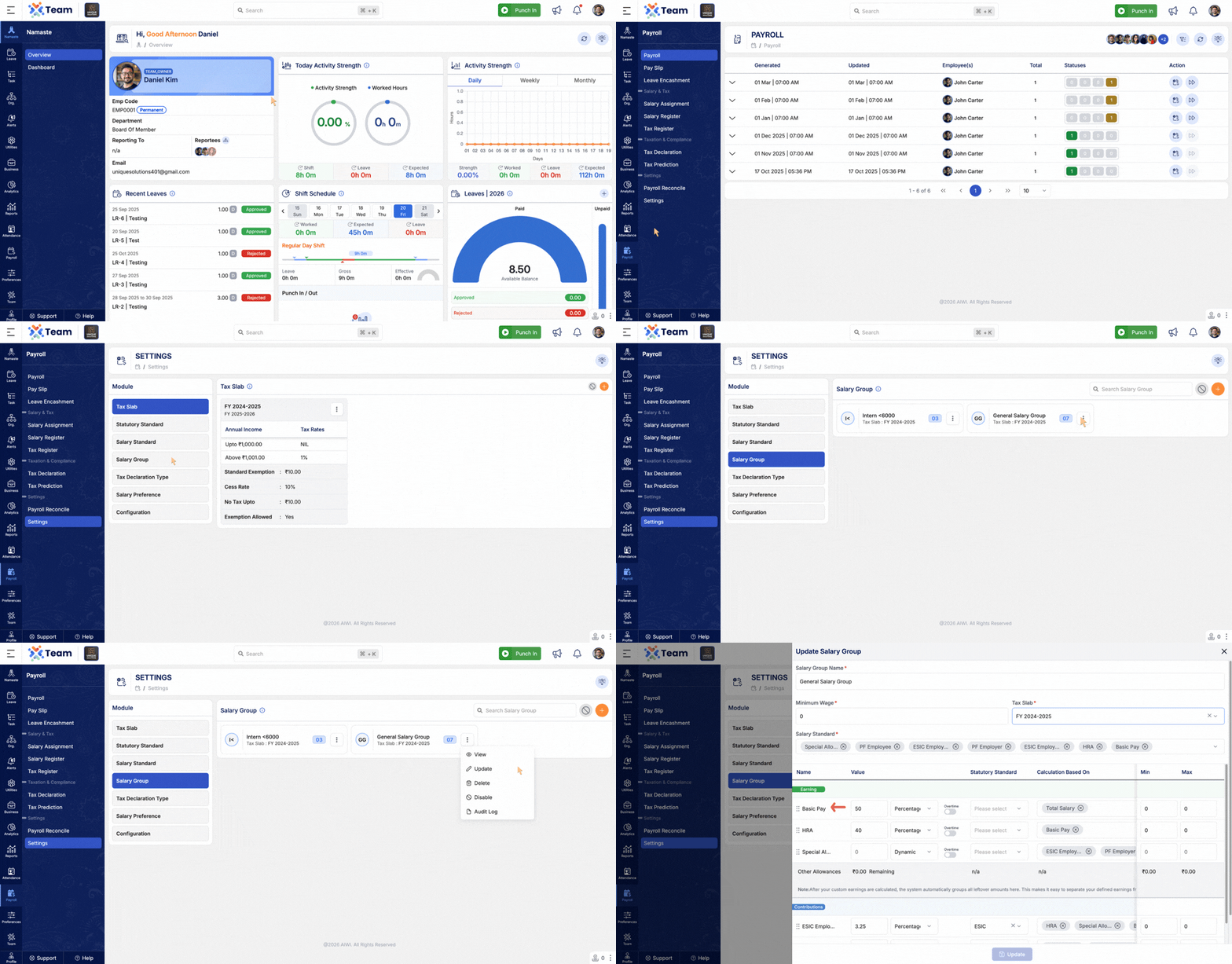
- Basic Pay configuration has been moved to the Salary Group section.
- Centralizes payroll-related settings within Salary Groups.
- Ensures consistent salary structure across employees within the same group.
- Simplifies payroll configuration and improves maintainability.
- General Performance Improvements: Backend optimizations implemented for better system performance.
- Bug Fixes: Minor issues resolved across modules to improve system stability and user experience.
- Introduced Custom Fields support in the Task module.
- Allows administrators to create and manage additional fields based on business requirements.
- Enables capturing extra task-specific information without modifying core functionality.
- Improves flexibility and adaptability across different workflows and departments.
- Basic Pay setup has been moved to the Salary Group section.
- Enables centralized configuration for standardized payroll structures.
- Reduces repetitive employee-level configuration.
- Ensures consistency and improves payroll processing efficiency.
Note: If you have any Salary Preferences with a dynamic Basic Pay setup, these will need to be manually reconfigured under the respective Salary Group. All other configurations based on percentage, gross, or fixed setups will be automatically migrated by the system. Please review your existing Salary Preferences and update any dynamic Basic Pay settings accordingly to ensure accurate payroll processing.
- Contribution visibility in Payslips is now configurable from Payroll Settings.
- Administrators can enable or disable contribution components as required.
- Provides flexibility to align with company policies and statutory requirements.
- Improves transparency and control over payroll display settings.
- Employee hierarchy child level is now configurable.
- Administrators can define the maximum child level in the reporting structure.
- Supports both simple and multi-level organizational hierarchies.
- Enhances structural clarity and system performance in hierarchy views.
- General Performance Improvements: Backend optimizations implemented for improved speed and reliability.
- Bug Fixes: Minor issues resolved across various modules to enhance user experience and stability.
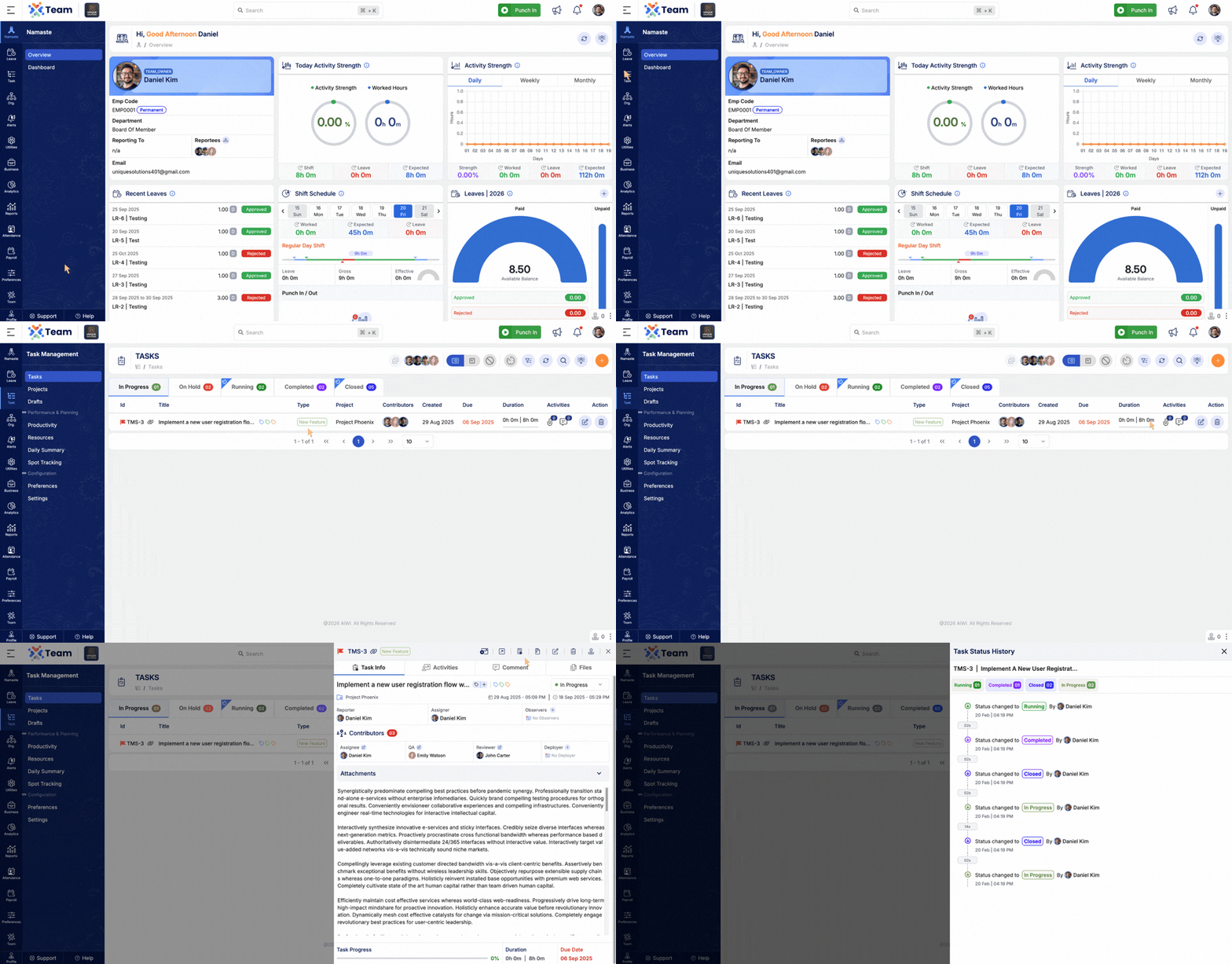
- Introduced detailed task status transition tracking.
- Displays previous status, updated status, changed by, and timestamp information.
- Improves audit visibility and task lifecycle transparency.
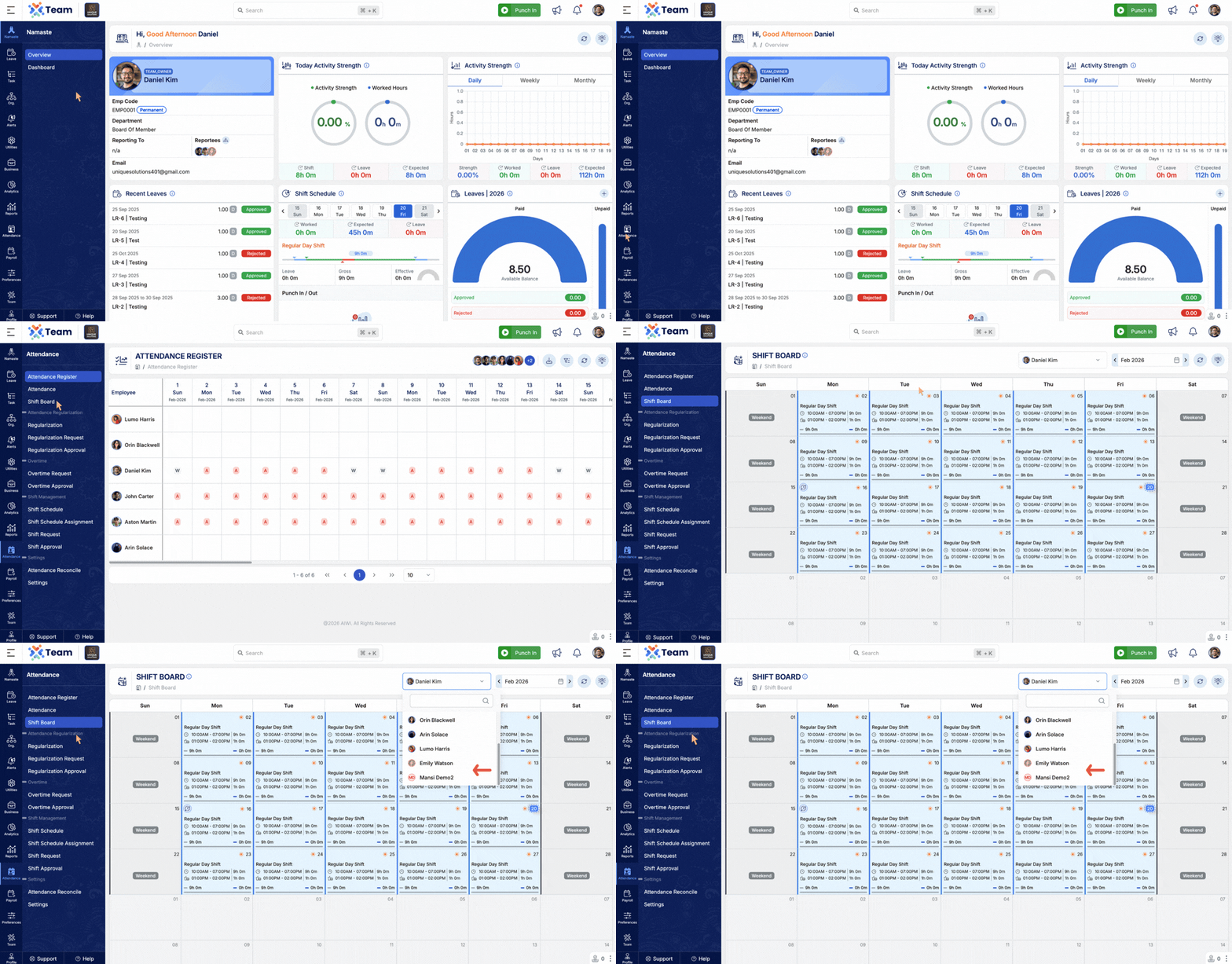
- Filters now support viewing terminated employees.
- Improves access to historical employee records where required.
- Enhances reporting and administrative flexibility.
- Users can now submit requests on behalf of other users.
- Enhanced request detail view for better clarity and user identification.
- Improves delegation workflow and administrative efficiency.
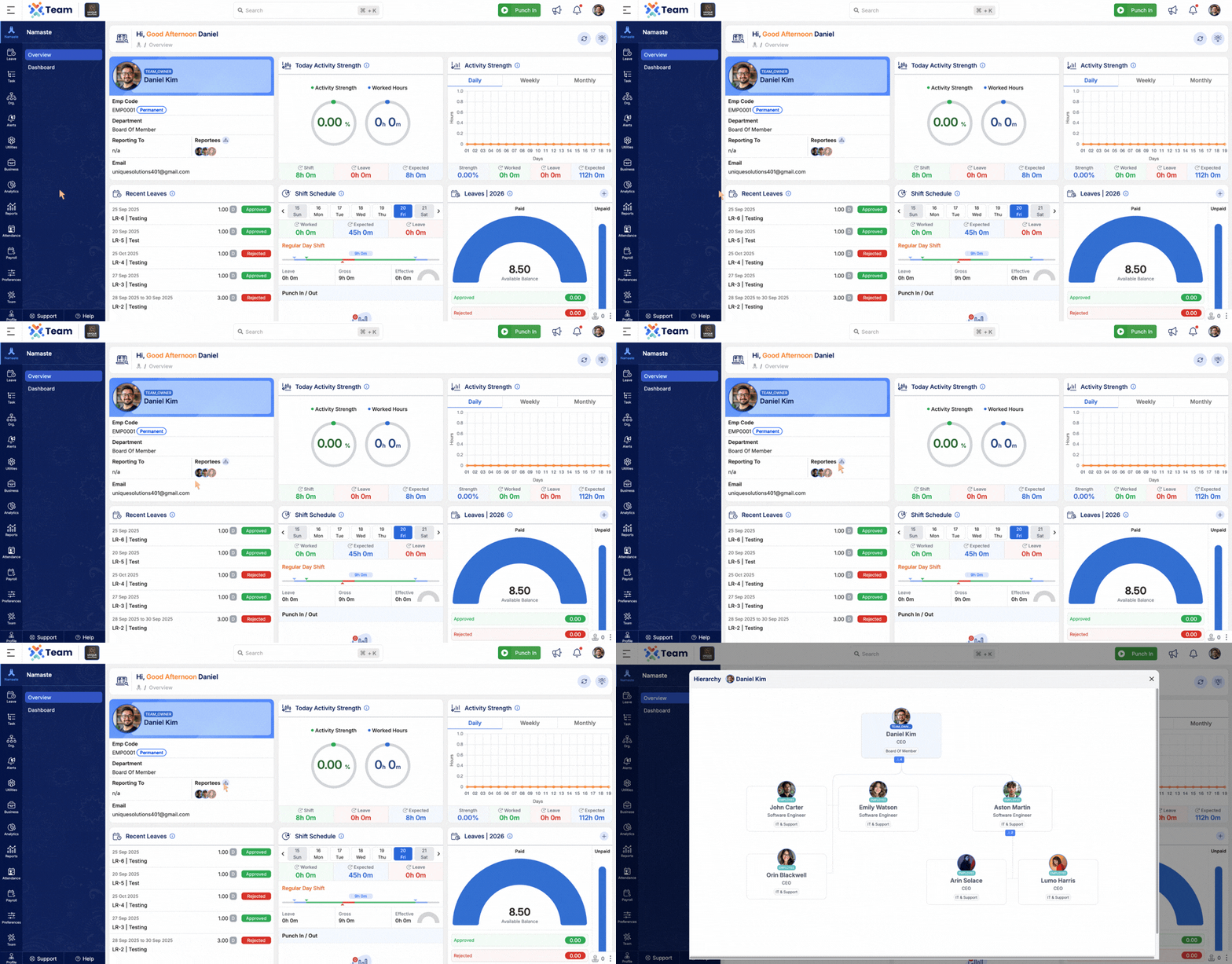
- Improved smoothness and rendering performance of hierarchy view.
- Supports multi-level (N-level) user hierarchy structures.
- Provides better navigation and structural clarity.
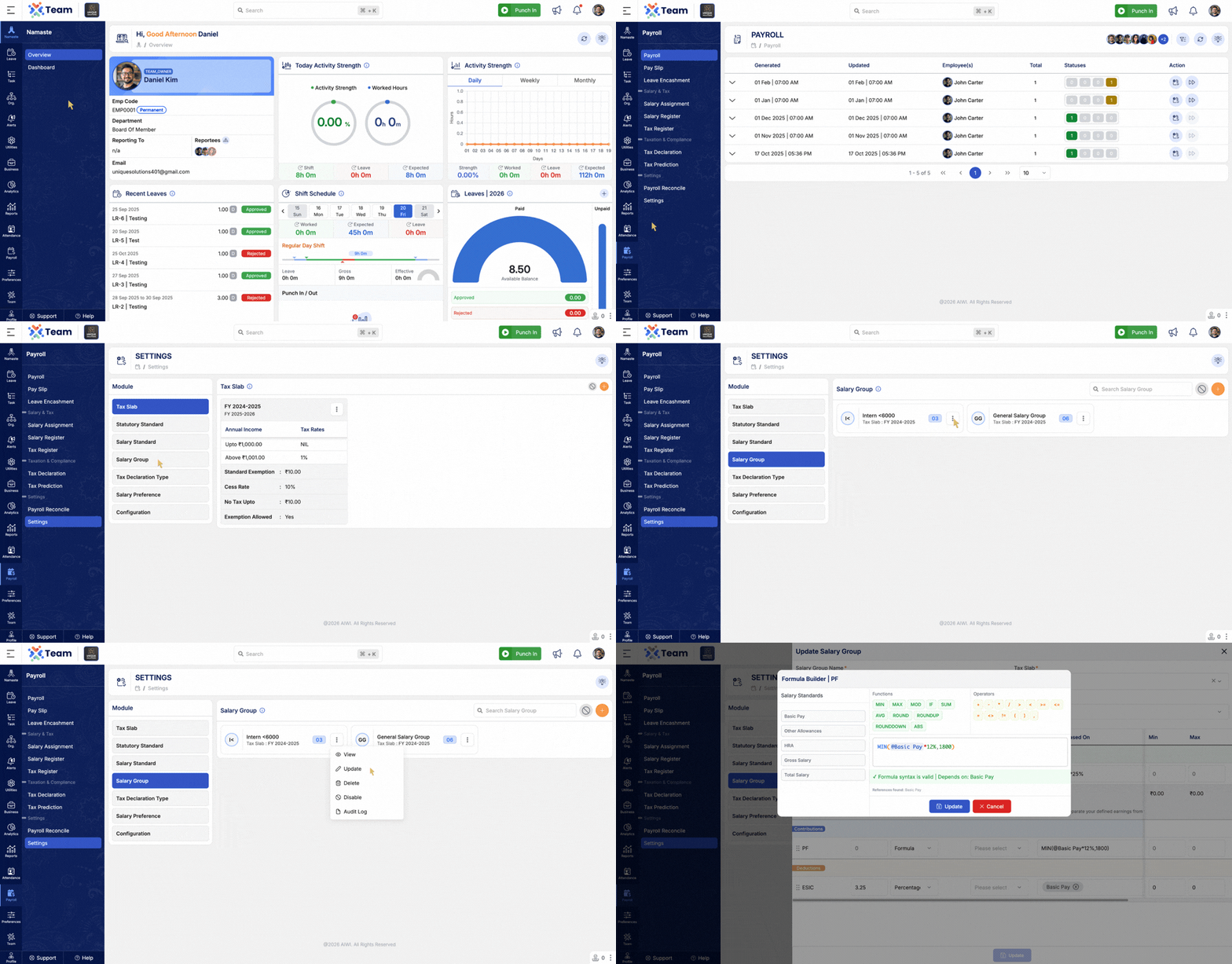
- Enhanced formula writing interface with improved usability.
- Introduced color-based highlighting for better readability.
- Improves accuracy while creating and editing formulas.
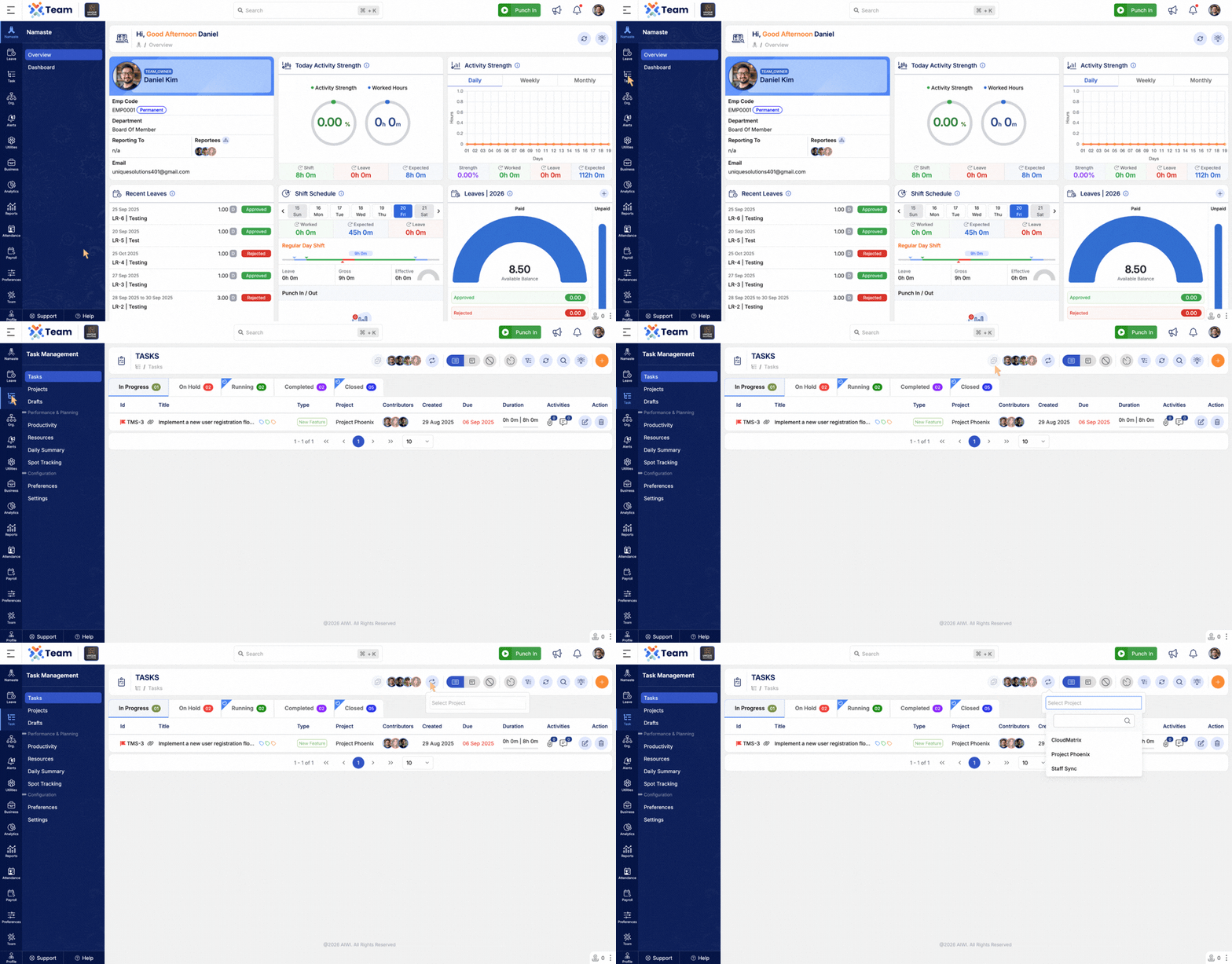
- Introduced quick filter option in the All Tasks page.
- Enables faster task filtering based on project selection.
- Improves task management efficiency and navigation.
- General Performance Improvements: Backend optimizations implemented for improved speed and reliability.
- Bug Fixes: Minor issues resolved across various modules to enhance user experience and stability.
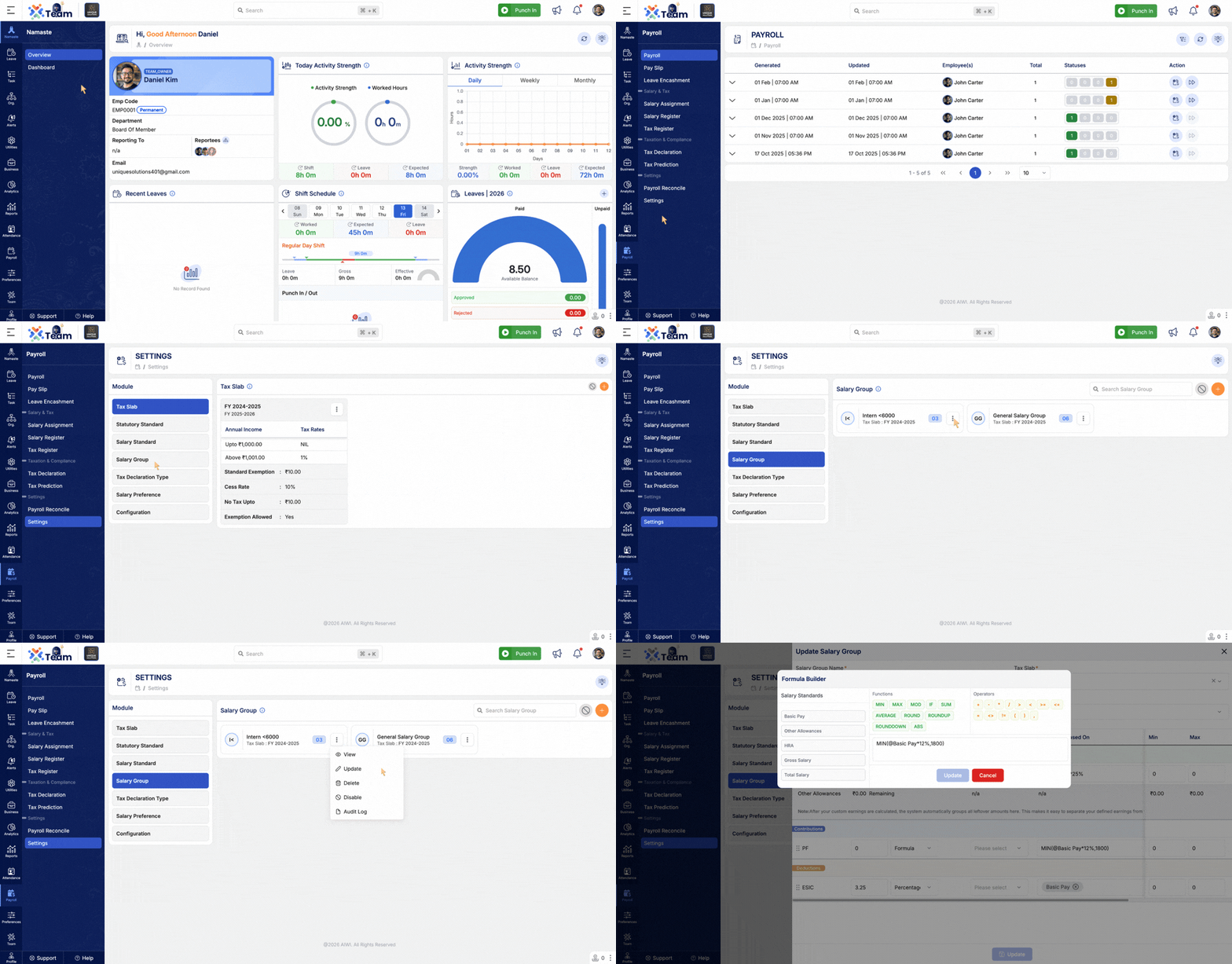
- Introduced a dynamic formula-based payroll calculation engine.
- Supports configurable and structured salary computations.
- Enables flexible salary structure management based on defined formulas.
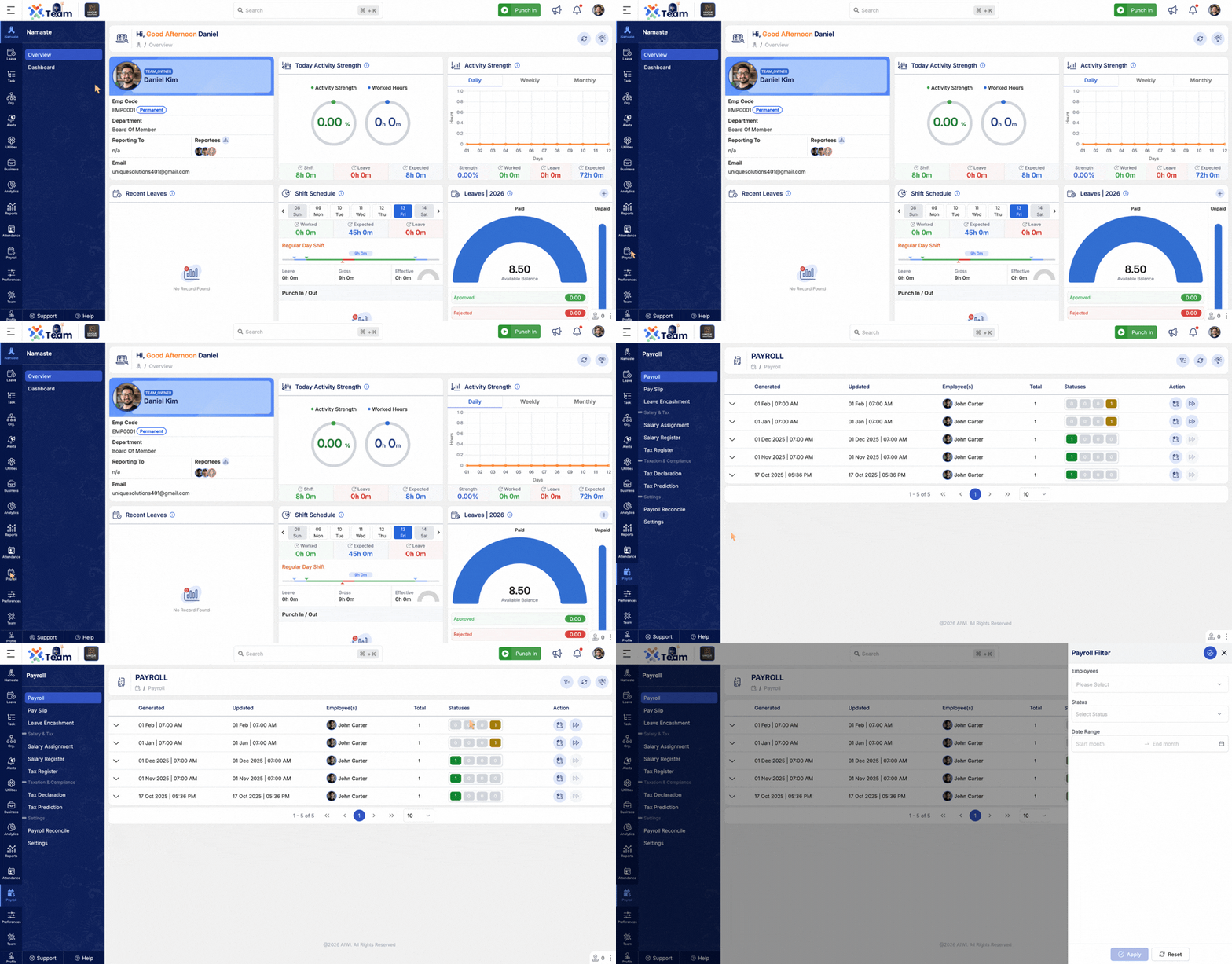
- Advanced filtering options added in Payroll module.
- Similar filtering capabilities introduced in Payroll Reconciliation.
- Improves data segregation, tracking, and reconciliation accuracy.
- Users can now apply requests on behalf of other users.
- Access is controlled based on assigned roles and permissions.
- Ensures secure delegation and streamlined workflow.
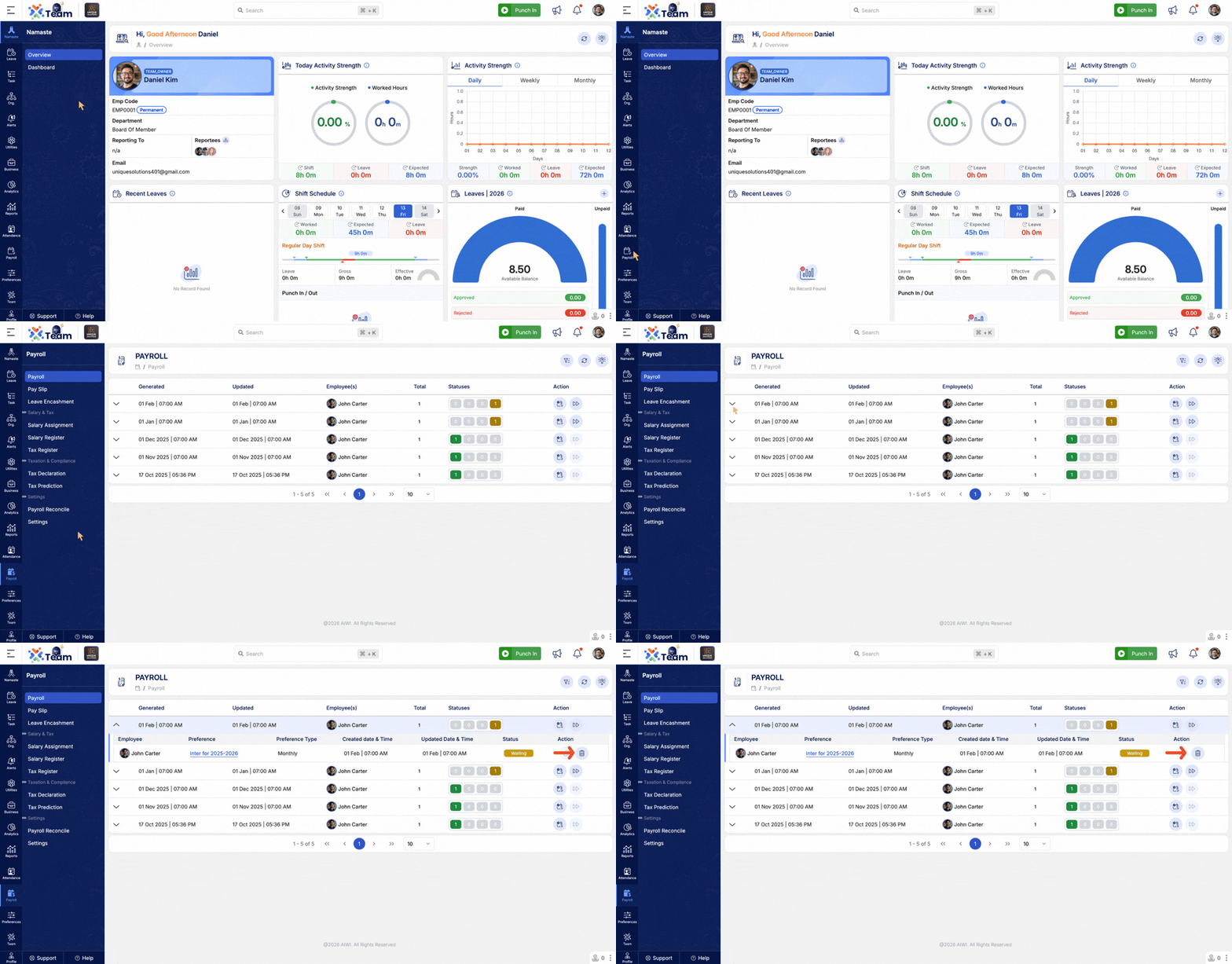
- Manual payroll runs can now be deleted if in Error status.
- Manual payroll runs can also be deleted while in Waiting/Pending status.
- Provides better control over payroll processing and error handling.
- Task module now supports filtering using tags.
- Improves task categorization and quick identification.
- Enhances workflow efficiency and task tracking.

- General Performance Improvements: Backend optimizations implemented for improved speed and reliability.
- Bug Fixes: Minor issues resolved across various modules to enhance user experience and stability.
- 2FA control is now fully managed by users.
- Users can enable, disable, or switch 2FA to Email OTP–based authentication.
- Provides greater flexibility and convenience while maintaining security.
- Task list filter enhanced to exclude the last status.
- Helps clearly identify tasks that are already closed.
- Improves task visibility and workflow tracking.
- Added Total Salary standard selection while creating a salary group.
- Ensures consistent and standardized payroll configuration.
- Basic salary calculation updated with more flexible selection options.
- Allows Basic salary to be calculated based on Gross Salary.
- Provides better adaptability for diverse salary structures.
- General Performance Improvements: Backend optimizations implemented for improved speed and reliability.
- Bug Fixes: Minor issues resolved across various modules to enhance user experience and stability.
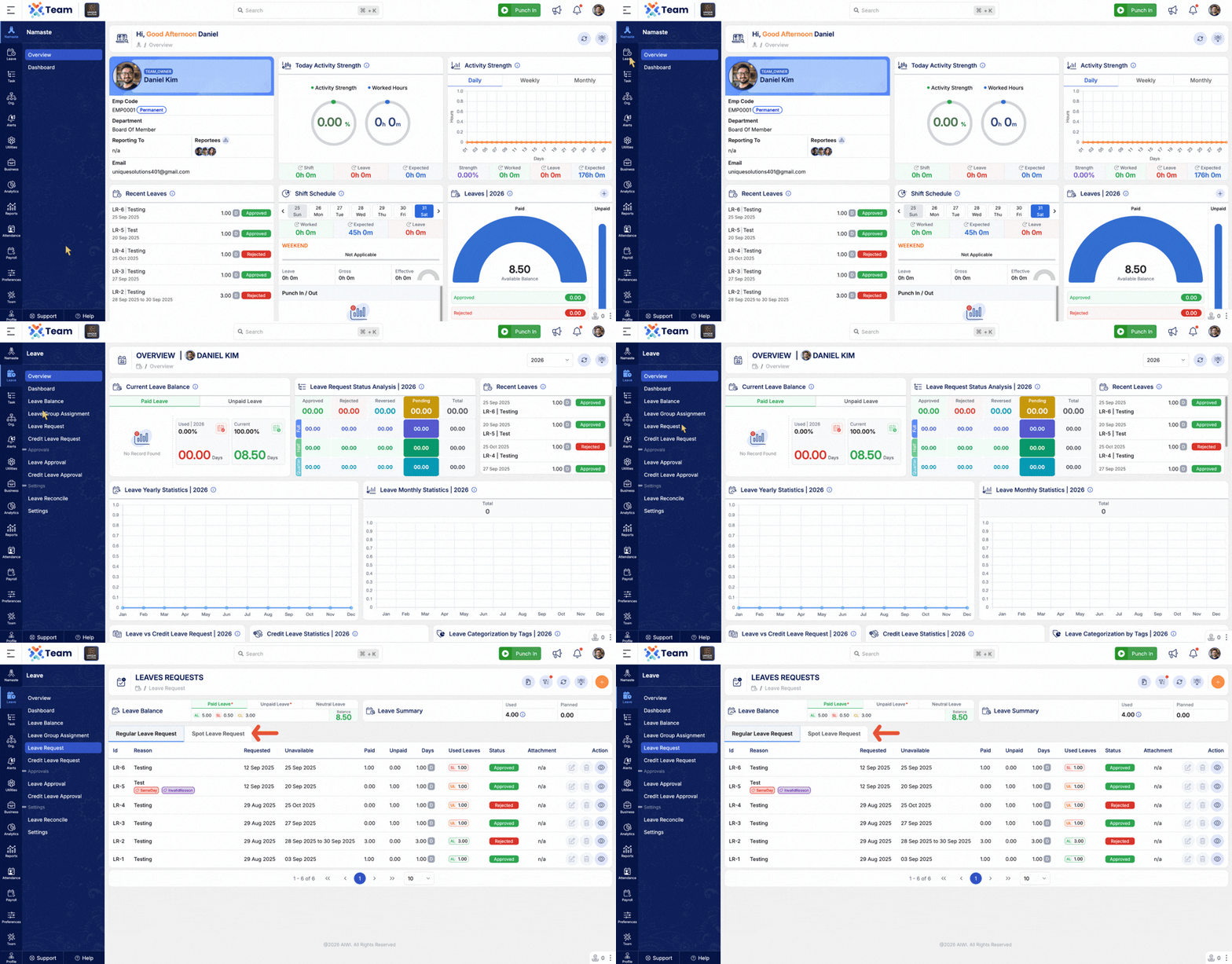
- Introduced Spot Leave Request feature to enable quick and immediate leave applications.
- Allows employees to request leave instantly for urgent or same-day requirements.
- Improves flexibility and responsiveness in leave management.
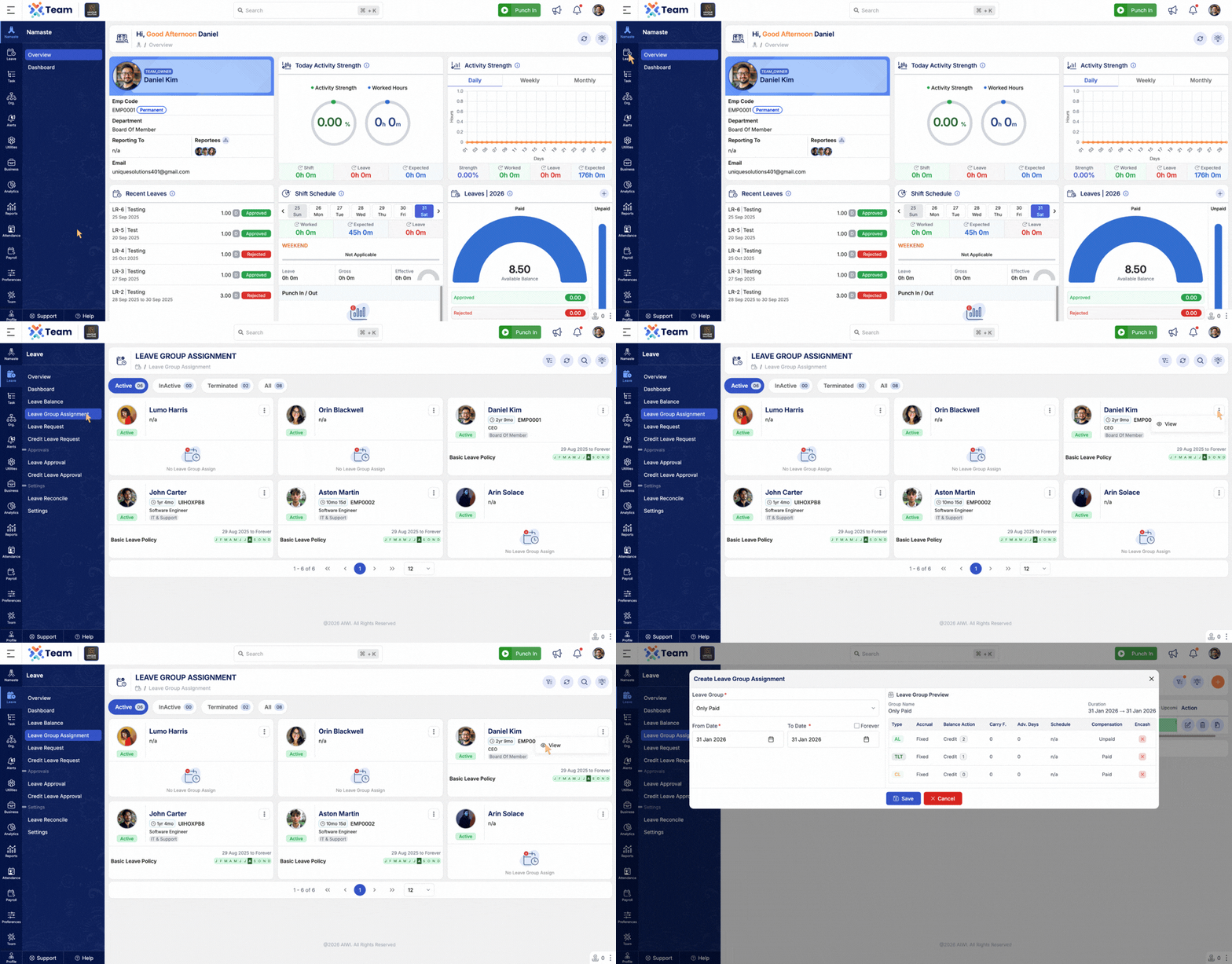
- Added runtime preview to validate Leave Group Assignments before final submission.
- Helps administrators identify configuration issues early.
- Improves accuracy and confidence in leave setup.
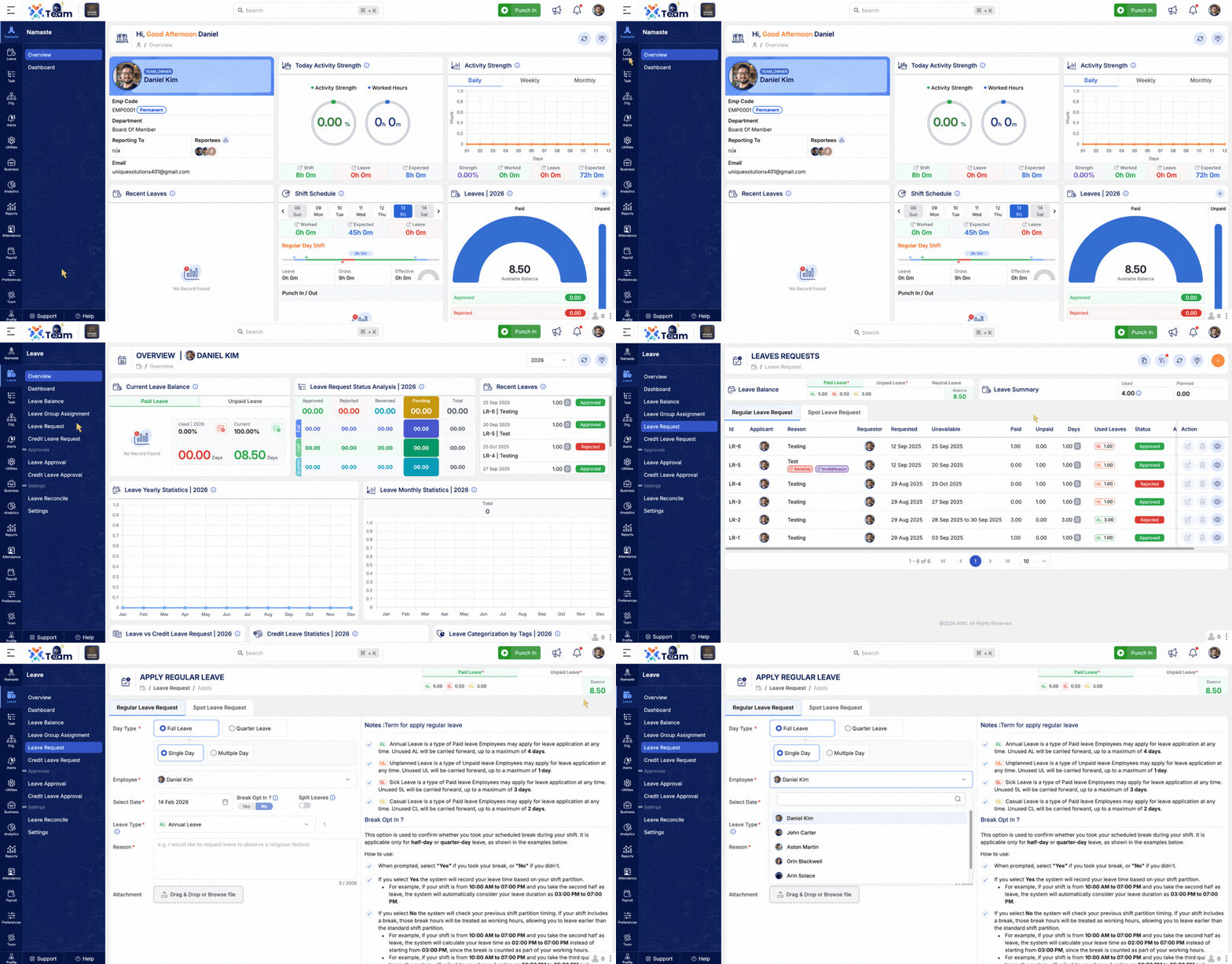
- Improved employee filter to clearly identify terminated employees.
- Terminated employees are now listed at the bottom of the selection list.
- Enhances clarity and reduces selection errors.
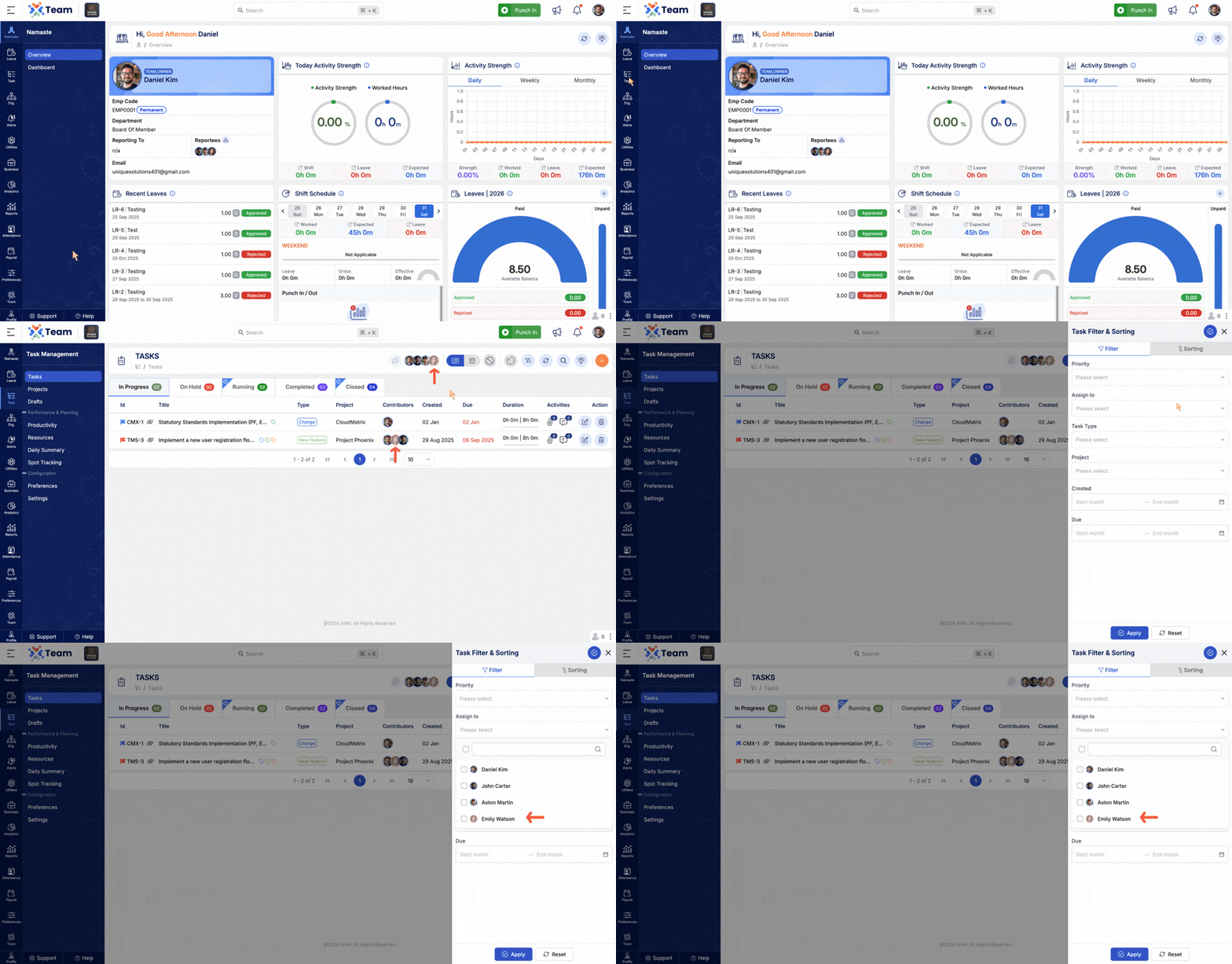
- Current day highlighting added across all calendar views.
- Improves date visibility and navigation.
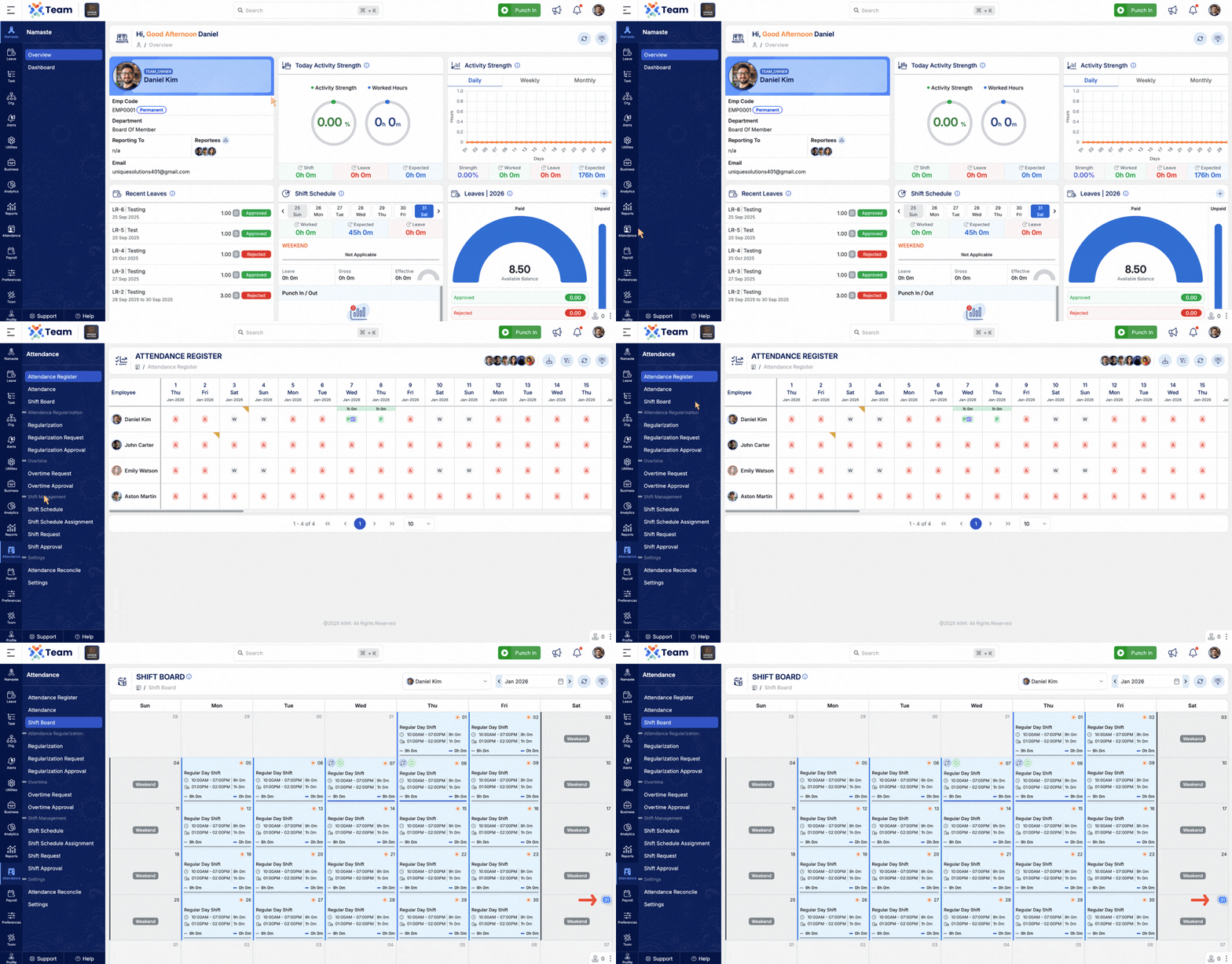
- Assigned shifts are now visible even on public holidays.
- Ensures better workforce planning and transparency.
- Enhanced week-wise punching data with previous and next week navigation.
- Allows easier review of attendance across weeks.
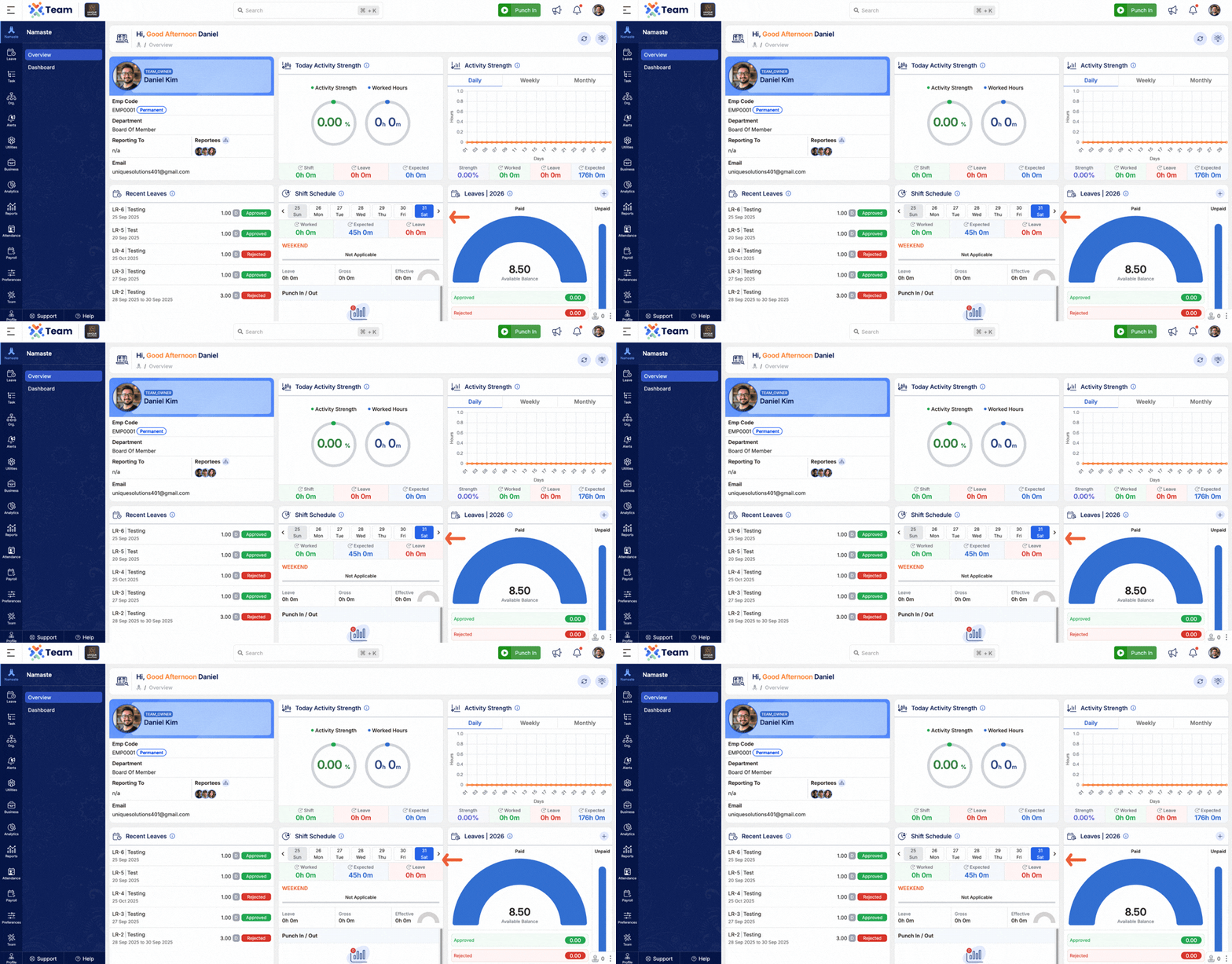
- Weekly strength view added alongside daily and monthly views.
- Provides better workforce visibility at a weekly level.
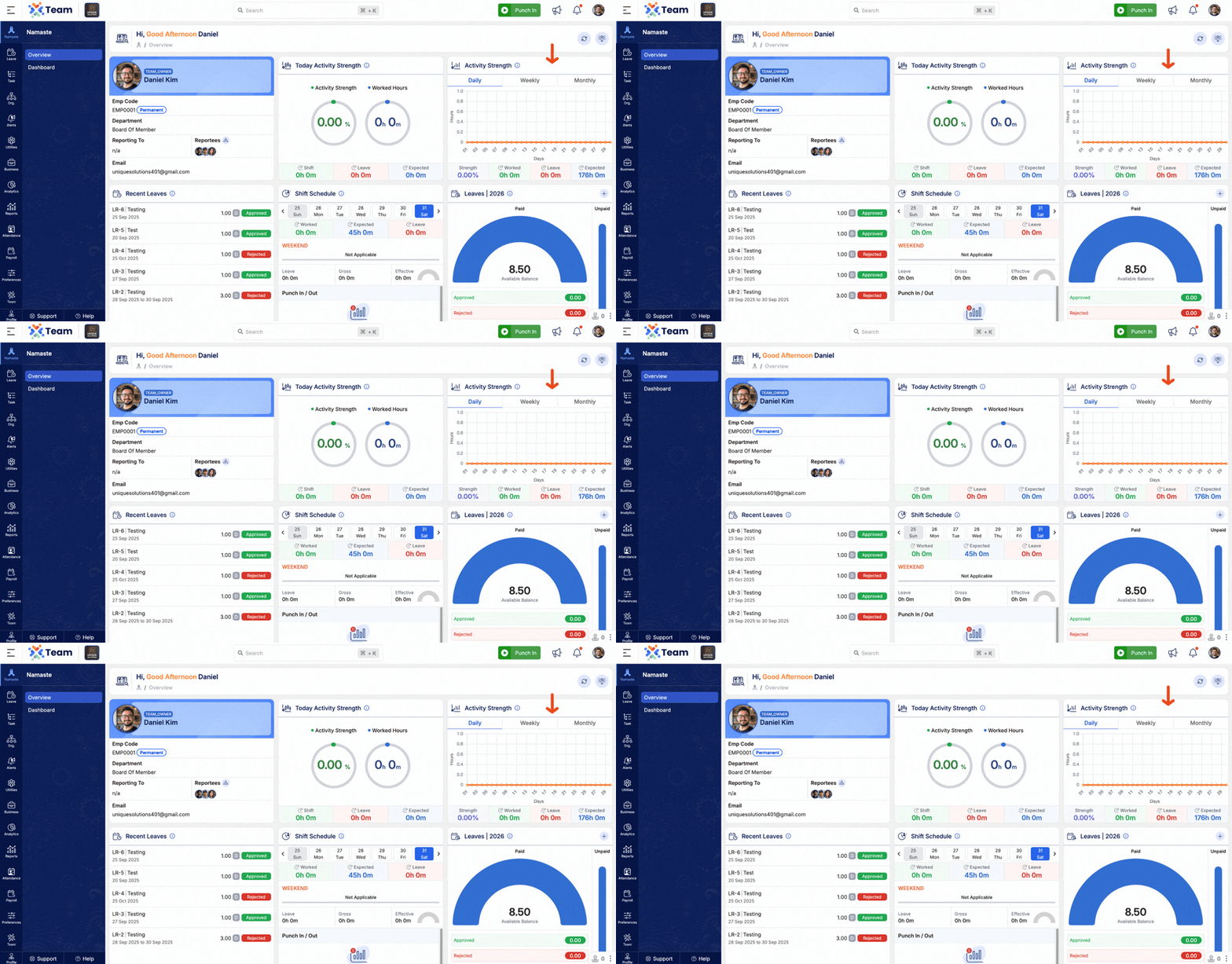
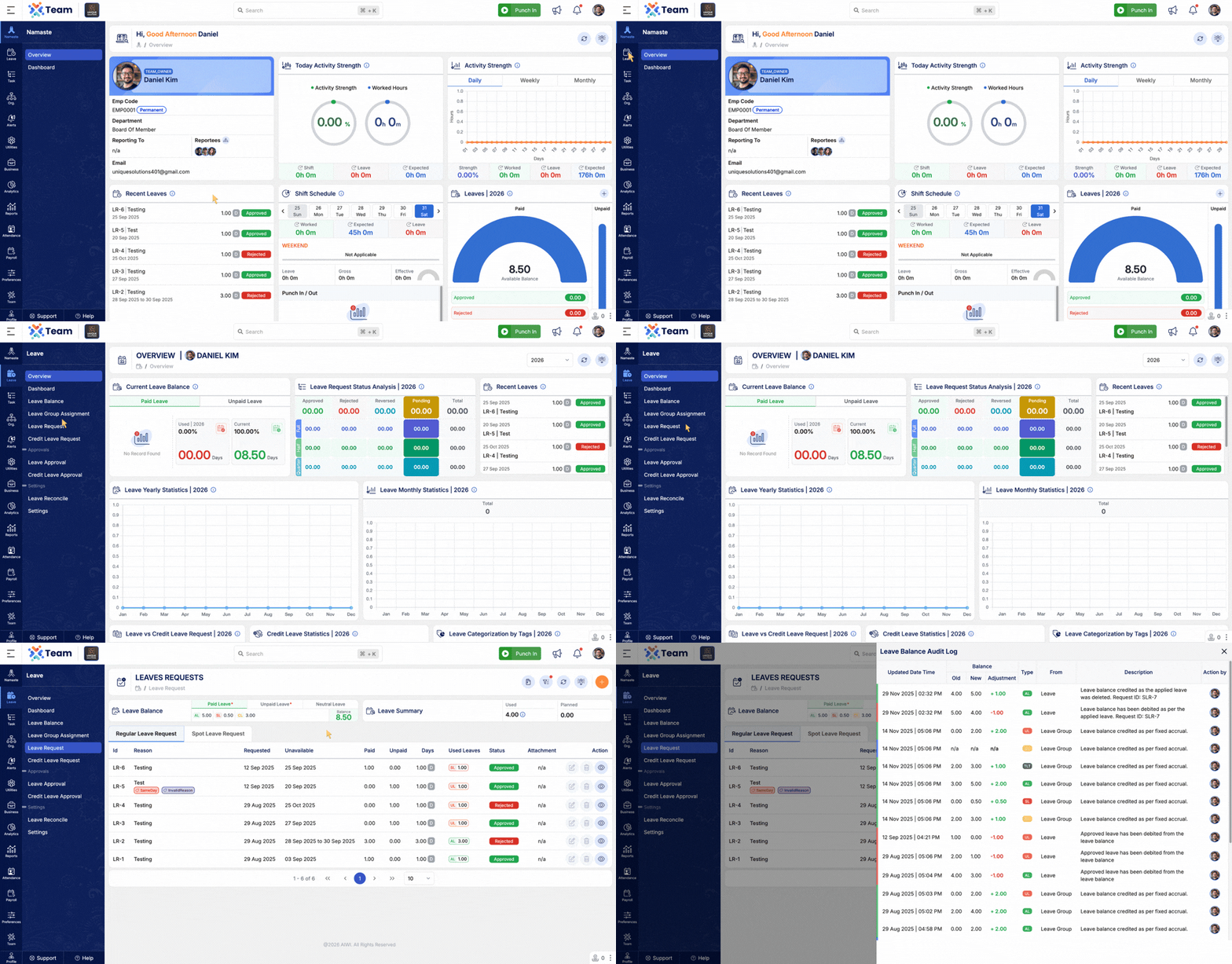
- Leave balance auditing visualization enhanced for better clarity.
- Makes leave tracking and verification more intuitive.
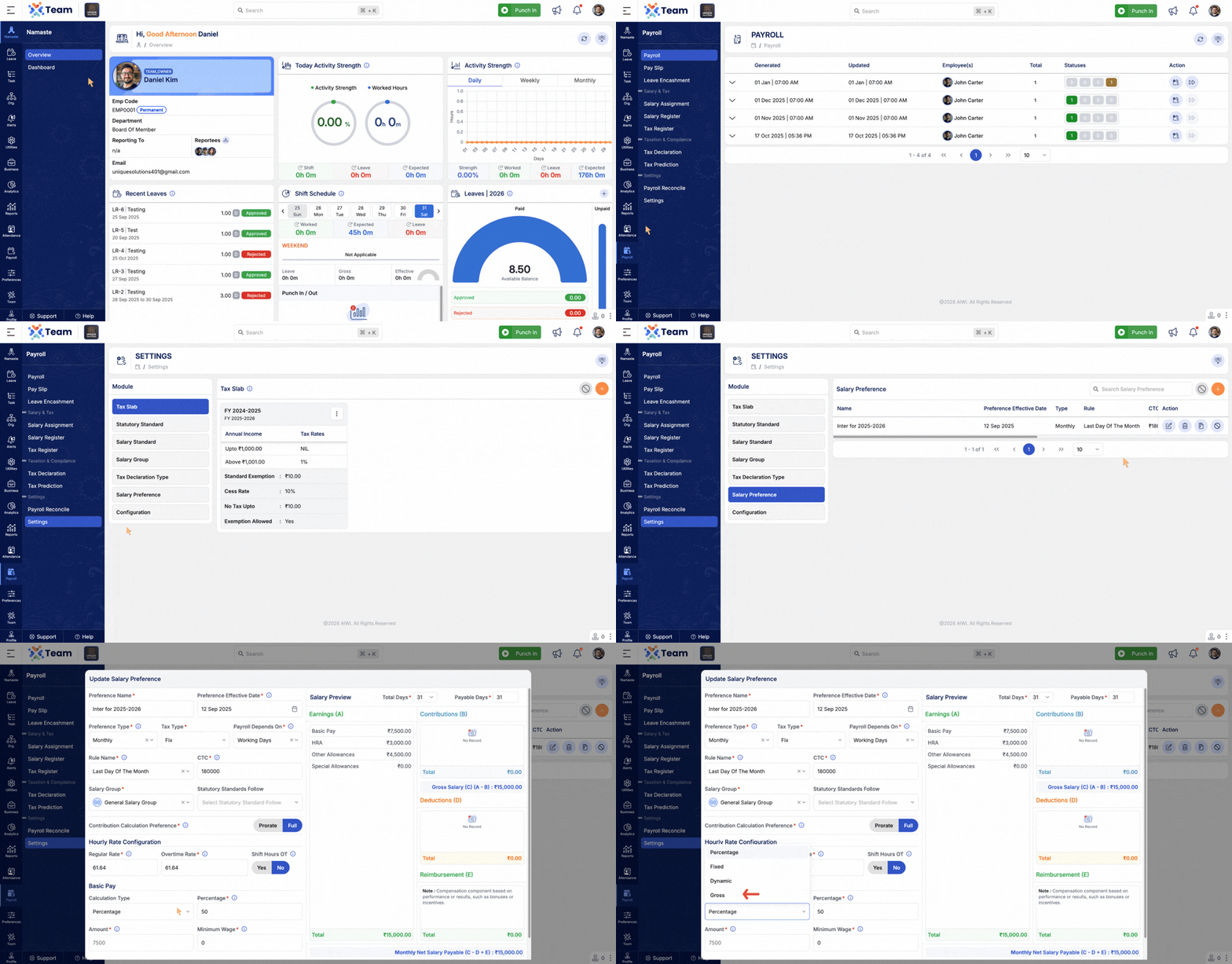
- Payroll enhanced to calculate Basic Pay directly from Gross Salary.
- Ensures consistency and accuracy in salary computations.
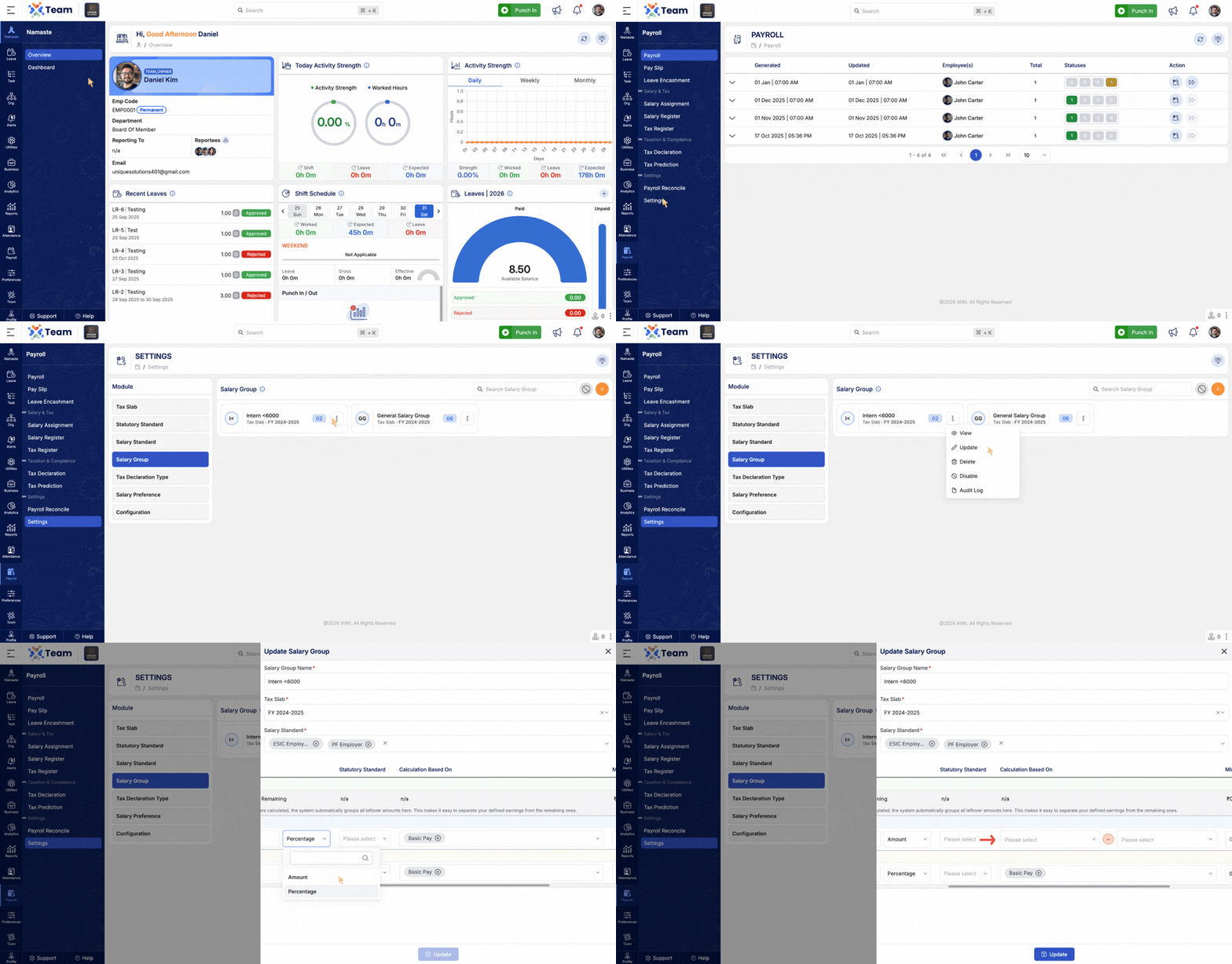
- Salary Group Standards enhanced to support addition and subtraction of amounts.
- Allows more flexible and configurable salary structures.
- Punch In and Punch Out configuration implemented for the mobile application.
- Integrated map view for punch records when geographical data is available.
- Improves attendance authenticity and tracking accuracy.
- General Performance Improvements: Backend optimizations implemented for improved speed and reliability.
- Bug Fixes: Minor issues resolved across various modules to enhance user experience and stability.
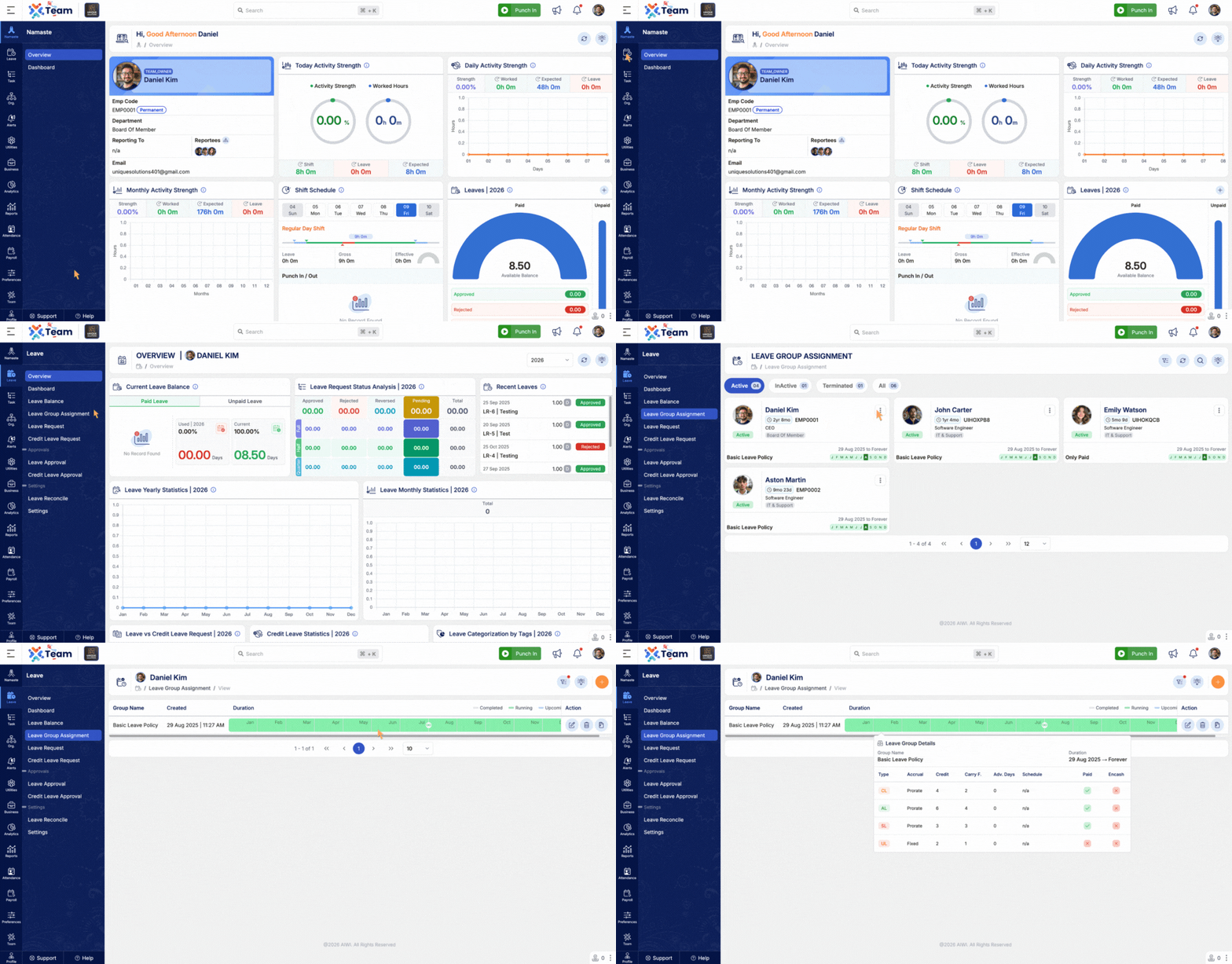
- Enabled assignment of leave groups in advance with defined start and end dates.
- Supports effective-dated configurations for structured leave policy management.
- Facilitates proactive workforce and leave planning.
- Enabled updates to company details for invoices in a pending state.
- Allows corrections and modifications before invoice finalization.
- Ensures accuracy and consistency of billing information.
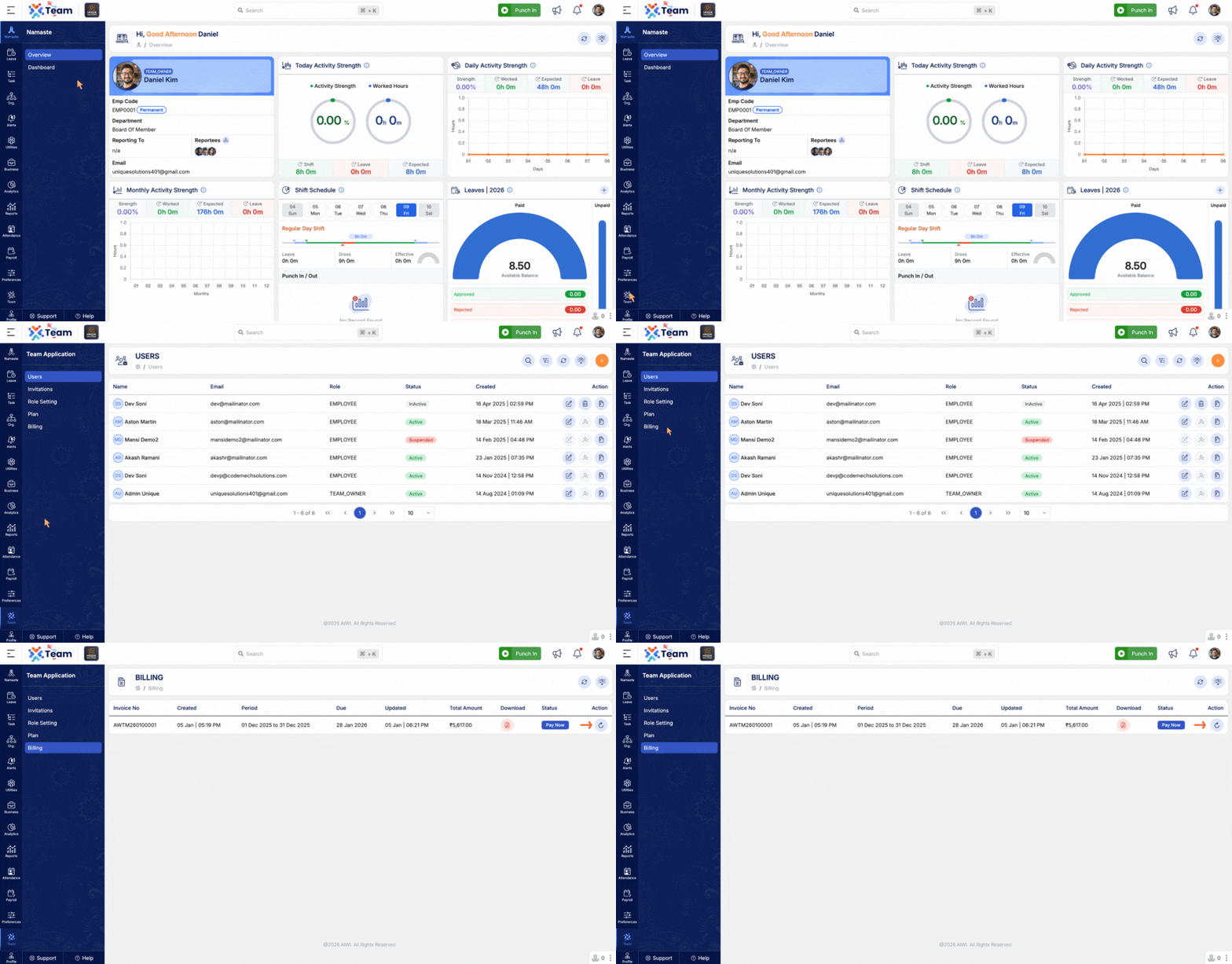
- Displayed regularisation request counts directly in the attendance register.
- Improves transparency of attendance adjustments and pending actions.
- Enables quicker review and informed decision-making.
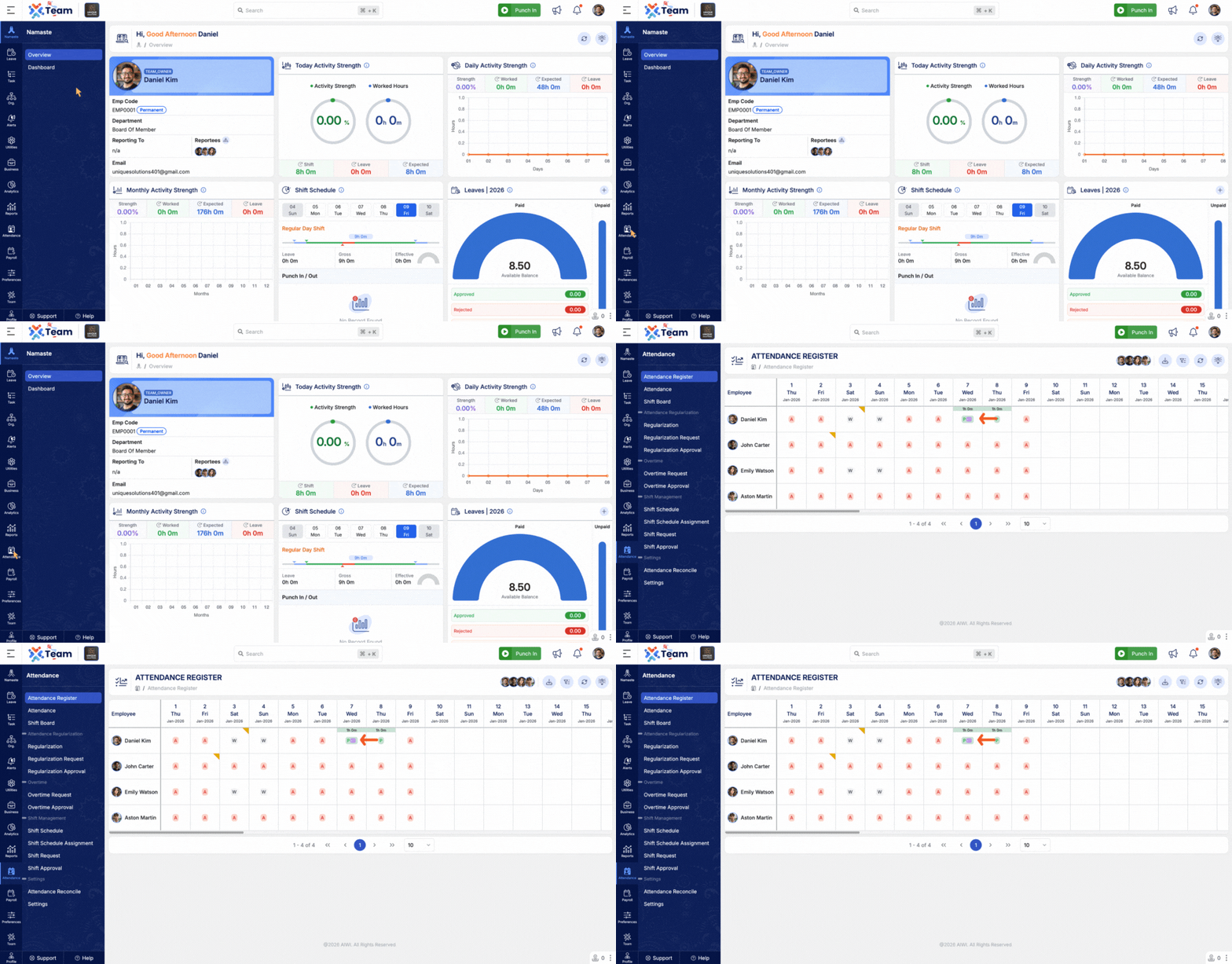
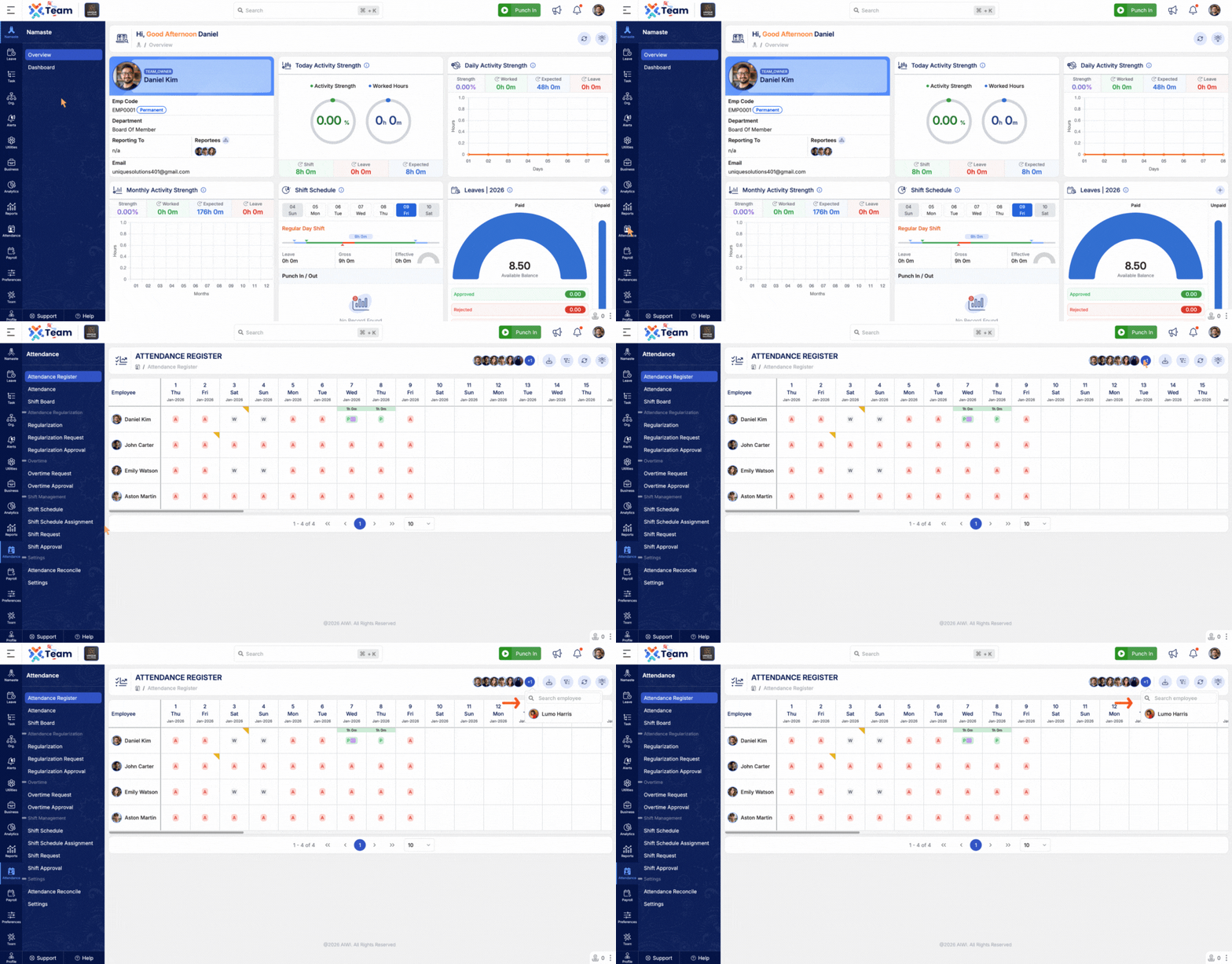
- Introduced search capability within the quick employee filter.
- Allows efficient employee lookup, particularly in large organizations.
- Enhances usability and reduces navigation time.
- General Performance Improvements: Backend optimizations implemented for improved speed and reliability.
- Bug Fixes: Minor issues resolved across various modules to enhance user experience and stability.
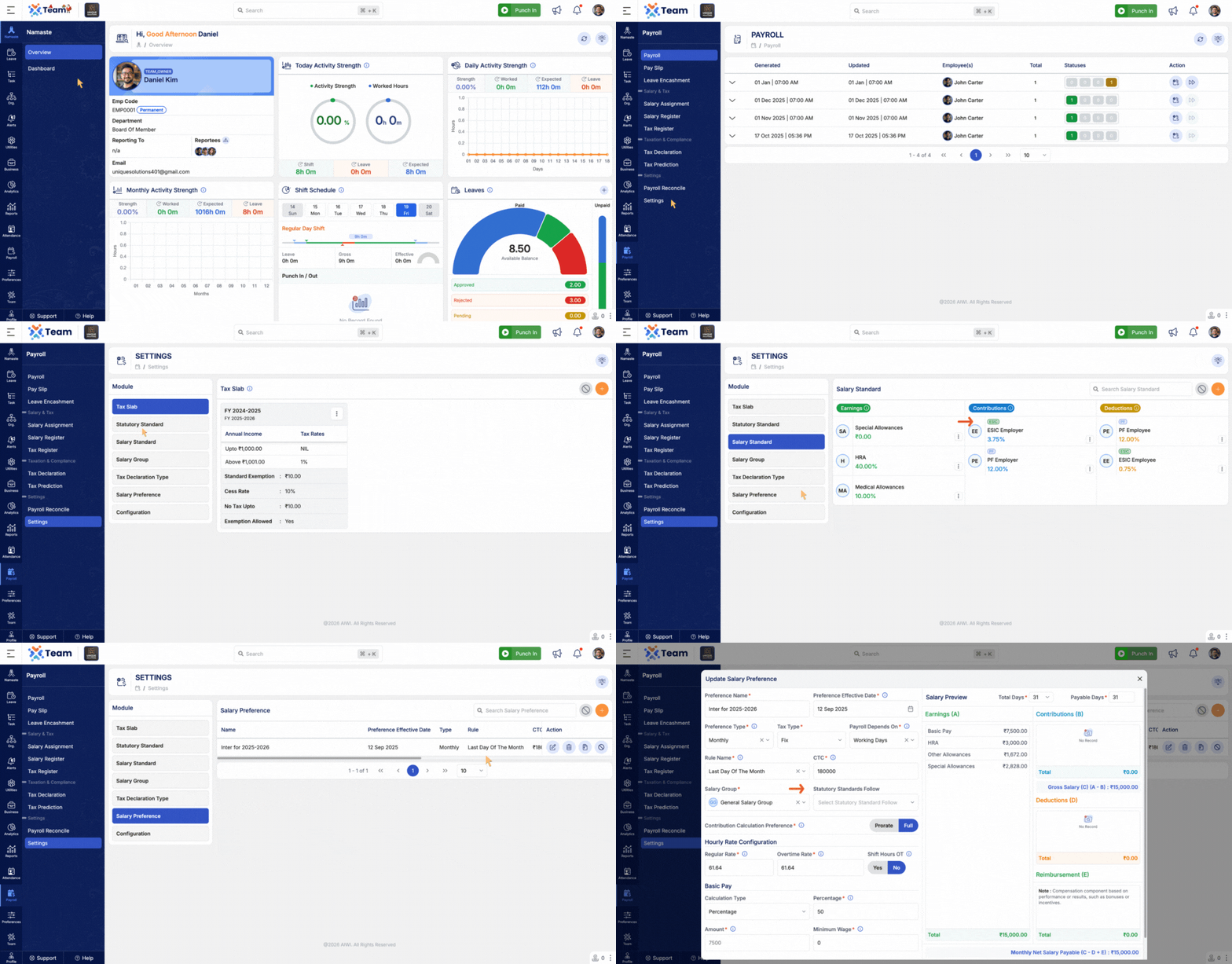
- Introduced statutory standard configuration within the payroll module.
- Ensures accurate calculation and compliance with applicable statutory requirements.
- Improves reliability and standardization of payroll processing.
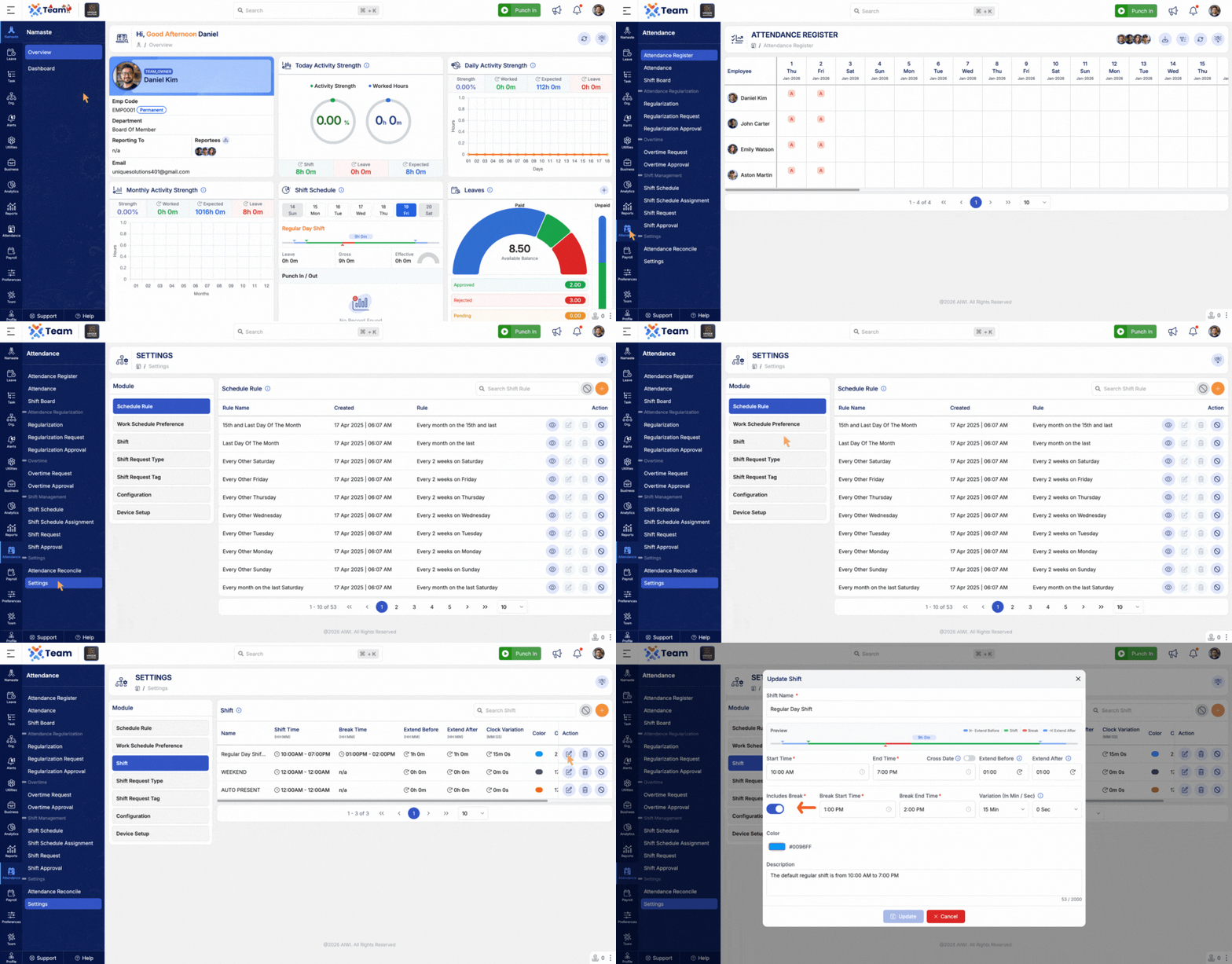
- Break configuration is no longer mandatory while creating shifts.
- Allows greater flexibility to support different work patterns.
- Simplifies shift setup and management.
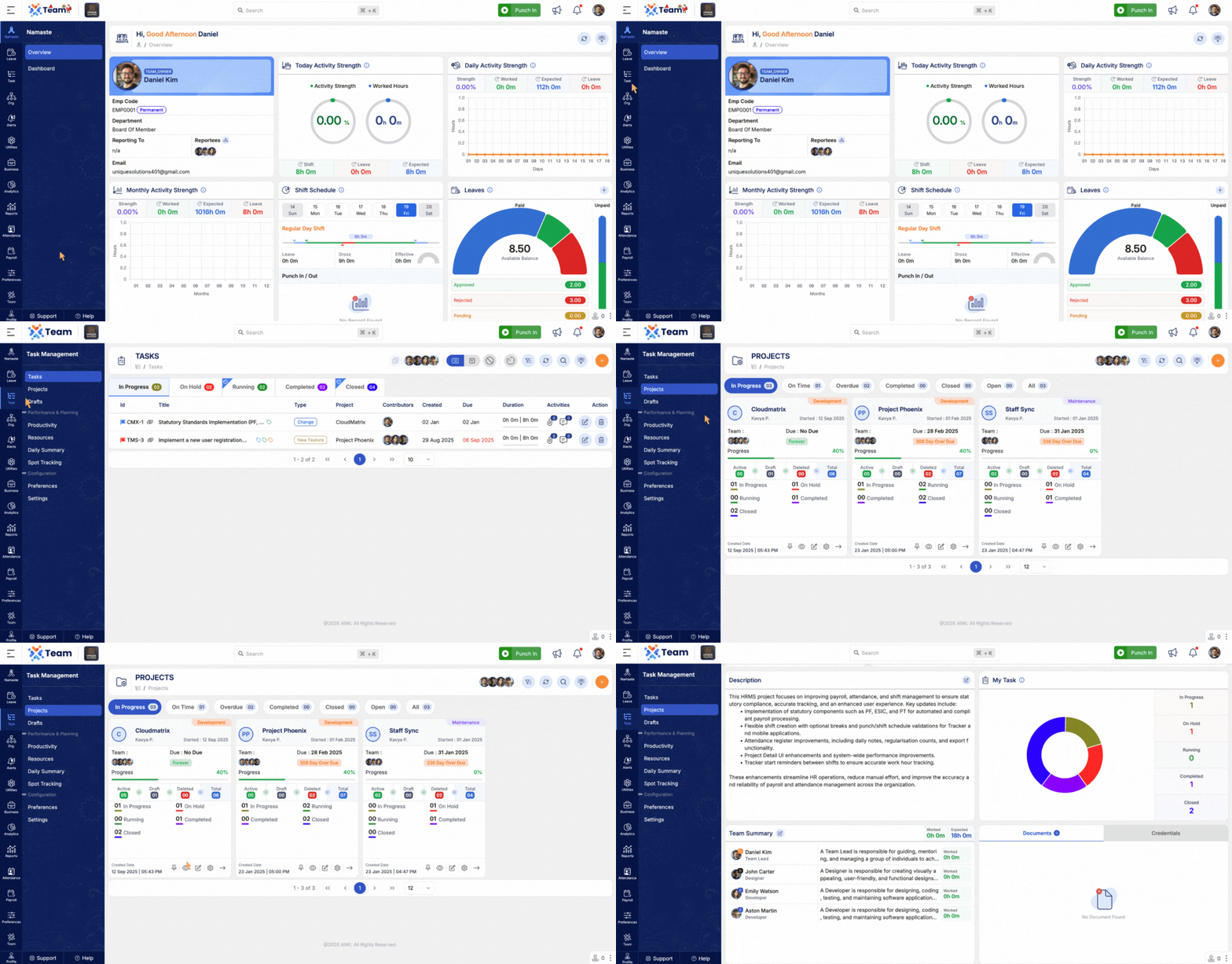
- Improved layout and visual structure of the Project Detail screen.
- Enhanced readability and ease of navigation.
- Provides a better overall user experience.
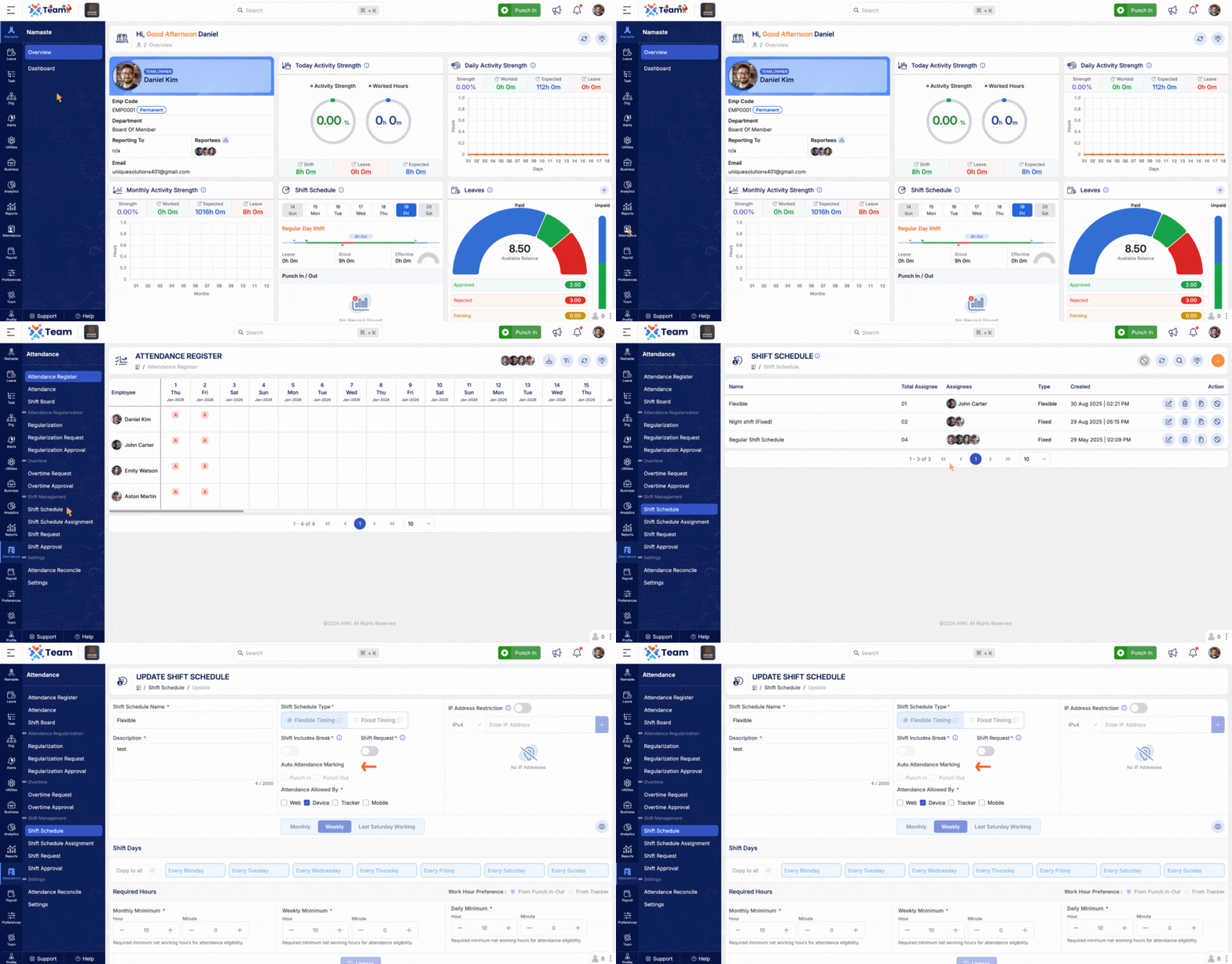
- Added stronger validation for punch actions and shift schedules.
- Validations applied consistently across Tracker and mobile applications.
- Helps prevent incorrect punches and scheduling mismatches.
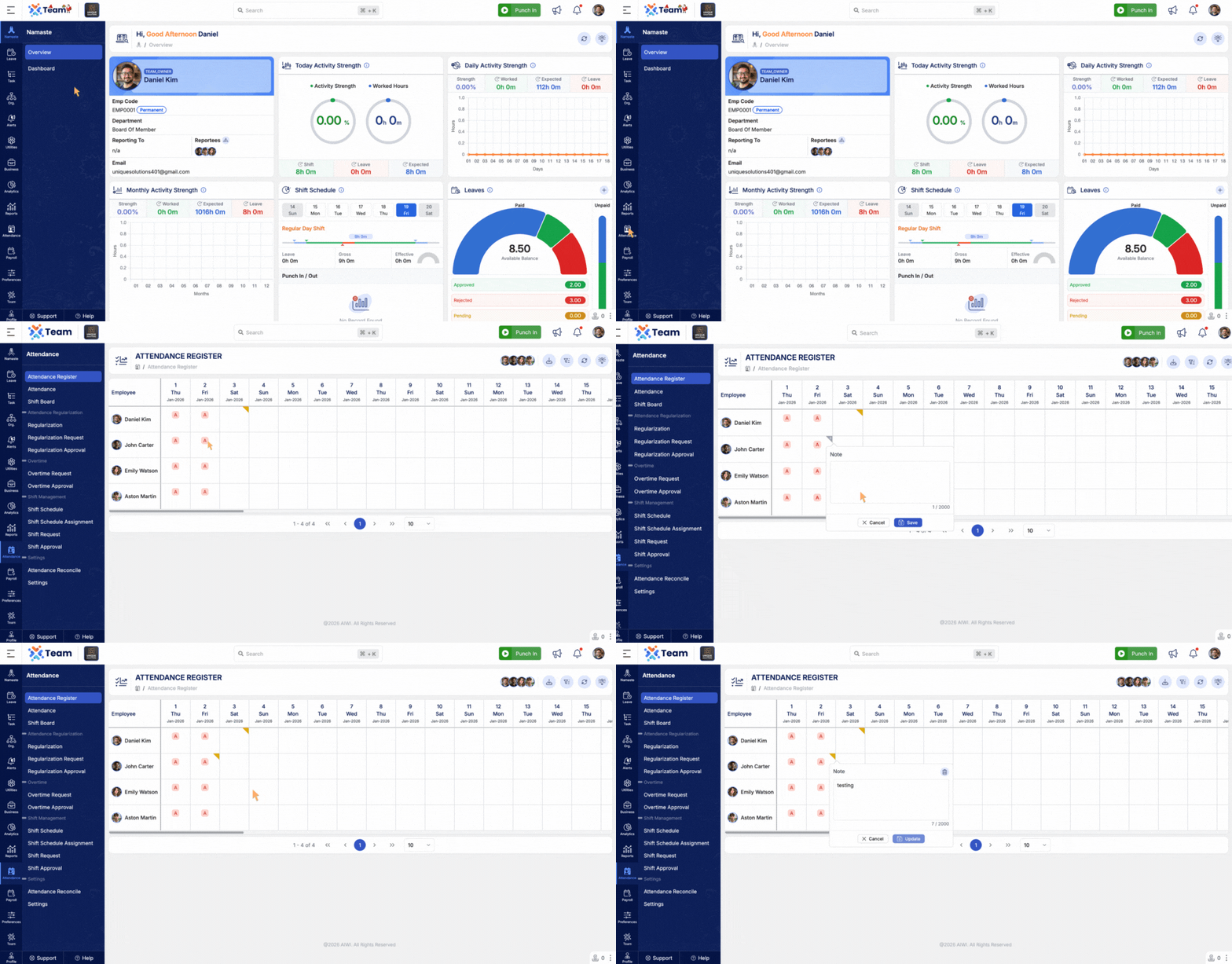
- Added a notes field for each day in the attendance register.
- Allows users to store references and remarks for attendance entries.
- Regularisation counts are now clearly indicated for better visibility.
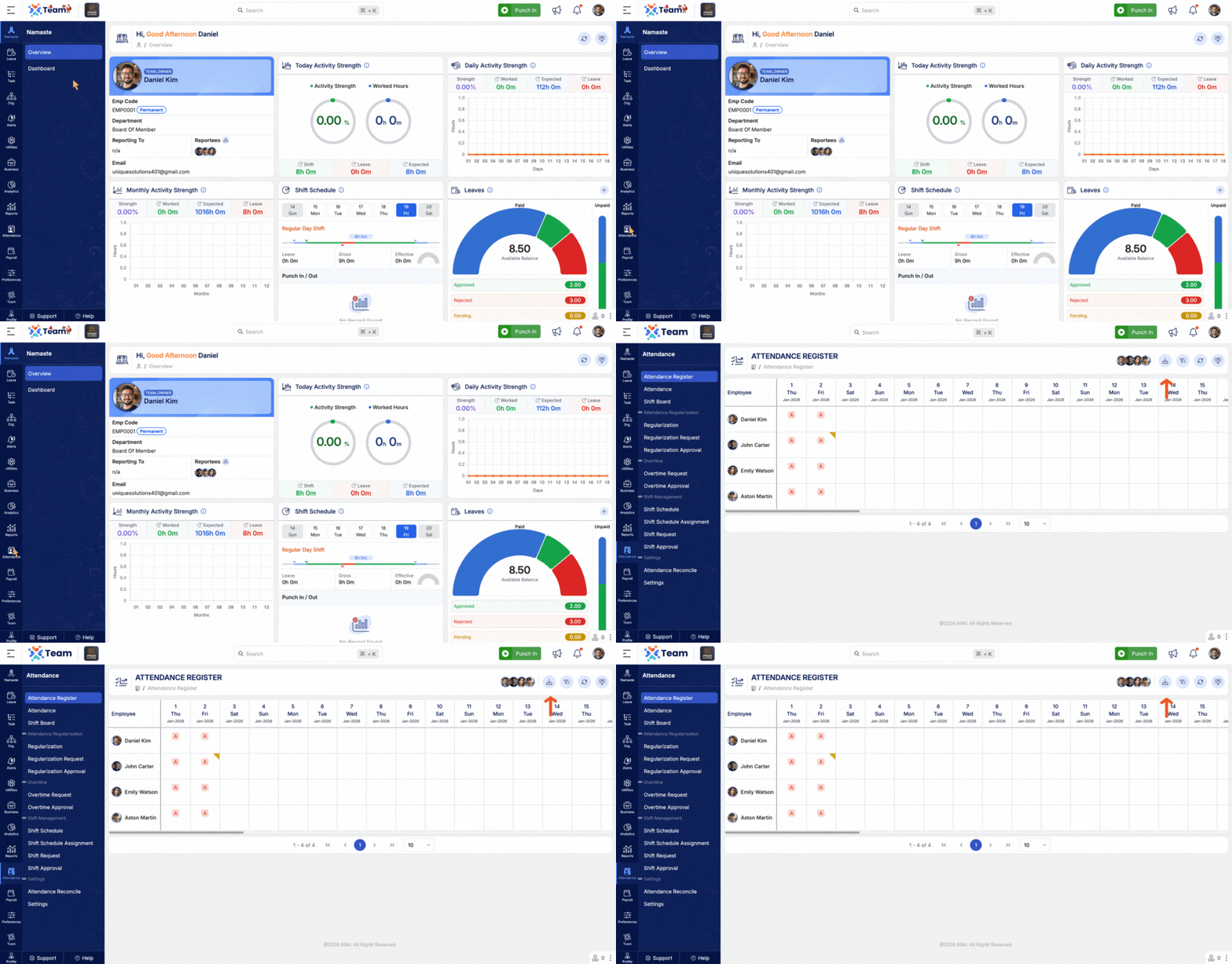
- Enabled export functionality for the attendance register.
- Supports reporting, audits, and record-keeping needs.
- Makes attendance data easily accessible outside the system.
- General Performance Improvements: Backend optimizations implemented for improved speed and reliability.
- Bug Fixes: Minor issues resolved across various modules to enhance user experience and stability.
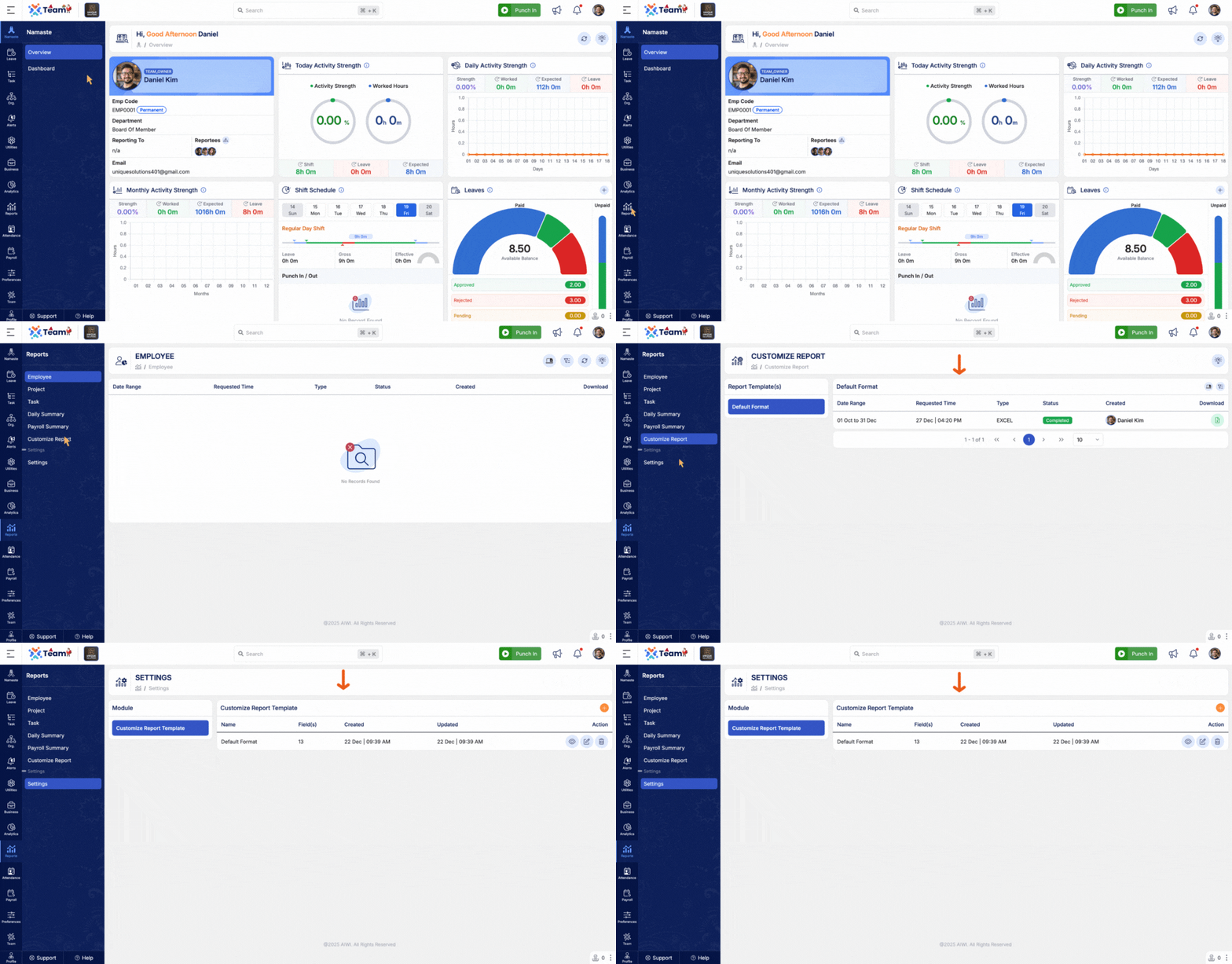
- Reports can now be customized based on specific user requirements.
- Allows flexibility in selecting data, format, and presentation.
- Supports better analysis, compliance, and decision-making.
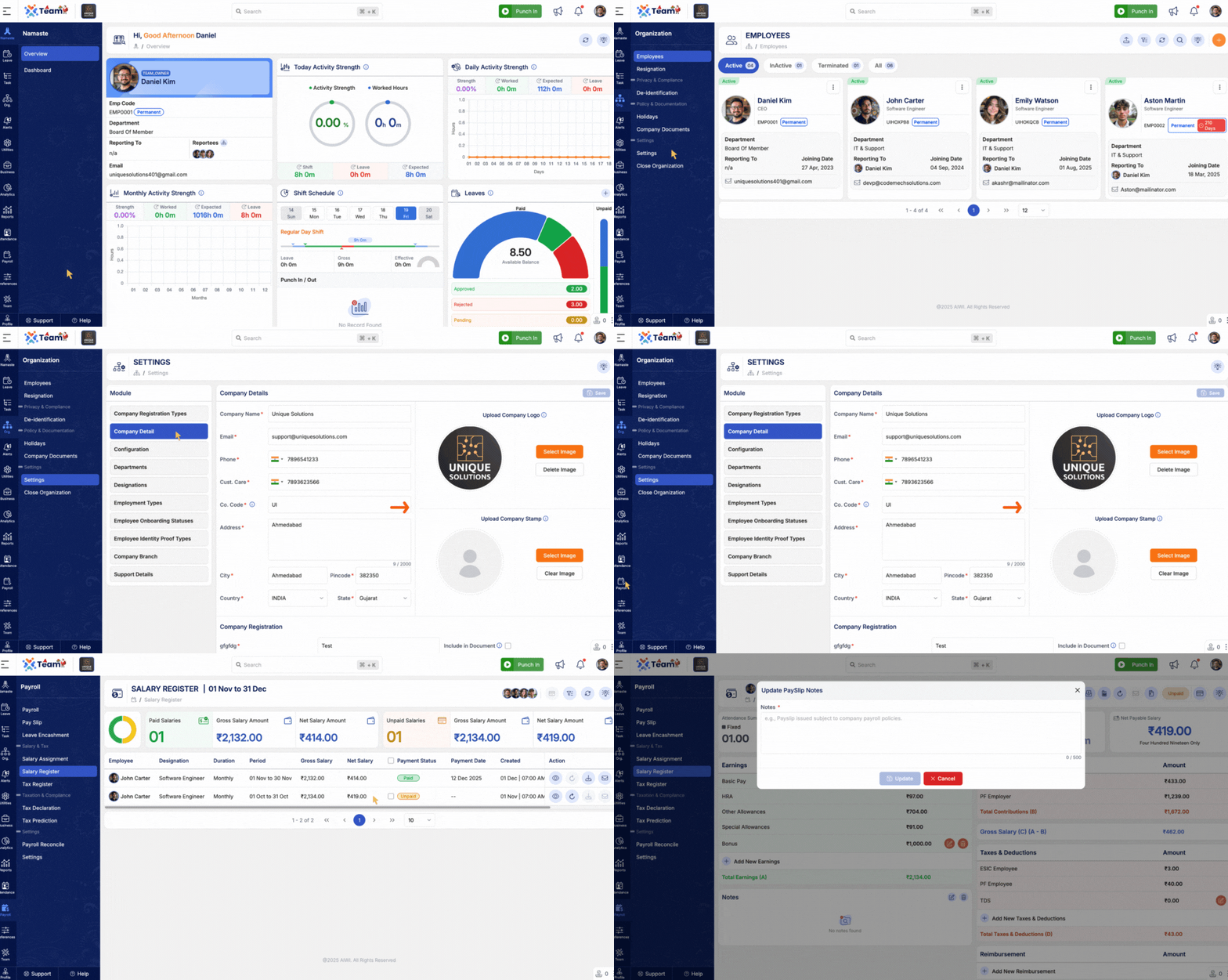
- Payslips now include the official company seal to improve authenticity and compliance.
- Additional manual notes can be added to payslips for clear communication of special remarks or adjustments.
- Enhances professionalism and clarity of payroll documents shared with employees.
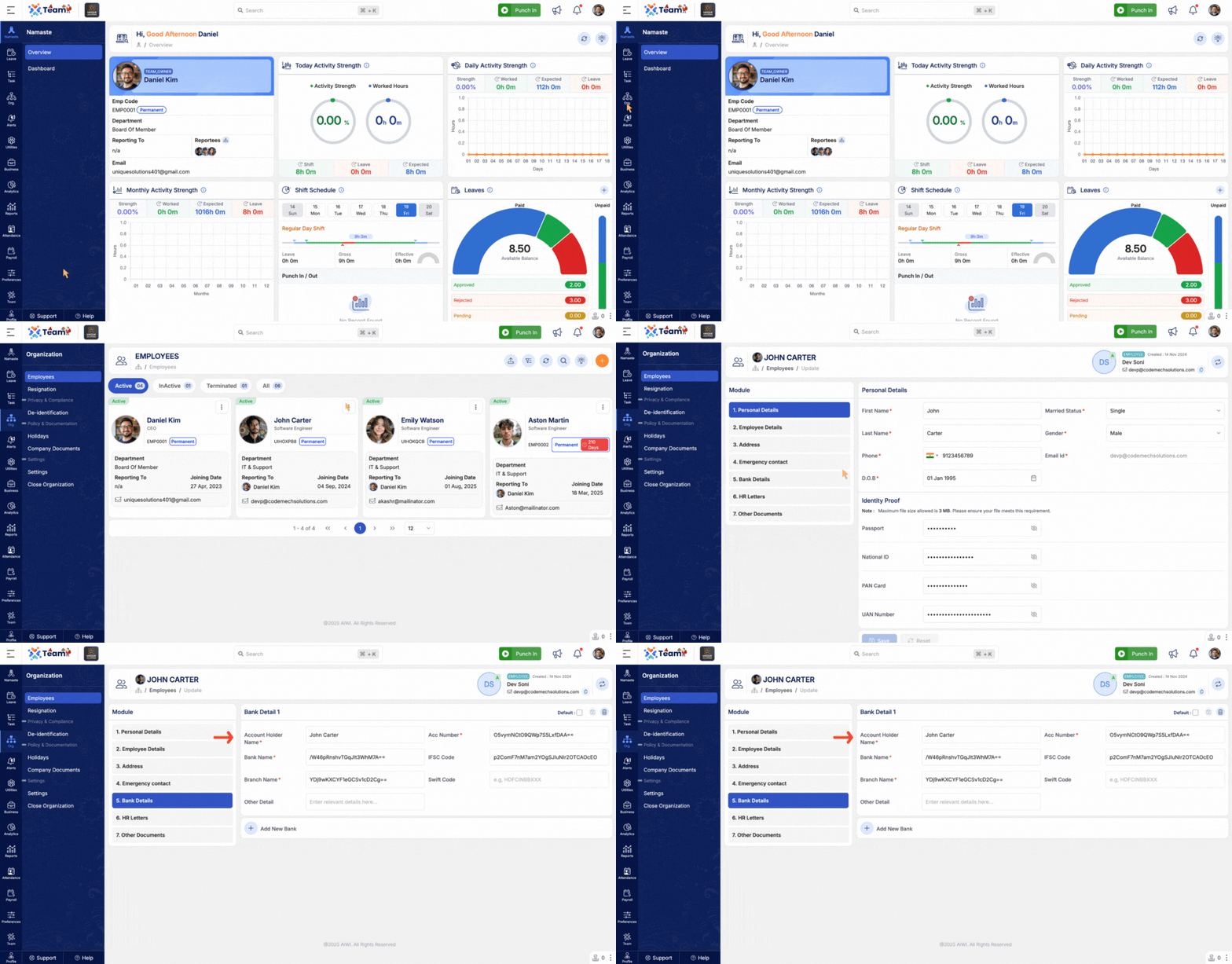
- The account holder name is now displayed in bank detail records.
- Improves clarity and accuracy in financial information.
- Helps reduce errors during salary processing and verification.
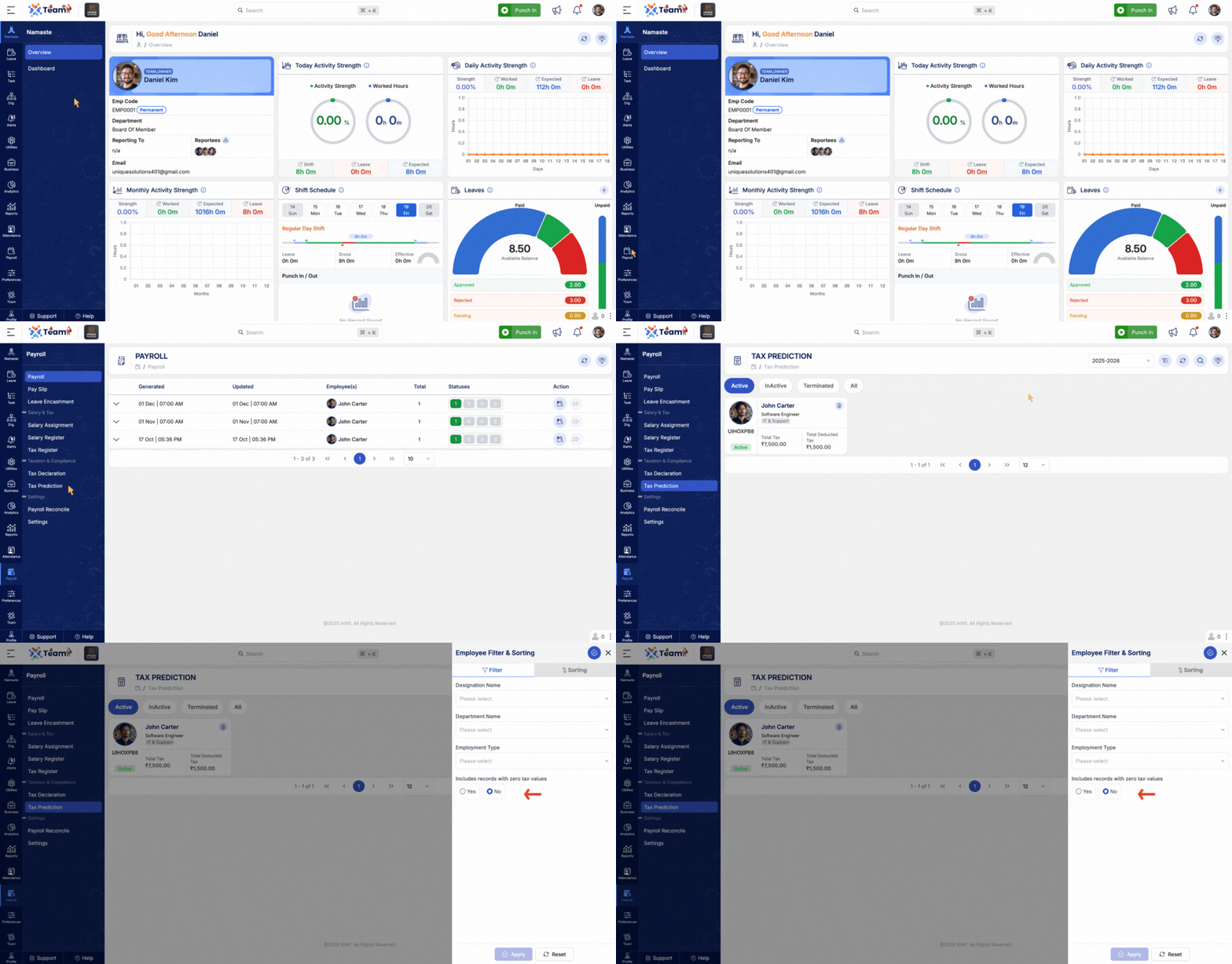
- Introduced a filter in tax prediction to handle zero-tax data.
- Ensures accurate tax calculations for non-taxable income cases.
- Prevents skewed projections in tax reports and dashboards.
- Attendance reconciliation now considers regularization requests.
- Includes handling of attendance corrections, new entries, and deletions.
- Improves accuracy of attendance data used for payroll and reporting.
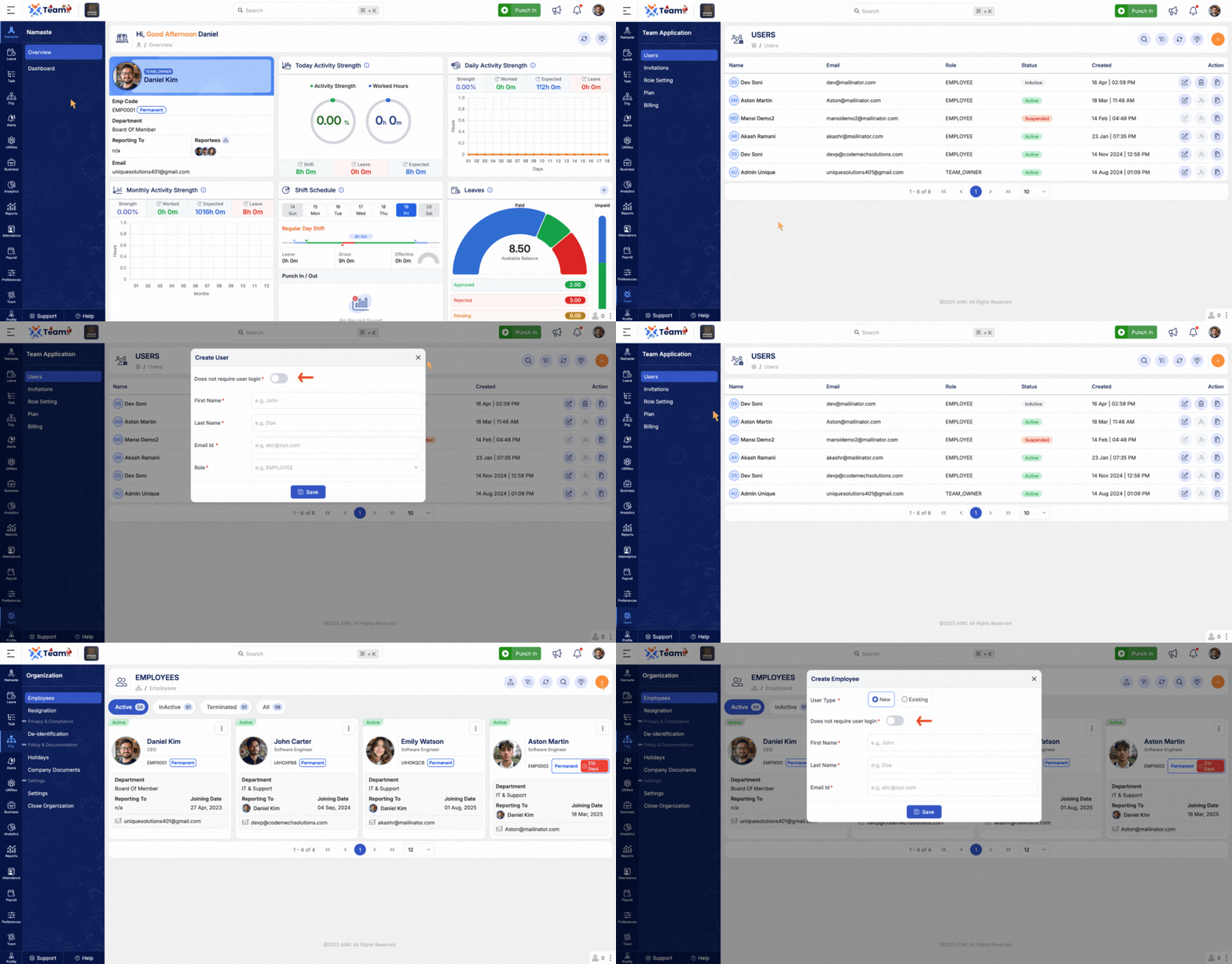
- User and employee accounts can now be created without an email ID.
- Simplifies onboarding for organizations where email is not mandatory.
- Provides greater flexibility in user management.
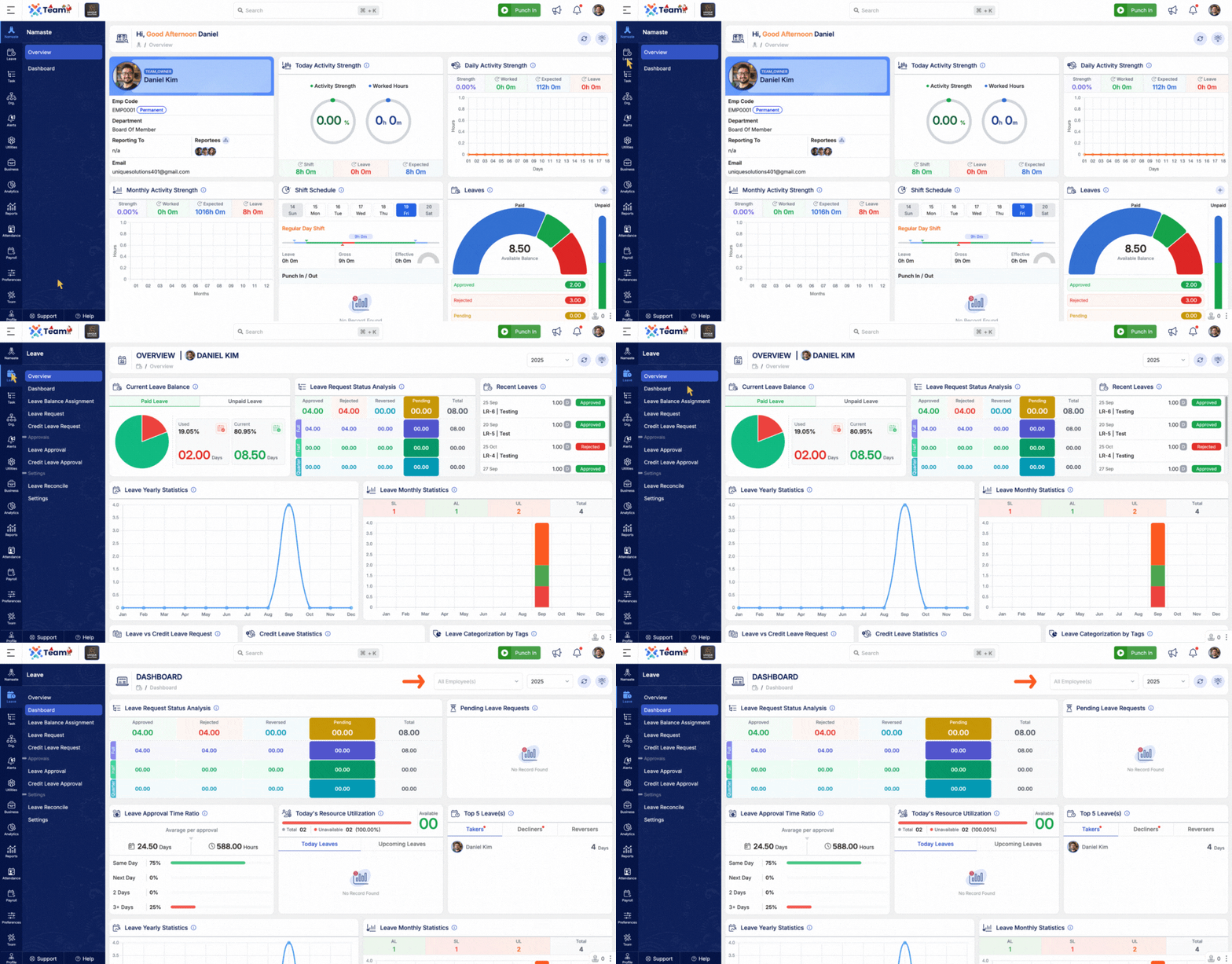
- The Leave Dashboard now supports employee-wise data display.
- Enables managers and HR to analyze leave details per employee.
- Improves visibility and decision-making in leave management.
- General Performance Improvements: Backend optimizations implemented for improved speed and reliability.
- Bug Fixes: Minor issues resolved across various modules to enhance user experience and stability.
- System now automatically sends a salary payment notification email with the employee’s salary slip attached.
- Eliminates the need for manual salary slip sharing after payroll processing.
- Ensures employees receive timely and accurate payroll documentation.
- Introduced an option to re-generate salaries that remain in a pending state.
- Helps administrators quickly resolve payroll issues caused by configuration changes or validation failures.
- Ensures smooth completion of payroll cycles without data inconsistencies.
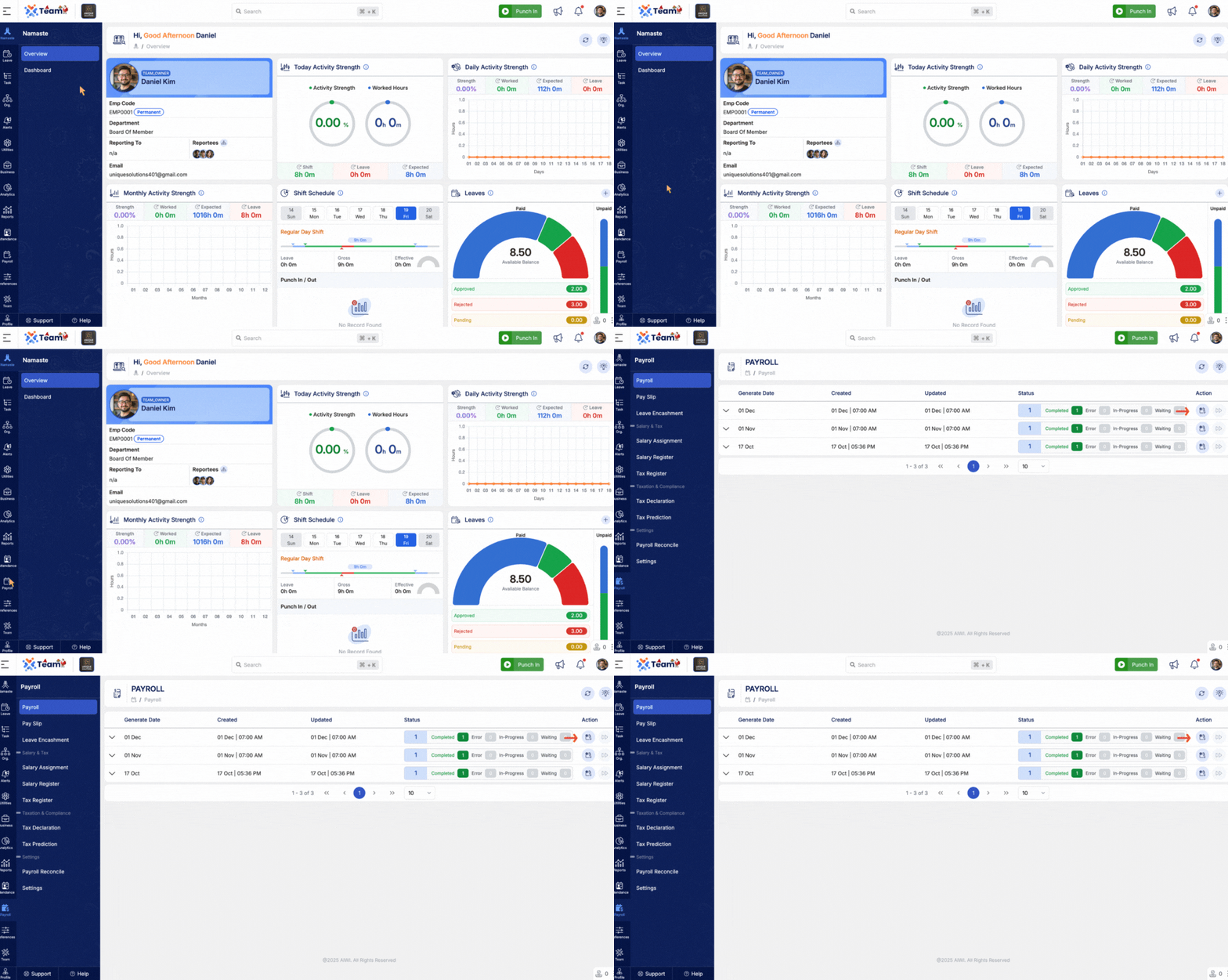
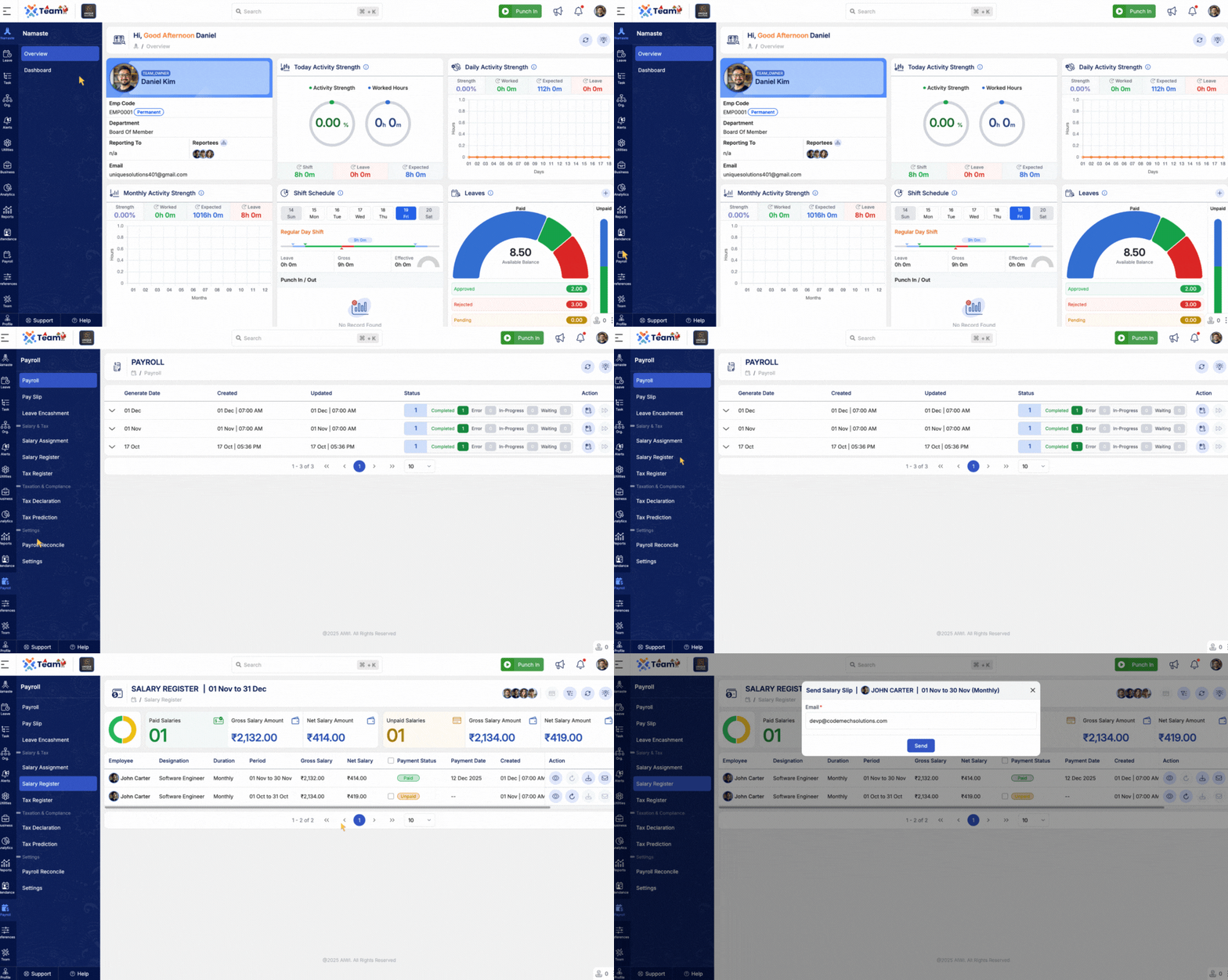
- Allows administrators to resend salary slips to an alternate or updated email address.
- Useful when employees request delivery to a personal or corrected email ID.
- Maintains proper communication without reprocessing payroll.
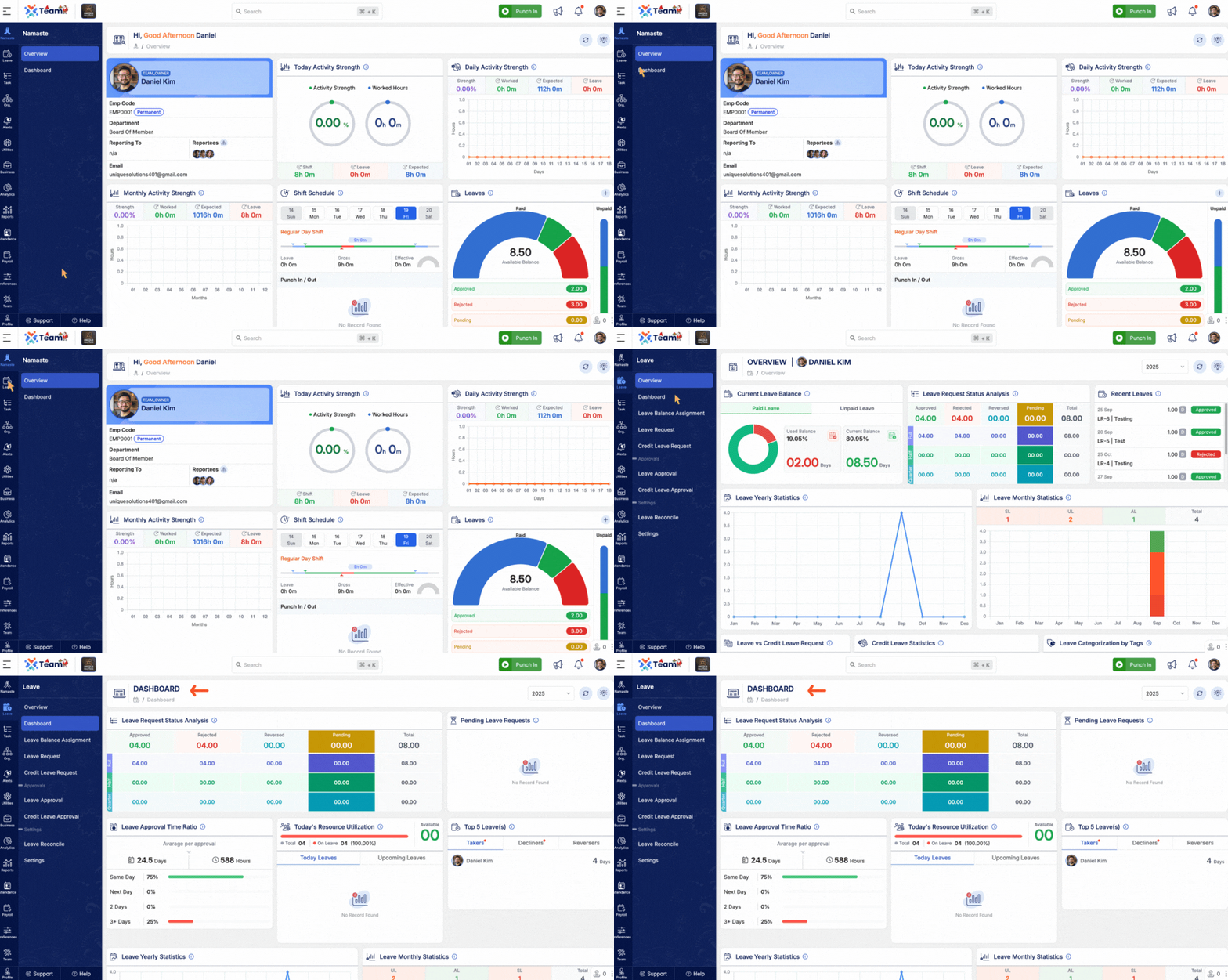
- Leave dashboard access is now controlled based on user roles and permissions.
- Ensures managers, HR, and employees view only relevant leave information.
- Improves data security and clarity across leave management workflows.
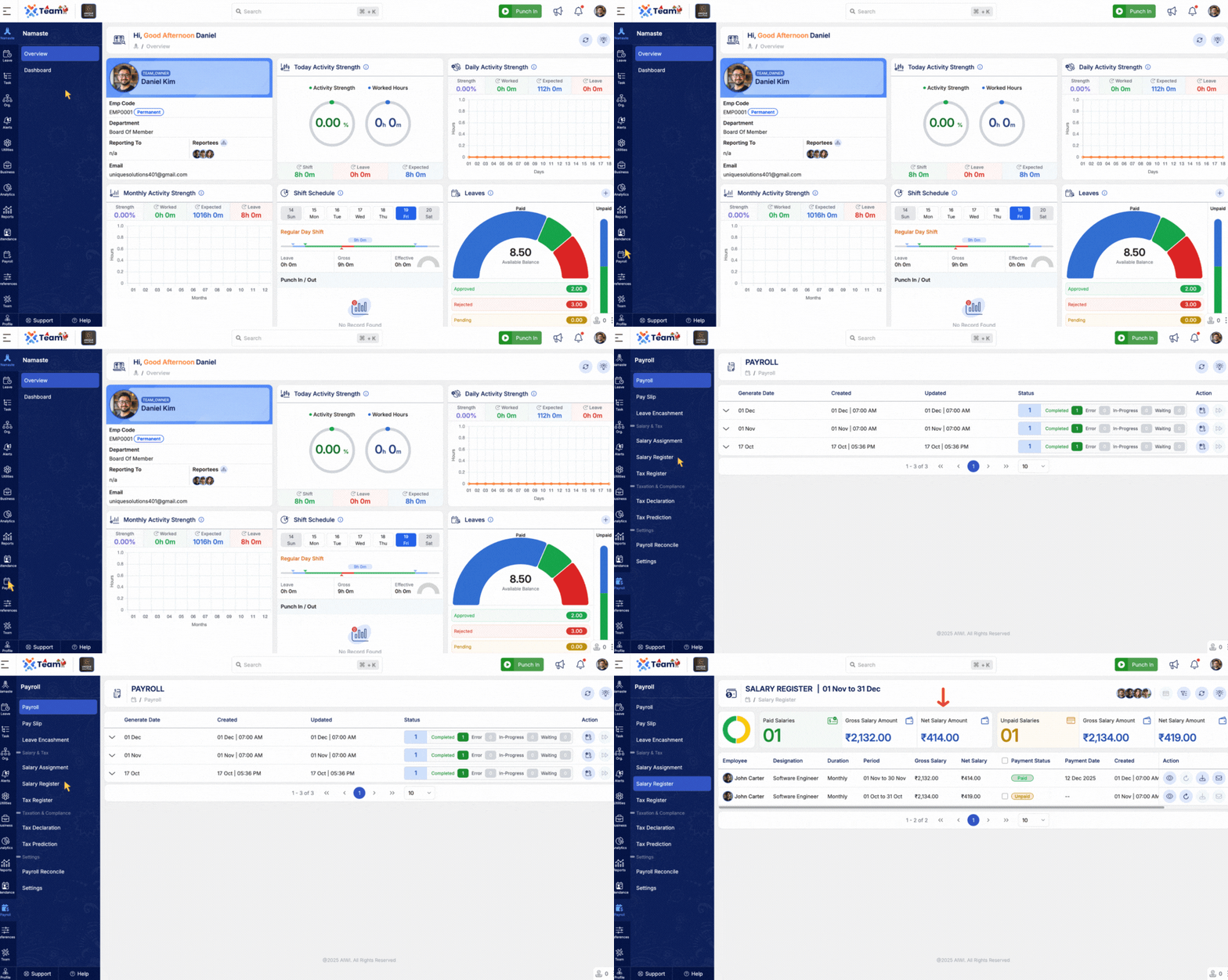
- Added a quick summary view to the salary register for faster payroll review.
- Provides an at-a-glance overview of key salary totals and processing status.
- Reduces time spent navigating detailed payroll records.
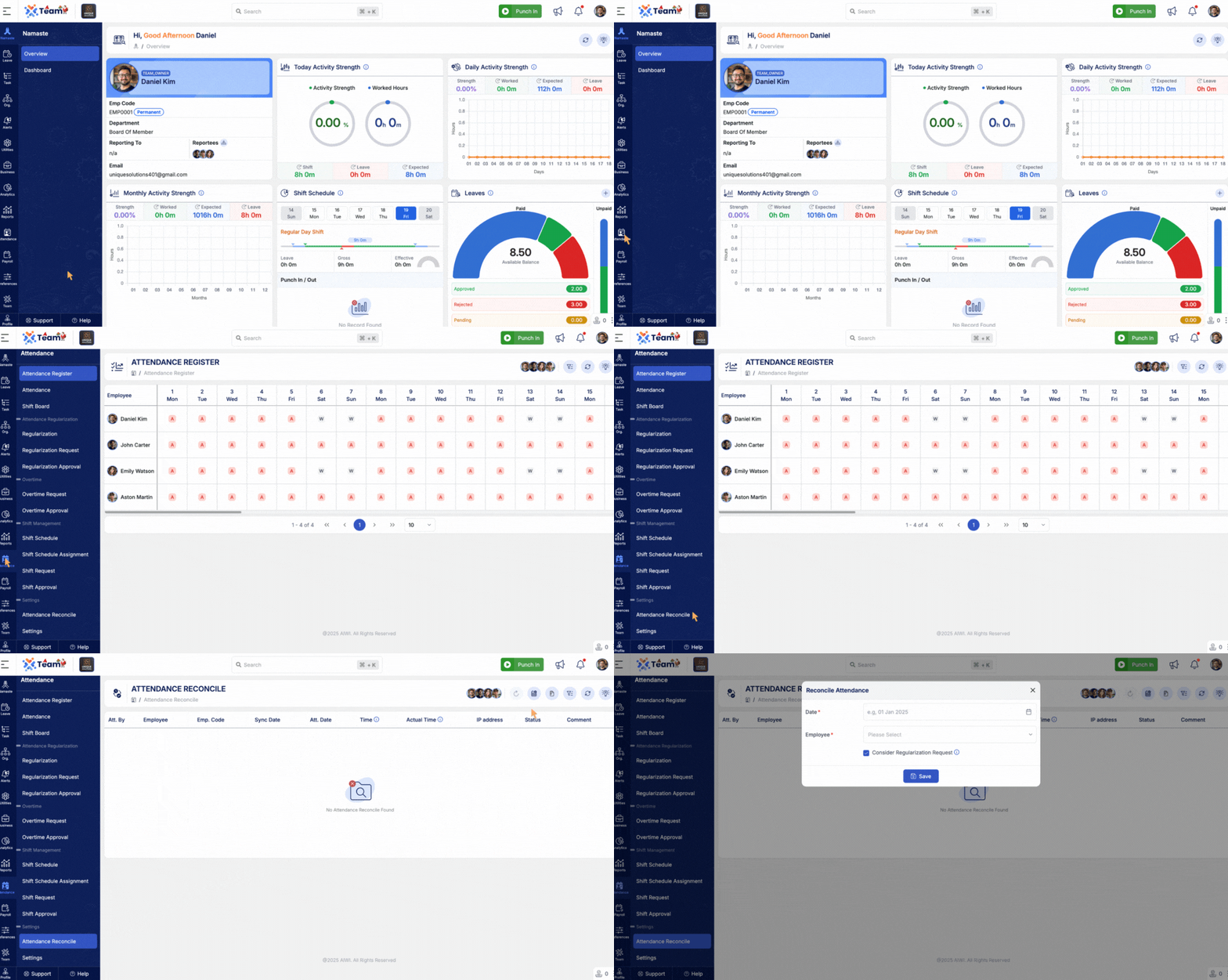
- Attendance reconciliation logic has been enhanced for higher accuracy.
- Better handling of punches, adjustments, and approvals during reconciliation.
- Ensures reliable attendance data for payroll and reporting.
- Resolved an issue where duplicate company registration types could be created.
- Prevents data duplication and maintains consistency in company setup.
- Improves overall system stability and configuration integrity.
- General Performance Improvements: Backend optimizations implemented for improved speed and reliability.
- Bug Fixes: Minor issues resolved across various modules to enhance user experience and stability.
- A new snapshot mechanism captures salary preferences at the time of salary record creation, ensuring transparent salary generation and audit traceability.
- Preserves original salary structure details including earnings, deductions, and allowances.
- Supports transparent payroll audits and historical reviews.
- A unified quick employee filter component has been added across multiple modules.
- Enables instant employee search by name, department, role, or code.
- Ensures consistent filtering behavior throughout the system, boosting navigation efficiency.
- New manual payroll processing functionality lets administrators perform payroll runs outside automatic cycles.
- Useful for exceptional cases like retroactive payments, probation completion, or salary adjustments.
- Includes validations and stage-by-stage preview controls for accuracy.
- Authorized users can now directly add or modify salary standards through the UI.
- Supports flexible structuring and hierarchical dependencies.
- Automatically updates applicable employee groups after configuration approval.
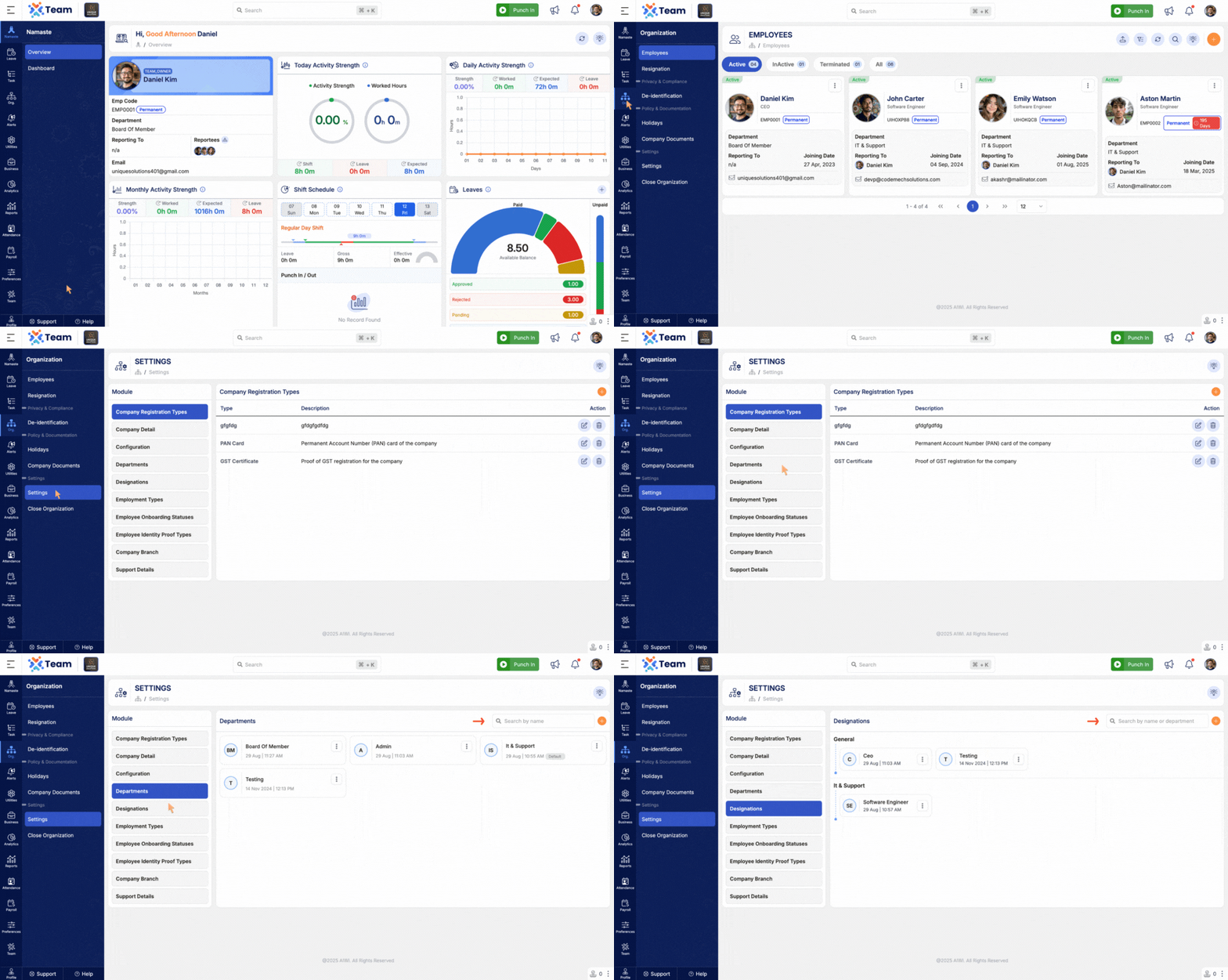
- New frontend search interface for departments and designations added.
- Allows faster and more accurate filtering when managing employee details, payroll configurations, or reports.
- Simplifies navigation and reduces input errors for administrative users.
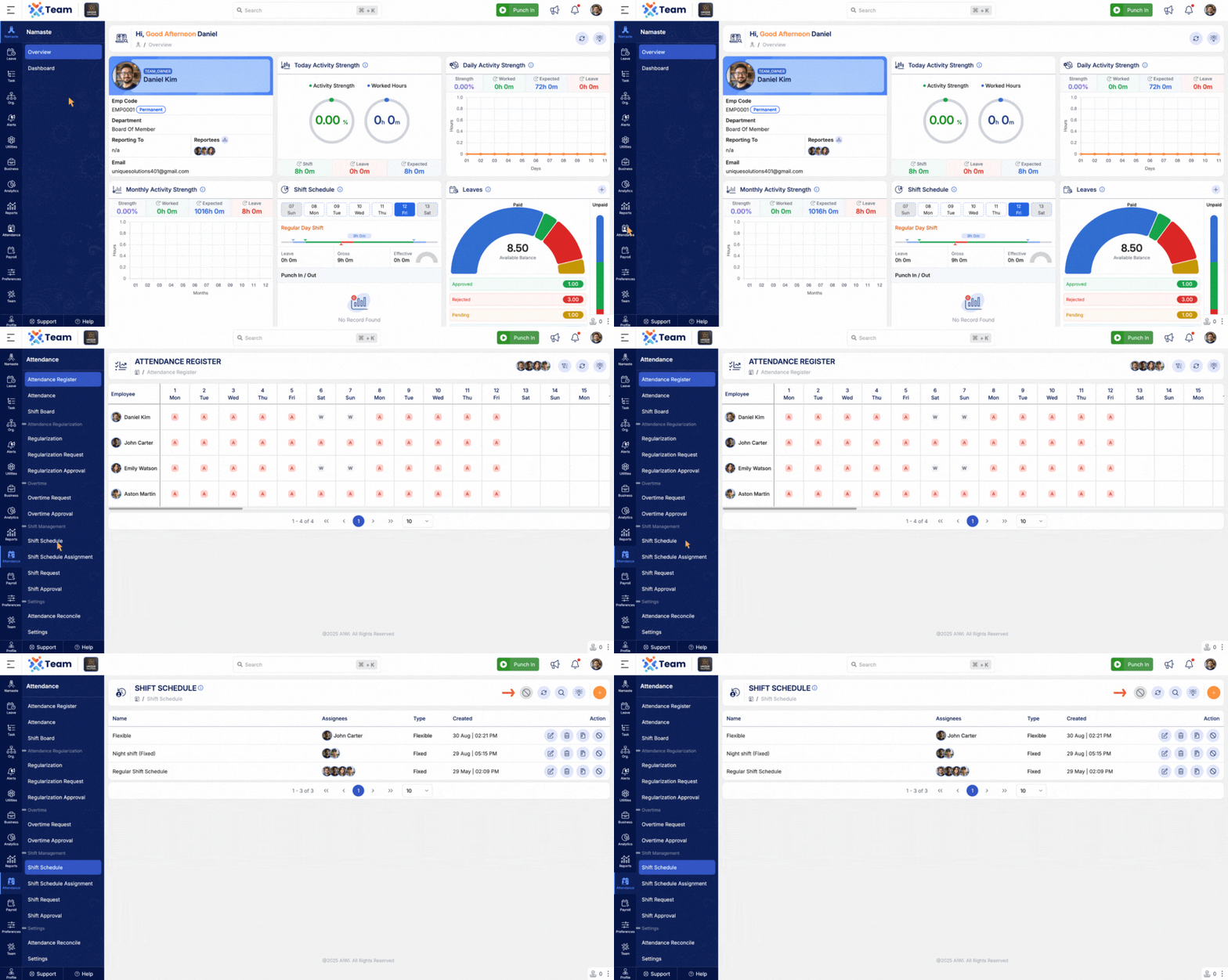
- Shift scheduling now supports disabling unused or outdated shifts.
- Prevents accidental deletion while preserving configuration history.
- Enhances control and traceability of shift management.
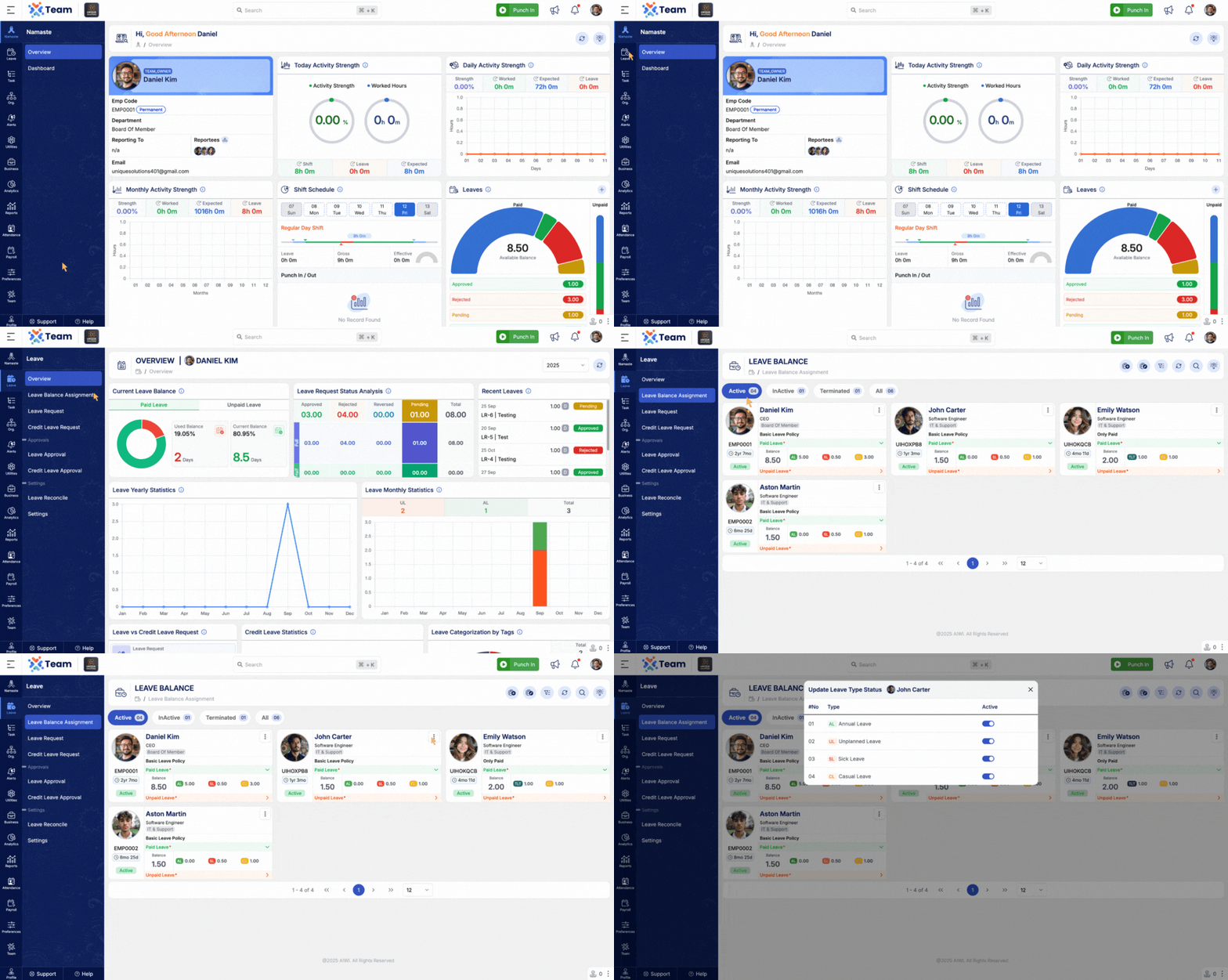
- Introduced option to hold certain leave types for specific employees.
- Helps organizations restrict critical leave types during project phases or audits.
- System automatically marks such requests as ‘On Hold’ until manually released.
- System now automatically triggers an email with attached salary slip when payroll status changes to ‘Paid.’
- Enhances communication to employees and minimizes manual effort in payroll dispatch.
- Ensures timely notification and transparent record sharing.
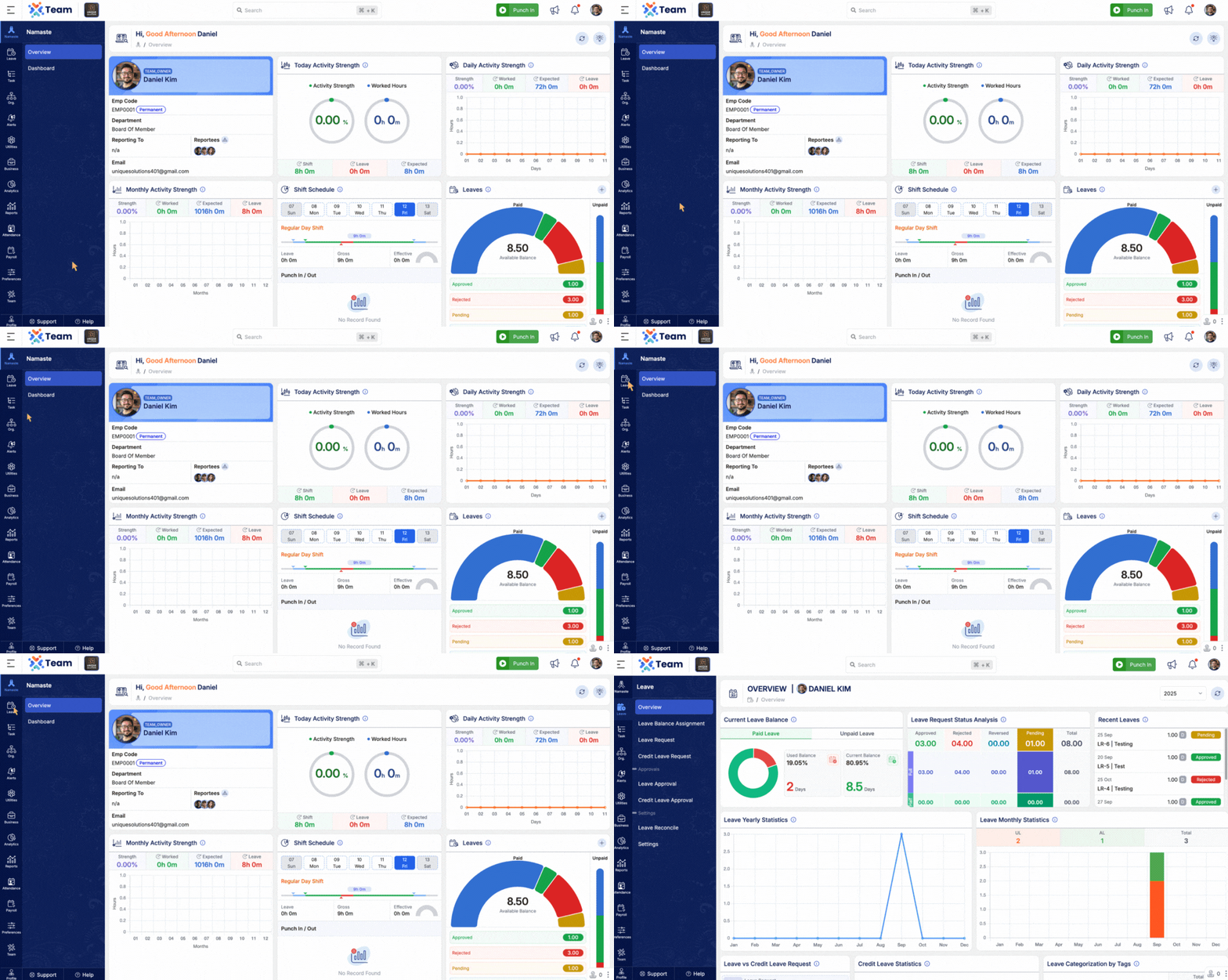
- The Leave Overview Dashboard gives employees a real-time visualization of their leave history and balance.
- Displays approved and pending requests along with overall leave trends.
- Helps employees plan leave effectively while maintaining visibility of their available balances and approval timelines.
- Empowers employees with transparency and control over their own leave management.
- General Performance Improvements: Backend optimizations implemented for improved speed and reliability.
- Bug Fixes: Minor issues resolved across various modules to enhance user experience and stability.
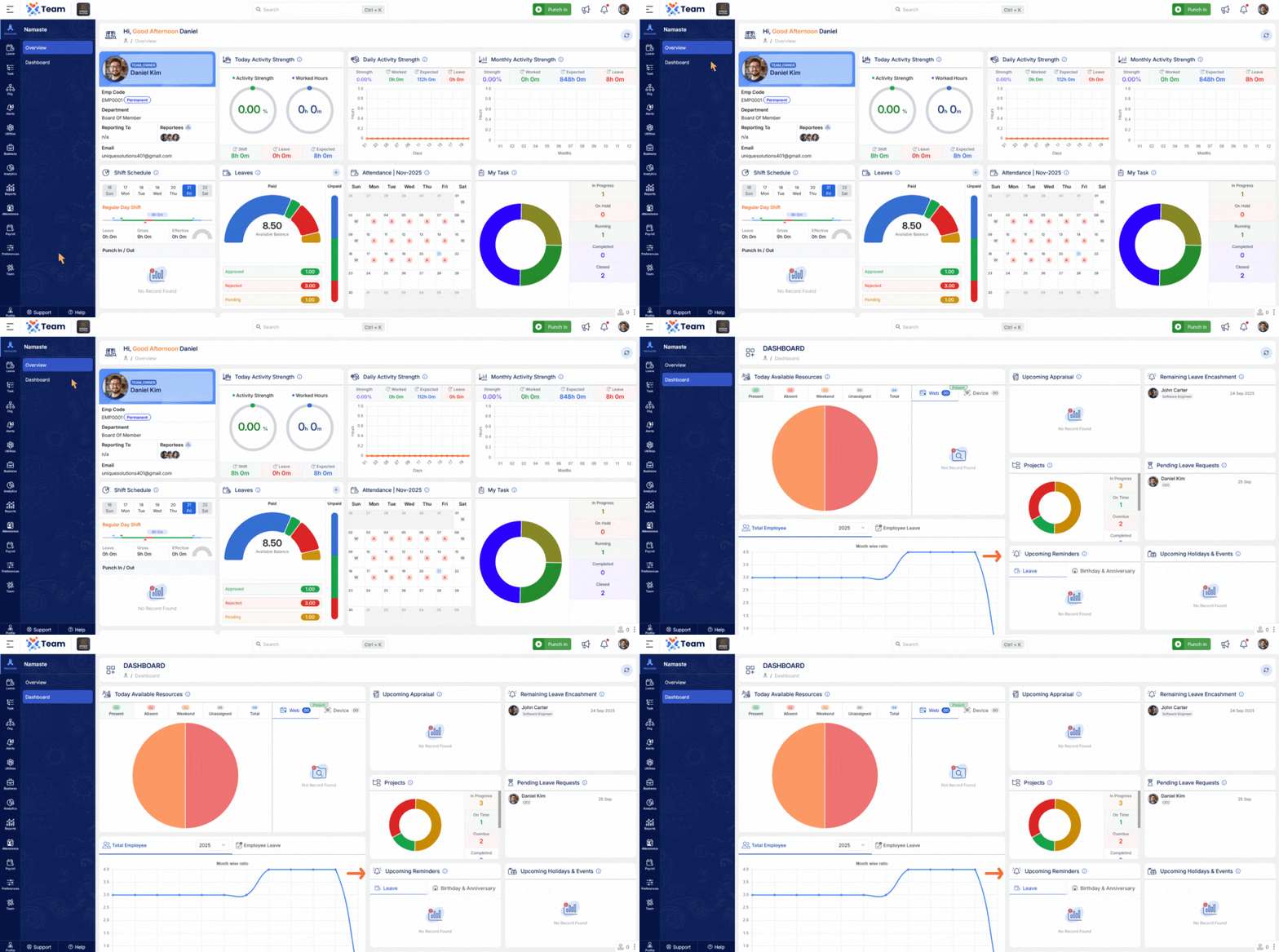
- Leave reminders are now organized into Today Leaves and Upcoming Leaves, helping you quickly see current and future absences.
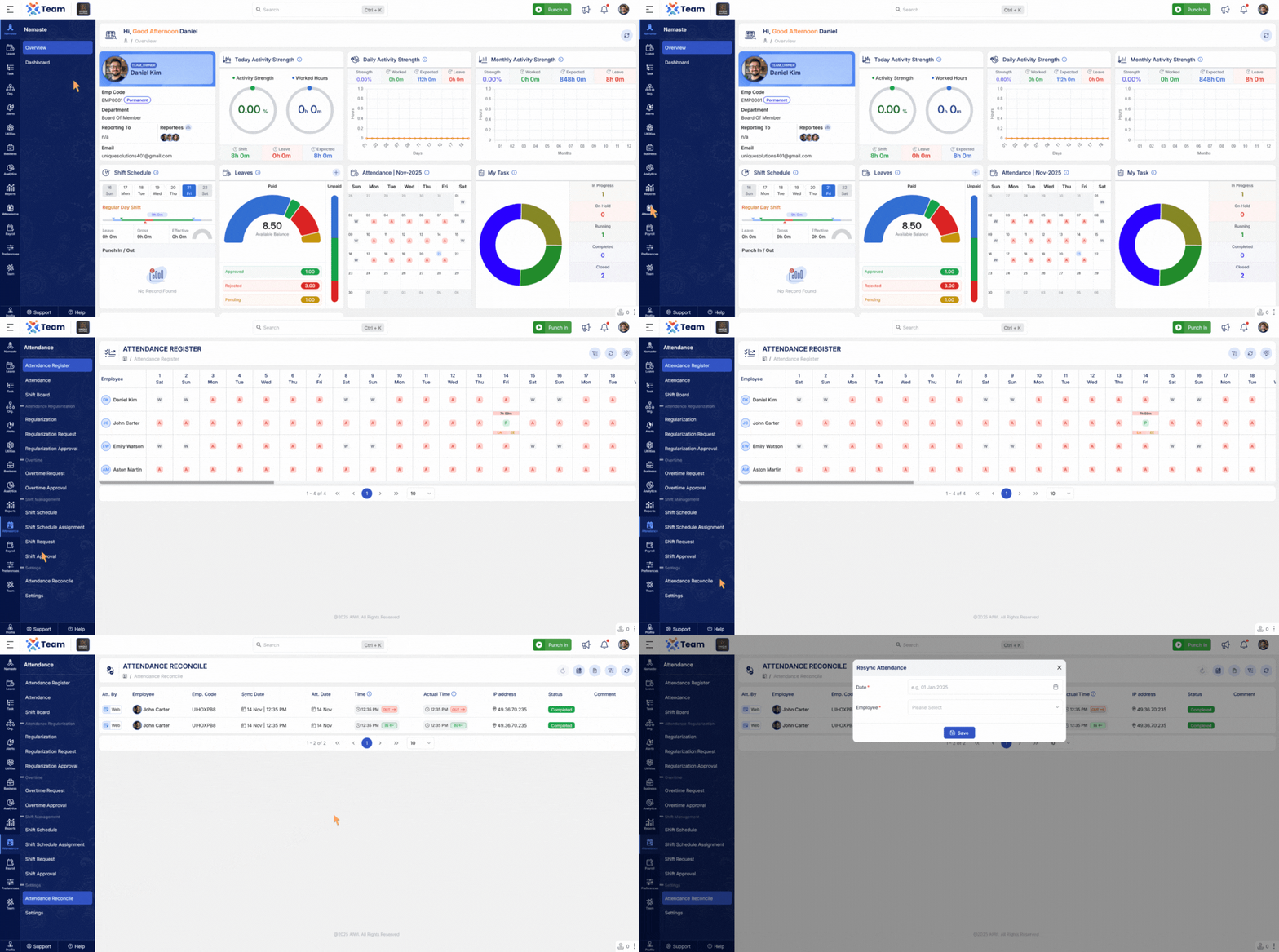
- A new attendance resync mechanism has been introduced to accurately refresh and correct punching data for the selected dates and employees.
- Sorting options are now available in Organization, Attendance, Payroll, and Invitations modules.
- Added a validation flow to review and clear pending tasks before terminating an employee.
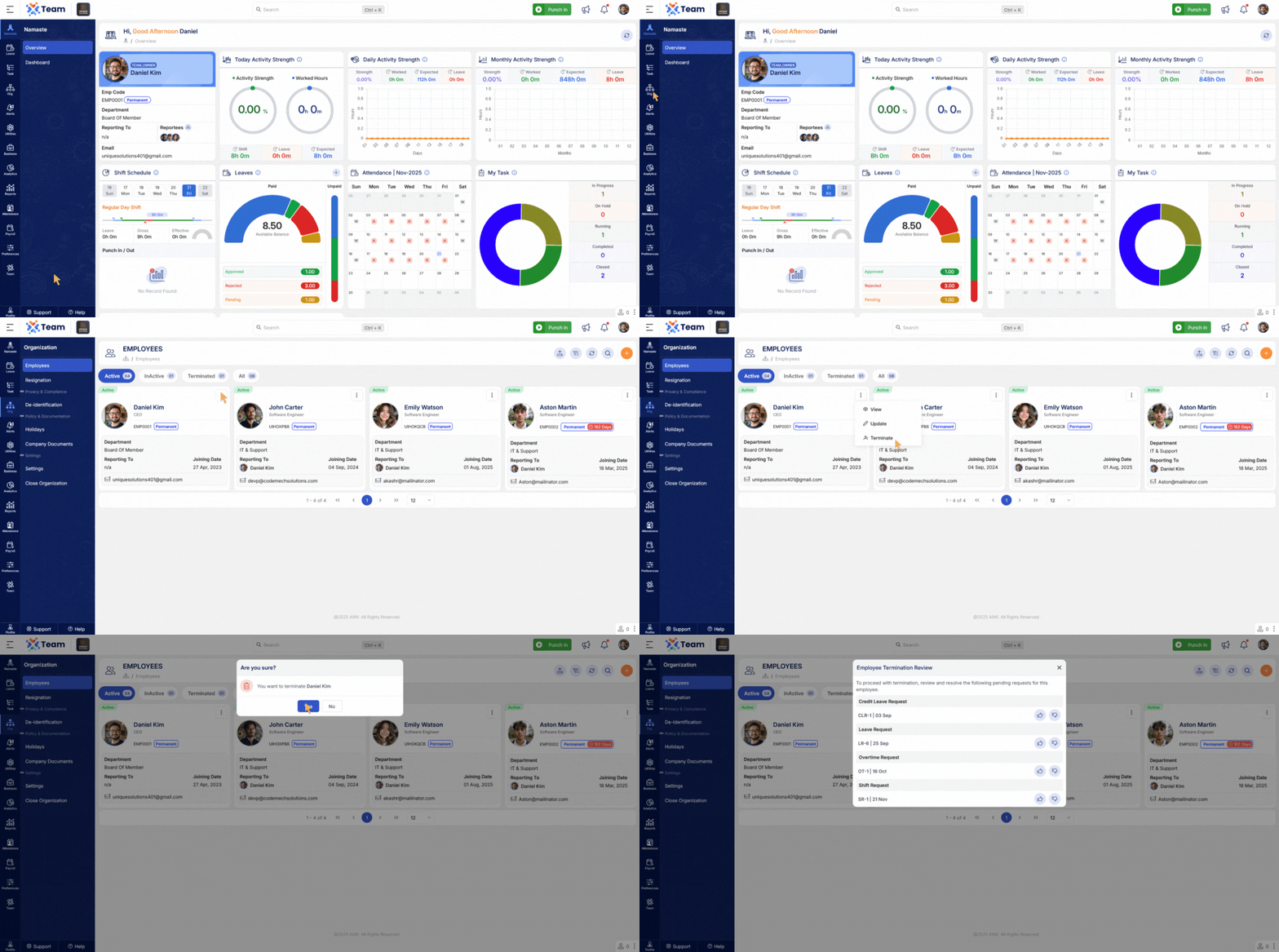
- System now automatically ends active shifts when an employee is terminated.
- Calendar events enhanced for better visibility and accurate leave representation.
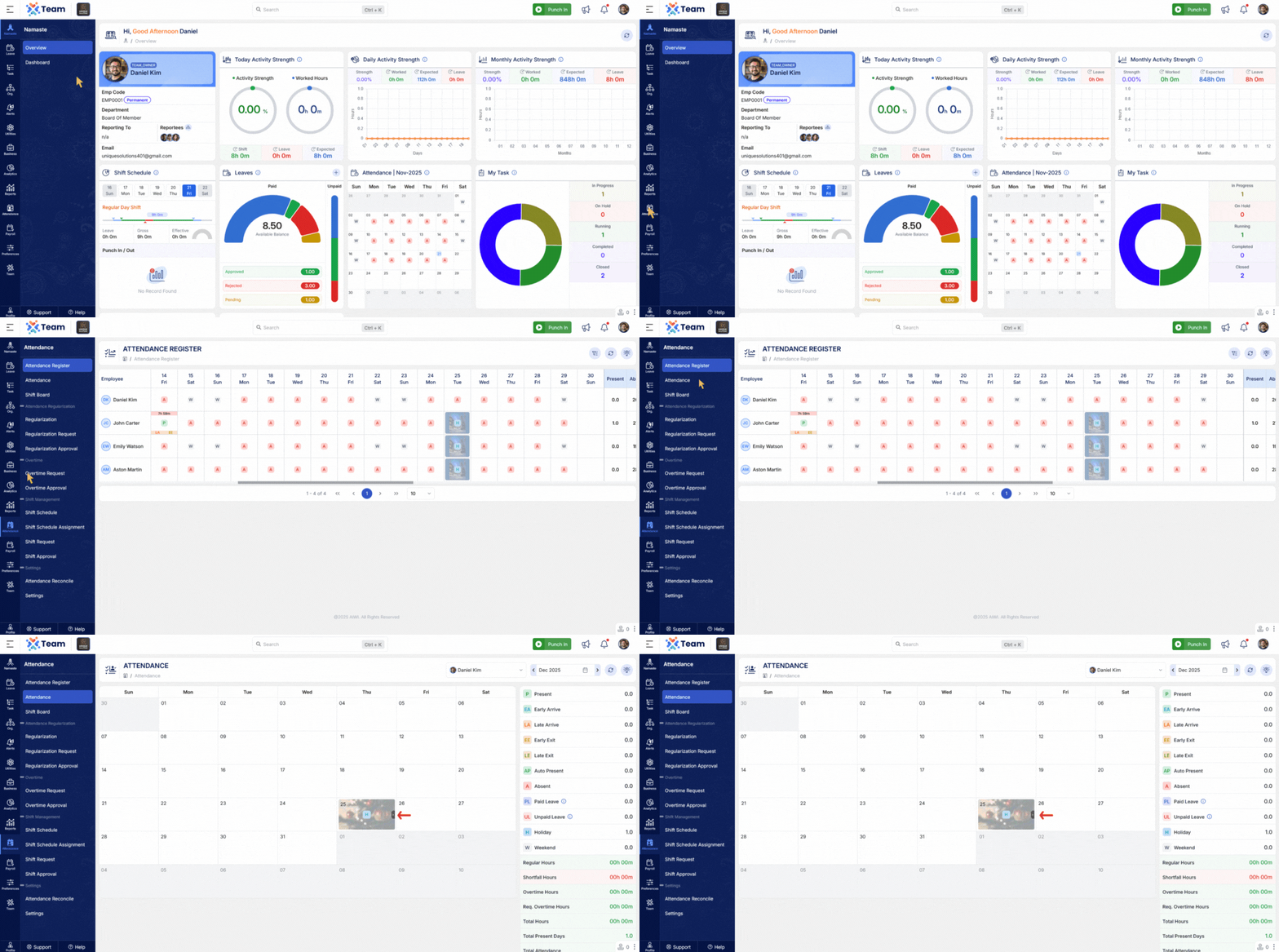
- Support added to configure multiple holidays on the same date.
- Invitation screens now display the branding of the invited company for a more personalized onboarding experience.
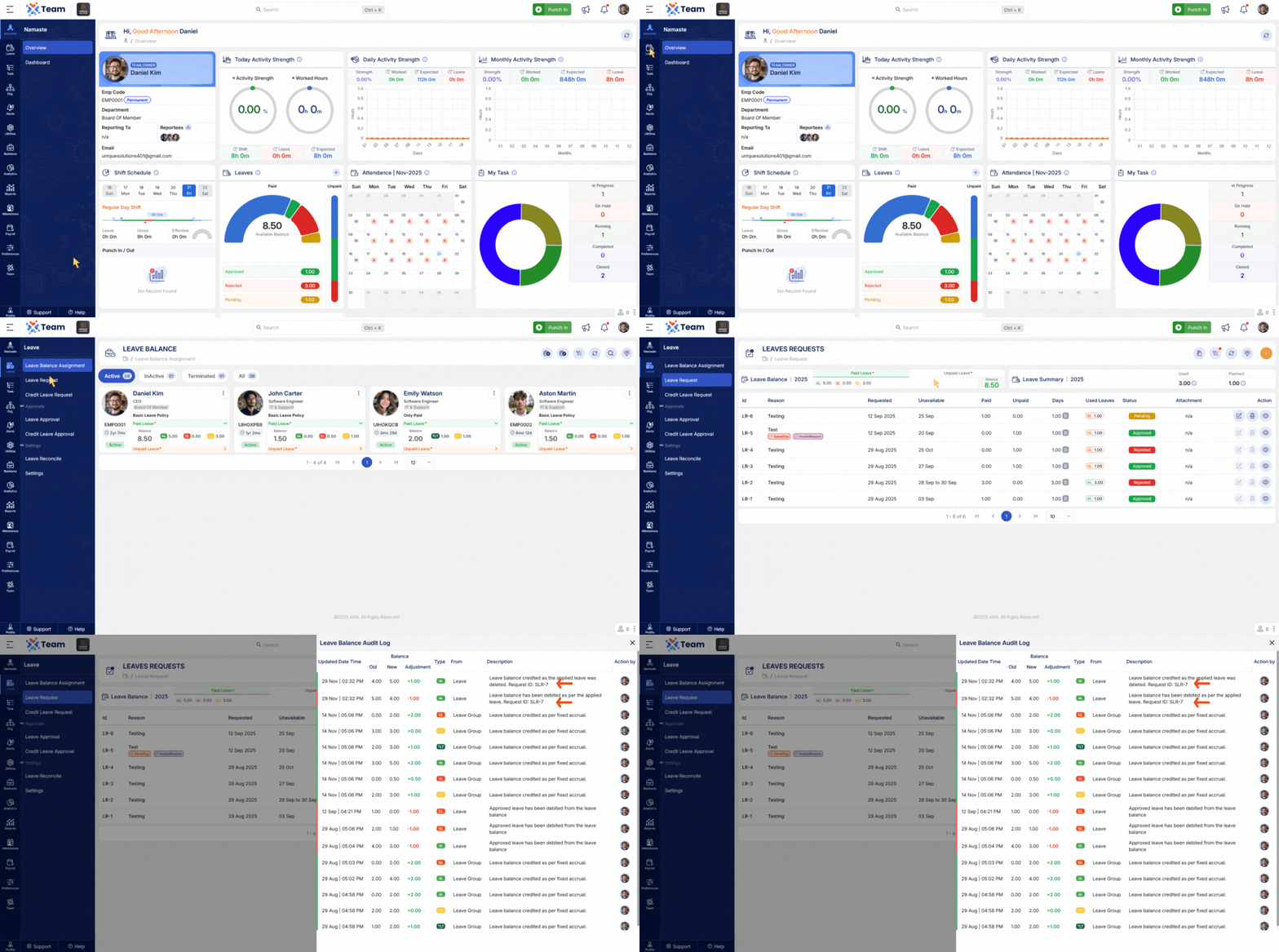
- Audit logs now include the associated Team Request ID for better traceability of leave balance changes.
- Helpful tips added throughout the application to improve user guidance and usability.
- General Performance Improvements: Backend optimizations implemented for improved speed and reliability.
- Bug Fixes: Minor issues resolved across various modules to enhance user experience and stability.
- The system now automatically punches in the employee when they continue working beyond their previous shift and cross into a new scheduled shift.
- Ensures accurate and uninterrupted attendance tracking without requiring manual punch-in when a new shift begins during ongoing work.
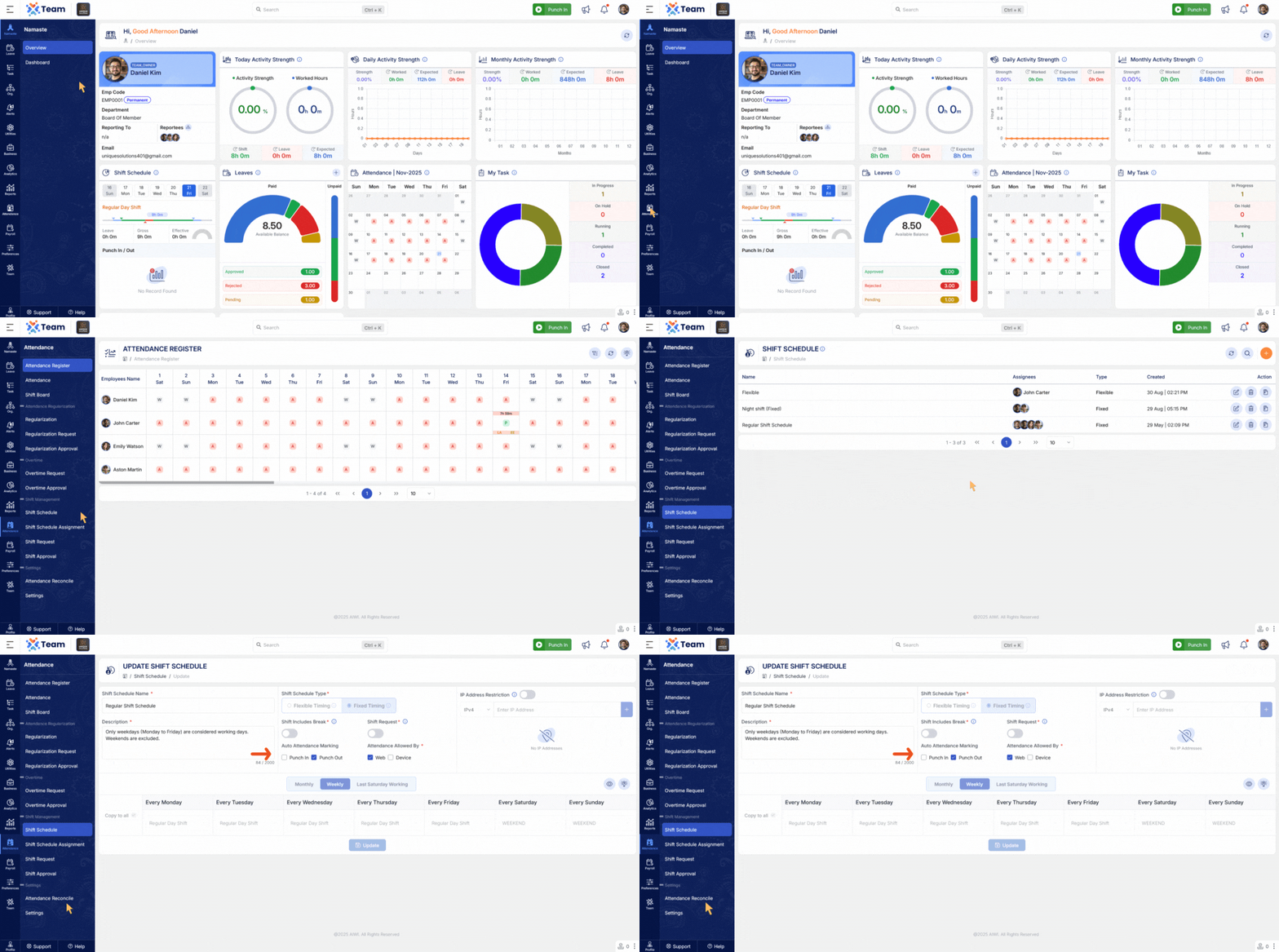
- Shift Request module now supports tagging for better categorization and tracking.
- A new form field, Shift Request Type, has been added to classify shift-related requests such as shift change, rotation, or swap.
- Improves request handling, clarity, and reporting accuracy.
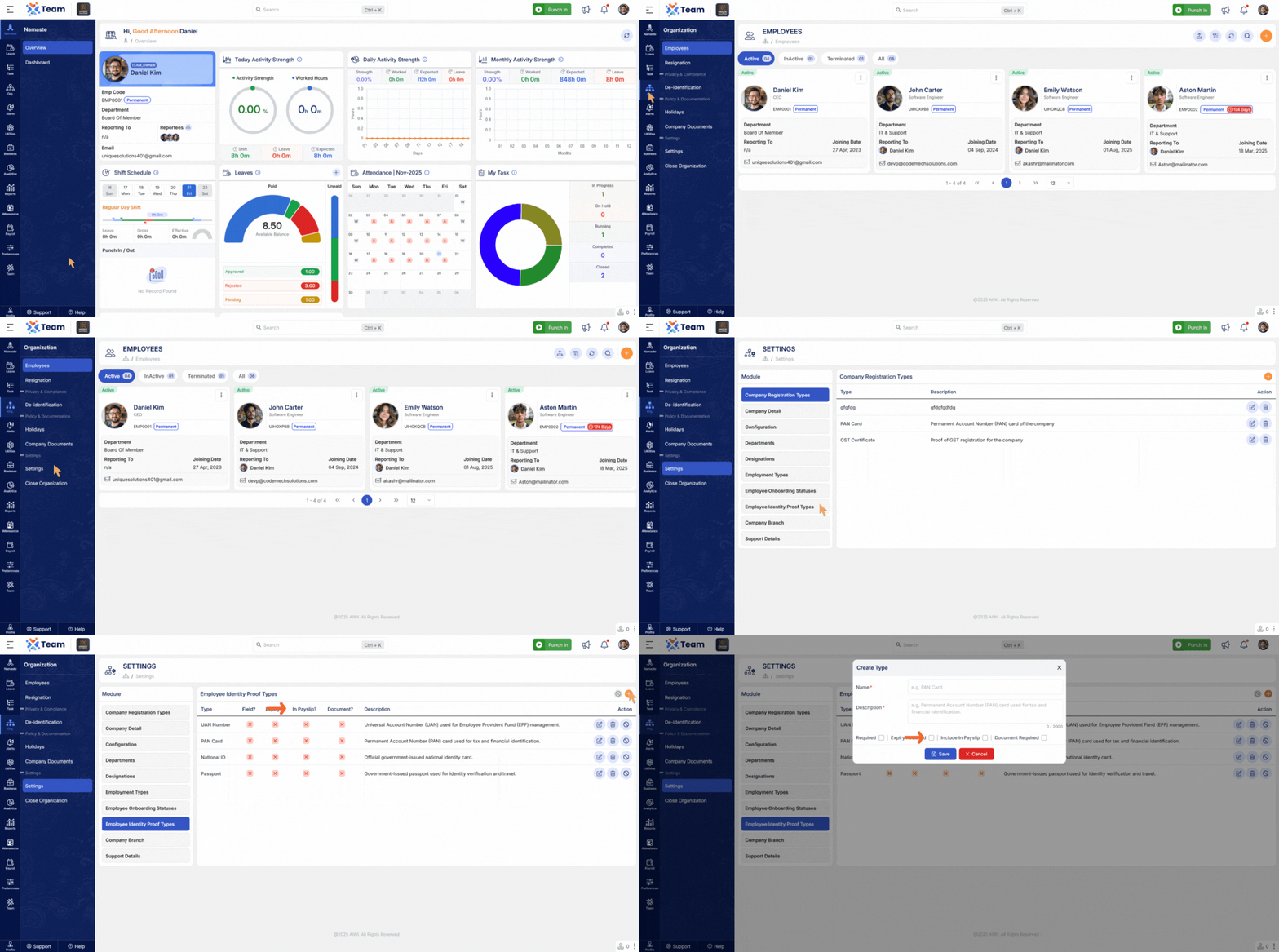
- Payslips now display the employee’s identity proof name (e.g., Aadhaar, PAN, Passport).
- The corresponding identity proof number is also included for enhanced compliance and verification.
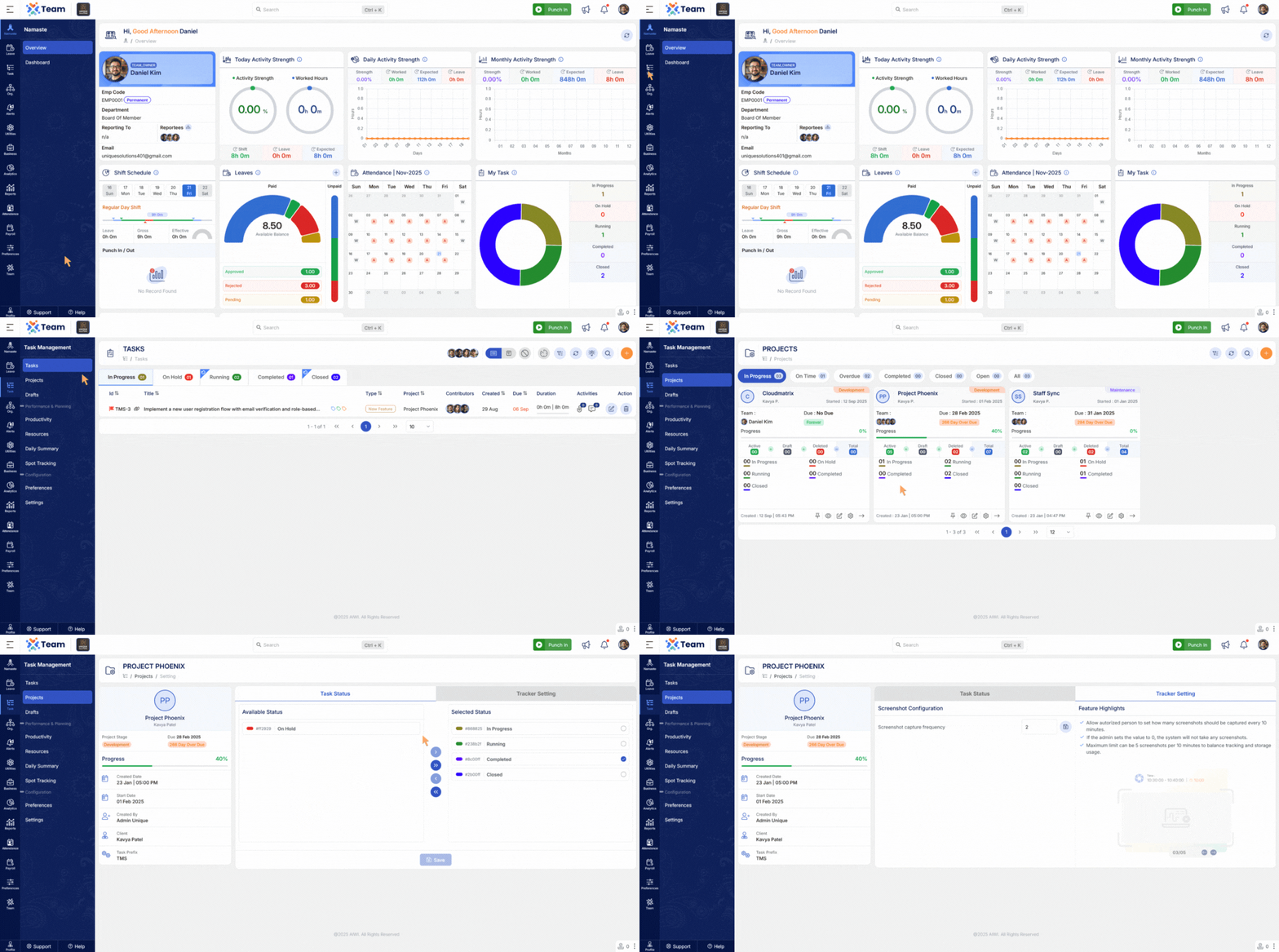
- A new screenshot configuration option has been added under Project Settings for Tracker.
- Allows project-level control of screenshot frequency, visibility, and operational behavior.
- Tracker module updated to fully support the new configuration rules.
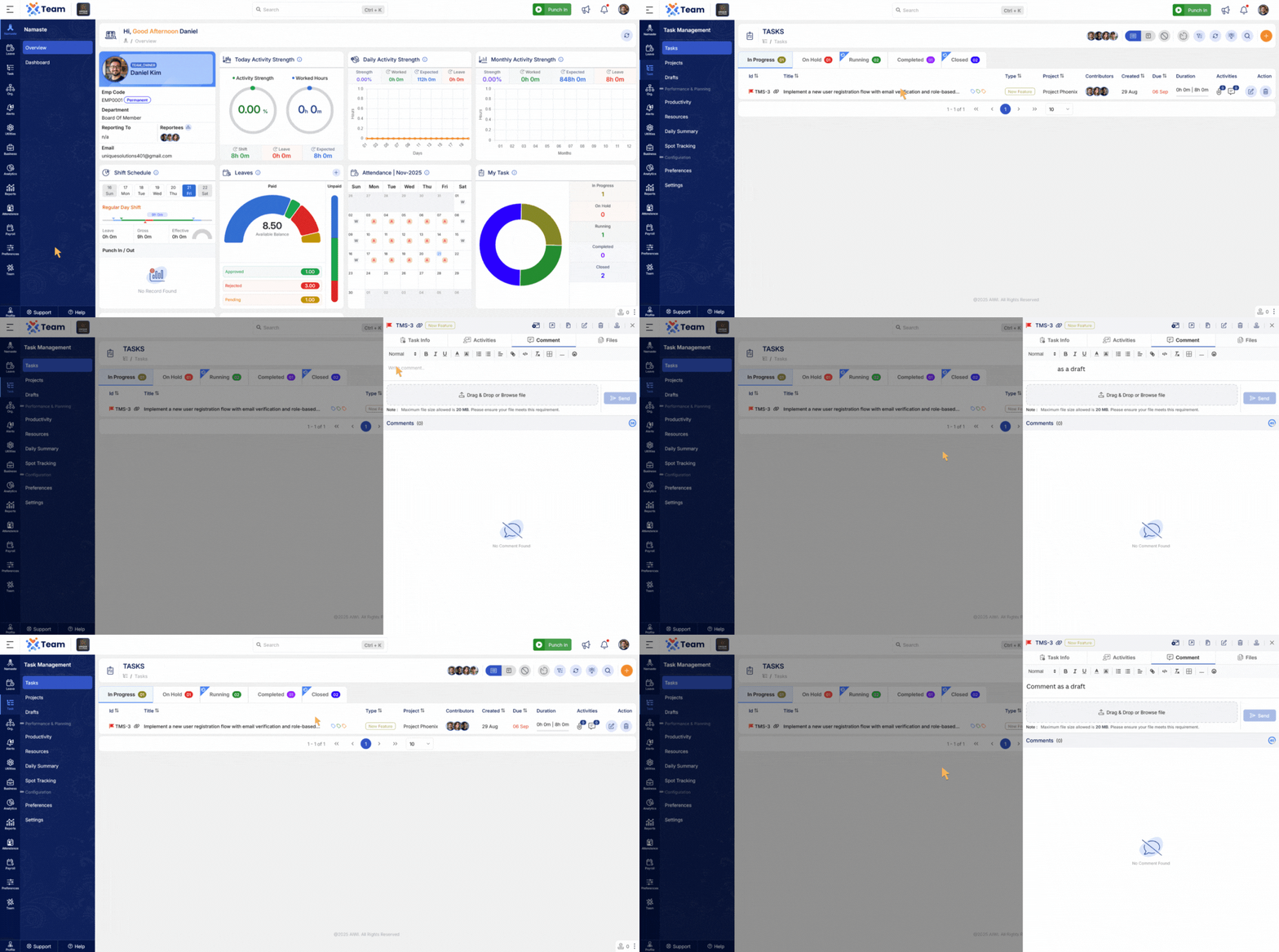
- Task comments are now automatically saved if a user types a comment but forgets to click “Send”.
- Prevents accidental loss of important information and enhances the user experience.
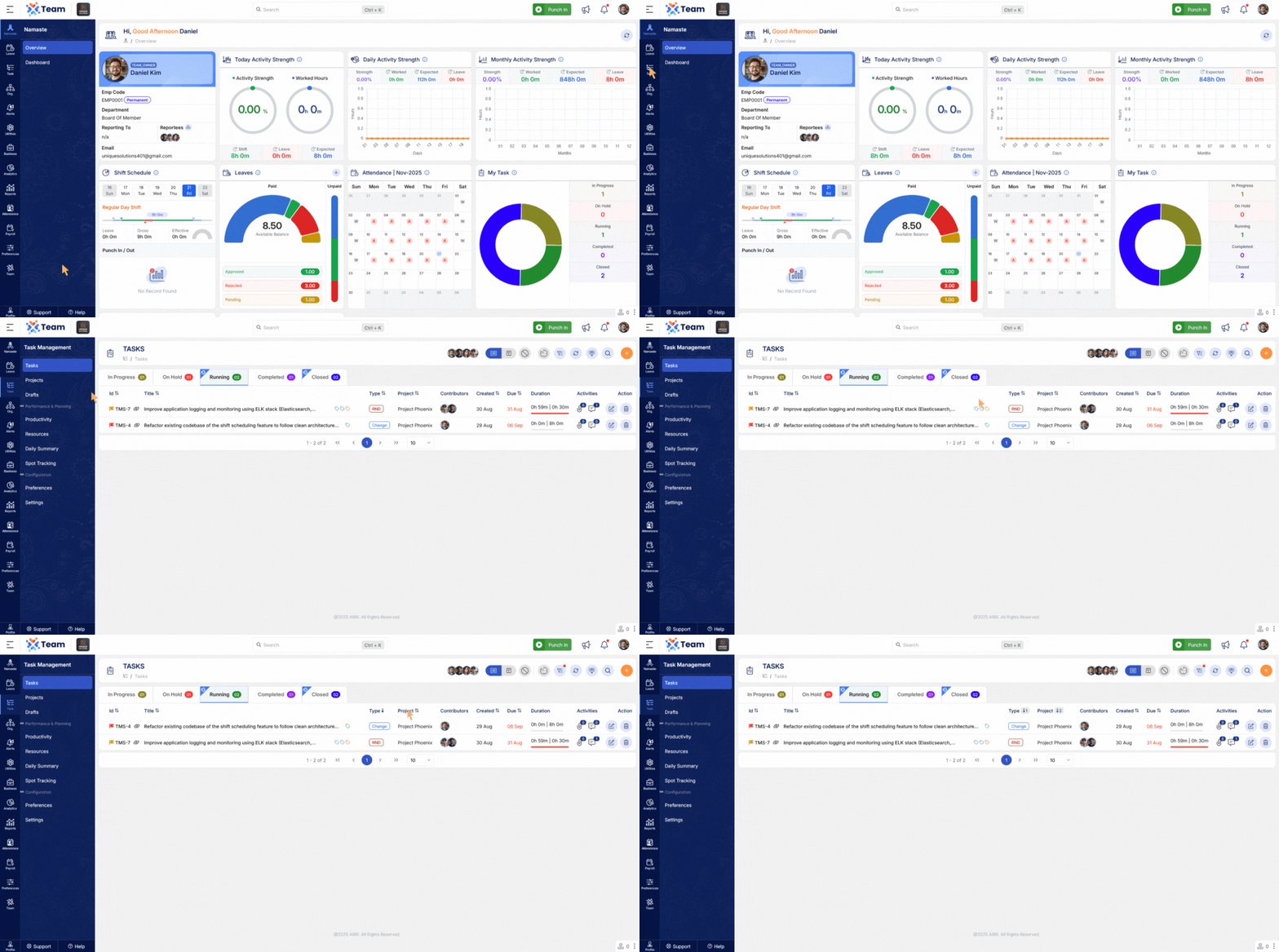
- Improved sorting capabilities across both Task and Leave modules.
- Users can now sort records more efficiently by fields such as date, priority, and status.
- Enhances navigation, clarity, and productivity.
- General Performance Improvements: Backend optimizations implemented for improved speed and reliability.
- Bug Fixes: Multiple minor issues resolved across various modules to enhance user experience and stability.
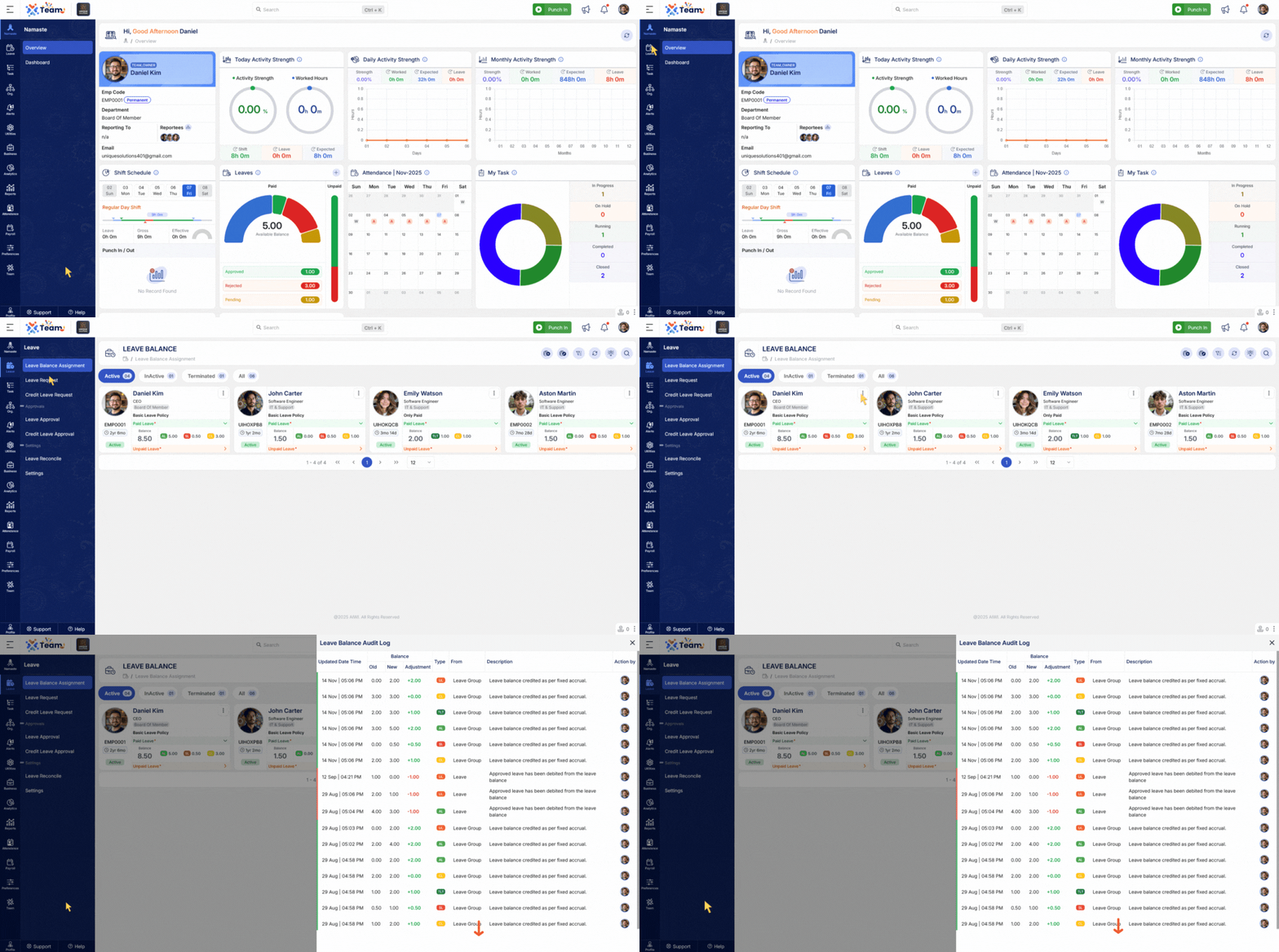
- The Leave Balance Audit section now features infinite scroll–based pagination for smoother and faster browsing.
- Users can navigate large datasets without manual page switching, improving usability and performance.
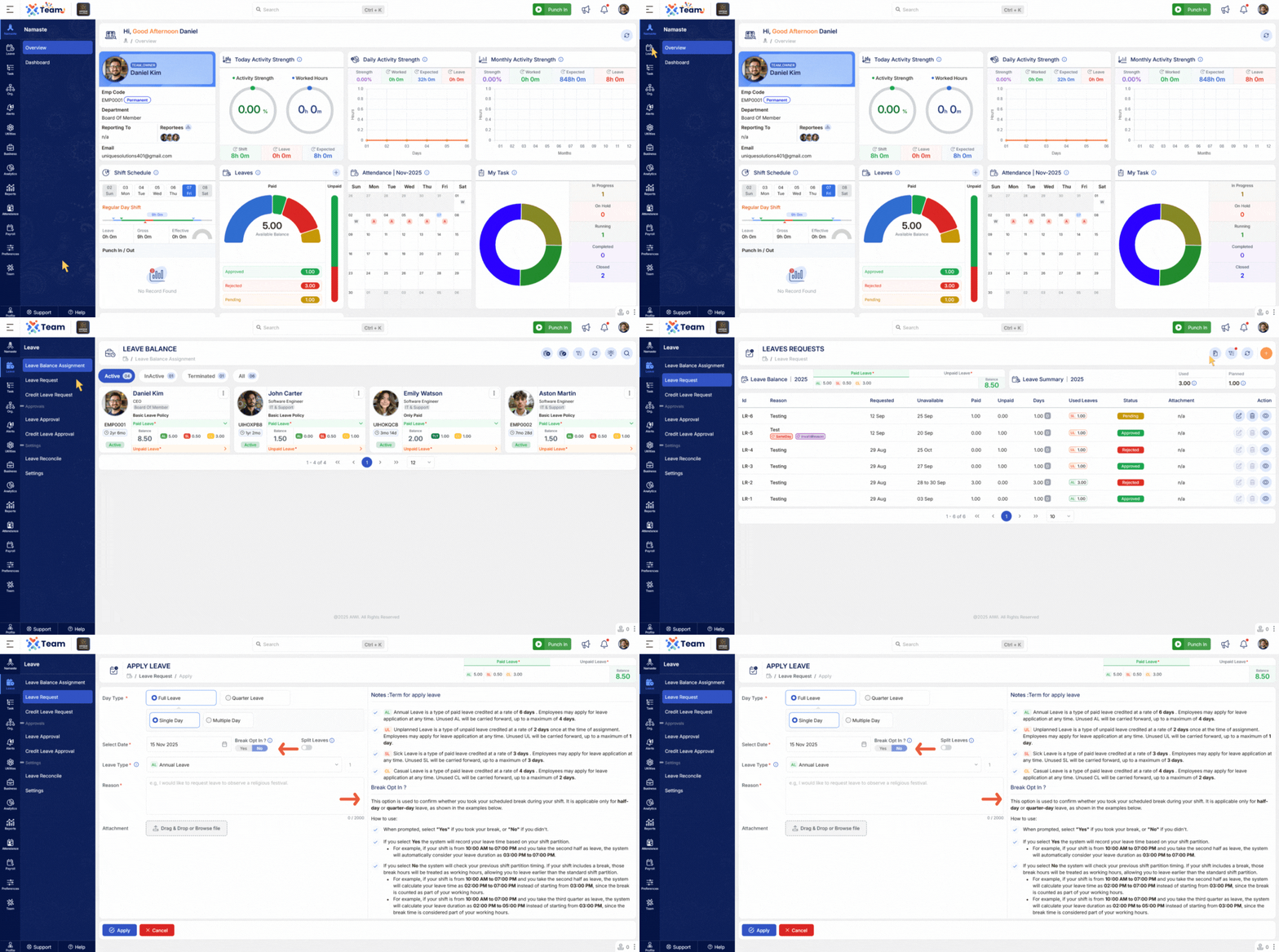
- The Break Opt-In/Out functionality within the leave request workflow has been enhanced.
- Ensures greater accuracy and flexibility in break handling and validations.
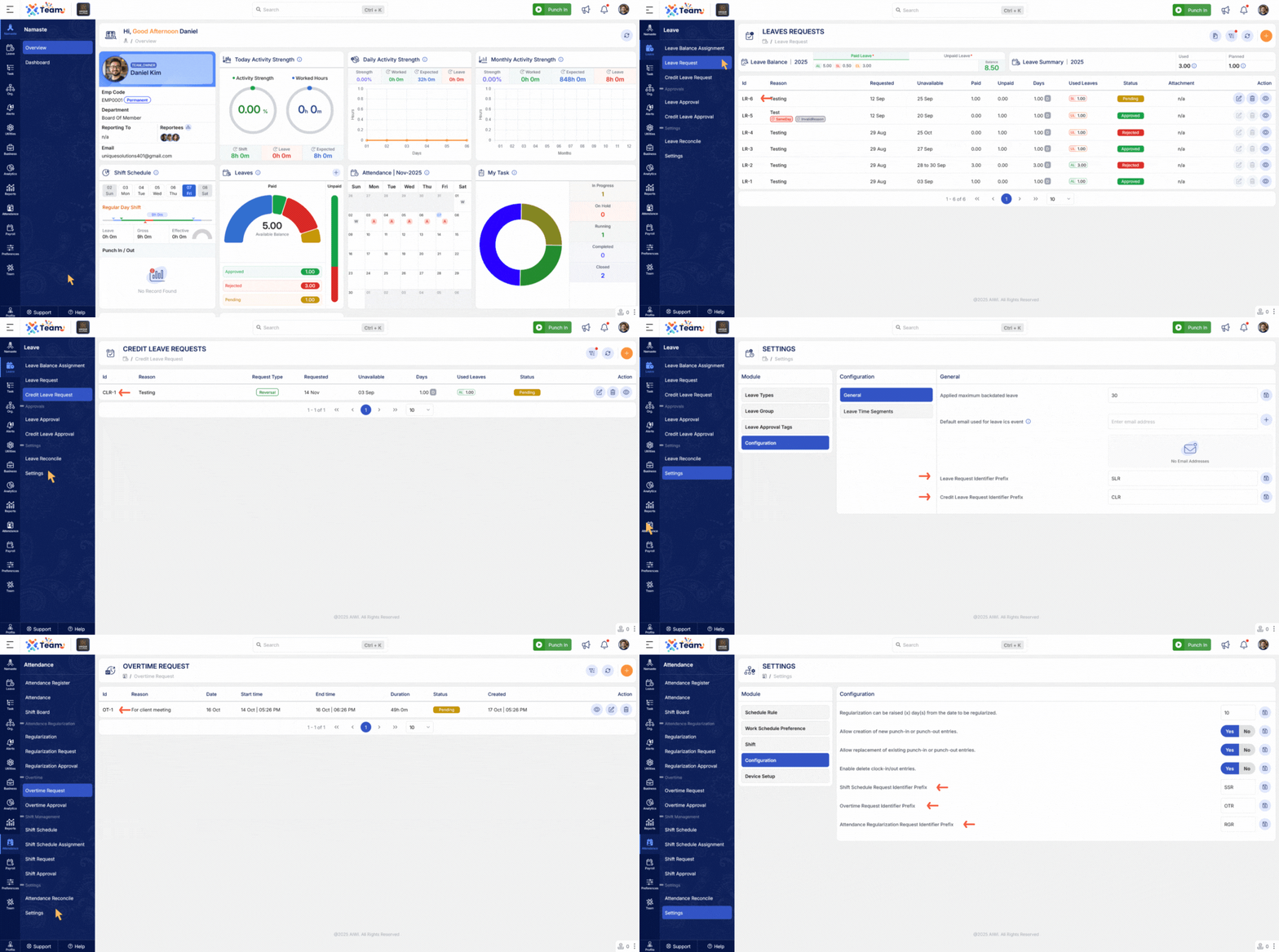
- Request ID generation is now implemented across all request forms.
- Improves traceability, consistency, and audit transparency.
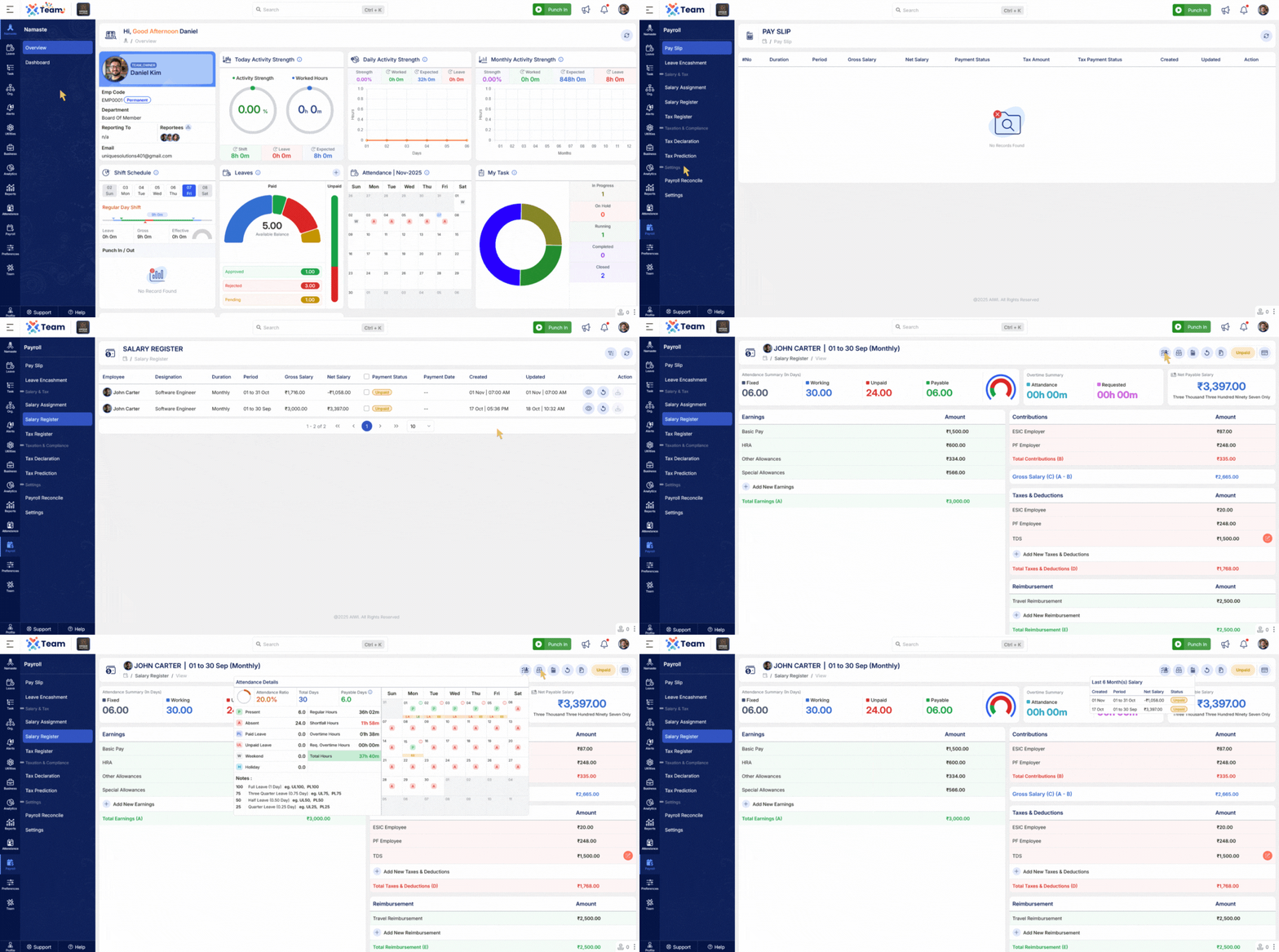
- The Payslip UI has been enhanced with detailed salary insights.
- Displays attendance, salary allocation details, and historical salary records.
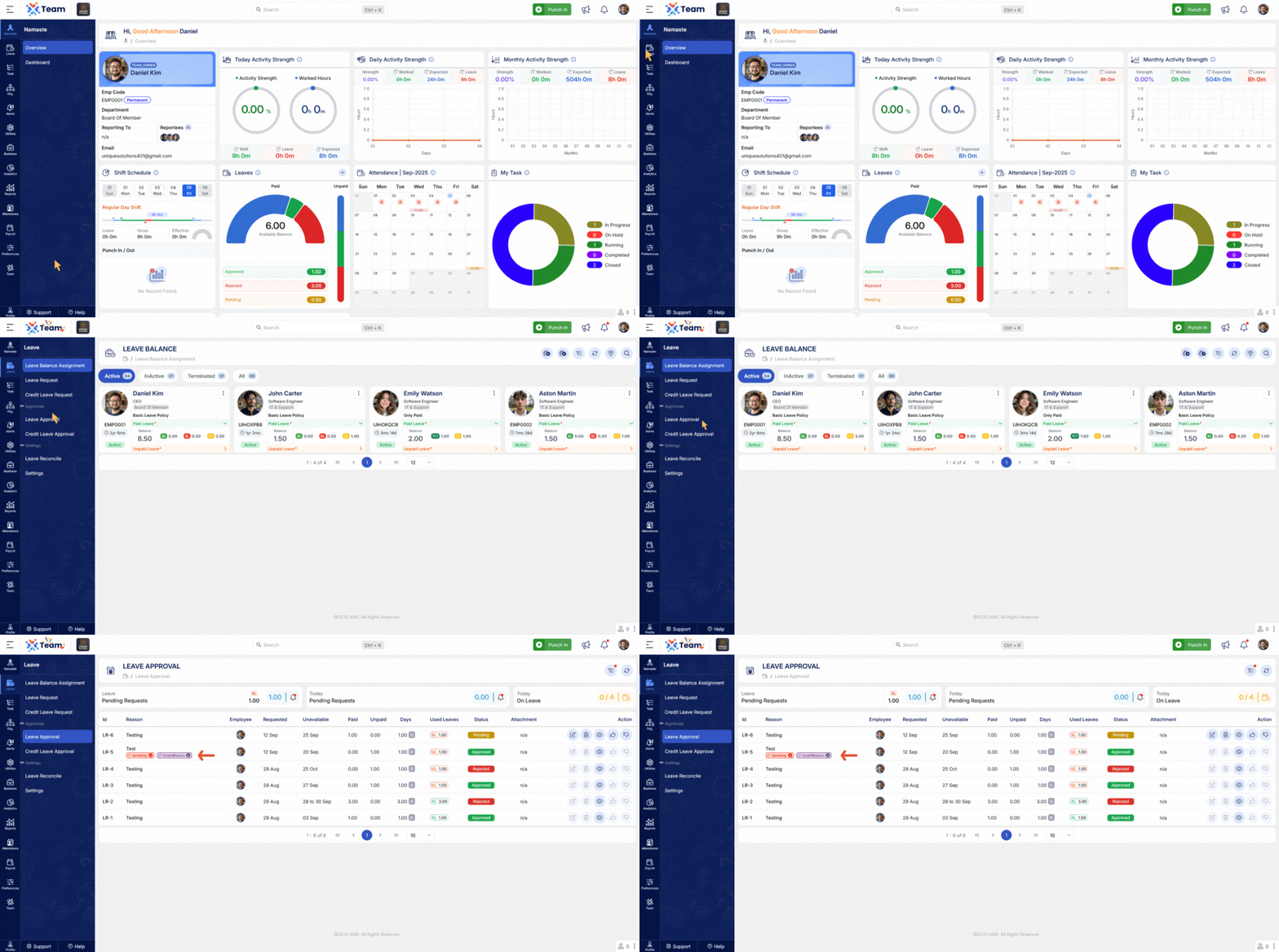
- Leave tags can now be added or removed instantly.
- Enables quicker and more efficient leave management.
- New project-level settings allow project-specific status management.
- Provides greater customization for task and workflow configuration.
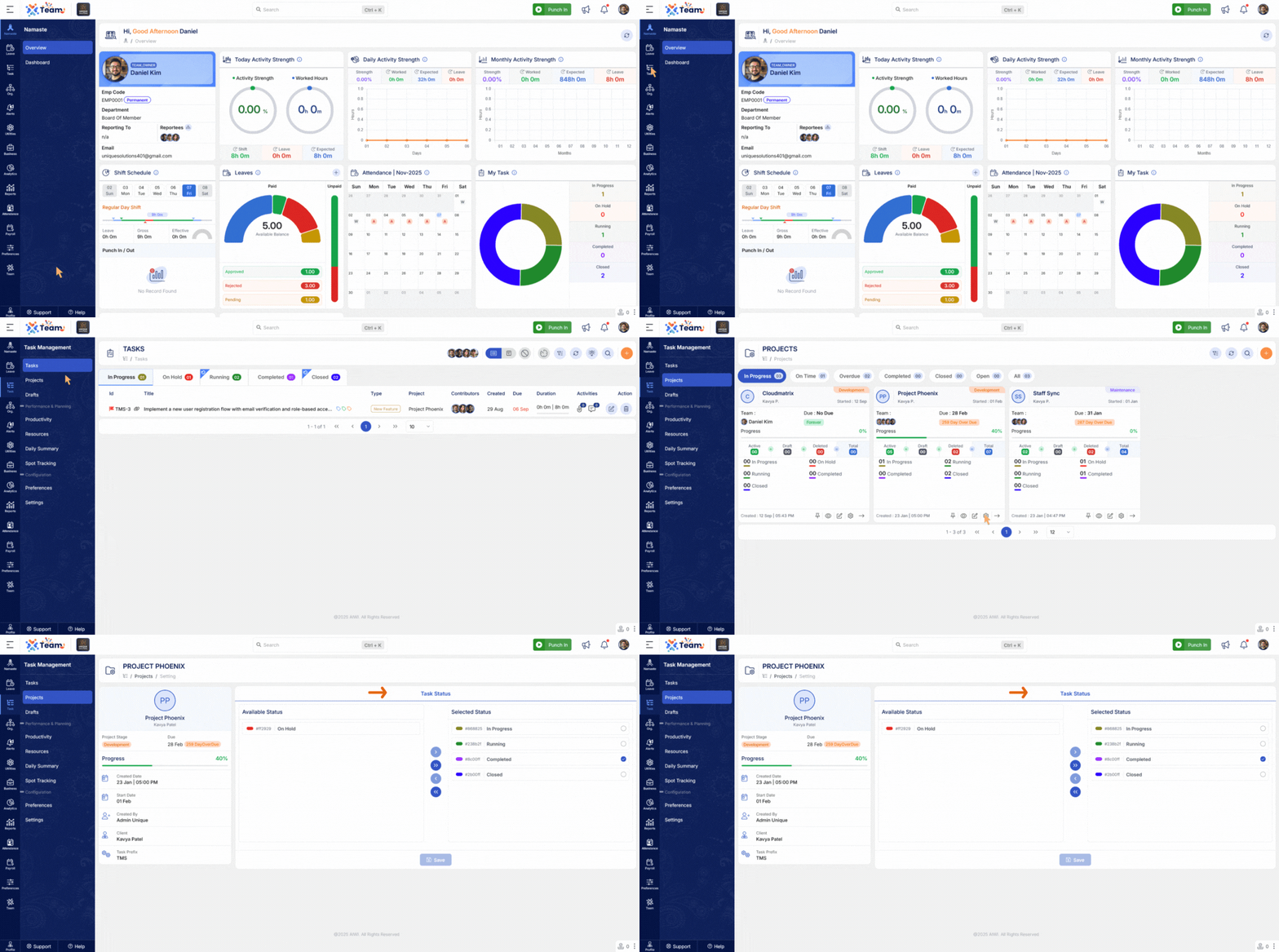
- Bulk contributor assignment is now supported.
- Simplifies and accelerates contributor configuration processes.
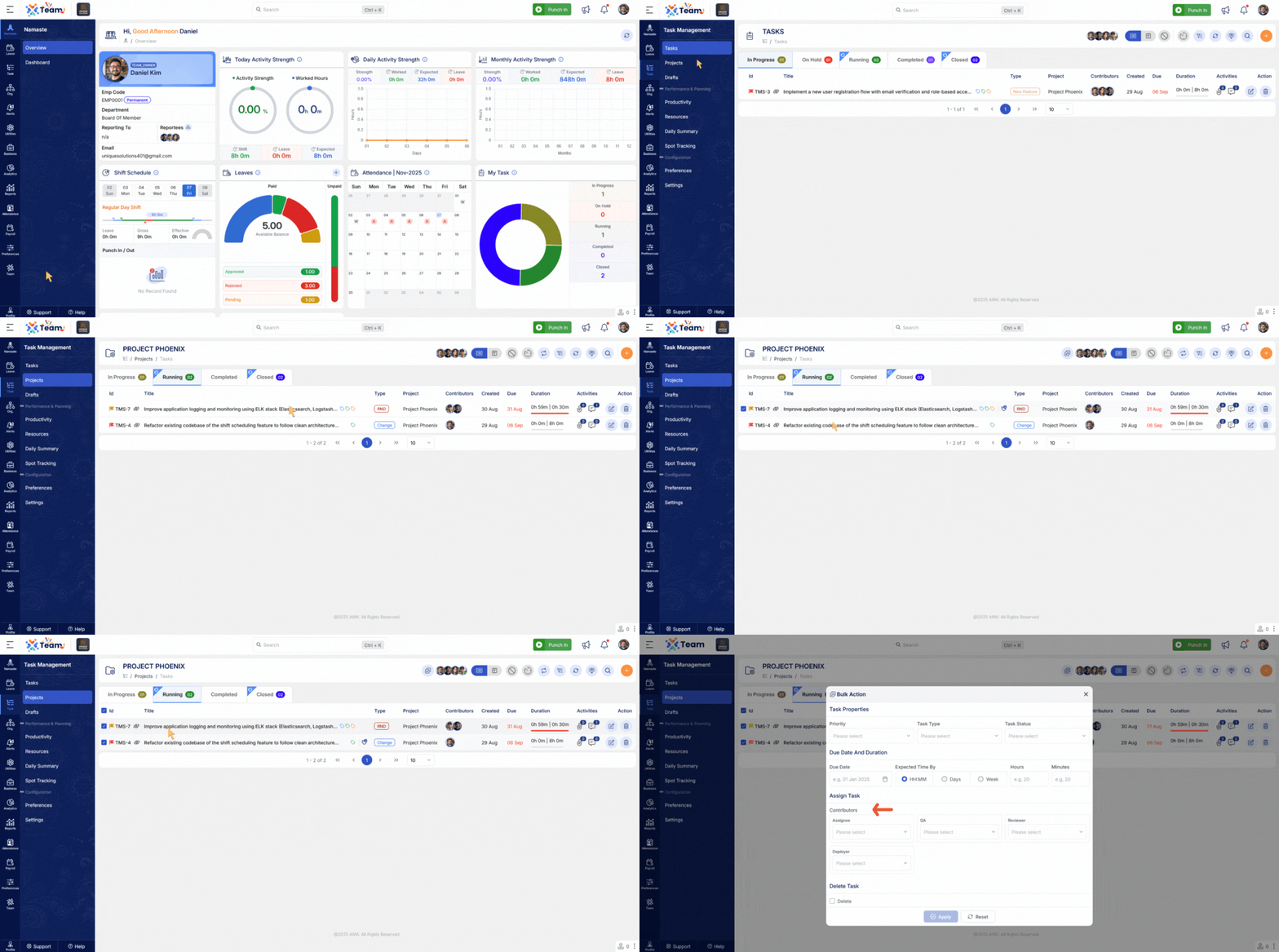
- Frontend-level search functionality is now available in the Salary Standard and Salary Group modules.
- Helps users quickly locate and manage salary configurations.
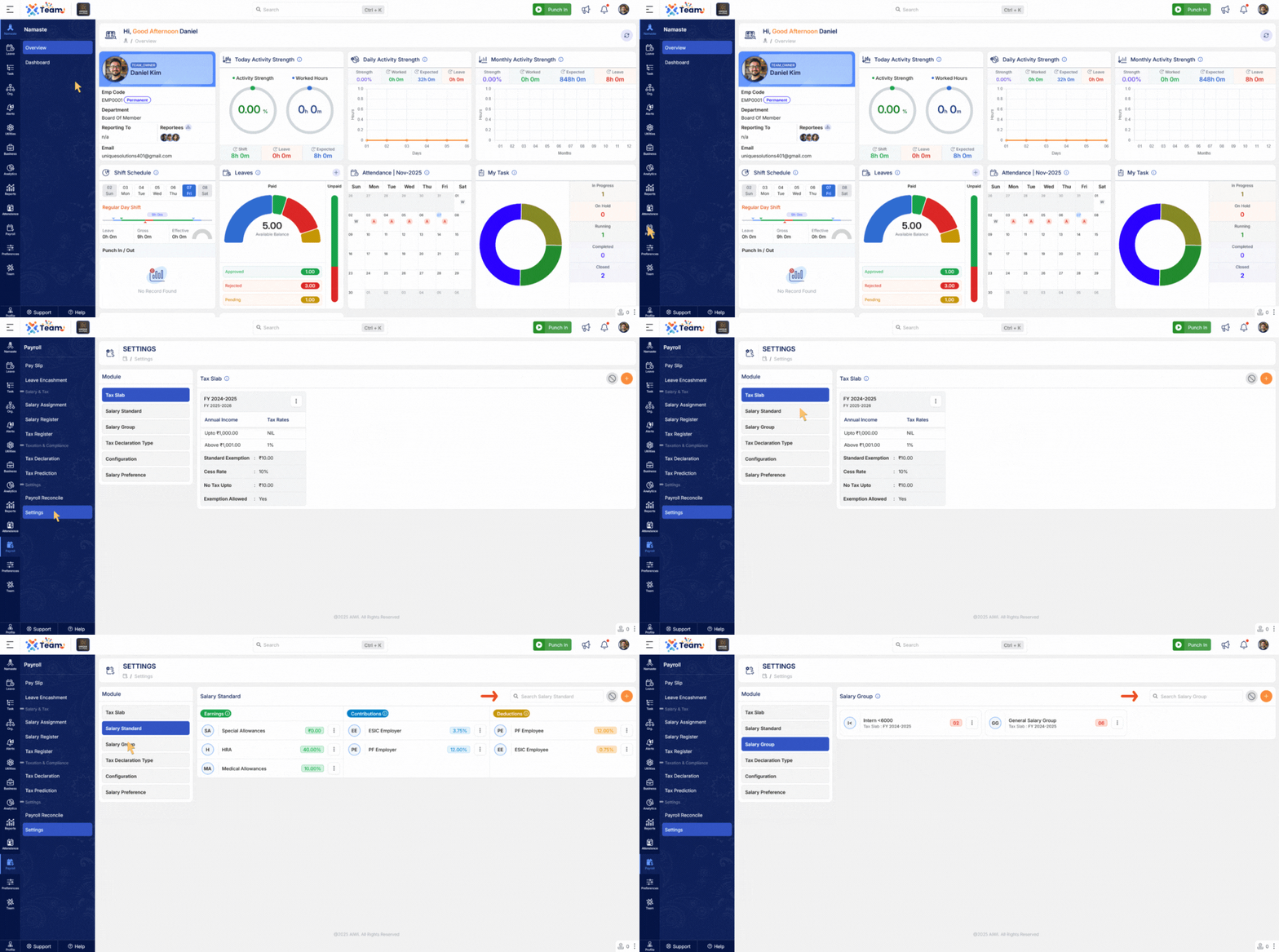
- Additional salary standards can now be removed from salary structures as needed.
- Provides greater flexibility in salary component management.
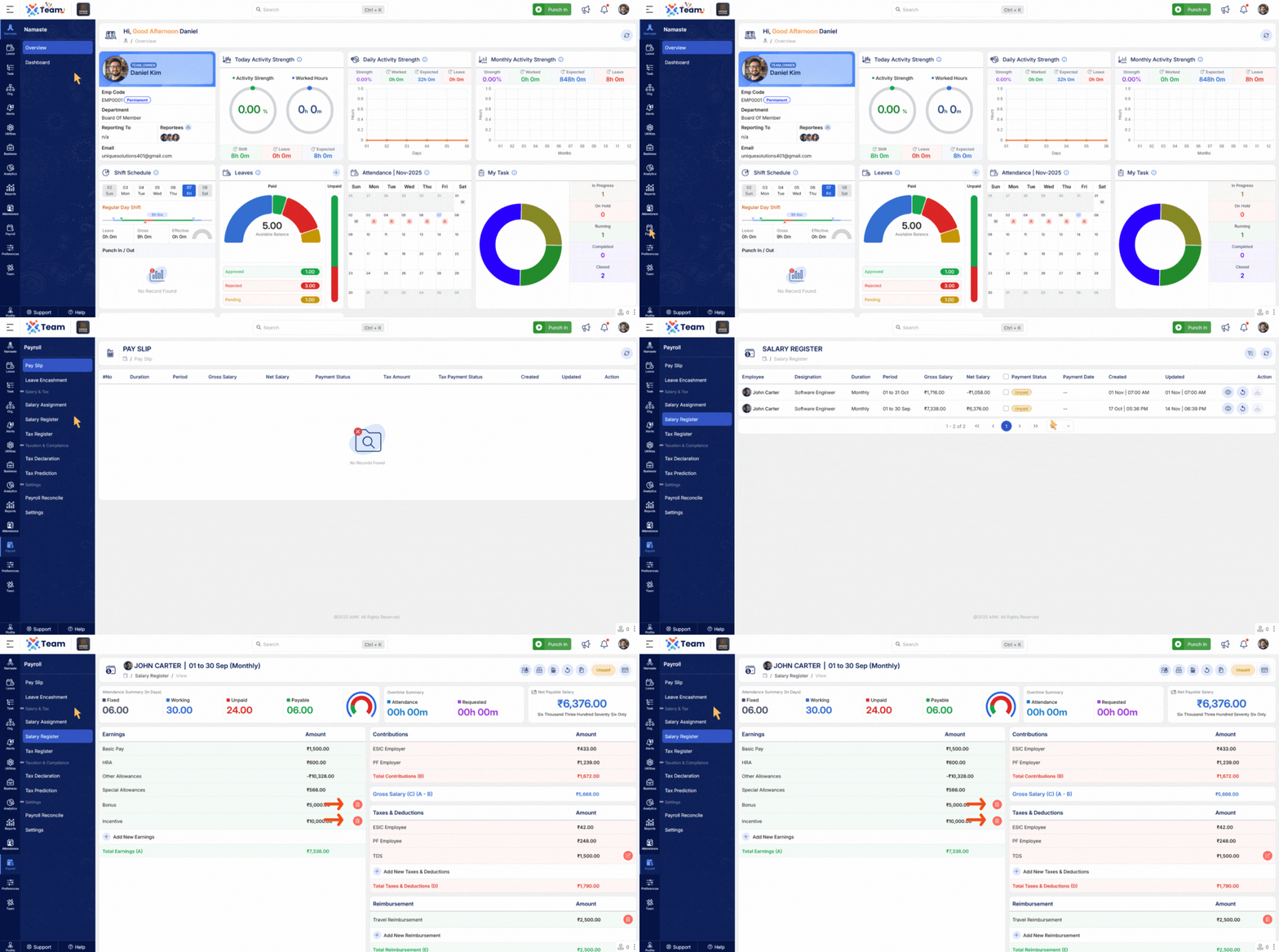
- General Performance Improvements: Backend optimizations implemented for improved speed and reliability.
- Bug Fixes: Multiple minor issues resolved across various modules to enhance user experience and stability.
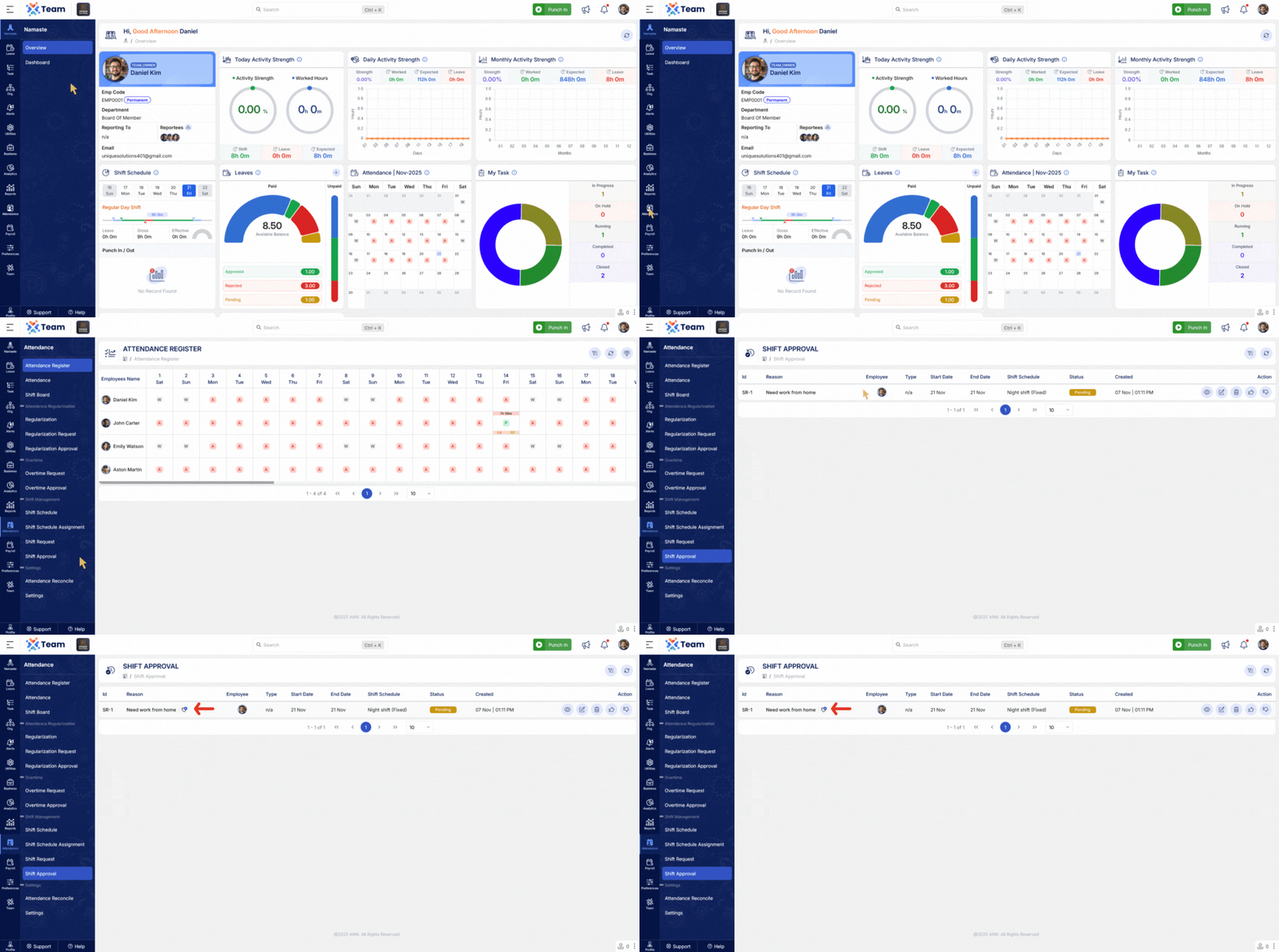
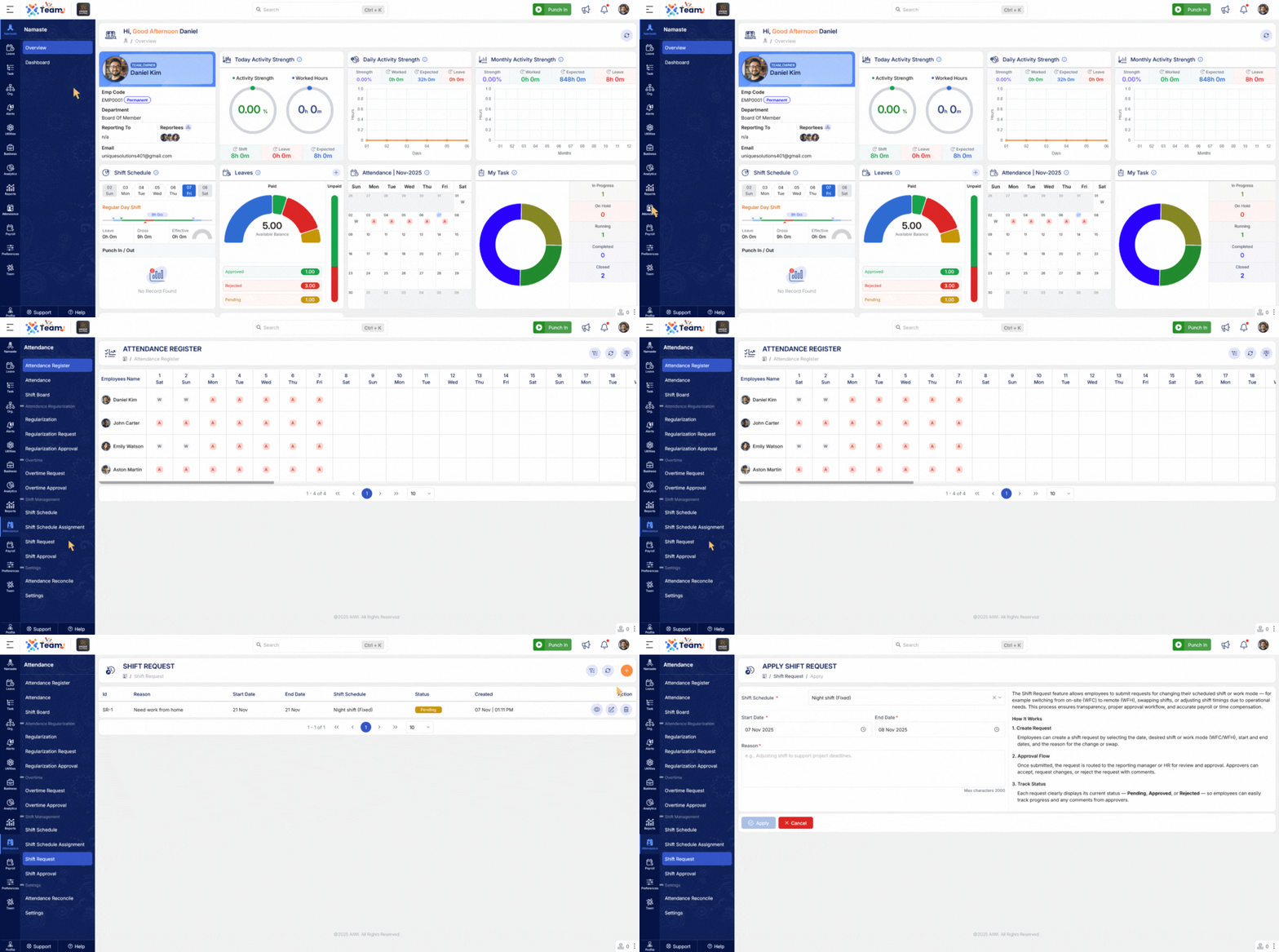
- A new Shift Request module has been introduced, enabling employees to formally request shift changes.
- Authorized personnel can now review, approve, or reject requests directly within the system.
- This enhancement improves visibility and control over shift schedules.
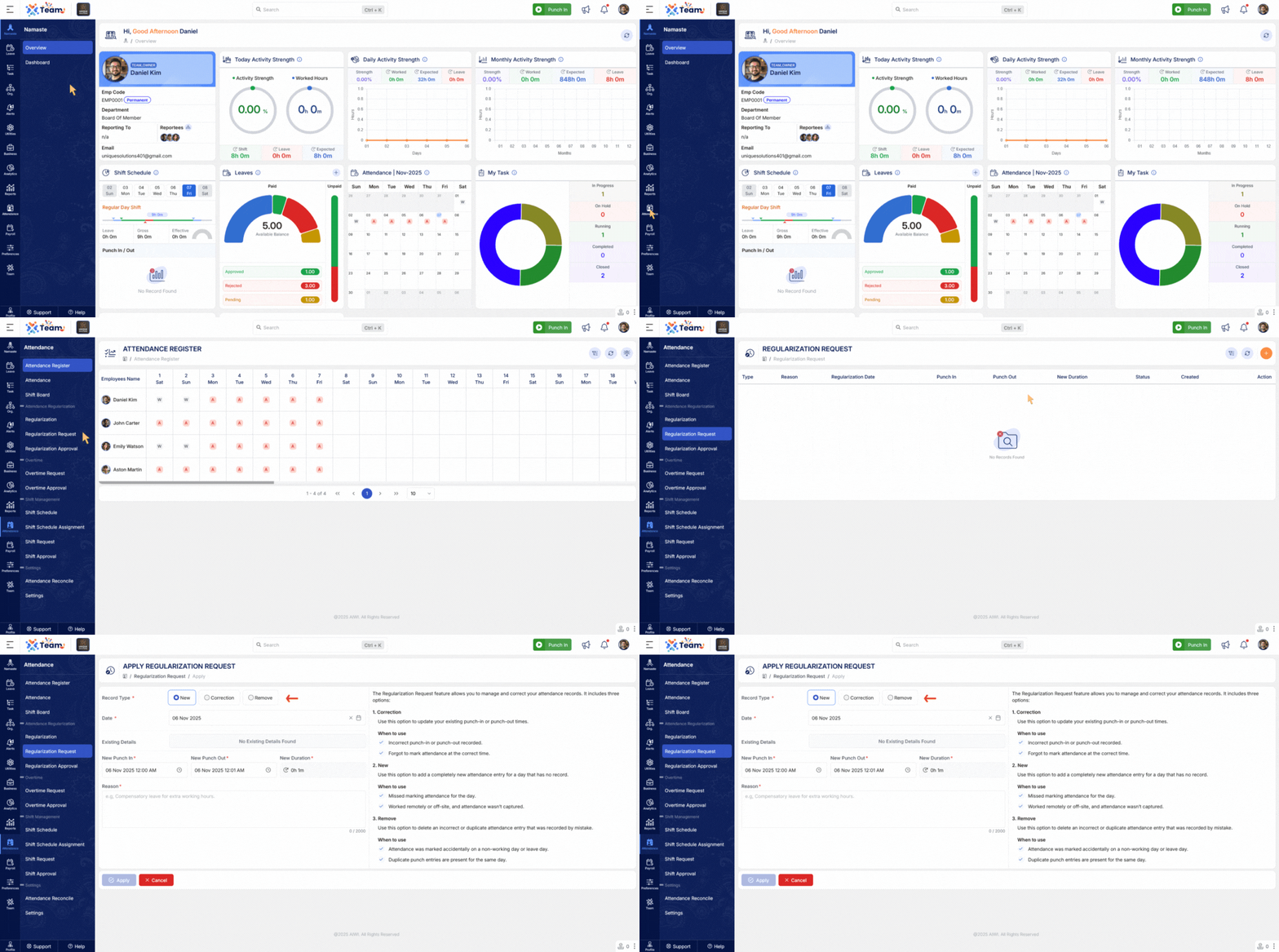
- The Attendance Regularization process has been enhanced to include an option for punch removal.
- Employees or administrators can now correct attendance records where duplicate or incorrect punches were recorded.
- This ensures more accurate and reliable attendance data.
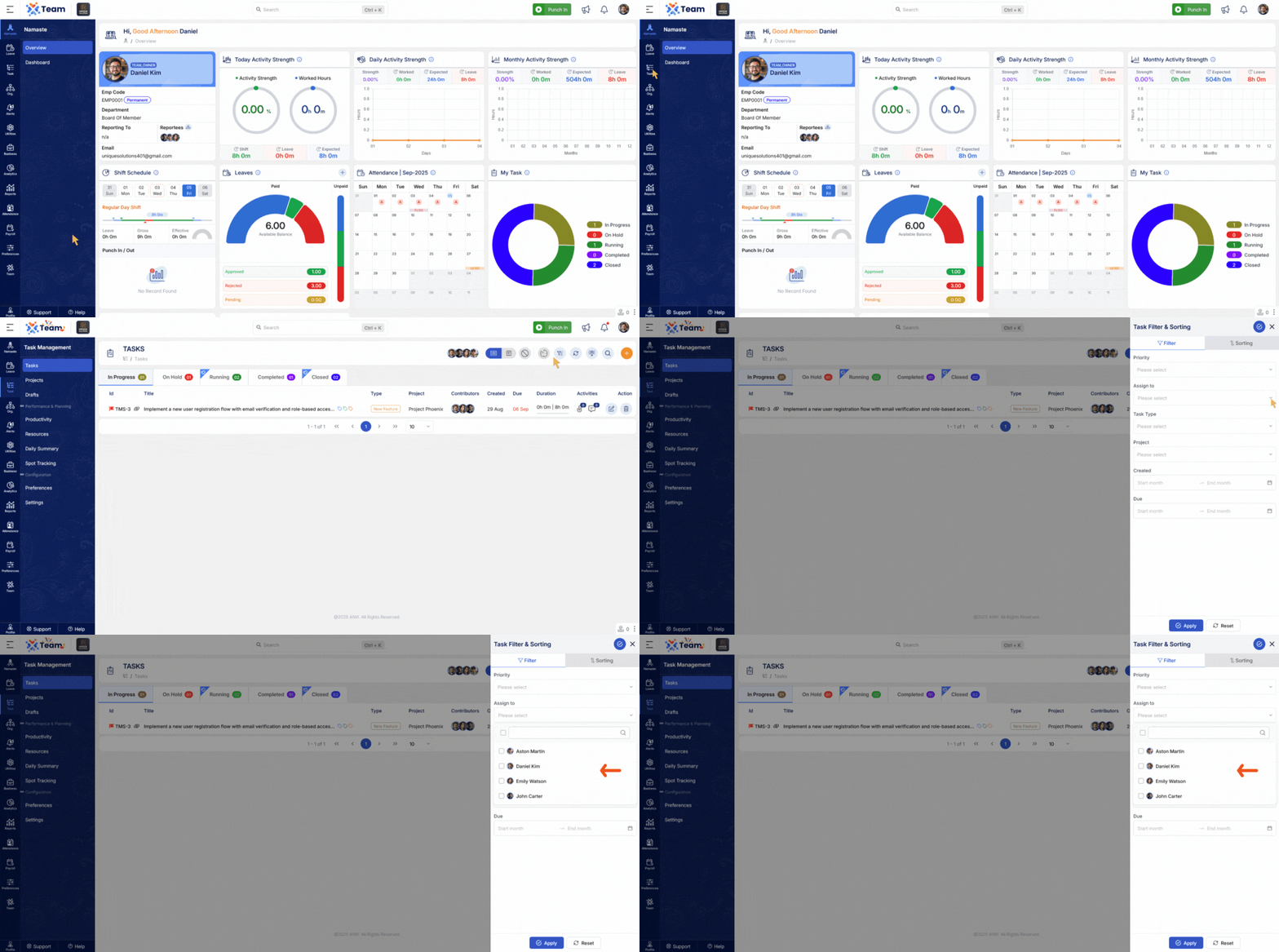
- The Task Management module now supports multi-employee filtering.
- Authorized users can view, assign, and track tasks across multiple employees simultaneously.
- This enhancement simplifies task monitoring and improves efficiency in handling team-wide assignments.
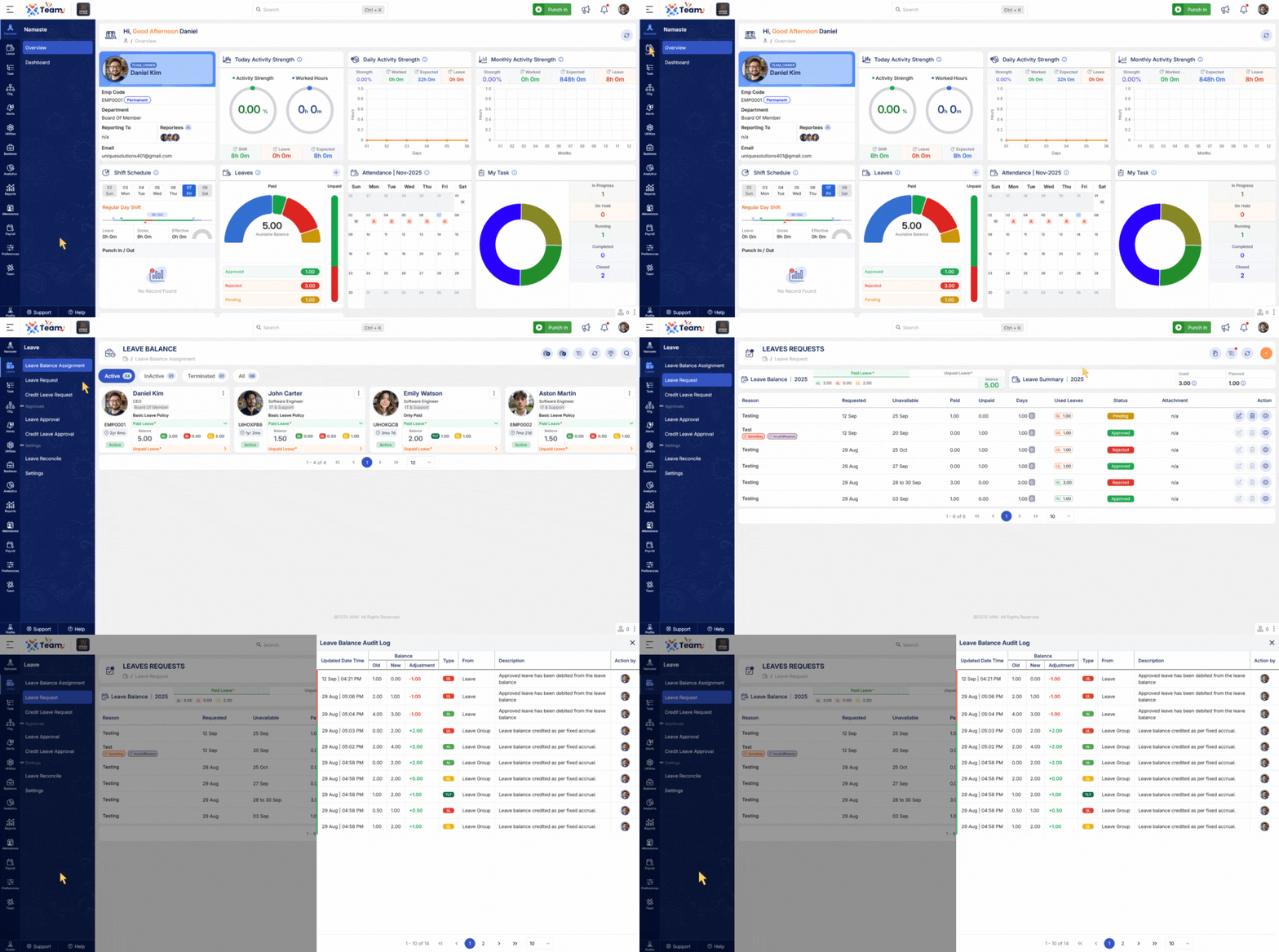
- The Leave Balance Audit Log now captures detailed activity, including previous and updated leave balances, modification sources, and timestamps.
- This provides a clearer audit trail for compliance and internal verification purposes.
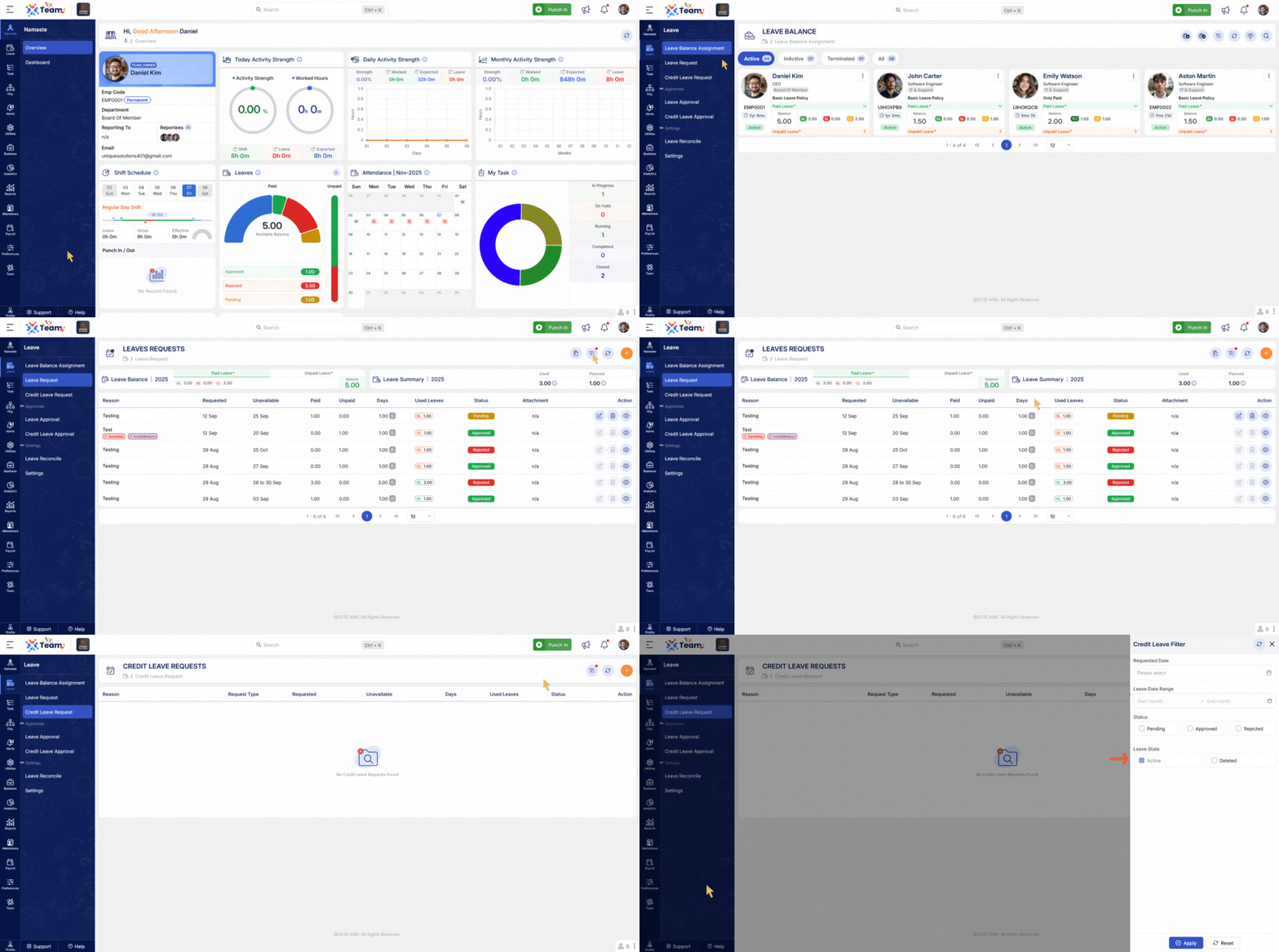
- A new State Filter has been added to the Leave and Credit Leave module.
- Users can now view both active and deleted records.
- This enhancement ensures better traceability and helps HR teams review historical leave data when required.
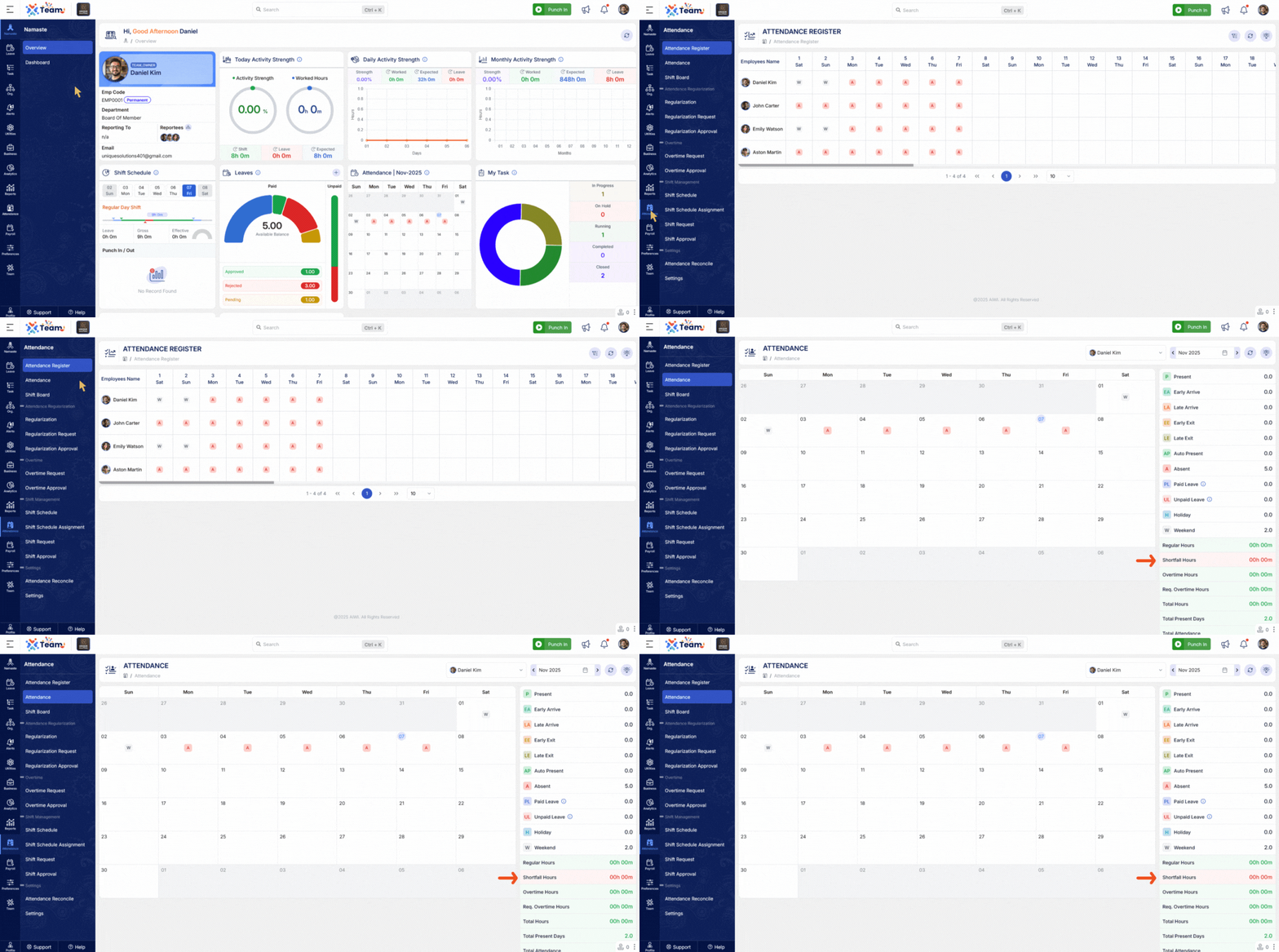
- A new Total Shortfall View has been implemented to provide a consolidated summary of attendance shortfalls.
- Helps authorized personnel quickly identify employees with insufficient working hours or attendance discrepancies.
- The Minimum Wage Calculation logic within Payroll has been upgraded to support both Full and Prorate Contribution preferences.
- Ensures accurate and compliant wage computation based on company policy and employment type.
- The Salary Calculation process now supports multiple salary preferences within a single pay period.
- Allows accurate handling of mid-term salary revisions or increment updates.
- Provides greater flexibility and reduces manual payroll adjustments.
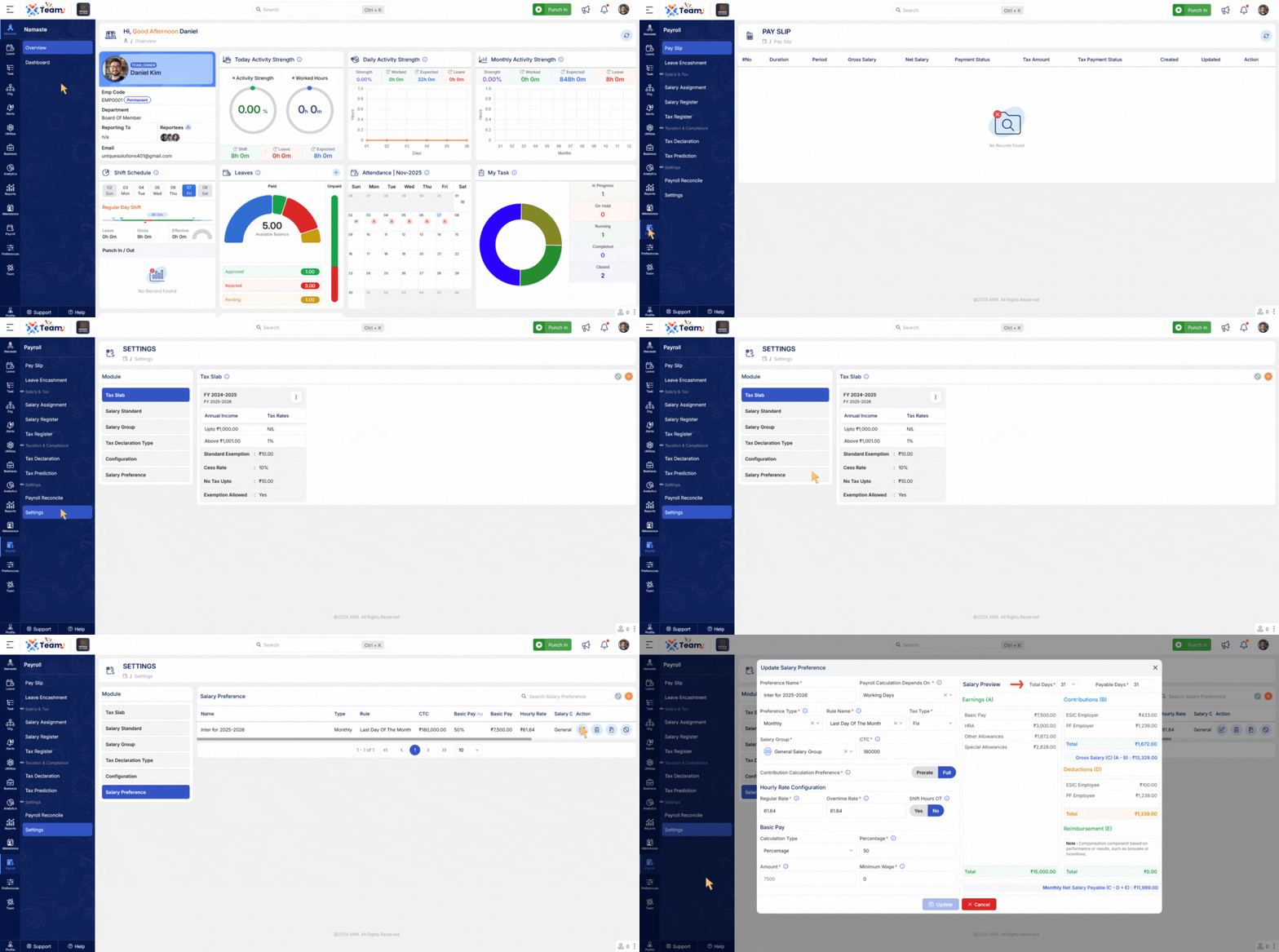
- The Salary Preview screen has been enhanced with multiple options for calculating total days.
- Authorized users can now choose from various total-day configurations based on attendance or policy requirements.
- This provides better control and transparency before final payroll processing.
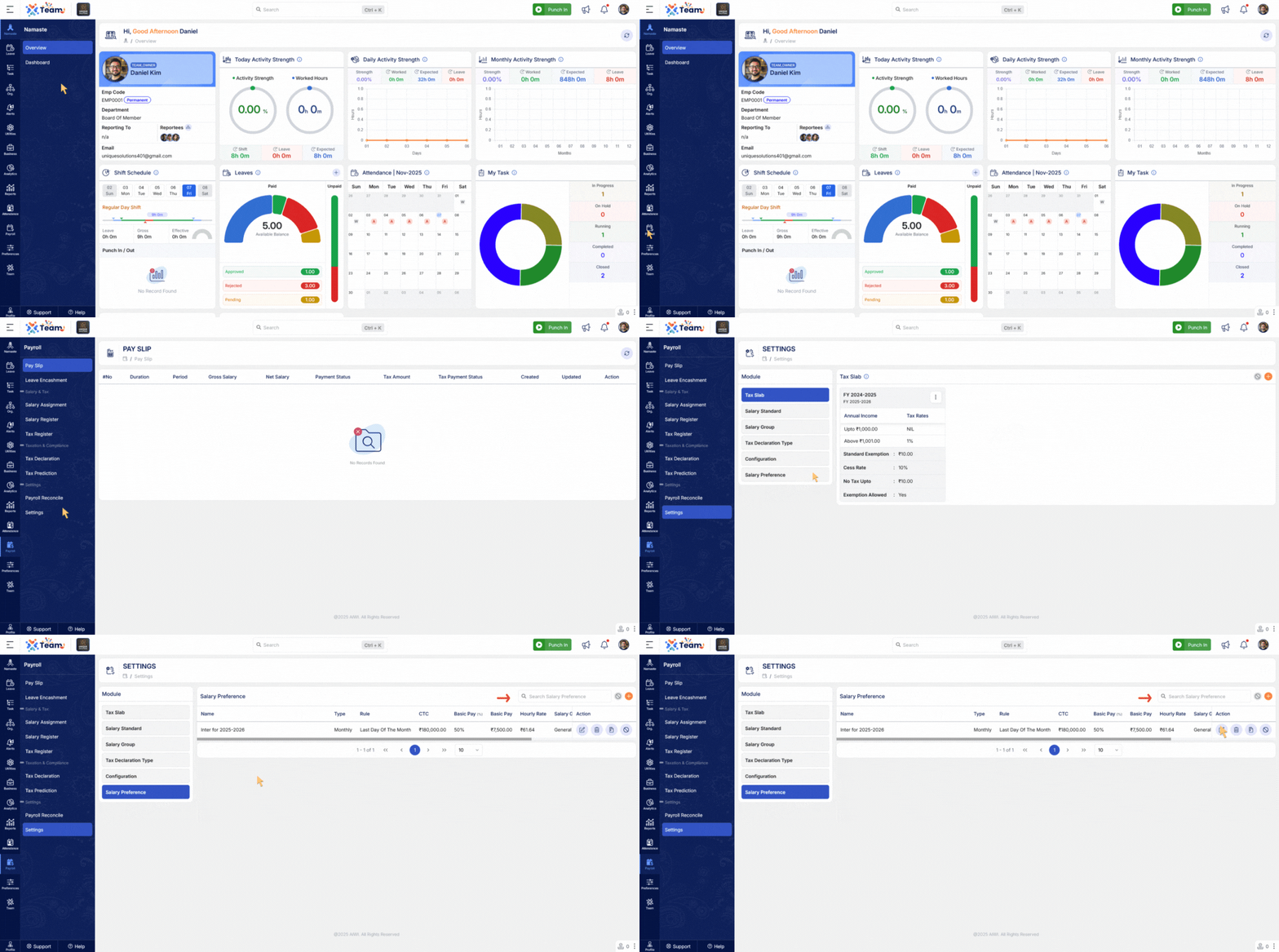
- A new search ability has been added within the Salary Preference section.
- Users can now quickly find and manage salary preference configurations using keywords.
- This improvement enhances navigation efficiency and reduces time spent managing payroll setups.
- General Performance Improvements: Backend optimizations implemented for improved speed and reliability.
- Bug Fixes: Multiple minor issues resolved across various modules to enhance user experience and stability.
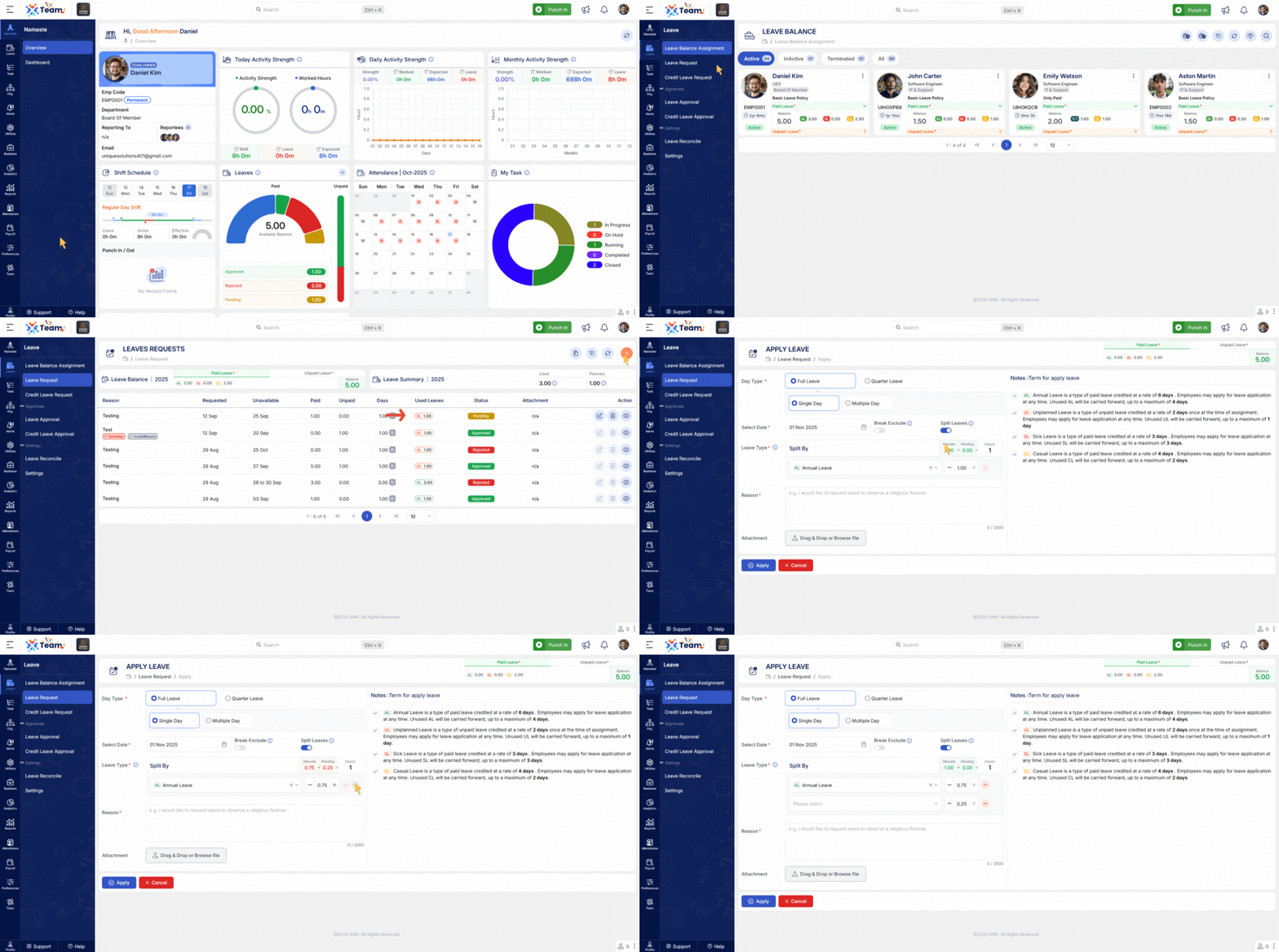
- Employees can now apply multiple leave types within a single leave request.
- Example: A single request can include Casual Leave, Unplanned Leave, and Unexpected Leave across different dates.
- This simplifies the leave process and ensures accurate leave tracking across categories.
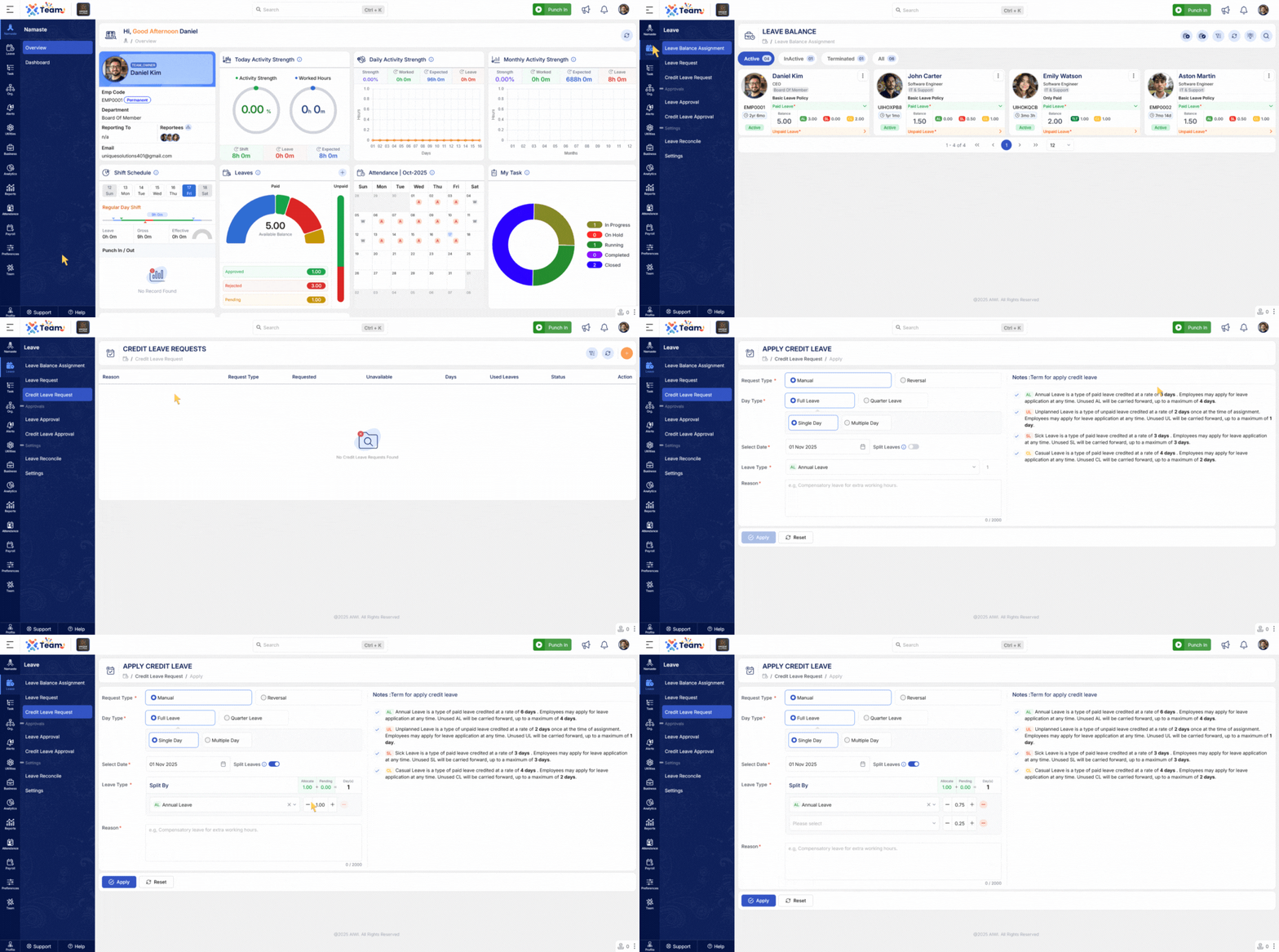
- HR and Admins can now credit multiple leave types in a single request.
- Allows combined crediting of Earned Leave, Compensatory Off, and other categories together.
- Improves efficiency and reduces repetitive credit actions.
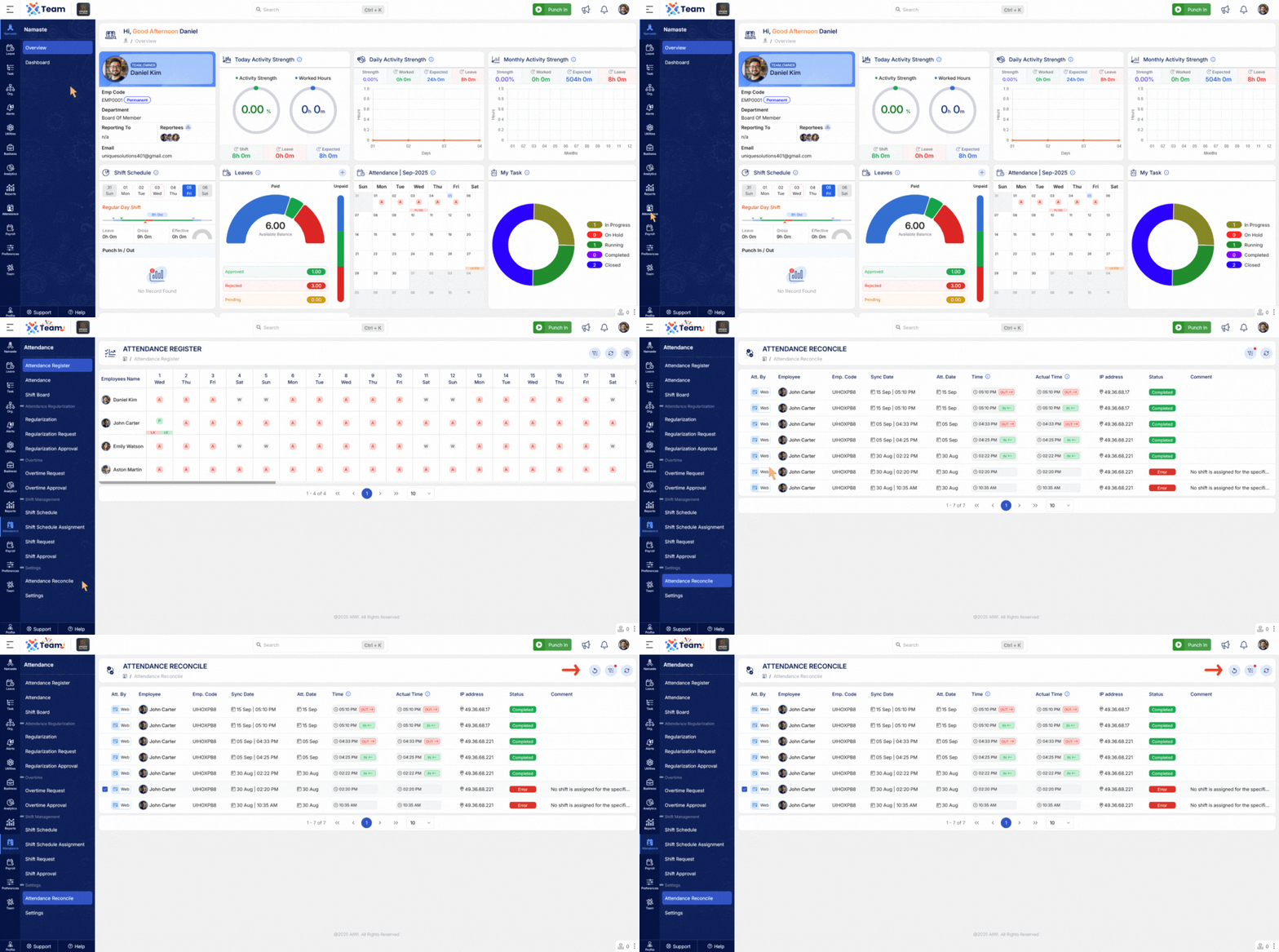
- Attendance Reconciliation module now allows reprocessing of previously failed punching data.
- Enables administrators to requeue erroneous or incomplete records for correction.
- Improves accuracy of attendance records and reduces manual intervention.
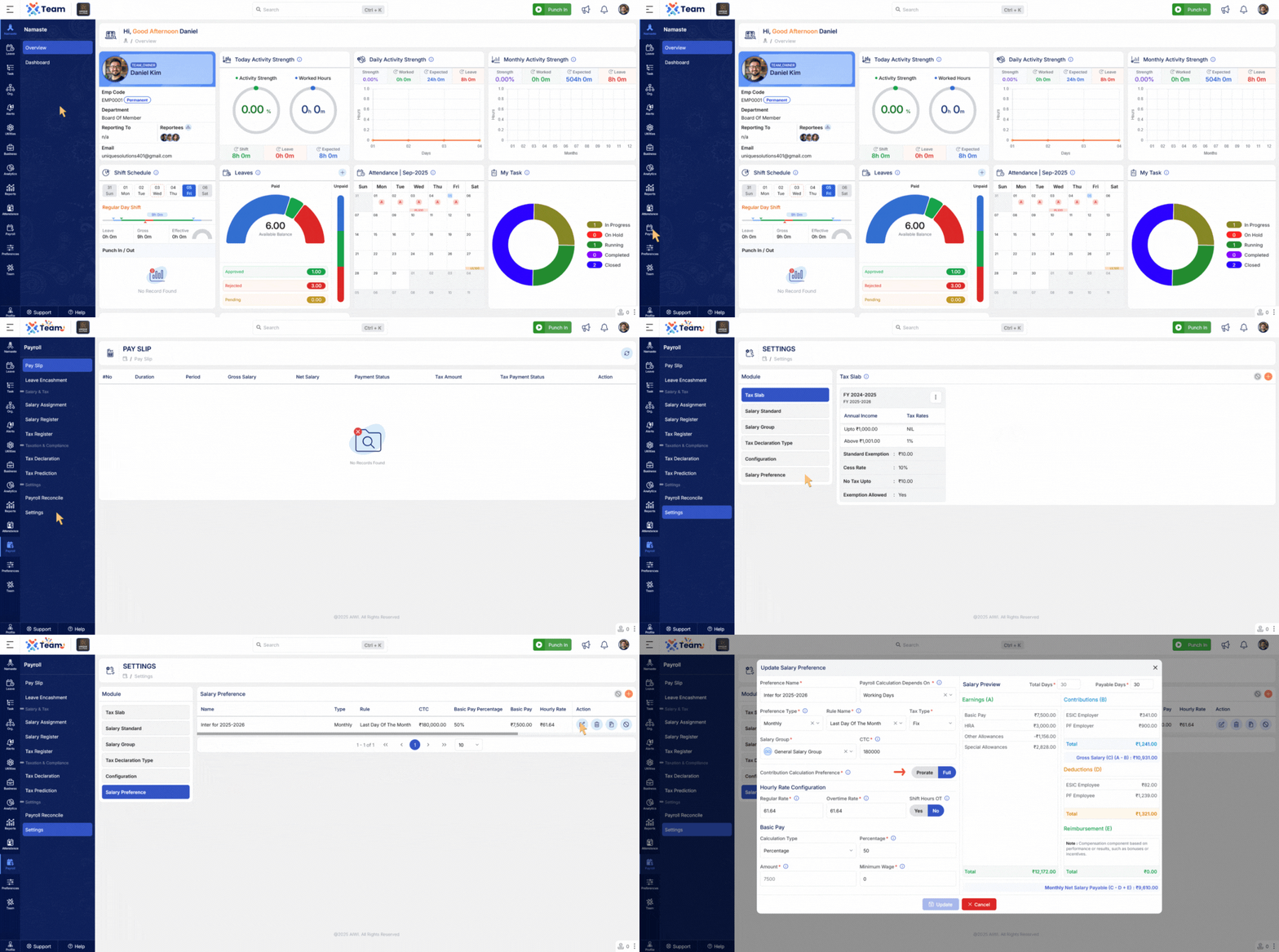
- New Contribution Calculation Preference option added to payroll settings.
- Full: Contributions are calculated on the full salary regardless of attendance. Even if there is loss of pay (LOP), contributions such as PF and ESI are computed on full salary.
- Prorate: Contributions are calculated proportionally based on actual payable days. If there are LOP days, contributions adjust according to reduced (post-LOP) salary.
- Provides flexibility to configure contribution calculations as per organizational policies.
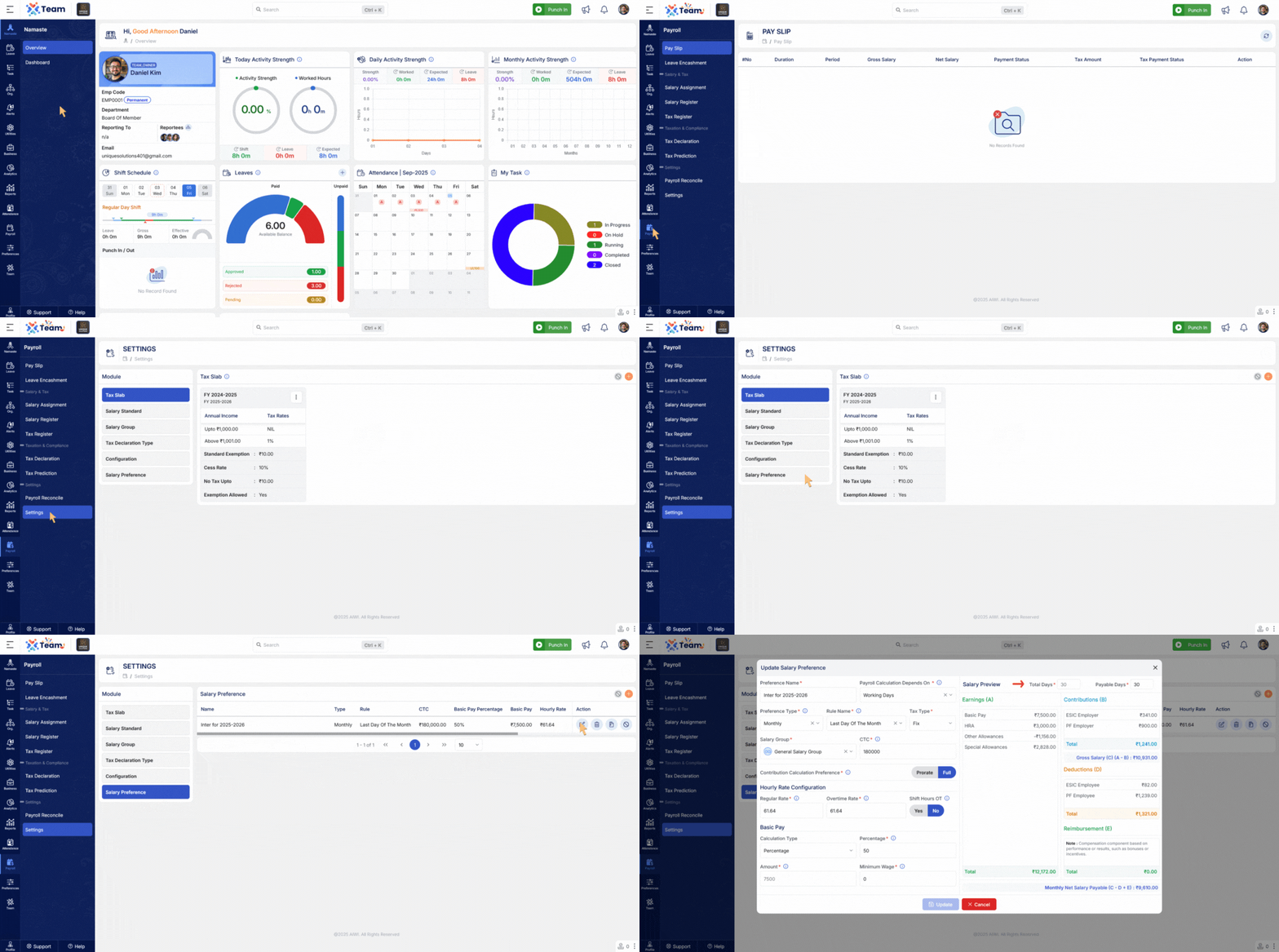
- Payroll Preview screen now supports manual adjustment of payable days before finalization.
- Allows correction of attendance discrepancies or unpaid day adjustments directly from preview.
- Improves transparency and control in payroll review and verification.
- New warning message added when the user list is empty during Switch User operation.
- Ensures clarity by notifying users when no valid accounts are available for switching.
- Improves usability and prevents confusion during user reassignment.
- General Performance Improvements Numerous backend optimizations have been implemented to improve system responsiveness and overall reliability.
- Bug Fixes Several minor bugs have been resolved to enhance user experience, system accuracy, and functional stability across different modules.
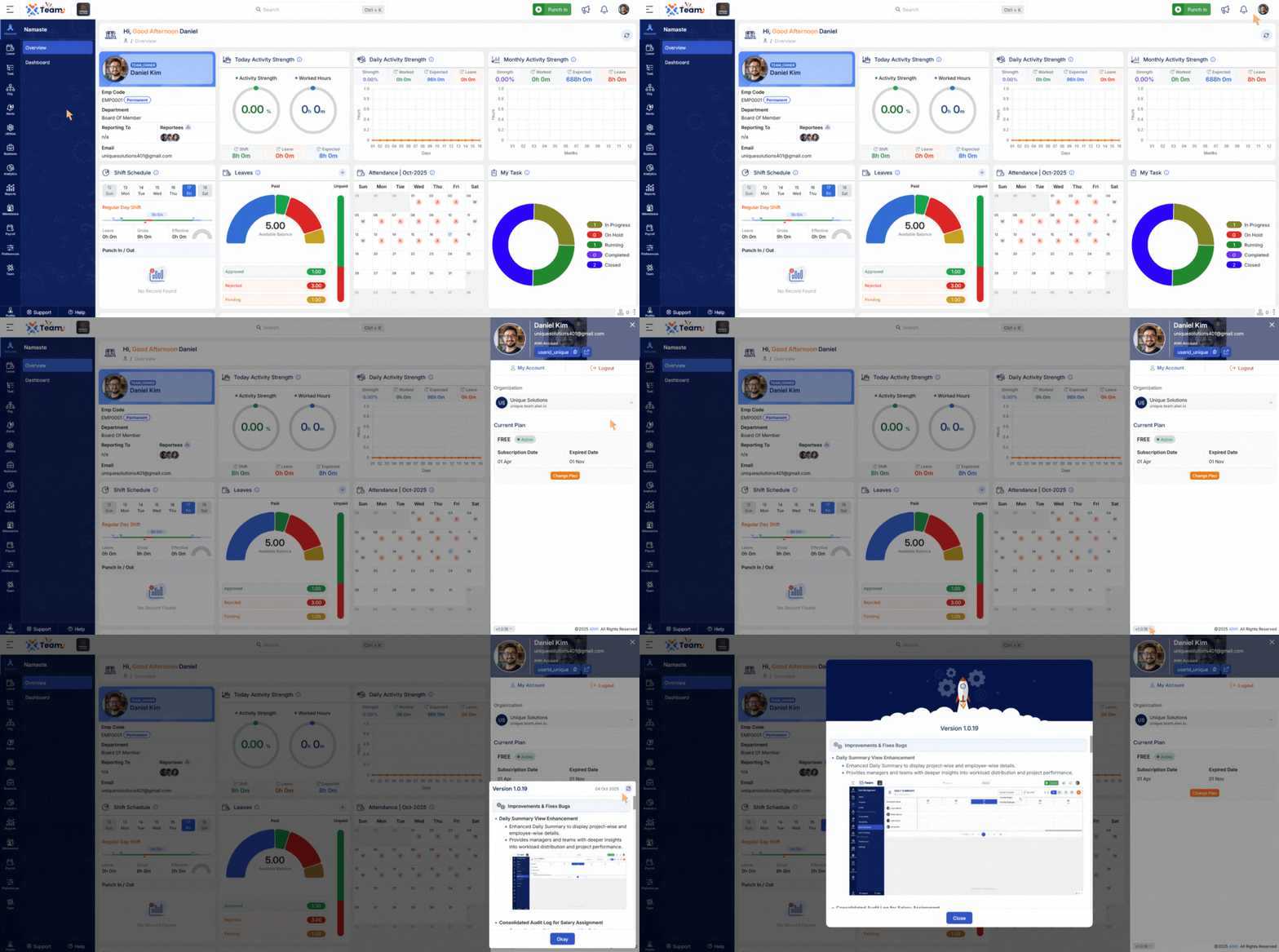
- The release view can now be expanded to full screen at any time.
- Improves visibility and allows focused review of release details.
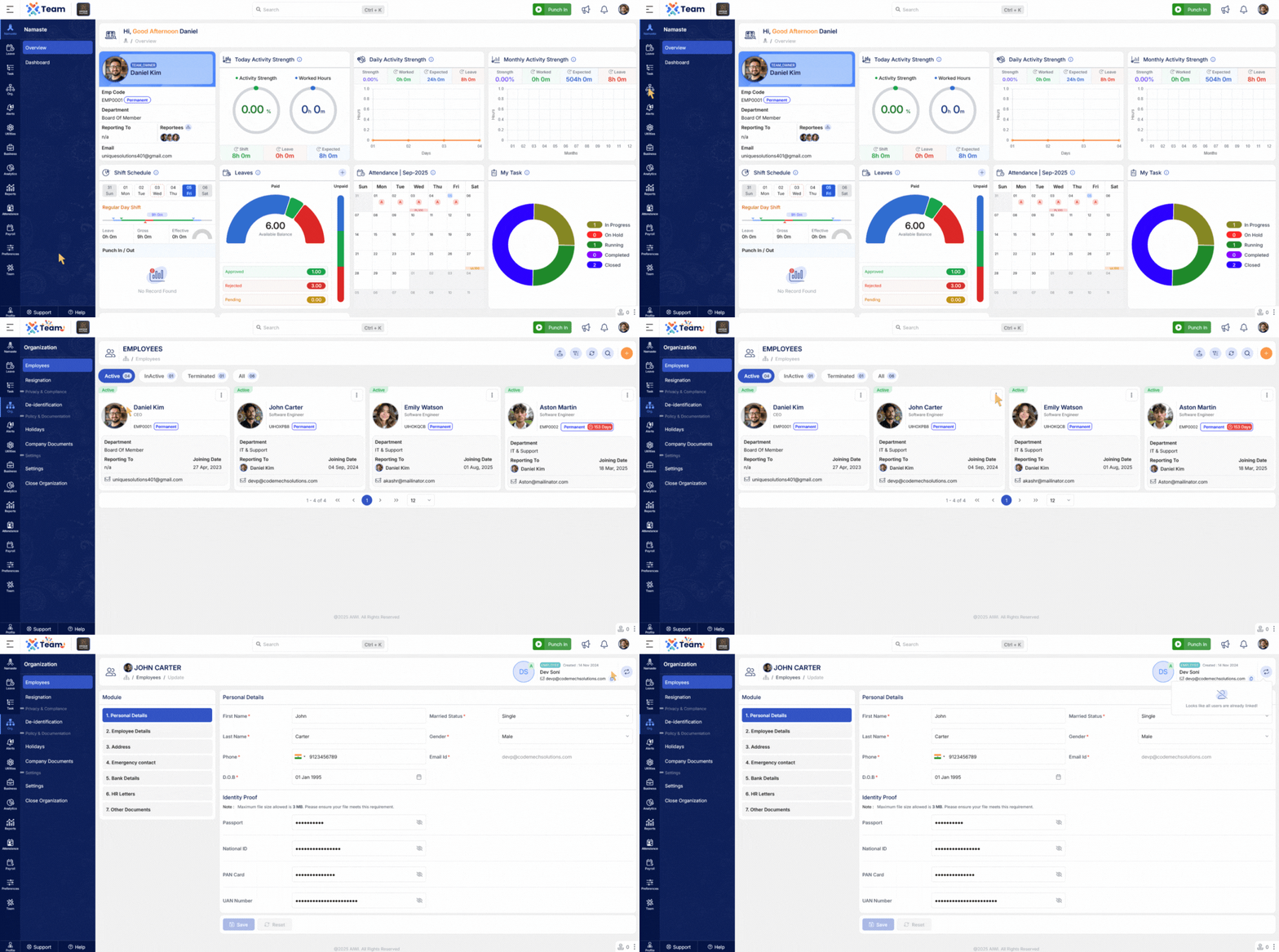
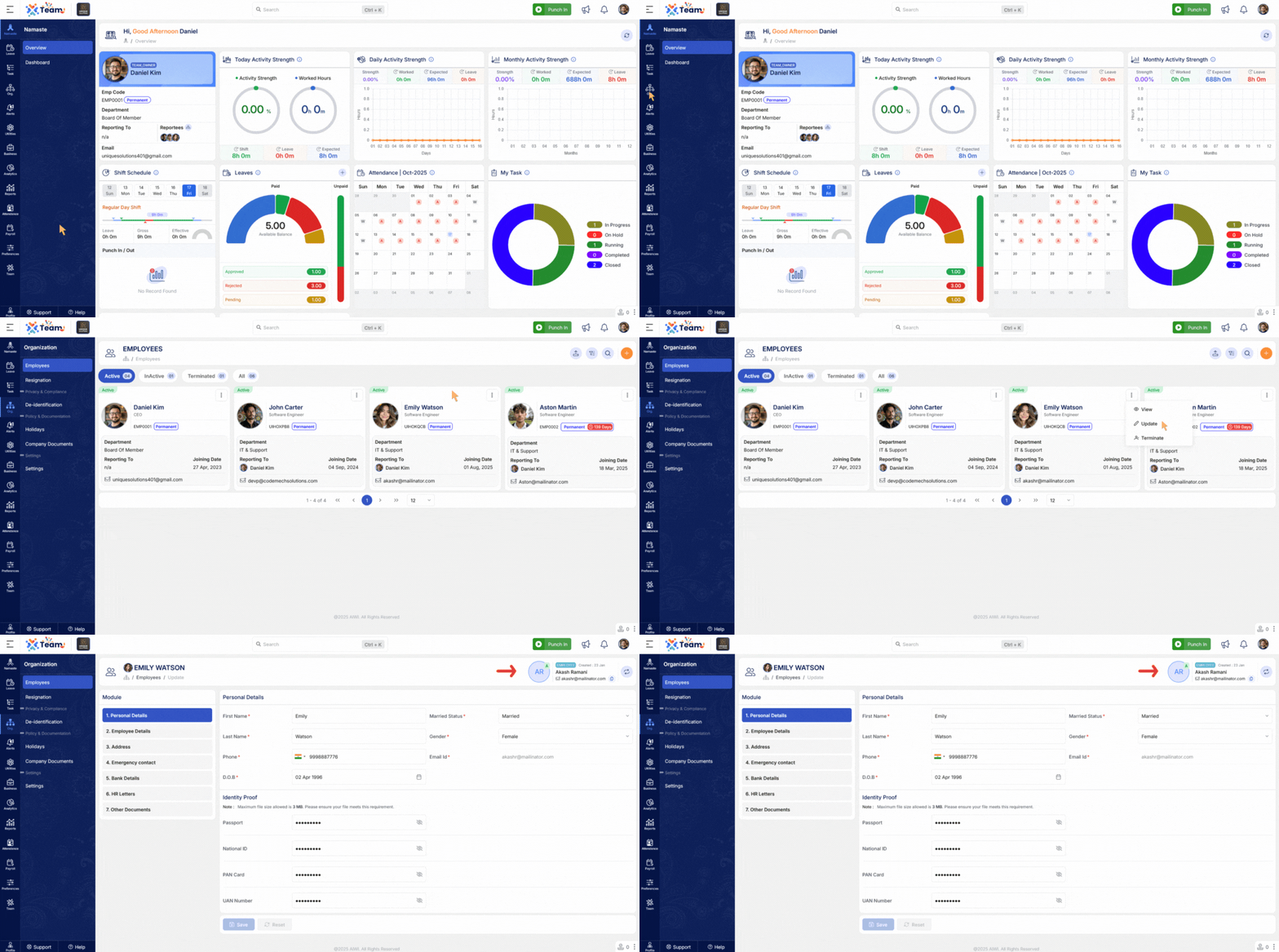
- Now HR can swap a user to any employee without losing existing data.
- Ensures smooth user reassignment and maintains complete data integrity.
- Payslip now shows Duration Type and Period Details.
- Provides clearer payroll insights for employees.
- Signup form now auto-fills default name and email from the invitation link.
- Speeds up onboarding and reduces manual entry errors.
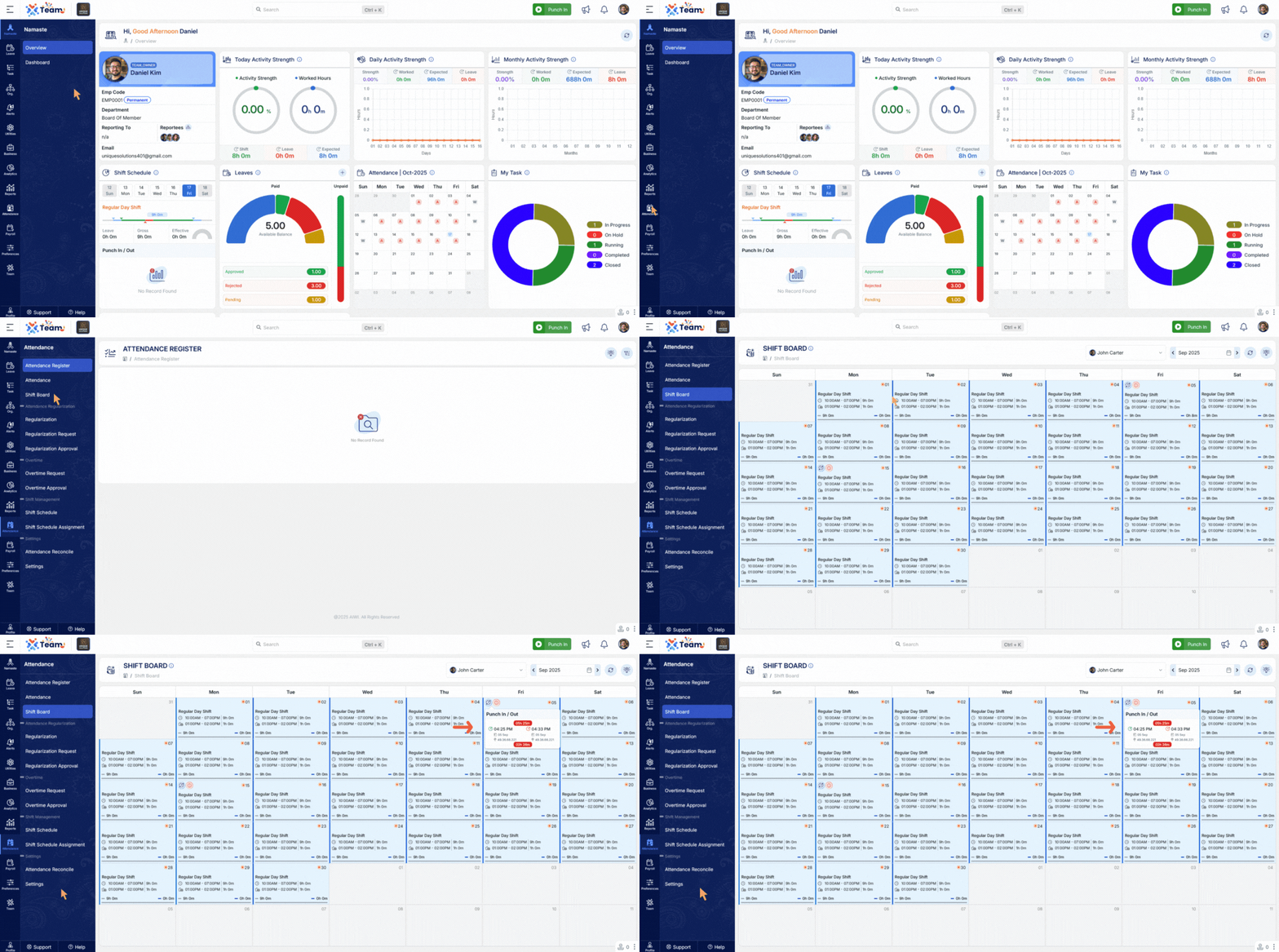
- Added visual representation for shortfall between two punches.
- Helps identify missing or incomplete shift durations more easily.
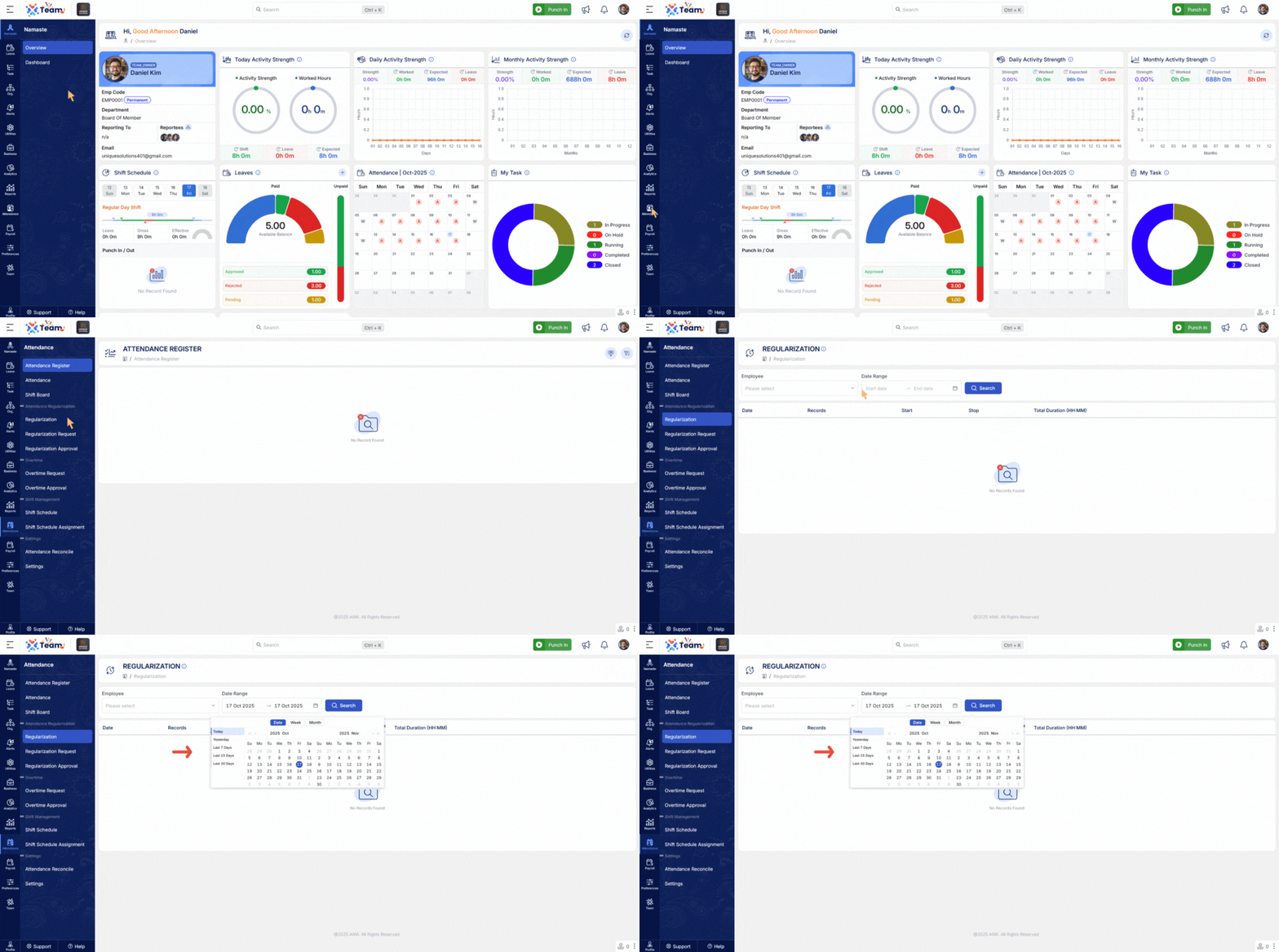
- Enhanced date selection for a smoother and faster experience.
- Improves navigation within the calendar interface.
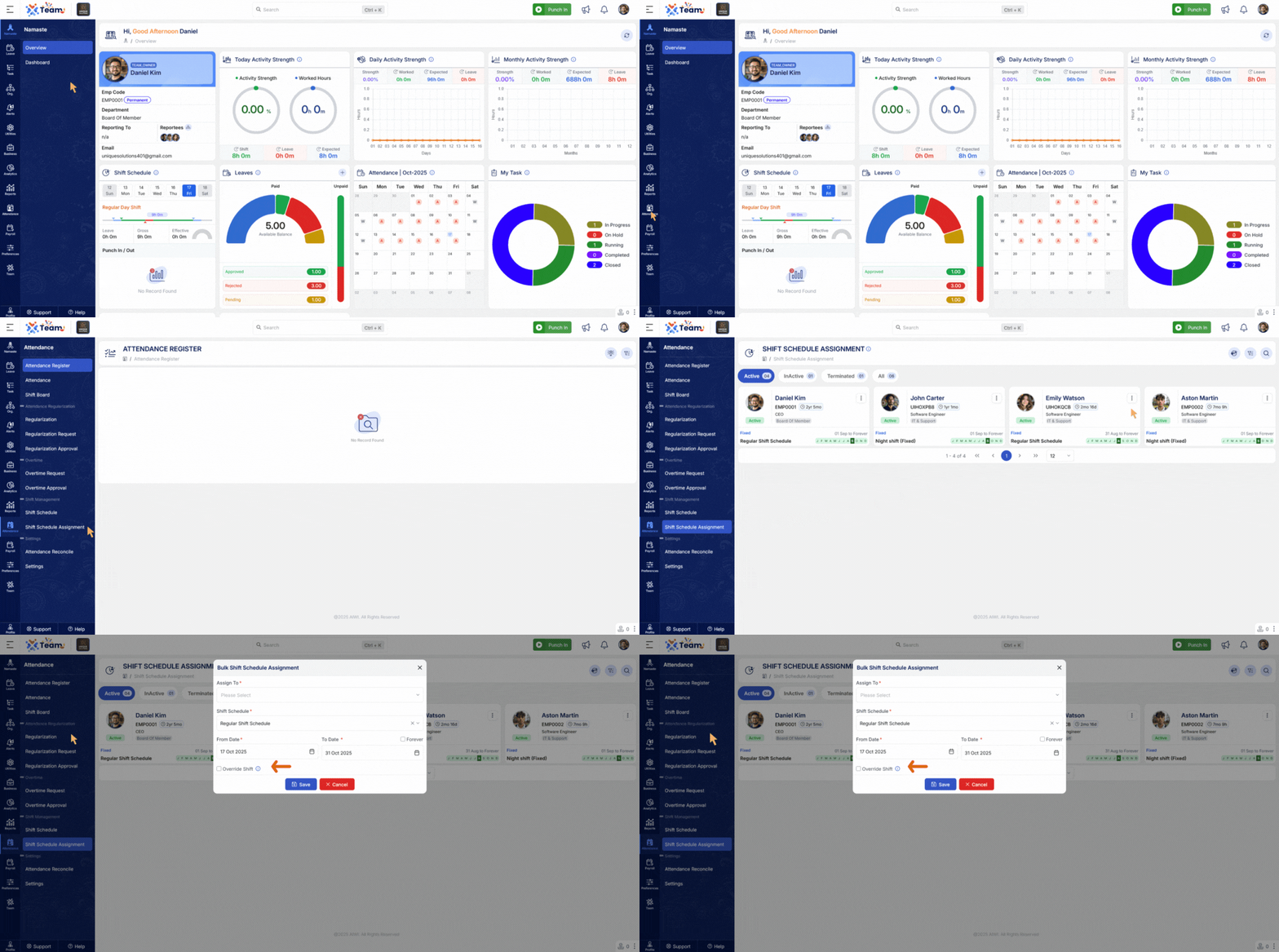
- Added ability to reassign shifts directly from the bulk action menu.
- Streamlines shift management and saves time for HR teams.
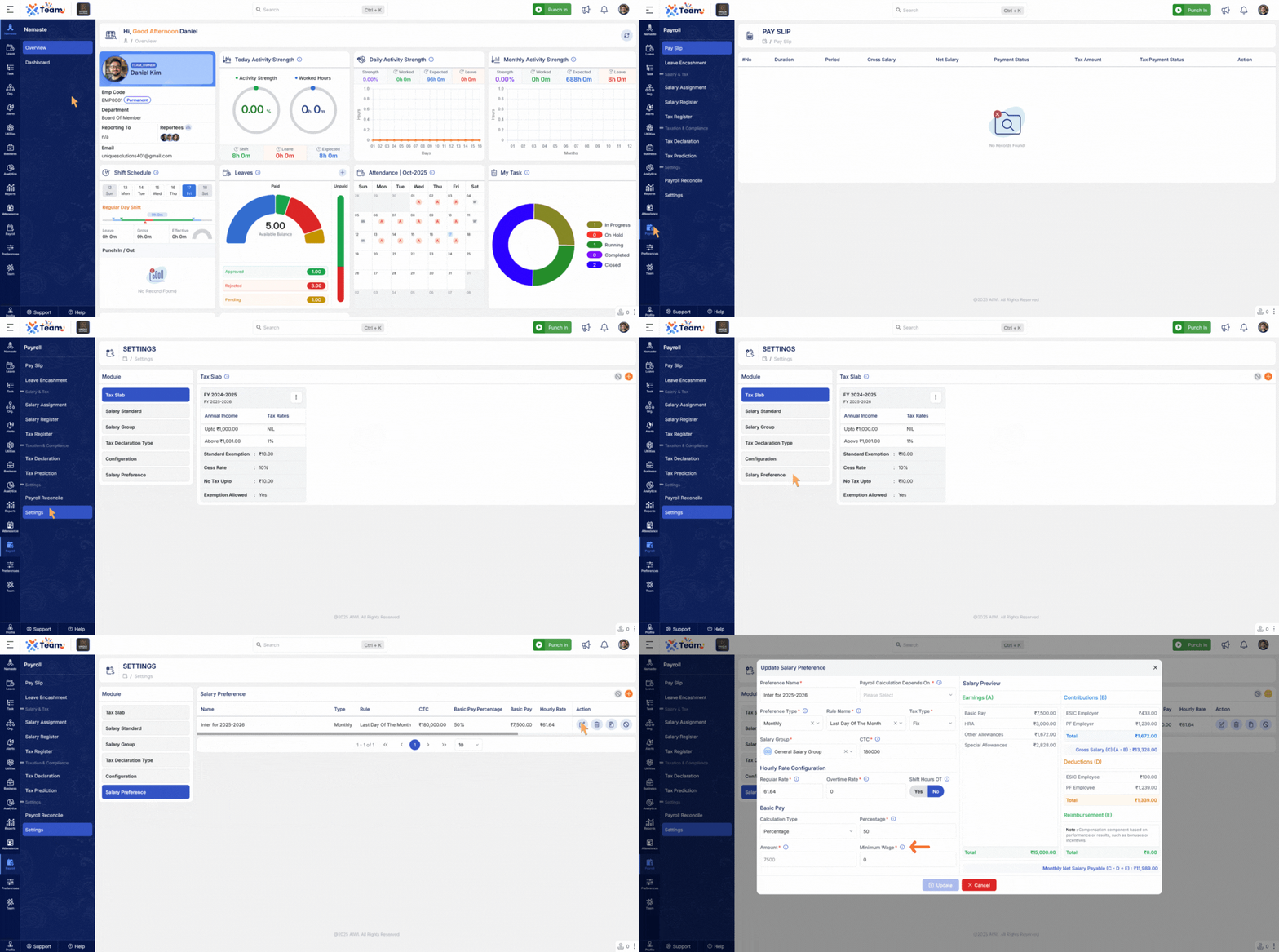
- Payroll now enforces minimum wage rules for basic pay.
- Ensures compliance with wage standards.
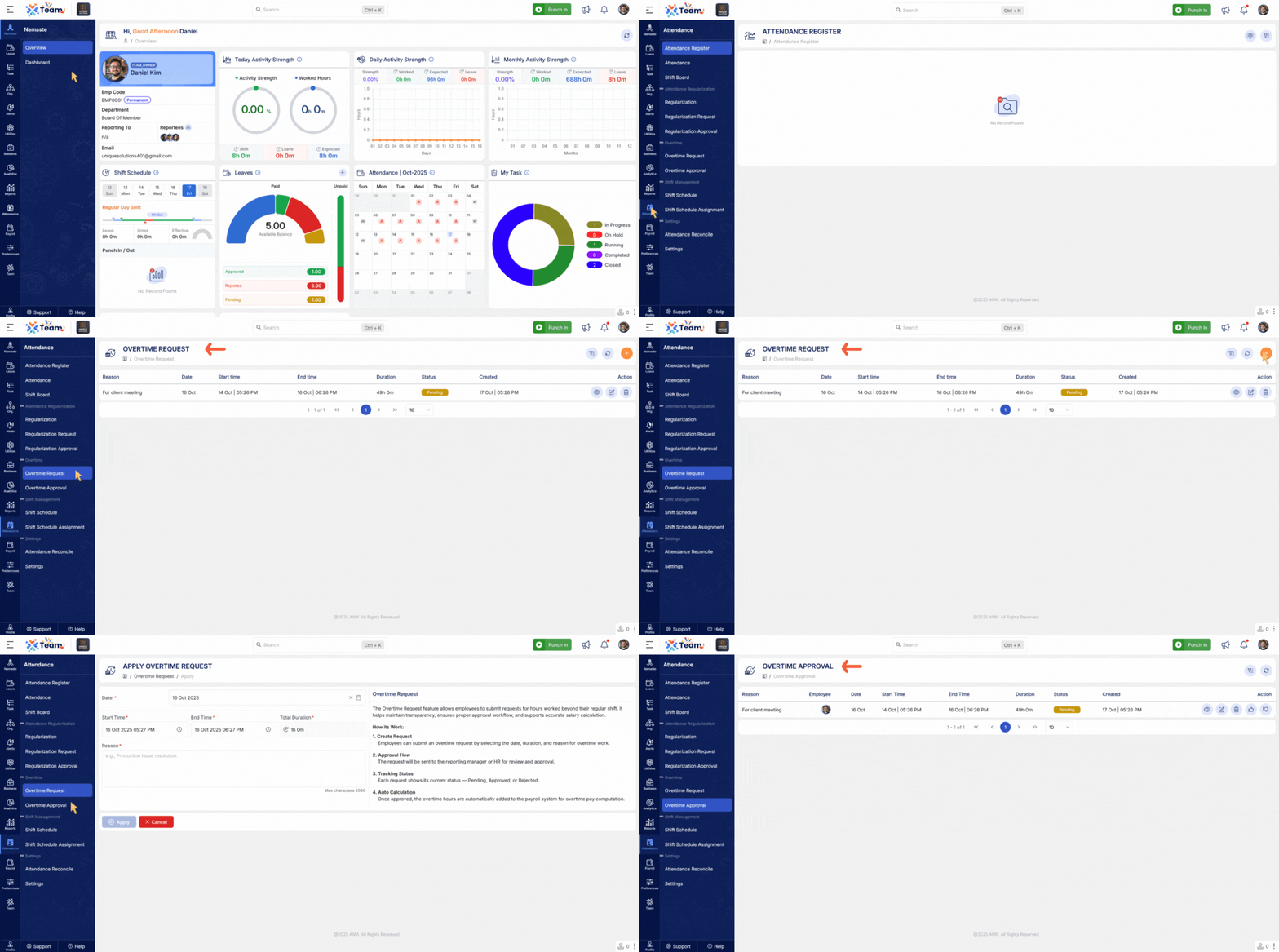
- Introduced a new overtime request module.
- Allows employees to request and track overtime seamlessly.
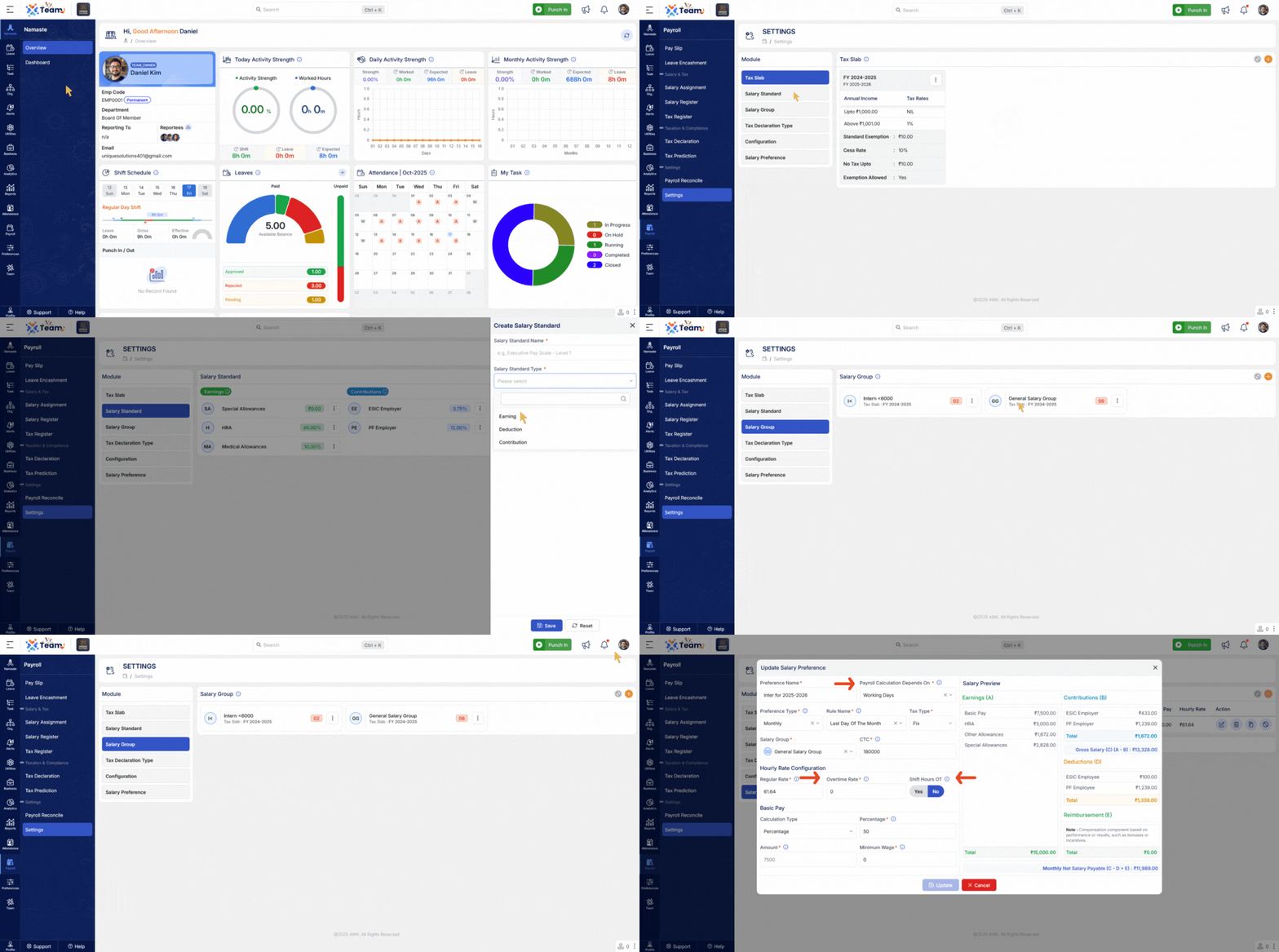
- Overtime is now automatically included in salary computation.
- Ensures accurate and automated payroll processing.
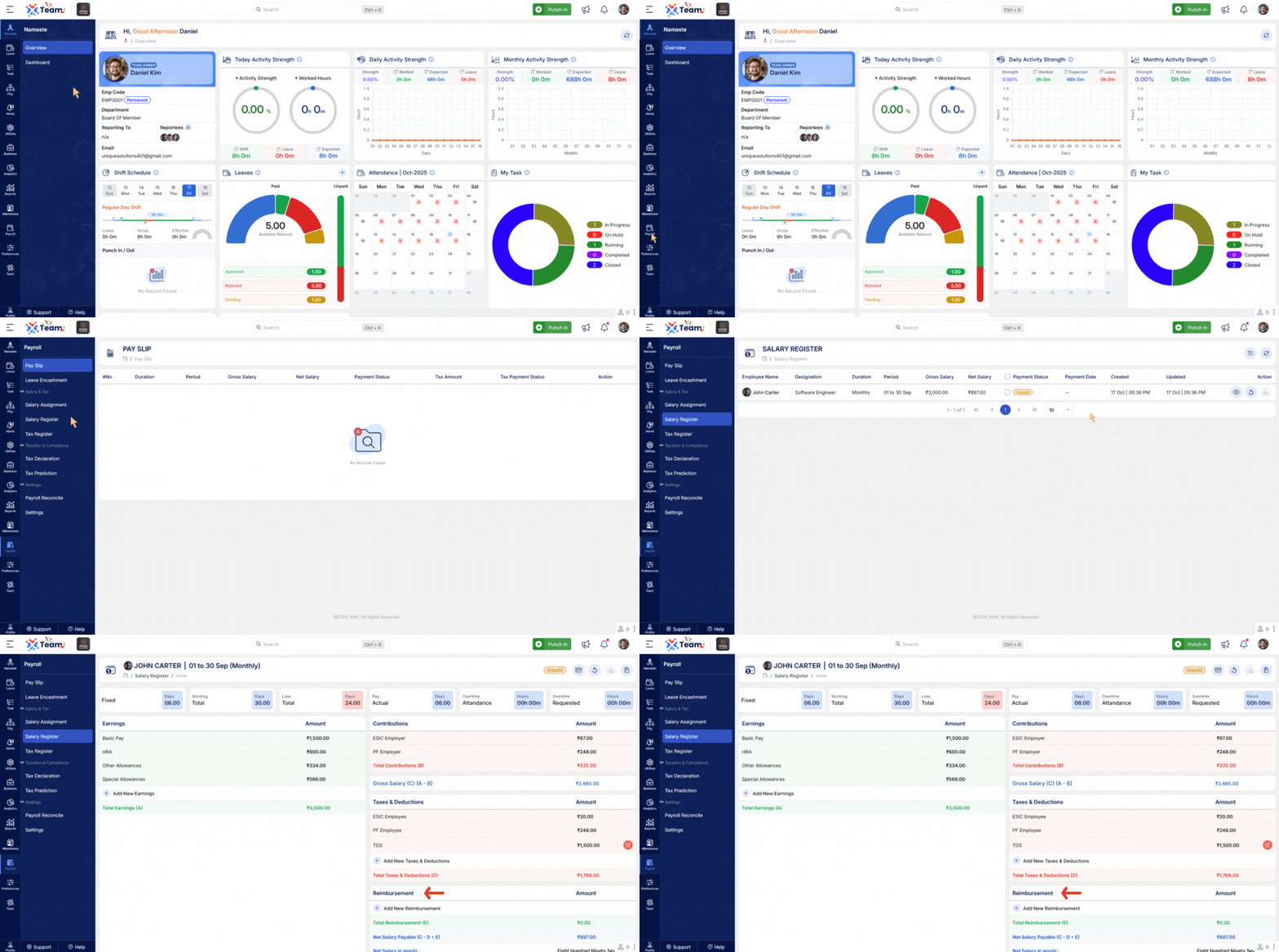
- Added salary reimbursement functionality.
- Provides flexibility for expense or payment adjustments within payroll.
- Salary recalculation now fully considers changes in addons.
- Ensures standards and dependencies are correctly applied.
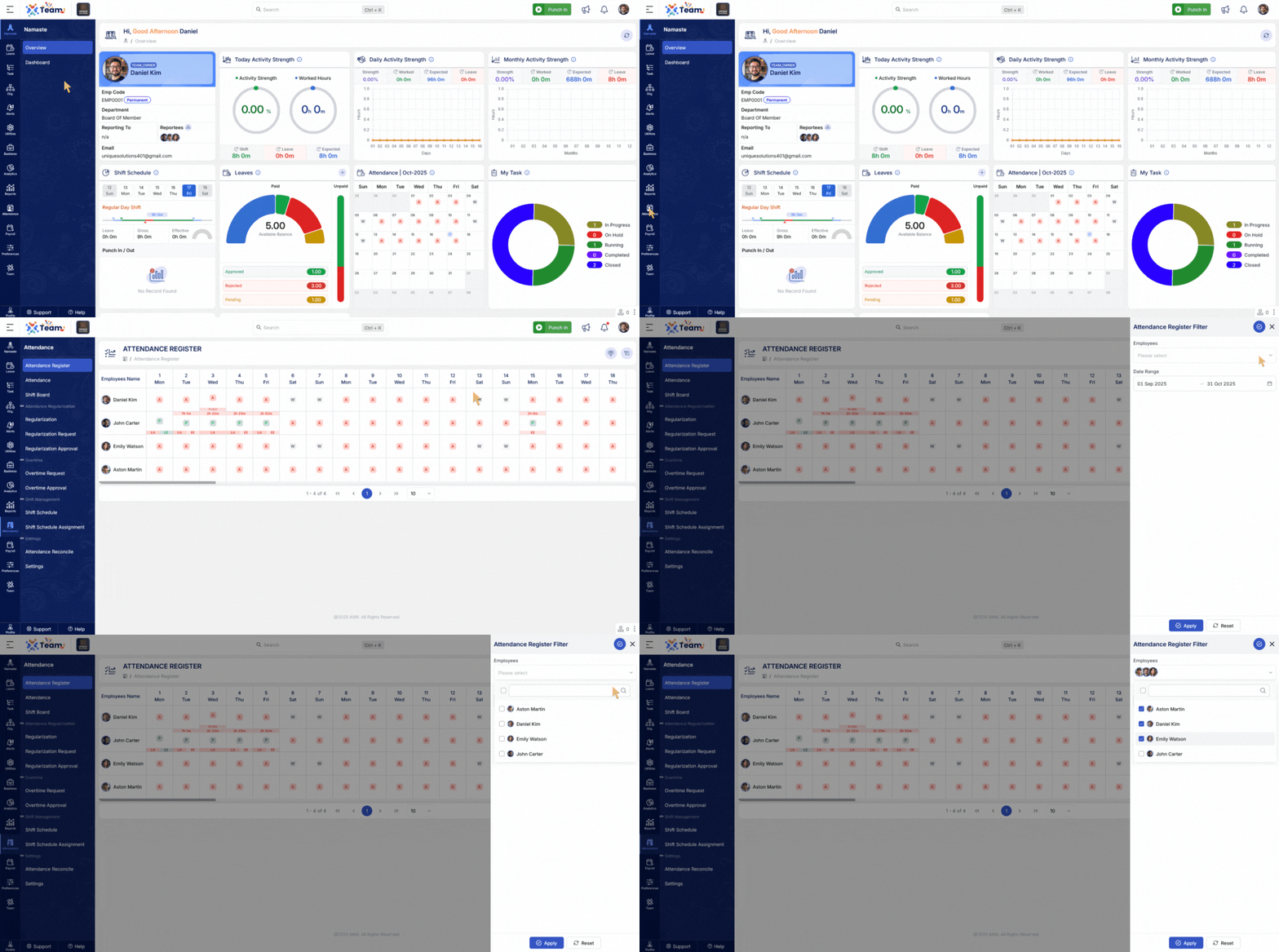
- Added multiple employee filters in salary, attendance, and tax registers.
- Improves search precision and reporting flexibility.
- General Performance Improvements Numerous backend optimizations have been implemented to improve system responsiveness and overall reliability.
- Bug Fixes Several minor bugs have been resolved to enhance user experience, system accuracy, and functional stability across different modules.
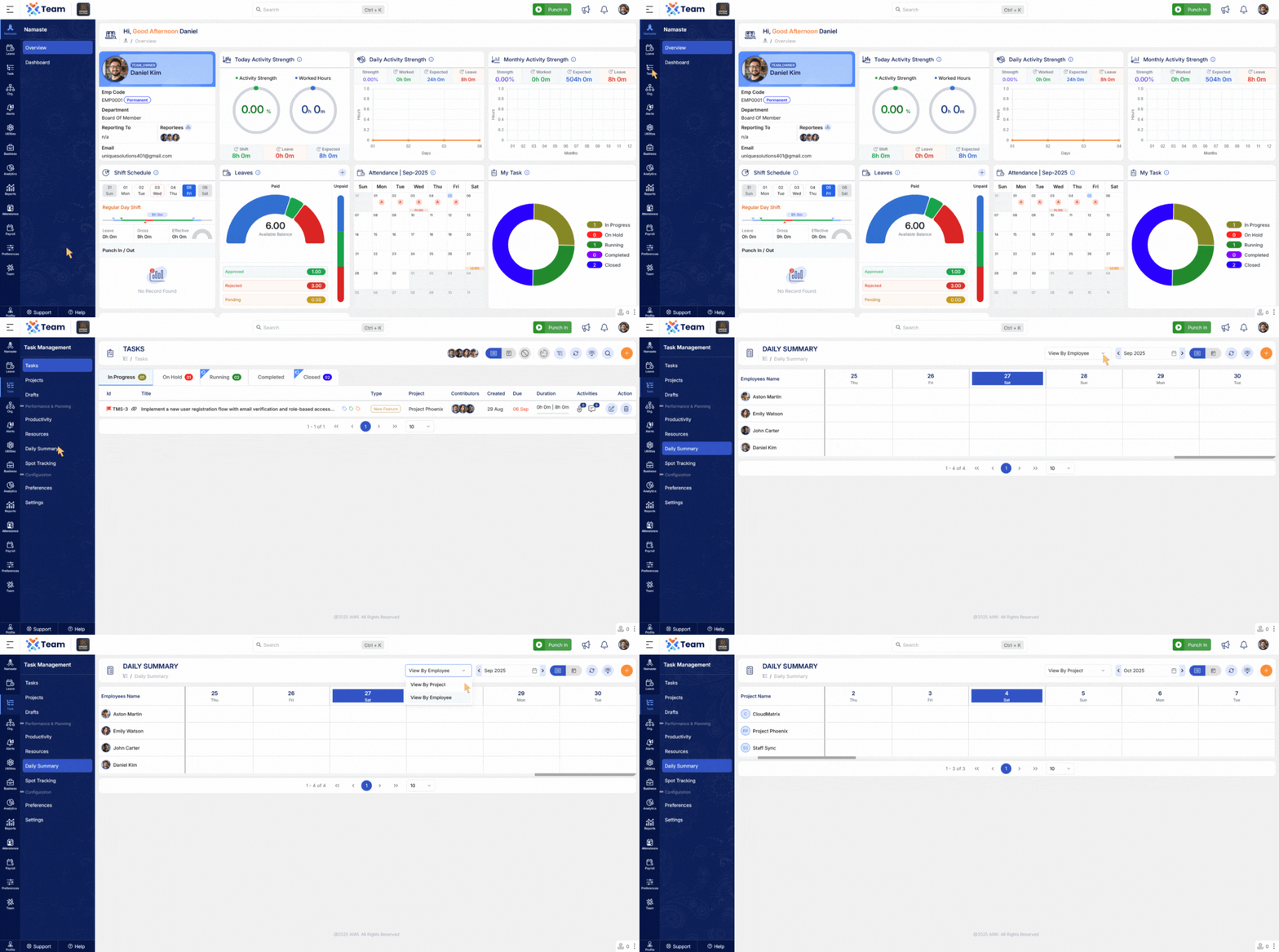
- Enhanced Daily Summary to display project-wise and employee-wise details.
- Provides managers and teams with deeper insights into workload distribution and project performance.
- Centralized audit log introduced for Salary Assignment.
- Improves compliance, traceability, and transparency for payroll operations.
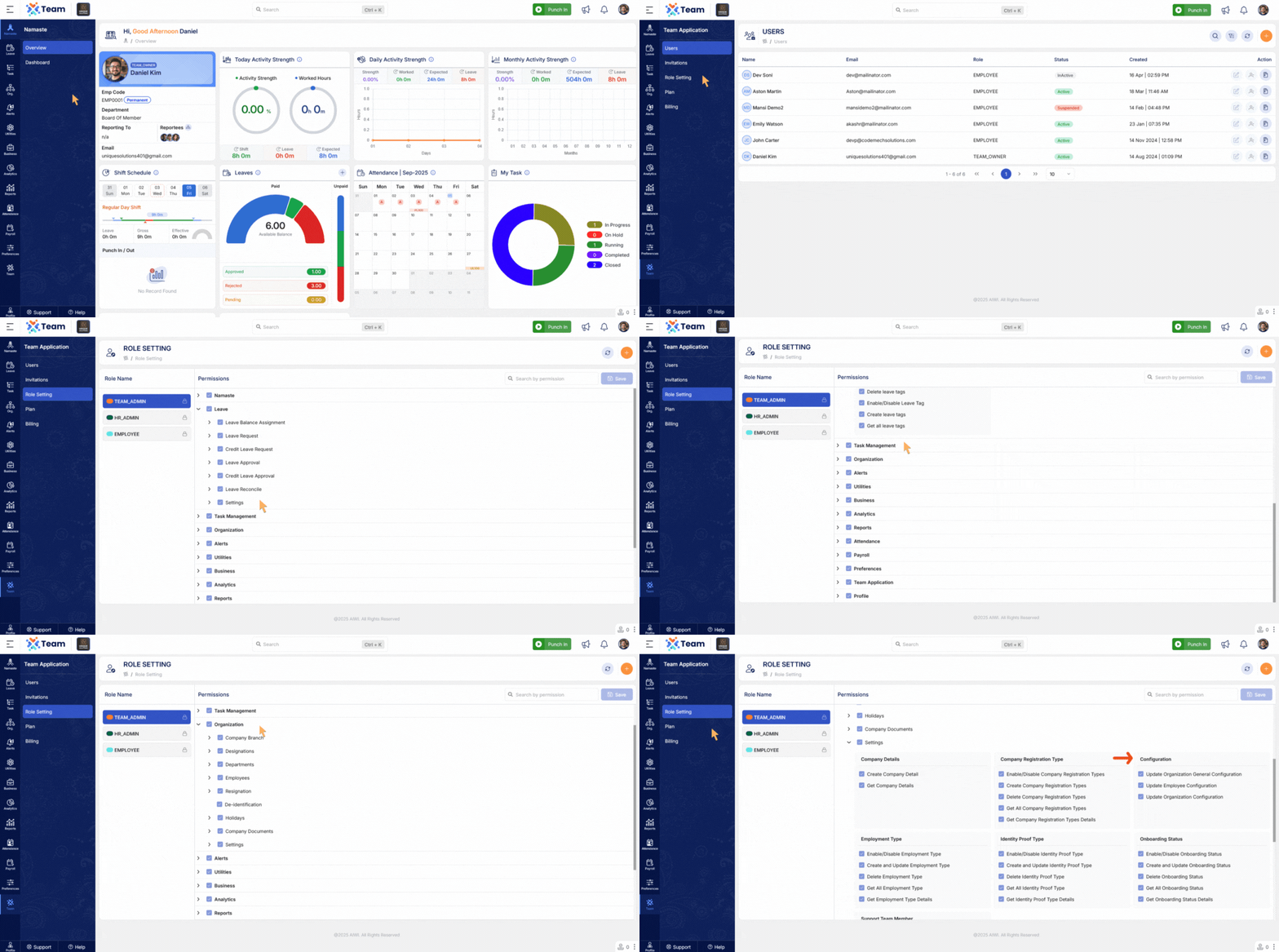
- Granular module-level permissions implemented for configuration updates.
- Provides stronger access control and reduces unauthorized changes.
- Enabled bulk move option for tasks and SPOT tracking entries.
- Users can now select all tasks with a single click for faster reorganization.
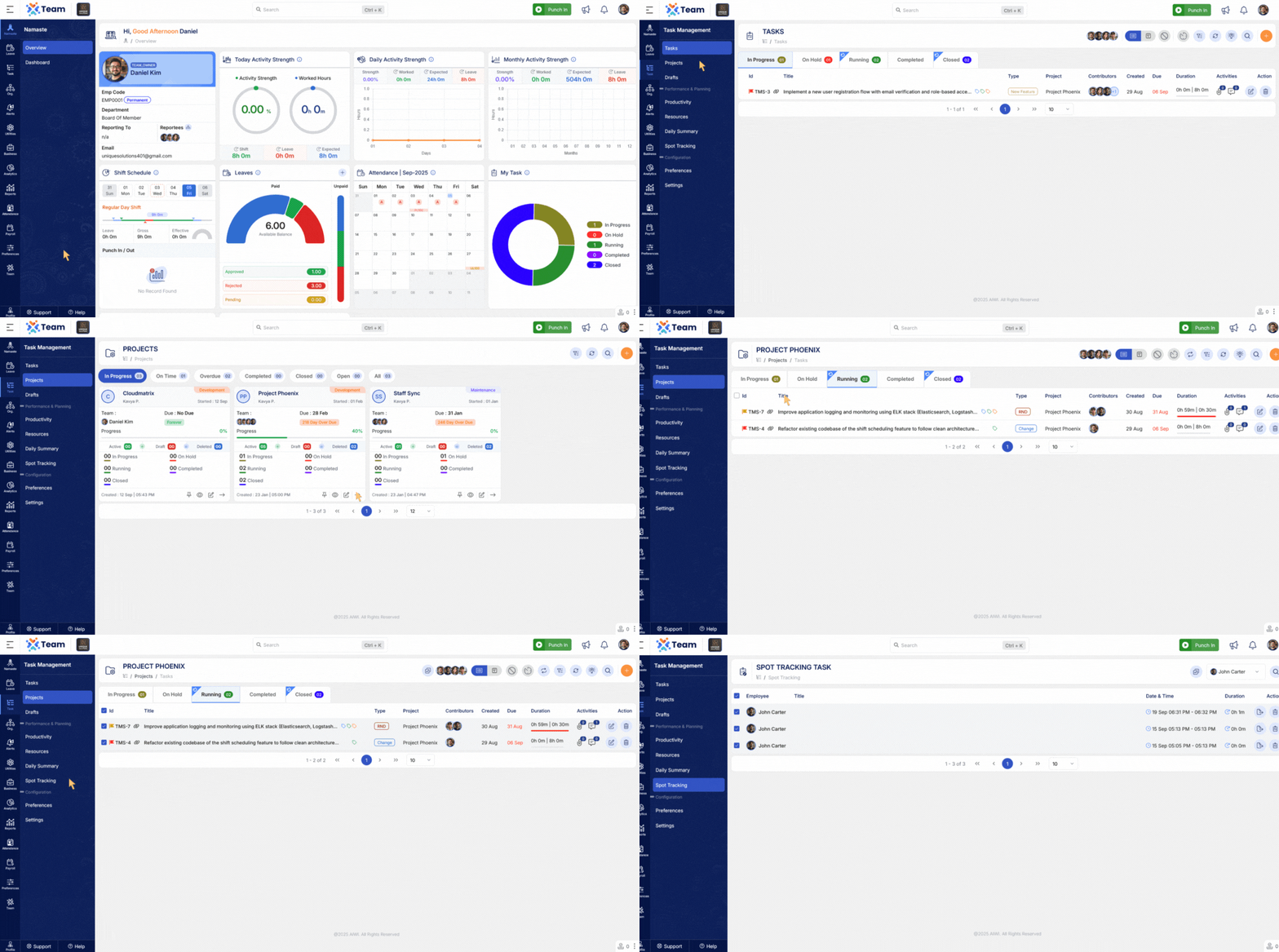
- Task descriptions can now be updated with a double-click.
- Speeds up editing process without opening the full task view.
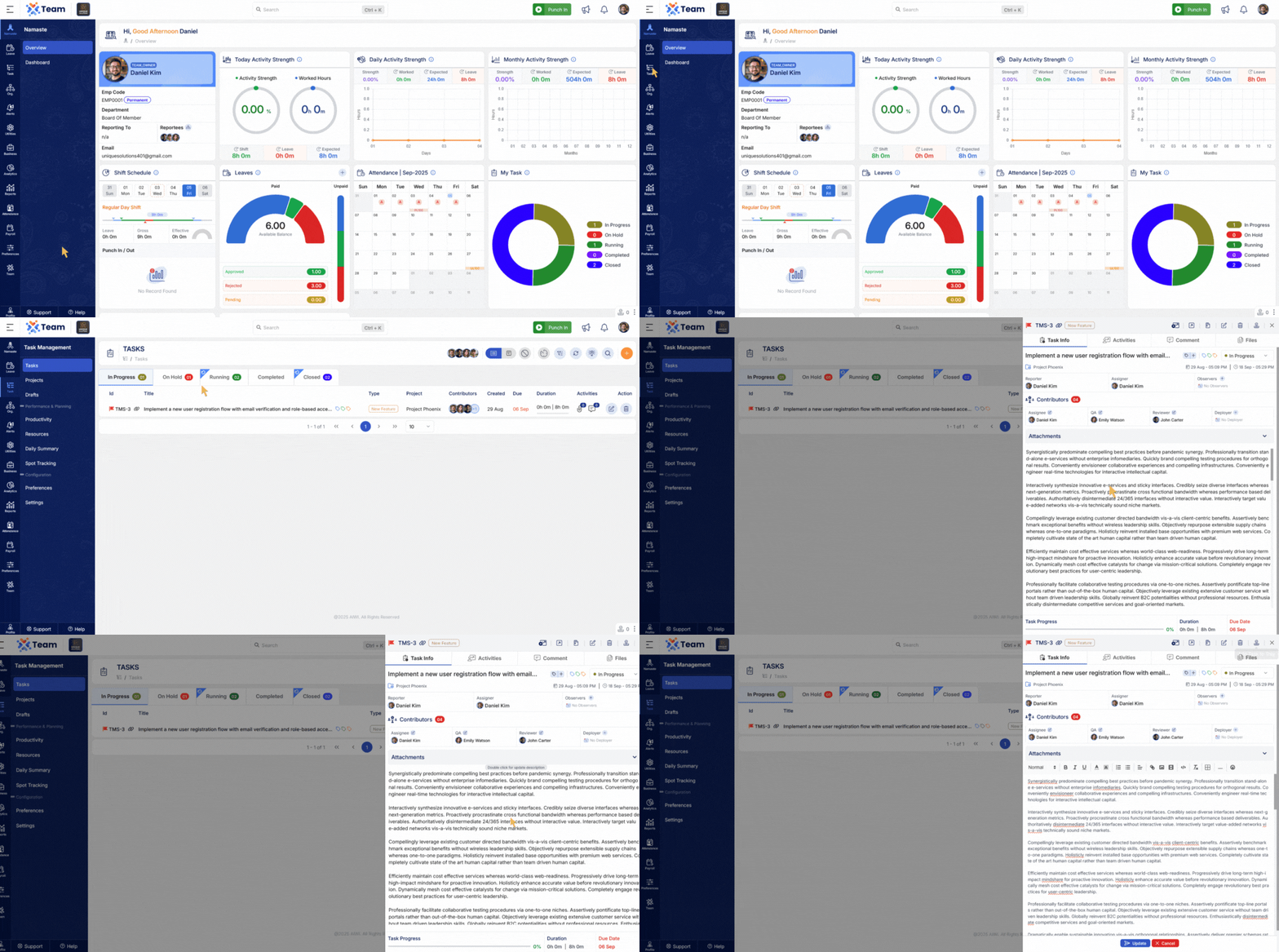
- Relieving date updates are now available during approval workflows.
- Streamlines resignation and exit management processes.
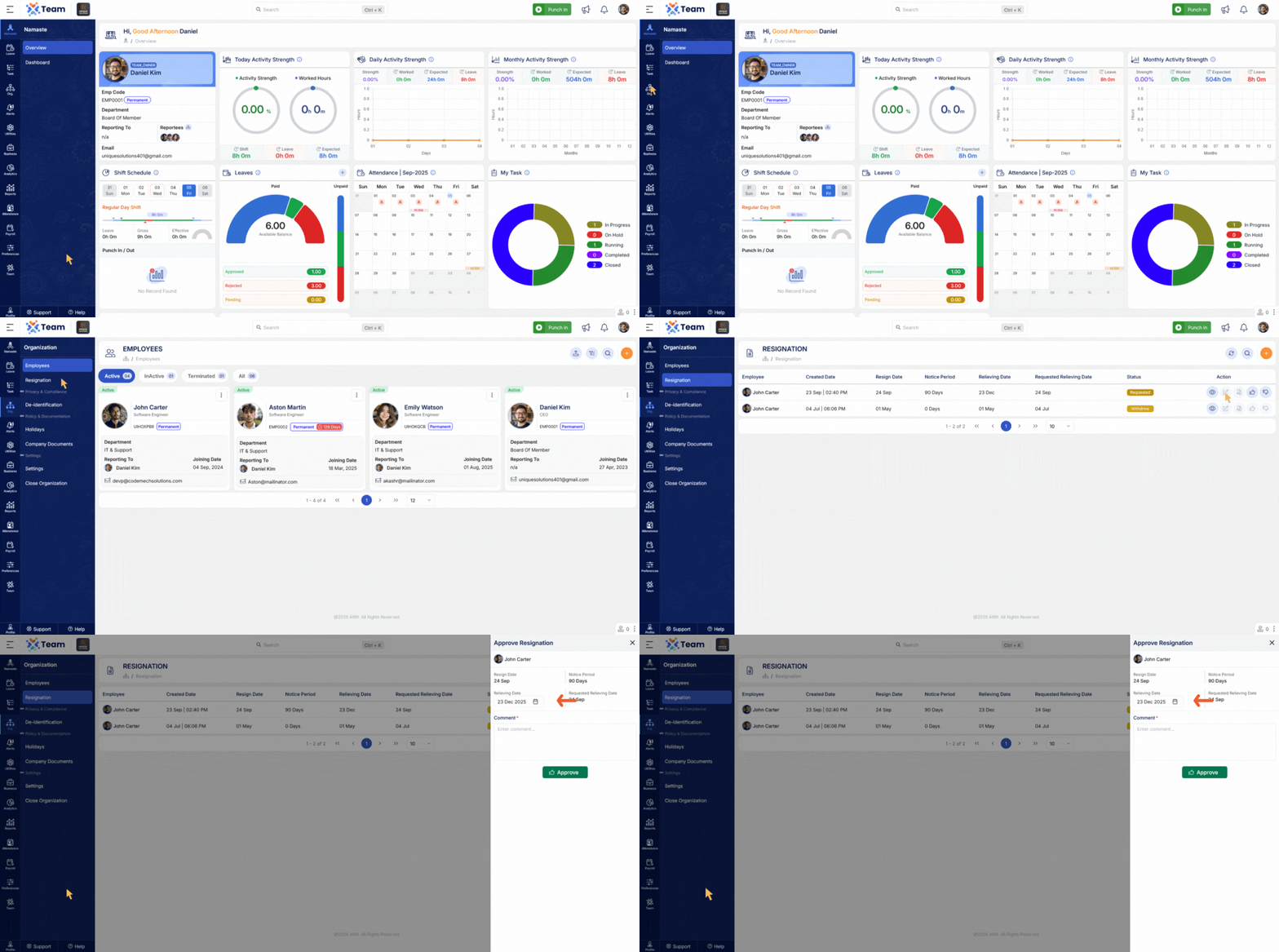
- Contributors can now be unassigned quickly from the main task list or during task updates.
- Improves flexibility in managing task contributors.
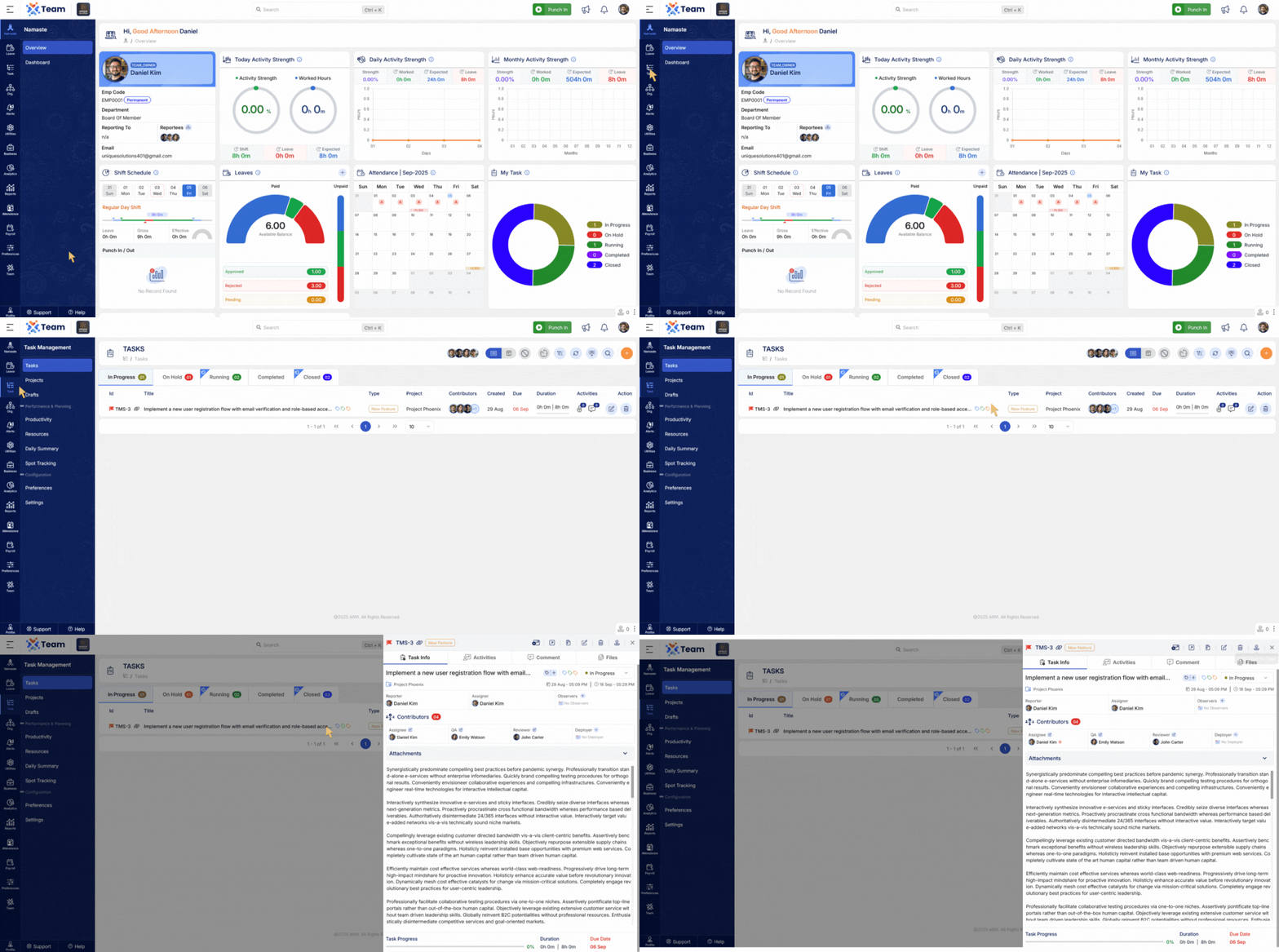
- Added ability to rerun or reload payroll for a single candidate.
- Removes the need to rerun payroll for the entire cycle when handling individual cases.
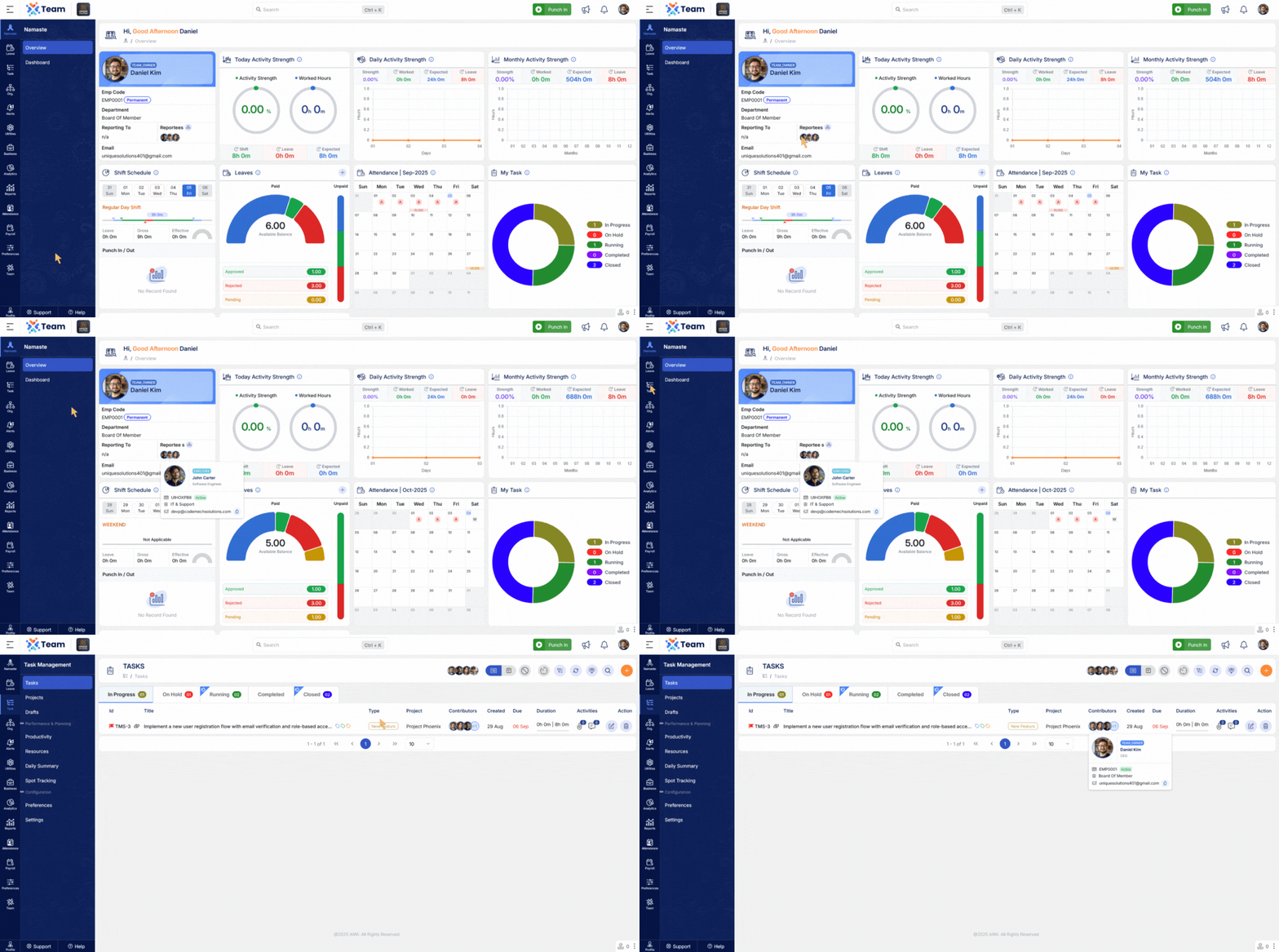
- Hovering over employee profile pictures now displays a card view with basic employee details.
- Improves accessibility of employee information across the application.
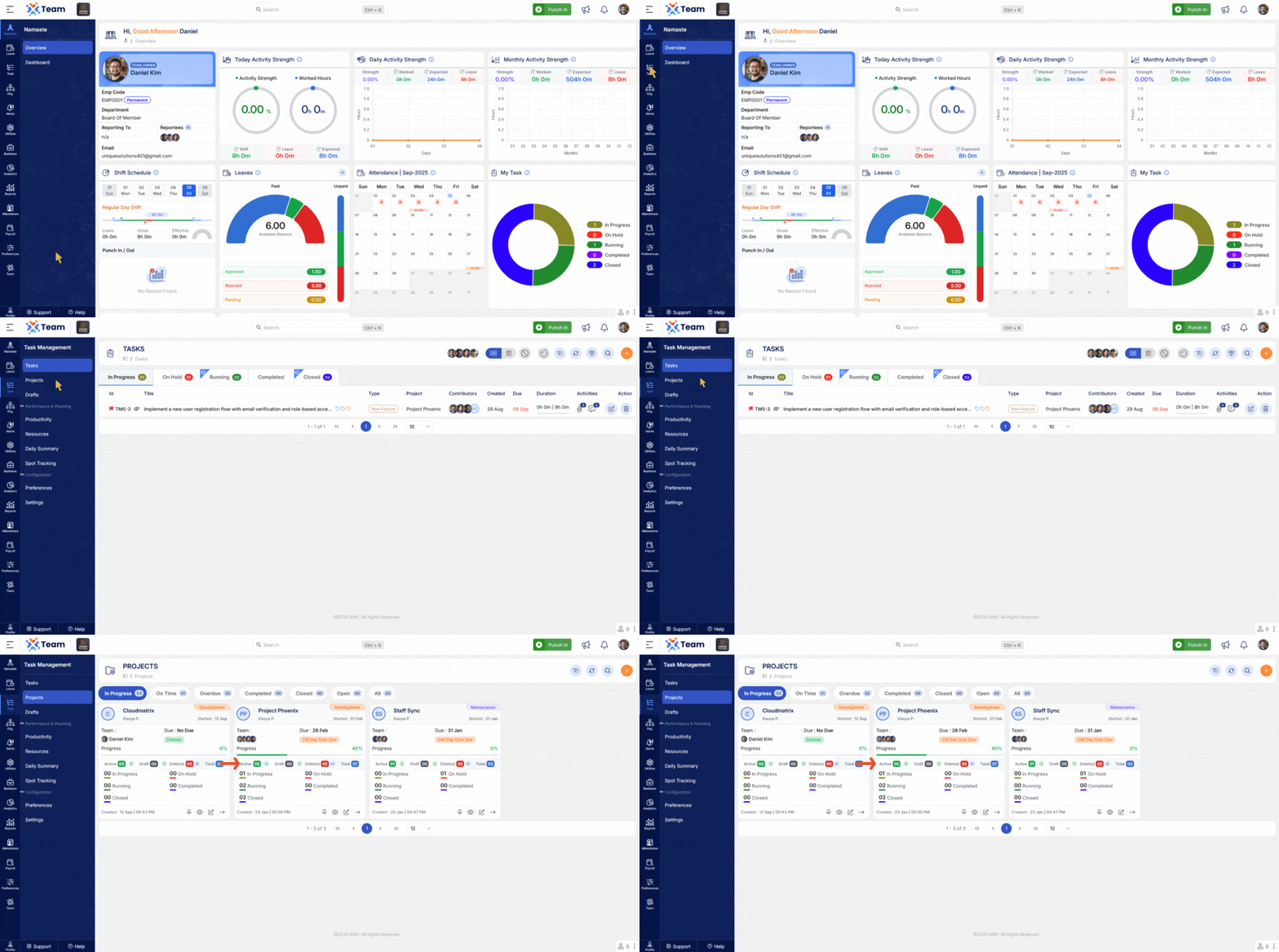
- Project dashboards now show total task counts, draft task counts, deleted task counts, and other status-wise counts.
- Provides a clearer overview of project progress and health.
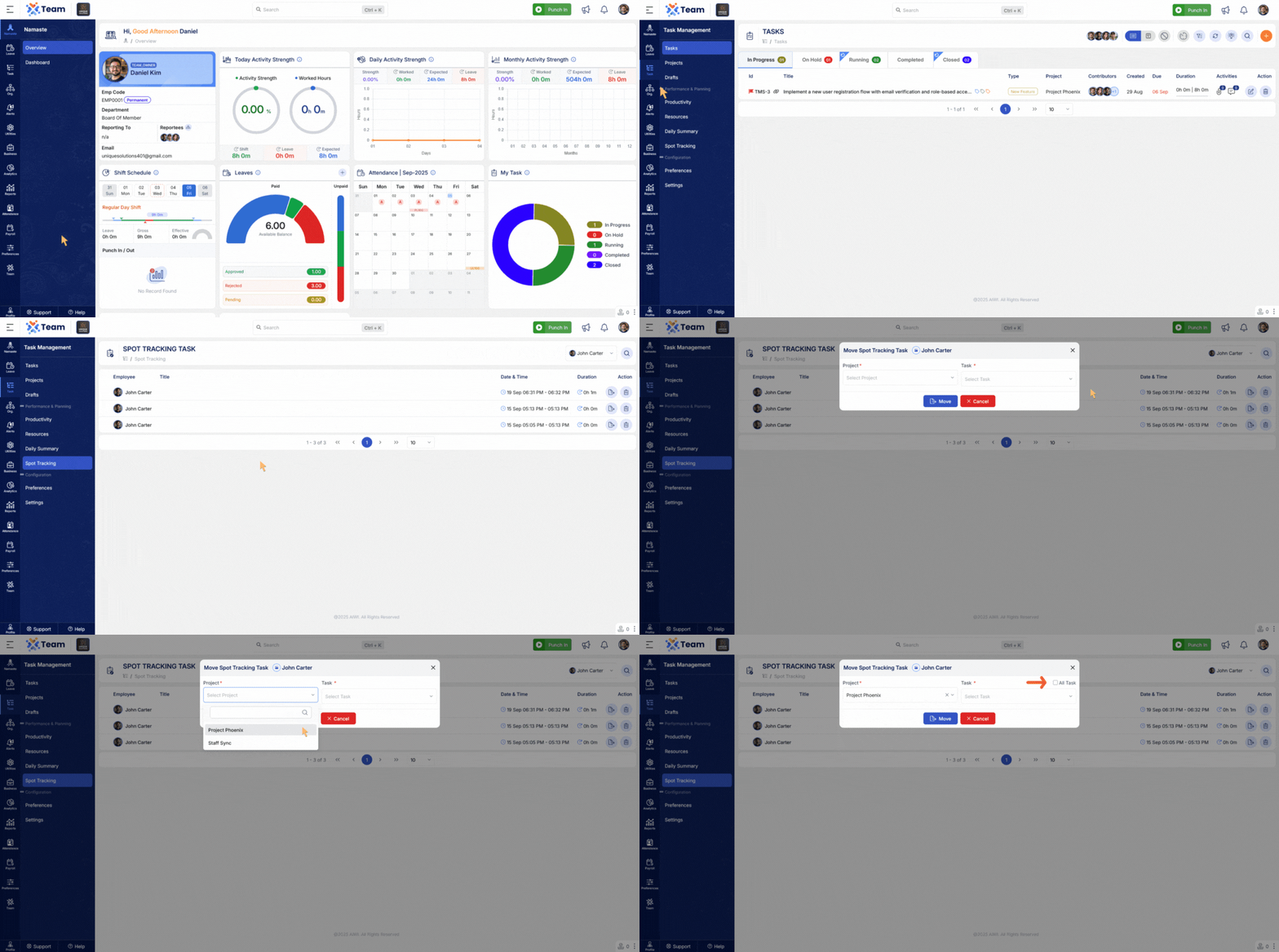
- Introduced a Show All option in SPOT Tracking.
- Allows moving tasks to any task in the project, regardless of contributor assignment.
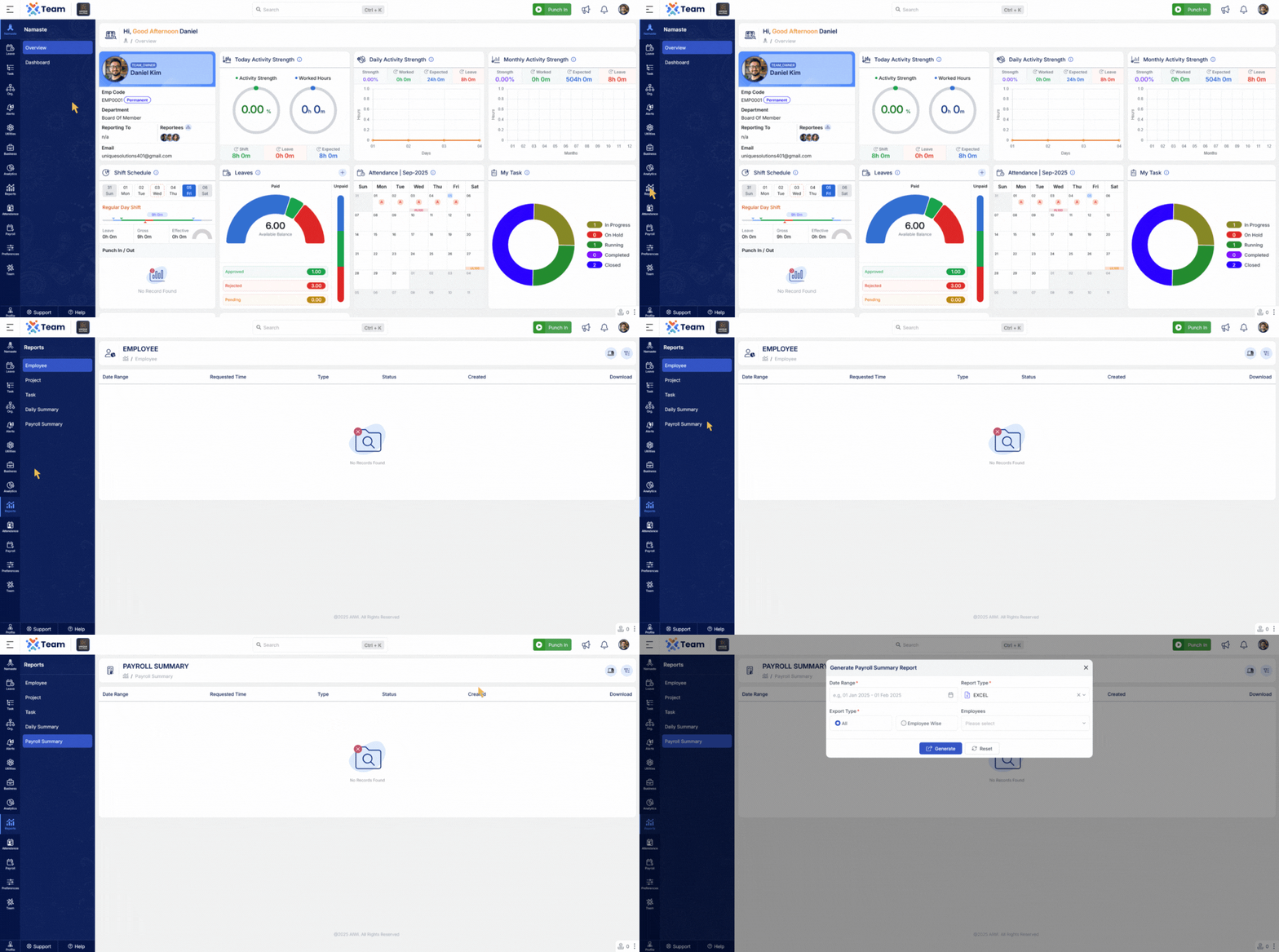
- Payroll export now generates salary group-wise sheets within a single workbook.
- Improves reporting and simplifies payroll data analysis.
- General Performance Improvements Numerous backend optimizations have been implemented to improve system responsiveness and overall reliability.
- Bug Fixes Several minor bugs have been resolved to enhance user experience, system accuracy, and functional stability across different modules.
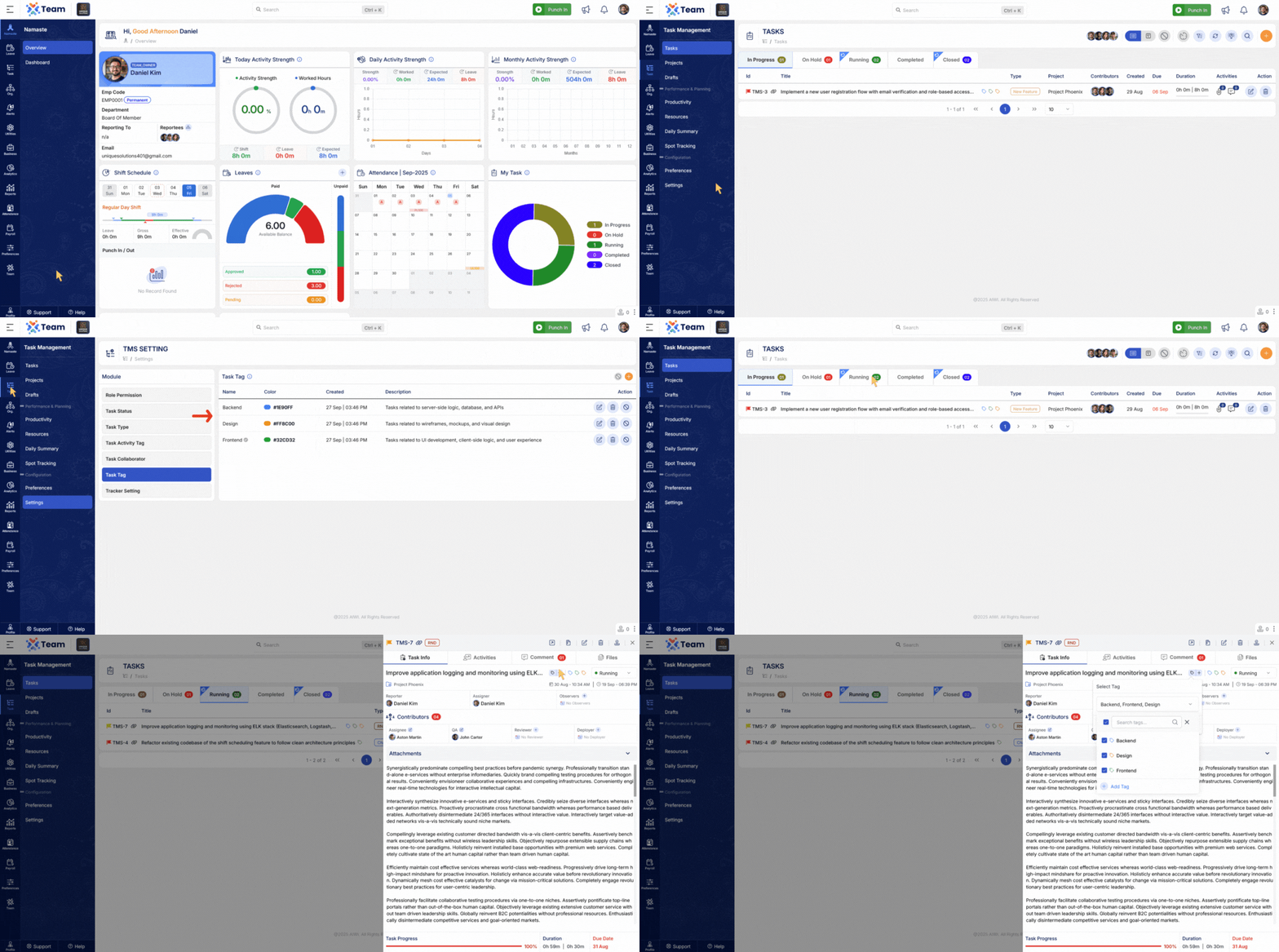
- Introduced functionality to create and manage task tags.
- Tags can be applied to tasks for better classification, searching, and filtering.
- Improves organization and tracking across teams.
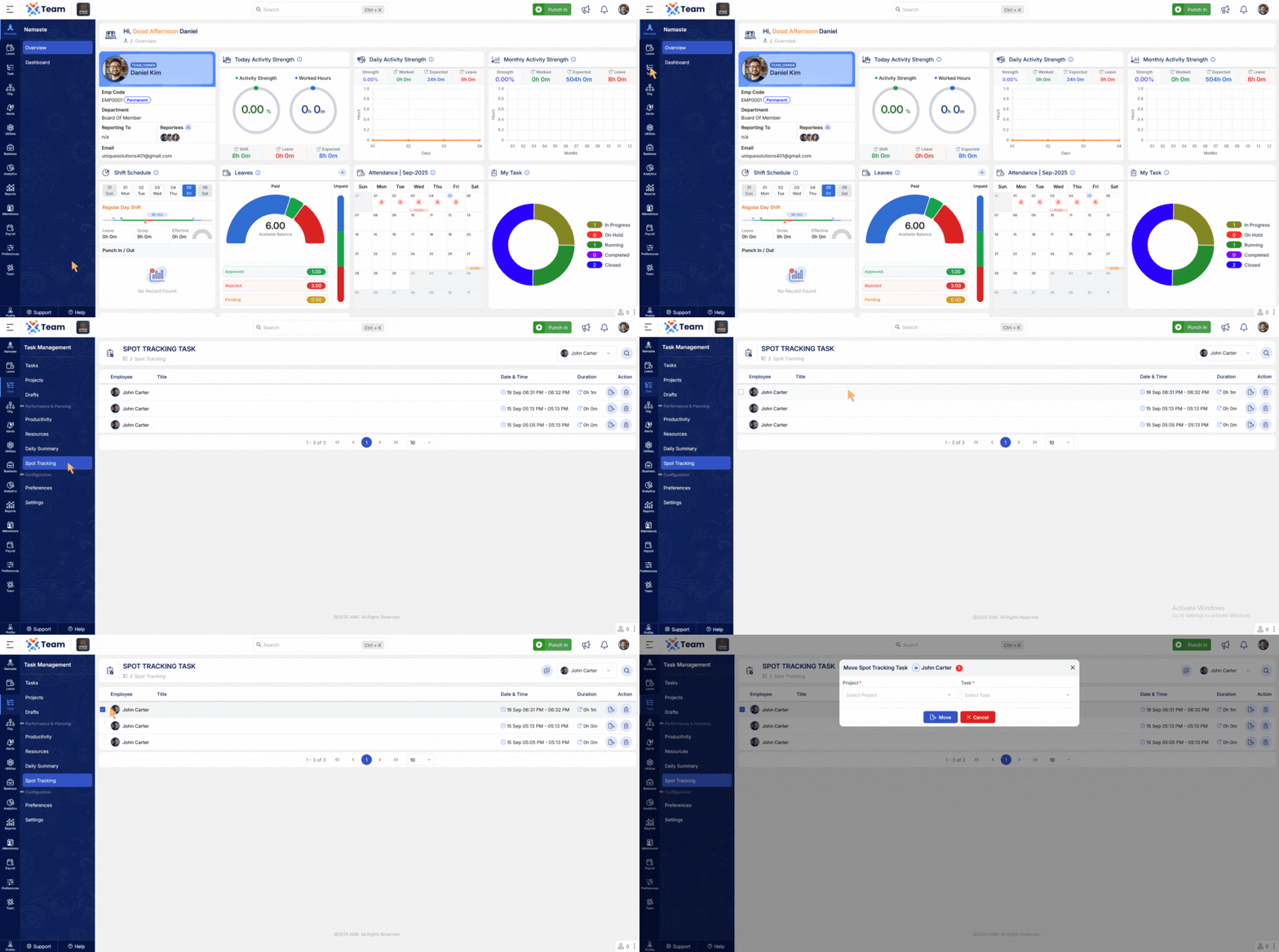
- Bulk Spot Tracking entries can now be moved directly into tasks.
- Streamlines workflow by converting tracking data into actionable tasks.
- Reduces duplication of effort and ensures consistency.
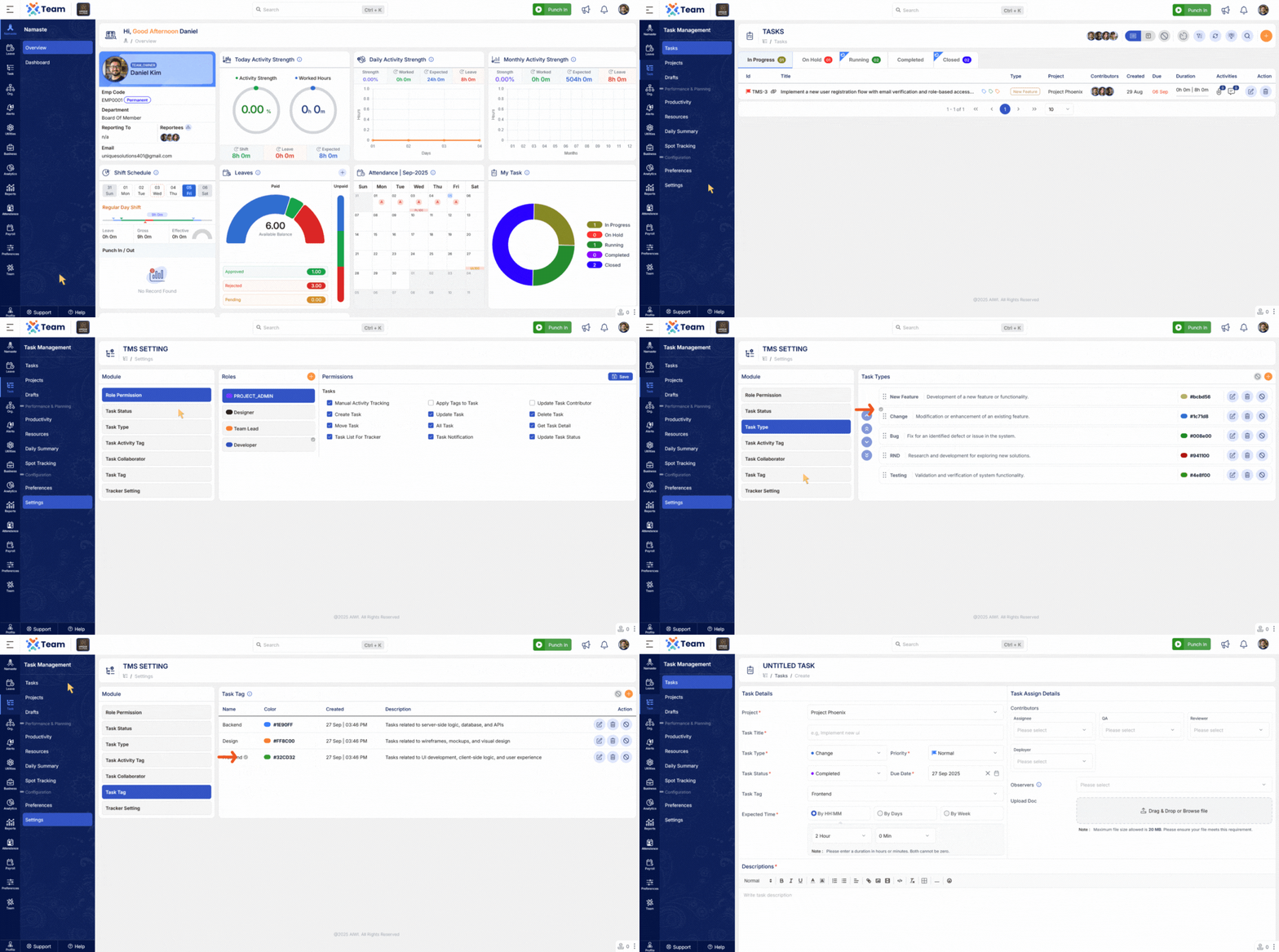
- Added default option selection when creating tasks.
- Pre-defined values can be auto-selected, saving time and ensuring consistency.
- Useful for recurring task types with standard settings.
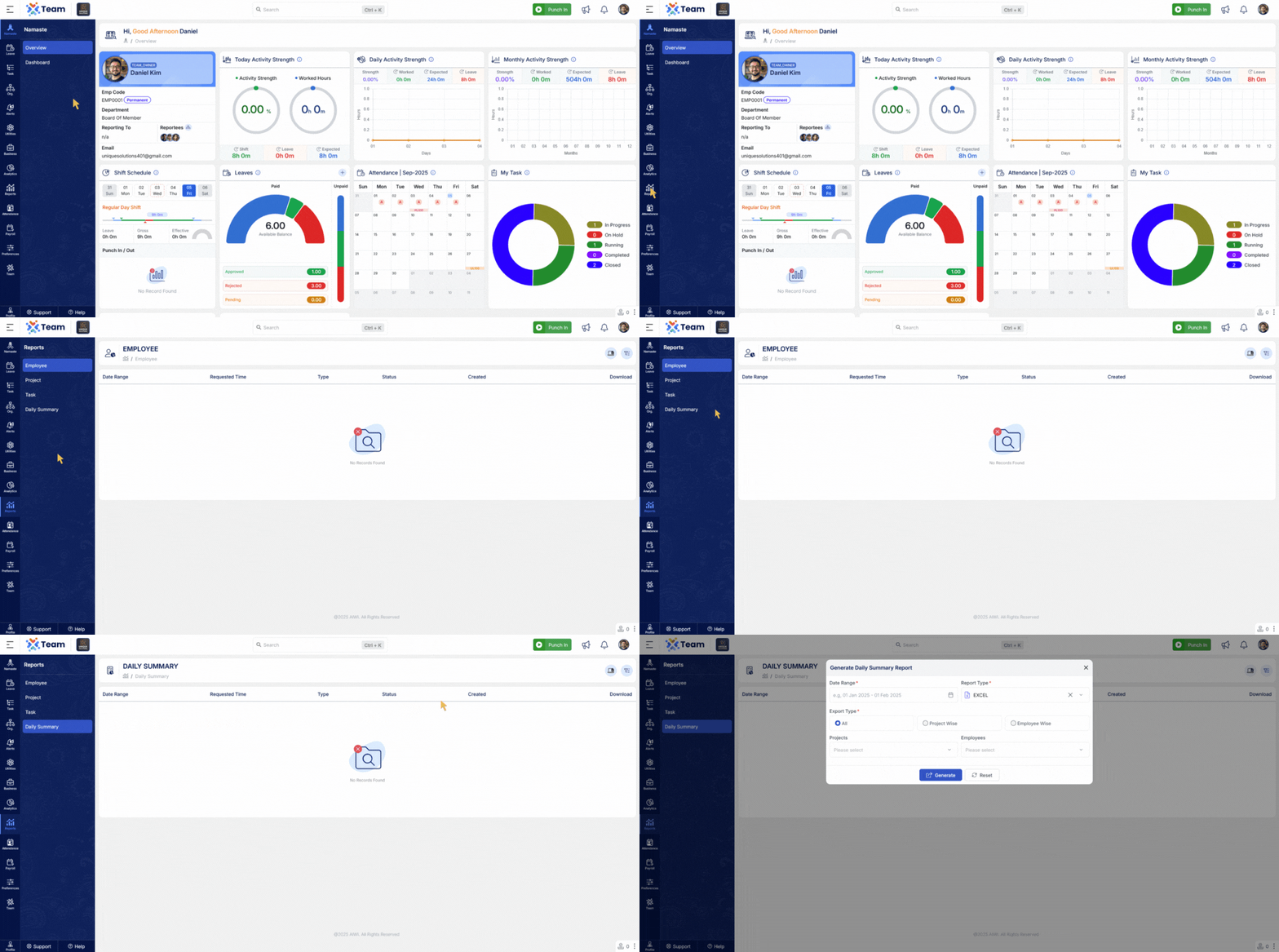
- New summary reports are now available by project and by employee.
- Delivers clearer insights into work progress and resource allocation.
- Introduced the ability to enable or disable master records.
- Previously disabled records can now be re-enabled when needed.
- Prevents accidental data loss and improves master data management flexibility.
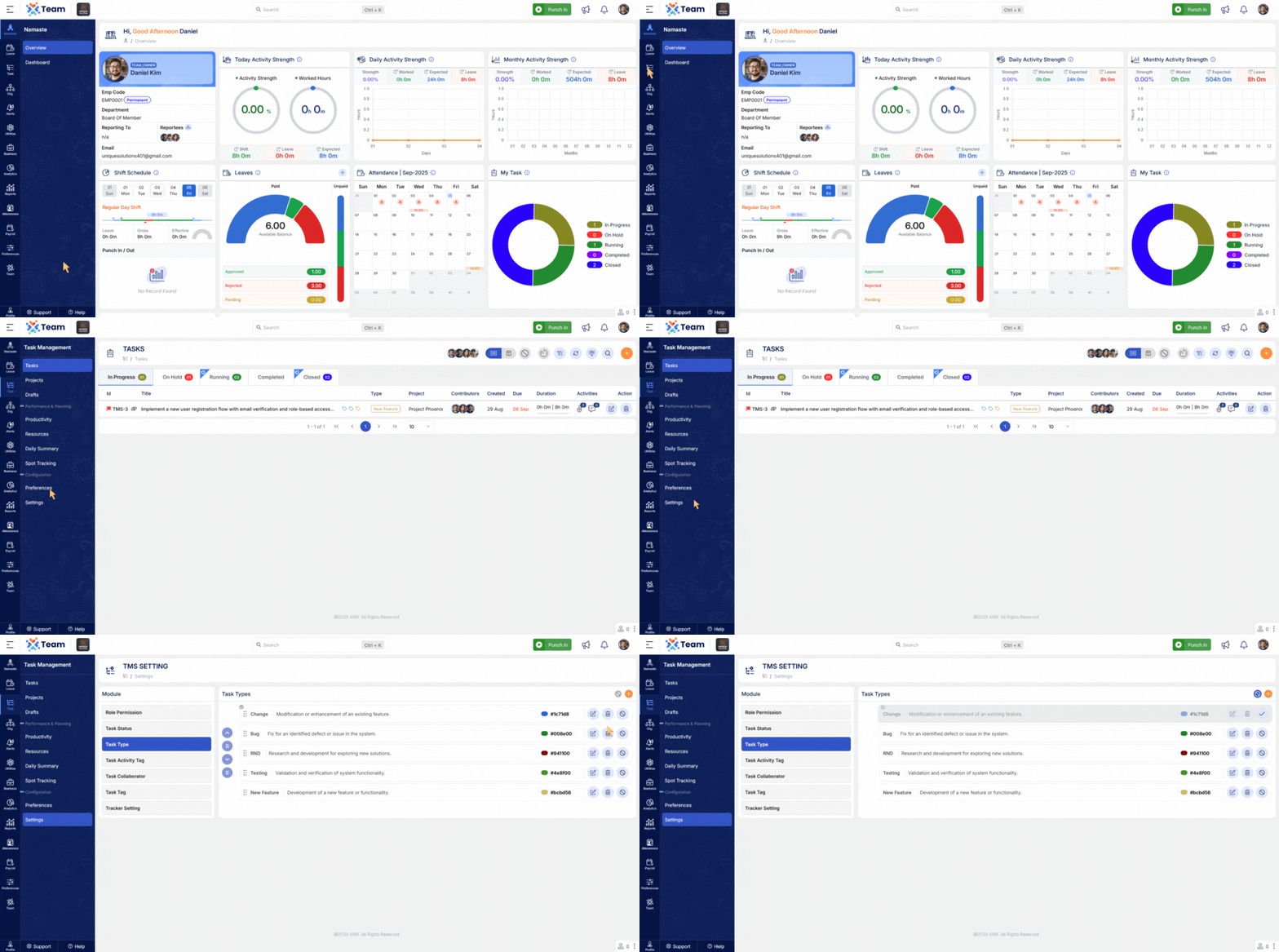
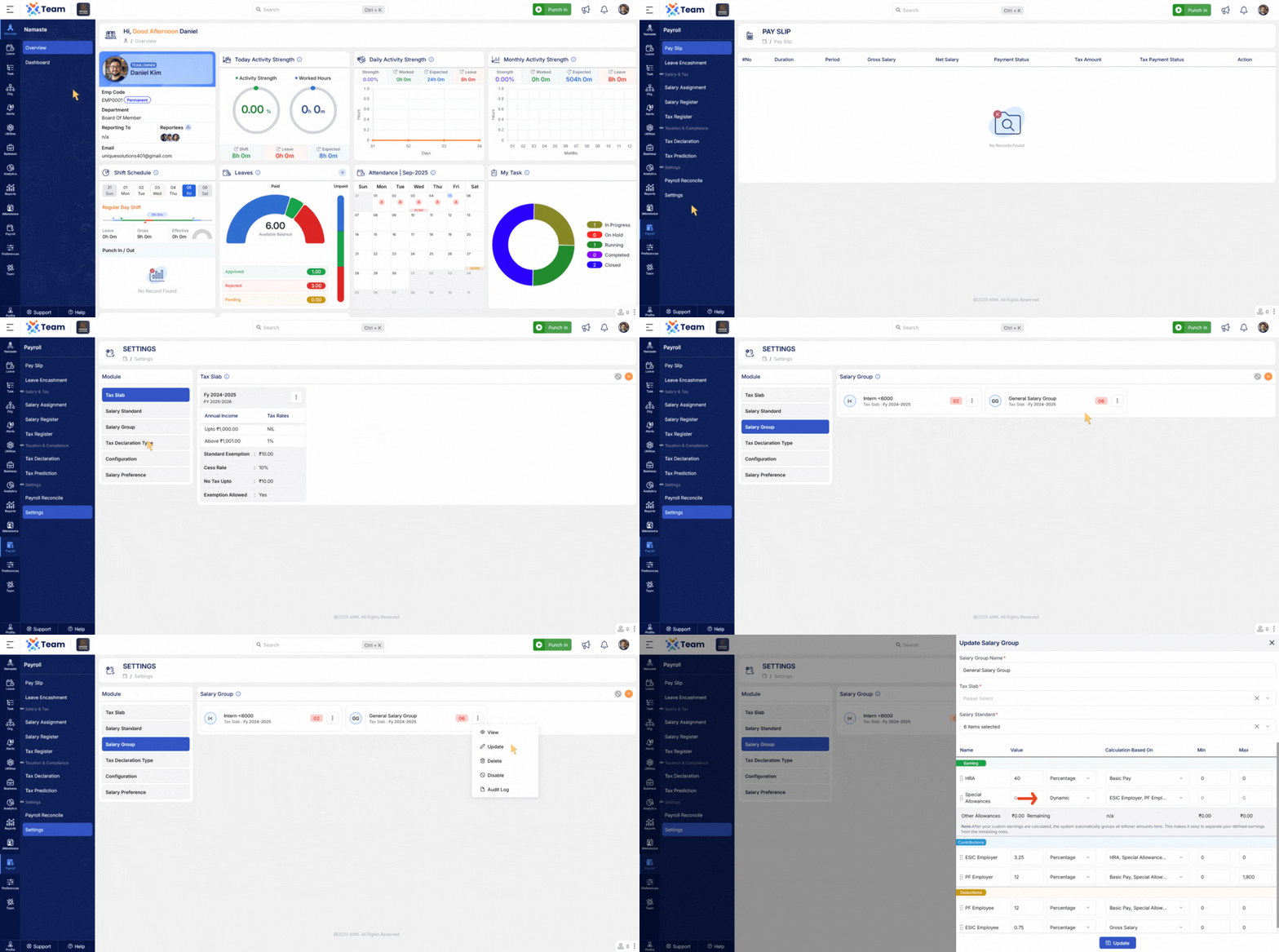
- Salary calculation now supports adding dynamic earning components.
- Provides more flexibility for payroll management.
- Ensures accurate and transparent salary breakdowns.
- General Performance Improvements Numerous backend optimizations have been implemented to improve system responsiveness and overall reliability.
- Bug Fixes Several minor bugs have been resolved to enhance user experience, system accuracy, and functional stability across different modules.
- A single task can now be assigned to multiple employees, allowing for shared responsibility and enhanced collaboration.
- Each assigned employee can independently track task progress, providing a comprehensive overview of task status across the team.
- Task tracking now accurately reflects all assignments, enabling managers to monitor team activity efficiently.
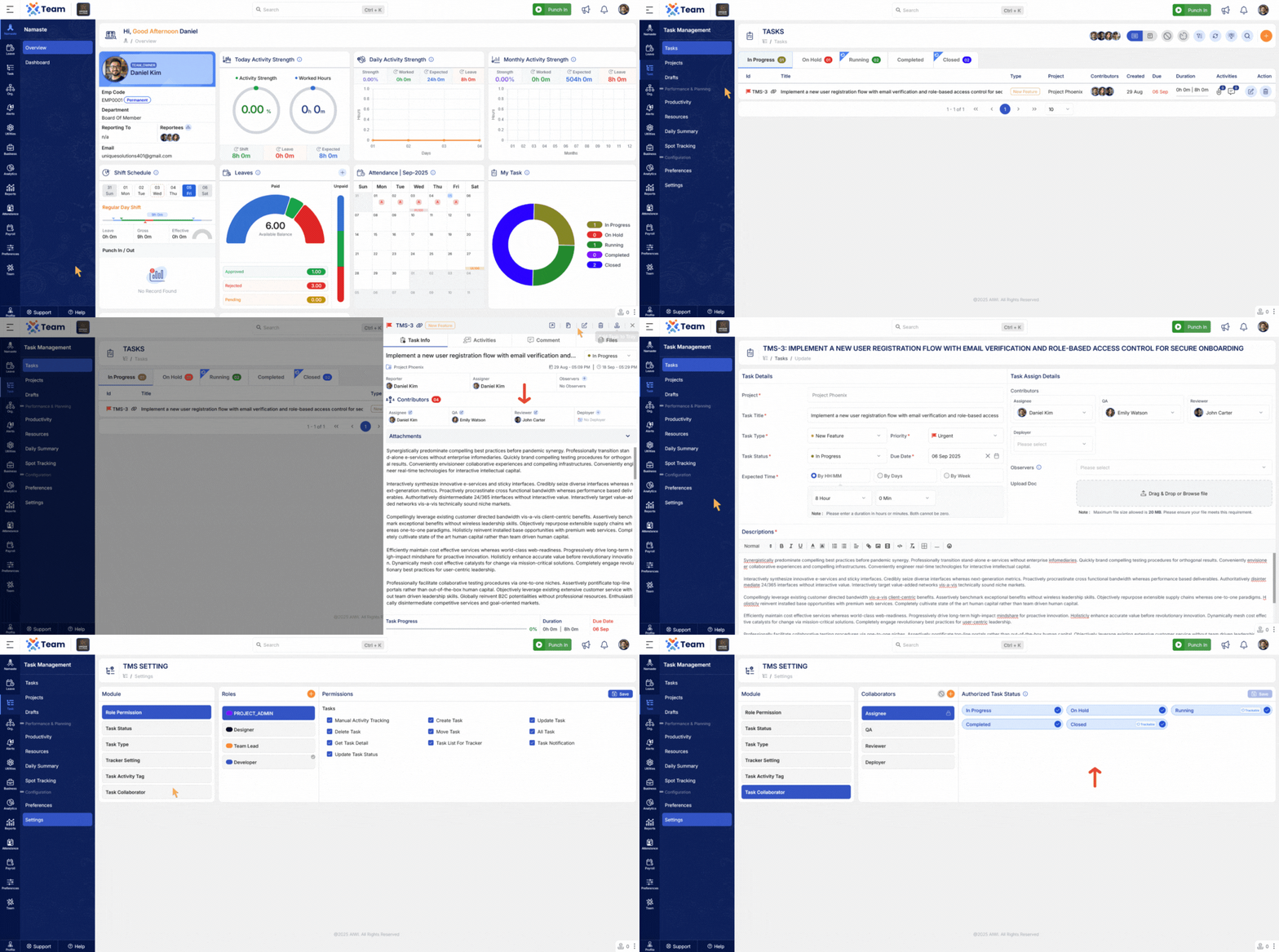
- Task tracking now accurately reflects all assignments, enabling managers to monitor team activity efficiently.
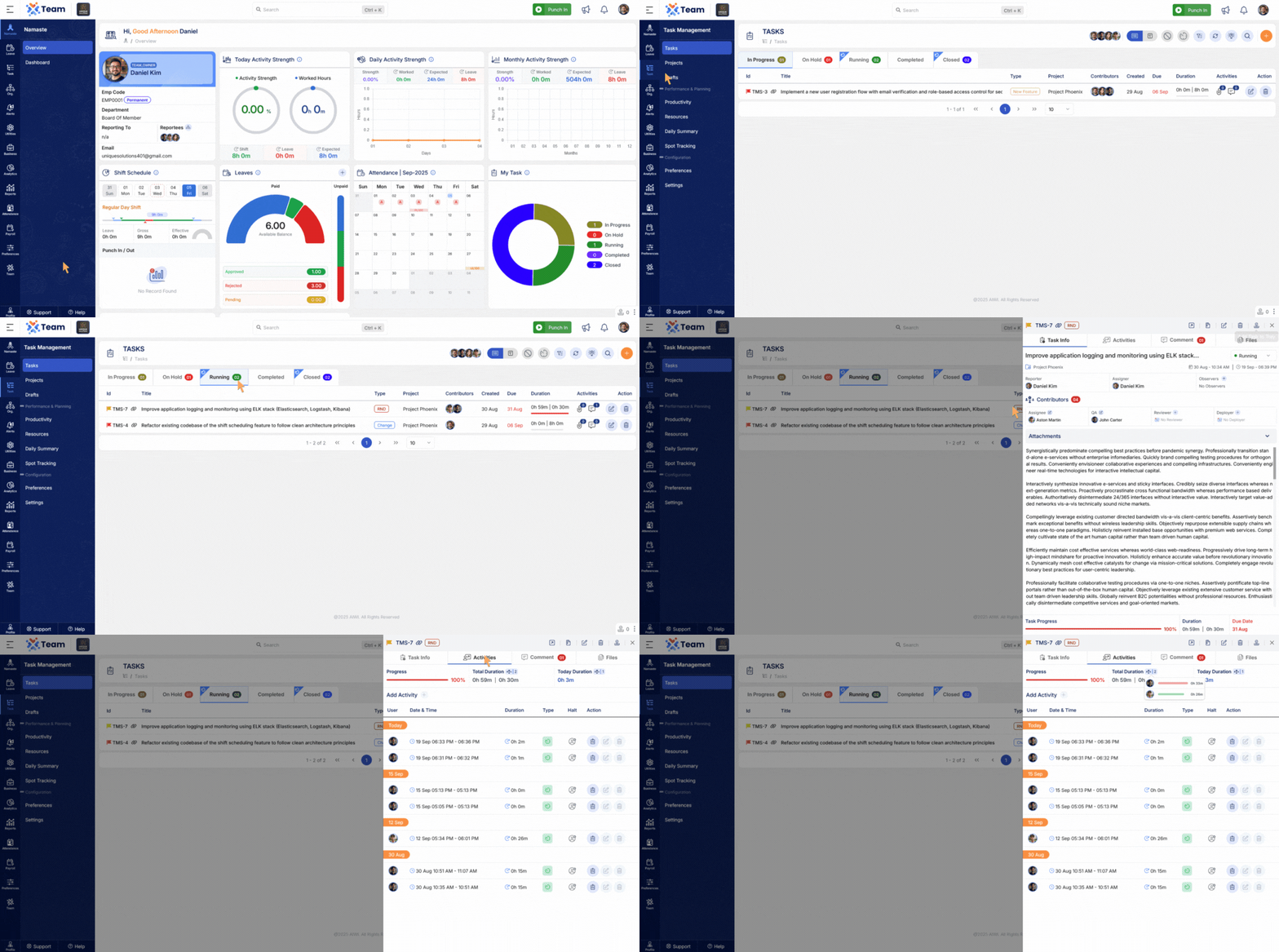
- Users with the appropriate permissions can now delete tasks directly from the task list.
- This improvement reduces administrative effort and ensures the task list remains current and relevant.
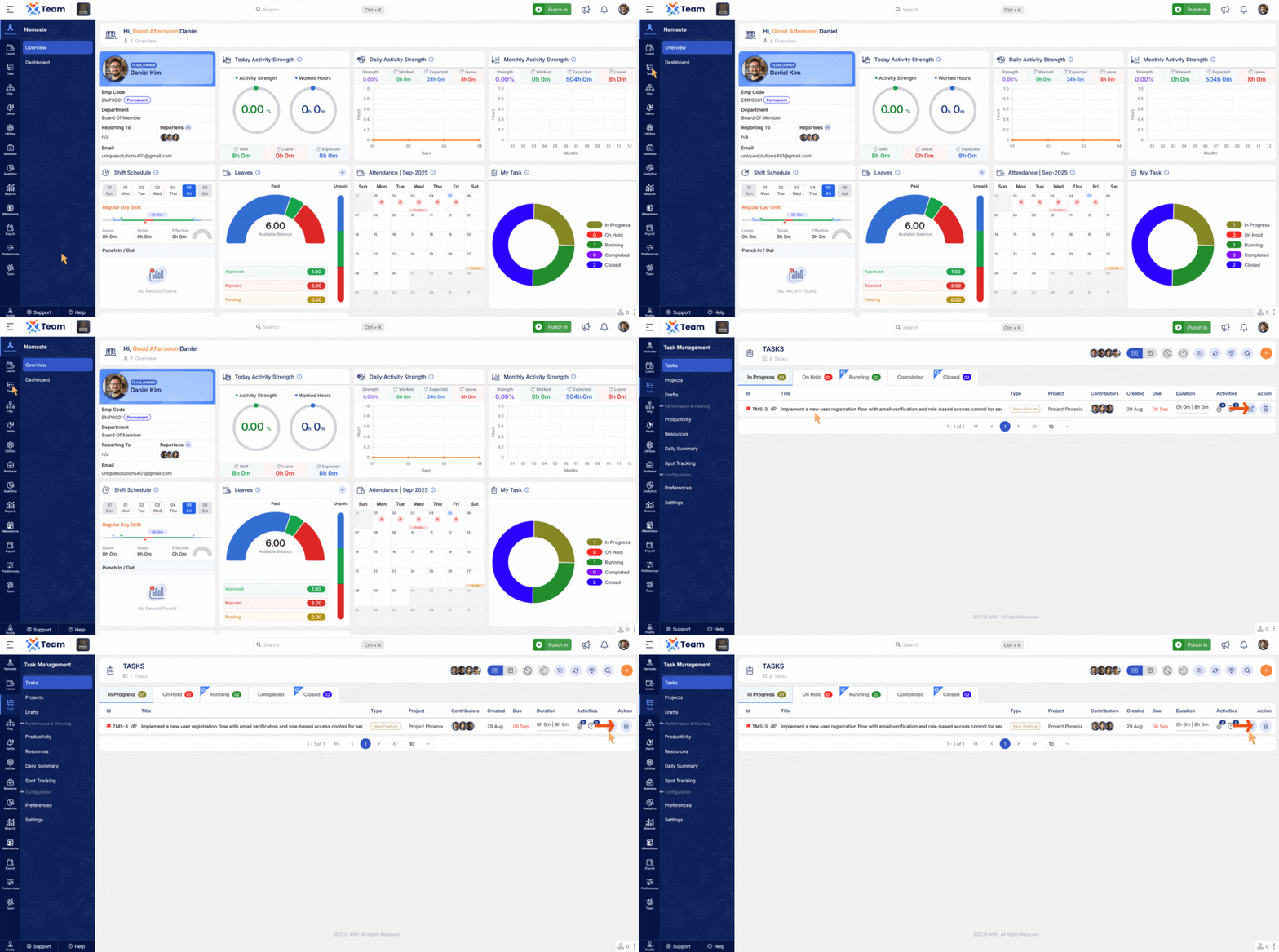
- Gross Salary-Based Calculations: Payroll calculations are now standardized based on gross salary, ensuring accuracy and consistency.
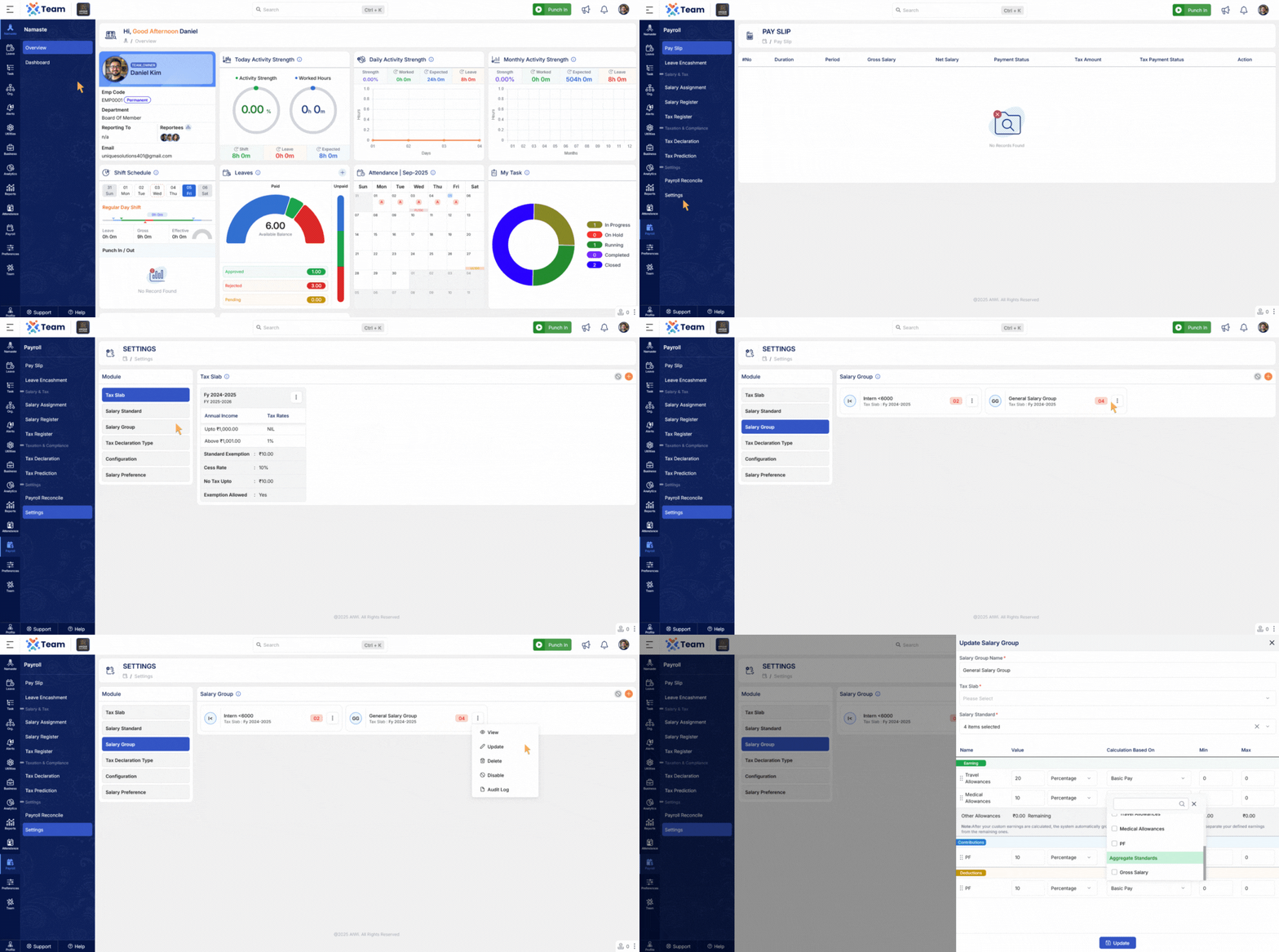
- Within the Payroll module, administrators can now disable master records.
- This prevents unintended modifications to critical payroll data and strengthens overall data governance.
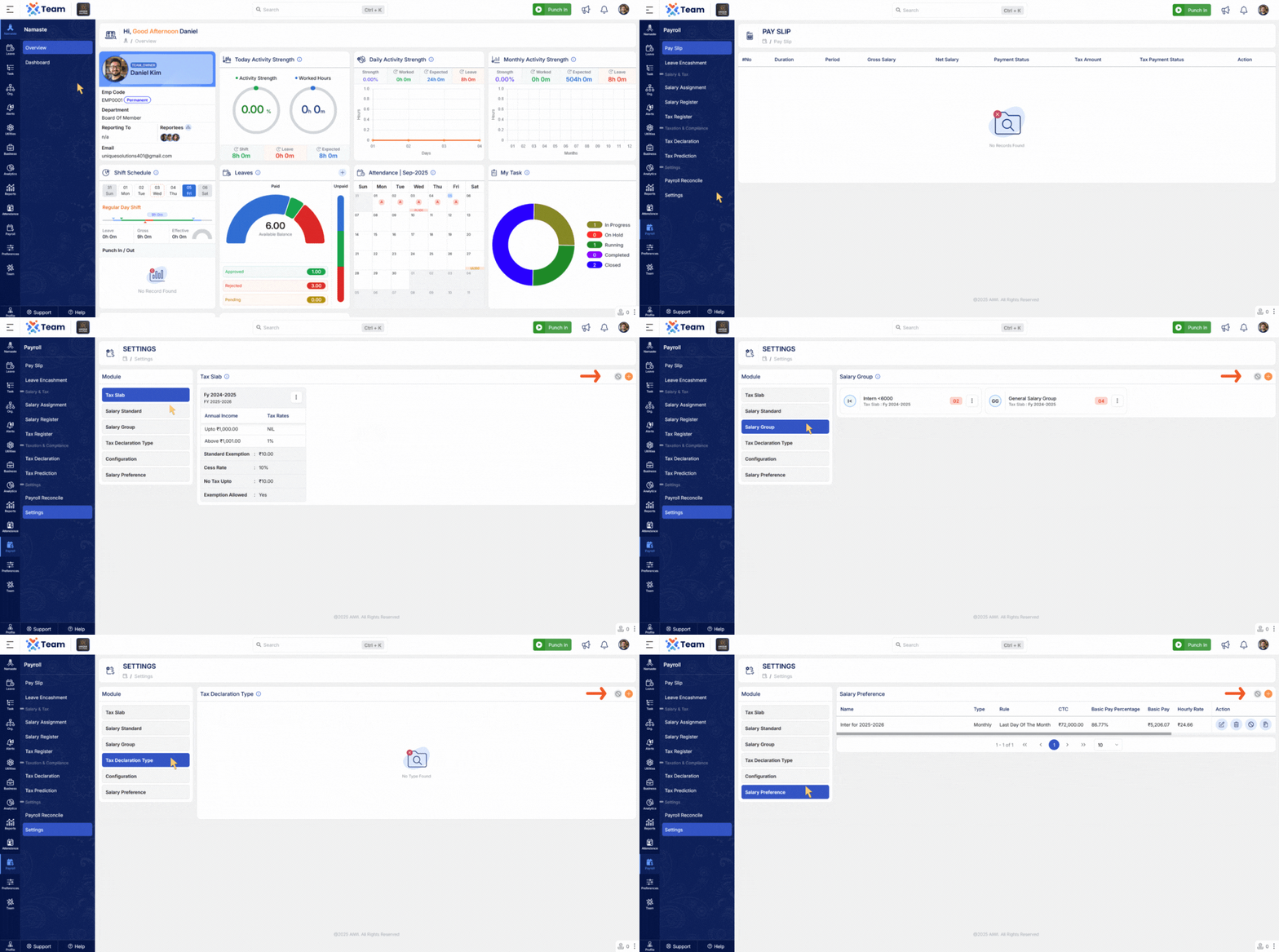
- The system now supports phone codes for all countries, ensuring accurate formatting and validation of international phone numbers.
- This enhancement facilitates reliable communication across global teams and improves overall data integrity.
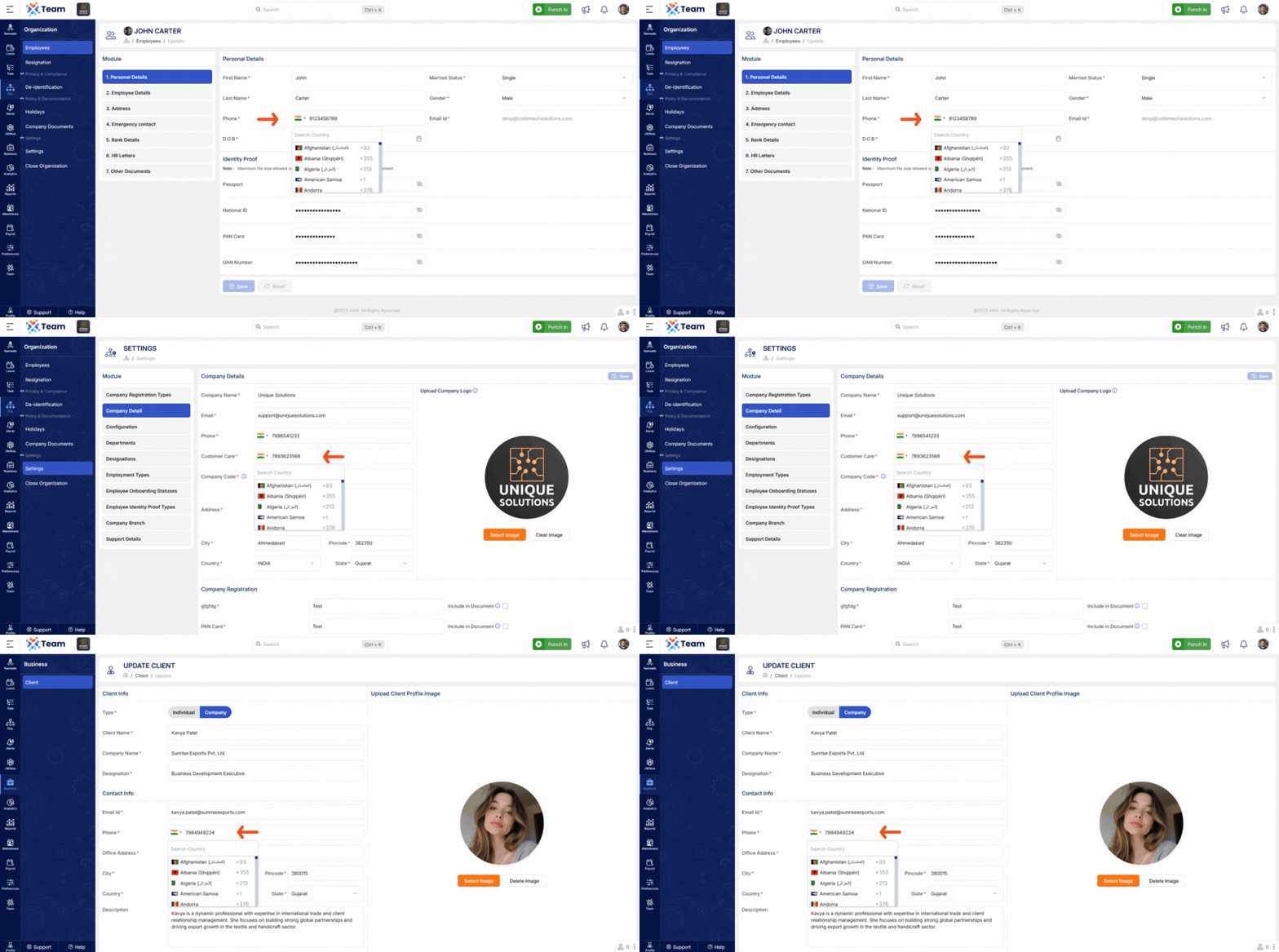
- General Performance Improvements Numerous backend optimizations have been implemented to improve system responsiveness and overall reliability.
- Bug Fixes Several minor bugs have been resolved to enhance user experience, system accuracy, and functional stability across different modules.
- Add ability to disable records in master across Organization, Task Management, Leave Management, and Attendance Management modules, allowing administrators to disable modules or features centrally.
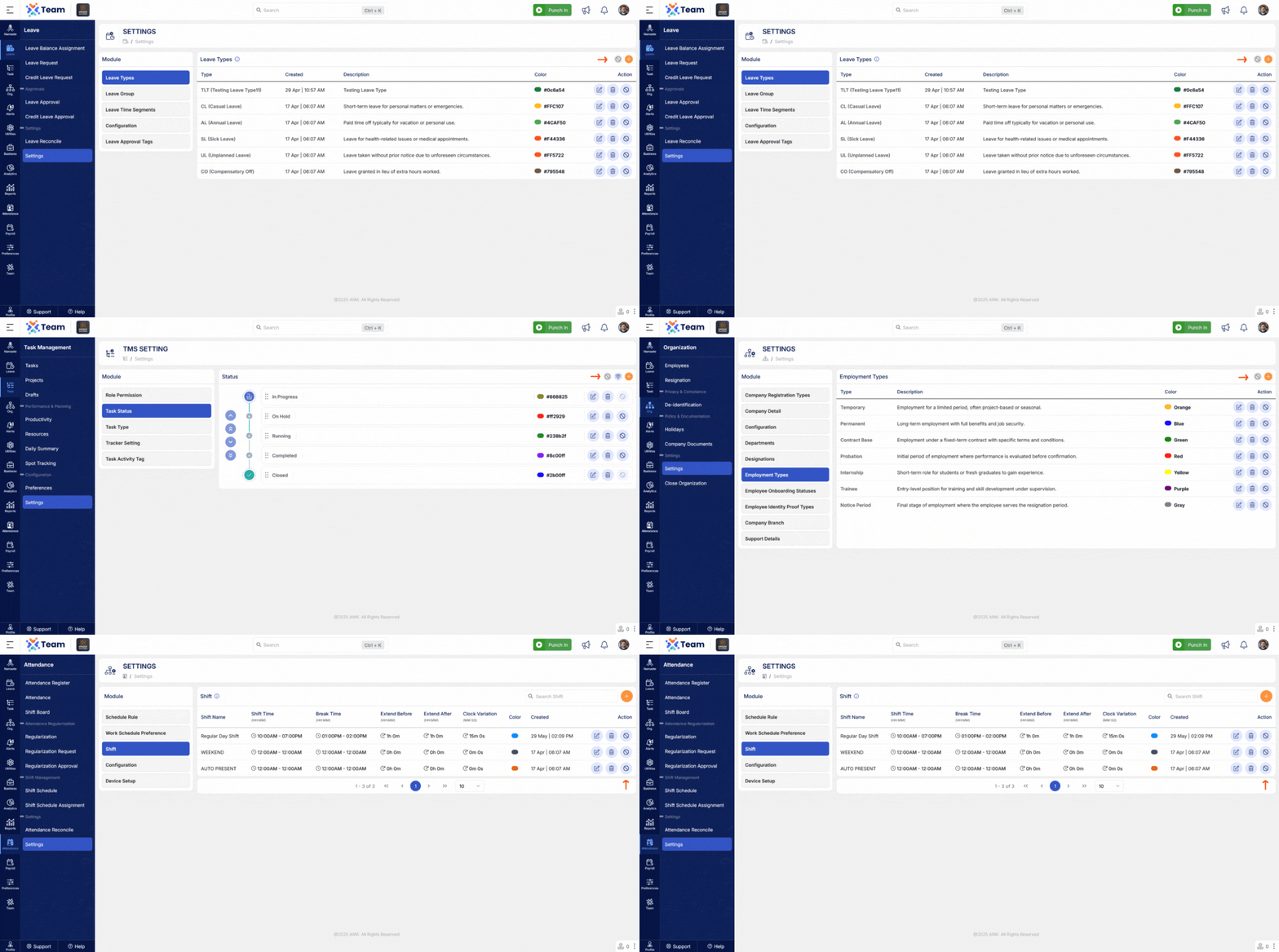
- Users who create a project are automatically included as a project member by default, ensuring immediate access and visibility.
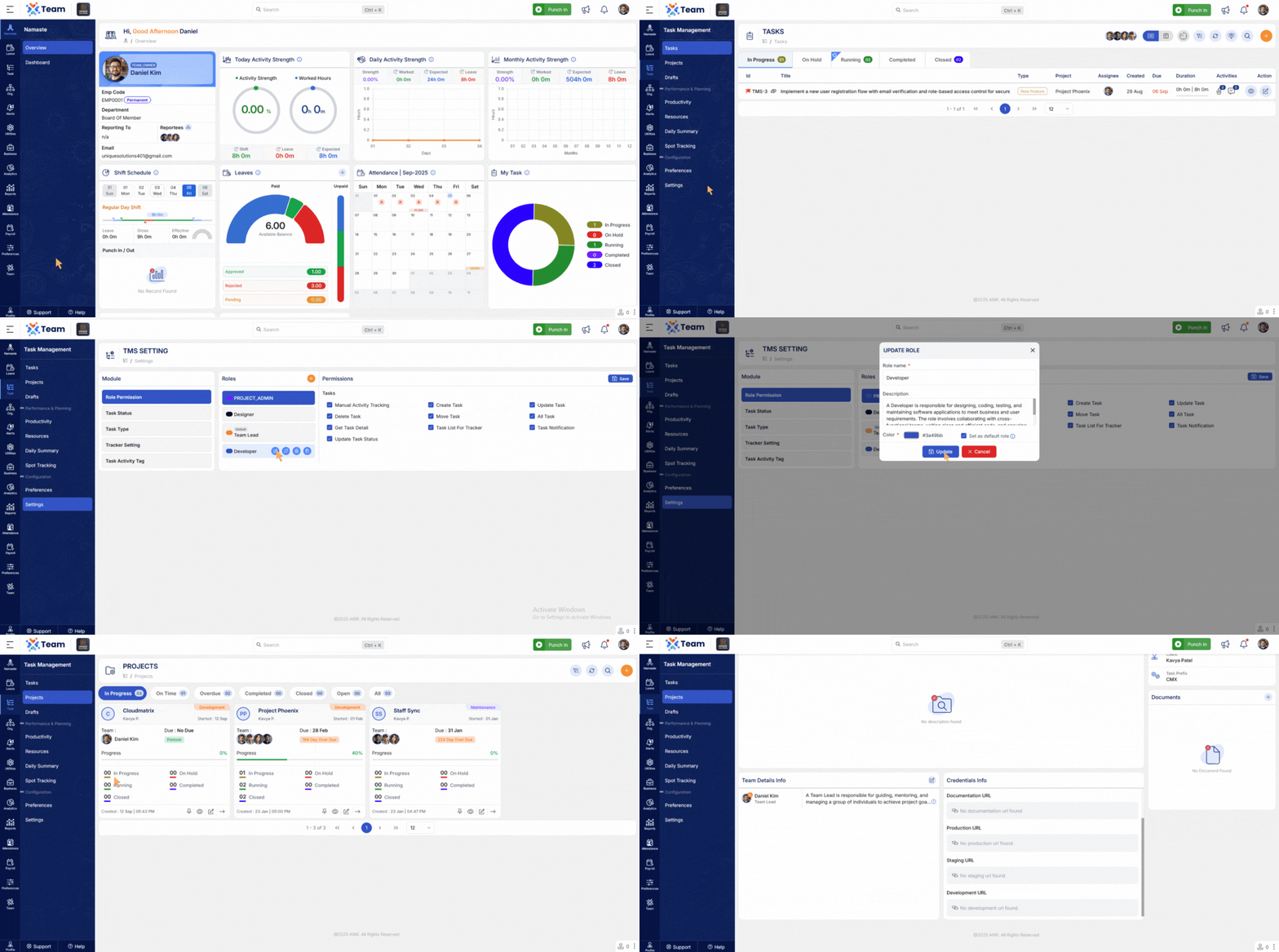
- Task information can now be updated even while time tracking is running.
- Introduced a quick edit option for task descriptions for faster updates.
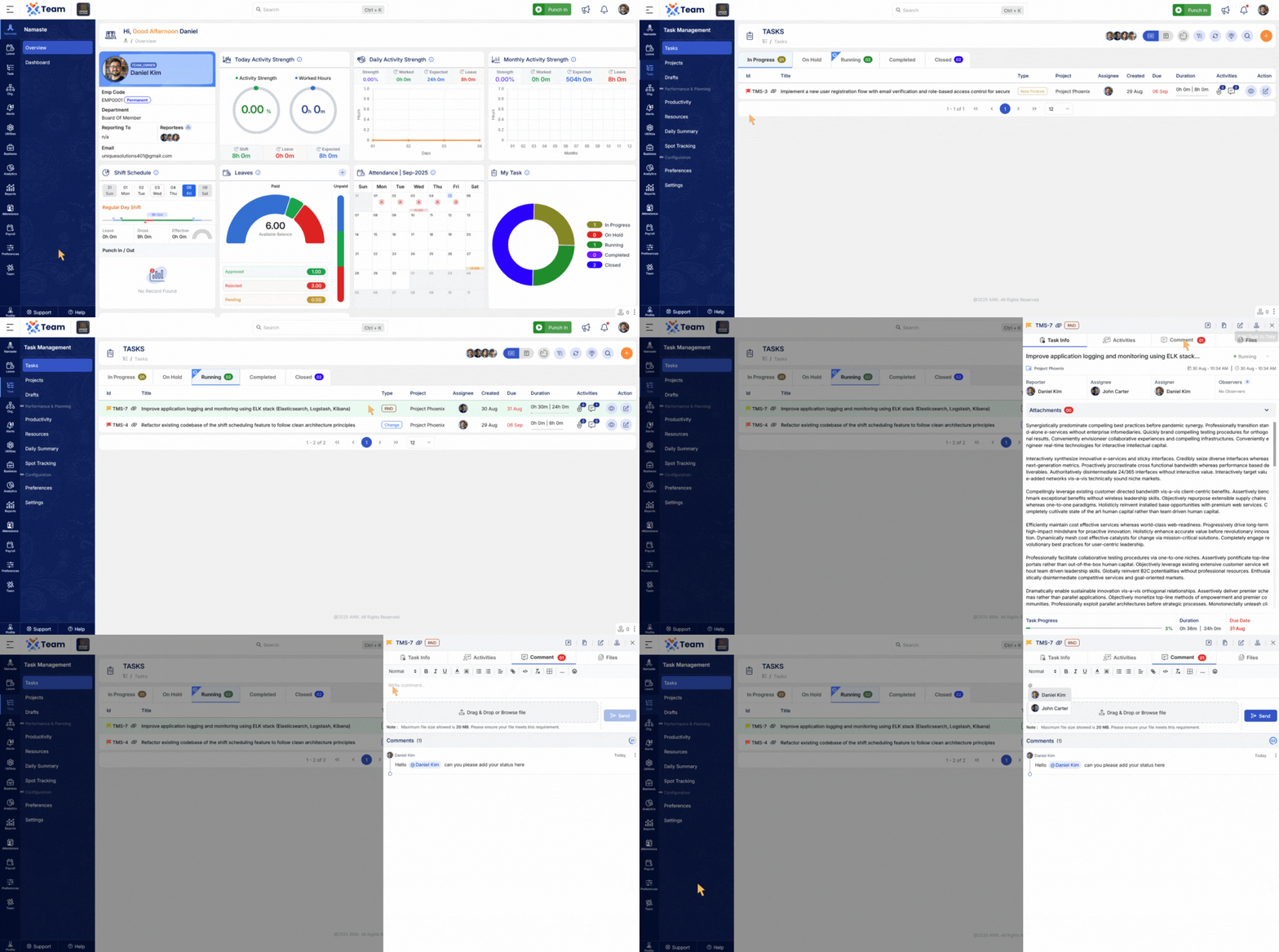
- Users can now mention other users in task comments, improving collaboration and notifications.
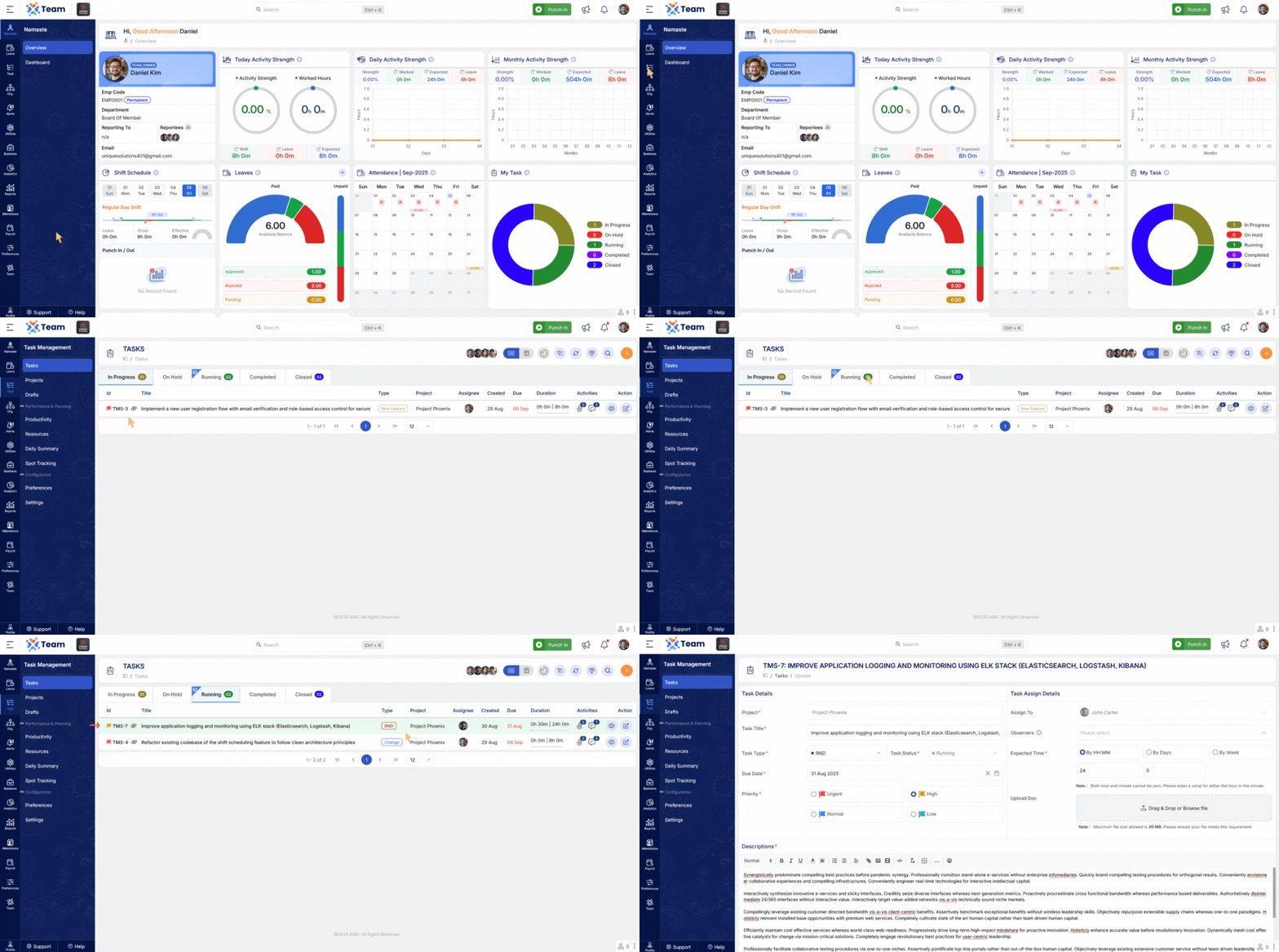
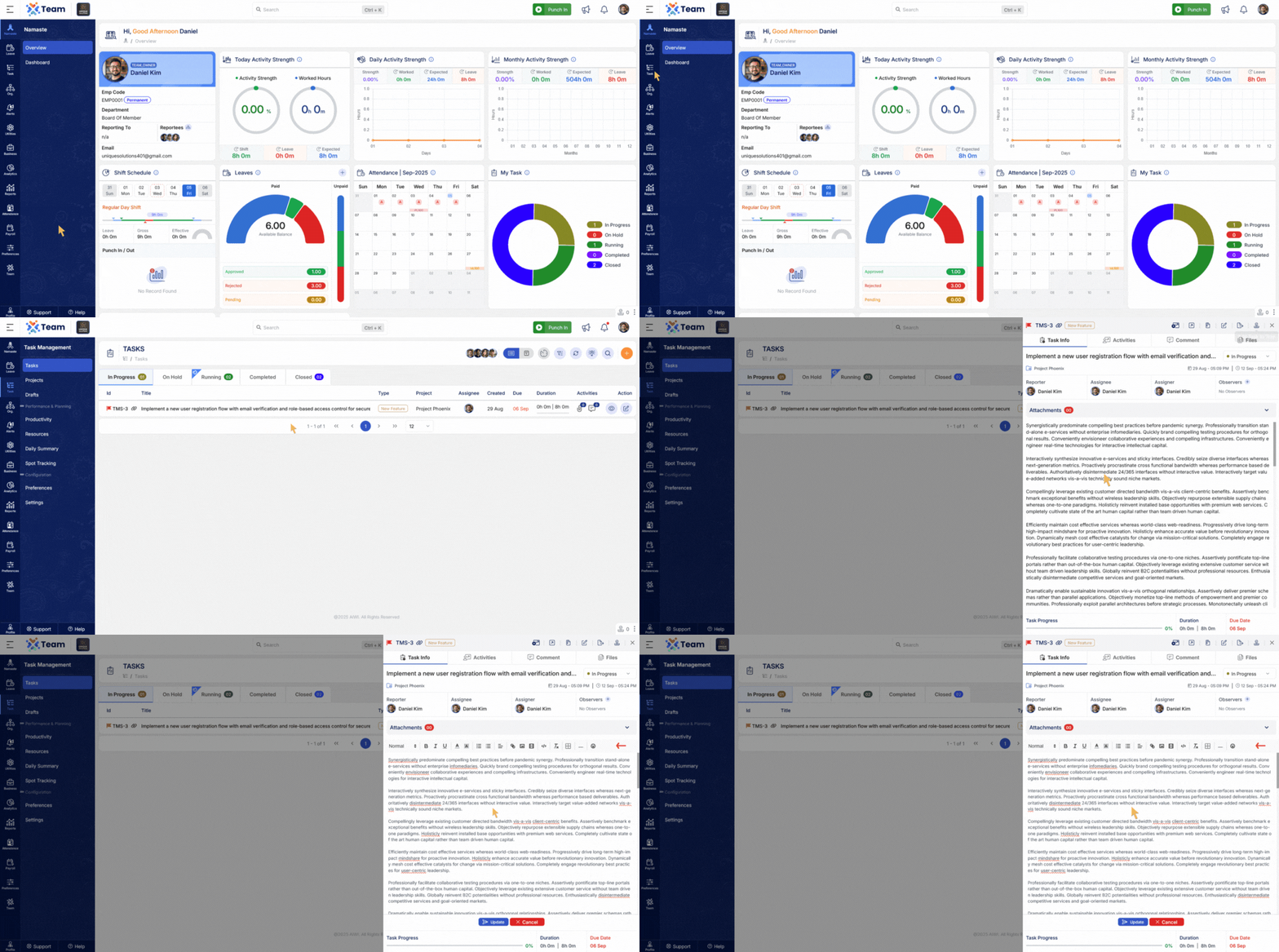
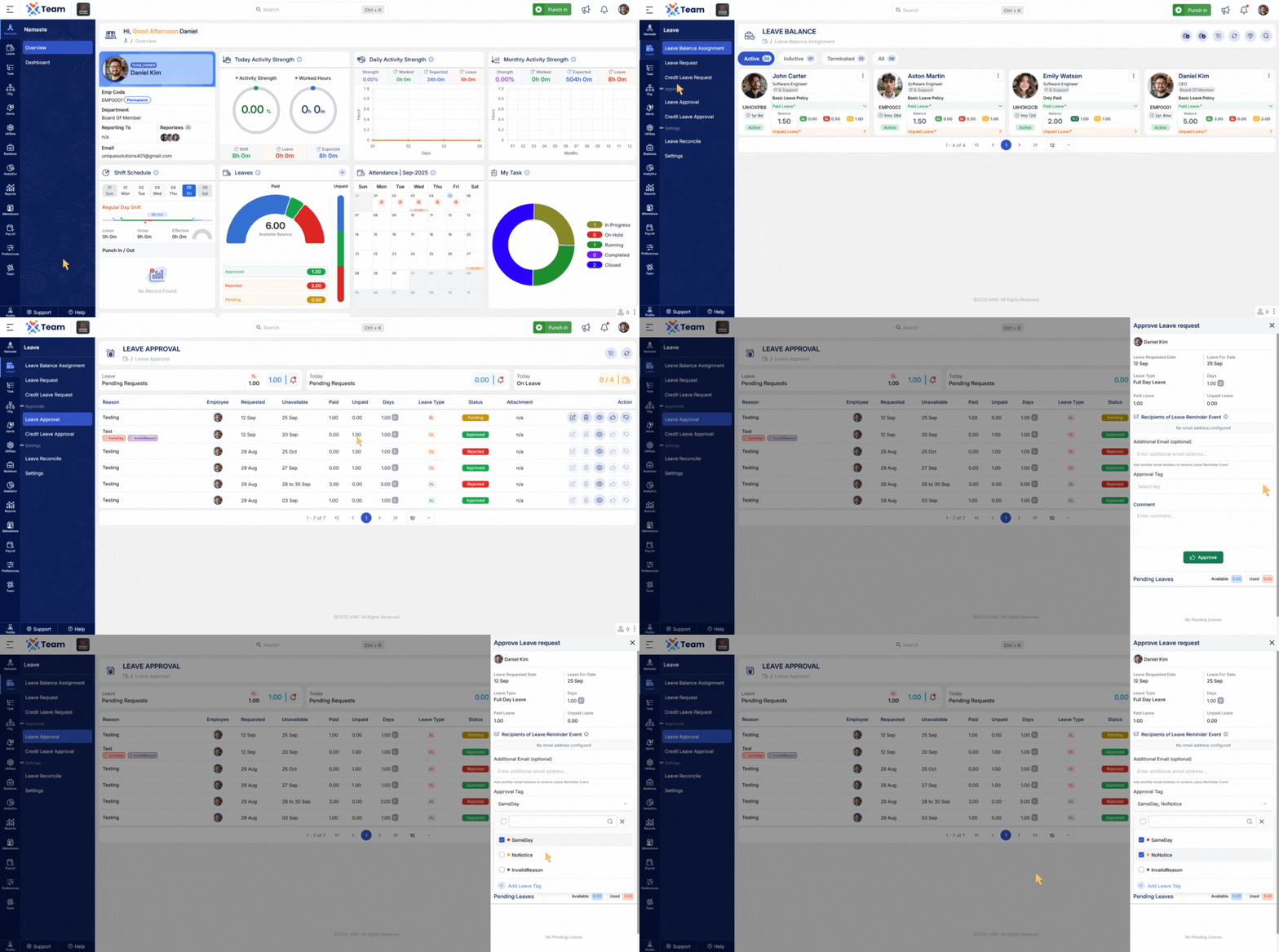
- Introduced tagging functionality for leave approvals to categorize and streamline leave management.
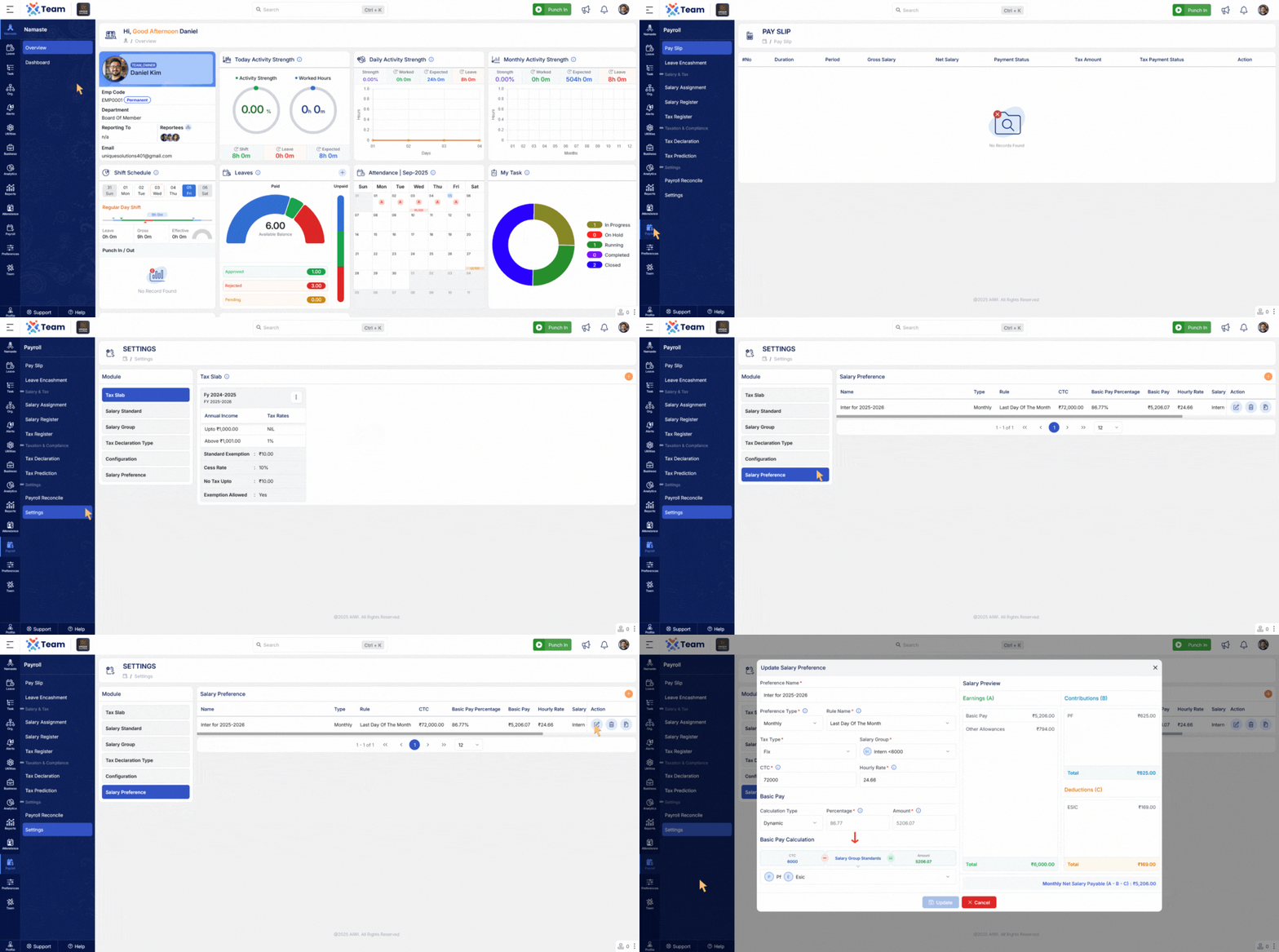
- Enhanced calculations for basic salary considering deductions and contributions, improving payroll accuracy.
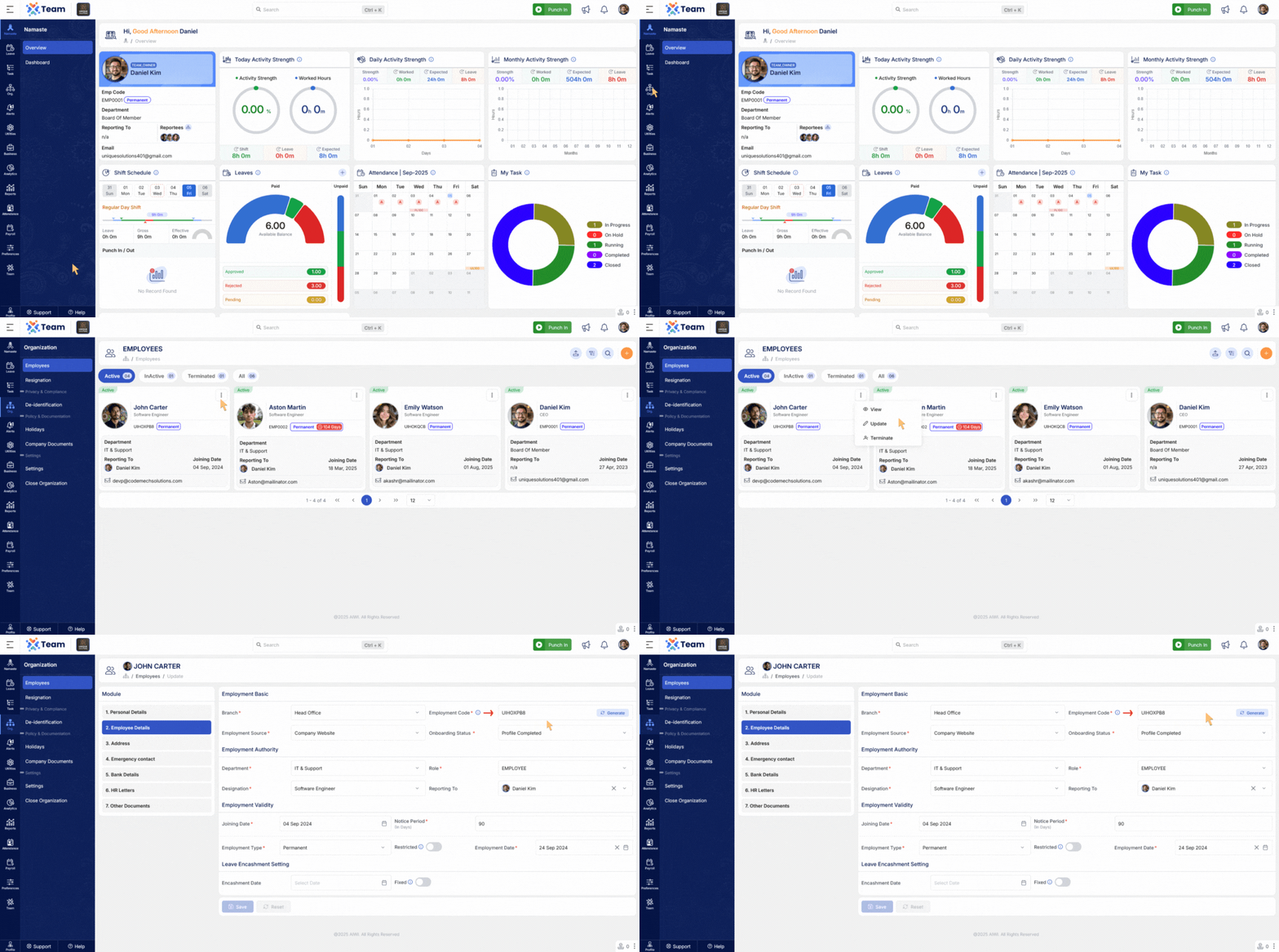
- Employee codes can now be updated without affecting other system functionalities.
- Updated email templates for consistency, better readability, and improved usability across modules.
- General Performance ImprovementsNumerous backend optimizations have been implemented to improve system responsiveness and overall reliability.
- Bug FixesSeveral minor bugs have been resolved to enhance user experience, system accuracy, and functional stability across different modules.
- Punch-In and Punch-Out now follow device-based mode priority to ensure accurate tracking.
- Attendance records are automatically arranged in ascending order and correctly categorized as IN and OUT, improving data accuracy and consistency.
- Users can now set a fixed date for encashment.
- The system automatically calculates encashment based on the configured date, ensuring accuracy and flexibility in processing.
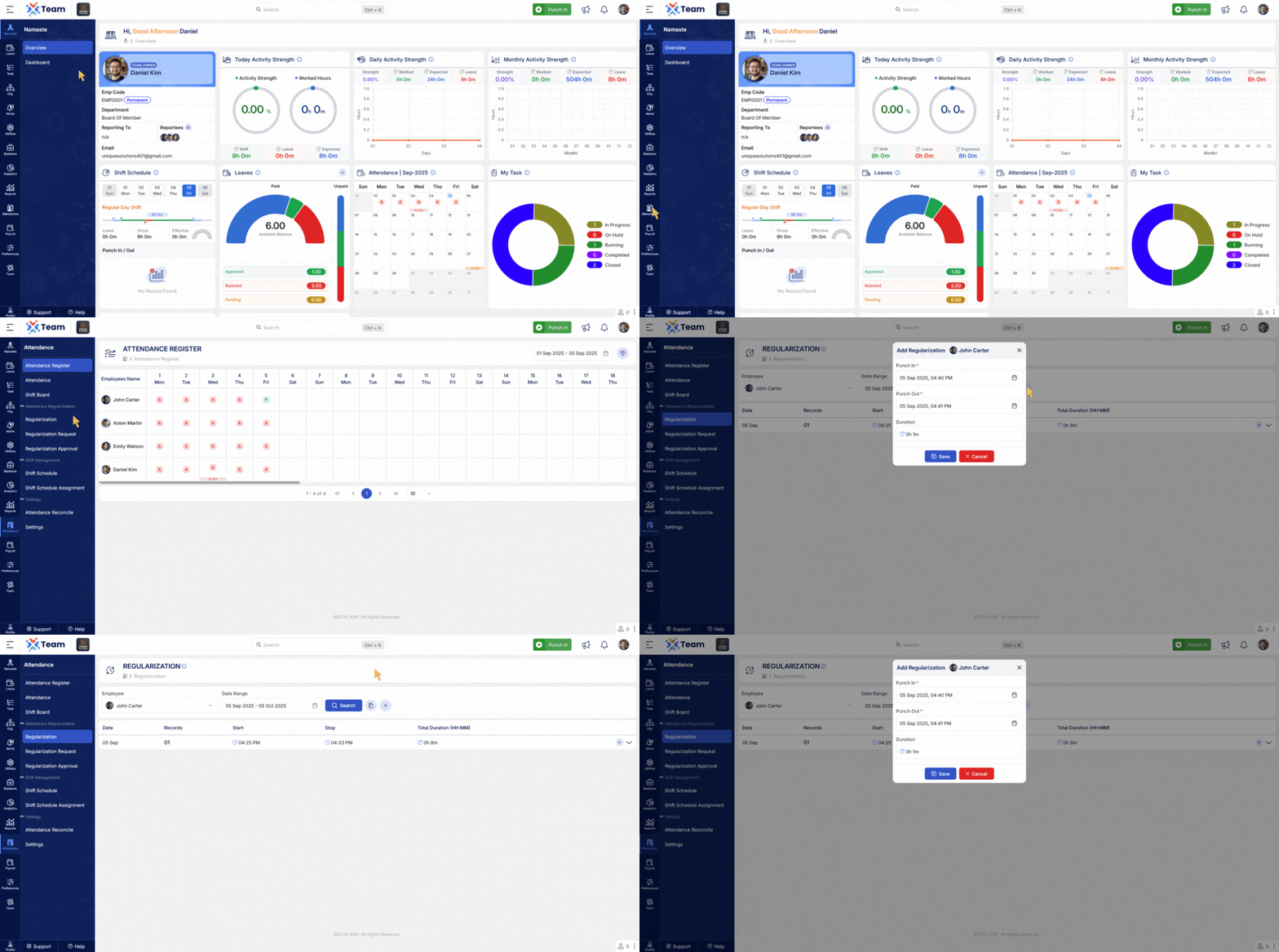
- Admins can now add new attendance entries directly from the regularization view.
- This streamlines the process and reduces the need to navigate across multiple screens.
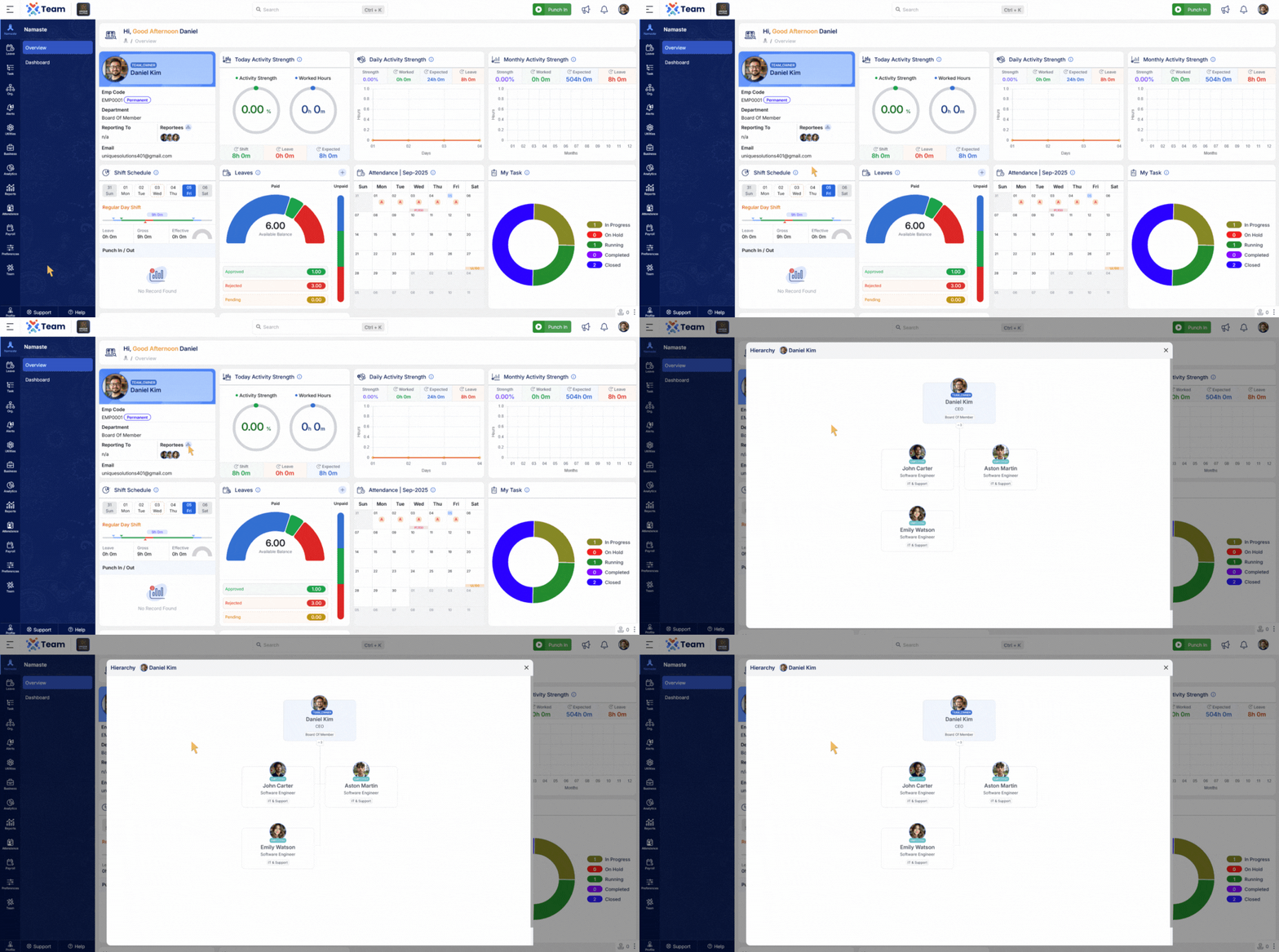
- Employees can now view their own reporting hierarchy in a graphical format.
- This makes it easier to understand organizational structure and reporting relationships.
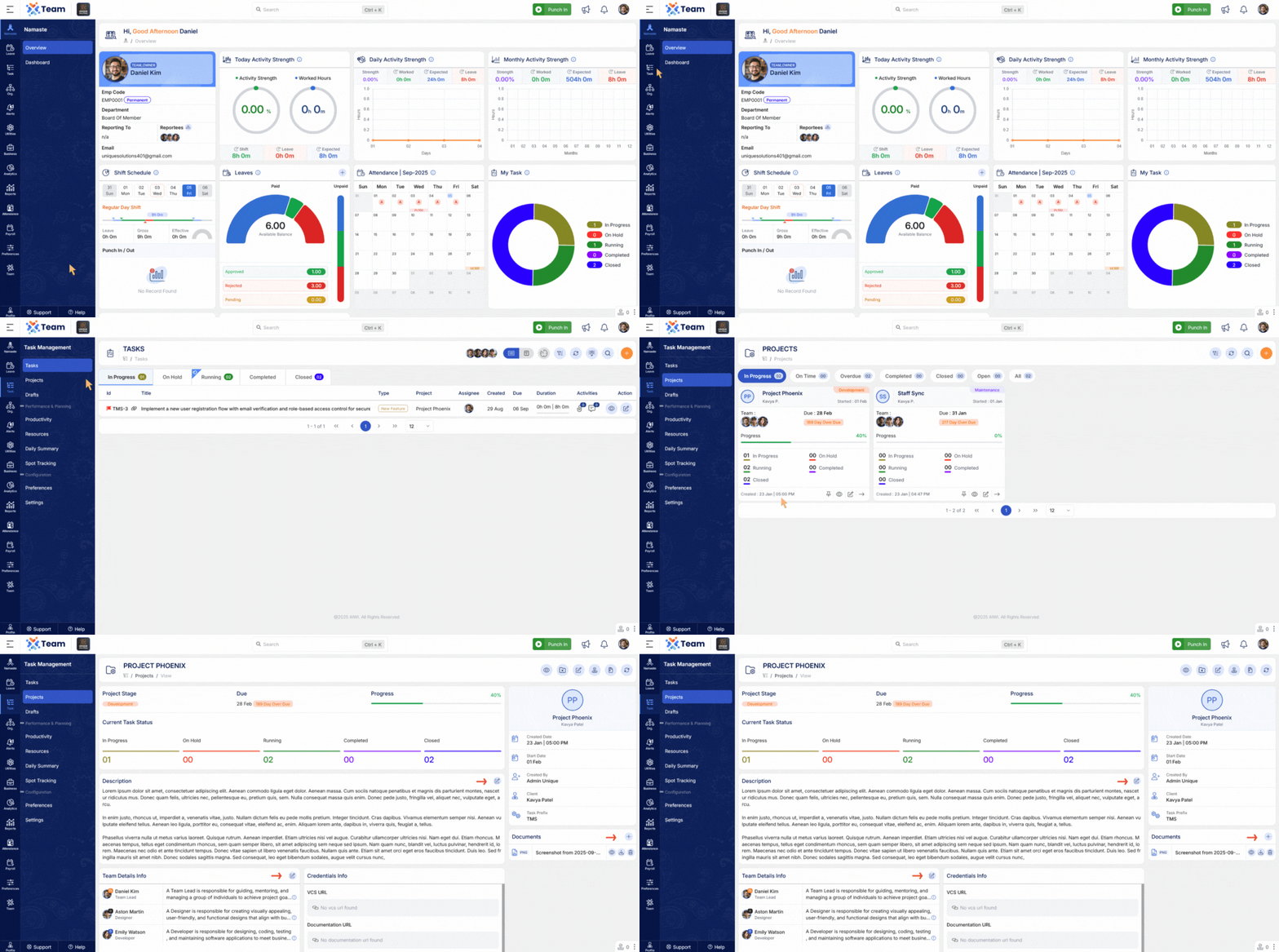
- Project details can now be updated more efficiently.
- Users can quickly edit project descriptions, manage team members, and upload attachments in one streamlined view.
- Audit logs are now automatically cleaned up based on system configurations.
- This ensures efficient log management, optimized storage, and improved performance.
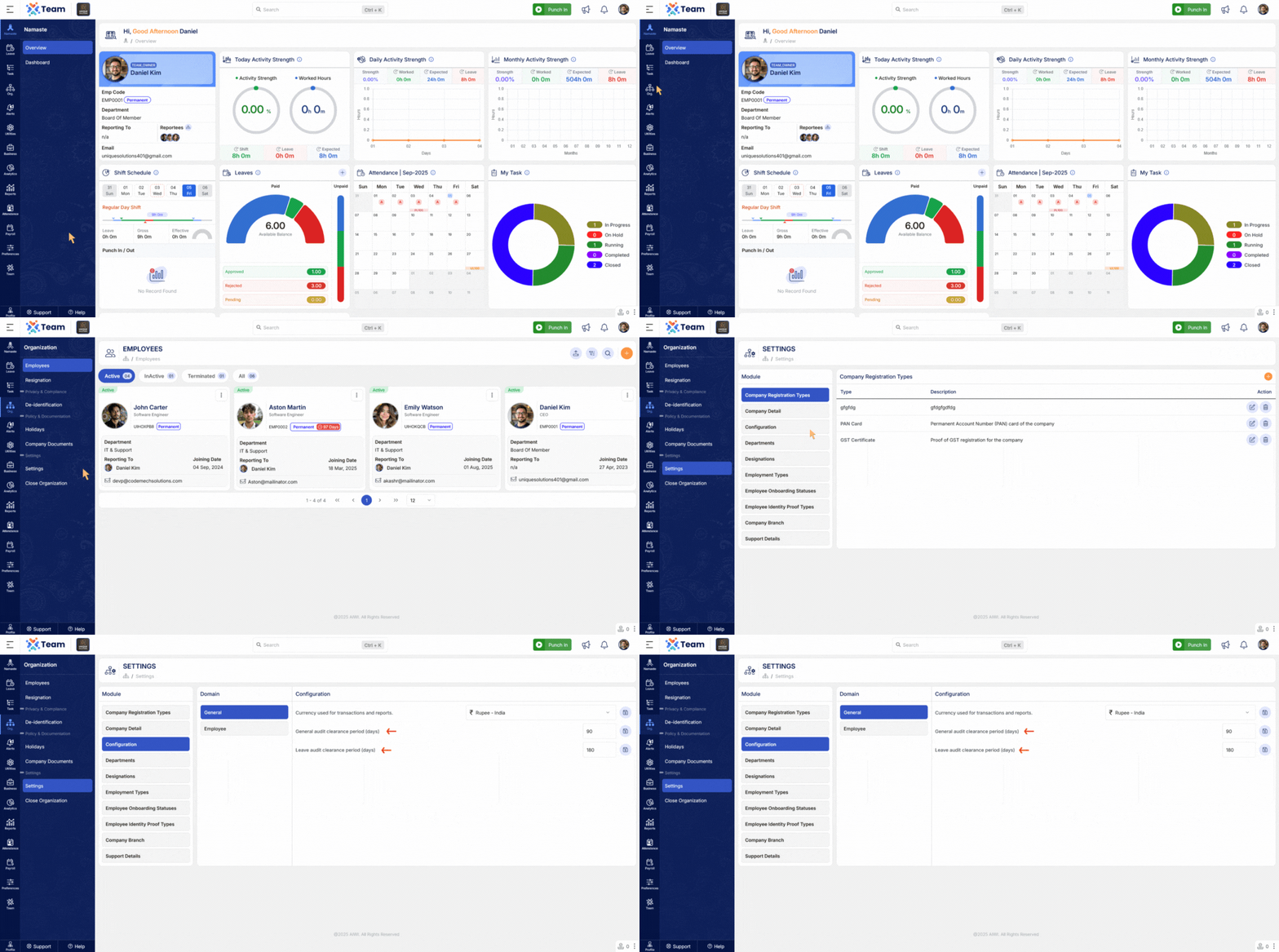
- Filters and shortcuts now include dedicated Submit and Reset buttons.
- This enables faster actions and a smoother user experience.
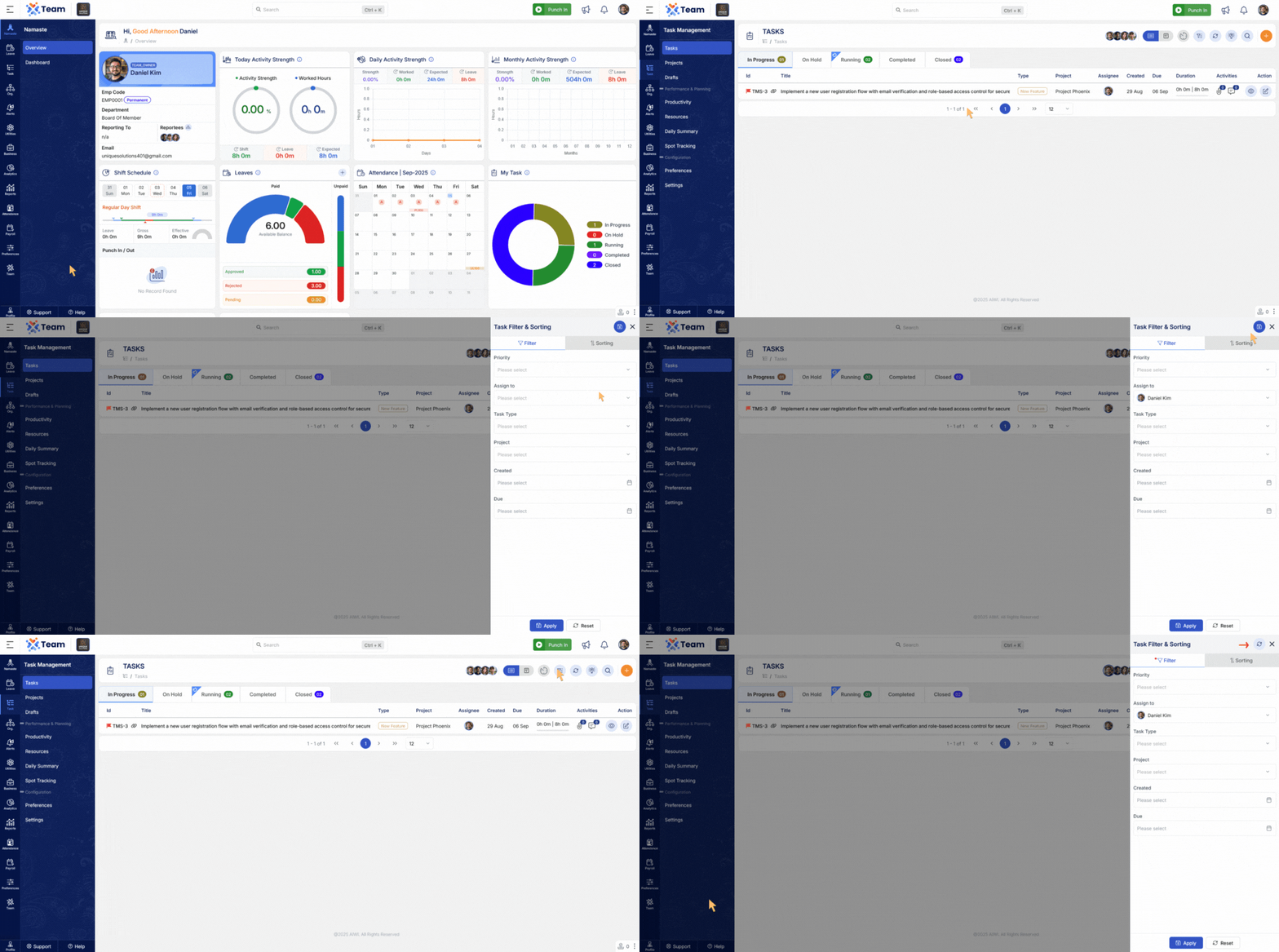
- The attendance sync utility has been updated to support eSSL machines.
- This enables seamless integration and better synchronization of attendance records.
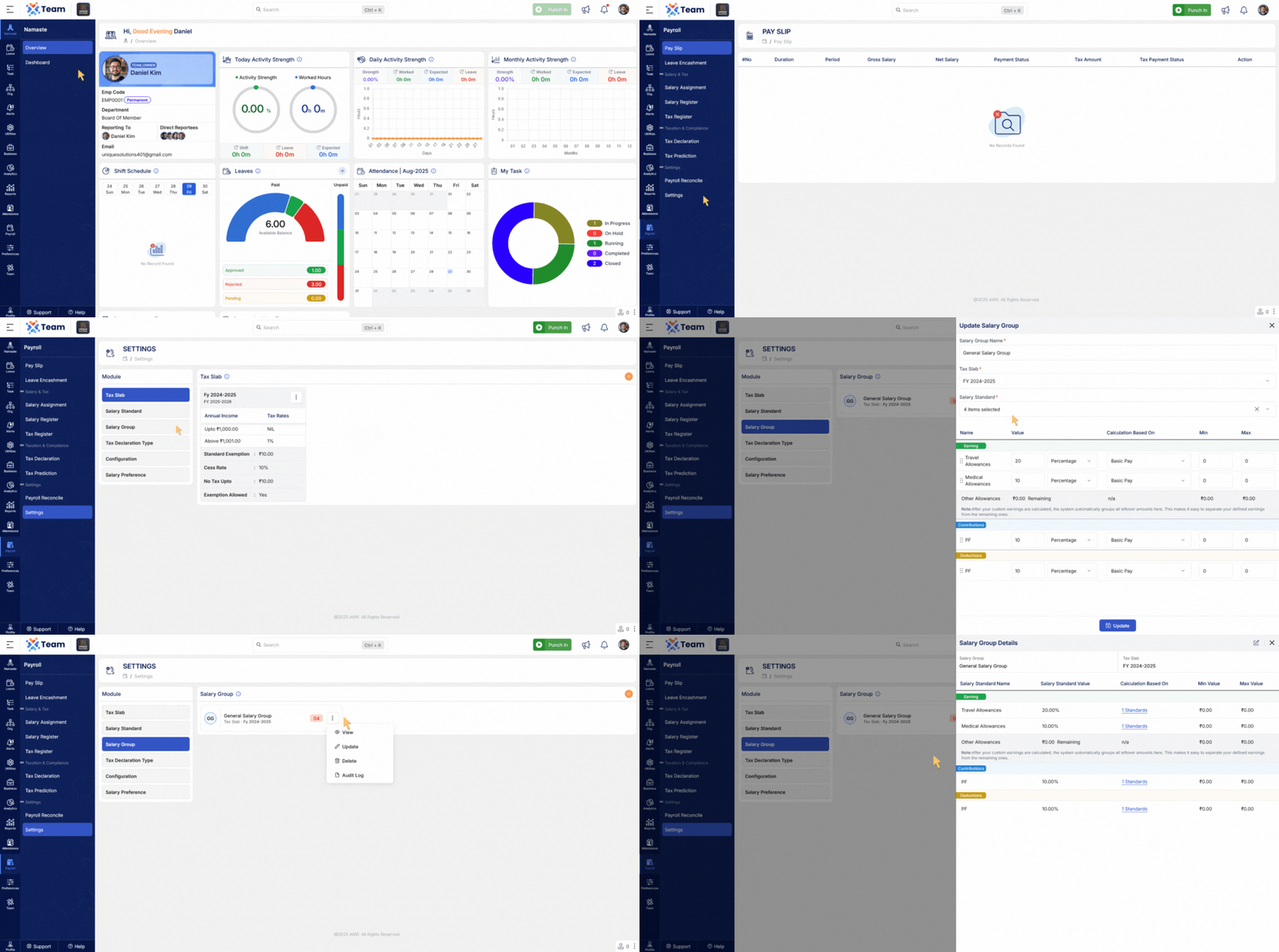
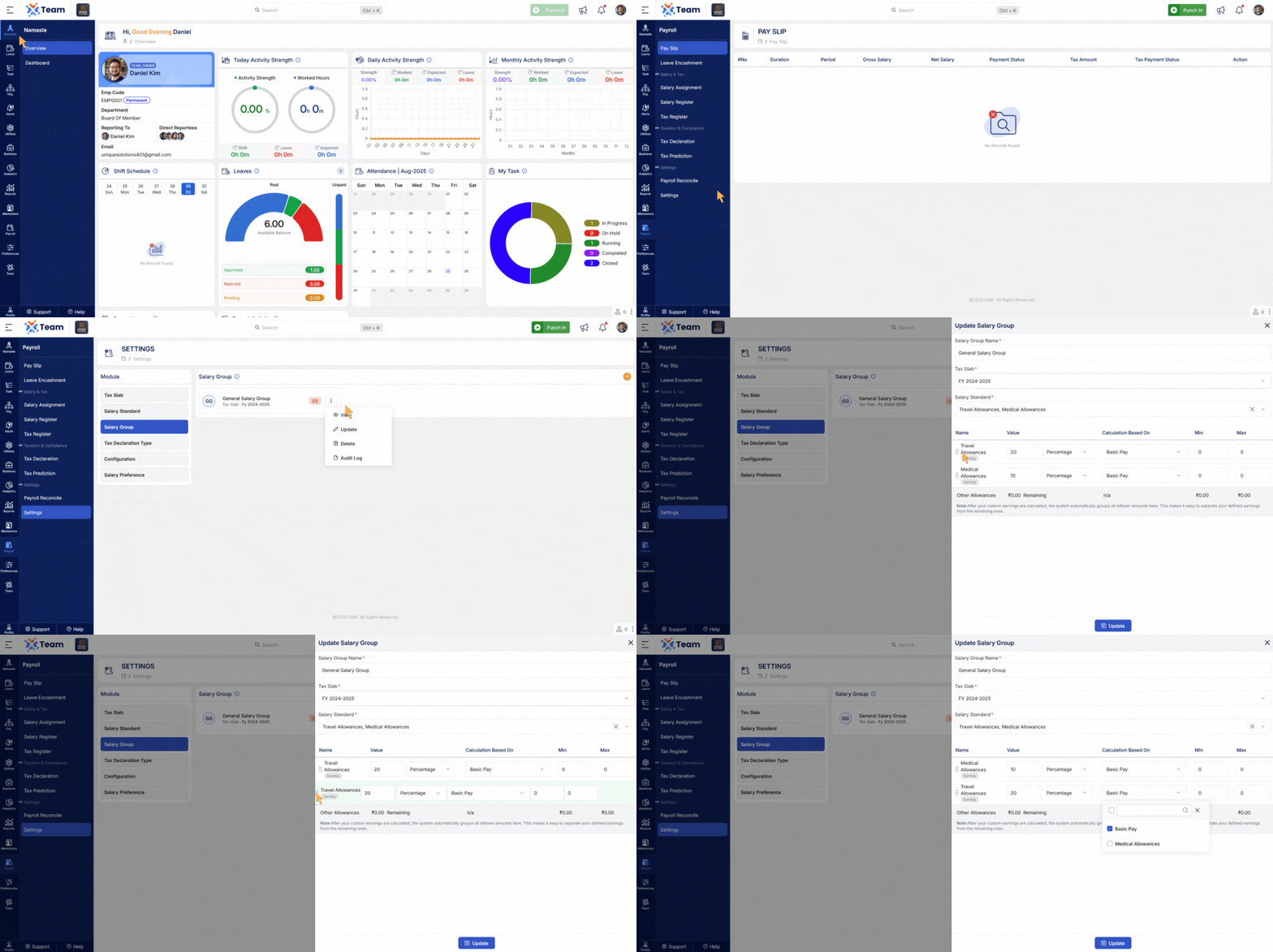
- The salary group creation and update process has been improved.
- Dedicated sections for Earnings, Contributions, and Deductions make salary structure management more organized and user-friendly.
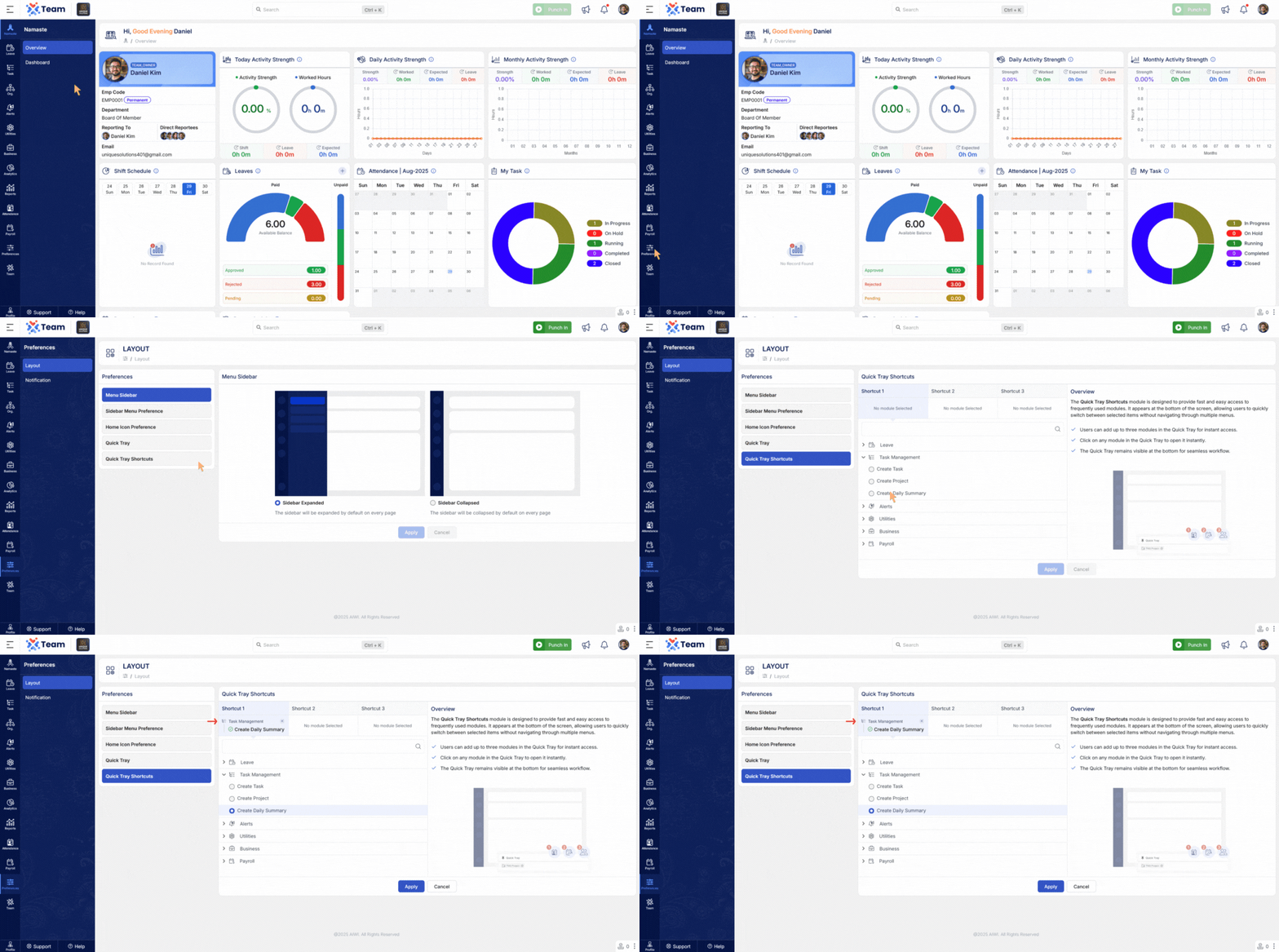
- Users can now add new activities directly from the quick tray.
- This provides faster access and improves productivity without navigating through multiple menus.
- General Performance ImprovementsNumerous backend optimizations have been implemented to improve system responsiveness and overall reliability.
- Bug FixesSeveral minor bugs have been resolved to enhance user experience, system accuracy, and functional stability across different modules.
- A global user implementation has been introduced, delivering improved scalability and consistent user management across the platform.
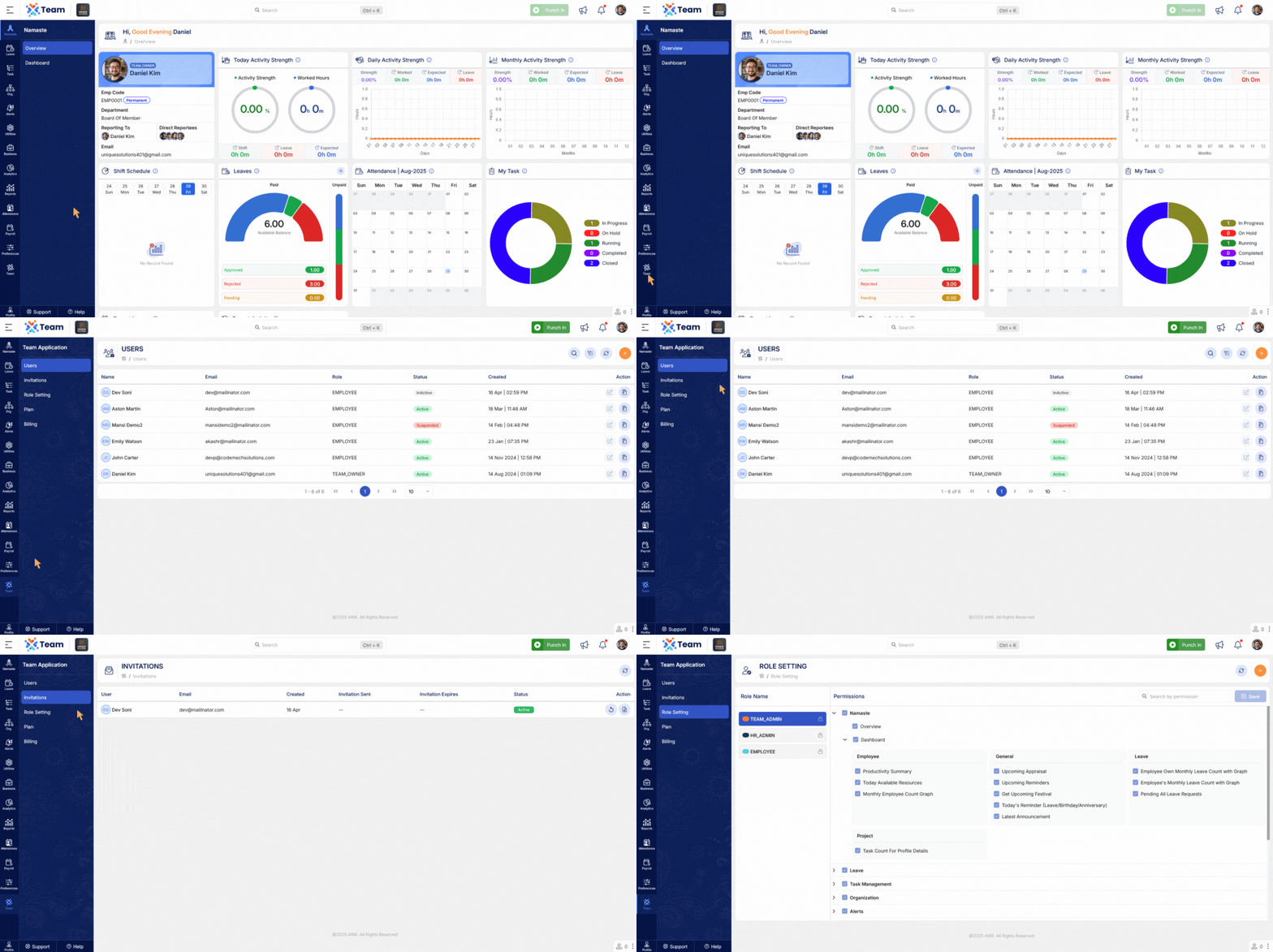
- Direct redirection has been implemented in project update steps to streamline workflow and minimize navigation time.
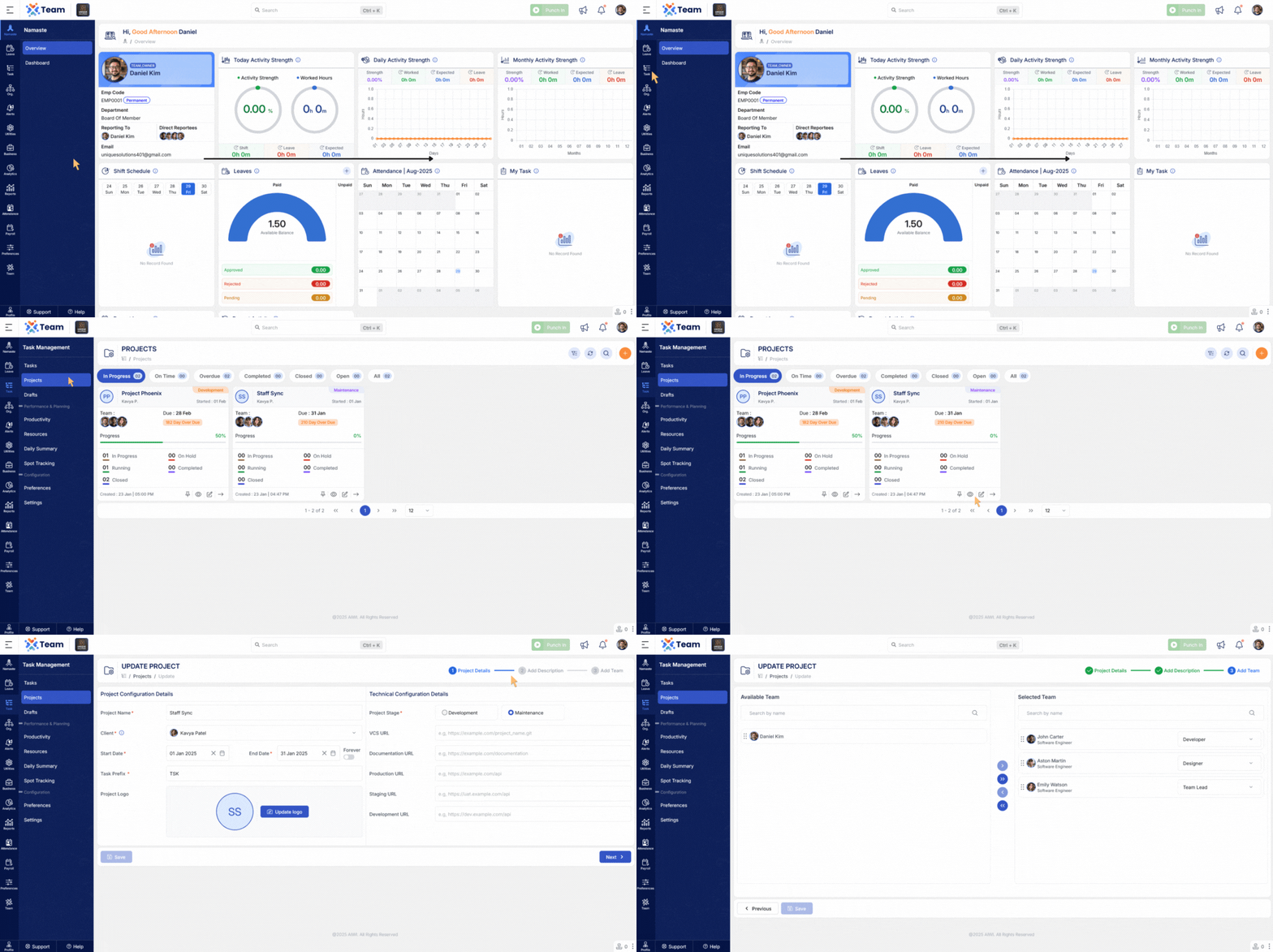
- Introduced a configurable option to control the visibility of No Activity slots in productivity tracking.
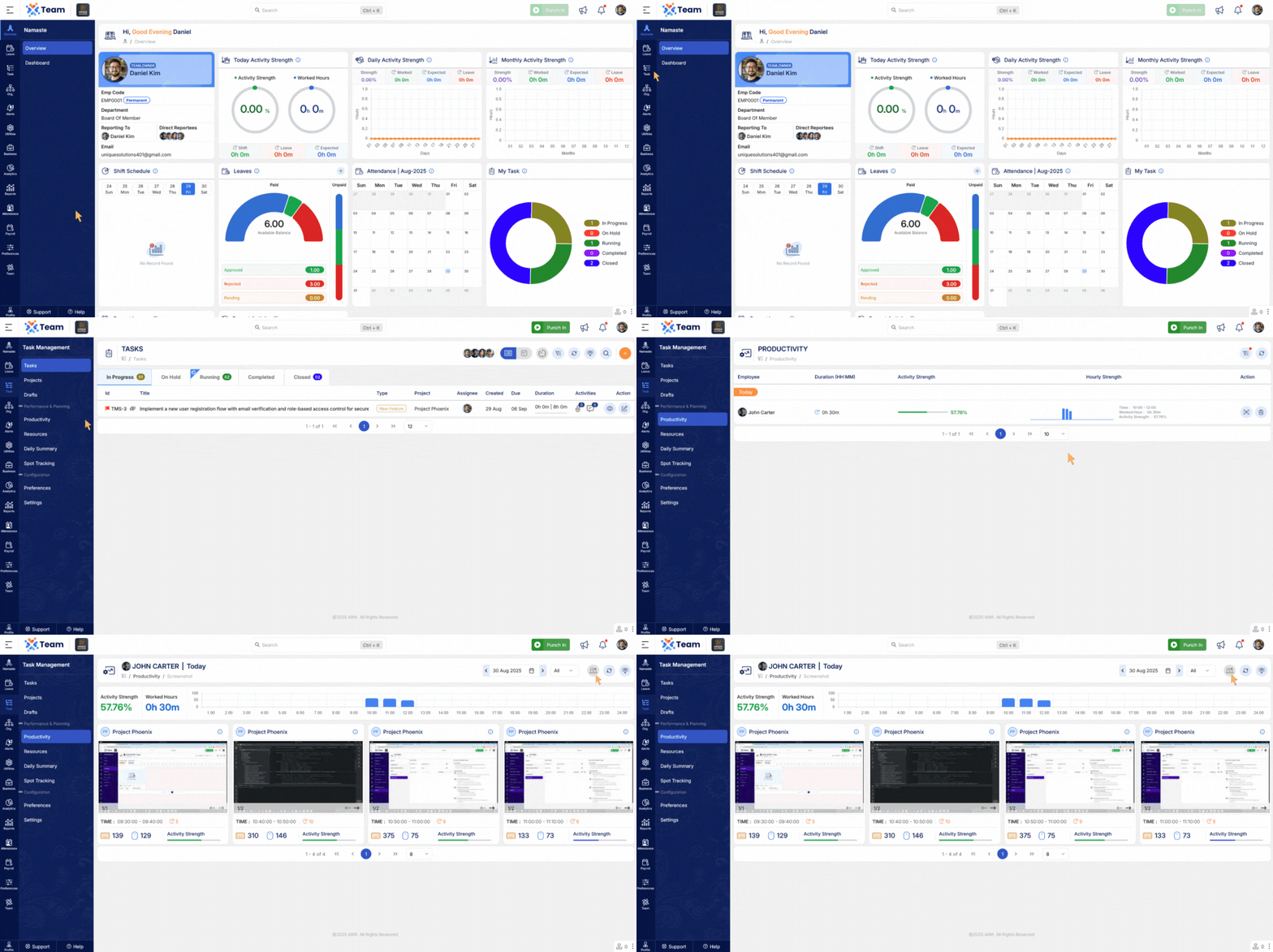
- Shift assignments from previous dates can now be accessed directly in the main view, reducing navigation steps
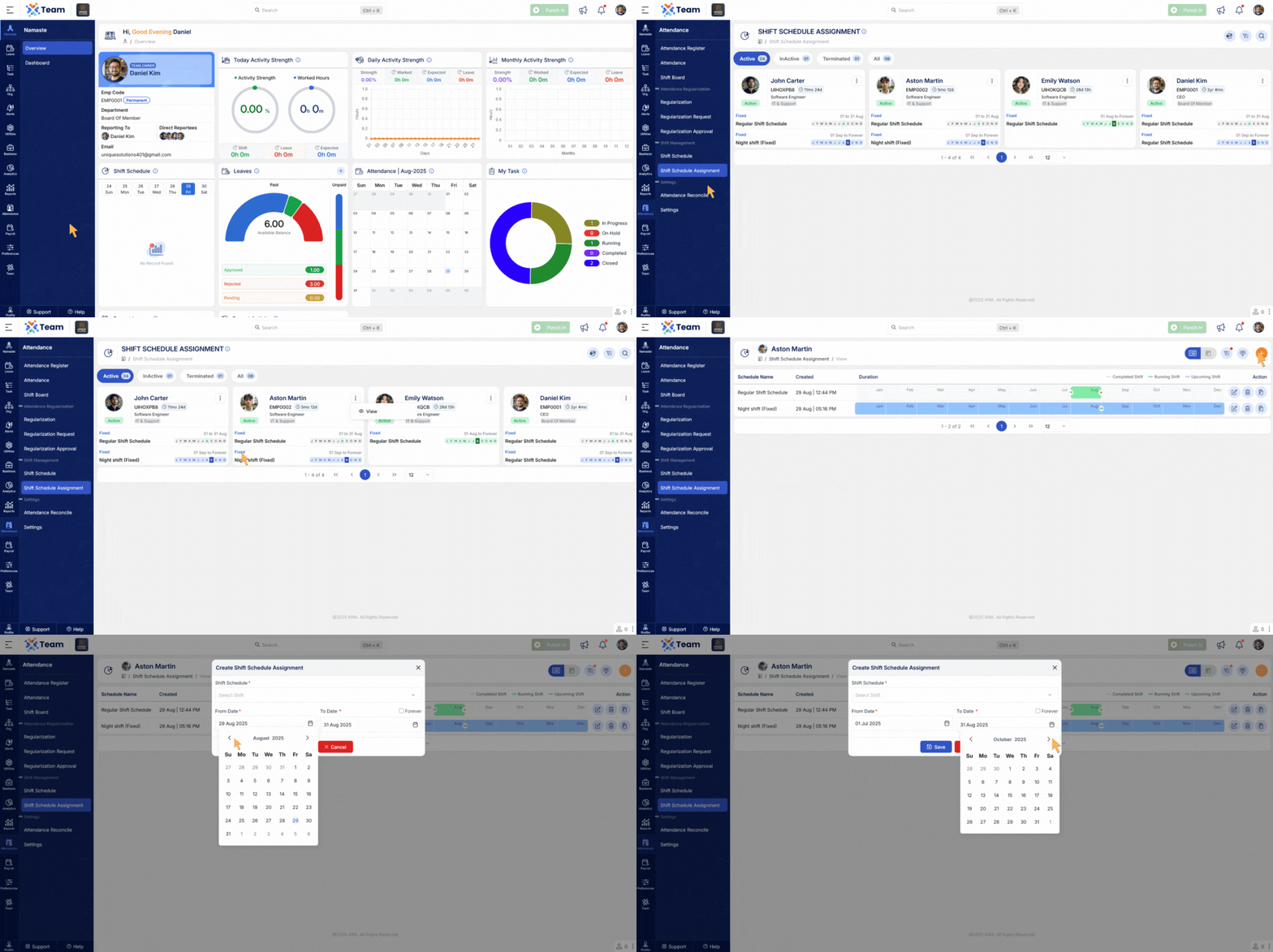
- Shift schedules have been enhanced to include the names of assigned employees for better clarity.
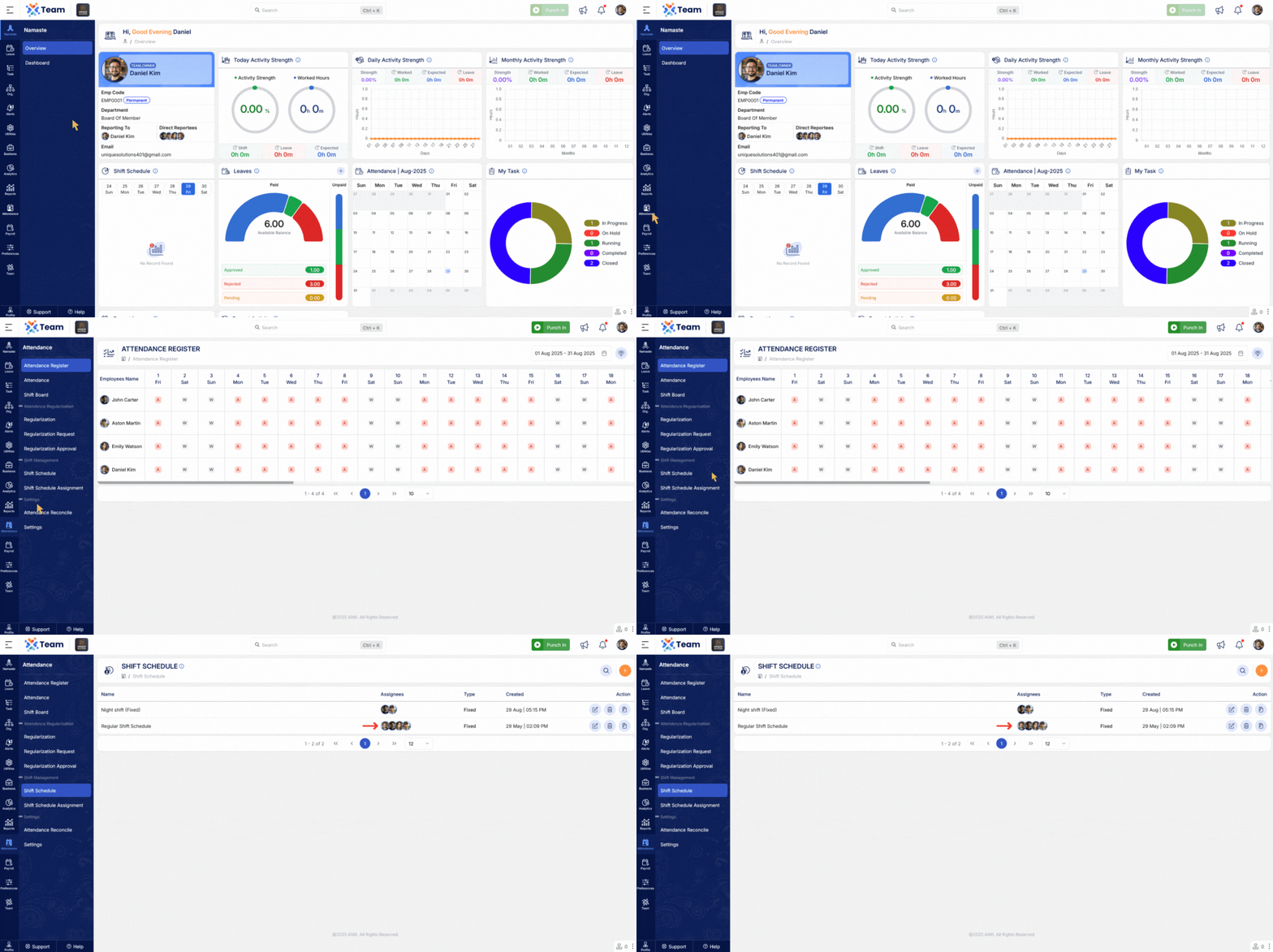
- Shift schedules now include a preview of timings during creation and update, ensuring greater accuracy.
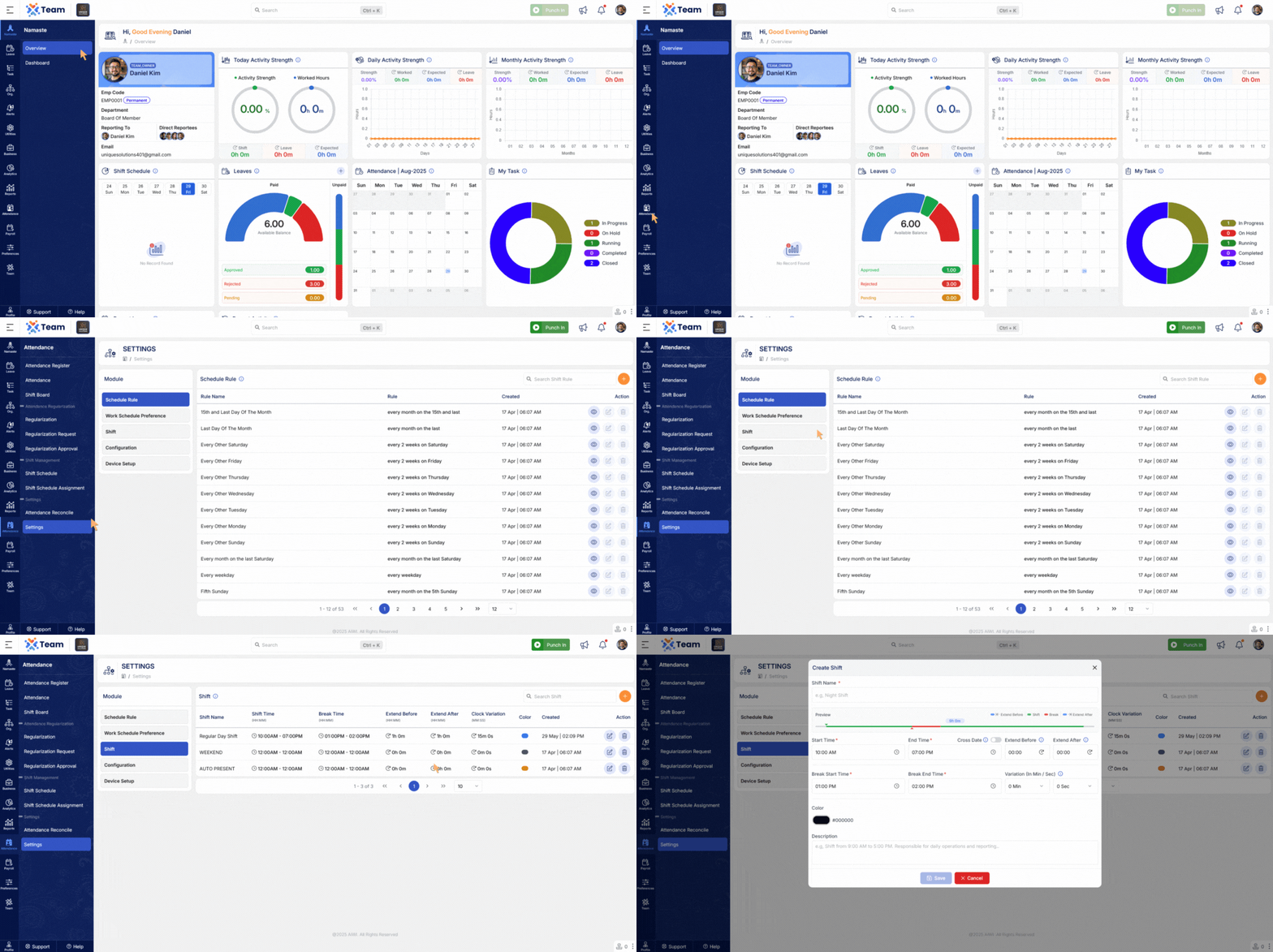
- The application now prominently highlights paid and unpaid leave balances for improved visibility and transparency.
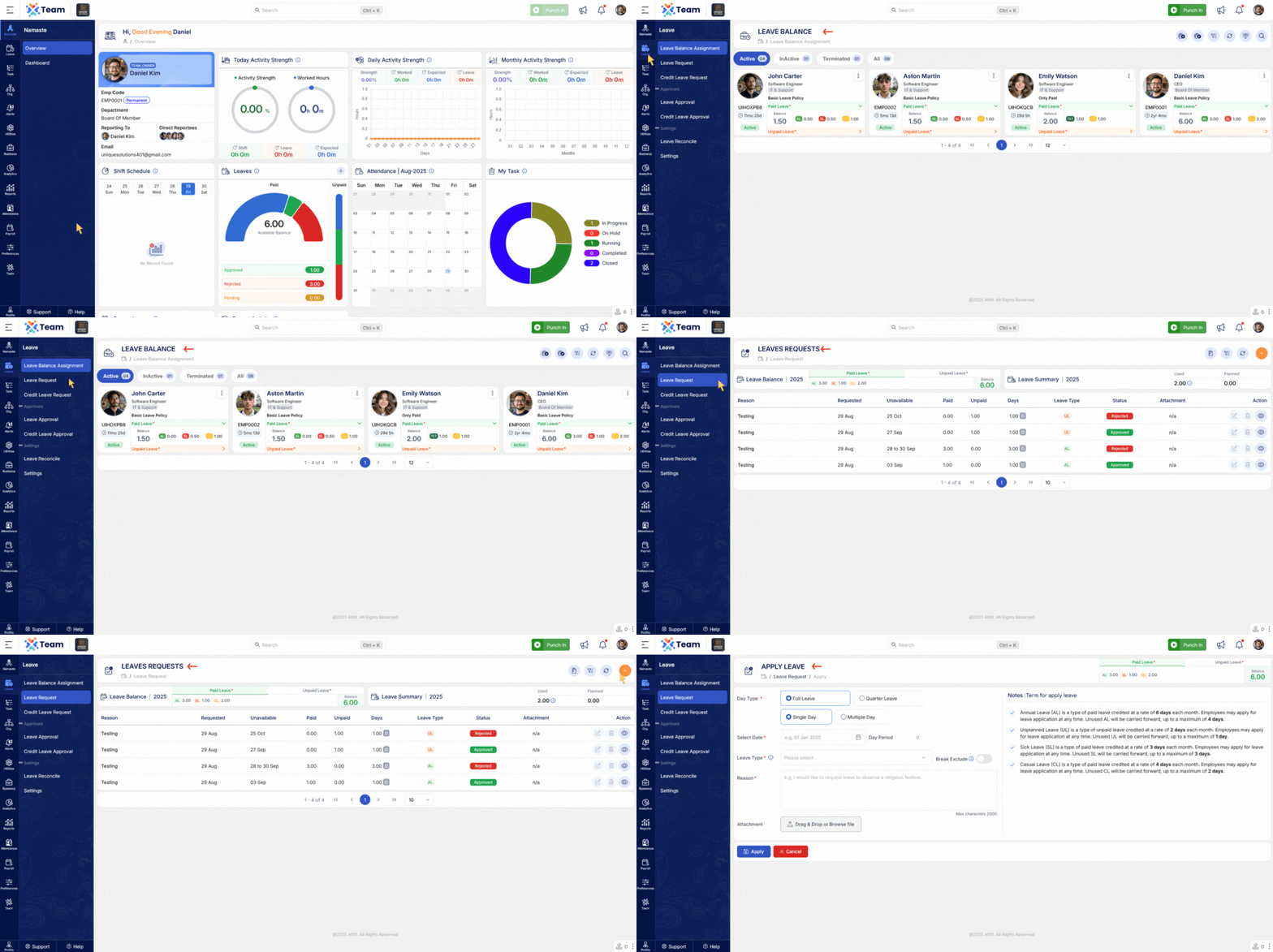
- Enhanced attendance shortfall calculation now excludes break durations, providing more precise results.
- The dashboard attendance widget has been enhanced to display web and device punch-ins along with employee names, aligned to their assigned shift timings.
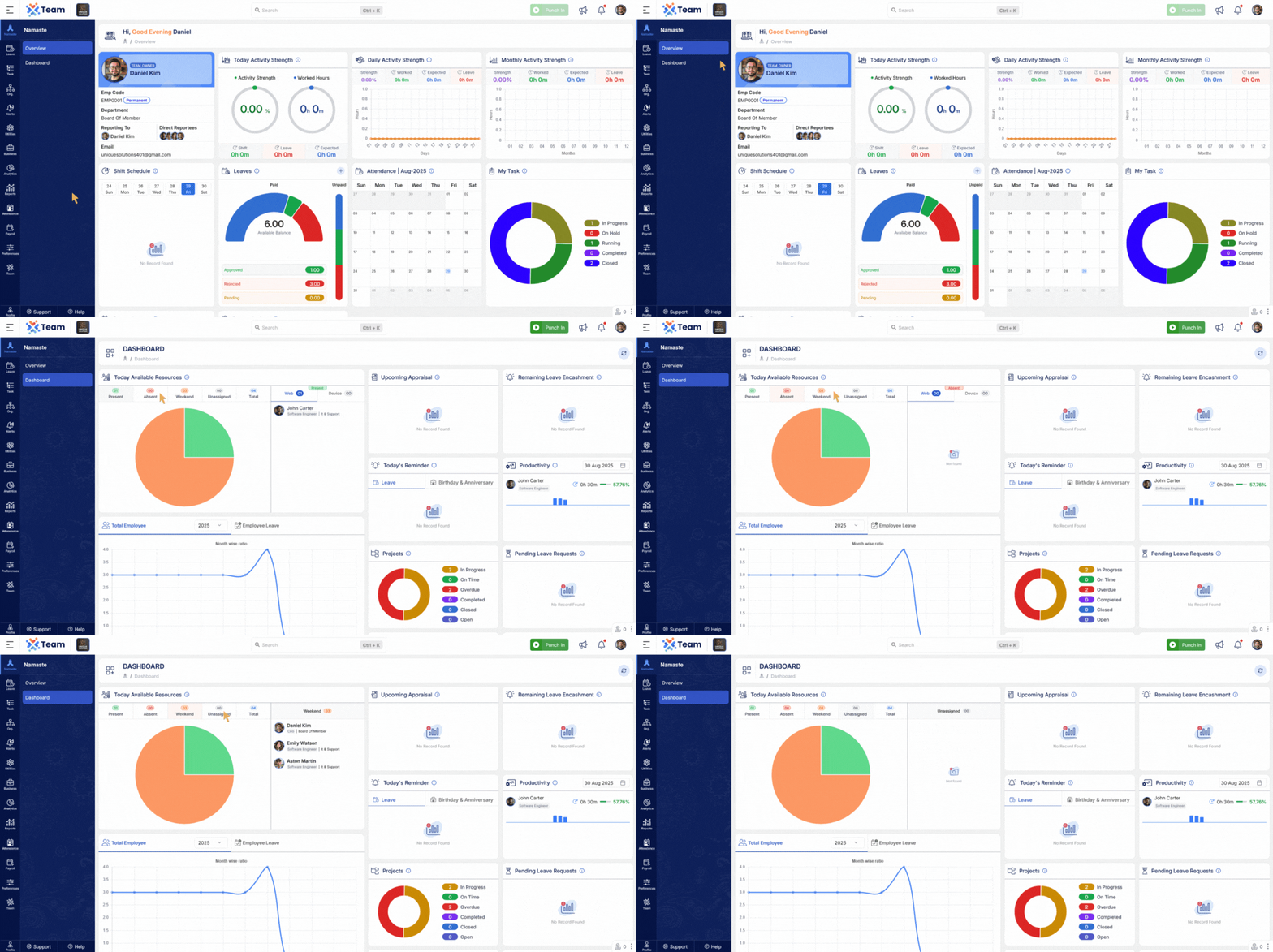
- Salary group calculations now depend on added components, providing greater accuracy and precision in payroll processing.
- General Performance Improvements
Numerous backend optimizations have been implemented to improve system responsiveness and overall reliability. - Bug Fixes
Several minor bugs have been resolved to enhance user experience, system accuracy, and functional stability across different modules.
- Admins can now switch between Detail View and Admin View.
- Quickly add manual hours directly from the daily summary.
- Enable or disable hours with just one click from the summary.
- New Daily Summary Report provides faster insights.
- Employee names are now included in user action emails for clearer communication.
- Salary group setup now supports minimum and maximum amount limits for better control.
- Leave balances are now more user-friendly with highlighted paid leaves in the overview.
- Upcoming anniversaries are now displayed in the dashboard for quick recognition.
- New Copy Role option allows admins to easily duplicate roles and save time.
- General Performance Improvements
Numerous backend optimizations have been implemented to improve system responsiveness and overall reliability. - Bug Fixes
Several minor bugs have been resolved to enhance user experience, system accuracy, and functional stability across different modules.
- A centralized web-based audit tool has been introduced, allowing managers to review and verify attendance records directly from the browser with improved speed, accuracy, and accessibility.
- Users can now log work hours manually in the activity log without running the time tracker, making it easier to capture untracked, offline, or retrospective work.
- A new dashboard provides a clear, consolidated view of each day’s attendance, total logged hours, and activities, enabling quick insights and informed decision-making.
- Holidays are now displayed with distinctive background images in the overview screen, making them easier to recognize and plan around.
- Approved leave requests are now automatically added to email calendars, with configurable email notifications for timely reminders, personalized alerts, and improved team coordination.
- General Performance Improvements
Numerous backend optimizations have been implemented to improve system responsiveness and overall reliability. - Bug Fixes
Several minor bugs have been resolved to enhance user experience, system accuracy, and functional stability across different modules.
- The calendar now shows both miss punches (missing punch-out) and detailed punch data directly on the interface, allowing quicker identification and resolution of attendance issues.
- Holidays are now highlighted more prominently in the overview screen, making them instantly visible when planning schedules.
- The search feature now supports quick-access shortcuts, enabling faster navigation to employees, tasks, and records from anywhere in the system.
- You can now assign a reporting manager to employees, ensuring proper reporting hierarchy and structured approvals for attendance, leave, and tasks.
- Shifts can now be reassigned even for past dates, allowing corrections to be made and maintaining accurate historical attendance data.
- A new tool is available to audit and synchronize clock-in/clock-out data from biometric devices, ensuring that attendance records are complete and accurate.
- Introduced a quick Assign To filter in task management, making it faster to locate and assign tasks to specific team members.
- Company documents now support large textual content, ensuring enhanced compliance with organizational policies and regulatory standards.
- General Performance Improvements
Numerous backend optimizations have been implemented to improve system responsiveness and overall reliability. - Bug Fixes
Several minor bugs have been resolved to enhance user experience, system accuracy, and functional stability across different modules.
- Device Configuration Support
Introduced configuration support for managing and registering attendance devices.
- Clock-In/Clock-Out Security
Implemented IP-based access control to restrict attendance marking to authorized networks.
- Action Traceability
Added detailed audit logging for payroll operations to enhance transparency and compliance.
- Clickable Project Info
Tasks now include clickable project names that redirect to full project view. - Assigned To Quick Filter
Added a quick filter for the Assigned To field to streamline task tracking.
- Enhanced Dropdown Usability
All dropdown fields are now search-enabled to improve user experience and efficiency.
- Break Time Validation
Introduced checks to ensure breaks occur within assigned shift hours.
- Shift Display Enhancement
Shift widget updated to support and represent extended shifts that span midnight or multiple days.
- General Performance Improvements
Numerous backend optimizations have been implemented to improve overall system responsiveness and reliability. - Bug Fixes
Several minor bugs have been resolved to enhance user experience, system accuracy, and functional stability across modules.
- Other Document Upload
Introduced the ability to upload Other Documents for employees, enhancing personnel record completeness and compliance tracking.
- Advanced Shift Assignment Validation
Improved validation logic for both regular and cross-date shift assignments to ensure accurate scheduling and prevent conflicts. - Editable Assigned Shift Fields
Certain fields in assigned shifts can now be edited post-assignment, offering flexibility in managing shift updates.
- Salary Breakdown with Tax Estimation
Employees can now view a detailed salary structure along with predictive income tax estimations, improving transparency and planning.
- Same-Day Regularization
Employees are now allowed to submit regularization requests for the current date, enabling real-time attendance correction.
- Enhanced Task Activity Dashboard
Upgraded with pagination, date-wise grouping, and detailed summaries for improved tracking and performance insights.
- Instant Add Functionality
“Instant Add” buttons are now available in all master data forms, allowing seamless entry of new records during operations.
- General Performance Improvements
Numerous backend optimizations have been implemented to improve overall system responsiveness and reliability. - Bug Fixes
Several minor bugs have been resolved to enhance user experience, system accuracy, and functional stability across modules.
- Upcoming Appraisal Widget
A newly introduced widget provides a real-time view of upcoming employee appraisals directly from the dashboard, helping managers and employees stay better informed and prepared.
- Enhanced Tracker Activity Summary
The tracker module has been upgraded with a more intuitive layout, improving accessibility and ease of use for monitoring daily activities. - Day-Wise Productivity Summary
Productivity data is now available in a consolidated, day-wise format, enabling better analysis of individual and team performance over time.
- Detailed Salary Breakdown View
Comprehensive salary breakdowns are now accessible within both the Salary Preferences and Salary Assignment modules, supporting clearer payroll visibility and audit readiness. - On-the-Fly Salary Preference Creation
Salary preferences can now be created in real time during the salary assignment process, streamlining payroll setup workflows. - Configurable Tax Declaration Types
Administrators can now define and manage custom tax declaration types, allowing organizations to align with internal policies and regional compliance requirements.
- Support for Deleting Regularization Requests
Users can now delete previously submitted regularization entries, offering greater flexibility in managing attendance corrections. - Customizable Regularization Settings
System behavior for regularization requests is now configurable at the admin level, enabling organizations to enforce policies as per their operational needs. - Enhanced All Task View
The "All Task" section has been updated to display all tasks across the project, not just those assigned to the logged-in user. This change applies regardless of the user role, offering improved visibility into overall project activities.
- Application-Wide Promotional Header
A system-level promo header has been introduced to broadcast important information, such as alerts, offers, and announcements across the application. - Leave & Payroll Job Scheduler Visibility
A new view has been added to monitor background jobs related to leave and payroll operations, enhancing administrative transparency and operational oversight.
- General Performance Improvements
Numerous backend optimizations have been implemented to improve overall system responsiveness and reliability. - Bug Fixes
Several minor bugs have been resolved to enhance user experience, system accuracy, and functional stability across modules.
- Employees can now request corrections or additions to their attendance records, ensuring accurate and complete time tracking.
- Employees who forget to clock out within their scheduled shift are now automatically clocked out by the system to maintain time accuracy.
- Users can now reduce previously purchased storage to better manage usage and minimize unnecessary costs.
- Clock-in and clock-out events now include the user’s IP address for added security and audit transparency.
- Users can now log and manage daily work activities directly through the tracker, improving productivity visibility.
- The tracker now displays in-app alerts when a new version is available, ensuring users stay up to date with the latest improvements.
- Includes general system improvements, UI refinements, and resolution of known issues to ensure a more stable and seamless experience.
- Manage Tax Deducted at Source (TDS) with greater ease. Our new in-system tax adjustment capability ensures precise calculations and streamlined payroll processing.
- To enhance user convenience, active login sessions now remain valid for up to 7 days — minimizing the need for frequent re-authentication while maintaining security.
- The Productivity dashboard now features more intuitive and granular duration metrics, delivering clearer insights into user activity and time utilization.
- The Leave Balance section has been redesigned to offer a cleaner layout and a more comprehensive breakdown of entitlements, usage history, and remaining leave — ensuring better transparency for employees.
- Locating the right project is now faster and more efficient, thanks to the newly added search functionality in the project dropdown.
- Modules are now grouped by related functions, making the interface more intuitive and enabling quicker access to the tools you use most.
- The Employee module is now fully responsive and mobile-friendly, empowering users to view and manage employee data from any device, anytime.
- New notifications are now more noticeable with an improved animated visual cue, ensuring timely user awareness and quicker response to important updates.
- Significant backend optimizations have been made to improve system stability, enhance performance, and ensure a smoother, more reliable user experience.
- You can now create Salary Preferences that hold a standard CTC and apply them easily across employees.
- Assign salaries for any time period – giving you more flexibility in how you process payroll.
- Our tax prediction engine is now smarter – it considers multiple salary structures throughout the financial year for better accuracy.
- Introducing the new TDS Register – a centralized place to view and track all your TDS deductions and payments.
- Enjoy a smoother interface with loaders that show progress during actions.
- Clear and friendly error messages help you understand and fix issues quickly.
- The tracker can now track user activity without taking screenshots, ensuring privacy while still keeping logs.
- Made a mistake or changed your mind? You can now reverse a credit leave application and get your leave balance back instantly.
- Admins now have more control! They can restrict leave options like Full Day, Half Day, or Quarter Day based on company policy.
- We've made some behind-the-scenes improvements to make the system faster, more stable, and more reliable.
- Leave Hour, Gross Hour, and Effective Hour are now displayed for better attendance tracking.
- Break Time is now recorded to reflect actual working patterns more accurately.
- System now supports classification of leave types as Accrual Required or Accrual Not Required while user create Leave Group.
- New Bulk Shift Assignment feature allows admins to assign shifts to multiple employees simultaneously, streamlining the scheduling workflow.
- Task ID now displayed alongside Task Title for better task identification.
- Task Status also shown for clear visibility.
- Current Day Worked Hours are now visible in real-time.
- Last Task Description is preserved to avoid accidental loss of context.
- External Device Clock-In/Clock-Out is now detected and flagged.
- ESC Key no longer dismisses alerts unintentionally.
- Non-Trackable Tasks are displayed as disabled in the task list.
- Task Search Functionality introduced for quickly locating tasks in the tracker using Task ID or Task Title as keywords.
- Flag Note option added for prioritizing important notes.
- Quick Filters now available for Favourites & Flagged Notes.
- Drag and Drop support added in the task comment section for attaching files more easily.
- Minor updates and backend optimizations have been implemented to improve overall system stability and performance.


Stay Updated Instantly
Keep track of all product releases, new features, and important updates in real-time.
 © 2026 AIWI. All Rights Reserved.