


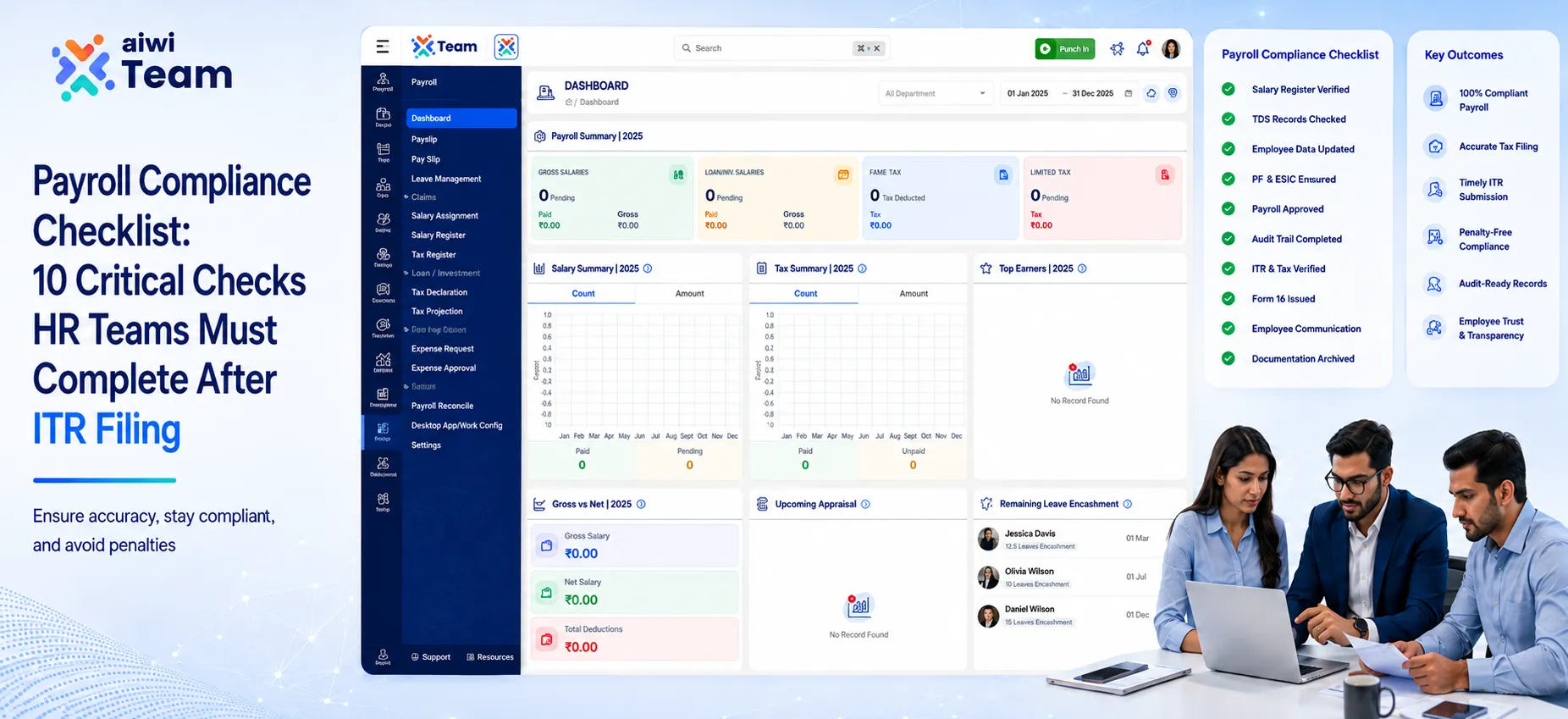
Introduction
Many HR teams assume payroll work is finished once employees complete their ITR filing. In reality, August is one of the best times to identify payroll mismatches, TDS discrepancies, missed salary revisions, and employee record errors before they become larger compliance or audit issues. A structured payroll review now can save hours of rework later in the financial year.
A post-ITR payroll review helps organizations verify salary calculations, tax deductions, statutory contributions, employee records, and payroll documentation.
This August 2026 Payroll Compliance Checklist India covers the 10 most important payroll audit checks that HR teams should complete to maintain accurate and reliable payroll processes. For organizations managing growing employee data, an All-in-One HRMS Platform can help connect employee records, attendance, leave, and payroll workflows in a more organized way.
Who Should Use This Payroll Compliance Checklist?
The August 2026 Payroll Compliance Checklist is useful for anyone responsible for payroll accuracy, employee records, tax deductions, and HR operations.
It is mainly designed for:
HR Managers - To review employee data, salary changes, attendance, and payroll processes.
Payroll Teams - To verify salary calculations, TDS, statutory deductions, and payroll reconciliation.
Finance Teams - To match payroll records with accounting entries and financial reports.
Business Owners & SMEs - To maintain organized, accurate, and audit-ready payroll processes.
HR Consultants - To review payroll workflows and identify process improvements.
This checklist helps organizations reduce payroll errors, improve documentation, and maintain reliable payroll operations.
What Should HR Teams Check After ITR Filing?
After ITR filing, HR and payroll teams should verify salary records, TDS calculations, employee master data, statutory deductions, salary revisions, variable payments, payroll adjustments, and accounting reconciliations.
A structured payroll review helps identify mismatches early and ensures payroll records remain accurate throughout the financial year.
Why August 2026 Matters for Payroll Compliance
The first few months of a financial year usually involve several payroll changes, including:
- Salary revisions
- New employee onboarding
- Employee exits
- Tax declaration updates
- Variable pay adjustments
- Attendance corrections
- Payroll master data changes
By August, many organizations have several months of payroll records available for reviewing recurring process issues.
A post-ITR payroll review allows HR teams to answer important questions:
- Are salary calculations matching approved compensation?
- Are TDS deductions accurate?
- Are employee records updated?
- Are payroll changes properly approved?
- Do payroll records match finance reports?
Early identification of errors reduces last-minute corrections during year-end closing and audits.
Why Payroll Compliance Matters After ITR Filing
Payroll is one of the most sensitive business processes because it directly affects employees and financial reporting.
A payroll mistake can impact:
- Employee income reporting
- Tax deduction records
- Statutory contribution calculations
- Salary statements
- Accounting records
- Employee trust
For example, if an employee identifies a mismatch between salary information and tax-related records during ITR filing, HR may need to investigate whether the issue originated from:
- Incorrect payroll data
- Missing salary revision
- Wrong tax calculation
- Incorrect employee information
- Delayed payroll adjustment
A payroll compliance review creates a structured process to identify these issues, document corrections, and improve future payroll accuracy.
August 2026 Payroll Compliance Checklist: 10 Critical Checks
1. Salary Register & Payroll Data Reconciliation
Why this check matters?
The salary register is the foundation of payroll accuracy. HR teams should verify that processed salaries match approved compensation structures and payroll records.
Verify:
- Basic salary
- Allowances
- Variable pay
- Deductions
- Net salary
- Employer contributions
Common payroll errors:
- Incorrect salary structure
- Missing salary updates
- Duplicate employee entries
- Manual calculation mistakes
Example:
An employee receives an increment from June, but payroll continues processing the old salary. During reconciliation, HR identifies the difference and processes the required arrear adjustment.
2. TDS Verification After ITR Filing
Why this check matters?
After employees complete ITR filing, payroll teams often receive questions regarding salary income, deductions, and tax calculations.
Reviewing TDS records helps identify calculation differences early.
Verify:
- Monthly TDS deductions
- Tax regime selection
- Employee declarations
- Taxable salary components
- Salary changes affecting tax
Common issues:
- Incorrect tax calculation
- Missing declarations
- Outdated employee information
Best practice:
Maintain a clear record of tax-related employee queries and resolutions.
3. Review Form 26AS and AIS-Related Employee Queries
Why this check matters?
AIS and Form 26AS contain tax-related information reported through applicable channels. Differences may require investigation based on the nature of the transaction.
Check:
- Employee salary reporting concerns
- TDS-related queries
- Payroll adjustments
- Tax calculation explanations
Example:
An employee notices a difference between expected TDS and reported information. HR reviews payroll records, verifies the calculation, and documents the response.
4. Employee Master Data Validation
Why this check matters ?
Incorrect employee information can create payroll errors even when salary calculations are correct.
Verify:
- Employee ID
- PAN details
- Bank information
- Department
- Cost centre
- Joining date
- Exit date
- Salary structure
Common errors:
- Incorrect employee records
- Wrong bank details
- Missing employee updates
- Incorrect salary mapping
Best practice:
Review employee master data regularly instead of waiting until year-end. Using an HRMS Management System can help maintain centralized employee information and reduce errors caused by disconnected spreadsheets.
5. Salary Revision & Arrear Verification
Why this check matters ?
Salary revisions often involve multiple approvals. Delays between approval and payroll processing can result in incorrect salary payments.
Verify:
- Increment approval
- Effective date
- Revised salary structure
- Arrear calculation
- Payroll implementation
Example:
An increment is approved from April but processed in July.
HR should:
- Confirm the effective date.
- Calculate the salary difference.
- Verify deductions.
- Process arrears correctly.
A documented salary revision workflow reduces payroll disputes. Businesses using an Inbuild payroll management software can maintain clearer salary change records, approval workflows, and payroll history..
6. EPF & ESIC Compliance Check
Why this check matters ?
Organizations should verify that PF calculations are aligned with applicable EPF rules, employee records, and payroll configuration. A structured Payroll Management System can help payroll teams organize salary data, contribution records, and compliance-related information.
Verify:
- EPF
- Employee contribution
- Employer contribution
- Employee details
- Salary changes
ESIC
- Employee eligibility
- Contribution calculation
- New joiners
- Exit employees
Common payroll errors:
- Incorrect employee mapping
- Missing updates
- Wrong contribution calculation
7. Bonus, Incentive & Variable Pay Verification
Why this check matters ?
Variable payments usually involve multiple approval stages and are a common source of payroll discrepancies.
Review:
- Bonus approvals
- Performance incentives
- Sales incentives
- One-time payments
- Supporting approvals
Common mistakes:
- Duplicate payments
- Wrong employee mapping
- Missing approvals
- Incorrect processing month
Example:
A revised incentive sheet arrives after payroll processing. HR should document the correction instead of making an unsupported manual adjustment.
8. Full & Final Settlement & Leave Encashment Review
Why this check matters ?
Exit payroll requires additional verification because it combines multiple salary components.
Verify:
- Last working date
- Attendance closure
- Leave balance
- Leave encashment
- Pending salary
- Recoveries
- Final approval
Common errors:
- Incorrect settlement amount
- Missing recovery
- Wrong leave balance
- Delayed processing
Best practice:
Use a standard checklist for every employee exit.
9. Payroll Accounting & Statutory Reconciliation
Why this check matters ?
Payroll records should match financial records to ensure accurate reporting.
Reconcile:
- Salary expense ledger
- Bank payments
- TDS payable
- EPF records
- ESIC records
- Employee recoveries
Example:
Payroll shows a different salary expense compared to accounting records. Finance should investigate missing entries or incorrect postings.
10. Payroll Audit Trail & Process Automation Review
Why this check matters ?
A strong payroll process requires proper documentation, approvals, and visibility into changes.
Review:
- Payroll approvals
- Salary change history
- Correction records
- Supporting documents
- Access controls
- Workflow processes
Best practice:
Organizations can improve payroll governance by connecting employee management, attendance, leave, document management, and payroll workflows through HR automation tools. An AIWI Team HRMS Software solution can support businesses looking for a connected approach to employee management, attendance tracking, leave workflows, and payroll operations.
Payroll Reconciliation Workflow
A payroll reconciliation process creates a structured method for identifying errors before they affect employees, finance reports, or audits.
| Step | Activity | Responsible Team | Output |
|---|---|---|---|
| 1 | Freeze attendance and leave data | HR | Final attendance inputs |
| 2 | Validate employee information | HR Operations | Updated employee records |
| 3 | Prepare payroll calculation | Payroll Team | Draft payroll register |
| 4 | Verify statutory deductions | Payroll & Finance | Compliance review |
| 5 | Match payroll with accounting records | Finance | Reconciled payroll ledger |
| 6 | Review exceptions | HR & Payroll | Approved corrections |
| 7 | Obtain approval | Management | Final payroll approval |
| 8 | Archive records | Payroll | Audit-ready documentation |
Practical Payroll Correction Examples
Example 1: Incorrect TDS Deduction
Situation
An employee updates tax-related information, but payroll calculations continue using previous assumptions.
Resolution
- Review employee declaration.
- Recalculate taxable salary.
- Compare expected and deducted TDS.
- Process correction where required.
- Maintain records.
Example 2: Salary Revision Missed
Situation
An employee receives an increment effective from June, but payroll applies it from July.
Resolution
- Confirm approval date.
- Calculate salary difference.
- Process arrears.
- Update payroll records.
- Maintain approval evidence.
Example 3: Incorrect Leave Encashment
Situation
Leave balance was updated after payroll processing.
Resolution
- Verify final leave balance.
- Recalculate eligible amount.
- Process adjustment.
- Update records.
Example 4: Exit Employee Error
Situation
An employee's Full & Final settlement misses a recovery amount.
Resolution
- Review exit documentation.
- Verify pending amounts.
- Correct settlement calculation.
- Obtain approval.
- Record adjustment.
Manual Payroll vs Automated Payroll / HRMS Comparison
| Factor | Manual Payroll | Automated Payroll / HRMS |
|---|---|---|
| Accuracy | Higher dependency on manual checks | Validation rules support consistency |
| Compliance Tracking | Often managed through spreadsheets | Centralized workflows and records |
| Audit Trail | May require manual documentation | Digital history of changes and approvals |
| Processing Speed | Time-consuming for large teams | Faster recurring processing |
| Human Error | Higher risk during manual calculations | Reduced repetitive mistakes |
| Reporting | Manual consolidation required | Faster report generation |
| Scalability | Difficult with growing workforce | Better suited for expansion |
| Document Management | Files stored separately | Centralized records where supported |
Important: Automation improves process control, but organizations still need human review, approval checks, and compliance oversight.
Modern HR teams are increasingly adopting All-in-One HRMS solutions to simplify employee management, payroll workflows, attendance tracking, and document handling. However, automation should support human review rather than replace compliance checks.
Common Payroll Mistakes HR Teams Should Avoid
1. Updating payroll before attendance is finalized
Late attendance corrections can affect salary accuracy.
2. Ignoring employee master data changes
Incorrect employee information can create downstream issues.
3. Processing salary changes without approvals
Every compensation change should have supporting authorization.
4. Handling payroll corrections informally
Manual adjustments without records create audit challenges.
5. Delaying payroll reconciliation
Small errors become harder to trace when left unresolved.
6. Maintaining disconnected spreadsheets
Multiple versions increase the risk of incorrect calculations.
Best Practices for August 2026 Payroll Compliance
- Create a documented payroll review checklist.
- Perform regular payroll reconciliation.
- Maintain clear approval workflows.
- Review employee master data periodically.
- Keep payroll evidence organized.
- Separate payroll preparation and approval responsibilities.
- Track payroll corrections.
- Review recurring payroll exceptions.
- Connect HR, attendance, leave, and payroll processes where possible.
- Train payroll teams on internal procedures and regulatory updates.
Expert Recommendations
A reliable payroll process depends on three foundations:
1. Strong Data Controls
Accurate employee information is the starting point for accurate payroll.
2. Clear Approval Workflows
Every salary change, incentive, correction, and settlement should have documented approval.
3. Regular Reconciliation
Payroll should be reviewed continuously rather than only during year-end activities.
Growing organizations can benefit from HR technology that connects employee data, attendance, leave, payroll workflows, and documentation in one place. A Team HR management system helps businesses create structured processes while improving operational visibility.
The right HRMS approach reduces administrative complexity while allowing HR and finance teams to focus on review, compliance, and employee experience.
Conclusion
The post-ITR period is an opportunity for organizations to strengthen payroll accuracy before year-end reporting requirements increase.
A complete August 2026 Payroll Compliance Checklist should help HR and finance teams verify salary records, tax calculations, statutory contributions, employee information, payroll adjustments, and supporting documentation.
A reliable payroll process helps employees trust salary calculations and helps finance teams maintain accurate records.
Whether payroll is managed manually or through an HRMS platform, consistent reconciliation, documented approvals, and strong internal controls remain essential.
AIWI Team: Supporting Better HR Workflows
Managing payroll-related information across separate systems can increase administrative effort as organizations grow.
AIWI Team helps businesses organize HR operations through connected workflows covering employee management, attendance, leave management, payroll workflows, and document management. As an HRMS Management Solution in India, AIWI Team supports organizations that want better visibility, smoother workflows, and more organized HR operations.
For organizations evaluating HR automation, a centralized approach can make routine processes easier to track while supporting better visibility and operational control.
AIWI Team helps organizations bring employee records, attendance, leave, documents, and HR workflows into a more connected system. This can help HR teams improve visibility and reduce repetitive administrative work.
