


Introduction
Starting a business means managing several responsibilities at once. Founders need to hire employees, organize projects, meet deadlines, handle payroll, and keep daily operations running smoothly. When a startup has only a few employees, spreadsheets and separate applications might seem sufficient. However, as the team grows, managing everything manually becomes increasingly difficult.
Employee information may be stored in one spreadsheet, attendance records in another, and project updates across emails and messaging apps. This fragmented approach makes it harder to maintain accurate records, coordinate work, and understand how resources are being used.
That is where HRMS software for startups can make a difference. By combining human resource management with project coordination and workforce tracking, businesses can simplify routine operations and create more consistent workflows.
In 2026, startups should look beyond basic employee management. The right software should support current needs while remaining practical as the business expands. This guide explains the essential features to consider, how HRMS and project management work together, and how to choose a solution that fits your team's requirements.
What Is HRMS Software for Startups?
Human Resource Management System (HRMS) software helps businesses organize employee-related activities through a centralized platform. Depending on the product, it may include employee records, onboarding, leave management, attendance tracking, payroll workflows, and reporting.
For startups, the main advantage is reducing administrative work without introducing unnecessary complexity.
For example, a startup with 15 employees might initially manage leave requests through email and calculate attendance manually. As hiring increases, these processes can become time-consuming and difficult to track. An HRMS can centralize employee information and standardize these routine activities.
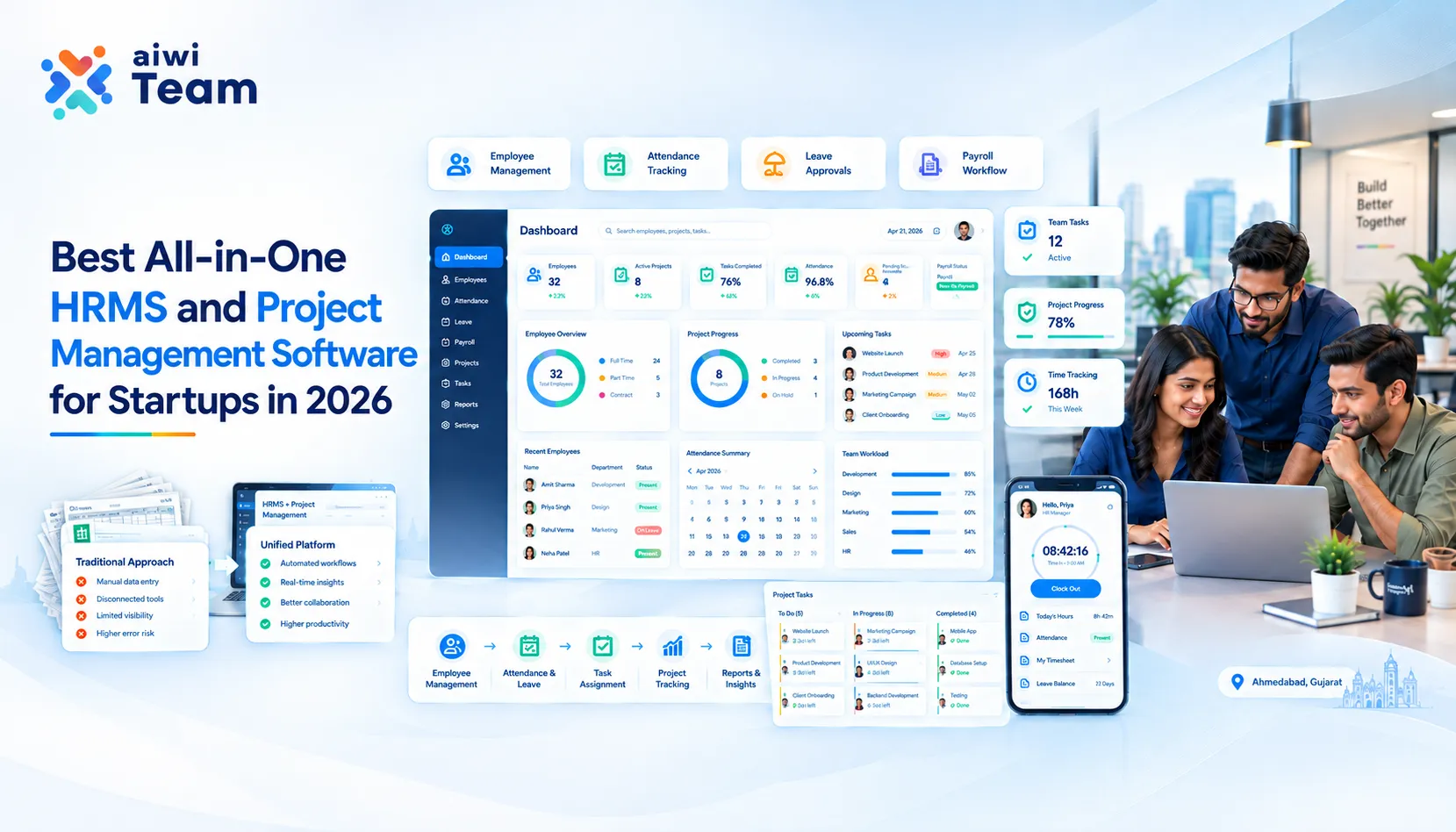
Some platforms also offer project management, task assignment, time tracking, and team reporting. These capabilities allow businesses to manage employee administration and project execution within a more connected working environment.
An all-in-one HRMS software solution can be particularly useful when a startup wants fewer disconnected tools. However, the value depends on whether the platform's features match the company's actual requirements.
Why Startups Need an All-in-One HRMS and Project Management Solution
Startups often operate with limited budgets and small teams. Employees may handle multiple responsibilities, and founders frequently oversee both operational and strategic decisions.
Using separate applications for every activity can create unnecessary complexity. An integrated solution can help address several common challenges.
1. Less Manual Administrative Work
HR teams can spend considerable time updating employee records, checking leave balances, collecting attendance information, and preparing payroll inputs.
Centralizing these processes can reduce repetitive data entry and make information easier to access. Teams should still verify important records and calculations, particularly when preparing payroll.
2. Better Project Visibility
When tasks are distributed across different tools, managers may struggle to identify delays, outstanding work, or competing priorities.
Project management features help teams assign responsibilities, establish deadlines, and monitor progress. Everyone can work from a clearer understanding of what needs to be completed.
3. More Organized Workforce Management
Startups need to understand how employee availability aligns with project requirements. Leave schedules, attendance records, work hours, and project assignments all influence resource planning.
A connected system can make it easier to coordinate these activities, provided the platform supports the necessary workflows.
4. Easier Growth
A process that works for five employees may become difficult to manage when the company reaches 50.
Choosing software with suitable permissions, reporting, and scalable plans helps businesses avoid rebuilding their entire administrative system as they grow.
Essential HRMS Features Startups Should Look For
Not every startup needs every available feature. The best HRMS software for startups in 2026 should address the business's most important operational problems first.
Employee Information and Onboarding
A centralized employee database helps keep essential information organized. Depending on the software, onboarding workflows can also help teams manage joining formalities, documentation, and assigned responsibilities.
Before choosing a system, check how it handles access permissions and protects sensitive employee information.
Leave and Attendance Management
Leave management allows employees and managers to handle requests and approvals through a defined process. Attendance management helps maintain records of working days, attendance, and related information.
These features can reduce dependence on spreadsheets and make it easier to review employee availability.
Payroll Management
Payroll involves more than transferring salaries. Businesses need accurate employee details, attendance inputs, salary components, deductions, and appropriate records.
Dedicated Payroll Management Software can help organize payroll-related workflows. Startups operating in India should also evaluate support for applicable tax requirements, statutory deductions, payslips, and reporting.
Always confirm which calculations and compliance features are actually supported before relying on a platform for payroll processing.
Task and Project Management
Startups need a practical way to assign work, set priorities, monitor deadlines, and identify bottlenecks.
A suitable Project Management Software solution should make responsibilities clear and help teams understand project progress without requiring excessive status meetings.
Look for features such as task assignments, due dates, project organization, and progress reporting.
Time Tracking and Reporting
Time tracking can help businesses understand how working hours are distributed across projects and clients. It can also support timesheet preparation and project cost analysis when configured appropriately.
Explore Time Tracking Software if your business needs more structured work-hour records.
Reporting capabilities are equally important. Useful reports should help managers make decisions rather than simply produce large amounts of data.
How Project Management Software Helps Small Businesses
Project management software for small business teams provides a shared place to organize tasks, responsibilities, deadlines, and progress.
Consider a startup developing a new mobile application. The project might involve designers, developers, testers, and a marketing team. Each group has different responsibilities, but their work must fit into the same launch schedule.
Without an organized system, updates may be scattered across messages and spreadsheets. A project management platform can make assignments and deadlines more visible, helping the team identify dependencies and coordinate work.
Useful capabilities include:
- Task assignment: Clarify who owns each activity.
- Deadline management: Set realistic completion dates and priorities.
- Progress tracking: Identify overdue work and potential delays.
- Team collaboration: Keep project information organized.
- Reporting: Review progress and identify recurring workflow problems.
When project management is connected with workforce information, managers may also find it easier to plan workloads around employee availability.
The goal is not to monitor every minute of an employee's day. It is to create clear expectations, reduce coordination problems, and help teams deliver work consistently.
Benefits of Integrating HR, Payroll, Attendance, and Project Workflows
An integrated platform can make everyday business operations more consistent, but its benefits depend on the quality of its features and implementation.
Reduced Information Silos
When employee records, attendance information, and project assignments are maintained in disconnected systems, teams may need to enter the same information multiple times.
A centralized platform can reduce this duplication where supported integrations or shared data are available.
Improved Resource Planning
Managers can consider employee availability alongside project deadlines. For instance, a team leader planning a product release can review scheduled leave before assigning critical tasks.
This helps prevent avoidable scheduling conflicts.
More Informed Business Decisions
Combining relevant workforce and project reports can help founders evaluate workload distribution, project progress, and operational costs.
However, reports are only useful when the underlying information is accurate and the metrics are interpreted in context.
Clearer Accountability
Defined workflows make it easier to understand who is responsible for a task, who approves a leave request, and which activities require attention.
This is especially useful when a startup begins introducing formal processes as its team expands.
More Consistent Employee Experiences
Employees benefit when they understand how to request leave, check relevant information, submit timesheets, and track assigned work.
Simple, consistent processes can improve the day-to-day experience without adding unnecessary bureaucracy.
How to Choose the Best HRMS Software for Startups in 2026
Selecting software requires more than comparing feature lists. A platform that looks impressive may still be unsuitable if it is difficult to use or exceeds the startup's budget.
Use these criteria to evaluate your options.
1. Identify Your Immediate Requirements
List the tasks that currently create the most problems. These might include payroll preparation, leave approvals, employee onboarding, project deadlines, or attendance records.
Separate essential features from those you may need later.
2. Evaluate the Total Cost
Review subscription fees, employee limits, implementation costs, optional modules, and any additional charges.
Compare the total cost against the time and effort the software is expected to save. Avoid paying for advanced features that your team will not use.
3. Check Ease of Use
A system should be understandable to employees, managers, and HR staff.
Request a demonstration or trial where available. Test everyday tasks such as submitting leave, assigning work, recording attendance, and generating reports.
4. Confirm Payroll and Compliance Requirements
For Indian startups, verify whether the product supports the payroll processes, records, and statutory requirements relevant to the business.
Do not assume that every HRMS includes complete payroll automation or automatically guarantees compliance.
5. Review Security and Access Controls
Employee records and payroll information require appropriate protection.
Check role-based access, authentication options, data export capabilities, backup policies, and the provider's privacy and security documentation.
6. Assess Scalability and Integrations
Consider whether the platform can accommodate additional employees, teams, projects, and reporting needs.
If you already use accounting, communication, or customer management tools, verify which integrations are available and whether they require additional fees.
7. Compare the Complete Workflow
Instead of judging tools feature by feature, test how they support an actual business process.
For example, can your team manage employee availability, assign project work, record relevant hours, and review progress without unnecessary duplication?
The answer will help determine whether an integrated solution is genuinely useful for your startup.
Common Mistakes Startups Should Avoid
Choosing software without a clear plan can create new problems instead of solving existing ones.
Prioritizing features over usability: A long feature list does not guarantee that employees will use the platform consistently.
Ignoring employee feedback: HR staff, team leaders, and employees may have different needs. Include representatives from each group during evaluation.
Assuming every module is included: Payroll, screenshots, advanced reporting, and integrations may depend on the subscription or configuration. Confirm the details before purchasing.
Overlooking data migration: Check whether existing employee records, timesheets, and project information can be transferred accurately.
Using monitoring without clear policies: If employee monitoring features are necessary, explain what is collected, why it is collected, who can access it, and how the information will be used. Apply proportionate policies and respect applicable privacy requirements.
Failing to measure results: Establish practical measures such as time spent on administration, payroll correction rates, overdue tasks, and employee adoption before implementation.
A Practical Example: An Integrated System for a Growing Startup
Imagine a startup that grows from eight employees to 30 within a year. Initially, the founder handles recruitment records, attendance, payroll inputs, and project updates using spreadsheets and messaging apps.
As the business expands, leave requests become harder to track, project deadlines overlap, and payroll preparation requires information from several sources.
The company evaluates an integrated HRMS and project management platform.
It centralizes employee records, establishes a consistent leave approval process, organizes project assignments, and introduces structured time tracking where required. Managers define clear responsibilities, while HR staff review attendance and payroll inputs before processing salaries.
The startup then measures whether administrative work decreases, records become more accurate, and project coordination improves.
The software does not eliminate the need for management or careful review. Instead, it provides a more organized foundation for the team to work from.
Conclusion
Choosing the right HRMS software for startups is about building processes that support growth without making everyday work unnecessarily complicated.
An effective solution should help your business organize employee records, leave, attendance, payroll workflows, project assignments, and time tracking according to its needs. It should also be easy to adopt, appropriately secure, affordable, and capable of supporting the next stage of growth.
Before making a decision, identify your biggest operational challenges, compare the features that matter most, and test the complete workflow with the people who will use it.
If your startup wants to bring HR administration and project coordination into a more organized environment, explore AIWI Team to review its available features and determine whether they fit your business requirements.
