


Managing a modern team is not just about knowing whether employees are online. Businesses also need to understand how work time is being used, where productivity is improving, which projects are taking longer than expected, and where teams may need support.
That is why employee monitoring and team tracking software has become increasingly important for businesses with remote, hybrid, office-based, and distributed teams.
The right Employee Productivity Monitoring Software can bring time tracking, activity insights, screenshots, attendance, project tracking, reporting, and workforce management into one place.
But choosing the right platform can be difficult.
There are dozens of employee monitoring tools available in 2026, and each focuses on different needs. Some are mainly designed for time tracking, while others focus on screenshots, productivity analytics, project management, or workforce operations.
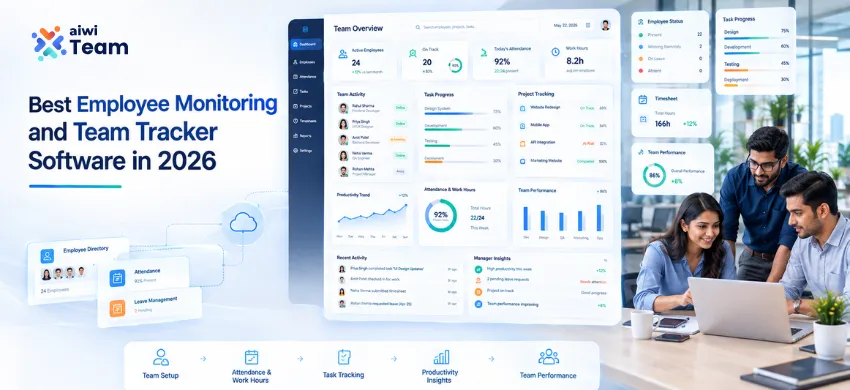
For businesses looking for an all-in-one team tracking software, AIWI Team provides a broader approach by combining employee monitoring with time tracking, attendance, productivity, projects, tasks, payroll, and workforce management.
What Is Employee Monitoring Software?
Employee Monitoring Software helps businesses understand employee work activity, working hours, application activity, productivity patterns, and other work-related information.
Depending on the software, businesses may be able to track:
- Employee working hours
- Active and idle time
- Application activity
- Website usage
- Screenshots
- Keyboard and mouse activity
- Attendance
- Project and task time
- Productivity reports
- Team activity
- Workload and resource availability
The purpose should not simply be to “watch employees.”
Good employee monitoring should help managers understand work patterns, identify bottlenecks, improve workload planning, support remote teams, and make better workforce decisions.
Modern platforms increasingly combine monitoring with broader workforce management instead of treating employee monitoring as a standalone feature.
Why Businesses Need Employee Productivity Monitoring Software in 2026
Work has changed significantly.
This is particularly important for distributed teams, where managers may not have the same visibility they would have in an office environment. For a deeper look at the challenges behind remote-team productivity, see why employee productivity drops in remote teams and how businesses can address it.
Employees may work from home, from an office, across multiple locations, or through a hybrid schedule. At the same time, businesses are managing larger teams, multiple projects, different time zones, and increasingly complex workloads.
If your business is still relying on manual timesheets, it's worth understanding why modern businesses are moving toward dedicated time tracking tools.
An effective Employee Productivity Tracking Software can help businesses answer questions such as:
- How many hours are employees actually working?
- How much time is being spent on different projects?
- Which teams are overloaded?
- Which tasks are taking longer than expected?
- When are productivity levels highest?
- Are remote employees maintaining expected work schedules?
- How can managers improve resource allocation?
- Can time and attendance data support payroll?
Instead of relying completely on assumptions, managers can use workforce data to make more informed decisions.
What Should the Best Employee Monitoring Software Include?
The best solution depends on your organization's needs. However, there are several features businesses should consider before selecting Employee Monitoring Software.
1. Employee Time Tracking
Time tracking is one of the most important capabilities.
A good Time Tracking Software should make it easy to record working hours, active time, breaks, project time, and task time without forcing employees to maintain complicated spreadsheets.
AIWI Team provides automated employee time tracking for work hours, active time, tasks, and projects. Time information can also connect with attendance and other workforce processes.
This is especially useful for:
- Remote teams
- Agencies
- IT companies
- Service businesses
- Freelancers
- Project-based organizations
2. Employee Screenshot Monitoring
Screenshots can provide additional context around employee work activity.
With Employee Screenshot Monitoring Software, managers can review periodic screenshots during active working periods and understand what employees were working on.
AIWI Team supports configurable screenshot monitoring, allowing businesses to control screenshot intervals according to their operational requirements.
However, screenshot monitoring should be implemented transparently.
Businesses should establish clear policies explaining:
- What is monitored
- When monitoring happens
- Why information is collected
- Who can access the data
- How long information is retained
The objective should be visibility and accountability, not unnecessary micromanagement.
3. Activity and Productivity Tracking
Simply measuring hours does not always tell the complete story.
Two employees may work for eight hours but have very different activity patterns.
Employee productivity tracking can provide additional context by looking at factors such as:
- Active working time
- Keyboard activity
- Mouse activity
- Applications
- Work sessions
- Project time
- Task activity
AIWI Team's time tracking functionality includes activity-strength insights based on keyboard activity, mouse movement, and active applications.
These insights can help managers identify productivity trends rather than relying only on logged hours.
4. Attendance and Time Tracking Together
Employee monitoring becomes more useful when it works alongside attendance management.
A workforce platform should ideally help businesses understand:
Attendance → Working Hours → Activity → Tasks → Projects → Reports
AIWI Team connects time tracking with attendance, leave, and workforce processes, helping businesses maintain more consistent work-hour records.
This can be particularly useful for companies that need accurate data for payroll and workforce planning.
5. Project and Task Tracking
Employee productivity cannot always be measured independently from business output.
For project-based companies, it is important to understand how employee time is distributed across projects and tasks.
A strong Team Tracking Software should therefore allow businesses to connect:
- Employees
- Projects
- Tasks
- Time
- Workload
- Progress
- Reports
AIWI Team combines workforce tracking with project and task management, allowing businesses to manage work and workforce information within the same platform.
This can reduce the need to move between multiple disconnected tools.
6. Workforce Management
Employee monitoring is only one part of managing a workforce.
Businesses may also need:
- Employee management
- Attendance
- Leave management
- Shift scheduling
- Time tracking
- Payroll
- Project management
- Task management
- Productivity reporting
- Resource planning
This is where Workforce Management Software becomes more valuable than a standalone monitoring tool.
AIWI Team positions itself as an all-in-one HRMS and workforce management platform, combining employee management, attendance, leave, payroll, time tracking, productivity, projects, tasks, and reporting.
Best Employee Monitoring Software for Different Business Needs
There isn't one employee monitoring tool that is perfect for every organization.
The right choice depends on your workforce and what you actually want to measure.
| Business Need | Important Features |
|---|---|
| Remote teams | Time tracking, screenshots, activity monitoring |
| Small businesses | Time tracking, attendance, reports |
| IT companies | Project tracking, task tracking, productivity |
| Agencies | Project time, client tracking, reports |
| Hybrid teams | Attendance + remote time tracking |
| Enterprises | Workforce management, reporting, access controls |
| Freelancers | Time tracking, project tracking, billing data |
| HR teams | Attendance, leave, payroll, employee management |
For businesses that need only basic time tracking, a specialized time tracker may be enough.
For organizations that want employee monitoring + HR + attendance + productivity + projects + workforce management, an all-in-one platform can reduce tool fragmentation.
AIWI Team: All-in-One Team Tracking Software
AIWI Team is an all-in-one HRMS and workforce management platform designed for startups, SMEs, and growing businesses.
Instead of using separate tools for employee monitoring, time tracking, attendance, project management, and workforce operations, businesses can manage these processes through one centralized platform.
AIWI Team currently brings together capabilities including:
- Employee Monitoring Software
- Employee Screenshot Monitoring
- Time Tracking Software
- Attendance Management
- Leave Management
- Payroll Management
- Project Management
- Task Management
- Resource Management
- Productivity Reporting
- Shift Management
- Employee Management
The platform is designed for remote, hybrid, office-based, and growing teams.
Why AIWI Team Can Be a Strong Choice for Team Tracking
The main advantage of AIWI Team is that employee monitoring does not exist in isolation.
A manager can look at employee time and activity while also considering projects, tasks, attendance, leave, resources, and workforce requirements.
That provides a more complete view of how the team operates.
For example, if an employee appears to have lower activity, the answer may not necessarily be poor performance. The employee could be working on a planning task, attending meetings, handling client communication, or waiting for another team member.
That is why productivity data works best when it is considered alongside tasks, projects, workload, and business context.
AIWI Team also supports detailed daily, weekly, and monthly reports for analyzing employee performance, time utilization, and project activity.
Employee Monitoring vs Team Tracking Software
These terms are sometimes used interchangeably, but there is a difference.
Employee Monitoring Software primarily focuses on employee activity and work behavior.
Team Tracking Software generally has a broader purpose: understanding employee time, tasks, projects, attendance, workload, and productivity.
A modern workforce platform can combine both.
For example:
Employee Monitoring
- Screenshots
- Activity
- Applications
- Keyboard/mouse activity
Team Tracking
- Time
- Attendance
- Projects
- Tasks
- Workload
- Productivity
- Reports
This broader approach can be more useful for growing businesses because managers need to understand not only what employees are doing, but also how their work contributes to business operations.
How to Choose the Best Team Tracker Software
Before choosing a platform, ask these questions.
1. What do you actually need to track?
Do you only need employee hours, or do you also need screenshots, productivity, projects, attendance, payroll, and workforce management?
2. Does it support remote employees?
If your team works remotely, look for reliable remote employee time tracking and productivity reporting.
3. Can it track project and task time?
This is particularly important for agencies, IT companies, consulting firms, and other project-driven businesses.
4. Can monitoring be configured?
Different organizations have different privacy and operational requirements. Flexible settings are preferable to one-size-fits-all monitoring.
5. Does it integrate with workforce processes?
A platform becomes more useful when time tracking connects with attendance, leave, payroll, projects, and reporting.
6. Is the reporting easy to understand?
Managers should be able to turn raw tracking data into useful workforce insights.
7. Can the software scale?
A tool that works for ten employees may not work as well when the organization reaches 100 or 500 employees.
Best Employee Monitoring Software: What Should You Prioritize?
If your primary requirement is employee productivity monitoring, prioritize:
- Accurate time tracking
- Activity monitoring
- Screenshot functionality
- Productivity reports
- Project and task tracking
- Attendance management
- Remote team support
- Workforce analytics
- Privacy and access controls
- Scalability
If you need all of these capabilities, an integrated platform such as AIWI Team can be more practical than combining multiple standalone applications.
Is Employee Monitoring Software Only for Remote Teams?
No.
Employee monitoring and team tracking software can be useful for remote, hybrid, office-based, field, and distributed teams.
For businesses managing a combination of office-based and remote employees, time tracking for hybrid teams can provide useful visibility into working hours, project activity, and workforce utilization.
For remote teams, it can provide visibility into working hours and activity.
For office teams, it can complement attendance and time tracking.
For project teams, it can connect employee time with tasks and projects.
For growing organizations, it can provide centralized workforce reporting.
AIWI Team is designed to support remote, hybrid, and on-site teams as part of its broader workforce management approach.
Is Employee Monitoring the Same as Micromanagement?
Not necessarily.
The difference is largely in how the software is implemented.
Monitoring becomes counterproductive when every activity is treated as a performance judgment.
A better approach is to use employee monitoring data to:
- Identify workload problems
- Understand productivity trends
- Improve project planning
- Detect process bottlenecks
- Support remote collaboration
- Improve resource allocation
- Reduce manual reporting
Businesses should also communicate monitoring policies clearly to employees.
The goal should be better visibility and better decisions, not constant surveillance.
Final Thoughts
The best employee monitoring software in 2026 is not necessarily the platform with the most tracking features.
It is the platform that gives your business useful visibility without creating unnecessary complexity.
For some companies, basic time tracking may be enough. Others may need screenshots and activity monitoring. Growing businesses often need much more: attendance, leave, payroll, projects, tasks, productivity, reporting, and workforce planning.
That is where an All-in-One Team Tracking Software approach can make sense.
AIWI Team combines Employee Monitoring Software, Employee Screenshot Monitoring Software, Time Tracking Software, attendance, productivity insights, project management, task management, payroll, and broader Workforce Management Software in one platform.
If your business is looking for a centralized way to track employee time, understand productivity, manage projects, and organize workforce operations, AIWI Team is worth considering.
